
Frameo 10.1 Digital Photo Frame
4.6Editor score
Affordable price point
Free Frameo app sharing
Auto-rotate functionality
Digital photo frames have revolutionized how we display cherished memories in our homes. Instead of hiding photos in digital albums or phone galleries, these connected devices bring images to life on your tabletop or wall. The best models offer seamless sharing across distances, turning everyday moments into a living photo album.
We have examined ten leading digital frames available on Amazon to find the most reliable options. Our analysis focused on display quality, setup simplicity, storage capacity, and sharing features. Every selection is backed by high customer ratings and consistent performance reports from users who value their photo memories.
Each pick below highlights specific strengths for different household needs. Some offer large HD screens for impact while others prioritize budget-friendly pricing and senior-friendly features. While prices and availability shift frequently, this list remains accurate for current model specifications and core capabilities found today.
4.6Editor score
4.7Editor score

4.7Editor score
As an Amazon Associate we earn from qualifying purchases.
This side-by-side overview shows key specifications for all ten selected frames so you can quickly compare screen sizes, storage options, and sharing capabilities before making your final decision on the right model.


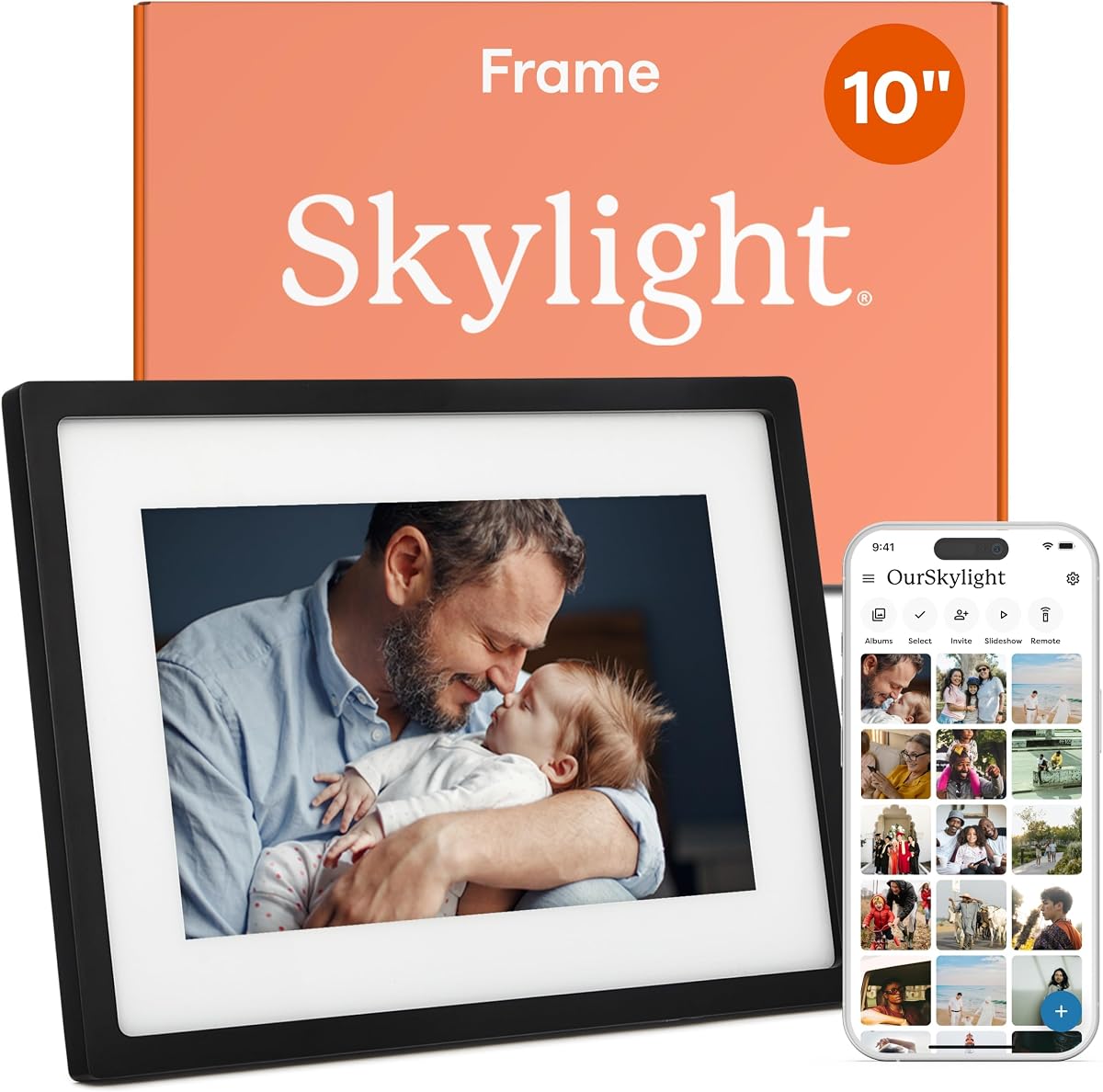
The Skylight Digital Picture Frame stands out as the easiest model to use for families wanting instant photo delivery without complicated app setups. It offers a 10-inch full HD touchscreen that displays vibrant images and supports video sharing via a dedicated email address. This simplicity makes it the preferred choice for recipients who are less comfortable navigating technical applications.
We may earn a commission when you buy through this link, at no additional cost to you.
Its email-based uploading system removes the need for downloading separate mobile apps for every family member. Users simply send photos to a unique address and the frame receives them within moments. The device comes with Gift Mode to help pre-load content before delivery, ensuring the recipient starts viewing memories immediately after opening the package.
While it does not support physical SD card transfers directly, the cloud storage feature eliminates worries about memory space. The frame stores thousands of photos and supports live video clips. Brightness and volume are adjustable, and the device can automatically turn off at night to save energy and reduce visual distraction in sleeping rooms.
This frame is ideal for grandparents or parents who value connection but dislike complicated technology. Its elegant black finish fits neatly on any table or shelf. For anyone looking for a reliable and straightforward way to share daily memories, this model remains a top recommendation.
Each frame has a unique address meaning you can send photos directly from your phone email app without needing to log into a specific system.
You can pre-upload photos so the recipient does not see an empty screen upon unboxing making the gift more exciting when opened.
We may earn a commission when you buy through this link, at no additional cost to you.
This frame offers a significant upgrade in screen size with a 15.6-inch FHD display that brings photos to life on a larger scale. It uses an IPS touchscreen for vivid colors and a 1920×1080 resolution that captures fine details like facial expressions and textures. The large panel is excellent for living rooms where multiple people will view images simultaneously.
We may earn a commission when you buy through this link, at no additional cost to you.
Beyond the size, the frame supports multiple ways to load content including wireless app sharing and physical USB storage. Users can upload via the Frameo app for secure sharing with friends and family. If WiFi is unavailable or too confusing, a USB drive can be inserted directly for offline loading ensuring flexibility.
Built-in memory allows storage of 50,000 photos and video support up to 15 seconds via app. The device includes fun features like emoji reactions and auto-rotation for flexible placement in portrait or landscape modes. A sleep mode is available to manage brightness and save power during nighttime hours.
This model suits those who prioritize visual impact over compact size. The large panel creates a dramatic wall display or centerpiece on a sideboard. It is a strong choice for photo enthusiasts who want every moment to appear crisp and engaging in high definition.
You can load photos via app or plug in a USB stick giving you control over how you transfer memories based on your comfort level.
IPS technology ensures the screen looks clear and bright from any seat in the room which is perfect for shared viewing spaces.
We may earn a commission when you buy through this link, at no additional cost to you.
The standout feature of this frame is its massive 64GB built-in storage which can hold over 100,000 photos. This removes the need to delete old images constantly. The 15.6-inch Full HD display uses IPS technology for excellent color accuracy and wide viewing angles that let you see images clearly from any seat in the room.
We may earn a commission when you buy through this link, at no additional cost to you.
Sharing photos is secure via the Frameo app allowing friends to send videos up to 15 seconds long. The frame includes a built-in speaker so video clips play with sound enhancing the emotional impact of moving memories. You can also load media via USB drive or SD card for offline access without needing internet.
Additional customization includes adjustable brightness, playback order, and sleep modes to save energy. The Reply function lets recipients send emojis back to photographers creating a two-way conversation. It also supports portrait and landscape rotation to fit wall mounts or tabletop placement without needing manual adjustment.
This frame is perfect for households with vast photo libraries who want to display everything without managing storage. The high capacity ensures decades of memories fit on one device. For users who want video and audio integration, the speaker adds a layer of life to standard frames.
With 64GB you can load decades of family photos without worrying about deleting past memories to make room for new ones.
The built-in speaker means videos play sound when you insert them via USB creating a more immersive experience for family members.
We may earn a commission when you buy through this link, at no additional cost to you.
This frame distinguishes itself with a unique calendar sync feature that displays daily plans alongside your photo slideshow. It turns the device into a functional home center rather than just a display. The 10.1-inch IPS screen offers crisp visuals and the interface is designed for senior-friendly use with simple swiping and clear menus.
We may earn a commission when you buy through this link, at no additional cost to you.
Photos can be organized into custom albums and displayed in collages of up to six images. The Frameo app lets you invite multiple family members to share securely ensuring privacy. It includes a year-long replacement warranty and lifetime technical support which adds confidence for long-term owners.
Storage capacity is 32GB allowing for 80,000 photos. While app uploads for video are limited to 15 seconds, you can bypass this using a microSD card. You can adjust brightness, volume, and sleep settings to manage the device efficiently without needing constant power during night hours.
This model is best for households needing organization and connection. If you want a frame that also functions as a family calendar, this is the top choice. It fits well in kitchens or offices where schedules and memories both matter.
Sync iCloud or Google Calendar to show daily events on the screen keeping family schedules organized alongside cherished memories.
A one year warranty covers defects and lifetime support is available so help is ready if any issues arise later.
We may earn a commission when you buy through this link, at no additional cost to you.
For buyers seeking a budget-friendly option, this frame offers excellent value without sacrificing essential features. It displays 10.1-inch HD content with an IPS touchscreen that ensures clear images from any angle. The price point makes it accessible for gifting to multiple family members while maintaining reliable performance standards.
We may earn a commission when you buy through this link, at no additional cost to you.
It supports the Frameo app for secure and instant photo sharing across distances. Users can upload via app or use microSD cards for longer videos. The device auto-rotates images so you can place it horizontally or vertically without manually turning the frame which adds convenience for flexible placement.
Calendar syncing and collage modes are included to keep the display useful and engaging. You can organize photos by event or theme using custom albums. The interface allows easy adjustments to brightness and volume ensuring the frame fits any room lighting condition without glare or distraction.
This frame is ideal for first-time buyers or for adding to a second room in the house. It balances cost and capability effectively. Anyone needing a reliable shared photo display without a large investment will find this model meets their needs well.
At a lower price point this frame allows you to gift photo memories to several relatives without breaking your budget.
Photos adjust automatically to fit the frame orientation so you can switch from vertical to horizontal placement instantly.
We may earn a commission when you buy through this link, at no additional cost to you.
The Aura Carver Frame is recognized by experts as one of the most polished designs for digital photo display. It arrives in premium packaging ready for gifting without needing extra wrapping. Its screen calibration ensures colors look rich and natural which is critical for showing accurate skin tones and landscapes in photos.
We may earn a commission when you buy through this link, at no additional cost to you.
It offers free unlimited storage meaning you never pay subscriptions or fees. You can send content via email, text, iCloud or Google Photos from anywhere. Live photos from iOS devices play smoothly which adds motion to still shots. It also supports video clips up to 30 seconds with sound.
Smart features include portrait pairing which links two frames side by side. Automatic brightness adjusts to room lighting ensuring the display never feels too bright in the evening. The frame is intuitive and requires minimal interaction from the user once set up.
This frame suits users who value design and unlimited storage. It fits perfectly in living spaces where aesthetics matter. For those who want a premium device that works seamlessly with Apple ecosystems, this is a top choice.
Never worry about deleting photos because the frame allows you to store as many as you want without extra fees.
The frame arrives in a high quality gift box which makes it ready to give to someone special without extra effort.
We may earn a commission when you buy through this link, at no additional cost to you.
This frame excels with its large 15.6-inch Full HD display which makes photos look vivid and clear. It offers robust offline functionality allowing you to load content directly from SD cards or USB drives if internet access is slow or unwanted. This flexibility is great for users who want physical control over their content.
We may earn a commission when you buy through this link, at no additional cost to you.
The Frameo app enables secure and private photo sharing for unlimited members. Built-in storage holds 10,000 plus photos. A unique greeting feature lets you send themed pictures for birthdays or holidays adding a special touch to daily viewing. Sleep mode helps reduce energy consumption and brightness at night.
Colors are managed well by IPS panel technology which keeps images looking consistent across the screen. Auto rotation handles both portrait and landscape orientation automatically. The manufacturer offers direct technical support and quality assurance which is helpful if you need troubleshooting during setup.
This model is perfect for those who prefer physical storage backups. If you dislike relying on clouds or apps for every photo this frame gives you control. It is a reliable large display for keeping memories alive regardless of internet connectivity.
If WiFi is difficult to setup you can use USB or SD cards directly to get photos onto the screen immediately.
The greeting feature sends special themed images for holidays which adds a fun touch to the standard photo slideshow.
We may earn a commission when you buy through this link, at no additional cost to you.
This model combines a large screen with a generous 64GB storage capacity allowing you to keep 100,000 plus photos without deleting old ones. The 15.6-inch Full HD display uses IPS technology to ensure color accuracy and brightness remain consistent even when viewed from a side angle.
We may earn a commission when you buy through this link, at no additional cost to you.
The Frameo app allows private and secure sharing with unlimited family members. Captions can be added to every photo for context which is helpful for grandchildren viewing past events. You can also transfer media via SD card or USB for offline playback keeping memories safe locally.
Auto-rotation ensures the images always look right regardless of whether the frame sits on a table or is mounted on a wall. Sleep mode manages power consumption so the screen turns off when not needed. The design fits well into modern home decor without looking bulky or outdated.
This frame is a solid choice for large families with extensive photo archives. It handles high volume storage well. For anyone who wants to display a large number of memories without worrying about space limitations this model is highly effective.
64GB allows for over a hundred thousand photos meaning you can keep every memory from the last decade or more.
IPS panels provide rich colors and wide angles so everyone in the room sees the same quality image.
We may earn a commission when you buy through this link, at no additional cost to you.
This frame is designed to be accessible for seniors and those less familiar with digital apps. It offers a simple interface and supports non-WiFi transfers via SD card or USB so setup does not always require internet. The magnetic stand makes it easy to switch between portrait and landscape modes instantly.
We may earn a commission when you buy through this link, at no additional cost to you.
You can share content via the Frameo app for secure remote updates. The 32GB memory holds a substantial amount of photos. The embossed frame design gives it an elegant look suitable for living rooms or offices. Wall mounting kits allow it to be hung like a traditional frame.
Features like auto-rotate help maintain correct display orientation without manual effort. Brightness and volume are adjustable for comfort. The manufacturer provides direct technical support which is helpful if guidance is needed during initial setup or troubleshooting.
This model is excellent for elderly family members who want to stay connected digitally. If you need a device that works without complex app usage this frame fits that need. It is a thoughtful gift for parents or grandparents.
You can use a USB drive or SD card to upload photos without needing to connect the frame to WiFi.
The stand allows quick switching between vertical and horizontal placement making display layout flexible.
We may earn a commission when you buy through this link, at no additional cost to you.
The Aura Walden offers a large 15-inch display with anti-glare treatment which ensures photos look clear even in bright rooms. Its color calibrated screen provides rich true-to-life images that match how photos looked when taken. It is a top-rated frame by experts and is praised for its aesthetic finish in white clay.
We may earn a commission when you buy through this link, at no additional cost to you.
You get free unlimited storage with no subscription fees. The app setup is fast and allows inviting family members to share. It supports wireless screen mirroring from a PC for quick updates. A built-in speaker allows video playback with sound enhancing the viewing experience.
The frame adjusts brightness automatically based on room light and can turn off at night. It can be placed on a tabletop or mounted on a wall with the included kit. This versatility allows it to fit into different rooms seamlessly. It is a smart choice for modern homes.
This frame suits those wanting a large, high-end display for shared memories. It combines premium build quality with reliable performance. For anyone who wants a wall-worthy digital frame that works intuitively this is a top option.
The screen is tuned to show accurate colors which is vital for seeing details clearly in all photos.
Anti-glare technology prevents reflections so you can view photos clearly even in sunny rooms.
We may earn a commission when you buy through this link, at no additional cost to you.
Selecting the right digital photo frame requires understanding key factors like screen size, sharing method, and storage needs. This guide explains what to prioritize for your specific situation to ensure a satisfying purchase.
Screen size determines how large your images appear and where you can place the frame. Smaller sizes like ten inches are great for shelves while larger fifteen inch screens are better for living rooms. Resolution quality ensures photos look sharp rather than blurry on high definition displays.
Choose a resolution of at least 1280×800 for clear details and look for IPS panels to ensure colors look good from any angle.
Decide how you want to send photos to the frame. App-based sharing is convenient for frequent updates while email addresses simplify sending for non-tech users. Physical SD or USB slots are essential if you prefer loading photos offline without internet.
Look for frames that offer multiple connection methods to ensure flexibility if WiFi is slow or unreliable in your home.
Storage determines how many photos you can keep on the device. Options range from thirty two gigabytes to sixty four gigabytes or unlimited cloud storage. Higher capacity reduces the need to delete old photos constantly which keeps memories safe.
Select a model with enough internal storage to hold your archive or choose one with unlimited cloud storage for limitless memory.
A simple setup process ensures the recipient can start using the frame immediately. Look for plug-and-play features that require minimal configuration or email sharing which removes app login steps. Clear menus help seniors use the device without frustration.
Prioritize frames that are designed for non-tech users to ensure the gift works smoothly from day one.
Check if the frame supports video playback and if it has a speaker for sound. Some frames limit video length to fifteen seconds while others support longer clips. A speaker is vital if you want to hear audio from clips.
Choose a frame with a speaker if moving memories with sound are important for family viewing sessions.
The frame should match your home decor and fit well on walls or tables. Look for anti-glare screens and materials that resist fingerprints. Wall mount kits are useful for permanent installations while magnetic stands help with temporary placement.
Look for frames with anti-glare screens and included mounting kits to ensure the display fits your space properly.
Some models require subscription fees for cloud storage or extra features which can be costly over time. Most top frames now offer free unlimited storage so check the fine print before buying. Avoid models that limit storage unless you want paid options.
Always verify that the frame offers free unlimited storage to avoid unexpected costs later.
Good support ensures you get help if technical issues arise. Look for brands offering a full year warranty and responsive technical teams. Reliable after-sales service ensures your investment is protected against defects or errors.
Choose a brand with a warranty and lifetime support to ensure peace of mind for long-term use.
To get started plug the frame into power and connect it to your WiFi network using the setup guide. Once connected invite family members via the app or email address so they can start sharing photos. Organize the photos on your phone so you can upload them efficiently.
To maintain the frame regularly clean the screen with a soft dry cloth to avoid fingerprints. Keep the frame away from humid areas or direct sunlight which can damage internal components. Adjust the sleep mode so it turns off at night to save energy.
If you need to update content frequently check the app regularly for new photos. Delete old photos from the cloud only if you are certain you do not need them. Keep the power adapter secure so connections do not loosen over time.
Many frames offer WiFi as the primary sharing method but some also support USB or SD card loading. If you cannot use WiFi you can upload photos via physical storage. However most modern features require internet for app sharing.
Yes most frames allow unlimited users to send content once they are invited. The recipient controls who can share to their frame to keep privacy. This is great for large families to contribute memories.
Most top models do not charge subscription fees and offer unlimited cloud storage. However some specific features like advanced AI or extra storage might require payment. Check the product details before buying.
Most frames support video clips up to thirty seconds. Longer videos may require USB loading. Ensure the frame has a speaker if you want sound playback.
You can upload photos via the app from your phone or email them to the frame address. To replace images you can delete old ones from the cloud or use physical storage.
Many frames include wall mount kits. Check the product description to ensure it supports mounting. Some models include stands only.
Most frames support both platforms via dedicated apps. Check compatibility before purchasing to ensure your phone works with the frame.
The Skylight Frame offers the best all-around experience for easy setup and email sharing. The Frameo models provide excellent value with large screens and offline options. The Aura frames offer premium design and unlimited storage for high-end needs.
Prioritize screen size and ease of use depending on your recipients. Larger screens create impact in living rooms while simple menus help older users stay connected easily.
Prices and stock fluctuate so verify current listings on Amazon. Choose a frame that fits your home design and matches your family's sharing habits to ensure years of shared memories.