
Synology 2-Port 10GbE RJ-45 PCIe Network Adapter E10G30-T2
4.6Editor score
Two 10GbE Ports
Optimized for Synology Systems
Five Year Warranty Included
Compare the best 10GbE network cards for PCs and servers. Expert reviews on speed, compatibility, and ratings to guide your purchase.
When upgrading your workstation or server, choosing a reliable 10GbE network card is crucial for high-speed data transfer. These adapters bridge the gap between standard hardware and modern network demands without complicated installations.
We compared ten leading models based on performance, compatibility, and feature sets. Our goal was to identify which cards deliver consistent throughput and stability under heavy workloads for home and professional environments.
Each entry displays specific technical details and user feedback. Please note that market pricing fluctuates regularly, so verifying current costs directly with the seller is essential before making your final purchasing decision.
4.6Editor score

4.2Editor score

4.4Editor score
This side-by-side table highlights key specifications for each network card. Check the controller type, port configuration, and interface standards to find the right match for your hardware setup.


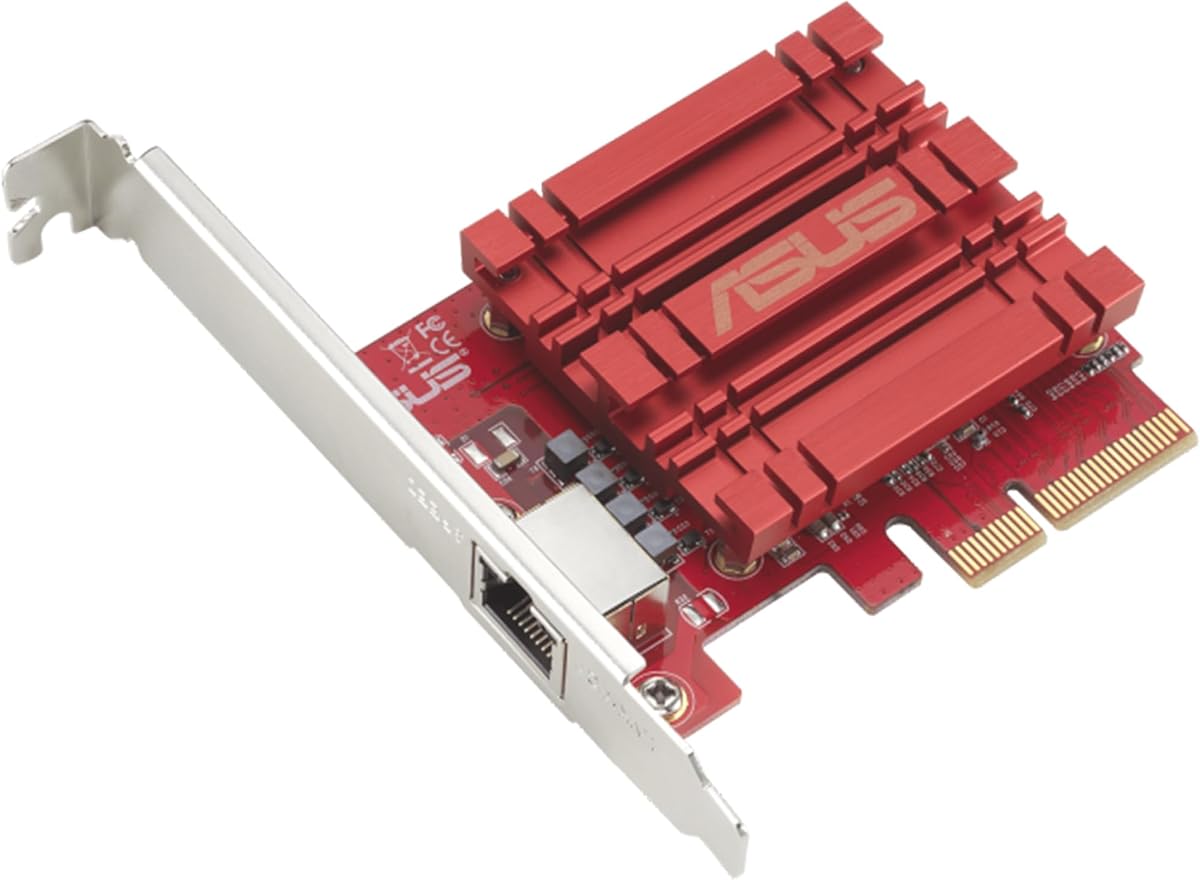


The TP-Link TX401 is a top choice for anyone needing fast networking without breaking the bank. With its 10GBase-T technology, it delivers speeds up to 10 Gbps, which is significantly faster than standard Gigabit connections. This adapter stands out in a competitive market for its ease of use and reliable performance in home labs or small offices.
We may earn a commission when you buy through this link, at no additional cost to you.
Its versatility is a major selling point because it negotiates automatically with lower speeds like 5 Gbps or 1 Gbps. This ensures seamless integration with older switches or routers. The included CAT6A cable further ensures that the connection does not bottleneck data transmission during large file transfers.
Quality of Service (QoS) technology prioritizes traffic to avoid congestion during gaming or streaming tasks. This feature is particularly useful for mixed-use PCs where latency sensitive apps compete for bandwidth. The card works on Windows and Linux systems, making it accessible to a wide user base.
If you need a straightforward upgrade from 1 Gbps to 10 Gbps, this card is highly recommended. It fits well in most cases with the provided low-profile bracket. The comprehensive warranty adds confidence to the purchase, making it a solid overall option for modern networking needs.
Automatic negotiation ensures smooth transitions between different network speeds without manual configuration.
A CAT6A Ethernet cable comes in the box to maximize performance right out of the box.
We may earn a commission when you buy through this link, at no additional cost to you.
This adapter is purpose-built for high-performance storage applications and specifically designed to work with Synology NAS systems. With two 10GbE ports, it offers redundancy and increased bandwidth for storage intensive tasks like media editing or data backups. Users consistently rate it highly for stability.
We may earn a commission when you buy through this link, at no additional cost to you.
The two ports allow for link aggregation or failover configurations which are critical in professional environments where downtime is unacceptable. Auto-negotiation between 10 Gbps and 1 Gbps ensures that older devices on the network can still communicate without errors. This flexibility makes it adaptable to mixed networks.
While the price is higher than generic options, the build quality and warranty coverage justify the investment. A five-year warranty provides peace of mind for business users deploying multiple cards. The hardware compatibility list should be checked to ensure it matches your specific system requirements.
If you run a Synology NAS and need to unlock the full potential of 10GbE storage, this is the best choice. It integrates tightly with DSM software for simplified management. The dual port setup is a significant advantage for any user needing high reliability.
Dual ports enable link aggregation for higher speeds or failover for improved system reliability.
Purpose-built design ensures perfect compatibility with DSM operating systems and related hardware.
We may earn a commission when you buy through this link, at no additional cost to you.
This card offers exceptional value for users who need fiber connectivity without paying for branded solutions. It features an Intel 82599EN controller which is a proven standard for reliability. The single SFP+ port allows you to connect with modules or DAC cables which saves on cabling costs.
We may earn a commission when you buy through this link, at no additional cost to you.
Support extends to Windows Server and Linux environments making it a versatile choice for virtualization setups. The profile brackets ensure it fits into compact server chassis as well as standard desktop towers. Drivers must be configured correctly for it to work on newer Windows versions.
The 10Gtek brand provides a 3-year warranty which adds value to this budget friendly option. It is important to note that SFP+ modules are sold separately so you must factor that into your total cost. The controller does not support 1G/2.5G/5G speeds but handles 10G well.
If you are building a home lab or need a low-cost server uplink this is the most cost effective solution. The Intel controller ensures that you avoid compatibility issues often found with generic cards. It is a smart pick for users who already have SFP+ cables available.
The original Intel 82599EN controller provides stable and trusted performance for virtualization tasks.
SFP+ support allows use of DAC or optical cables based on your existing network infrastructure.
We may earn a commission when you buy through this link, at no additional cost to you.
This adapter is powered by the latest Realtek RTL8127 chipset which delivers up to 10Gbps connectivity for NAS and servers. It is designed for stable low latency performance which is essential for workstations and media editing. The energy efficient controller runs cooler than older 10GbE solutions.
We may earn a commission when you buy through this link, at no additional cost to you.
Support for 10Gbps 5Gbps and 2.5Gbps speeds ensures seamless integration with routers and switches that support newer standards. This multi-gig auto-negotiation allows the card to adapt to whatever speed your current infrastructure supports without manual intervention. It works well for existing network infrastructure upgrades.
The PCIe 4.0 x1 interface provides full 10GbE networking while maximizing slot efficiency on modern motherboards. It is compatible with x1 x4 x8 and x16 slots making it ideal for Mini PCs and ITX builds. Standard and low profile brackets allow for flexible installation in compact systems.
If you need a modern adapter for a new build this card fits perfectly with current motherboard standards. It supports mainstream Linux and Windows systems though driver checks are necessary. The design is optimized for low power consumption which keeps heat output low in small cases.
PCIe 4.0 x1 interface offers high performance while preserving space on the motherboard.
Automatic negotiation supports speeds from 100Mbps to 10Gbps for flexible network setups.
We may earn a commission when you buy through this link, at no additional cost to you.
This network card features the Intel X550AT2 controller which supports single-root I/O virtualization for better server stability. Dual RJ45 copper ports allow you to connect to standard network cables without needing special optics. The onboard technical support tools help manage traffic efficiently.
We may earn a commission when you buy through this link, at no additional cost to you.
On-chip QoS and Traffic management features allow for better handling of data packets during busy periods. Load balancing on multiple CPUs helps distribute the network load to prevent bottlenecks. The card supports a wide range of operating systems including Windows Server and Linux distributions.
Equipped with an Intel official NVM Update Utility this card enables in-system firmware refresh without rebooting. This minimizes business downtime and cuts manual maintenance workload for data center servers. You can batch upgrade multiple adapters remotely to keep your network up to date.
If you are managing a server environment this card offers robust features for high availability. The dual RJ45 ports provide redundancy which is vital for 24/7 operations. While it may require manual configuration for 5G speeds the feature set makes it ideal for professional use.
On-chip traffic management and load balancing ensure stable performance under heavy server loads.
Firmware update tools allow remote batch upgrades to reduce administrative overhead significantly.
We may earn a commission when you buy through this link, at no additional cost to you.
This card delivers hyper-fast 10Gbps networking which enables up to 10X-faster data-transfer speeds for demanding tasks. It has full compatibility with current network standards including 10/5/2.5/1Gbps. This ensures you can use standard copper network cables to upgrade your desktop efficiently.
We may earn a commission when you buy through this link, at no additional cost to you.
Support for Windows and Linux OS means you can integrate it into various environments without issues. The built-in Quality-of-Service technology allows you to prioritize bandwidth for data packets. This results in a smoother online experience during peak usage times.
Users appreciate the ability to prioritize data which is helpful for video calls or gaming. The RJ45 port makes setup simple for most consumers who already have Cat6 cables available. It is a straightforward solution for anyone looking to move beyond Gigabit speeds quickly.
If you need a reliable upgrade for your desktop this card fits the bill well. The brand reputation adds value to the purchase. While it has only one port it delivers high speeds for general use cases like home offices and gaming setups.
Built-in QoS ensures critical data packets get priority for smoother network performance.
RJ45 ports work with standard copper cables so you do not need expensive fiber optics.
We may earn a commission when you buy through this link, at no additional cost to you.
This adapter delivers high performance for demanding storage and networking applications on Synology systems. It supports auto-negotiation between 10/5/2.5/1 Gbps and 100 Mbps speeds automatically. Users appreciate the validated compatibility with Synology systems which ensures smooth operation.
We may earn a commission when you buy through this link, at no additional cost to you.
The single port design is ideal for those needing a direct upgrade to 10Gbps for file access. Performance is validated for full compatibility and performance with Synology NAS devices. This reduces the risk of errors during installation or configuration.
The 5-year limited warranty coverage adds value to this investment for business users. It is designed specifically for storage tasks which often require sustained throughput. The high rating from users suggests reliability in real world scenarios.
If you are looking for a reliable single port solution for your NAS this is the best choice. It avoids compatibility headaches by being purpose built. The warranty and validated support make it a safe choice for professional environments.
Validated compatibility ensures the card works perfectly with DSM software and storage protocols.
A five-year limited warranty provides significant long term protection for your purchase.
We may earn a commission when you buy through this link, at no additional cost to you.
This card features GENUINE INTEL 82599EN silicon that delivers sustained 10 Gigabit throughput for NAS transfers. The SFP+ cage allows you to connect with third-party DAC twinax or 10GBASE optics. Unlike branded cards it does not reject modules they do not recognize.
We may earn a commission when you buy through this link, at no additional cost to you.
It is detected by Proxmox and TrueNAS with no driver steps which is rare for budget cards. The four PCIe lanes leave the rest of the board free for other expansion options. Both full-height and low-profile brackets ship so it fits ATX towers and 1U racks.
You must ensure your case has airflow since the passive heatsink runs warm by design. Jumbo frames to 9KB and checksum offload run in hardware to reduce CPU usage during transfers. You can clip a small fan to it in a silent build if noise is a concern.
If you want to save money on SFP+ transceivers this card is highly effective. The lack of vendor lock-in means you can use cheaper optics from other brands. It is a strong choice for enthusiasts who want performance without brand restrictions.
No vendor lock-in allows you to use third-party optical or DAC cables without issues.
Plug and play detection on Proxmox and ESXi simplifies virtual environment configuration.
We may earn a commission when you buy through this link, at no additional cost to you.
This adapter offers hardware interface with a 10Gbps RJ-45 Ethernet port. It supports speeds up to 10Gbps and 2.5Gbps over standard cables. The NDAA and TAA compliance makes it suitable for government customers needing certified solutions.
We may earn a commission when you buy through this link, at no additional cost to you.
The network adapter supports most installations and standard and low-profile brackets are included. Manufacturer protection provides 3 years of support from English speaking advisors. This ensures you have help during installation or troubleshooting if issues arise.
The 2.5GBASE-T specification supports speeds over standard Cat5e cables which simplifies cabling. It is compatible with Windows Server 2022 and 2019 for enterprise use. The PCIe Express slot converts standard slots into 10G Ethernet ports efficiently.
If you need compliance for government projects this is a solid option. The support team ensures that you get help during business hours. It is a reliable card for those who value long term vendor protection and documentation.
NDAA and TAA compliance ensures the product meets standards for government and public sector clients.
Manufacturer protection provides three years of reliable English speaking technical support.
We may earn a commission when you buy through this link, at no additional cost to you.
This network card is equipped with an Intel X550-AT2 controller chip which improves server stability significantly. It is compatible with Windows Server and Linux systems. Single RJ45 ports allow you to connect to network cables for data center demands.
We may earn a commission when you buy through this link, at no additional cost to you.
The card supports 100M/1G/2.5G/5G/10G speeds. If automatic negotiation fails you can configure speeds manually to force performance. It fits in any X4 X8 or X16 slot making it versatile for different motherboard layouts.
It includes both standard and low profile brackets for easy installation. The product is backed by a 3 Year Free Warranty which adds confidence. However note that firmware updates are not supported which may limit long term feature access.
If you need a stable copper connection for server environments this card works well. The Intel controller ensures better stability than generic options. It is a good choice for users who need 2.5G and 5G support on existing cabling.
The original Intel X550-AT2 controller ensures stable performance and better server integration.
Supports 2.5G and 5G speeds allowing use of existing Cat5e cables without upgrades.
We may earn a commission when you buy through this link, at no additional cost to you.
When upgrading your network capacity choosing the right 10GbE network card involves considering several critical factors.
Ensure the card supports 10 Gbps speeds to handle high throughput tasks like media editing or large data transfers efficiently.
Choose a card that matches the speed of your router or switch to prevent bottlenecks during heavy network usage.
RJ45 ports use copper cables which are easier to deploy for short distances and standard offices.
SFP+ ports offer fiber connectivity for longer distances and are better for high performance data centers.
Cards with Intel controllers like X550 or 82599EN offer stable performance and reliable driver support across OS options.
Realtek controllers are cost effective and suitable for general home and small office use cases.
Check that the card has drivers available for your OS such as Windows Server or specific Linux distributions.
Verify community support for virtualization platforms like VMware ESXi if you plan to host VMs.
10GbE cards can generate heat so look for designs with good airflow or active cooling if needed.
Ensure your PC case has enough clearance to allow the card to dissipate heat effectively.
Look for at least a 3-year warranty to protect your investment against early hardware failures.
Check if technical support is available during business hours if you need setup assistance.
Verify that the card includes brackets for both standard and low-profile cases to ensure physical fit.
Measure your available PCIe slot space to avoid compatibility issues during installation.
Review your current cables to ensure they support 10Gbps speeds before buying the network card.
Confirm your switch supports 10GbE to realize the full benefits of the upgrade.
Turn off your computer and disconnect power before opening the case to install the card safely.
Insert the card into an available PCIe slot and secure it with screws to prevent movement during operation.
Install necessary drivers from the manufacturer website to ensure all features like QoS work correctly.
For RJ45 cards you need CAT6A cables to sustain full 10 Gbps speeds. SFP+ cards require optical modules or DAC cables depending on distance.
Yes most cards support auto-negotiation and will fallback to 1 Gbps. However you will not see speed gains unless your switch supports 10GbE.
Most cards support Windows and Linux but check specific driver availability for your version to ensure full feature functionality and stability.
Some modern cards work in x1 slots using PCIe 4.0 but older cards require x4 or higher to achieve full 10 Gbps bandwidth.
You must upgrade your switch or router to support 10 Gbps ports to utilize the full speed of the network card effectively.
Yes many NAS systems support PCIe network cards for expansion. Synology and QNAP have specific compatible models for best performance.
The top picks cover various needs from home labs to enterprise servers with reliable performance.
Prioritize compatibility with your OS and switch to ensure a smooth upgrade process for your network.
Always check the current pricing and warranty details on the seller page before finalizing your purchase.