
Creative Pebble Plus
4.3Editor score
USB Powered Design
45 Degree Elevated Drivers
Down-Firing Subwoofer
Discover the top 2.1 channel desktop speakers for gaming, music, and movies. Compare specs, ratings, and features across ten real models to find your perfect audio upgrade.
Finding the right sound system for your workspace can transform your daily computing experience. A good 2.1 channel desktop speaker setup delivers rich audio with clear highs and deep bass without cluttering your desk. We have curated a selection of proven models to help you choose wisely.
This list compares ten distinct speaker systems based on real user ratings and technical specifications. Each entry includes detailed insights into connectivity, power output, and design features. Our goal is to provide a comprehensive overview that helps you make an informed decision for your specific needs.
Every product reviewed here offers unique strengths whether you prioritize budget, sound quality, or aesthetics. You will find options ranging from entry-level value picks to premium THX certified systems. Note that availability and pricing may change, so check current listings before purchasing.
4.3Editor score

4.5Editor score
4.2Editor score
Below you will find a side-by-side comparison of all ten speaker systems. This table highlights key specifications and features to help you quickly identify which model fits your requirements and budget best.


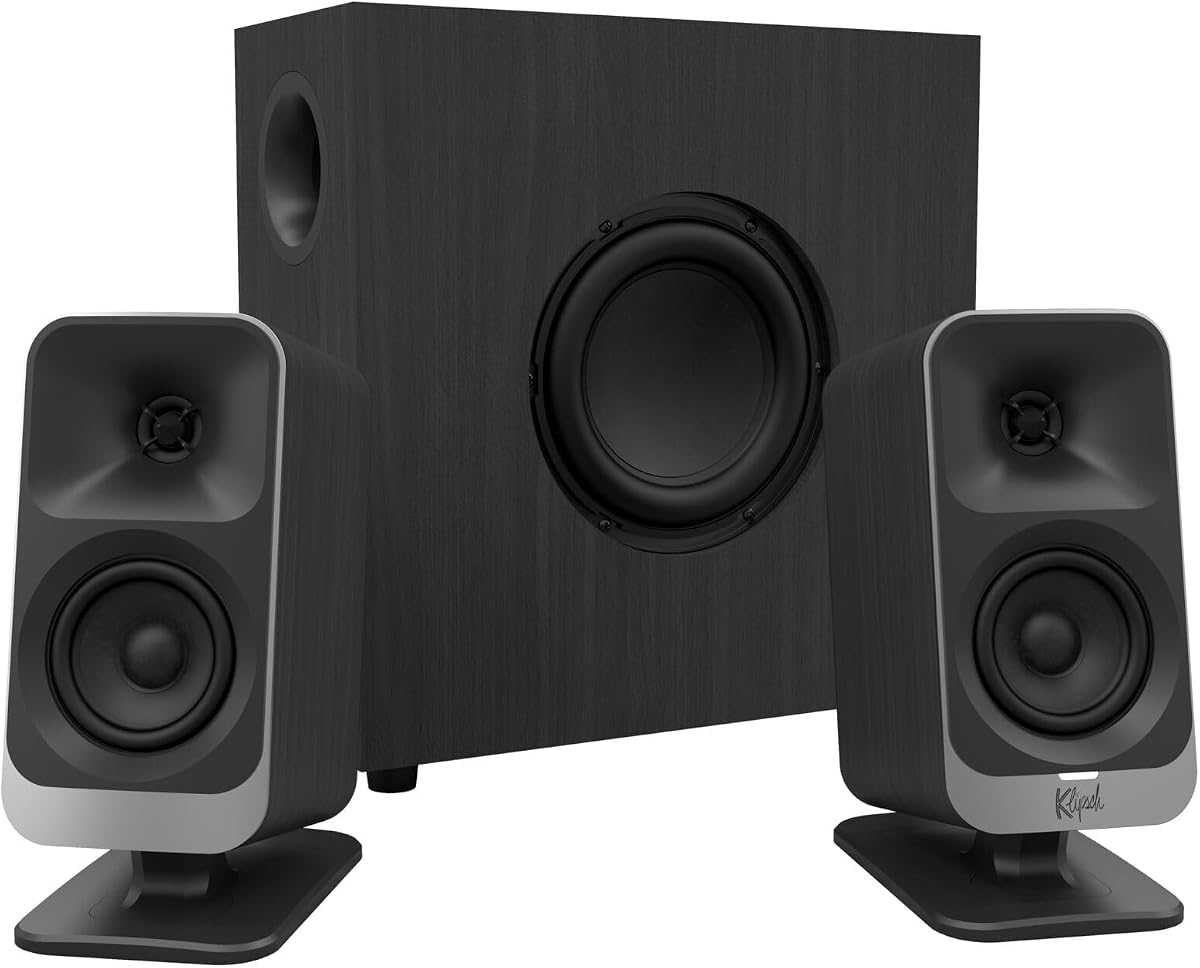
The Klipsch ProMedia 2.1 stands out as a legendary choice for desktop audio. With a strong rating of 4.5 stars it delivers THX certified sound that fills the room. Its clarity and power make it a top pick for enthusiasts.
We may earn a commission when you buy through this link, at no additional cost to you.
Its MicroTractrix horn technology ensures precise audio dispersion. The 200 watt peak power and 6.5 inch side-firing subwoofer provide deep bass you can feel. This system handles games movies and music with equal finesse.
While the price is higher than budget options the sound quality justifies the investment. It may require some desk space but the performance is unmatched. The control pod offers convenient volume and bass adjustments.
This system is ideal for users seeking premium audio. If you value accurate sound and bass impact it is the best choice. Check current pricing to ensure it fits your budget.
THX certification guarantees studio-quality audio fidelity for movies and games.
200 watts of peak power delivers room-filling volume without distortion.
We may earn a commission when you buy through this link, at no additional cost to you.
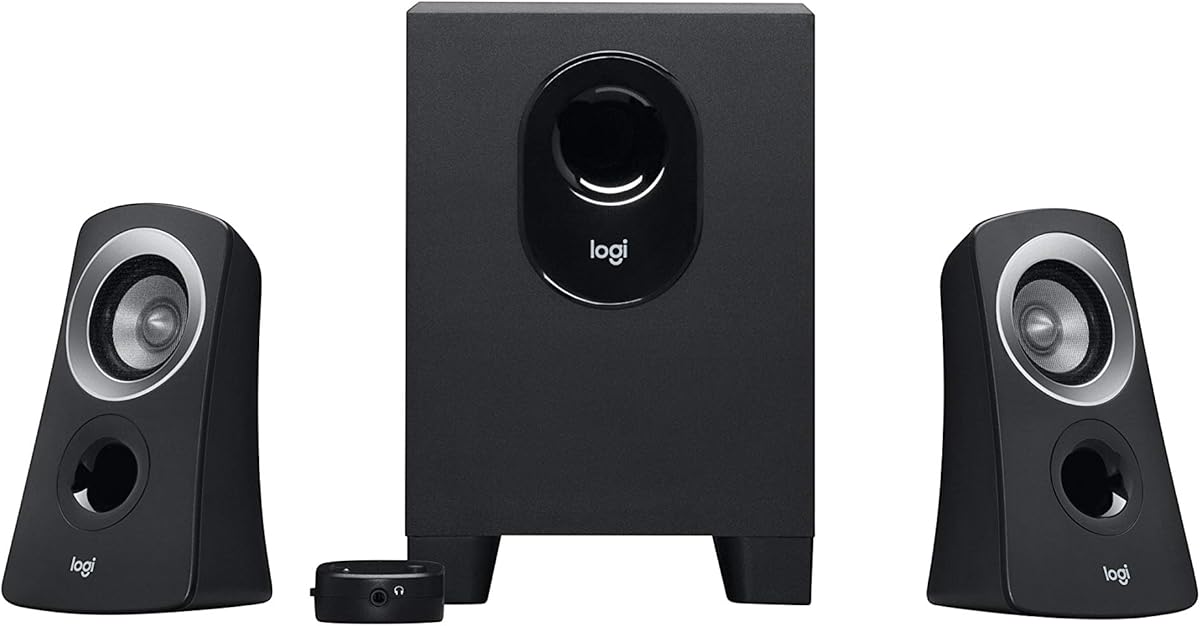
The Logitech Z313 offers a straightforward solution for desktop audio needs. Rated 4.4 stars it provides reliable sound for everyday tasks. Its compact design fits well on smaller desks.
We may earn a commission when you buy through this link, at no additional cost to you.
With 25 watts RMS output it delivers clear sound for videos and music. The control pod makes volume adjustments easy. The subwoofer is small yet adds necessary depth to the audio.
While not suited for high volume listening it serves casual users well. The setup is plug and play which simplifies installation. It lacks advanced features but gets the job done.
Choose this if you need basic speakers without breaking the bank. It is perfect for office work or light entertainment. Ensure your device has a standard audio jack.
The small footprint saves valuable desk space for other equipment.
An easy-to-reach control pod manages volume and power instantly.
We may earn a commission when you buy through this link, at no additional cost to you.
The Logitech Z623 is a powerhouse for desktop audio enthusiasts. With a 4.6 rating it offers THX certified sound. Its 400 watt peak power ensures loud clear audio.
We may earn a commission when you buy through this link, at no additional cost to you.
This system features both RCA and 3.5mm inputs for versatility. The subwoofer delivers deep bass that enhances movies and games. It is built to handle high volume without distortion.
Due to its size it needs dedicated space on your desk or floor. The price is higher than entry-level options. The audio performance and durability make it worth the cost.
Ideal for users who want loud immersive sound. It is great for large rooms or intense gaming sessions. Check your available space before purchasing this model.
THX certification ensures immersive sound for movies and music.
400 watts peak power delivers loud sound for large rooms.
We may earn a commission when you buy through this link, at no additional cost to you.
The Creative Pebble X Plus offers modern connectivity for desktop users. With a 4.2 rating it features USB-C input for direct connection. The RGB lighting adds a vibrant aesthetic touch.
We may earn a commission when you buy through this link, at no additional cost to you.
Its Bluetooth 5.3 enables wireless streaming from phones. The speakers deliver balanced sound with 30 watt peak power. The subwoofer is compact yet provides punchy bass.
Maximizing volume requires a USB PD adapter which is not included. The design is sleek and fits well on desks. It balances style and function effectively.
Choose this if you value aesthetics and USB-C connectivity. It suits modern setups with limited cable clutter. Consider the adapter requirement for best performance.
Direct USB-C input simplifies connection for newer devices.
Vibrant RGB lighting customizable your desk vibe.
We may earn a commission when you buy through this link, at no additional cost to you.
The Bluedee Computer Speakers bring advanced connectivity to desktop setups. Rated 4.4 stars it supports Bluetooth 5.4 for stable wireless streaming. The DSP tuning ensures balanced audio output.
We may earn a commission when you buy through this link, at no additional cost to you.
With 80 watts peak power it delivers strong sound for media. The RGB lighting enhances the visual appeal of your desk. A single knob controls volume and lighting modes efficiently.
Performance relies on a reliable USB power source. The range is good but walls may limit it. The balanced sound quality is suitable for various content.
This model is ideal for wireless users seeking value. It fits well in home office environments. Check device compatibility before connecting via Bluetooth.
Bluetooth 5.4 ensures stable streaming from multiple devices.
Digital tuning reduces distortion for clearer vocals and bass.
We may earn a commission when you buy through this link, at no additional cost to you.
The Cyber Acoustics CA-3090 provides an economical audio solution. With a 3.9 rating it offers basic sound for casual use. Its design is flat and easy to hide.
We may earn a commission when you buy through this link, at no additional cost to you.
18 watts peak power is sufficient for small rooms. The subwoofer is compact for under desk placement. A control pod allows basic volume and power adjustments.
While sound quality is not premium it serves functional needs. It is best for office work or background listening. Keep expectations realistic for this price range.
Choose this if cost is your main priority. It works well with standard computer jacks. Ensure you have access to power for the system.
This model offers essential audio features at a low price.
Flat panels and small size fit tight desk spaces.
We may earn a commission when you buy through this link, at no additional cost to you.
The Creative Pebble Plus is a popular USB-powered option. Rated 4.3 stars it features 45-degree elevated drivers for better sound. The subwoofer is down-firing for deep bass.
We may earn a commission when you buy through this link, at no additional cost to you.
It delivers 8 watts RMS power via USB connection. The elevated design ensures sound reaches your ears clearly. It is simple to set up and easy to use.
Volume is limited by USB power source. The design looks modern on any desk. For the price it offers solid performance.
Perfect for laptop users needing a quick upgrade. It suits small desks well. Ensure your USB port can provide enough power.
45-degree tilt directs audio directly toward your ears.
Powered by USB reduces cable clutter on your desk.
We may earn a commission when you buy through this link, at no additional cost to you.
The Cyber Acoustics CA-3610 offers strong audio for mid-range users. Rated 4.2 stars it provides 62 watts peak power. Titanium drivers ensure crisp highs and clear sound.
We may earn a commission when you buy through this link, at no additional cost to you.
It includes a headphone jack for private listening. The subwoofer is 5.25 inches for deep bass. The angled satellites improve sound projection across the room.
You need a power outlet for operation which adds cable needs. The size fits most desks well. Sound quality is solid for gaming and movies.
Select this for balanced performance and features. It is great for home offices. Ensure you have access to a power source.
Dual titanium drivers deliver clear high frequencies.
Private listening option included on the satellite units.
We may earn a commission when you buy through this link, at no additional cost to you.
The Logitech Z407 stands out with wireless control features. Rated 4.3 stars it offers a convenient dial for volume and playback. Bluetooth connectivity allows streaming without cables.
We may earn a commission when you buy through this link, at no additional cost to you.
Its 80 watts peak power provides room-filling audio. The satellite speakers can be positioned vertically or horizontally. The subwoofer offers deep bass for immersive sound.
The control dial is intuitive but takes some getting used to. It balances wireless ease with wired options. Setup is straightforward for most users.
Ideal for users wanting control from across the room. It suits media and gaming needs well. Check if your devices support Bluetooth streaming.
Control volume and playback wirelessly from a distance.
Satellites can be placed vertically or horizontally as needed.
We may earn a commission when you buy through this link, at no additional cost to you.
The Klipsch ProMedia Lumina updates a legendary system. Rated 4.2 stars it features modern USB-C and Bluetooth connectivity. RGB lighting enhances the gaming aesthetic significantly.
We may earn a commission when you buy through this link, at no additional cost to you.
Its control app allows customization of EQ and lights. The sound quality remains true to Klipsch heritage. Bass is deep and controlled without clutter.
It is a premium investment compared to standard models. The design is sleek and fits well on desks. It offers extensive customization options.
Best for gamers and enthusiasts wanting style and sound. Ensure your budget allows for this premium tier. Check the app requirements for full features.
Precision control over EQ and lighting effects via app.
USB-C and Bluetooth 5.3 ensure versatile connectivity.
We may earn a commission when you buy through this link, at no additional cost to you.
Choosing the right speakers depends on your needs and budget. Below are key factors to consider for the best experience.
Power output determines how loud your speakers can play. RMS rating indicates continuous power while peak shows maximum. Look for at least 20W RMS for decent volume.
Higher wattage ensures better sound in larger rooms.
Speakers should match your devices inputs. 3.5mm AUX is standard but USB-C and Bluetooth add convenience. Check your computer ports before buying.
Multiple inputs give you flexibility for phones and PCs.
The subwoofer drives bass response. Larger subs like 6.5 inches provide deeper sound. Compact ones save space but may lack punch.
Select a size that fits your desk and bass preference.
Controls allow easy adjustments without going to your PC. Pods or dials on the sub or satellites help with volume. Some models offer app control.
Choose controls that match your workflow and habits.
Speakers should complement your workspace look. RGB lighting adds gaming flair while matte finishes suit offices. Consider color and material quality.
Style matters as much as sound for daily comfort.
Prices range from budget to premium. Set a limit and find the best quality within it. Don't overspend if you only need basic audio.
Balance features with cost for the best value.
Place the subwoofer on a solid surface for best bass. Avoid placing satellites near walls that might cause echo. Keep cables away from trip hazards for safety.
Adjust the bass and volume using the provided controls. Use the included cables or Bluetooth to connect your devices. Calibrate sound to your listening preferences.
Keep speakers clean with a dry cloth to prevent dust. Avoid placing drinks near them to protect electronics. Follow manual tips for long term performance.
Yes 2.1 speakers include a dedicated subwoofer for deeper bass. Standard speakers lack this separate low-end driver. This makes 2.1 systems better for movies and music.
Most models come with built-in amplifiers. You only need to connect them to power and your device. An external amp is rarely required for desktop use.
Yes if the console has a 3.5mm or USB audio output. Many systems support Bluetooth as well. Check your console ports before purchasing.
Wired connections like 3.5mm or USB-C offer lowest latency. Bluetooth adds small delay which might affect gaming. Choose wired for competitive games.
Most models include necessary audio and power cables. Some require you to buy USB adapters separately. Read product details for included accessories.
Check all connections are secure and set to correct input. Ensure volume is up on both speakers and device. Restarting the device often resolves software issues.
We reviewed ten top models offering unique strengths for every user. From the Klipsch ProMedia 2.1 for power to the Pebble Plus for budget value each serves a different need.
Prioritize power output and connectivity that match your devices. Consider how much desk space you have available for setup.
Prices and stock change frequently so verify current details before buying. This guide helps you select reliable audio for your daily computing tasks.