
ASUS ProArt PA32QCV
3.9Editor score
Factory calibrated accuracy
Dual Thunderbolt 4 ports
Auto KVM switch included
Choosing the right display can transform your productivity and creative output. A 32 inch 6K monitor offers unparalleled screen real estate and pixel density, making it ideal for detailed editing, design work, and immersive media consumption. As we approach late 2026, these displays have become more accessible, bringing studio-quality visuals to home offices and professional studios alike.
To compile this list, we analyzed extensive user feedback, technical specifications, and expert reviews across the market. We focused on key performance indicators such as color accuracy, connectivity options, refresh rates, and build quality. Our goal is to provide you with a comprehensive overview that highlights the strengths and weaknesses of each model based on real-world usage scenarios.
Each pick in this guide showcases a unique balance of features tailored to different needs, from high-speed gaming to color-critical production. While we strive to keep information current, prices and availability fluctuate frequently. We recommend checking the latest deals before making your final decision to ensure you get the best value for your investment.
3.9Editor score

3.8Editor score

3.2Editor score
As an Amazon Associate we earn from qualifying purchases.
This side-by-side comparison highlights the core specifications of each top-rated model to help you quickly identify the best fit for your specific workflow requirements and budget constraints.


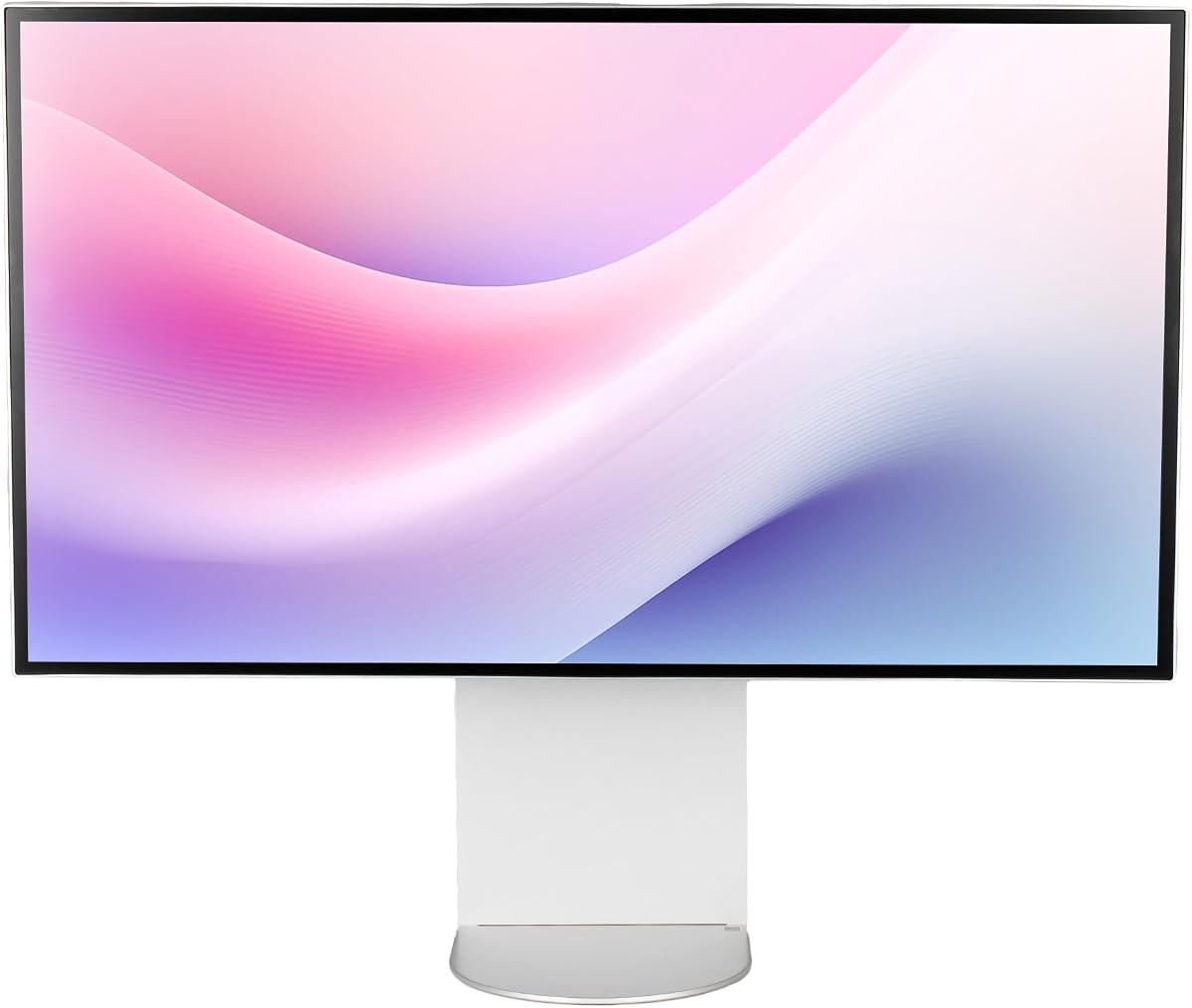
The LG 32U990A-S stands out as a pioneering display in the professional monitor market, bringing together cutting-edge connectivity and visual fidelity. With its 6K resolution and Nano IPS Black technology, it offers a viewing experience that closely rivals OLED while maintaining the longevity of IPS panels. Users frequently praise its ability to handle complex workflows involving multiple applications and high-resolution assets.
We may earn a commission when you buy through this link, at no additional cost to you.
Its standout feature is the inclusion of Thunderbolt 5, which promises significantly faster data transfer speeds than its predecessors. This makes it an ideal hub for creatives who need to move massive video files or connect to high-performance external storage. The display also boasts a remarkable 2000:1 contrast ratio, which is unheard of in standard IPS screens, resulting in deeper blacks and more vibrant shadows.
While the 60Hz refresh rate might not satisfy hardcore gamers, it is perfectly adequate for professional content creation and general productivity. The main trade-off is the cost, as this model is positioned at the premium end of the market. Additionally, the high pixel density requires operating system scaling adjustments to ensure text and UI elements are comfortably readable.
This monitor is best suited for professional video editors, graphic designers, and power users who demand the highest fidelity in their workspace. If you are looking for a single display that can serve as a docking station and a reference monitor, the LG 32U990A-S is a top-tier choice. We recommend it for those who prioritize color accuracy and future-proof connectivity over gaming performance.
The monitor covers 99.5% of the Adobe RGB space and supports 10-bit color depth, ensuring that your edits look accurate across different output mediums.
Daisy chaining support allows you to connect multiple displays with a single cable, reducing desk clutter and simplifying your workstation setup significantly.
We may earn a commission when you buy through this link, at no additional cost to you.
The ASUS ProArt PA32QCV is designed with the professional creative community in mind, offering a suite of tools that streamline workflows for designers and editors. Its factory calibration ensures that colors are accurate right out of the box, saving users the time and expense of external calibration. The integration of dual Thunderbolt 4 ports provides robust connectivity for high-bandwidth peripherals and daisy chaining.
We may earn a commission when you buy through this link, at no additional cost to you.
A key highlight is the MacBook Color Matching preset, which synchronizes the monitor's output with the display of MacBooks for a seamless visual experience across devices. This is particularly useful for professionals working in mixed environments. The built-in Auto KVM switch further enhances productivity by allowing users to control two computers with a single keyboard and mouse without physical switching.
The monitor comes with a five-year warranty, signaling confidence in its build quality and longevity. While the price is steep, the inclusion of an Adobe Creative Cloud subscription adds value for creative professionals. Some users might find the array of features overwhelming initially, but they provide significant advantages once configured correctly for daily tasks.
This display is an excellent investment for those working in professional studios or high-end home offices where color consistency is non-negotiable. It bridges the gap between consumer displays and enterprise-grade reference monitors. We recommend it for graphic designers, photographers, and video producers who require reliable, calibrated color performance and advanced connectivity options.
With 98% DCI-P3 and 100% sRGB coverage, this monitor ensures that your designs translate accurately from screen to print or digital publishing platforms.
The intelligent light sync technology adjusts the monitor's performance based on ambient lighting, ensuring consistent color accuracy throughout the day.
We may earn a commission when you buy through this link, at no additional cost to you.
The Dell UltraSharp U3224KB brings 6K resolution to a more accessible price point, making it an attractive option for businesses and individuals looking to upgrade their workspace. Its integrated 8K webcam is a standout feature, eliminating the need for a separate camera and simplifying video conferencing setups. The monitor also serves as a hub with USB-C, allowing for data transmission and charging.
We may earn a commission when you buy through this link, at no additional cost to you.
Designed primarily for productivity, it features ComfortView Plus to reduce blue light exposure during long working hours. The screen offers ample space for multitasking with its 16:9 aspect ratio and high pixel density. While it may not match the color gamut of professional-grade displays, it provides sufficient accuracy for general office work and content consumption.
One consideration is the brightness level, which may not be ideal for very bright rooms compared to HDR-capable models. Additionally, the privacy of an always-connected webcam might concern some users, though hardware covers are typically available. Despite these minor drawbacks, the combination of resolution and connectivity features makes it a strong contender in its category.
This monitor is ideal for office environments, remote workers, and students who need a large, clear screen without breaking the budget. It balances essential features with cost-effectiveness, offering a solid foundation for a productive digital workspace. We recommend it for those prioritizing screen real estate and video call quality over high-end color grading capabilities.
By integrating the webcam and USB hub into the bezel, Dell saves desk space and reduces cable clutter for a cleaner, more organized setup.
The high pixel count allows you to view multiple documents side by side with sharp text, improving focus and reducing eye strain during data entry.
We may earn a commission when you buy through this link, at no additional cost to you.
Samsung's Odyssey G8 challenges the notion that high-resolution monitors must compromise on speed. It is the industry's first 6K gaming monitor, offering a unique dual-mode feature that lets you switch between 6K clarity and high refresh rates. This flexibility makes it a powerful tool for gamers who want detailed visuals during exploration and fast speeds during competitive action.
We may earn a commission when you buy through this link, at no additional cost to you.
The Fast IPS panel ensures that colors remain vibrant across wide viewing angles while maintaining a quick response time to reduce motion blur. Support for NVIDIA G-SYNC and AMD FreeSync Premium ensures that gameplay remains smooth and tear-free even in graphically demanding titles. The ergonomic stand allows for various adjustments, helping you find a comfortable viewing position during extended sessions.
While it excels in gaming, the monitor's high brightness and contrast also make it suitable for HDR content creation. However, the premium price tag and large physical size might be limiting factors for smaller desks. Users should also ensure their graphics card is powerful enough to drive the high-resolution and high-refresh-rate combinations effectively.
This display is best suited for enthusiasts and professionals who dual as a gaming rig and a creative workstation. The Dual Mode feature is a game-changer for those who want the best of both worlds without needing two separate screens. We recommend it for serious gamers and developers who need high-resolution rendering and smooth motion performance.
Switch seamlessly between 6K at 165Hz for stunning visuals or 3K at 330Hz for competitive edge, adapting to any game or task instantly.
HDR10+ Gaming optimizes brightness and contrast in real-time, delivering deeper shadows and brighter highlights for a more lifelike game environment.
We may earn a commission when you buy through this link, at no additional cost to you.
This bundle version of the LG UltraFine evo offers everything needed to set up a professional workstation immediately. Along with the monitor, it includes cable ties and a cleaning kit, which adds convenience for users who want to maintain the display's pristine condition. The core performance remains identical to the standalone model, with high-fidelity visuals and robust connectivity.
We may earn a commission when you buy through this link, at no additional cost to you.
The inclusion of Picture-by-Picture modes allows users to view content from two different sources simultaneously, which is beneficial for streamers or researchers. Thunderbolt 5 support ensures that the display remains relevant for years to come, handling data and video signals without bottlenecks. The adjustable stand supports ergonomic positioning to reduce strain during long workdays.
While the bundle offers value through accessories, the cost is higher than the monitor alone. Some users might prefer to choose their own mounting solutions or accessories, making this option less flexible for those with specific setup requirements. However, for those who appreciate a ready-to-use package, the added items justify the investment.
This bundle is ideal for professionals setting up a new studio or office who want a comprehensive solution without hunting for accessories. It provides a solid foundation for high-end creative work with minimal additional setup. We recommend it for video editors and designers who value convenience and are looking for a fully equipped high-resolution display.
The bundle includes essential accessories like cable management and cleaning tools, ensuring you can start using the monitor right away without extra purchases.
Built-in KVM functionality lets you control two computers with one keyboard, streamlining your workflow when switching between different workloads.
We may earn a commission when you buy through this link, at no additional cost to you.
The G32X focuses on delivering a clean, minimalist aesthetic without compromising on resolution or brightness. Its design is intended to blend seamlessly into modern offices, reducing visual distraction and maximizing focus. The monitor offers a high brightness level of 500 nits, ensuring visibility even in well-lit environments where reflections might otherwise be an issue.
We may earn a commission when you buy through this link, at no additional cost to you.
Built with a CNC-machined aluminum body, it promises durability and a premium feel that matches high-end workstations. The anti-glare coating helps in reducing reflections, making it suitable for environments with mixed lighting. Connectivity includes a high-speed port capable of charging laptops, which simplifies the physical setup by reducing the number of cables on the desk.
While the brand is less established than major competitors, user feedback suggests high reliability and satisfaction with the display quality. The lack of advanced software features or calibration tools might be a downside for colorists, but for general professional use, the hardware performance is robust. It is an excellent choice for those who value design and build quality.
This monitor is well-suited for architects, engineers, and general professionals who need a high-resolution display for detailed drawing or modeling. The minimalistic approach ensures it does not clutter the desk while still providing ample screen real estate. We recommend it for users who prioritize hardware durability and visual clarity over extensive software ecosystems.
The anti-glare coating and anti-reflective finish ensure that your screen remains clear and readable even when working near windows or bright lights.
Constructed from CNC-machined aluminum, the monitor is designed to withstand daily professional use while maintaining a sleek, premium appearance.
We may earn a commission when you buy through this link, at no additional cost to you.
The G32P offers a glossy finish that can deliver more vibrant colors and deeper blacks compared to matte screens, mimicking the look of print media or glass. This makes it particularly appealing for digital artists who want to see true-to-life details. It is sold without a stand, providing flexibility for users who prefer to mount the monitor on an arm for maximum adjustability.
We may earn a commission when you buy through this link, at no additional cost to you.
Equipped with a honeycomb cooling system, it manages heat efficiently, which is crucial for maintaining consistent performance during long rendering tasks. The high pixel density ensures that images and text appear incredibly sharp. With 99% DCI-P3 coverage, it is a strong candidate for color-critical work where fidelity is essential.
The glossy surface can be prone to reflections in brightly lit rooms, so it works best in controlled lighting environments. Since it does not include a stand, buyers need to budget for a VESA mount and ensure their setup can support the monitor's weight. This adds a step to the setup process but offers greater customization for ergonomic needs.
This display is ideal for digital painters and photographers working in controlled studio environments. The lack of a stand and the glossy finish suggest it is built for professionals who understand their lighting conditions and setup needs. We recommend it for users who want a vibrant, high-contrast viewing experience and have the means to mount it properly.
The glossy panel technology enhances color vibrancy and contrast, providing a viewing experience that is closer to printed materials and digital art.
The honeycomb cooling structure ensures the monitor remains cool even during intensive tasks, preserving performance and extending the lifespan of the unit.
We may earn a commission when you buy through this link, at no additional cost to you.
This bundle of the Dell UltraSharp U3224KB includes a comprehensive cable kit and a two-year enhanced protection plan, making it a convenient and secure purchase. It ensures you have everything needed for a complete setup, from connection cables to backup options. The monitor itself delivers on the promise of 6K resolution, providing a sharp workspace for professionals.
We may earn a commission when you buy through this link, at no additional cost to you.
The inclusion of the protection plan offers peace of mind, covering accidental damage or hardware issues that might arise over time. This is particularly valuable for businesses that want to minimize downtime and repair costs. The USB-C connectivity and built-in hub simplify connections, making it easy to dock laptops and transfer data efficiently.
While the price is higher due to the bundle items, the total value is competitive for those planning a long-term deployment. The main considerations remain the same as the standard model: brightness and privacy features. However, the added security of the protection plan makes it a safer investment for office environments.
This bundle is perfect for corporate buyers or small businesses deploying monitors to staff. It reduces the complexity of IT procurement by providing a single SKU that includes hardware and insurance. We recommend it for organizations looking for a robust solution that minimizes risk and streamlines the setup process.
Included cables and accessories mean you do not need to source peripherals separately, saving time and ensuring compatibility with your devices immediately.
The two-year protection plan covers accidental damage, ensuring that your investment remains protected and your workflow stays uninterrupted in case of issues.
We may earn a commission when you buy through this link, at no additional cost to you.
The ALOGIC Clarity Touch Series is a groundbreaking product as the world's first 6K touchscreen monitor. It transforms the way creators interact with their digital canvas, allowing for direct manipulation with fingers and a precision stylus. This capability is essential for artists and designers who want to sketch and edit naturally on a large screen.
We may earn a commission when you buy through this link, at no additional cost to you.
Its 216 PPI density ensures that the touch interface is incredibly sharp, matching the quality of high-end tablet displays. The included active stylus offers pressure sensitivity for realistic drawing, while the fold stand enables ergonomic drawing angles. This setup replaces the need for separate drawing tablets, centralizing your workflow into one device.
The price point is a significant factor, placing it in a premium category reserved for those who absolutely need touch interaction. It is also heavier than non-touch models, requiring a sturdy stand or mounting solution. However, the unique functionality it offers is unmatched, making it a specialized tool for creative professionals.
This monitor is best for digital illustrators, architects, and educators who benefit from direct touch input. It bridges the gap between large monitors and interactive tablets. We recommend it for creatives who have outgrown traditional tablets and need a large, high-resolution surface for their work.
The touchscreen allows for intuitive pinch-to-zoom and direct drawing, making complex editing tasks faster and more natural than using a mouse.
With 4096 levels of pressure sensitivity, the stylus captures the nuances of your drawing, offering a paper-like experience on a digital canvas.
We may earn a commission when you buy through this link, at no additional cost to you.
The LG Ultrafine AEU offers a solid, no-frills approach to 6K resolution, delivering essential high-end features without the advanced connectivity of its premium cousins. It supports HDR 600, which improves the dynamic range of content, making it suitable for media consumption and general professional use. The three USB-C ports provide decent connectivity for peripherals.
We may earn a commission when you buy through this link, at no additional cost to you.
Its anti-glare coating helps maintain visibility in typical office lighting, reducing eye strain. The tilt, height, and pivot adjustments ensure that you can find a comfortable viewing angle for your specific workspace. While it lacks Thunderbolt 5, the USB-C ports still offer sufficient bandwidth for most docking and display needs.
Users should note the energy efficiency class is G, which means it may consume more power than newer, more efficient models. This is a consideration for environmentally conscious buyers or large offices. However, for individual users, the energy cost is manageable compared to the productivity gains of a larger screen.
This monitor is a good fit for those who need 6K resolution but do not require the latest Thunderbolt standards. It serves well as a secondary display or a primary screen for general work. We recommend it for users seeking reliable resolution and adjustability without the need for advanced workstation hubs.
DisplayHDR 600 certification ensures brighter highlights and better contrast, enhancing the viewing experience for supported video content and graphics.
Height, tilt, and pivot adjustments allow you to customize the screen angle to reduce strain during long hours of coding or writing.
We may earn a commission when you buy through this link, at no additional cost to you.
Selecting the right 6K monitor involves balancing resolution, connectivity, and specific workflow needs. This guide outlines key factors to consider.
A 32-inch 6K monitor typically offers a resolution of 6144 x 3456 or similar, providing a high pixel density that ensures text and images appear exceptionally sharp. This level of detail is crucial for professionals working with high-resolution assets, as it allows you to see fine details without zooming in frequently. High pixel density also reduces eye strain by rendering smoother edges on text and graphics.
Look for monitors with a PPI of at least 200 to ensure the best visual clarity and productivity benefits.
Connectivity is a major differentiator in this category. High-end models often include Thunderbolt 5 or 4 ports, which provide single-cable solutions for power, data, and video. This reduces desk clutter and simplifies docking your laptop. Standard USB-C and HDMI ports are also important for compatibility with various devices and peripherals.
Ensure the monitor has enough ports to connect your essential peripherals without needing multiple external hubs.
For creative work, accurate color reproduction is vital. Look for monitors that cover a high percentage of color spaces like DCI-P3 and Adobe RGB. Factory calibration and support for 10-bit color depth ensure smooth gradients and accurate tones. This prevents discrepancies between what you see on screen and the final output.
Prioritize models with Delta E values under 2 for professional color-critical tasks.
Most 6K monitors use IPS panels for wide viewing angles and consistent colors. Newer Nano IPS Black technology offers better contrast, reducing the washed-out blacks common in standard IPS. Some options might feature OLED for perfect blacks but can be more expensive. Choose a panel that fits your viewing environment and contrast needs.
IPS remains the standard for professional work due to its reliability and color consistency.
While many 6K monitors run at 60Hz, some gaming-focused models offer higher refresh rates. For general productivity and content creation, 60Hz is usually sufficient. However, if you work with motion graphics or game, a higher refresh rate ensures smooth motion and responsiveness. Check the response time to ensure minimal ghosting.
Select a refresh rate that matches your workload; 60Hz is standard for creative work.
A comfortable workspace requires a monitor with a flexible stand. Look for models that offer height, tilt, pivot, and swivel adjustments. Ergonomic features help maintain good posture during long work sessions. Additionally, VESA mount compatibility allows you to use third-party arms if the stand does not fit your desk.
Choose a stand with robust adjustability to customize the viewing angle for your comfort.
Power delivery through USB-C or Thunderbolt simplifies your setup by allowing the monitor to charge your laptop. Look for monitors that support at least 65W to 96W of power, which is sufficient for most professional laptops. This eliminates the need for a separate power brick and keeps your desk tidy.
Ensure the power delivery matches the charging needs of your primary laptop to avoid extra chargers.
Premium monitors often come with better build materials and longer warranties. Consider models with aluminum construction for durability and a premium feel. A warranty of three to five years indicates the manufacturer's confidence in the product. Check for support options like advanced replacement if available.
Invest in a monitor with a solid warranty to protect your investment for the long term.
When setting up your 6K monitor, ensure your graphics card supports the high resolution and refresh rates. Adjust your operating system's scaling settings to make text and icons readable, as the high pixel density can make elements appear too small by default. Connect using high-quality cables like DisplayPort or Thunderbolt to maximize performance and avoid artifacts.
To maintain the display, use a soft microfiber cloth to gently wipe the screen and avoid harsh chemicals. Keep the monitor away from direct sunlight to prevent uneven heating and glare. Regularly update the monitor's firmware through the manufacturer's website to access performance improvements and bug fixes.
Take advantage of built-in features like blue light filters and HDR modes to enhance comfort. Adjust the brightness and contrast to match your room's lighting for reduced eye strain. If your monitor supports it, calibrate it annually to maintain color accuracy for professional tasks.
Yes, driving a 6K resolution requires a powerful graphics card and sufficient video memory to render high-resolution content smoothly. Most modern systems with dedicated GPUs can handle this, but you should check compatibility with your current setup. Lower-end integrated graphics might struggle with the workload.
For professionals working with high-resolution assets like video editing or detailed graphic design, the extra pixel density provides noticeable benefits. It allows for more screen real estate without scaling issues. For general web browsing or casual use, 4K might still suffice.
Most 6K monitors support Mac via Thunderbolt or USB-C, offering seamless compatibility. You may need to use a high-quality cable that supports the required bandwidth. macOS typically scales well with these high-resolution displays out of the box.
Yes, but ensure the monitor supports high refresh rates and your graphics card can drive the resolution. Some models have specific gaming features like G-SYNC to improve performance. Otherwise, 6K gaming can be demanding on hardware resources.
Most of the top models on this list support DisplayHDR 600 or similar standards, enhancing contrast and brightness for compatible content. This makes them suitable for watching HDR movies and editing HDR video. Check the specific HDR certification for your model.
It varies by model, but most premium monitors include Thunderbolt or USB-C cables. Some bundles also come with HDMI or DisplayPort cables. Always verify what is included in the box before purchasing to ensure you have the necessary connections.
The LG 32U990A-S, ASUS ProArt PA32QCV, and Dell UltraSharp U3224KB represent the best options available for professionals seeking high-resolution displays. Each offers unique strengths in connectivity, color accuracy, and value. Your choice depends on your specific workflow and budget constraints.
Prioritize features like Thunderbolt connectivity and color accuracy if you work in creative fields. Gamers should look for higher refresh rates and G-SYNC support. For general productivity, a balance of features and cost will serve you best.
Always check current pricing and availability before buying as deals can change frequently. Investing in a high-quality 6K monitor is an investment in your productivity and comfort that can pay off over the long term.