
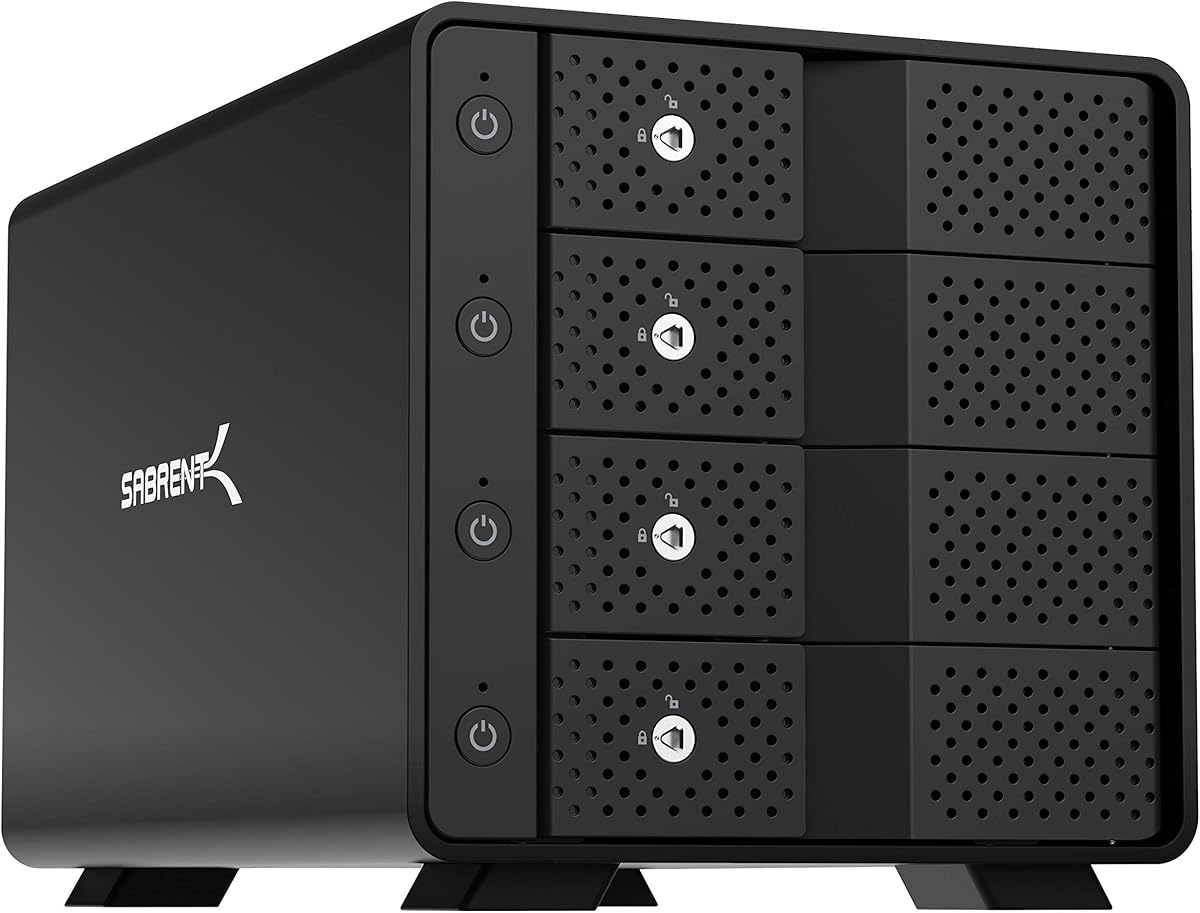
SABRENT USB 3.0 4-Bay Docking Station
4.2Editor score
Affordable price point
Tool-free drive access design
Whisper-quiet cooling fan included
Finding the right storage solution is critical for protecting your data. A good four bay enclosure offers ample space for multiple drives while keeping them cool. Look for models with active cooling fans to prevent overheating during heavy use.
We analyzed ten top-rated enclosures based on speed, build quality, and fan performance. Our team compared specifications like USB standards, drive compatibility, and thermal management. This list helps you find the perfect balance between performance and reliability for your needs.
Each pick below highlights key features, pros, and cons to guide your decision. Ratings reflect real user feedback on durability and transfer speeds. Keep in mind that prices and availability may change, so check current listings before purchasing.
4.2Editor score

4.3Editor score
4.1Editor score
As an Amazon Associate we earn from qualifying purchases.
This side-by-side comparison highlights the key specifications of each model. We focus on interface speed, drive capacity limits, and cooling features to help you decide quickly.



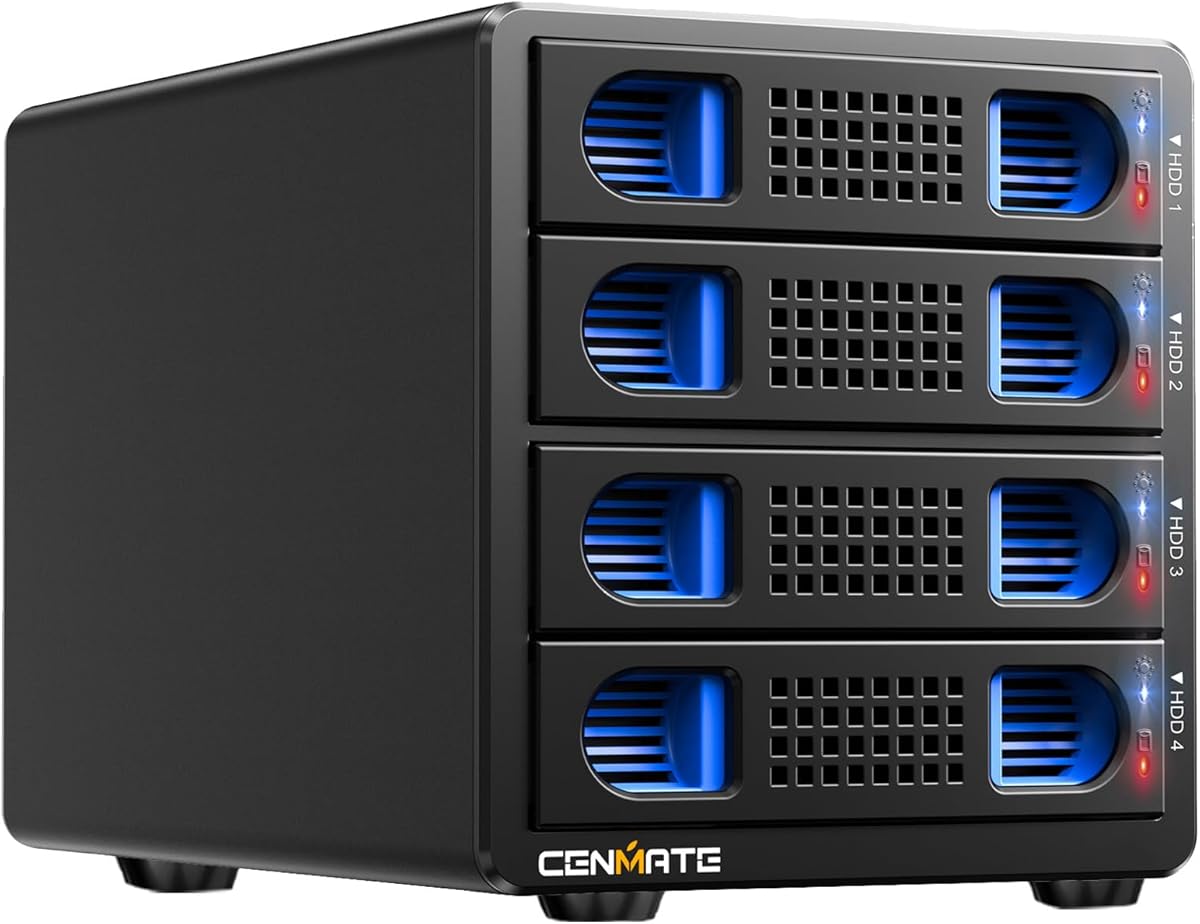
The CENMATE Aluminum 4 Bay Hard Drive Enclosure is a reliable external storage system for individuals and businesses. It supports both 2.5 and 3.5 inch drives with a maximum capacity of 80TB total. The 4.3 rating reflects its solid build and user-friendly design.
We may earn a commission when you buy through this link, at no additional cost to you.
This enclosure features USB 3.0 ports that deliver up to 5Gbps transfer speeds. You can move a 1GB movie in just 3 to 5 seconds with UASP control. The aluminum alloy construction helps maximize data security by managing heat effectively.
While the cooling fan works well, it produces around 40 to 50 decibels of noise. This might be noticeable in quiet environments. However, the stability and speed it provides make this a worthwhile trade-off for most users.
If you need a versatile DAS enclosure that saves space on your desktop, this is a strong choice. It supports Windows, Mac, and Linux with plug and play ease. The technical support from Cenmate adds extra peace of mind.
The advanced chip and USB 3.0 interface ensure fast file movement without lag.
Works seamlessly with Windows 7 above, Mac 9.1 above, and Linux systems.
We may earn a commission when you buy through this link, at no additional cost to you.
This model upgrades the standard USB 3.0 to USB 3.2 Gen 2 for speeds up to 10Gbps. It handles up to 80TB of total capacity across four bays. The 4.1 rating indicates good performance with room for improvement in some areas.
We may earn a commission when you buy through this link, at no additional cost to you.
You can transfer 1GB files in 3 to 5 seconds with the USB 3.2 ports. The hot swappable feature allows you to replace drives without powering off. This enhances efficiency significantly for users who manage multiple storage drives.
As with other models, the fan noise sits around 40 to 50 decibels. It is not recommended if you are very sensitive to sound. The aluminum build helps keep heat down during intensive data transfer processes.
For those needing faster connection speeds for professional workflows, this enclosure delivers. It supports Windows, Mac, and Linux with USB A and C cables included. The type-c interface works with Thunderbolt ports too.
Supports both SATA HDDs and SSDs with high speed 10Gbps interface.
Tool free design and hot swap capability make drive changes easy.
We may earn a commission when you buy through this link, at no additional cost to you.
The MAIWO enclosure features an aluminum alloy design with two cooling fans for optimal heat dissipation. It supports up to 96TB capacity with a single disk expansion of 24TB. The 3.5 rating suggests mixed user experiences.
We may earn a commission when you buy through this link, at no additional cost to you.
These fans automatically activate when the hard drive temperature exceeds 48 Celsius. This intelligent design ensures drives stay protected while maintaining energy efficiency. It also includes an HD-TV port for 4K video output directly from the unit.
Daisy chaining capability allows you to connect multiple storage devices for massive expansion. You can create cost effective solutions for extensive data needs. However, some users may find the fan activation temperature high for silent operation.
This model is ideal for multimedia setups that need both storage and video output. It works with Windows, Mac, and Linux systems easily. The external power supply ensures sufficient power for larger drives safely.
Direct HD-TV port connection supports 4K video output for entertainment.
Fans activate automatically based on temperature for drive protection.
We may earn a commission when you buy through this link, at no additional cost to you.
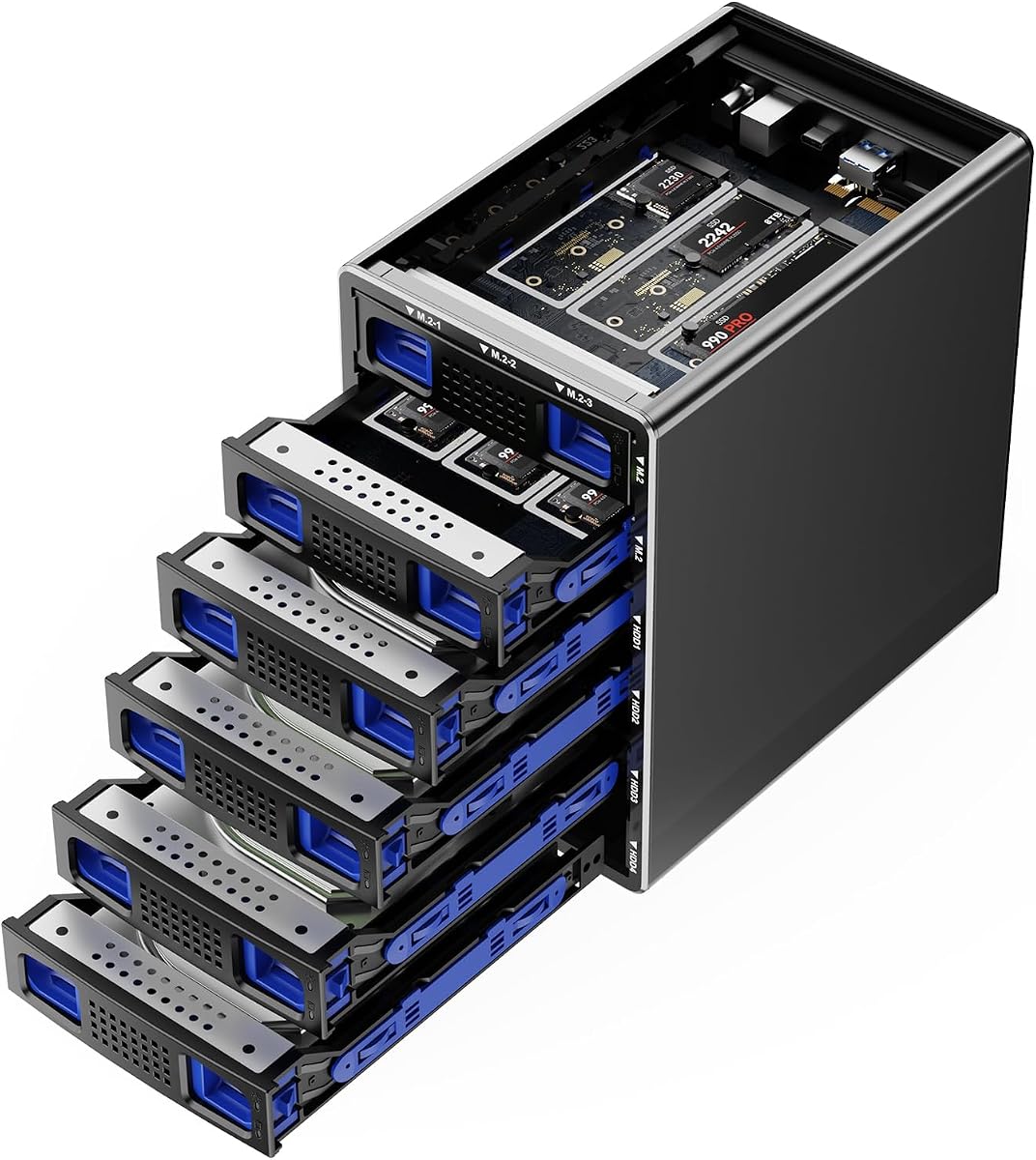
This innovative hybrid enclosure holds four SATA HDDs and six M.2 NVMe SSDs simultaneously. You can reach up to 136TB total capacity combining mass storage with high-speed performance. The 4.1 rating reflects its versatile utility for power users.
We may earn a commission when you buy through this link, at no additional cost to you.
USB 3.2 Gen 2 protocols provide up to 10Gbps transfer speeds. The tool-free design makes it easy to swap drives without screws. It is compatible with Windows, Mac, and Linux with USB A and C cables.
The fans run continuously to protect user data security. This means the device will not sleep and will always cool the drives. While safe for data, this continuous operation might be bothersome in quiet rooms.
If you need a single unit for both bulk storage and fast SSD access, this is unique. It supports a wide variety of NVMe sizes including 2230 to 22110. The aluminum alloy build ensures durability over time.
Combines 12 bays into one unit for over 100TB total storage space.
Supports traditional SATA drives alongside modern M.2 NVMe SSDs easily.
We may earn a commission when you buy through this link, at no additional cost to you.
The WAVLINK enclosure features dual built-in fans that activate automatically at 48 Celsius. It supports up to 88TB capacity using four SATA bays. The 4.0 rating highlights its balance of features and build quality.
We may earn a commission when you buy through this link, at no additional cost to you.
Beyond storage, it offers an HDMI interface supporting 4K resolution. You can create a workspace with high-speed connectivity and stunning display capabilities. Each bay has an independent power switch for better control.
For 2.5 inch drives, you need additional mounting brackets which are not included. Also the HDMI port requires specific host support to work properly. These minor requirements do not negate the utility for multimedia users.
If you want a docking station that doubles as a display hub, this works well. It supports USB 3.2 Type-C with up to 10Gbps speeds. The aluminum shell provides superior heat dissipation for long-term reliability.
Combines storage expansion with 4K video output for one desk hub.
Smart fans activate when needed to keep drives safe and cool.
We may earn a commission when you buy through this link, at no additional cost to you.
This docking station supports up to four 2.5 inch SATA SSDs or HDDs. It features a whisper-quiet fan to keep drives cool during continuous operation. The 4.2 rating shows strong user satisfaction for its price point.
We may earn a commission when you buy through this link, at no additional cost to you.
Tool-free drive access allows you to swap drives quickly without screws. The magnetic cover design ensures fast access to your data. USB 3.0 provides up to 5Gbps transfer speeds for efficient data management.
It is limited to 2.5 inch drives up to 12.5mm thickness. If you have 15mm or 3.5 inch drives this will not fit. However for portable drive users it is a convenient choice.
For budget conscious users needing fast access to multiple drives this is great. It works right out of the box with Windows, macOS, and Linux. No drivers are required for standard operation.
Whisper-quiet fan design allows operation in quiet office environments.
Magnetic cover and tool-free design make drive changes very quick.
We may earn a commission when you buy through this link, at no additional cost to you.
This enclosure supports 2.5 and 3.5 inch drives with up to 80TB capacity. It includes both USB 3.0 and eSATA cables for versatile connectivity. The 4.0 rating indicates a solid performer for general storage needs.
We may earn a commission when you buy through this link, at no additional cost to you.
It uses JMS567 and JMB575 chips for USB 3.0 output. You can transfer 1GB files in 3 to 5 seconds easily. The aluminum alloy build helps maximize data security with effective cooling.
Note that the eSATA port requires specific computer support for RAID functionality. Hot-swapping is not supported on this model via eSATA. Users should check their system compatibility before relying on that port.
For users who want redundancy in connection types this is useful. It works with Windows, Mac, and Linux with plug and play ease. The reliable power supply helps stability during high-speed transmission.
Supports both USB and eSATA connections for broad system compatibility.
Aluminum alloy construction ensures durability and effective heat management.
We may earn a commission when you buy through this link, at no additional cost to you.
This model expands capacity up to 128TB with four SATA bays. It features USB-C 3.2 for speeds up to 10Gbps. The 4.2 rating reflects user satisfaction with its performance and video features.
We may earn a commission when you buy through this link, at no additional cost to you.
You can access up to 32TB drives individually for massive storage. The HDMI interface supports 4K resolution for direct display connection. Dual built-in fans keep drives cool during intensive tasks.
2.5 inch drives require mounting brackets that are not included. Also the USB-C port on your host must support video output. These factors are important to consider before purchase.
If you need high capacity storage with multimedia display capabilities this fits. It supports 4K video under DP1.4 standards easily. The durable aluminum structural integrity ensures long-term use.
Expand storage up to 128TB with 32TB drives supported per bay.
Active fans ensure drives perform optimally even during heavy loads.
We may earn a commission when you buy through this link, at no additional cost to you.
This enclosure supports 8 RAID modes including 0, 1, 3, 5, 10 and CLONE. It supports 2.5 and 3.5 inch drives with 80TB total capacity. The 3.8 rating shows potential complexity in RAID management.
We may earn a commission when you buy through this link, at no additional cost to you.
The eSATA and USB 3.0 ports provide reliable connectivity. You can transfer 1GB files in 3 to 5 seconds easily. Aluminum alloy materials maximize data security during operation.
Switching RAID modes requires disconnecting power and using a screwdriver. This might be inconvenient for frequent changes. Hot-swapping is not supported on this model via eSATA.
If you need hardware RAID support on a budget this is viable. It works with Windows, Mac, and Linux with plug and play ease. Technical support is available within 24 hours.
Supports multiple RAID modes for different redundancy and performance levels.
Aluminum build and cooling fans help protect your data from heat.
We may earn a commission when you buy through this link, at no additional cost to you.
This model offers a dedicated ASMedia ASM1351 controller for each of the four bays. It supports up to four 3.5 inch SATA drives for 80TB total. The 4.1 rating highlights its reliability and speed.
We may earn a commission when you buy through this link, at no additional cost to you.
Direct-attached storage over USB 3.1 Gen 2 Type-C delivers fast speeds. You get a 92mm fan for safe 24/7 operation. The aluminum and metal housing ensures robust structural integrity.
Independent connections mean one drive failing does not affect others. You get secure tray-less hot-swap with locking keys. Drives are not included and ship empty though.
If you need premium stability for high-value data this is worth the cost. It works with Windows, macOS, and Linux easily. The 1-year warranty is extendable with registration.
Dedicated controller for each drive ensures stable and reliable access.
Premium aluminum and metal housing with auto-switching power adapter.
We may earn a commission when you buy through this link, at no additional cost to you.
Choosing the right enclosure involves evaluating speed, capacity, and thermal management. We break down the key factors to consider before buying.
USB 3.0 offers 5Gbps while USB 3.2 Gen 2 reaches 10Gbps. Faster interfaces reduce transfer times for large files significantly. Consider your typical file sizes when deciding on speed requirements.
Look for USB-C connections if you have newer devices for better compatibility and speed.
Active cooling fans prevent overheating during heavy use. Some models activate fans only at high temps for energy efficiency. Check fan noise levels if you work in quiet environments.
Aluminum builds often help with passive heat dissipation alongside fans.
Ensure the enclosure supports the max size of drives you plan to use. Most support 20TB per drive for 80TB total. Some newer models support up to 32TB per drive.
Check for total capacity limits to avoid compatibility issues with large drives.
Tool-free designs let you swap drives without using a screwdriver. Look for magnetic covers or slide-tray mechanisms for easy access. This saves time when you need to change drives frequently.
Convenience features make maintenance easier for users with multiple drives.
RAID modes offer data redundancy or speed improvements depending on configuration. Ensure the enclosure supports the specific RAID level you need. Hardware RAID differs from software RAID in setup and performance.
Choose DAS for simple storage or RAID for data protection needs.
Verify the device works with your OS like Windows, Mac, or Linux. Plug and play features simplify setup without drivers. USB-C to USB-C connections are often more reliable.
Check cable inclusions to ensure you have what you need out of the box.
Some enclosures include HDMI for 4K video output directly. This can reduce dongle needs for multimedia workstations. Ensure your host port supports video output for it to work.
HDMI features add versatility beyond simple file storage options.
External power adapters ensure stable operation for large drives. Auto-switching adapters work worldwide without voltage converters. Check wattage to confirm it supports high capacity drives.
Stable power prevents data corruption during long transfer sessions.
Connect the enclosure to your computer using the provided USB-C or USB-A cable. Ensure you connect the power adapter for stable performance with 3.5 inch drives. This prevents drive failures due to insufficient power supply.
Insert your hard drives into the bays gently until they click into place. If hot-swapping is supported, simply turn off the drive switch before removal. Avoid forcing drives to prevent damage to the connectors.
Keep the fan vents clear of dust and debris to maintain cooling efficiency. Check for fan activity during heavy file transfers. Proper ventilation extends the lifespan of your storage drives.
Yes, most enclosures support both 2.5 and 3.5 inch SATA HDDs and SSDs simultaneously. Ensure you use mounting brackets if required for smaller drives. This flexibility allows mixing capacity types easily.
While SSDs generate less heat than HDDs, fans still help maintain optimal temperatures under load. High speeds can increase drive temps significantly over time. Cooling fans extend the lifespan of all drive types.
Some models support hardware RAID, while others operate in JBOD mode. Check the product specs to see if RAID modes are available. Hardware RAID allows data redundancy without OS software dependency.
USB 3.2 Gen 2 offering 10Gbps is recommended for high-speed video editing. It allows smooth access to large video files without lag. USB 3.0 may bottleneck transfer speeds for 4K workflows.
Most models are plug-and-play compatible with macOS, Windows, and Linux. Formatting may be required for Mac compatibility. Always check specific OS compatibility in the product details before buying.
Many models support hot-swapping so you can swap drives without restarting. Look for independent power switches on each bay. Always follow the manufacturer instructions for safe drive removal.
The CENMATE Aluminum 4 Bay Hard Drive Enclosure stands out for its balance of speed and capacity. It supports up to 80TB with reliable cooling and compatibility. For faster needs the 10Gbps models offer significant transfer improvements.
Prioritize cooling features and interface speed based on your workload. Active fans keep drives safe during heavy data processing tasks. Compatibility with your OS is also crucial for a smooth experience.
Prices and stock levels change frequently on retailer sites. Verify current listings before purchasing to ensure you get the right deal. Check warranties for long-term peace of mind on your investment.