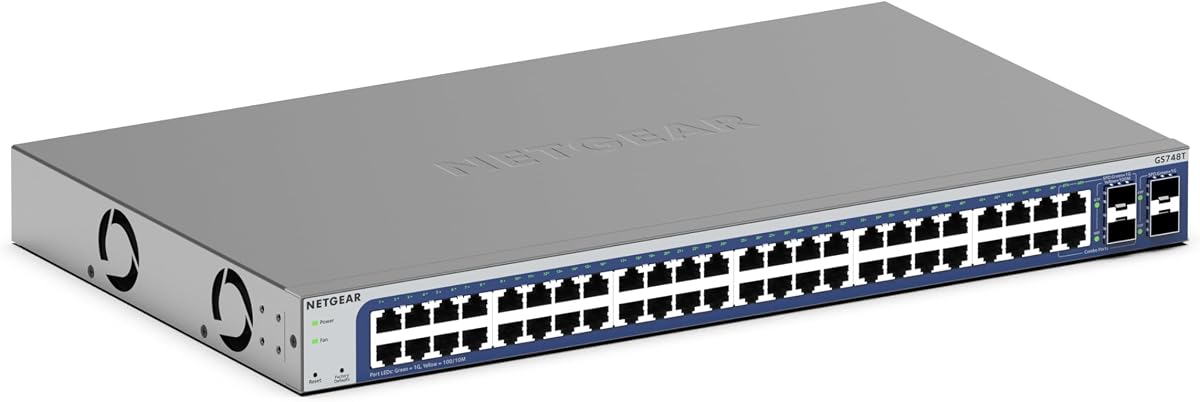
NETGEAR GS748T
4.4Editor score
48 Gigabit Ethernet Ports
4 SFP Fiber Connectivity
Lifetime Hardware Protection
Discover the top 10 best 48 port gigabit managed switches for 2026. Compare features, ratings, and performance to choose the right network switch.
Choosing the right network infrastructure is critical for modern businesses and enterprises. A 48 port gigabit managed switch provides the backbone for high-speed data transfer, ensuring that your devices communicate efficiently without bottlenecks.
We have evaluated ten top-rated models based on performance, security features, ease of management, and overall reliability. Our analysis focuses on real-world usability, fanless designs, and advanced capabilities like PoE and VLAN support.
Each pick highlights specific strengths and ideal use cases to help you match the switch to your needs. Prices and availability change frequently, so always check the latest details before making a final purchase decision.
4.4Editor score

4.7Editor score

4.3Editor score
This comparison table provides a side-by-side overview of all ten switches to help you quickly identify key specifications and manage differences between models.




The TP-Link SG2452LP stands out as a robust solution for businesses needing centralized network control. Its high rating reflects user satisfaction with its stability and feature-rich Omada ecosystem integration.
We may earn a commission when you buy through this link, at no additional cost to you.
This switch offers exceptional security capabilities including 802.1X authentication and DHCP snooping. The fanless design ensures it remains silent even under full load, making it ideal for offices or conference rooms.
While the Omada platform is powerful, it may require a learning curve for those new to managed networks. However, the benefits of remote monitoring and AI features outweigh this initial investment in time.
Businesses prioritizing security and quiet operation will find this switch an excellent investment. It balances performance with manageability, providing peace of mind for IT administrators.
The Omada Cloud Management Platform allows you to manage multiple devices remotely with ease.
Built-in features like ACL and DoS/DDos protection safeguard your network from common threats.
We may earn a commission when you buy through this link, at no additional cost to you.
The NETGEAR GS748T is a premium choice for organizations requiring high-speed connectivity and fiber uplinks. Its 4.4 rating highlights its reliability and advanced smart management features.
We may earn a commission when you buy through this link, at no additional cost to you.
With four SFP ports, this switch allows for flexible fiber expansion which is crucial for growing networks. The Insight tool provides remote management capabilities that simplify IT operations significantly.
The price is higher than unmanaged alternatives, but the included features justify the cost for professional environments. Users should be aware that this specific model focuses on data switching rather than power delivery.
If you need reliable uplinks and remote management tools, this switch is a top contender. It offers a professional-grade interface that supports complex network configurations efficiently.
Four SFP ports enable seamless integration with existing fiber optic infrastructure.
Included one-year Insight access allows you to monitor network health from anywhere.
We may earn a commission when you buy through this link, at no additional cost to you.
The Omada SG3452 offers an excellent balance of price and performance for small to medium enterprises. Its L2+ static routing features make it more versatile than basic Layer 2 switches.
We may earn a commission when you buy through this link, at no additional cost to you.
Users benefit from the Omada SDN platform which unifies network management across different device types. The switch includes advanced security features like port security and storm control to protect traffic.
While powerful, the device requires specific firmware compatibility for SDN features. However, standalone web and CLI options ensure you can manage it effectively even without a controller.
For budget-conscious buyers needing advanced routing, this switch is a strong choice. It delivers enterprise-grade features without breaking the bank.
Static routing allows efficient traffic management between different internal network segments.
Integrates seamlessly with Omada hardware or software controllers for unified management.
We may earn a commission when you buy through this link, at no additional cost to you.
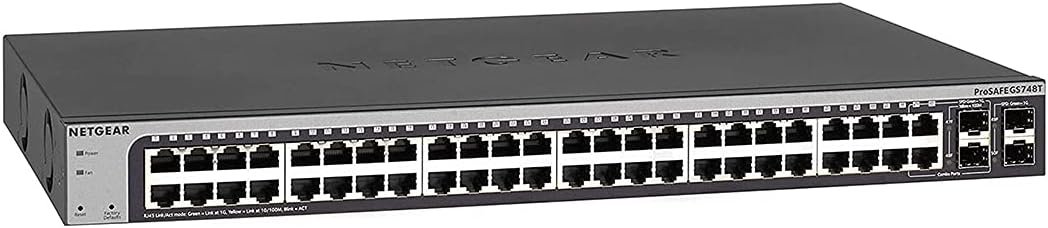
This version of the NETGEAR GS748T is a classic option for users seeking reliable smart management. It features a proven design with shared combo ports for flexibility.
We may earn a commission when you buy through this link, at no additional cost to you.
The smart software provides essential tools for secure setup and access control without being overly complex. The lifetime warranty adds significant value and peace of mind for long-term deployments.
While it lacks the newer cloud integration found in other models, it remains a solid workhorse for traditional networks. Fans are absent to ensure quiet operation in shared environments.
Users who prefer on-premise management and strong warranty support will appreciate this model. It is a reliable choice for stable office networks.
NETGEAR offers a limited lifetime hardware warranty for long-term assurance.
Intuitive interface simplifies VLAN setup and port security configurations.
We may earn a commission when you buy through this link, at no additional cost to you.
The TL-SG3452P is designed for environments needing both data and power delivery over Ethernet. With a 384W budget, it can support dozens of wireless access points or IP cameras.
We may earn a commission when you buy through this link, at no additional cost to you.
Its L2+ static routing features allow for intelligent traffic flow management across VLANs. The PoE Auto Recovery feature ensures connected devices reboot if they hang, improving uptime.
While the cost is higher, the ability to power devices without separate injectors saves money and effort. Users should ensure adequate airflow as the unit generates heat under full power load.
For businesses deploying wireless networks or surveillance systems, this switch is an all-in-one solution. It simplifies cabling and management significantly.
384W budget supports high-power devices like dual-band wireless access points.
Unified management with TP-Link access points and controllers for seamless operations.
We may earn a commission when you buy through this link, at no additional cost to you.
This unmanaged switch is perfect for simple networks requiring high port counts without complexity. Its high 4.8 rating reflects user trust in its plug-and-play reliability.
We may earn a commission when you buy through this link, at no additional cost to you.
With no software to install, setup is as simple as plugging in cables. The fanless design makes it ideal for noise-sensitive environments like libraries or classrooms.
While it lacks advanced management features, it excels at moving data reliably. The energy-efficient design helps reduce electricity costs over time.
If you need basic connectivity for 48 devices without managing settings, this is the right choice. It prioritizes simplicity and quiet performance.
No web interface or settings required for immediate network connectivity.
Fanless design ensures silent performance in quiet environments.
We may earn a commission when you buy through this link, at no additional cost to you.
Buying a renewed unit offers a budget-friendly way to access premium NETGEAR features. This switch includes the same 48 gigabit ports and 4 SFP slots as the new version.
We may earn a commission when you buy through this link, at no additional cost to you.
ProSAFE lifetime protection ensures long-term support regardless of the unit's renewed status. Users can still manage their network securely via smart software tools.
There is a slight risk regarding physical condition, but the savings are significant. For organizations with limited IT budgets, this is a smart compromise.
Choose this if you want managed features at a lower price point. It is a practical solution for growing teams.
Access enterprise features at a fraction of the cost of new units.
ProSAFE warranty remains valid for renewed hardware in most cases.
We may earn a commission when you buy through this link, at no additional cost to you.
The EdgeSwitch Lite offers impressive throughput for its form factor, ensuring data flows without congestion. Its 140 Gbps capacity makes it suitable for bandwidth-heavy tasks.
We may earn a commission when you buy through this link, at no additional cost to you.
While it operates within the Ubiquiti ecosystem, it provides a high degree of hardware performance. The DC power option allows for flexible power setups in specialized installations.
Without PoE, it relies on external injectors for powered devices. However, for pure data switching with high backplane capacity, it excels.
Network admins looking for raw speed and reliability without complex software will prefer this model. It is a high-performance hardware switch.
Ensures full throughput across all ports simultaneously without bottlenecks.
Support for DC input allows adaptation to various power environments.
We may earn a commission when you buy through this link, at no additional cost to you.
This switch stands out with its six 10G SFP+ slots which are rare for this price range. It offers high-speed uplinks for servers or backbone connections.
We may earn a commission when you buy through this link, at no additional cost to you.
The 460W PoE budget is generous, supporting large deployments of wireless access points or cameras. L3 management features allow for sophisticated routing and traffic segmentation.
While YuanLey is less common than NETGEAR or TP-Link, the hardware is robust. The web interface provides necessary control for professional configurations.
For high-bandwidth environments needing 10G uplinks and PoE, this is a standout choice. It bridges the gap between standard and high-end switches.
Six SFP+ slots enable high-speed fiber connections for data centers.
460W budget ensures ample power for multiple high-demand devices.
We may earn a commission when you buy through this link, at no additional cost to you.
The GS348TPv2 combines reliable NETGEAR smart management with a strong PoE budget. It is an ideal choice for offices with many connected devices and APs.
We may earn a commission when you buy through this link, at no additional cost to you.
The smart interface simplifies management tasks like VLAN creation and SNMP monitoring. The 380W power budget supports most standard enterprise deployments without injectors.
While it lacks 10G uplinks, it is sufficient for most gigabit access networks. Its energy-efficient design aligns with green computing goals.
If you need a trusted brand with PoE and smart tools, this is a solid option. It ensures your devices stay powered and connected.
380W budget supports high-wattage devices like dual-radio wireless access points.
Intuitive web interface simplifies network configuration and maintenance tasks.
We may earn a commission when you buy through this link, at no additional cost to you.
Selecting the right switch requires understanding your network needs, from power requirements to advanced management tools.
Managed switches offer control over VLANs, security, and traffic prioritization, making them suitable for businesses. Unmanaged switches are plug-and-play but lack configuration options.
Choose managed switches if you need to segment traffic or secure ports effectively.
Power over Ethernet (PoE) allows the switch to deliver power to devices like cameras and APs. Check the total PoE budget to ensure it supports your devices.
If you need to power devices, prioritize switches with a sufficient PoE budget.
SFP or SFP+ slots allow fiber connections for high-speed uplinks to routers or other switches. These are vital for expanding network bandwidth.
Select models with SFP ports if you require fiber optic connectivity.
Look for intuitive web interfaces or CLI support depending on your expertise. Cloud management features allow remote monitoring which is beneficial for multi-site setups.
Ensure the management tools match your IT team's skills and needs.
Fanless designs are ideal for offices to reduce noise. Rackmount options are necessary for server rooms.
Prioritize fanless designs if the switch will be in a shared workspace.
Advanced security like 802.1X, ACLs, and DHCP snooping protects against threats. These features are critical for enterprise environments.
Ensure the switch has robust security protocols to protect your data.
Lifetime warranties or long-term support indicate manufacturer confidence. Technical support availability is crucial during setup.
Check warranty terms to ensure long-term peace of mind.
Costs vary widely based on features like PoE and cloud management. Balance your needs with your available budget.
Invest in features you will actually use to avoid overpaying.
Begin by connecting your server or router to one of the uplink ports, then connect your devices to the remaining ports. Ensure cables are securely seated.
Access the web interface by entering the default IP address into a browser. Change default passwords immediately to secure the device from unauthorized access.
Regularly update firmware to maintain security and stability. Keep the unit in a well-ventilated area to prevent overheating.
Managed switches allow you to configure VLANs, security rules, and traffic priorities. Unmanaged switches work out of the box with no settings. Managed switches offer control and security while unmanaged offer simplicity.
Calculate the total wattage required by all devices. A 48 port switch should have enough budget to power all connected devices simultaneously without issues. Ensure there is headroom.
SFP ports support fiber optic modules for long-distance high-speed connections. They are used to connect switches to routers or other switches over long distances without signal loss.
Yes, managed switches allow features like port security, VLANs, and access control lists. These tools help isolate traffic and prevent unauthorized access to sensitive data on the network.
Only if you have many devices like cameras or smart home gear. Most homes do not need 48 ports. However, if you have a large media center or office setup it may be useful.
Log into the web interface and navigate to the system or firmware section. Download the latest version from the manufacturer's website and upload it via the interface.
Yes, managed switches are compatible with most routers and modems. They work at Layer 2 so they do not require specific router configurations for basic connectivity.
VLAN tagging groups devices logically on a network using tags. This allows you to segment traffic for better performance and security without needing separate physical cabling.
We have reviewed ten top models to help you find the perfect switch for your network. Whether you need PoE or just high-speed data, options exist for every need.
Prioritize features like security, management tools, and power budget to ensure the switch meets your specific business requirements.
Always verify the latest price and stock before buying to get the best value for your investment.