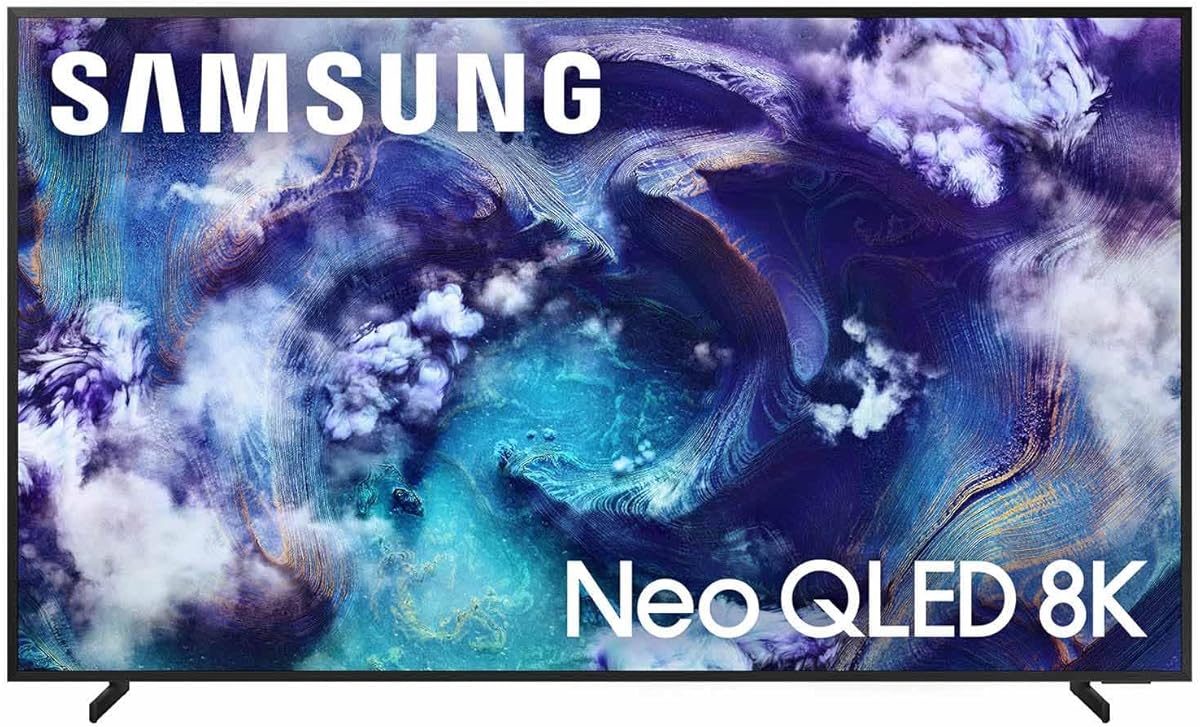
Samsung 75-Inch Class Neo QLED 8K QN900F Series
4.5Editor score
NQ8 AI Gen3 Processor
Neo Quantum HDR 8K Pro
Glare Free Display
Finding the right display for high-end PC gaming requires careful consideration of resolution, refresh rates, and input latency. While 4K has become the standard for enthusiasts, 8K TVs offer a glimpse into the future with unparalleled detail and clarity. These displays promise to deliver an immersive experience that pushes the boundaries of visual fidelity for compatible graphics cards.
We have evaluated ten leading models based on their performance metrics, connectivity options, and overall value for gamers. Our analysis focuses on critical factors such as HDR support, variable refresh rate capabilities, and the presence of dedicated gaming features. This list covers a range of sizes and technologies to suit different room configurations and budget constraints.
Each selection in this guide highlights specific strengths that cater to the unique demands of PC gaming setups. From Mini LED backlighting to advanced AI upscaling, these TVs aim to provide smooth visuals and vibrant colors. Please note that pricing and availability can fluctuate, so checking current listings is recommended before making a purchase decision.
4.5Editor score

3.8Editor score

3.4Editor score
As an Amazon Associate we earn from qualifying purchases.
This table provides a side-by-side overview of the key specifications and features for each model on our list to help you make an informed choice.


The Sony Z9K Series stands out as a top contender for PC gamers seeking high resolution and vibrant visuals. With a rating of 3.8, it offers a sophisticated viewing experience powered by advanced processing technology. The Cognitive Processor XR delivers intense contrast and deep blacks, making it ideal for dark gaming environments.
We may earn a commission when you buy through this link, at no additional cost to you.
Its Mini LED technology ensures unprecedented contrast with natural colors and maximum brightness. The Game Menu feature centralizes all gaming picture settings and assist features into a single interface for easy management. This model also supports HDMI 2.1 features such as 4K 120Hz, VRR, and ALLM for smooth gameplay.
While the price point is premium, the visual fidelity and processing power justify the investment for serious enthusiasts. The low input lag of 8.5ms ensures responsive controls which are crucial for competitive titles. Gamers using PlayStation 5 will also appreciate exclusive features like Auto HDR Tone Mapping.
If you want a display that bridges the gap between console and PC gaming with top-tier image quality, the Z9K is a strong choice. Its ability to handle high dynamic range content with precision makes it a future-proof option for next-gen visuals.
The Cognitive Processor XR analyzes content to deliver deep blacks and high peak brightness effectively.
HDMI 2.1 features like VRR and ALLM ensure smooth visuals and reduced tearing during fast action.
We may earn a commission when you buy through this link, at no additional cost to you.
The Samsung Neo QLED QN990F leverages the NQ8 AI Gen3 Processor to optimize content for incredible visual clarity. With a rating of 3.5, it promises phenomenal 8K clarity powered by 768 AI neural networks that transform content into stunning detail. This makes it a compelling option for those wanting AI-driven picture enhancement.
We may earn a commission when you buy through this link, at no additional cost to you.
Its capabilities include ultra-smooth motion for games up to 4K 240Hz which is beneficial for fast-paced competitive gaming. The Wireless One Connect feature allows devices to be connected away from the TV reducing cable clutter around your setup. Additionally the Glare Free screen helps minimize reflections from ambient light sources.
While it offers advanced features like AI Motion Enhancer to reduce blur and flickering the reliance on wireless connectivity might be a concern for some users. The high refresh rate capabilities are excellent for sports and fast action content though ensuring your PC hardware matches this speed is vital.
Choose this model if you value cutting-edge AI processing and a sleek connection solution for your gaming environment. It balances high resolution with intelligent upscaling to make lower resolution content look sharper on a large screen.
Optimizes your content so movies, sports and video games look incredible regardless of source quality.
AI processor smooths motion of fast moving objects reducing blur and flickering for clear visuals.
We may earn a commission when you buy through this link, at no additional cost to you.
This bundle offers the Samsung QN990F NEO QLED 8K TV alongside a 2 Year Amber Protection Plan and cleaning kit. It is designed to provide an immersive viewing experience on a 75 inch screen with exceptional brightness and contrast. The inclusion of protection adds significant value for those worried about accidental damage or wear.
We may earn a commission when you buy through this link, at no additional cost to you.
The TV features the NQ8 AI Gen3 Processor which optimizes content for lifelike detail in games and movies. It also boasts Wireless One Connect to reduce clutter and a Glare Free display to minimize reflections during play. These features align with the needs of a modern gaming setup requiring clean aesthetics and clear visuals.
Although the rating is lower than some counterparts, the bundle components offer peace of mind for long-term ownership. The cleaning solution removes dust and fingerprints without damaging the display which is essential for maintaining the screen quality. This combination makes it a practical choice for households with heavy usage.
If you want a large 8K display with added protection and maintenance tools this bundle is worth considering. It ensures your investment is safeguarded while delivering high-end performance for your favorite content.
Includes a 1 Year Amber Protection in Addition to the Included Full 1 Year Manufacturer's Warranty.
Stunning 8K resolution with NEO QLED technology delivering exceptional brightness contrast and color accuracy.
We may earn a commission when you buy through this link, at no additional cost to you.
Rated 4.5 stars this Samsung model offers an enhanced 8K clarity powered by 256 AI neural networks. The Neo Quantum HDR 8K Pro delivers sharp smooth picture quality ideal for immersive gaming and cinematic content. It also features a sleek metal design that blends seamlessly into any home decor with a nearly edgeless viewing experience.
We may earn a commission when you buy through this link, at no additional cost to you.
For gamers the support for VRR gaming at up to 4K 165Hz ensures virtually tear-free gaming with smooth visuals. The Object Tracking Sound+ technology places sound moving across the screen to create a realistic audio environment. Additionally it is Glare Free to help you get lost in content even with ambient light.
While this comes at a premium price, the combination of high refresh rates and advanced audio features offers a complete entertainment package. The AI processor sharpens moving text and images for better legibility during sports or news updates. This level of detail ensures you don't miss critical information while immersed in gameplay.
Choose this model if you demand high performance and excellent design for a high-end PC gaming setup. It provides a robust feature set that supports both visual fidelity and dynamic audio synchronization for a superior experience.
Object Tracking Sound+ brings realistic 3D audio that matches action on screen accurately.
VRR gaming at up to 4K 165Hz ensures smooth visuals and blazing fast speeds without tearing.
We may earn a commission when you buy through this link, at no additional cost to you.
The Samsung QN800D Series offers a Quantum Matrix Pro with Mini LEDs that provides 1.5x more lighting zones than normal tech. This allows for greater detail and backlight dimming for better brightness even in dark scenes. With a rating of 3.4 it presents a balanced option for those wanting 8K resolution without the highest premium costs.
We may earn a commission when you buy through this link, at no additional cost to you.
Its Real 8K Resolution with AI Upscaling instantly improves as you watch thanks to 512 AI neural networks that help update each scene. The Motion Xcelerator 165Hz ensures ultra-smooth motion and virtually no lag or blur for crisp visuals during action. Real Depth Enhancer Pro adjusts the focal point for a fully dimensional picture.
The TV supports Dolby Atmos and Object Tracking Sound+ for a theater like experience from your couch. While it is not the brightest in class, it offers significant value with solid upscaling and motion handling. The NQ8 AI Gen2 Processor automatically transforms content up to 8K enhancing total performance.
If you seek a balance between advanced features and cost this model provides a strong entry point into 8K gaming. It delivers sufficient performance for competitive play and casual viewing with reliable motion processing and audio sync.
Motion Xcelerator 165Hz renders faster button-mashing results with crisp visuals no matter action amount.
Dolby Atmos and Object Tracking Sound+ move sound along with screen action for realistic audio.
We may earn a commission when you buy through this link, at no additional cost to you.
This Samsung model features an Infinity Air Design that allows the image to reach all edges for a more expansive view. Rated 4.1, it offers the best 8K quality picture with a huge range of contrast and color. The Motion Xcelerator 240Hz allows for uninterrupted action with crisp visuals rendered at top speeds for gamers.
We may earn a commission when you buy through this link, at no additional cost to you.
The Neo Quantum HDR 8K Pro delivers brighter brights and darker darks ensuring every pixel is visible for high fidelity. AI Motion Enhancer Pro sharpens motion so you don't miss a moment due to hard to see details or blurred subtitles. Real Depth Enhancer Pro finds the focal point for a fully dimensional picture.
Its Object Tracking Sound Pro provides dramatic 3D audio that fills the room with pinpoint accuracy. While the cost is higher, the design aesthetics and refresh rate capabilities make it a standout for competitive gaming. It ensures your gaming dashboard is managed in real time with seamless adjustments.
Choose this model if you prioritize a sleek form factor and top-tier refresh rates for smooth gameplay. It combines visual clarity with audio precision to create an engaging environment for both movies and PC games.
Infinity Air Design provides an almost invisible profile for a more expansive view on screen.
Motion Xcelerator 240Hz renders crisp visuals at top speeds for uninterrupted gaming action.
We may earn a commission when you buy through this link, at no additional cost to you.
This Hisense model offers an 85 inch screen with Hi-QLED MiniLED backlighting for deeper shadows and brighter highlights. Rated 4.4, it features a Native 144Hz Game Mode to keep fast movement fluid and sharp during gameplay. The Total HDR Solution supports formats like Dolby Vision IQ and HDR10+ Adaptive for better detail in every scene.
We may earn a commission when you buy through this link, at no additional cost to you.
AI Picture processing analyzes content scene by scene to automatically optimize brightness and contrast. The AI Smooth Motion with MEMC keeps transitions smooth and comfortable to watch even for live sports and action movies. Its FILMMAKER MODE preserves the original aspect ratio so you watch movies as directors intended.
The 4K Ultra HD Resolution and AI 4K Upscaler enhance lower resolution content by sharpening details. Although it is primarily marketed as 4K, its high refresh rate and processing make it versatile for gaming. The AI Light Sensor adapts brightness to the environment for comfortable viewing at any time of day.
If you have the space for an 85 inch display and want a high refresh rate experience this TV is a strong contender. It balances cinematic features with gaming capabilities to deliver a rich visual experience for various content types.
Native 144Hz Game Mode helps you stay in control during competitive gaming and reduces blur.
Intelligent brightness adapts to your environment maintaining optimal picture quality comfortably.
We may earn a commission when you buy through this link, at no additional cost to you.
This LG OLED model delivers outstanding picture quality with Brightness Booster and over 8.3 million self-lit pixels. Rated 4.0, it offers Perfect Black and Perfect Color technology ensuring stunning realism and depth in every scene. Its Gaming Features include a 165Hz Refresh Rate and 0.1ms response time for responsive gameplay.
We may earn a commission when you buy through this link, at no additional cost to you.
The a11 AI Processor finds and chooses what to watch fast without lag while optimizing picture with AI Director Processing. It supports NVIDIA G-Sync and AMD FreeSync Premium to reduce screen tearing during high performance gaming. WebOS Smart Platform delivers smarter streaming plus Google Gemini at your fingertips for enhanced user experience.
While OLED panels are thinner they have risks of burn-in which must be managed by changing content regularly. The Brightness Booster Pro magnifies each pixel to shine up to 3.2x brighter for enhanced visibility in well-lit rooms. Dolby Vision and Dolby Atmos bring big-screen magic home with immersive sound and contrast.
Choose this model if you want infinite contrast and fast response times for competitive gaming. The 0.1ms response time ensures inputs are registered quickly making it ideal for fast-paced action games and simulations.
Over 8.3 million self-lit smart pixels deliver Perfect Black and Perfect Color technology for realism.
165Hz Refresh Rate and 0.1ms response time provide responsive gameplay with G-Sync and FreeSync.
We may earn a commission when you buy through this link, at no additional cost to you.
The Sony BRAVIA 3 LED offers a massive 85 inch screen with Google Assistant for seamless voice control. Rated 4.2, it integrates a Streaming Hub for access to diverse content from Netflix and Disney+. The Triluminos Pro technology displays over a billion accurate colors ensuring vivid bright and lifelike picture quality.
We may earn a commission when you buy through this link, at no additional cost to you.
Its Gaming Optimized features include Auto HDR Tone Mapping and Auto Genre Picture Mode for immersive gaming experiences. The SONY PICTURES CORE app allows you to stream high-bitrate 4K UHD movies enhancing the value of this TV model. It serves as a one-stop entertainment hub catering to all your streaming needs.
While it is a 4K model rather than 8K, its large size and color accuracy make it a compelling option for immersive viewing. Voice control takes center stage allowing you to navigate and search for shows using just your voice. This convenience reduces the need for complex menus during gaming sessions.
If you value ease of use and a large display with vibrant colors, this model is a practical choice. It supports exclusive features for PlayStation 5 making it a versatile option for console and PC gaming users alike.
Triluminos Pro ensures vivid bright and lifelike picture quality displaying every scene in stunning detail.
Exclusive features for PlayStation 5 include Auto HDR Tone Mapping for optimized picture quality.
We may earn a commission when you buy through this link, at no additional cost to you.
This Hisense model features MiniLED Pro with up to 5000 Nits Peak Brightness and 5600 Local Dimming Zones for precise lighting. Rated 4.3, it includes a Native 165Hz Panel with Game Booster 288 which turbo powers your gaming. The VRR support ranges from 48Hz to 165Hz allowing variable refresh rates for smooth gameplay.
We may earn a commission when you buy through this link, at no additional cost to you.
The Hi-View AI Engine Pro optimizes the picture and sound based on the content you are watching automatically. Enhanced Game Bar lets you manage performance in real time with seamless settings adjustments. Anti-Reflection Pro incorporates a special coating to minimize glare and reflections so you can see the picture in all its vibrancy.
It offers a 4.1.2 Multi-Channel Surround with Dolby Atmos to create a captivating home theater experience. The QLED Color is Pantone Validated ensuring over a billion shades of color. While it is 4K, the high brightness and local dimming make it a robust option for HDR content.
If you need extreme brightness and high refresh rates for your setup, this model delivers strong performance. Its IMAX Enhanced certification delivers cinema picture quality straight to your TV for an immersive viewing experience.
MiniLED Pro Up To 5000 Nits provides precise lighting with 5600 Local Dimming Zones.
Enhanced Game Bar lets you manage performance in real time with seamless settings adjustments.
We may earn a commission when you buy through this link, at no additional cost to you.
Choosing the right 8K TV involves evaluating several technical factors to ensure it meets your gaming needs.
Look for high refresh rates like 120Hz or 165Hz to ensure smooth motion during gameplay. Lower refresh rates can cause visible stuttering in fast-paced games affecting your performance.
Prioritize models that support VRR to adapt the screen refresh to the graphics card output.
Low input lag is crucial for competitive gaming where every millisecond matters. Aim for a TV with an input lag under 20ms in game mode for responsive controls.
Check reviews or product specs to confirm the input lag performance during gaming scenarios.
Mini LED and OLED panels offer high contrast and brightness suitable for immersive visuals. Mini LED provides better brightness while OLED offers perfect blacks and faster response times.
Choose the panel type based on your room lighting conditions and budget constraints.
Ensure the TV has HDMI 2.1 ports to support 4K or 8K resolution at high refresh rates. HDMI 2.0 may limit you to lower frame rates at higher resolutions.
Verify that your PC graphics card supports the required HDMI version for optimal performance.
High Dynamic Range formats like HDR10 and Dolby Vision enhance color and contrast. A good HDR implementation ensures details are visible in both bright and dark areas.
Look for peak brightness levels above 1000 nits for effective HDR performance.
While 8K is the standard in this guide, ensure your PC can render games at 8K. Many titles still run better at 4K so consider upscaling technology if native 8K is not supported.
High-end GPUs are needed to drive 8K content effectively without sacrificing frame rates.
Integrated audio systems like Dolby Atmos or Object Tracking Sound enhance the immersive experience. Good audio reduces the need for external speakers in some setups.
Check for optical or HDMI ARC support to connect external sound systems easily.
Smart platforms like Google TV or Tizen OS allow easy access to streaming services. Ensure the interface is intuitive and does not interfere with gaming modes.
Voice assistants can be useful for quick access to settings without interrupting gameplay.
Connect your PC using an HDMI 2.1 cable to ensure the maximum bandwidth and refresh rates. Adjust your PC graphics settings to match the resolution and refresh rate of the TV for best performance.
Enable Game Mode in the TV settings to reduce input lag and optimize the display for interactive content. Calibrate picture settings such as brightness and contrast to your room lighting conditions for accurate colors.
Regularly clean the screen with a soft microfiber cloth to avoid scratches and damage. Avoid touching the screen with sharp objects and keep the ventilation open to prevent overheating during long sessions.
8K TVs provide higher resolution detail and often come with high refresh rates and low input lag. While the human eye may struggle to see 8K at typical distances, the improved processing and gaming features enhance the experience.
You need HDMI 2.1 to support 8K resolution at high refresh rates like 60Hz. HDMI 2.0 is limited to lower refresh rates at 8K so check your TV and GPU specifications before connecting.
Yes you can use a 4K PC with an 8K TV. The TV will upscale the 4K signal to fit its display which most modern TVs do effectively using AI processing.
If you have the space and a powerful PC 8K offers future-proofing and sharper visuals. However 4K is currently more practical for gaming due to lower hardware requirements and better frame rates.
Activate Game Mode on your TV which disables some processing to lower latency. Also ensure your PC is set to output the correct refresh rate and resolution settings.
For 8K a larger screen like 75 inches or above is recommended to appreciate the detail. Your viewing distance should be 3 to 4 feet for optimal immersion without pixelation.
The top picks in this guide offer a range of options from the Sony Z9K series to Samsung's Neo QLED models. Each brings unique strengths such as AI upscaling, high refresh rates, and premium design features for immersive gaming.
When making your decision prioritize factors like refresh rate, input lag, and brightness to match your PC setup. Consider your room lighting and budget to ensure the display complements your gaming environment effectively.
Remember to check current prices and promotions before purchasing as they can vary over time. Stay updated on new releases to ensure you are getting the best value and performance for your investment.