
ARCTIC P9 PWM PST
4.5Editor score
Wide RPM range
High static pressure
Includes cable splitter
Explore the top 92mm case fans for quiet cooling and high performance. Compare real user ratings, specs, and features to find your perfect match.
Choosing the right airflow solution is critical for maintaining optimal thermal performance in modern computer builds. Small form factor cases often rely on 92mm dimensions to fit tight spaces without sacrificing cooling efficiency. Selecting a fan that balances noise and airflow ensures your system runs smoothly under load.
We evaluated ten top-rated models based on real user feedback and technical specifications. Our analysis focuses on bearing quality, PWM control capabilities, and static pressure performance. This list covers options from premium brands and budget-friendly alternatives to suit various build requirements.
Each entry highlights key strengths, potential trade-offs, and ideal use cases for every product. Prices and availability can fluctuate frequently so checking current listings is always recommended. Use this guide to narrow down your choices and find the fan that best fits your specific cooling needs.
4.5Editor score

4.8Editor score

4.8Editor score
This table provides a side-by-side view of key specifications for all ten selected models. Compare speeds, dimensions, and features to find the best fit for your case or cooler.


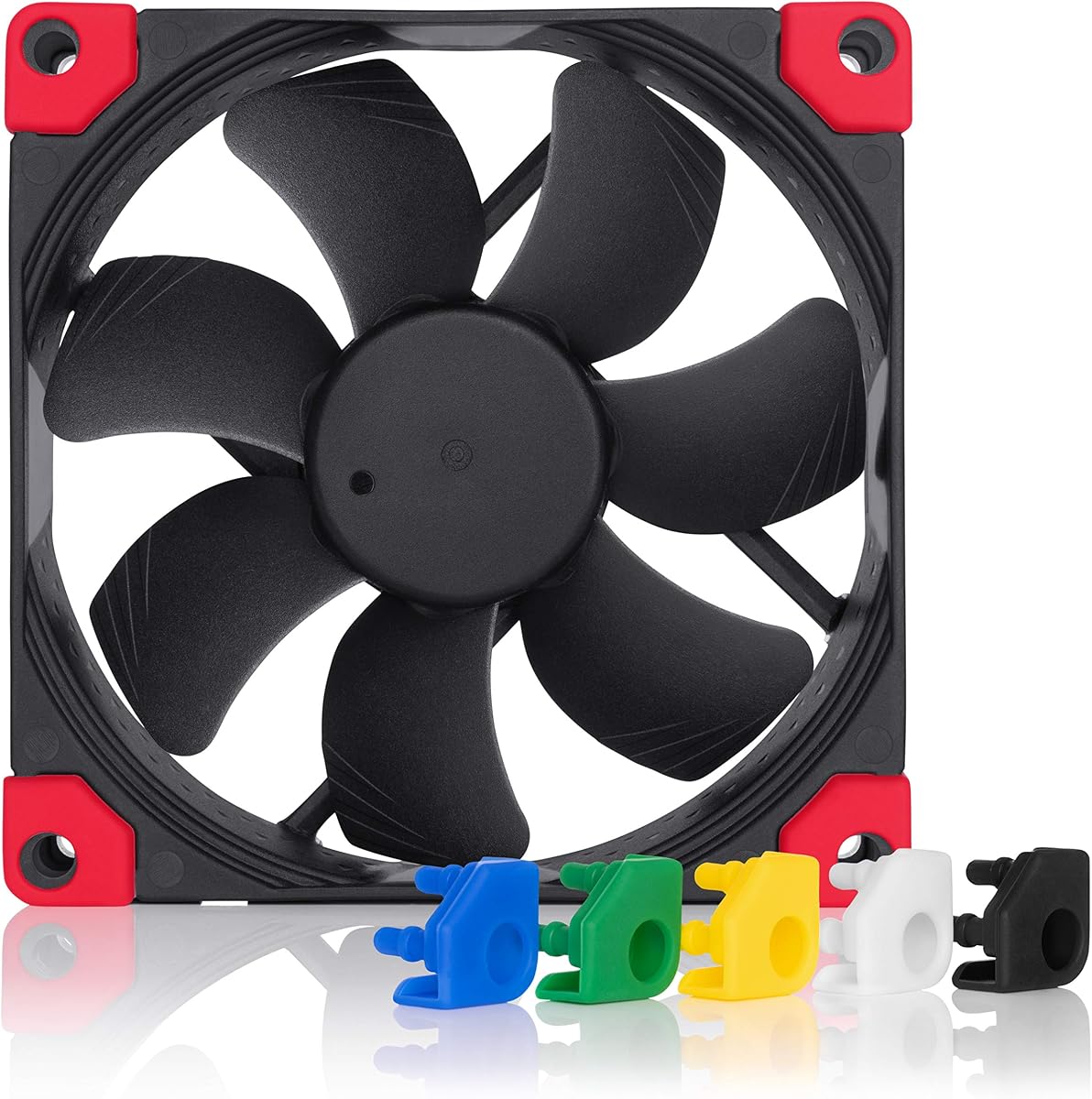


The Noctua NF-A9 PWM stands out as a premium choice for users prioritizing silence and reliability. With a rating of 4.8 stars it consistently delivers on its promise of quiet cooling. Its flow acceleration channels ensure smooth air movement even in restricted spaces.
We may earn a commission when you buy through this link, at no additional cost to you.
Key strengths include its robust motor and advanced acoustic optimization frame. The 4-pin PWM interface allows precise speed regulation via motherboard headers. Users appreciate the included accessories like extension cables and vibration mounts which simplify installation.
Trade-offs mainly involve the cost compared to budget options and the signature brown color scheme. However these are minor concerns given the longevity and performance. The low noise adaptor provides extra flexibility if you need it reduce speeds further.
Ideal for HTPC builds or compact cases where noise matters most. If you value long-term reliability and silent operation this fan is a top recommendation. Check current listings for any bundle deals that might offer better value.
The frame design minimizes resonance and turbulence leading to exceptionally low noise levels even at full speed.
Included adapters and cables make it easy to integrate into various setups without needing extra purchases.
We may earn a commission when you buy through this link, at no additional cost to you.
The ARCTIC P9 PWM PST offers impressive performance for its price. Rated at 4.5 stars it provides efficient cooling with a wide RPM range. The inclusion of a PST splitter adds value by allowing multiple fans on one header.
We may earn a commission when you buy through this link, at no additional cost to you.
Its high static pressure makes it suitable for radiators and heat sinks. The bearing design reduces friction ensuring smooth operation over time. Users note it runs very quietly below 5 percent PWM which is ideal for idle periods.
Cons include some variability in build quality and higher noise when pushed to maximum speeds. These issues are expected at this price point. The fan still delivers reliable airflow without breaking the bank.
Best for budget builds needing silent performance. If you need to daisy-chain fans or prioritize cost efficiency this is a solid pick. Verify current stock before ordering to ensure availability.
Designed to push air through dense radiators or filters maintaining cooling efficiency under resistance.
The cable splitter lets you connect multiple fans to one PWM header simplifying cable management.
We may earn a commission when you buy through this link, at no additional cost to you.
This ultra-thin variant is designed for tight spaces like low profile coolers. It retains the 4.8 rating of the series thanks to efficient cooling and quiet operation. The 14mm thickness allows clearance where standard fans would not fit.
We may earn a commission when you buy through this link, at no additional cost to you.
Key features include the HS-PWM mode which stops the fan at zero percent for passive cooling. The chromax black swap edition allows color customization with colored anti-vibration pads. Flow acceleration channels maintain performance despite the thin form factor.
The main trade-off is the higher cost and potentially more delicate blades due to reduced material. However the cooling efficiency remains high. It is perfect for ITX cases where height is a constraint.
Buy this if you need maximum cooling in minimal space. Users seeking style customization will appreciate the swappable pads. Ensure your case can accommodate the specific clearance requirements.
The fan can stop completely at low loads allowing for silent periods when cooling demand is minimal.
Different colored vibration pads let you match the fan to your build aesthetics without replacing the unit.
We may earn a commission when you buy through this link, at no additional cost to you.
This version offers the same thin dimensions as the chromax variant without the swappable color options. It maintains the 4.8 rating through consistent airflow and quiet operation. The retail packaging ensures you get all necessary accessories.
We may earn a commission when you buy through this link, at no additional cost to you.
It uses the reliable SSO2 bearing system which minimizes vibration noise. The PWM control allows full speed management via motherboard headers. While it lacks the color customization of the black swap model it performs just as well.
Drawbacks include the lack of color options and the premium pricing typical of the brand. Users who prefer a simpler build will find it straightforward. It is a great choice for functional builds prioritizing reliability.
Ideal for those needing thin cooling without the extra features. Verify availability on Amazon for stock levels. Check current listings for the best deal before purchasing.
SSO2 bearings provide stable rotation reducing wobble and extending the operational life of the fan.
Its slim design fits into tight CPU cooler setups maintaining efficiency where space is limited.
We may earn a commission when you buy through this link, at no additional cost to you.
The TL-P9 brings excellent silent performance to the market at a competitive price. With 4.7 stars users praise its quiet operation thanks to vibration dampening pads. The 4-pin PWM interface allows automatic speed adjustments.
We may earn a commission when you buy through this link, at no additional cost to you.
Its S-FDB bearings solve issues common with cheaper fans ensuring smooth rotation. The seven blade design optimizes airflow for both case and CPU cooling. Silicone feet add extra stability on mounting points.
Cons include fewer color choices compared to premium brands and slightly lower max RPM. However the airflow remains effective for most builds. It offers a solid balance between cost and performance.
Best for builders needing reliable cooling without a high cost. Ideal for budget ITX builds where silence is key. Check current stock for availability as models may sell out quickly.
S-FDB technology reduces friction ensuring smoother rotation and lower noise levels over time.
The seven blade design balances air volume and pressure for efficient cooling in various orientations.
We may earn a commission when you buy through this link, at no additional cost to you.
This model offers a straightforward solution for static cooling needs. Rated at 4.6 stars it focuses on low noise with a fixed RPM speed. The bearing uses a German developed alloy to minimize friction and heat.
We may earn a commission when you buy through this link, at no additional cost to you.
High static pressure ensures efficient cooling on radiators. While it lacks PWM it can still be adjusted via voltage. It is a great replacement for older fans needing simple reliable airflow.
The fixed speed means less granular control compared to PWM options. Users needing variable speeds may prefer other models. However for set and forget applications it works well.
Suitable for simple case setups where noise matters more than precise control. Check current availability to ensure you get the latest batch. Compare with PWM versions for flexibility.
A fixed speed reduces complexity making it easy to install without motherboard header configuration.
High quality materials ensure the fan runs quietly and lasts long under continuous operation.
We may earn a commission when you buy through this link, at no additional cost to you.
The chromax Black swap edition brings a modern aesthetic to the trusted NF-A9 design. It maintains the 4.8 star rating for excellent cooling and low noise. The all black frame matches modern builds better than the classic brown.
We may earn a commission when you buy through this link, at no additional cost to you.
It includes swappable colored anti-vibration pads for customization. The PWM interface allows full speed regulation for balanced performance. Users love the premium look and the reliability of the frame.
Cost is higher than standard fans and the pads require installation. However the upgrade in looks is worth it for many. It fits well in dark themed builds needing silence.
Ideal for black themed cases where silence and looks matter. Verify current listings for stock. Check current pricing for bundle deals.
Swap the included pads to match your system colors for a personalized look without buying a new fan.
The black frame and black blades blend seamlessly into dark cases enhancing visual appeal.
We may earn a commission when you buy through this link, at no additional cost to you.
This fan stands out with a 2700 RPM max speed and slim 15mm thickness. Rated 5.0 stars it delivers impressive performance for its size. The PWM control allows precise adjustments for different needs.
We may earn a commission when you buy through this link, at no additional cost to you.
Silicone feet reduce vibration and noise during operation. The design fits well on small coolers or cases where space is tight. It offers high cooling power without taking up much room.
Cons include limited accessory options and potential noise at max RPM. However it handles cooling demands well. It is a strong choice for performance focused small builds.
Best for builds needing slim clearance and high airflow. Verify current stock before buying. Check listings for availability.
A higher max RPM ensures strong cooling power even when system temperatures rise significantly.
At only 15mm thick it fits into tight spaces where thicker fans cannot be installed.
We may earn a commission when you buy through this link, at no additional cost to you.
The FLX version uses a 3-pin Molex connection ideal for simple setups. It maintains a 4.7 rating for quiet and reliable performance. Low noise adaptors allow you to choose between different fixed speeds.
We may earn a commission when you buy through this link, at no additional cost to you.
It runs at lower RPMs than PWM versions which helps reduce noise. The adaptors offer flexibility for users who do not need automatic control. It is a great choice for passive cooling systems.
The lack of PWM means speeds are manual via adaptors. Users needing automatic control should pick PWM models. But for simplicity it works well.
Ideal for simple builds or those using older motherboards. Check current availability for the latest batch. Compare with PWM versions to choose.
Included adaptors let you select specific RPMs manually offering simplicity over automatic control.
A 3-pin connection is easy to plug in without needing specific PWM headers.
We may earn a commission when you buy through this link, at no additional cost to you.
This model offers an extreme RPM range up to 4300 for high cooling needs. Rated 4.6 stars it delivers strong airflow for its price. The fluid dynamic bearing ensures smooth and quiet low speed operation.
We may earn a commission when you buy through this link, at no additional cost to you.
Zero dB mode allows it to stop when not needed saving energy. High static pressure makes it suitable for radiators. Users appreciate the versatility and cost effectiveness.
Drawbacks include higher noise at top speeds and some build variability. However it remains a strong performer for the cost. It is great for demanding setups needing high airflow.
Ideal for users needing maximum performance without premium cost. Verify current stock for availability. Check listings for any bundle deals.
From ultra-quiet low speeds to powerful max RPMs it adapts to any cooling demand effectively.
The 0dB mode stops the fan completely when cooling is not needed reducing noise and power use.
We may earn a commission when you buy through this link, at no additional cost to you.
Selecting the right 92mm case fan depends on your specific cooling needs and build constraints.
Noise is a critical factor for users wanting a quiet workspace. Look for fans with low dB(A) ratings and vibration dampening pads to reduce operational sound.
Prioritize models with acoustic optimization features if silence is your top priority.
PWM fans allow automatic speed control via motherboard headers providing dynamic cooling. Non-PWM models run at fixed speeds or voltage control offering simplicity but less flexibility.
Choose PWM if you want automatic temperature regulation for your system.
Static pressure determines how well a fan can push air through resistance like filters or radiators. High static pressure fans are better suited for radiators and CPU coolers.
Ensure the fan has sufficient pressure if you plan to use it on dense coolers.
Standard 92mm fans are typically 25mm thick but thinner models exist for low profile coolers. Verify your case or cooler clearance before purchasing.
Measure your available space to avoid compatibility issues during installation.
Bearings affect longevity and noise. Fluid dynamic bearings offer long life with minimal maintenance while traditional ball bearings may wear faster.
Look for bearings with high MTTF ratings for reliable long term operation.
Most fans use 4-pin PWM connectors but some use 3-pin Molex. Ensure your motherboard supports the connector type you choose.
Adapters are available but native support ensures easier setup.
Premium materials reduce vibration and extend lifespan. Check reviews for consistency in manufacturing quality.
Invest in well-reviewed brands to minimize the risk of defects.
Prices range from affordable to premium depending on features and brand reputation. Balance your budget with required performance levels.
Consider accessory bundles that may offer better overall value.
Install the fan securely using provided screws or mounts. Ensure it is aligned correctly with your airflow path for best cooling.
Check that the connector matches your motherboard header. For PWM fans plug into the designated PWM header to enable speed control.
Periodically clean dust from the blades to maintain efficiency. Use compressed air to avoid damage and ensure smooth spinning.
A 92mm fan typically measures 92x92x25mm. Some versions are thinner to fit low profile coolers. Always check the dimensions before buying.
Generally 92mm fans can be quieter at lower RPMs but move less air. High quality 92mm models offer excellent noise performance for small builds.
Yes especially high static pressure models. They push air through dense radiator fins effectively. Look for models rated for static pressure.
PWM stands for Pulse Width Modulation. It allows automatic speed control via motherboard signals. This helps adjust cooling based on temperature.
Yes it will run at full speed unless you use adapters. PWM control may not work unless you use specific adapters.
Use vibration pads or rubber mounts. Lower the fan speed via BIOS or software. Choose models with low dB(A) ratings.
Quality fans have MTTF ratings of 150,000 hours or more. This means decades of use. Bearing quality plays a big role in longevity.
Vibration usually comes from unbalanced blades or poor mounting. Ensure tight screws and use rubber mounts to reduce noise.
The Noctua NF-A9 PWM remains our top choice for silent and reliable cooling. It offers balanced performance suitable for most high quality builds. The ARCTIC P9 PWM PST stands out as a budget option with strong specs.
Prioritize your specific needs such as clearance or noise when making a decision. Thinner models suit compact cases while high static pressure fits radiators. Check all constraints before purchasing.
Always verify current prices and stock on Amazon as they change frequently. Use this guide to simplify your search and find the right fan for your setup today.