
Cozyla Calendar Plus 2: 24" Smart Digital Calendar
4.6Editor score
Google Play Store Access
24 Inch Large Display
Smart Meal Planning Tools
Modern households juggle countless schedules, appointments, and activities daily. An AI Digital Smart Calendar transforms chaotic kitchens into organized command centers. These devices merge digital planning with photo displays, syncing seamlessly with your favorite apps for effortless coordination across every family member's busy life.
We evaluated ten top-rated models based on screen quality, integration capabilities, and user-friendly design. Our analysis covers real-time syncing with major platforms, voice command efficiency, and built-in chore management systems. Each product was scrutinized for its ability to simplify daily routines while maintaining a sleek aesthetic in any home environment.
Every selection highlights unique strengths from budget-friendly options to premium hubs with advanced AI features. You will find detailed breakdowns of specifications, pros, cons, and ideal use cases for each device. Please note that prices and availability fluctuate frequently, so verify current details before making your final purchase decision.
4.6Editor score
4.4Editor score

4.7Editor score
As an Amazon Associate we earn from qualifying purchases.
This side-by-side comparison details the core specifications and unique selling points of each leading model. From screen sizes to subscription policies, we break down exactly what sets every device apart for your specific household needs.


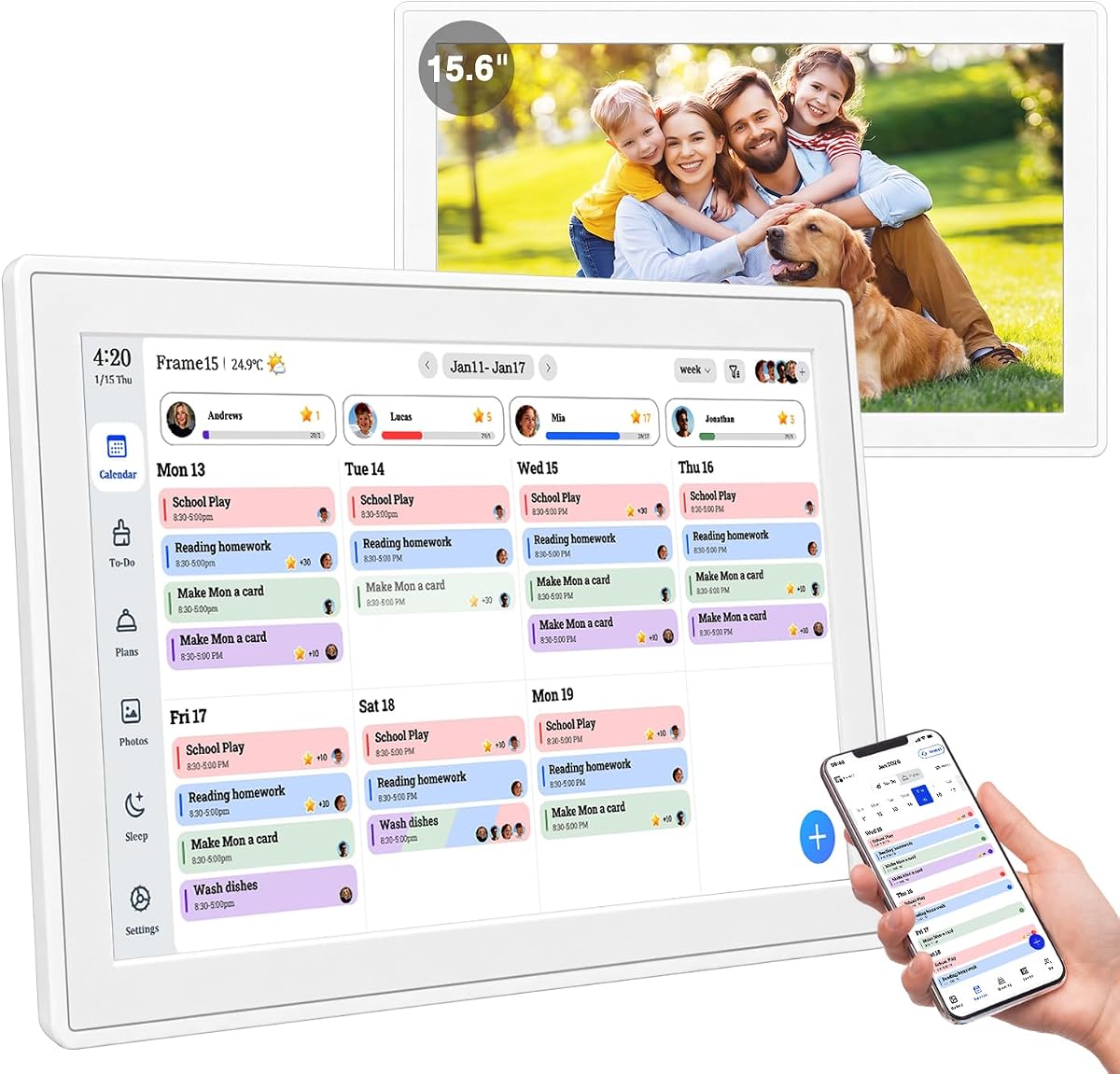
This electronic wall calendar stands out as the top choice for households seeking comprehensive organization without recurring costs. It blends a high-definition touchscreen with advanced AI photo restoration to create a true family command center.
We may earn a commission when you buy through this link, at no additional cost to you.
The integration of Google, Outlook, and iCloud calendars ensures every family member sees updates instantly. The built-in chore chart uses a reward system that gamifies tasks, making kids more responsible without constant parental nagging.
While the hardware is robust, the initial configuration might take a few minutes to sync all accounts properly. However, once set up, the system runs smoothly and offers a clutter-free alternative to traditional paper planners.
Ideal for busy parents wanting to streamline coordination, this device balances functionality with aesthetic appeal. Its ability to transform into a photo frame ensures it adds value even when not actively scheduling tasks.
Updates from any connected device reflect immediately on the main screen ensuring everyone stays informed without confusion.
Parents assign tasks and kids earn points creating a positive feedback loop that encourages routine completion.
We may earn a commission when you buy through this link, at no additional cost to you.
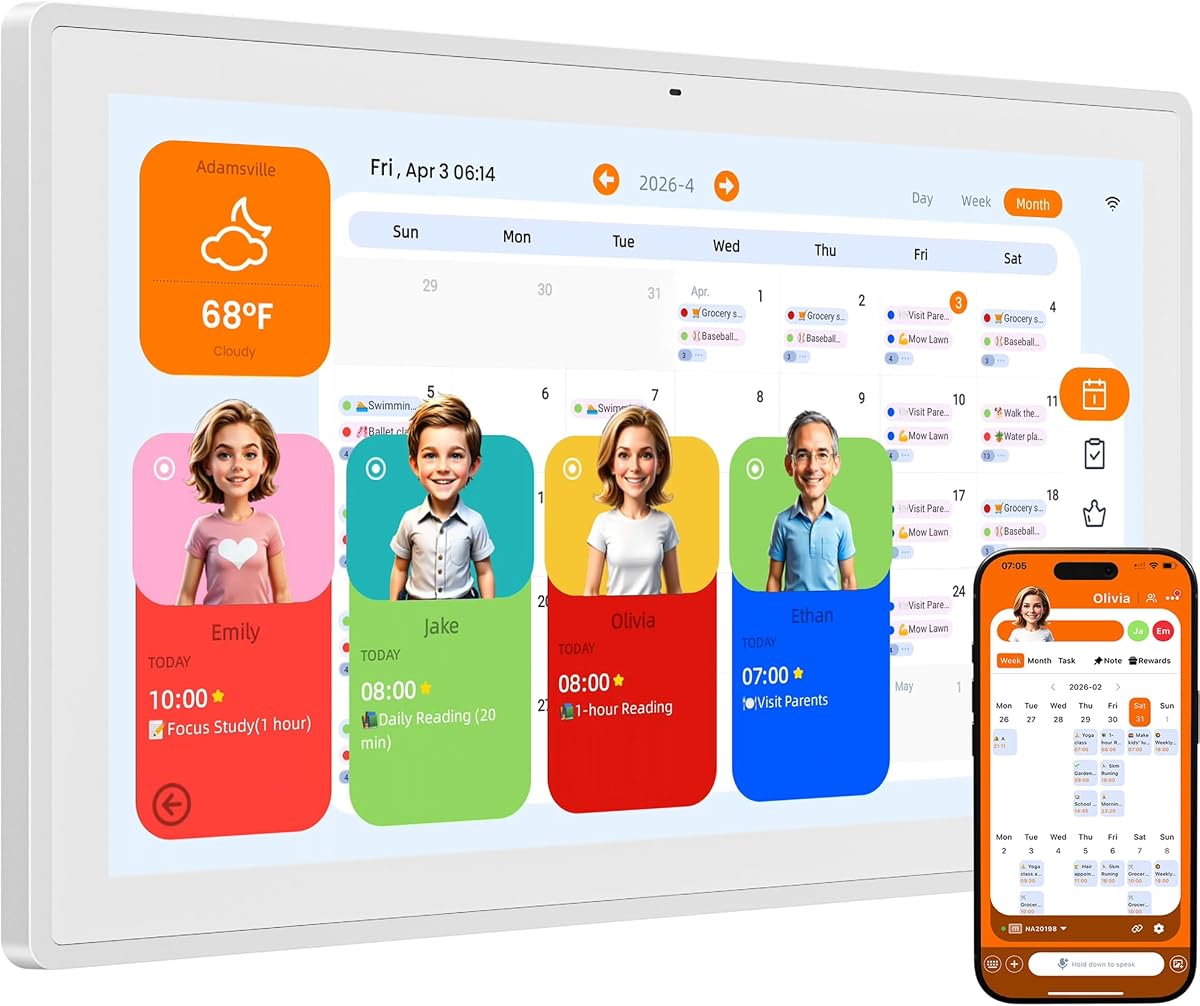
This model excels in user interaction through its integrated AI assistant that listens and acts on your behalf. It captures events instantly via voice commands reducing the friction of typing schedules into a digital system.
We may earn a commission when you buy through this link, at no additional cost to you.
The ability to snap photos of school flyers and have the AI extract details is a standout feature for busy families. It minimizes manual entry and ensures no critical dates get lost in the daily rush.
The interface is intuitive and allows for personalized avatars making it engaging for all ages. Sleep mode ensures the screen doesn't disturb rest while adaptive brightness protects eyes from glare.
Perfect for tech-savvy families who value convenience, this calendar reduces mental load significantly. It offers a premium experience without locking essential features behind a monthly paywall.
The built-in AI interprets natural language to create tasks and events quickly without manual typing effort.
Users can change AI avatars and photo layouts to keep the display fresh and engaging every day.
We may earn a commission when you buy through this link, at no additional cost to you.
We may earn a commission when you buy through this link, at no additional cost to you.
We may earn a commission when you buy through this link, at no additional cost to you.
This device distinguishes itself by offering access to the Google Play Store allowing for unmatched customization of your home interface. It functions as a true smart hub beyond just scheduling events.
We may earn a commission when you buy through this link, at no additional cost to you.
The dashboard allows you to drag and drop widgets for weather media or even grocery lists. This flexibility ensures the screen displays exactly what matters most to your specific family routine.
Smart meal planning includes pantry management and recipe uploads streamlining kitchen workflow effectively. You can stream video tutorials directly on the screen making it easier to cook complex meals without distractions.
For families wanting an all-in-one entertainment and planning tool this is a strong contender. The combination of smart calendar features and app support provides a rich user experience.
Accessing the Play Store enables users to download third-party apps to tailor the display exactly to their needs.
Pantry tracking and recipe uploads turn the calendar into a functional kitchen assistant reducing food waste.
We may earn a commission when you buy through this link, at no additional cost to you.
Setup is incredibly fast with this model taking less than thirty seconds from box to wall. The tool-free mounting design eliminates the need for drills making it perfect for renters or quick installations.
We may earn a commission when you buy through this link, at no additional cost to you.
It supports syncing with multiple calendar platforms without locking features behind paywalls. You can manage up to twenty members ensuring every family part is included in the planning process.
The tap-to-create feature simplifies adding events reducing friction during busy mornings. It supports offline uploads via USB so you can display photos even without internet access at all times.
Best for users prioritizing simplicity and speed this calendar delivers essential features without unnecessary complexity. The white finish blends well with modern decor while keeping functionality top-notch.
The thumb nut mounting system allows you to attach the device securely to any wall instantly without tools.
Tapping the screen lets you add details instantly without navigating through complex menus or settings.
We may earn a commission when you buy through this link, at no additional cost to you.
This option offers a robust set of features at a very competitive price point making it an excellent value choice. It covers all basics from syncing to photo display without extra costs.
We may earn a commission when you buy through this link, at no additional cost to you.
It operates in three modes including an art gallery with classic artwork for decoration. The cloud photo album mode allows instant transmission of photos from your smartphone directly to the screen easily.
Included accessories like the desktop stand and wall mount kit make it ready for immediate use. The packaging is designed for gifting making it a thoughtful present for new homeowners or couples.
Perfect for those seeking simplicity and affordability this model meets all essential household organization needs. It avoids monthly fees while still delivering a high-quality digital planning experience.
Display rotating collections of classic artwork to turn the device into an active piece of home decor.
Built-in tools help users monitor daily habits alongside schedules providing a holistic view of routine.
We may earn a commission when you buy through this link, at no additional cost to you.
The Westsee model prioritizes user experience with a clean and intuitive interface that anyone can navigate easily. Core functions like scheduling and photo display remain free forever without hidden charges.
We may earn a commission when you buy through this link, at no additional cost to you.
Automated sleep mode and smart sound reminders ensure the device is present but not intrusive. Weather updates appear directly on the display helping you plan outings and activities effectively.
The Zical App offers remote control capabilities allowing you to update events on the go. This flexibility keeps the family coordinated even when not physically near the main hub.
Ideal for households valuing simplicity and ease of use this calendar avoids unnecessary complexity. It delivers a polished experience that simplifies daily planning without overwhelming users with features.
Audio reminders play automatically to notify you of upcoming events so you never miss important details.
The companion app allows updates and changes from anywhere keeping the home hub synchronized constantly.
We may earn a commission when you buy through this link, at no additional cost to you.
Skylight offers a unique Disney Mode that brings iconic characters to life for families with young children. This feature encourages engagement and makes the planning process fun rather than a chore.
We may earn a commission when you buy through this link, at no additional cost to you.
The sleek design fits beautifully into modern kitchens or offices without looking like tech equipment. It handles syncing with major platforms effortlessly ensuring all schedules stay visible to everyone.
Task management includes personalized chores with rewards helping kids build independence. While some advanced features require a subscription the core utility is robust and reliable for daily use.
Best for households wanting to engage kids through gamified elements this calendar excels at creating connection. The aesthetic quality and interactive tools make it a standout option for families with children.
Animated characters and screensavers add a playful touch to the daily planning experience for kids.
The minimalist white frame blends into any decor allowing the device to serve as stylish decor.
We may earn a commission when you buy through this link, at no additional cost to you.
This model features a massive 24-inch screen making it the perfect choice for large open spaces or high-traffic areas. The extra real estate allows for more detailed displays and easier viewing from a distance.
We may earn a commission when you buy through this link, at no additional cost to you.
It rotates effortlessly between portrait and landscape modes adapting to your wall space and layout. The Play Store access ensures you can install apps that best fit your specific needs.
The hardware is built for durability with a 1-year warranty protecting your investment. Smart meal planning and pantry management tools help reduce kitchen clutter and streamline daily cooking.
Ideal for families with large gathering spaces who want a central command hub this is the ultimate choice. The screen size ensures visibility is never an issue even in expansive living rooms.
Switching orientations allows you to fit the display perfectly into tall or wide wall spaces.
Google Play Store integration means you are not limited to built-in software for your daily tasks.
We may earn a commission when you buy through this link, at no additional cost to you.
This compact 12.3-inch model is perfect for smaller spaces where a large hub might feel overwhelming. It keeps essential planning features without dominating the visual space of your kitchen or entryway.
We may earn a commission when you buy through this link, at no additional cost to you.
Built-in video calling allows family members to stay connected directly through the display. This unique feature adds communication utility beyond just scheduling making it a useful device for remote family members.
The auto-sync function ensures all devices stay updated without manual intervention. It supports shared lists and weather updates ensuring your family stays informed without needing separate apps.
Best for smaller apartments or single-parent households needing a streamlined tool this is a great pick. It balances essential functions with a size that fits into tight spaces perfectly.
Integrated communication features let you make calls directly from the calendar display for seamless connection.
The smaller footprint ensures the device does not overpower the wall in smaller living spaces.
We may earn a commission when you buy through this link, at no additional cost to you.
Selecting the right smart calendar depends on your household size and tech comfort level. Consider these critical factors to ensure the device meets your daily needs.
A larger screen like 24 inches allows for more detailed views and better visibility from across the room. Ensure the display is HD to make text and images sharp enough to read clearly.
Choose a size that fits your wall space without overcrowding your kitchen or entryway.
The best devices sync with major platforms like Google, Apple, and Outlook to unify all schedules. This eliminates the need to switch between apps manually or worry about missing updates.
Verify that the calendar supports all the email accounts your family uses regularly.
Many models offer core features without a monthly fee which is often preferred for long-term use. Check if advanced tools like AI assistants or storage upgrades require a subscription after purchase.
Avoid paying recurring fees unless you genuinely need the premium features offered.
Look for tool-free mounting designs that let you install the device quickly without drilling holes. Simple setup ensures you can start using the calendar immediately without professional help.
A straightforward installation process saves time and makes the device accessible to everyone.
Many calendars double as digital frames to display family memories when not in use. Ensure it supports cloud uploads and has enough storage to hold thousands of photos efficiently.
High-quality photo restoration adds warmth to your home by enhancing memories automatically.
Models with built-in chore charts use gamification to encourage kids to complete daily tasks. Look for features that allow task assignment and reward tracking to simplify household management.
This feature transforms the device into a comprehensive command center for all family duties.
Start by downloading the companion app to your smartphone and signing in with your preferred calendar accounts. This step is crucial for syncing your existing events so you do not lose any scheduled appointments.
Use the touchscreen to customize your dashboard by dragging widgets to your preferred locations. Adjust brightness settings to match your room's lighting conditions and ensure comfort for all users.
Regularly wipe the screen with a microfiber cloth to prevent fingerprints and maintain visibility. Keep the device updated via the settings menu to ensure you have the latest features.
Most models offer core features like syncing and photo display without a monthly fee. Advanced tools like AI assistants might require a subscription but basic utility remains free for life.
Yes, most devices allow real-time editing from multiple devices. Changes made on a phone or tablet update the main screen instantly for everyone.
The device usually stores cached data so you can still view schedules offline. However, syncing and updates will only happen once the connection is restored.
Absolutely, you can use the companion app to send photos directly to the screen. This makes updating your photo frame quick and simple.
Yes, the screens are designed to be highly responsive so children and adults can navigate easily. It is intuitive enough for anyone to use without technical skills.
Some models include speakers for music and reminders. Check the product specs specifically if audio output is a priority for your setup.
We explored ten top options ranging from budget-friendly compact units to premium large displays. Each model offers unique strengths whether you need advanced AI or simple scheduling tools.
Consider your specific family needs like meal planning or screen size when making your choice. Prioritize features that reduce mental load and improve daily organization for everyone.
Prices and availability change often so always check current listings before purchasing. With the right device you can transform your home into a truly organized and connected space.