
OBSBOT Tiny 3
4.4Editor score
1/1.28 CMOS sensor for superior light capture
Triple-mic array with professional spatial audio
Advanced AI tracking 2.0 with 200 object types
In the rapidly evolving landscape of digital communication, having a high-quality webcam is essential for professionals, content creators, and gamers alike. AI powered webcams have emerged as a game-changing technology, offering intelligent features like automatic framing, gesture control, and superior low-light performance that traditional webcams simply cannot match. These devices use advanced algorithms to track movement, adjust focus instantly, and enhance audio quality, ensuring you always look and sound your best without manual adjustments.
To help you navigate the crowded market, we have meticulously analyzed and compared the leading AI powered webcam models available today. Our evaluation process focused on real-world performance, image clarity, tracking accuracy, and ease of use across various scenarios including virtual meetings, live streaming, and educational content. We considered user ratings, expert reviews, and technical specifications to compile a list that represents the best options for different needs and budgets.
Each product in our roundup includes detailed insights into its unique strengths, potential limitations, and ideal use cases. Whether you are looking for a compact travel-friendly camera or a full-featured streaming solution, our guide provides the information you need to make an informed decision. Please note that while we strive for accuracy, product availability and pricing can change frequently, so we recommend checking the latest details before purchasing.
4.4Editor score

4.3Editor score

4.3Editor score
As an Amazon Associate we earn from qualifying purchases.
This side-by-side comparison highlights the key specifications and capabilities of each AI powered webcam featured in our guide. By reviewing these details together, you can quickly identify which model offers the best balance of image quality, tracking features, and audio performance for your specific requirements.



The OBSBOT Tiny 2 Lite stands out as our top recommendation for those seeking a balance between professional performance and ease of use. With a solid rating of 4.3 stars from users, it delivers crisp 4K visuals and intelligent tracking that adapts seamlessly to various environments. Its official partnership with the Esports World Cup underscores the quality and reliability of its camera technology.
We may earn a commission when you buy through this link, at no additional cost to you.
What truly sets this webcam apart is its advanced tracking system, which allows you to define specific areas for the camera to follow or ignore. This feature is invaluable for presenters who need to move around without losing focus. The 2.0 dynamic gesture control enables you to lock tracking targets or zoom in and out simply by making hand signals, eliminating the need to touch your keyboard or mouse mid-stream.
While the camera is packed with features, it is designed to be user-friendly for both novices and professionals. It offers plug-and-play simplicity but also supports SDK, OSC, and Stream Deck integration for advanced workflows. The only minor trade-off is the price, which is higher than basic models, but the uncompromised quality and pro-level imaging solutions justify the investment for serious users.
If you are a streamer, educator, or business professional looking for a reliable webcam that grows with your needs, the Tiny 2 Lite is the perfect choice. It combines high-resolution imaging with intelligent AI features that ensure you always stay in the frame with optimal settings. We highly recommend it for anyone who wants to elevate their video quality without dealing with complex setups.
You can set multiple preset positions with custom parameters and tracking modes for each, reducing adjustment time when switching scenes.
The camera supports horizontal, portrait, and upside-down modes, automatically adjusting the screen based on placement for versatile framing.
We may earn a commission when you buy through this link, at no additional cost to you.
The EMEET PIXY offers a unique solution in the webcam market with its dual-camera system. It combines a 4K main imaging camera with a dedicated auxiliary AI camera that detects face position to optimize exposure and focus. This setup ensures flawless skin tones and sharp image quality under any lighting condition, making it an excellent choice for beauty streamers or product demos.
We may earn a commission when you buy through this link, at no additional cost to you.
Tracking performance is enhanced by a 3-chip intelligent system that predicts motion and lighting changes. The camera can pan 310 degrees and tilt 180 degrees, covering a wide area without blind spots. The 3-mic array provides studio-grade audio with multiple modes, including noise canceling for steady hums and ambient capture for music, offering versatility without extra microphones.
Although it relies on software for certain advanced features like whiteboard mode detection and preset switching, the EMEET STUDIO interface is intuitive. Users appreciate the affordability compared to DSLR setups that achieve similar results. The only drawback is that some accessories like a dedicated remote must be purchased separately, but the core package remains robust.
For users who want professional tracking and audio capabilities at a mid-range price, the PIXY is a strong contender. Its dual eyes design adds a unique aesthetic while delivering functional benefits. It is particularly suited for those who need to move around frequently during streams but want to maintain consistent framing and sound quality throughout.
The combination of PDAF and AI autofocus allows for blink-speed 0.2s focusing, ensuring you are never out of focus even during fast movements.
The software includes AIGC tools that can create shot lists and movements automatically, helping streamline your production workflow.
We may earn a commission when you buy through this link, at no additional cost to you.
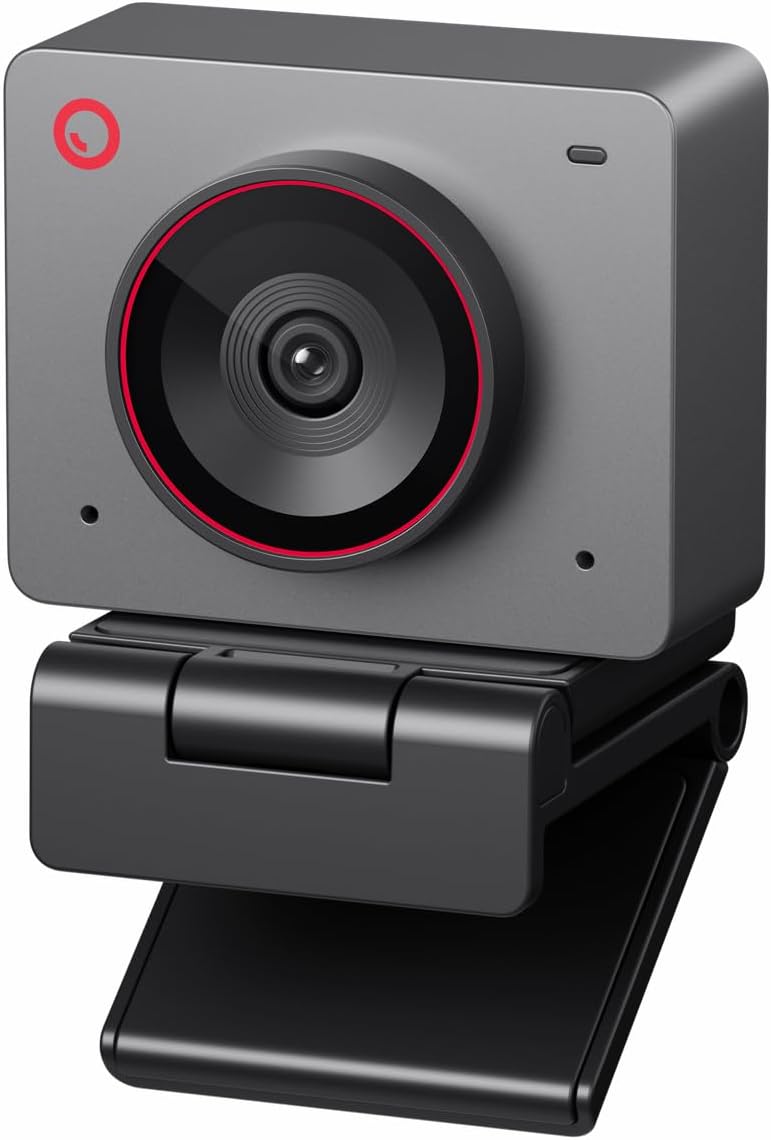
As the flagship model in our review, the OBSBOT Tiny 3 delivers premium features that justify its higher price point. It houses a powerful 1/1.28 CMOS sensor that captures significantly more light than standard webcams, resulting in detailed and balanced images even in challenging low-light scenes. The 4.4 user rating reflects the high satisfaction of those who need top-tier quality for professional work.
We may earn a commission when you buy through this link, at no additional cost to you.
Audio is given special attention with a triple-mic array that supports five specialized modes for noise reduction and voice pinpointing. The software also integrates NVIDIA Maxine for eye contact correction, which helps maintain a natural look during long calls. Advanced users will appreciate the support for VR avatars and remote interaction technologies, positioning this device as a future-proof investment.
The camera allows for extensive customization, including adjustable composition lines and zone tracking. Voice and gesture controls enable you to manage settings hands-free, enhancing your workflow efficiency. While the cost is higher, the combination of superior hardware and cutting-edge software features makes it unmatched for professionals who demand the best performance possible.
If you are a content creator or executive who needs the highest quality streaming experience available, the Tiny 3 is the ideal choice. It combines professional imaging with innovative features that go beyond standard video calls. We recommend it for anyone willing to invest in technology that offers a competitive edge in visual and audio presentation.
The focus system intelligently switches modes to match lighting conditions, keeping every frame sharp without manual intervention.
Software provides pro-grade calibrations like Exposure Gamma Curve and Auto White Balance Offset for precise image tuning.
We may earn a commission when you buy through this link, at no additional cost to you.
The Tiny 3 Lite reduces size and weight without sacrificing too much performance, making it ideal for mobile workers. It features a triple-mic array for professional spatial audio and supports high frame rates up to 1080P@120FPS for smooth motion. Despite being smaller, it retains the powerful 1/2 CMOS sensor that ensures stunning clarity and smooth motion in various lighting scenarios.
We may earn a commission when you buy through this link, at no additional cost to you.
AI Tracking 2.0 allows the camera to identify and lock onto a wide range of targets, including over 200 types of objects. This flexibility is perfect for dynamic environments where you might move away from the desk. The camera also supports voice commands to wake it up or switch presets, adding a layer of convenience to your workflow.
Users note that while the size is a major plus, the voice control feature requires a quiet environment to work correctly. Additionally, some advanced calibration tools found in the full Tiny 3 are simplified in the Lite version. However, the core imaging and audio capabilities remain strong, offering a great balance for those who prioritize portability.
For frequent travelers or those with limited desk space, the Tiny 3 Lite is a highly effective solution. It offers the convenience of a pocketable device paired with professional-grade imaging capabilities. We recommend it for anyone who needs a reliable camera that travels easily but still delivers high-quality video for meetings and streams.
The omnidirectional mic captures the full scene while directional mics pinpoint voices, ensuring crystal-clear communication in noisy rooms.
The software allows you to save and recall custom presets, ensuring consistent framing and settings across different recording sessions.
We may earn a commission when you buy through this link, at no additional cost to you.
The Meet 2 is designed for the modern mobile worker who needs a professional setup that can fit in a bag. Weighing only 40.5 grams, it is as small as earbuds but delivers stunning 4K clarity thanks to a larger 1/2 CMOS sensor. The 4.4 rating highlights its effectiveness in delivering clear images and smart AI framing that keeps you in the spotlight.
We may earn a commission when you buy through this link, at no additional cost to you.
It features dynamic gesture control similar to larger models, allowing you to toggle AI framing and zoom with hand signs. The dual noise-canceling microphones adjust levels automatically to filter out wind and typing noise, ensuring clean audio. Its compact size and variety of colors make it a stylish and practical addition to any remote work kit.
While the performance is impressive, the device may feel warm during extended use due to its powerful components. This is normal and does not affect function, but it is worth noting for those concerned about heat. Also, manual controls are limited compared to more advanced options, which may restrict users who prefer granular adjustments.
If you need a webcam that is incredibly easy to carry and set up anywhere, the Meet 2 is the best option. It bridges the gap between portability and performance, offering features that rival larger cameras. We recommend it for commuters, digital nomads, and anyone who values convenience without compromising on video quality.
With a single USB-C connection, the webcam is immediately ready for use without needing complex drivers or software installation.
The sleek design comes in various colors, allowing you to personalize your workspace setup to match your style.
We may earn a commission when you buy through this link, at no additional cost to you.
The YoloCam S3 stands out with a massive 1/1.3 sensor that delivers uncompressed 4K video, setting a new standard for webcams. Users praise it for its stunning details and fast PDAF autofocus that ensures crisp close-ups. The 4.6 rating reflects high satisfaction with its ability to provide DSLR-like image quality in a webcam form factor.
We may earn a commission when you buy through this link, at no additional cost to you.
Unlike many competitors, this camera offers full manual controls for exposure, sharpness, and color grading. The included Picasso Resolve software provides precision color grading tools, which are rare in webcam packages. The all-aluminum body acts as a heat sink, allowing for stable 24/7 streaming without overheating issues common in plastic devices.
The only limitation is that the advanced software features are currently available only on Windows, with Mac support coming soon. Additionally, to leverage the full bandwidth of the sensor, a USB 3.0 port is required. Despite these constraints, the hardware quality and software potential make it a top choice for serious streamers.
If you want to control every aspect of your image and color profile, the YoloCam S3 is the superior choice. It brings professional camera features to the desktop without the bulk. We recommend it for creators who need high-resolution, adjustable video for production-quality content.
You can zoom in up to 4x at 1080P while maintaining a crisp image without blur or cropping effects.
The flexible mount allows you to attach the camera securely to any magnetic surface while keeping it stable during use.
We may earn a commission when you buy through this link, at no additional cost to you.
The Insta360 Link 2C brings a unique set of features including smartphone remote control, allowing you to manage your stream from a phone. It features a physical privacy switch for instant security, which is a significant plus for professionals working in shared spaces. The natural bokeh effect replicates a DSLR look, adding depth and professionalism to your video.
We may earn a commission when you buy through this link, at no additional cost to you.
Auto framing keeps you in sight whether you are alone or in a group, supported by phase detection autofocus for sharp images. The dedicated desktop software allows for fine-tuning of settings, making it easy to personalize your experience. With compatibility across major platforms like Zoom and Teams, it fits seamlessly into existing workflows.
Hardware limitations include a lack of compatibility with ARM-based Windows systems or Windows Hello face recognition. This means users with specific hardware architectures may need to find alternative solutions. However, for the vast majority of users, the feature set and performance remain highly competitive and reliable.
For those who want flexibility in how they control their camera and value physical privacy security, the Link 2C is a strong option. Its ability to replicate professional depth of field makes it stand out in video calls. We recommend it for users who appreciate smart features and easy security options.
The free Link Controller software lets you access advanced features and fine-tune settings to suit your specific environment needs.
DeskView and Whiteboard modes automatically adjust framing for presentations or meetings, ensuring all visual aids are captured.
We may earn a commission when you buy through this link, at no additional cost to you.
The Meet Flip offers an ultra-light 37.7g design that folds up for easy portability and includes an integrated stand for stability. It supports live transcription and AI meeting summaries, which are excellent for capturing meeting details without manual note-taking. The 4.5 rating highlights its reliability as a companion for meetings on the go.
We may earn a commission when you buy through this link, at no additional cost to you.
It features a dual-microphone system with four audio modes to optimize performance for different scenarios. Smart gesture control lets you activate framing or zoom without touching your device, keeping the meeting flow natural. The physical privacy protection when folded ensures your data is secure when the camera is not in use.
While the transcription features are helpful, they rely on internet connectivity to process accurately. Additionally, the compact design may be less stable on very uneven surfaces compared to larger tripods. However, for most standard desk setups, its performance and portability offer a winning combination for mobile professionals.
If you need a webcam that is easy to pack and offers smart meeting tools, the Meet Flip is an excellent choice. It simplifies the workflow for those who attend multiple meetings daily. We recommend it for business travelers and remote workers who value convenience and productivity features.
Real-time transcription and smart summaries help you capture every detail, ensuring you never miss a point during discussions.
Stay immersed in discussions without touching your device by using simple hand signals to adjust settings quickly.
We may earn a commission when you buy through this link, at no additional cost to you.
Designed specifically for small conference spaces, this webcam ensures every participant is visible without crowding. It features a 120-degree wide angle and AI presenter tracking that follows the active speaker, perfect for training sessions. The 4.1 rating reflects its solid performance in meeting room settings where visibility is key.
We may earn a commission when you buy through this link, at no additional cost to you.
The dual AI noise-canceling microphones capture voices clearly across the room up to 5 meters away. This range allows for flexible seating arrangements during discussions. It is Zoom certified, ensuring seamless integration with the platform without technical issues. A physical lens cover adds a layer of security for sensitive meetings.
Its design is optimized for a table center rather than a desktop monitor, so it may take up more space. Also, the feature set is straightforward compared to creative streaming tools, focusing purely on utility. For its intended purpose, however, it provides a professional video solution for business communication.
If you need a reliable solution for a small office or boardroom, this camera is the best fit. It simplifies the setup for group meetings and ensures everyone is seen. We recommend it for IT managers looking for a plug-and-play conference system.
Smart AI tracking follows the active speaker, ensuring the most important person in the room is always highlighted.
Dual mics reduce background noise and capture voices clearly across the room, ensuring everyone can be heard.
We may earn a commission when you buy through this link, at no additional cost to you.
The Meet SE offers impressive performance with ultra-high frame rates up to 100FPS, allowing for smoother video for content creators on a budget. It is equipped with a 1/2.8 Stacked CMOS sensor and staggered HDR to ensure excellent quality in low light. The 4.4 rating confirms its reliability and value for streaming applications.
We may earn a commission when you buy through this link, at no additional cost to you.
It includes natural beauty modes that allow adjustments to contouring and makeup parameters, giving you control over your look. The camera is available in vibrant colors, adding a touch of personality to your setup. It supports SDK and OSC integration for professional workflows, making it versatile for different user needs.
The only trade-off is that it does not support 4K resolution, focusing instead on smooth 1080P playback. Also, reaching the 100FPS requires using specific output options in the software. Despite this, the combination of performance and price makes it a highly attractive option for streamers.
If you prioritize smooth motion and aesthetic customization without a high price, the Meet SE is a great choice. It balances technical specs with user-friendly features. We recommend it for budget-conscious streamers and gamers who want high frame rate performance.
Dual Native ISO and large pixel size ensure excellent video quality even in dimly lit rooms without noise.
The camera recognizes individuals or groups and optimizes composition in real-time for a polished look.
We may earn a commission when you buy through this link, at no additional cost to you.
Choosing the right AI powered webcam involves evaluating several key factors to ensure it meets your specific needs. This guide breaks down the most important aspects to consider before making a purchase.
Sensor size is a primary determinant of image quality. Larger sensors capture more light, resulting in sharper images with better color depth and less noise in low-light conditions. Resolution such as 4K provides detailed clarity, but ensure your internet connection can support streaming at that bitrate.
Prioritize a webcam with at least a 1/2.8 sensor for decent performance, or larger for professional work. Balance resolution with your hardware capabilities to avoid lag.
AI tracking ensures you stay in frame even when you move. Look for features like gesture control, zone tracking, and the ability to detect multiple subjects. Some models offer specialized modes for whiteboards or desks, which are useful for educators and presenters.
Check if the tracking is smooth and fast to avoid jittery video. High-quality models use multiple chips or dedicated AI sensors to predict motion effectively.
Audio is as important as video in communication. Webcams with built-in microphones often include noise-canceling features to filter out background sounds like fans or typing. Some models feature multi-mic arrays for spatial audio or surround sound effects.
Consider if you need external audio capabilities. If you rely on a headset, the built-in mic may be less critical, but for speakers, a good integrated mic is essential.
Software determines the range of features available, such as color grading, presets, or virtual backgrounds. Ensure the software is compatible with your operating system and integrates well with platforms like Zoom, Teams, or OBS.
Look for webcams that offer plugin support or SDK access if you are a power user. Compatibility with major conferencing tools ensures a hassle-free setup.
Privacy is a major concern for remote work. Physical lens covers are a simple yet effective way to secure your camera when not in use. Some cameras also offer hardware privacy switches or sleep modes that disable the sensor automatically.
Always opt for a device that gives you control over when the camera is active. Software-based privacy is less secure than hardware-based solutions.
Design impacts how easy the camera is to use in different environments. Compact, foldable cameras are great for travel, while larger PTZ models offer more movement and range. Consider weight and mounting options like clips or tripod threads.
A lightweight design reduces stress on your laptop lid and makes setup quick. For stationary use, stability and a solid base are more important.
Prices vary widely based on features and build quality. Determine your priorities and whether you need advanced AI tools or just standard video quality. Higher-end models often justify their cost with durable hardware and better software support.
Evaluate the total cost of ownership. Sometimes a mid-range option offers the best value if it covers your essential needs without unnecessary extras.
Field of view (FOV) determines how much of the room the camera sees. A wider angle is better for group calls, while a narrower view focuses on the individual. Adjustable FOV allows flexibility depending on your setup.
Select a FOV that fits your space. Too wide might distort edges, while too narrow might cut off your surroundings unnecessarily.
To start using your AI powered webcam, connect it to a USB port and allow your operating system to install drivers. Most modern cameras are plug-and-play, but for advanced features, download the dedicated software from the manufacturer. Position the camera at eye level to maintain natural posture and ensure the lens is clean for optimal clarity.
Calibrate the AI settings to suit your environment. This might involve setting up tracking zones or enabling noise cancellation based on your room's acoustics. Test the camera in your conferencing software to adjust brightness and framing. Ensure your lighting is adequate to help the AI autofocus and exposure systems function correctly.
Maintain your webcam by keeping it free from dust and moisture. Use a soft cloth to clean the lens gently and avoid harsh chemicals. If the camera has a folding design or mechanical parts like a gimbal, handle them with care to prevent wear. Regularly update the software to benefit from the latest performance improvements.
AI powered webcams use machine learning algorithms to track movement, adjust focus, and optimize framing automatically. They can recognize gestures, adjust exposure in real-time, and filter noise without manual input, providing a more dynamic and professional experience than standard models.
While basic models work on standard computers, advanced features like 4K streaming or real-time AI processing benefit from a system with a dedicated GPU or strong processor. Ensure your computer meets the USB 3.0 requirements for high-bandwidth video to avoid lag.
These cameras use advanced sensors and HDR technology to capture more light and enhance brightness in dark environments. They often include noise reduction algorithms to keep the image clean even in dim conditions.
Most tracking features work seamlessly with major conferencing platforms like Zoom and Teams. However, advanced tracking or gesture controls may require the manufacturer's specific software to be running in the background.
Yes, many webcams are designed to be portable and can be used across different computers via USB. Some models even support switching between devices using hardware buttons or software profiles.
Many models offer privacy switches, physical lens covers, or software-controlled privacy settings. It is a standard feature in premium options to ensure data security.
We have explored a wide range of AI powered webcams, from compact options to premium professional setups. The OBSBOT Tiny 2 Lite remains our top pick for its balance of performance and features, while the EMEET PIXY and OBSBOT Tiny 3 offer unique advantages for specific users.
When making your final choice, prioritize the features that matter most to your workflow. If audio is critical, focus on mic quality; if mobility is key, look for lightweight designs. Ensure the camera fits your budget and offers the reliability you need for consistent performance.
Prices and availability can fluctuate, so always check current listings before purchasing. By selecting the right AI powered webcam, you ensure that your video presence is professional, clear, and engaging for any audience.