
Bambu Lab P2S Combo
4.7Editor score
Multi-color 3D printing
AI failure detection
High-speed precision up to 600 mm/s
Discover the top 10 AI printers for home and office. Compare features, ratings, and capabilities to find the smartest printing solution for your needs.
AI printers are transforming how we handle documents by integrating smart features that optimize layout and reduce waste. These devices use advanced algorithms to ensure your prints look professional every time you hit print.
We compared ten leading models based on their AI capabilities, print quality, speed, and connectivity. Our analysis focuses on real-world performance to help you choose the right device for your specific workflow.
Each pick highlights unique strengths like instant ink savings, multi-color 3D printing, or sticker creation. Keep in mind that prices and promotions change frequently, so check current offers before purchasing.
4.7Editor score

3.9Editor score

4.2Editor score
This side-by-side comparison highlights the key specifications and capabilities of each model to help you quickly identify which printer fits your requirements.




The HP OfficeJet Pro 8125 stands out as a top choice for home offices needing smart printing features. With a rating of 3.9, it balances cost and performance effectively for everyday tasks.
We may earn a commission when you buy through this link, at no additional cost to you.
Its AI capability optimizes print formatting to remove unwanted content from emails and web pages. This saves paper and ensures professional layouts without manual adjustments.
While color speeds are lower at 10 ppm, the black speed reaches 20 ppm which is sufficient for documents. The main trade-off is the dependency on original HP cartridges for operation.
Ideal for small businesses needing reliable connectivity and ink savings. The dual-band Wi-Fi ensures stable connections even in busy network environments.
HP AI automatically removes headers and footers to save paper on every print job.
Dual-band Wi-Fi with automatic issue detection keeps your printing workflow uninterrupted.
We may earn a commission when you buy through this link, at no additional cost to you.
The Bambu Lab P2S Combo offers unmatched speed and precision for 3D printing needs. With a 4.7 rating, it delivers professional results that impress both beginners and experts.
We may earn a commission when you buy through this link, at no additional cost to you.
Its AI failure detection and active flowrate compensation ensure every layer prints smoothly without manual intervention. This reliability reduces failed prints significantly compared to competitors.
While the price point is higher, the included AMS 2 Pro enables multi-color prints without external modifications. The only limitation is the need for compatible filaments to maintain performance.
Best for users needing rapid prototyping or creative projects. The smart airflow system handles diverse materials easily for consistent results.
Prints up to 600 mm/s while maintaining sharp corners and smooth surface quality.
The AMS 2 Pro allows seamless switching between filaments for complex designs.
We may earn a commission when you buy through this link, at no additional cost to you.
The HP Envy 6155 provides excellent value for home users wanting high-quality prints without breaking the bank. Its 4.2 rating reflects strong performance in everyday printing tasks.
We may earn a commission when you buy through this link, at no additional cost to you.
True-to-Screen Tech ensures photos look vibrant and accurate compared to what you see on your monitor. This feature is ideal for users printing images or creative projects.
While print speeds are slower at 7 ppm color, this is acceptable for low volume home usage. The smaller tray means more frequent refills but it keeps the unit compact.
Perfect for students or families needing reliable printing at home. The AI capability prevents layout issues saving paper and ink on documents.
Prints match screen colors accurately using advanced P3 technology for vibrant results.
AI removes unwanted elements from web pages to ensure clean professional document prints.
We may earn a commission when you buy through this link, at no additional cost to you.
The HP Smart Tank 5003 is designed for households printing large volumes without frequent ink purchases. Its 4.1 rating highlights satisfaction with its cost-saving features.
We may earn a commission when you buy through this link, at no additional cost to you.
Ink bottles include enough supply for up to three years of printing which drastically reduces maintenance costs. The refill system is designed to prevent messes during top-ups.
While it lacks fax capabilities and runs slower than laser printers, the savings are significant for color documents. This makes it ideal for families printing homework or school projects.
A great choice for budget-conscious buyers needing long-term ink supply. The AI features help manage print quality and efficiency effortlessly.
Includes up to 6000 pages of ink right out of the box to reduce ongoing costs.
Plug-in bottles allow easy replenishment without spills or squeezing during refills.
We may earn a commission when you buy through this link, at no additional cost to you.
The HP OfficeJet Pro 9135 handles professional office tasks with speed and reliability. Rated 4.0, it supports high-volume printing needs for business environments effectively.
We may earn a commission when you buy through this link, at no additional cost to you.
With speeds up to 25 ppm black, it processes documents quickly to keep workflows moving. The included fax feature and large touchscreen enhance convenience for office users.
The main drawback is the reliance on original HP cartridges which adds to ongoing costs. However, the Instant Ink trial helps manage these expenses during the initial period.
Ideal for small offices needing a complete solution. The AI capability ensures every print looks polished and professional without manual editing.
Fast black printing and auto duplexing help handle high daily document volumes easily.
Fax and ADF capabilities streamline administrative tasks without extra hardware devices.
We may earn a commission when you buy through this link, at no additional cost to you.
The HP Smart Tank 7603 supports high-volume home office printing with its massive ink supply. With a 3.9 rating, it delivers consistent results over long periods.
We may earn a commission when you buy through this link, at no additional cost to you.
It includes up to 8000 color pages which minimizes maintenance interruptions significantly. The magic touch panel offers intuitive control for various print tasks easily.
While the physical footprint is larger than smaller models, the savings on ink justify the size. Users should note that speed is lower than premium office laser printers.
Recommended for users printing substantial documents monthly. The AI features ensure quality and efficiency across all types of print jobs.
Large ink capacity keeps you printing for months without running out unexpectedly.
Instant Ink service helps manage deliveries before you run out of ink supplies.
We may earn a commission when you buy through this link, at no additional cost to you.
The HP OfficeJet Pro 8139 offers a generous one-year Instant Ink trial which provides long-term savings. It has a 4.0 rating reflecting satisfaction with its performance.
We may earn a commission when you buy through this link, at no additional cost to you.
This model supports faxing and offers 20 ppm black speed to handle home office workloads efficiently. The ADF helps manage multi-page documents without manual feeding.
While ink costs can be higher without the subscription, the trial period mitigates this effectively. The main constraint is the reliance on original chips for operation.
Best for those valuing extended savings periods. The AI feature helps reduce paper usage on every document printed.
One-year Instant Ink trial delivers ink before you run out to save money.
AI automatically optimizes page layouts to minimize wasted ink on every job.
We may earn a commission when you buy through this link, at no additional cost to you.
The HP Smart Tank 7603 provides reliable ink tank performance for home offices needing fax capabilities. Its 4.0 rating reflects consistent reliability for daily tasks.
We may earn a commission when you buy through this link, at no additional cost to you.
It includes high-volume ink capacity for extensive printing without frequent refills. The wireless capabilities and borderless printing options add versatility for various tasks.
Printing speed is lower than laser models but acceptable for mixed workloads. The main limitation is the paper tray size which may need frequent refills.
Recommended for users needing fax and high volume printing. The AI ensures quality remains high regardless of document type.
Wireless capabilities allow printing from any device within the network range.
Refillable tank design supports thousands of pages without frequent maintenance stops.
We may earn a commission when you buy through this link, at no additional cost to you.
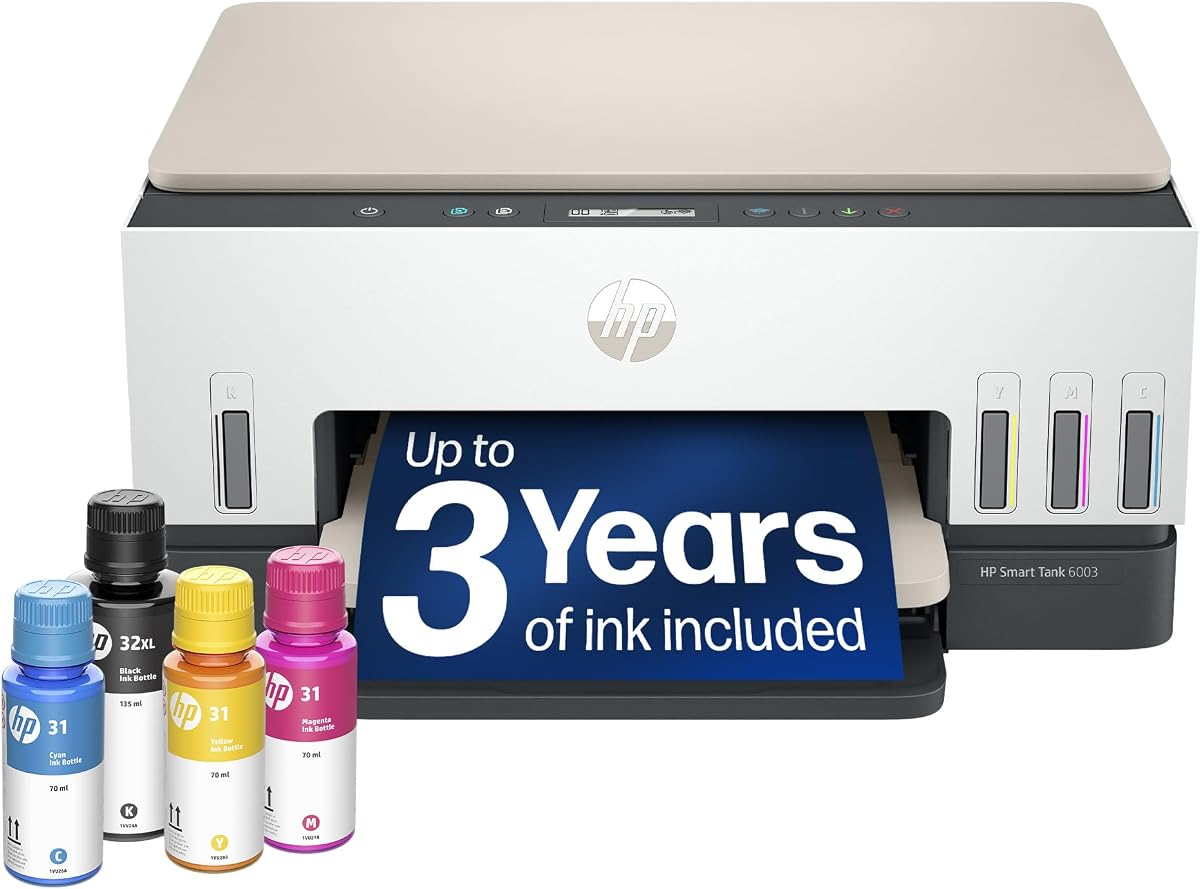
The HP Smart Tank 6003 delivers high-volume performance for families printing large amounts. It carries a 3.8 rating for its reliable and consistent output over time.
We may earn a commission when you buy through this link, at no additional cost to you.
Ink supply supports up to three years which minimizes ongoing expenses effectively. The refill system ensures no mess or spills during maintenance procedures.
While it lacks fax and is slower than office lasers, it is perfect for home needs. Users should expect slightly longer wait times for larger jobs.
Best for home users needing extended supply. The AI ensures every print job is optimized for quality and efficiency.
High capacity ink tank reduces long-term printing costs for household needs.
Mess-free refill system makes replacing ink easy without spills or cleanup.
We may earn a commission when you buy through this link, at no additional cost to you.
The Liene PixCut S1 is a specialized printer designed for creating custom stickers and labels. With a 4.2 rating, it offers unique features for crafters and DIY enthusiasts.
We may earn a commission when you buy through this link, at no additional cost to you.
It combines printing and cutting with AI auto-cutting to follow edges precisely for clean finishes. The thermal dye-sublimation ensures vivid durable colors on stickers.
While limited to sticker creation rather than document printing, it excels in creativity. Users must use the app to design projects before printing.
Ideal for crafters and small businesses selling custom goods. The AI Lab turns photos into unique stickers effortlessly for gifts.
AI auto-cutting ensures every sticker is cut perfectly to the edge of designs.
Thermal dye-sublimation technology delivers vivid and lasting colors on every print.
We may earn a commission when you buy through this link, at no additional cost to you.
Selecting the right AI printer requires understanding your volume, ink costs, and connectivity needs to find a model that fits your workflow perfectly.
Assess your daily printing needs. Models like the OfficeJet Pro 9135 offer speeds up to 25 ppm for high volume environments, while home units may suffice with 10 ppm.
For heavy users prioritize black speed; for occasional users consider the Smart Tank range which offers high capacity over raw speed.
Calculate the cost per page. Ink tanks like the Smart Tank series offer thousands of pages per refill, reducing long-term costs compared to cartridges.
Look for Instant Ink trials which can offer significant savings initially. This is critical for managing ongoing expenses effectively.
AI features like automated formatting optimize layouts to reduce waste. This is particularly useful for saving paper and improving document professional quality.
Ensure the AI integrates well with your apps for seamless workflow management and editing.
Dual-band Wi-Fi ensures stable connections in busy networks. Wireless capabilities allow printing from mobile devices without complex setups.
Choose models with mobile app support to print on the go and manage ink levels remotely.
Compact designs are essential for home offices with limited desk space. Larger models may offer more features but occupy more area.
Check the input tray capacity as smaller trays require frequent refills which can disrupt workflows.
Consider if you need fax or multi-function features. Some tanks include fax capabilities which are useful for business correspondence.
Ensure the scanner quality meets your needs for archiving documents or sending digital copies.
Reliable hardware reduces downtime. Models with automatic cleaning and calibration features maintain performance over long periods.
Review warranty terms to ensure support is available if issues arise during usage.
Decide between cartridge-based systems and refillable tanks. Cartridges are convenient but often more expensive over time.
Tanks provide high volume and lower costs but may have slower initial setup and larger physical size.
Set up your printer in a stable location away from direct sunlight. Connect it to your Wi-Fi network using the touchscreen or mobile app to enable wireless printing capabilities.
Regularly clean the print heads and rollers using the maintenance menu. This prevents clogs and ensures consistent ink flow for high-quality output every time.
Use genuine ink supplies to avoid damage to the internal components. Monitor ink levels through the app and refill or replace cartridges as needed to prevent interruptions.
Most models in this list support specific AI features like layout optimization and print management. The Liene PixCut S1 offers creative AI for image extraction and cutting paths.
Yes, HP printers typically require original cartridges with chips to ensure quality and avoid blockages. This ensures the firmware maintains effectiveness against non-HP chips.
All listed models support mobile printing via the HP App or Liene app. Ensure your printer is connected to the same Wi-Fi network for successful connection.
Instant Ink is a subscription service that monitors levels and delivers ink before you run out. It offers significant savings on ink costs for most users.
Dual-band Wi-Fi helps maintain stable connections in networks with heavy traffic. It automatically resolves connection issues to keep your printing workflow uninterrupted.
Smart Tank models usually come with enough ink for up to three years or thousands of pages. This reduces maintenance costs significantly compared to standard cartridge printers.
The HP OfficeJet Pro 8125, Bambu Lab P2S, and HP Envy 6155 lead the pack for their specific strengths. Each offers unique advantages depending on your workflow and volume needs.
Prioritize AI features that save time and ink for your specific situation. Whether it is layout optimization or high volume capacity, choose a model that aligns with your goals.
Prices and offers change regularly so always check current deals before purchasing. Ensure you select the right model for your budget and long-term printing requirements.