
Panasonic Cordless Phone with Flashlight
4.2Editor score
Built-in flashlight
Call blocking features
Volume boost technology
Discover the top large button phones for seniors with high ratings. Compare corded, cordless, and amplified models designed for ease of use and accessibility.
Finding the right communication device for older adults is essential for safety and connection. Large button phones simplify dialing and reduce frustration for those with vision or dexterity challenges.
We compared eight highly rated models based on usability, volume control, and accessibility features. Each option offers unique benefits like photo dialing, loud ringers, and hands-free calling capabilities.
This guide highlights top picks and detailed reviews to help you choose confidently. Features vary by model, so review specifications carefully. Prices and availability may change over time.
4.2Editor score

4.1Editor score

4.1Editor score
The following table provides a side-by-side comparison of all eight models reviewed. Use this overview to quickly identify key specs and features before reading detailed reviews.


The Uvital big button phone stands out as an excellent choice for seniors needing simplicity. With a solid 4.1 star rating, it offers photo speed dialing to make calling family effortless.
We may earn a commission when you buy through this link, at no additional cost to you.
Its standout feature is the customizable button photos that allow users to press a picture to call instead of numbers. The adjustable volume up to 120dB ensures rings are never missed even in noisy rooms.
While it lacks a digital display or internet features, this reliability is intentional for focus. Users should note it requires a traditional phone line and does not support voicemail.
This phone is ideal for those with memory challenges or limited vision. It provides peace of mind through emergency SOS buttons and flashing LED alerts during incoming calls.
Photo dialing reduces cognitive load by replacing numbers with familiar faces for instant connection.
The SOS button and loud ringer ensure seniors can reach help or be reached quickly during emergencies.
We may earn a commission when you buy through this link, at no additional cost to you.
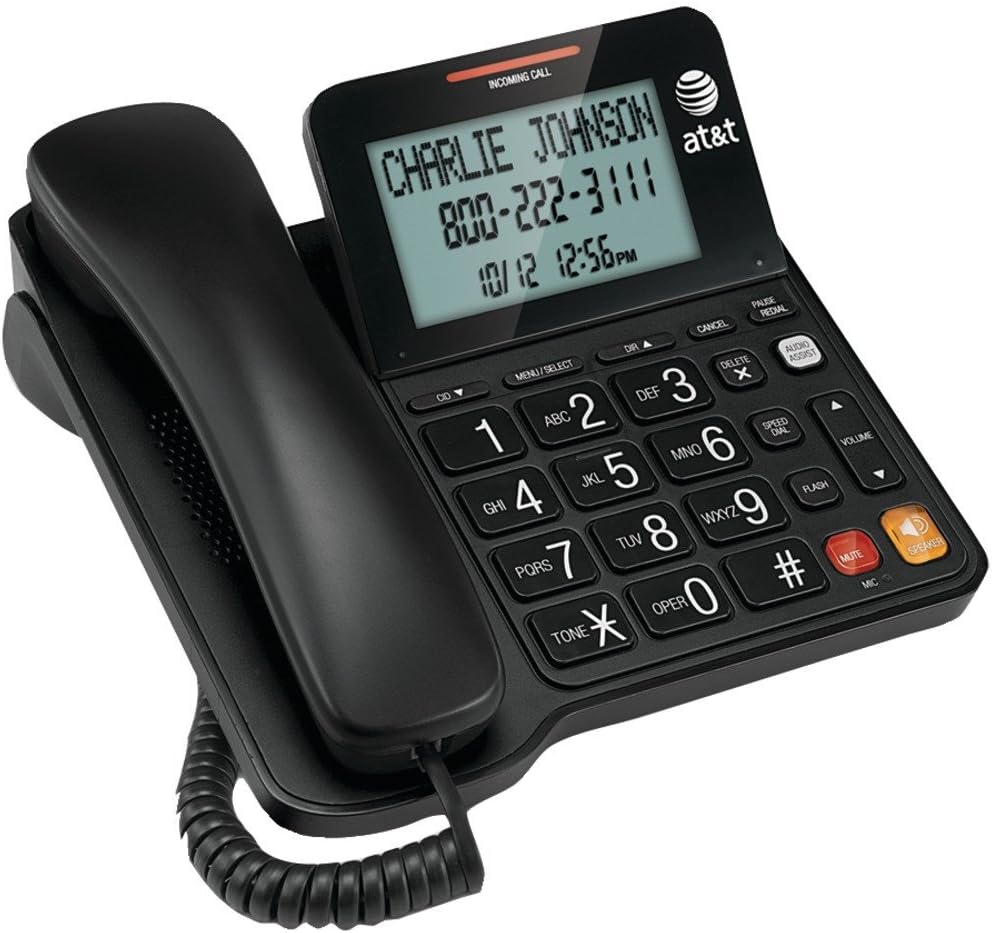
The AT&T CL2940 combines reliability with useful display features for seniors who want caller identification. Its 4.2 rating reflects user satisfaction with the large tiltable screen and easy dialing.
We may earn a commission when you buy through this link, at no additional cost to you.
This model includes an audio assist volume boost that amplifies sound for hearing impaired users. The tiltable display prevents neck strain while reading caller names and numbers clearly.
Keep in mind that caller ID requires AA batteries which are sold separately. Basic calling works without power but battery backup is necessary for advanced features.
This phone suits households that value seeing incoming call details before answering. It balances classic corded reliability with modern convenience features well.
The tiltable display and extra large buttons reduce eye strain and make dialing more comfortable.
Audio assist features amplify incoming sounds to help users hear conversations more clearly.
We may earn a commission when you buy through this link, at no additional cost to you.
The Panasonic cordless system offers unmatched convenience with two handsets for whole home coverage. It earns a 4.2 rating for intuitive design and safety features like an integrated flashlight.
We may earn a commission when you buy through this link, at no additional cost to you.
Its built-in flashlight is useful for nighttime navigation and emergency situations. Call blocking features help avoid robocalls while volume boost ensures clarity during conversations.
This system needs standard electrical power for charging unlike basic corded phones. Some users may find the digital menu slightly more complex than analog alternatives.
Choose this if you want freedom to move around the house while staying connected. The flashlight and call management tools add significant value for safety conscious seniors.
The built-in flashlight and portable handsets help users stay safe and mobile throughout the home.
Call blocking prevents unwanted calls while volume boost ensures clear communication with contacts.
We may earn a commission when you buy through this link, at no additional cost to you.
The Excelltel model delivers essential accessibility features at an attractive price point for budget conscious buyers. Users appreciate its 4.1 rating for reliable performance and straightforward operation.
We may earn a commission when you buy through this link, at no additional cost to you.
It includes an SOS emergency button for quick access to help. LED flash alerts accompany ringing to ensure calls are noticed even with hearing loss.
This phone is very basic with no internet or digital features. It focuses purely on making voice calls accessible and reliable for everyday use.
Ideal for seniors who need simple, dependable communication without extra costs. The emergency function and photo dialing make it a practical safety tool.
The SOS button and memory keys provide instant access to vital contacts during emergencies.
LED flash alerts work alongside sound to notify users of incoming calls effectively.
We may earn a commission when you buy through this link, at no additional cost to you.
This generic model prioritizes visual clarity with extra large buttons and clear fonts for impaired vision. While it holds a 3.4 rating, users value the loud ringer and simple operation.
We may earn a commission when you buy through this link, at no additional cost to you.
Two memory buttons allow quick dialing of family members or emergency services. HD hands-free function supports listening without holding the phone to your ear.
Lower ratings suggest potential build quality or audio issues compared to premium brands. It remains functional for those needing basic large button accessibility.
Consider this if visual simplicity is the main priority and budget is tight. The dedicated 911 access provides quick emergency connection when needed.
Enlarged fonts and keys help visually impaired users identify and press buttons more easily.
A dedicated 911 button reduces dialing errors during stressful situations.
We may earn a commission when you buy through this link, at no additional cost to you.
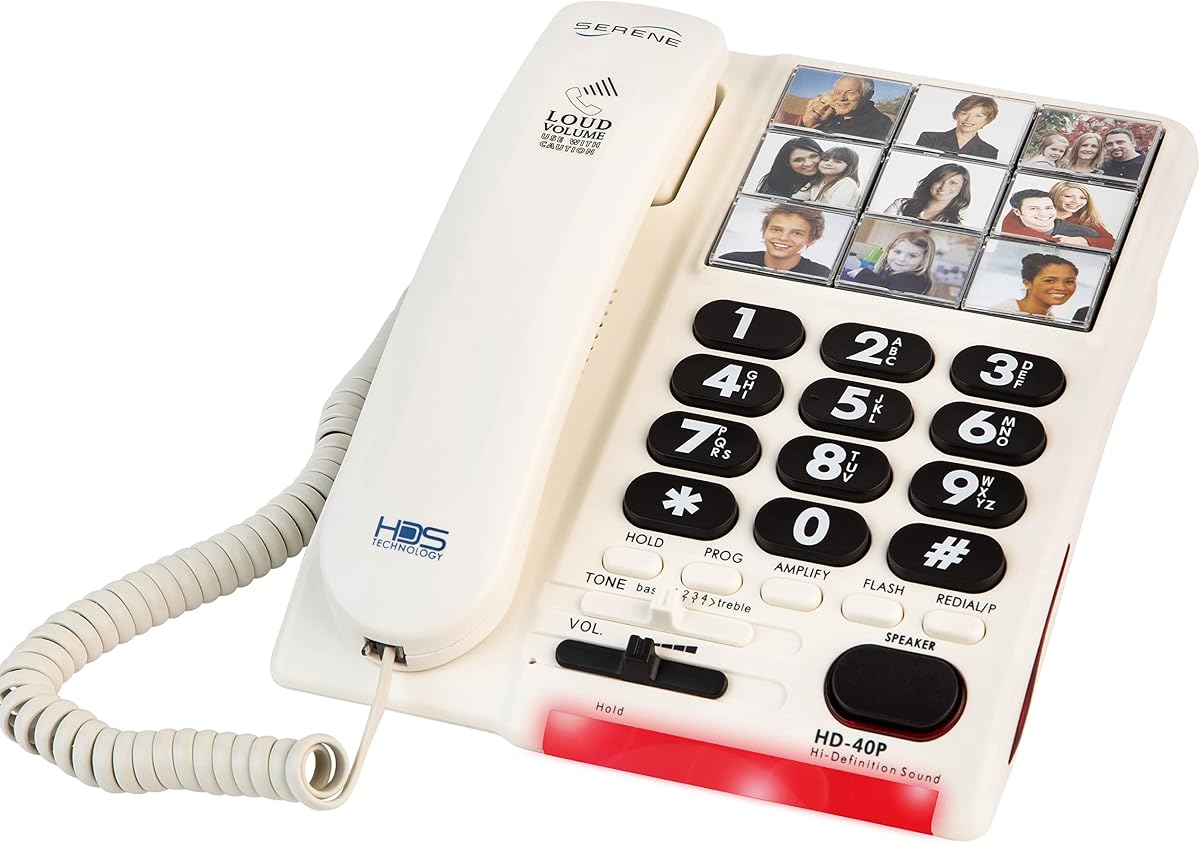
The Serene Innovations phone is tailored for individuals with dementia or memory loss using photo buttons. It offers a 3.9 rating for its focused approach to accessible communication.
We may earn a commission when you buy through this link, at no additional cost to you.
Its 85 dB ringer cuts through background noise effectively. Photo buttons reduce cognitive steps needed to reach family members or medical providers.
Pricing is higher than basic options but reflects specialized assistive design. It is limited to landline usage and lacks digital calling features.
Choose this when memory impairment is a primary concern. The intuitive visual interface helps maintain independence and connection for longer.
Photo speed dial helps users with cognitive impairments connect without recalling numbers.
Loud ring tones ensure important calls are heard even in busy household environments.
We may earn a commission when you buy through this link, at no additional cost to you.
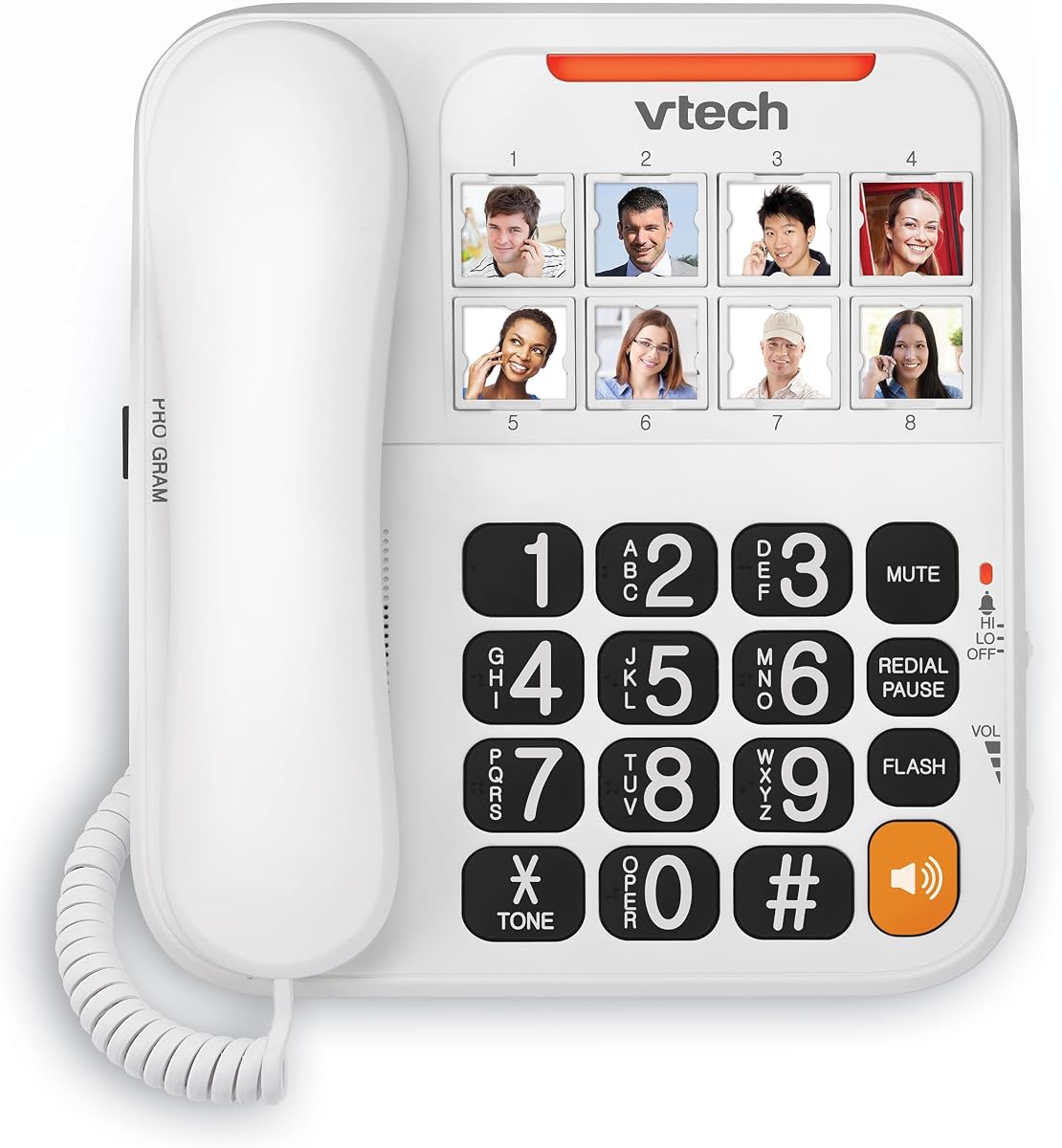
The VTech SN1117 adds auditory feedback with talking digits that announce numbers as you dial. It holds a 4.0 rating for users who benefit from this extra confirmation layer.
We may earn a commission when you buy through this link, at no additional cost to you.
Photo speed dial keys simplify reaching loved ones while the visual ringer supports those who miss audio alerts. Full-duplex speakerphone allows natural conversations without awkward pauses.
Like most corded models, it needs a landline connection. It lacks advanced features like call blocking but covers essentials well.
This phone suits users who want tactile and auditory confirmation when dialing. The combination of photo keys and spoken numbers makes dialing very intuitive.
Talking digits confirm entered numbers to reduce dialing mistakes for users with poor vision.
Full-duplex speakerphone allows users to speak and listen simultaneously without interruption.
We may earn a commission when you buy through this link, at no additional cost to you.
This flexible phone can be mounted on a wall or used on a desk for convenient placement. It has a 4.0 rating for its simple accessibility and reliable memory functions.
We may earn a commission when you buy through this link, at no additional cost to you.
Two-touch memory options store frequent contacts for quick dialing. LED indicators and hands-free calling support seniors with limited mobility or vision.
It is a basic model that depends on landline service. Memory storage may be fixed to stored contacts without easy editing options.
Consider this if you want to place the phone where it is most accessible. The mounting flexibility makes it suitable for bathrooms or hallways.
Wall or desk mounting allows placement in locations that are easiest to reach for the user.
Two-touch memory buttons let users reach saved contacts with minimal button presses.
We may earn a commission when you buy through this link, at no additional cost to you.
Selecting the right phone requires balancing ease of use with specific accessibility needs. This section outlines key factors to consider before purchasing.
Decide between corded landline and cordless systems. Corded phones work during power outages but limit range to where the cord reaches. Cordless offers mobility but needs charging and electrical outlets.
Look for oversized buttons with clear tactile feedback. High contrast numbering helps visually impaired users distinguish keys easily while typing.
Choose models with adjustable volume and extra loud ringers. Hearing impaired users may need amplification up to 90 dB or higher for clear communication.
LED flashing lights during rings assist users who might miss sound alerts. These are critical in noisy environments or for those with hearing loss.
Photo speed dial or memory buttons simplify calling family members. This reduces cognitive load for users with memory challenges or difficulty remembering numbers.
Speakerphone features allow conversations without holding the handset. This is helpful for users with arthritis or limited hand strength.
SOS or 911 direct buttons provide quick access to help. Ensure these are clearly labeled and not easily pressed accidentally.
Some models include tiltable displays for caller ID. Others omit screens to reduce complexity. Choose based on the user's familiarity with digital displays.
Plug the phone directly into the wall jack for corded models. Ensure all cables are secure to maintain consistent service during calls.
Program speed dial buttons by following the manual instructions. Store family numbers or emergency contacts for quick access during needed.
Clean the handset and buttons regularly with a dry soft cloth. Avoid liquids or harsh cleaners that could damage the electronics or screen.
Corded landline phones typically work during outages as they draw power from the phone line itself. Cordless models require charging and may stop functioning if power is lost.
Not all models support photo buttons. Only specific phones like the Uvital and Serene Innovations allow you to assign images to speed dial keys for easy identification.
Look for phones with adjustable volume up to 90 dB or higher. Extra loud ringers reaching 120 dB ensure calls are heard even in noisy environments.
Standard RJ11 phone jacks are used for installation. No special wiring is needed beyond connecting the included cord to the wall jack and handset.
Most basic models in this category work only with traditional landlines. They do not support VoIP or internet calling without additional adapters or equipment.
SOS buttons vary by model. Some store a pre-programmed number while others dial 911 directly. Review the manual to confirm how emergency calling is configured.
Some amplified phones are compatible with hearing aids via T-coil settings. Check product specifications for hearing aid compatibility to ensure clear sound transmission.
We highlighted top choices like the Uvital Photo Dial, Panasonic Cordless, and Excelltel Budget model to cover different needs. Each offers unique accessibility features worth considering.
Prioritize features matching the user's physical limitations such as vision, hearing, or dexterity. Simpler designs often work best for reducing confusion and daily stress.
Check current pricing and availability before purchasing as stock levels change frequently. Verify all features match your specific requirements for long-term satisfaction.