
ASUS NUC 15 Pro Barebone Kit
5.0Editor score
Intel Core Ultra 5 225H
Wi-Fi 7 connectivity
Four 4K display support
Discover the top-rated barebone mini PCs for gaming, office, and creativity. Compare specs, performance, and real user ratings to build your perfect custom system.
Barebone mini PCs offer unmatched flexibility for builders who want full control over their hardware. These compact systems arrive without memory, storage, or an operating system, allowing you to tailor every component to your specific needs and budget.
Our team analyzed ten real products based on processor power, connectivity options, and user feedback. We prioritized models with strong thermal designs and versatile ports to ensure they remain useful as technology evolves over the coming years.
Each selection below highlights a different strength, from high-speed gaming to enterprise reliability. Remember that availability and pricing can shift quickly, so verify current stock and offers before making your final purchase decision for your setup.
5.0Editor score

4.0Editor score

4.2Editor score
This side-by-side comparison highlights the key differences between each barebone model, helping you find the right balance of power, size, and expandability for your specific use case.



The AOOSTAR MACO stands out with its powerful AMD Ryzen 7 PRO 8845HS and dedicated OCuLink support for external GPUs. It earned a 4.0 rating from users who appreciate its blend of raw performance and compact design.
We may earn a commission when you buy through this link, at no additional cost to you.
This unit handles heavy multitasking and 4K video editing with ease thanks to its 8 cores and 16 threads. The dual USB4 ports allow for triple-screen setups, while the Intel I226V LAN ensures stable connectivity for file sharing.
You must install RAM and storage separately, which might feel daunting for first-time builders, but it offers ultimate flexibility. The chassis is crafted from recycled aluminum and keeps temperatures stable even during extended gaming sessions.
If you need a machine that grows with your needs, this model is the top choice. It is ideal for gamers and creators who want top-tier graphics without sacrificing the small footprint of a mini PC.
The OCuLink port provides lower latency than USB4, preserving maximum GPU performance for demanding graphics workloads and hardcore gaming.
Crafted with 100% recycled aluminum, the chassis reduces carbon emissions by 75% while offering a sleek and tough build for daily use.
We may earn a commission when you buy through this link, at no additional cost to you.
The ASUS NUC 15 Pro is a premium option designed for professionals who need top-tier reliability and connectivity. It holds a perfect 5.0 rating for its robust build and seamless integration capabilities in enterprise environments.
We may earn a commission when you buy through this link, at no additional cost to you.
Powered by the Intel Core Ultra 5 225H, this mini PC supports Wi-Fi 7 for faster transfer rates and can connect to four 4K displays simultaneously. Its tool-less chassis makes upgrades quick and straightforward for any user.
While the price is higher than most options on this list, the included three-year warranty and rigorous durability testing justify the investment. It is built to run reliably 24/7 in extreme conditions.
This model is best for businesses and power users who demand stable performance and future-proof connectivity. If budget is a concern, you might look elsewhere, but for pure quality, this is unmatched.
Rigorous torture testing and MIL-STD-810H certification ensure this device can withstand extreme conditions and remain reliable for business use.
Wi-Fi 7 support provides transfer rates up to 2.4X faster than previous standards, enabling smooth streaming and file sharing.
We may earn a commission when you buy through this link, at no additional cost to you.
For those seeking an affordable and tiny build, the ASRock DeskMini X300 is an excellent choice. It carries a 4.2 rating from users who value its small footprint and broad compatibility with older AMD Ryzen processors.
We may earn a commission when you buy through this link, at no additional cost to you.
This barebone kit fits in spaces as small as 1.92 liters and supports CPUs up to 65W. It includes dual M.2 slots for fast storage and a 2.5G LAN port to ensure your wired connections remain fast and stable.
You will need to source DDR4 memory separately, which might limit future performance compared to newer systems, but it remains cost-effective. The chassis is sturdy despite its size and handles daily office tasks well.
Ideal for small offices or home setups where space is premium, this model offers a great balance of price and utility. If you already have old hardware to reuse, this kit is a smart way to build a new system.
Measuring just 1.92 liters, this complete barebone kit allows you to build a desktop that vanishes on your desk or behind a monitor.
Supporting Ryzen 5000 through 2000 series CPUs, it offers versatile performance options depending on your budget and task requirements.
We may earn a commission when you buy through this link, at no additional cost to you.
The MINISFORUM X1 Lite-255 is designed for users who need multiple screens and fast connectivity. It has a 3.9 rating, reflecting a mix of powerful specs and some assembly complexity regarding its advanced features.
We may earn a commission when you buy through this link, at no additional cost to you.
It features a Ryzen 7 255 processor and triple display support via HDMI, USB4, and DP. The inclusion of a full-blood USB4 port allows for 8K output and rapid data transfer, making it great for content creation.
Note that using the OCuLink port requires installing an included adapter plate and occupies an M.2 slot. This trade-off limits storage expansion if you plan to add high-end external graphics cards to your system.
If you need a small workstation that can drive multiple monitors, this is a strong candidate. Just be sure to plan your storage and GPU needs carefully before purchasing to avoid compatibility issues.
A full-blood USB4 port enables 40Gbps transfer speeds and supports PD input to power the host, offering flexible power supply options.
The chassis uses side and bottom ventilation to create a 3D airflow channel, ensuring memory and SSD run at full speed.
We may earn a commission when you buy through this link, at no additional cost to you.
The ASRock DeskMeet X300 stands out for its generous power and expansion options. It holds a strong 4.8 rating from users who appreciate having a dedicated 500W power supply right out of the box.
We may earn a commission when you buy through this link, at no additional cost to you.
This unit supports AMD AM4 socket CPUs up to 65W and features a PCIe 3.0 x16 slot for graphics cards or other add-ons. It also includes dual M.2 and SATA ports for massive storage potential in a single system.
While it is larger than typical mini PCs at 8 liters, this size allows for better airflow and more components. The included PSU and VESA mounting options make it a robust choice for home labs or media centers.
For builders who want the flexibility of a full tower in a smaller footprint, this is an ideal pick. It balances raw power with practical features that simplify the build process significantly.
Unlike many barebone kits, this model includes a 500W PSU, saving you the hassle of sourcing a compatible power unit separately.
Dual M.2 and SATA ports plus a PCIe x16 slot give you room to add both speed and capacity without running out of ports.
We may earn a commission when you buy through this link, at no additional cost to you.
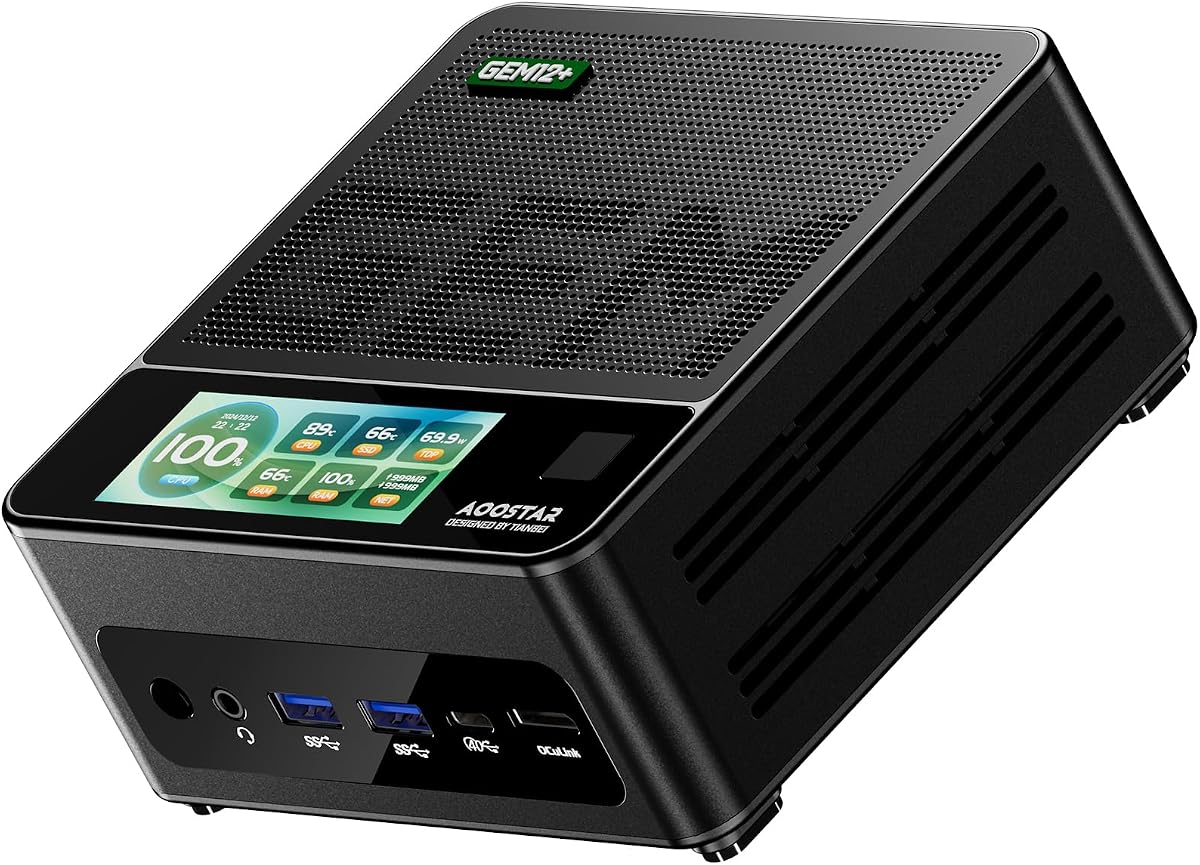
AOOSTAR GEM12+ offers high-end performance for gaming and professional tasks. It received a 4.5 rating for its advanced cooling system and robust feature set that rivals full-sized desktops.
We may earn a commission when you buy through this link, at no additional cost to you.
This mini PC features a dedicated OCuLink channel that does not occupy M.2 slots, allowing for faster external graphics connections. It supports four 4K displays simultaneously, making it perfect for creative workflows or trading setups.
The vapor chamber cooling system ensures stable performance during long gaming sessions without throttling. You can also adjust the BIOS to Silent, Balanced, or Performance mode to match your usage scenario.
Ideal for gamers and power users who need top-tier graphics, this model delivers without compromise. Just remember to power off before connecting external devices due to the lack of hot-swap support.
The OCuLink port operates on an independent channel to ensure minimal performance loss when connecting high-end external GPUs.
Adjustable BIOS settings let you tune power output between Silent and Performance modes for better energy efficiency or raw speed.
We may earn a commission when you buy through this link, at no additional cost to you.
The ASUS NUC 15 Pro is another variant designed for high-performance professional environments. It holds a perfect 5.0 rating for its reliability and seamless connectivity options.
We may earn a commission when you buy through this link, at no additional cost to you.
Powered by the Core Ultra 7 255H, it supports Thunderbolt 4 and can connect to four 4K displays. The sync power-off feature helps save energy, while the tool-less chassis simplifies maintenance tasks.
Although the price is higher than consumer models, the durability certification and extensive warranty make it worth the investment for businesses. It is built to run reliably 24/7 in extreme conditions without failing.
If you need a system that guarantees uptime and performance, this model is the right choice. It is ideal for IT professionals who value stability and long-term support.
MIL-STD-810H certification ensures the device can withstand physical stress and environmental factors in harsh working conditions.
Thunderbolt 4 support provides versatile I/O for high-speed data transfer and daisy-chaining peripherals without bottlenecks.
We may earn a commission when you buy through this link, at no additional cost to you.
The AOOSTAR GEM12+ PRO adds valuable security features to a high-performance chassis. It earned a 4.1 rating for its balance of speed and safety measures designed for office and home use.
We may earn a commission when you buy through this link, at no additional cost to you.
This model supports fingerprint unlock for quick access and integrates a 64Gbps OCuLink port for external GPUs. It also features a customizable built-in display that can show real-time system data.
While fingerprint setup requires initial configuration, it offers a convenient alternative to passwords for daily logins. The vapor chamber cooling ensures the system stays cool during intensive workloads.
For users who prioritize data security and fast access, this model is a strong candidate. It combines premium security with raw processing power for a well-rounded experience.
Built-in fingerprint recognition simplifies login without complicated passwords, enabling quicker and safer access to your device.
Dedicated software lets you monitor real-time CPU, GPU and RAM data with personalized background images to suit your preferences.
We may earn a commission when you buy through this link, at no additional cost to you.
This variant of the ASUS NUC 15 Pro continues the brand's reputation for reliability. It holds a perfect 5.0 rating for consistent performance and robust build quality across all units.
We may earn a commission when you buy through this link, at no additional cost to you.
With Intel Core Ultra 5 processing and Wi-Fi 7, it delivers next-gen connectivity and speeds. The tool-less chassis makes upgrades easy, and the eco-friendly packaging aligns with sustainable production practices.
You may find it slightly harder to locate than standard models, but the included three-year warranty and rigorous durability testing justify the effort. It is designed to handle extreme conditions and daily wear.
If you value long-term dependability over upfront savings, this model is the safe bet. It is built to support enterprise needs and personal projects alike without failure.
Eco-friendly packaging reflects a commitment to sustainability, reducing environmental impact while delivering high performance.
Wi-Fi 7 support and multiple Thunderbolt 4 ports ensure your system stays ready for the latest peripherals and network standards.
We may earn a commission when you buy through this link, at no additional cost to you.
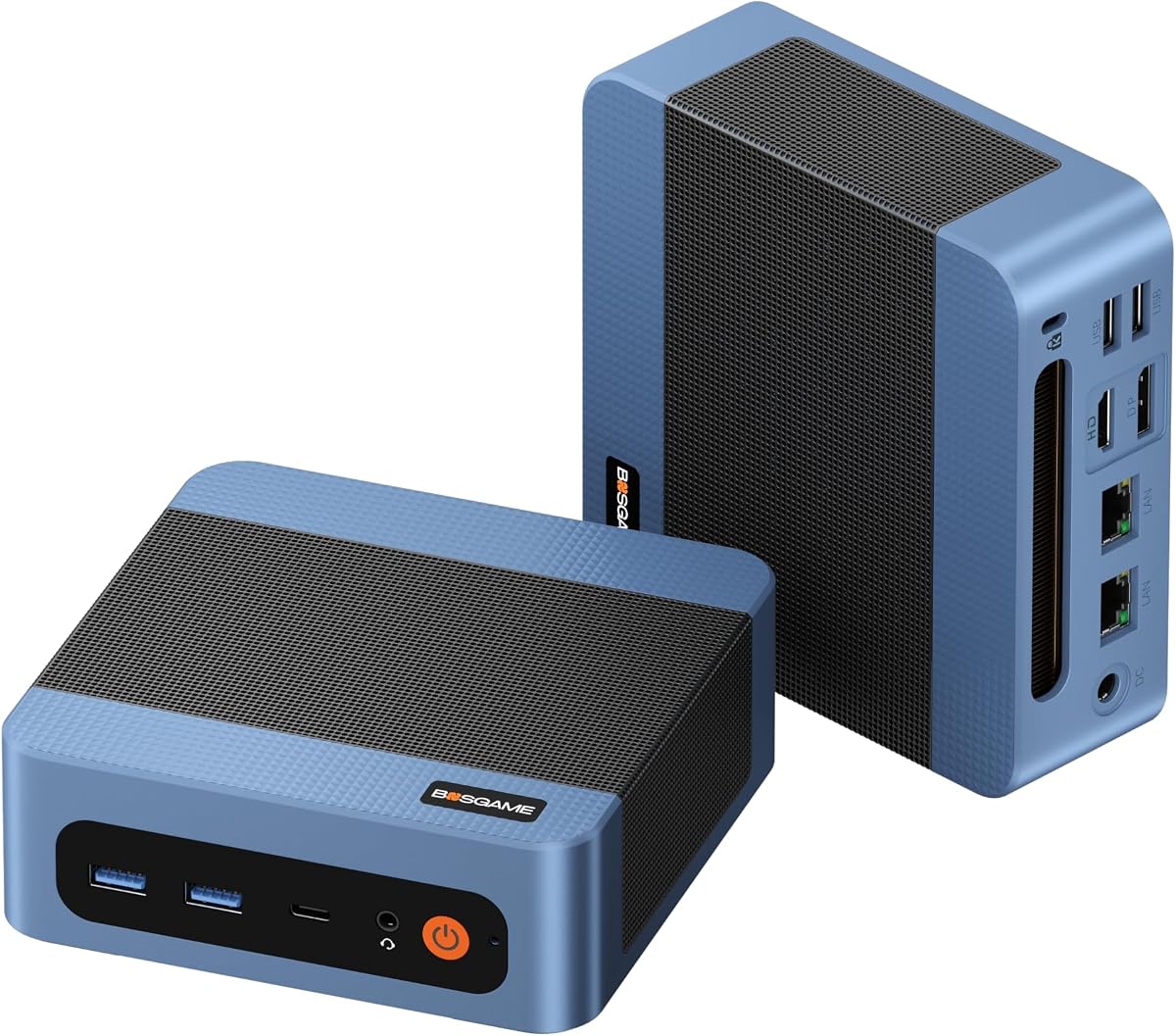
The BOSGAME E5 11 Pro is designed for small office tasks and everyday use. It holds a 4.3 rating for its quiet operation and comprehensive I/O options that cater to modern office needs.
We may earn a commission when you buy through this link, at no additional cost to you.
It features a Ryzen 3 5300U processor and includes a pre-installed Windows 11 Pro system for immediate use. The dual 2.5GbE LAN ports allow for stable networking, and the full-function Type-C enables easy power delivery.
While not as powerful as the high-end models, it handles web browsing and spreadsheets smoothly. The compact and silent design fits well in shared office spaces without causing distractions.
If you need a ready-to-use machine for basic tasks, this is an excellent option. It offers good value and simplicity without requiring technical assembly skills.
Pre-installed with a clean Windows 11 Pro system and zero bloatware, it is ready to use right out of the box.
Dual 2.5GbE LAN ports make this compact computer an exceptional hardware choice for tech enthusiasts needing fast wired transmission.
We may earn a commission when you buy through this link, at no additional cost to you.
Selecting the right barebone mini PC depends on your specific needs and technical comfort. This guide breaks down the key factors to consider so you can build a system that fits your budget and performance goals.
The processor is the heart of your system and determines how well it handles multitasking and graphics. Look for models with modern architectures like AMD Ryzen 7 or Intel Core Ultra to ensure long-term relevance. Higher core counts and faster clock speeds help with video editing and heavy workloads.
Prioritize a CPU that matches your tasks, whether it is basic office work or high-end gaming.
Check the available ports for USB, HDMI, and LAN to ensure they meet your peripheral needs. Advanced models offer OCuLink for external graphics or Wi-Fi 7 for faster networking. The more versatile the connections, the easier it is to upgrade later.
Ensure the ports support your display count and transfer speeds to avoid future bottlenecks.
Since barebone kits exclude RAM and storage, verify the maximum supported capacity and speed. Systems supporting DDR5 and dual M.2 slots allow for faster data access and larger libraries. Consider how much RAM you need for your workflow before purchasing.
Choose slots that support high capacities to grow your setup as your needs evolve.
Compact systems run hot, so advanced cooling like vapor chambers or VC heat spreaders is vital for stable performance. Look for designs that manage heat effectively without becoming loud during use. Good thermal management prevents throttling during long tasks.
A well-cooled unit will maintain speed and last longer under heavy loads.
Materials like recycled aluminum or certified chassis provide better protection against daily wear and environmental factors. Higher-end models often come with rigorous testing and longer warranties to ensure reliability. A sturdy build is essential for office or industrial use.
Invest in quality construction to avoid premature failures and ensure consistent operation.
Energy-saving designs and BIOS modes help reduce electricity costs and heat generation. Features like fingerprint recognition or customizable displays add convenience and security for your workflow. Efficient power use also helps keep the device cool.
Balance power-saving features with performance needs to get the most from your system.
Some kits include keys or support for specific OS versions, while others require you to install your own. Confirm whether you need Windows 11 Pro or Linux support for your tools. Proper software planning ensures a smooth setup process.
Prepare your OS and drivers in advance to minimize downtime during installation.
Measure your available space to ensure the dimensions fit your desk or rack. Ultra-compact units save room but may limit cooling or expansion options. Larger chassis often handle heat better and allow for more components.
Select a size that balances desk space with your need for airflow and upgrades.
Install your chosen RAM and SSD carefully into the available slots, ensuring they click securely into place. Connect your power supply and monitors using the available HDMI or USB4 ports to complete the physical setup.
Install your operating system using a USB drive or preloaded key to ensure all drivers are recognized properly. Configure your BIOS settings for performance or silent mode depending on your daily workload requirements.
Keep the device in a well-ventilated area and regularly clean dust from the vents to maintain stable temperatures. Regular software updates and driver checks will keep your system secure and running efficiently.
A barebone mini PC is a compact computer chassis that does not include RAM, storage, or an operating system. This allows you to choose and install each component yourself for total customization. It is a great option for tech-savvy users who want to control every part of their system.
Most barebone models do not include an OS, so you will need to install it yourself using a USB drive or a provided key. Some units may include a key on a card that you can redeem for a license. This gives you the freedom to choose Windows or Linux depending on your needs.
Yes, barebone systems are designed to be upgradeable with RAM and storage slots accessible from the outside. You can easily swap memory or SSDs to improve performance as your needs change. Always check the maximum supported capacity before purchasing parts for your model.
Many modern barebone units support external graphics via OCuLink or USB4 to deliver solid gaming performance. Integrated GPUs like Radeon 780M also handle light to moderate gaming well. For heavy titles, pairing the unit with a dedicated GPU dock is the ideal solution.
Ensure the unit is placed in an open area with enough airflow to prevent heat buildup. Regularly clean dust from the fans and vents to maintain efficient cooling. Advanced models with vapor chambers will also help keep temperatures low during intensive use.
OCuLink offers higher bandwidth and lower latency than standard USB4, making it ideal for external graphics. It allows for minimal performance loss when connecting powerful GPUs like RTX 4070 or 4080. This feature is essential for gamers who want desktop performance in a small form.
Models with multiple LAN ports and quiet cooling are best for office environments needing stability. Look for systems with pre-installed Windows Pro support and high-speed USB options for peripherals. Reliable enterprise models like the ASUS NUC series are strong contenders for professional use.
Whether you choose the versatile AOOSTAR MACO or the premium ASUS NUC 15 Pro, barebone mini PCs offer unmatched flexibility for your setup. Each model provides a unique balance of power, connectivity, and size to suit different needs.
Focus on your primary tasks, such as gaming or office work, and pick a system that supports those goals with the right ports and cooling. A well-chosen build will serve you well for years without requiring a full replacement.
Remember to check the latest availability and confirm all included accessories before you finalize your order. With the right components, your custom barebone system will deliver reliable performance for any project.