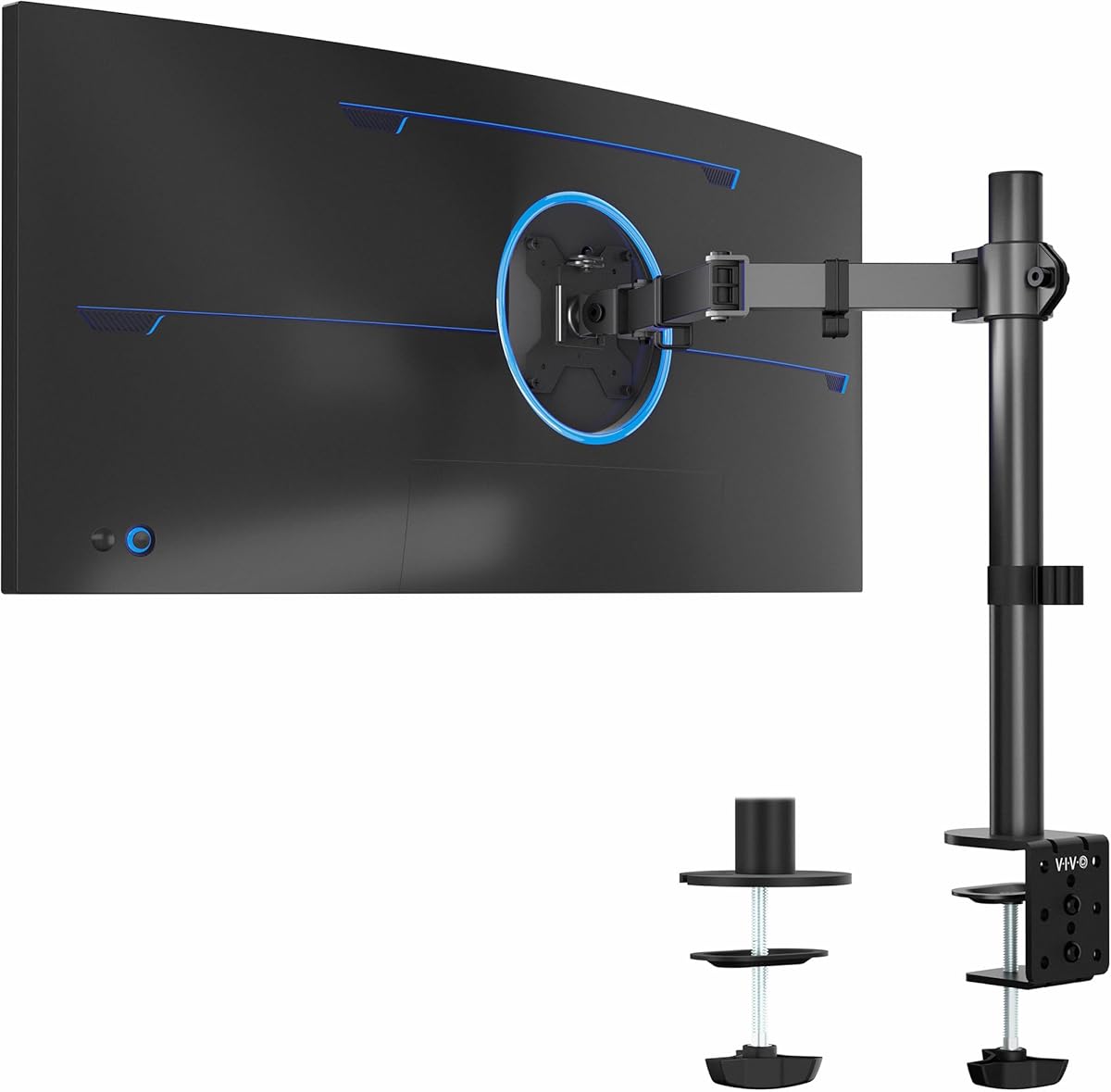
VIVO Single Ultrawide Monitor Arm
4.5Editor score
Supports up to 38 inch ultrawide
Integrated cable management clips
Heavy duty C-clamp base
Creating an ergonomic home office is essential for long-term comfort and productivity. A reliable monitor arm elevates your screen to eye level, reducing neck strain and freeing up valuable desk space. Whether you use a single display or a dual setup, finding the right mount ensures stability and smooth adjustability for any workflow.
We evaluated ten top-rated monitor arms based on build quality, adjustability, ease of installation, and customer feedback. Each option supports standard VESA patterns and offers a range of features from cable management to heavy-duty support. Our goal is to help you choose a mount that fits your desk, monitors, and daily needs without breaking the bank.
Every pick in this list highlights specific strengths, such as premium materials, tool-free installation, or ultra-wide compatibility. While prices can fluctuate due to promotions or availability, the core features remain consistent across these models. Use this guide to compare specifications and find the ideal arm for your home office workspace today.
4.5Editor score

4.6Editor score
4.7Editor score
As an Amazon Associate we earn from qualifying purchases.
This side-by-side comparison highlights the key specifications and strengths of each monitor arm. Review screen size limits, weight capacities, and unique features to find the model that matches your specific desk setup and monitor requirements.


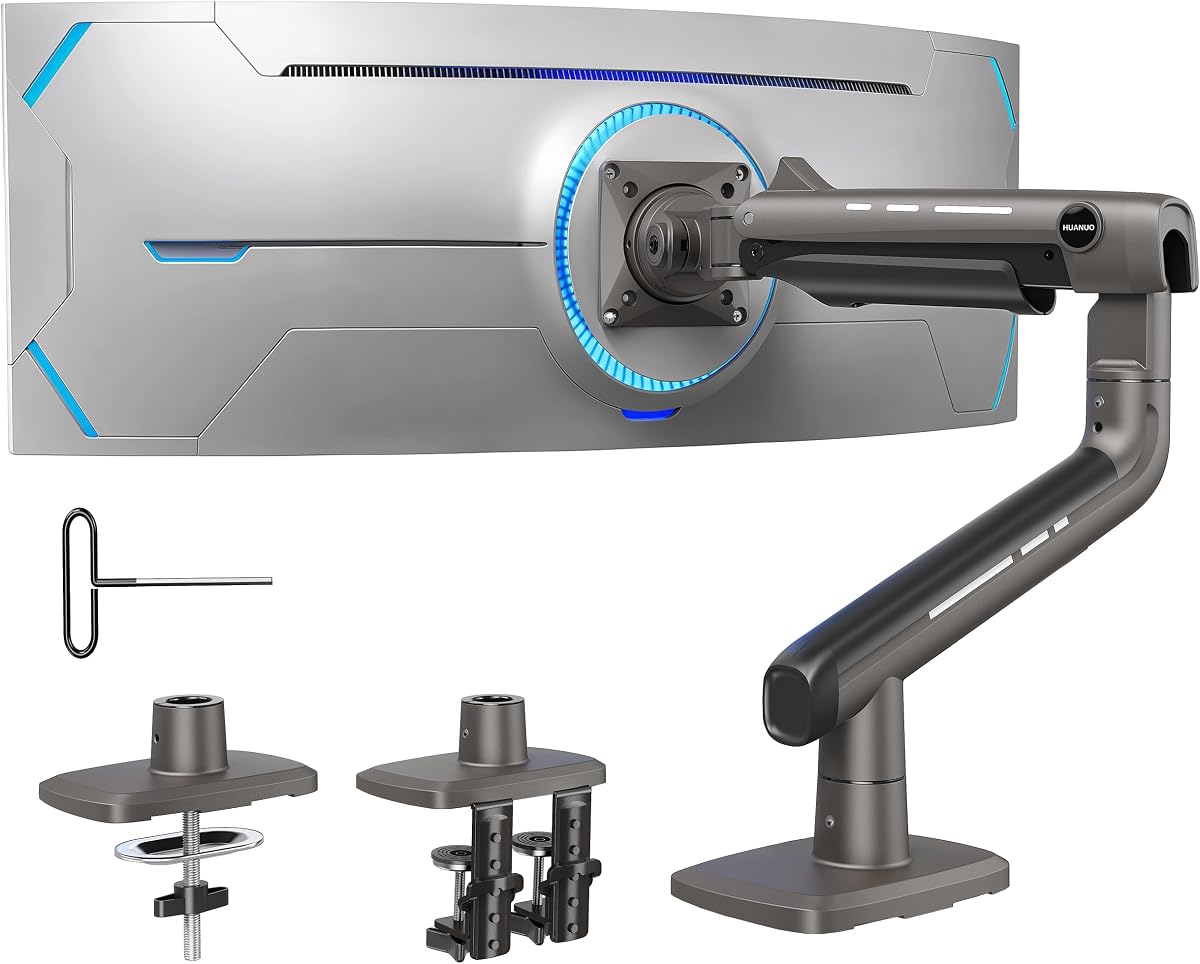
The HUANUO FlowLift single monitor mount is a top choice for home offices seeking reliable ergonomics and ease of use. With a 4.6 rating, users praise its sturdy build and smooth adjustability that keeps screens stable at any angle.
We may earn a commission when you buy through this link, at no additional cost to you.
Its standout feature is the full range of motion, allowing tilt, swivel, and rotation to suit different viewing preferences. The mount supports monitors from 13 to 32 inches and handles weights up to 19.8 lbs comfortably.
While it lacks premium gas springs found on more expensive models, the mechanical design holds up well over time. Some users note that the adjustment can feel slightly stiff initially until tension is properly set.
This monitor arm is ideal for professionals who want a clean, organized desk without spending a fortune. Its quick setup and strong stability make it a standout option for most home office configurations.
Raising the monitor to eye level reduces neck strain during long work hours.
Both C-clamp and grommet bases fit various desk thicknesses and styles.
We may earn a commission when you buy through this link, at no additional cost to you.
This VIVO dual stand offers a mechanical spring design that balances screens without complex gas mechanisms. Rated 4.5, it appeals to users needing a sturdy, affordable solution for two monitors on a shared desk.
We may earn a commission when you buy through this link, at no additional cost to you.
The mount supports screens from 17 to 32 inches with full articulation for tilt, swivel, and rotation. Each arm holds up to 19.8 lbs, making it suitable for most standard LCD and LED panels.
While the springs provide smooth movement, they may require some tuning to match different monitor weights perfectly. Users should also account for the arm length extending beyond the desk edge during setup.
This model is perfect for gamers or multitaskers who want side-by-side screens without sacrificing desk real estate. Its durable construction and clear cable paths ensure a tidy, efficient workspace.
Elevating two screens frees up valuable surface area for peripherals or notes.
Independent adjustability allows each monitor to face a different angle comfortably.
We may earn a commission when you buy through this link, at no additional cost to you.
The VIVO Single Ultrawide Arm stands out for its ability to support screens up to 38 inches, a rarity at this price point. Users give it a 4.5 rating for its reliability and straightforward design.
We may earn a commission when you buy through this link, at no additional cost to you.
With a 22 lb capacity, it handles most mid-size and ultrawide monitors without sagging. The arm allows full rotation and tilt, ensuring comfortable viewing angles whether seated or standing.
While it is built for value, the clamp and grommet hardware are functional and robust. Some users may wish for more premium materials or smoother motion but adjusters for typical office use.
This arm is an excellent entry point for anyone upgrading from a bulky stand. It delivers solid performance and frees up desk space while supporting wider screens effectively.
Designed specifically to handle the unique weight distribution of wide screens.
Built-in clips keep power and display cables organized along the arm.
We may earn a commission when you buy through this link, at no additional cost to you.
This white dual monitor stand brings a modern look to any workspace with its pneumatic spring design. Rated 4.6, it is praised for its smooth motion and ability to hold screens firmly at any angle.
We may earn a commission when you buy through this link, at no additional cost to you.
Each arm supports monitors from 13 to 32 inches weighing up to 19.8 lbs. The pneumatic system ensures that adjustments are effortless, reducing wear on the hinges over time.
While the finish is appealing, it may require occasional dusting to maintain its fresh appearance. The installation is straightforward, and the included hardware secures the mount tightly to most desks.
Ideal for creatives or professionals who value aesthetics as much as function, this arm elevates the desk's look while improving ergonomics. Its stability ensures that dual screens stay aligned and secure.
Gas springs provide consistent support and smooth movement compared to mechanical ones.
Lifting monitors creates room for keyboards, notebooks, or other essentials.
We may earn a commission when you buy through this link, at no additional cost to you.
The FlowLift Pro introduces a unique PrecisionView window that shows tension settings visually, eliminating guesswork. With a 4.5 rating, it stands out for its user-friendly design and reliable performance.
We may earn a commission when you buy through this link, at no additional cost to you.
Its MechaSpring arm is designed for longer life compared to traditional gas mechanisms. The mount supports screens between 13 and 32 inches and holds up to 19.8 lbs effectively.
While the window is helpful, the arm does require careful installation on compatible desks. Users should verify thickness and material before purchasing to ensure proper clamp stability.
This model is perfect for users who want precise control and modern tech features. Its ergonomic benefits and smooth operation make it a strong contender for daily office use.
The yellow indicator lets you see at a glance if tension is balanced.
Snapping the monitor into place saves time and avoids screw alignment issues.
We may earn a commission when you buy through this link, at no additional cost to you.
This dual monitor stand supports larger screens up to 40 inches and handles heavier loads with ease. Rated 4.6, it is ideal for users with ultrawide monitors or professional-grade displays.
We may earn a commission when you buy through this link, at no additional cost to you.
Its standout feature includes built-in USB ports, offering convenient device charging without extra hubs. The aluminum arms provide a sleek look while ensuring maximum durability and stability.
The arm extends up to 21.1 inches for height, accommodating taller users or standing desks. However, the USB feature depends on cable placement and may not suit all layouts.
For power users needing both strength and connectivity, this arm delivers significant value. Its robust build and thoughtful additions make it a premium option for complex workstations.
Supporting over 26 lbs per arm ensures wide and heavy monitors remain steady.
USB ports allow charging phones or tablets while working without extra cables.
We may earn a commission when you buy through this link, at no additional cost to you.
This classic VIVO model offers reliable dual support with a proven steel structure. A 4.6 rating reflects its durability and consistent performance in home office environments.
We may earn a commission when you buy through this link, at no additional cost to you.
Each arm handles up to 22 lbs, fitting most common monitors up to 30 inches. Full articulation allows tilt, swivel, and rotation to suit various viewing needs.
The three-year warranty adds confidence for buyers concerned about long-term reliability. While the design is simple, it gets the job done without unnecessary complexity or expense.
For users seeking a no-fuss solution, this mount delivers solid results. It balances affordability with strength, making it a safe choice for standard setups.
A three-year manufacturer warranty provides peace of mind for daily usage.
Heavy-duty steel arms resist bending or sagging under normal monitor weights.
We may earn a commission when you buy through this link, at no additional cost to you.
This stacked design places monitors vertically, saving desk depth and freeing room for notes or peripherals. Rated 4.5, it is useful for users who need to multitask without widening their setup.
We may earn a commission when you buy through this link, at no additional cost to you.
Each arm supports up to 19.8 lbs and allows tilt, swivel, and rotation for comfortable viewing. The extension adds 17 inches of height, placing screens at a comfortable level.
While effective, the vertical arrangement may not suit everyone's workflow. Users should ensure their monitors are compatible with the stacked layout before purchasing.
This model is perfect for compact desks where horizontal space is limited. It offers a unique ergonomic solution for efficient multitasking in tighter workspaces.
Placing screens top and bottom keeps your head level and reduces neck strain.
Reducing horizontal footprint allows more room for keyboards and other tools.
We may earn a commission when you buy through this link, at no additional cost to you.
The ErGear arm focuses on quick installation with a tool-free VESA plate and simple clamping. With a 4.5 rating, it appeals to users who want to set up without tools or complex instructions.
We may earn a commission when you buy through this link, at no additional cost to you.
Each monitor is independently adjustable, allowing customized positioning for different viewing tasks. The cable clips open without tools, making organization quick and efficient.
It supports standard VESA patterns but excludes larger ones, which may limit ultrawide options. Users should also check desk thickness limits before installation.
This arm suits users prioritizing speed and convenience without sacrificing quality. Its straightforward design and independent movement offer practical value for most offices.
Snap-in VESA plates reduce installation time and frustration significantly.
Adjust each screen separately for optimal angles and focus zones.
We may earn a commission when you buy through this link, at no additional cost to you.
This premium arm supports screens up to 49 inches with a 44 lb capacity, ideal for gaming or professional ultrawides. A 4.7 rating highlights its exceptional stability and high-quality construction.
We may earn a commission when you buy through this link, at no additional cost to you.
The dual C-clamp base provides unmatched stability for heavy displays, ensuring they stay perfectly level. Aluminum alloy materials add a sleek, durable finish suitable for modern setups.
While expensive, the performance matches its price. It is not suitable for glass or plastic desks, so verify your surface before purchasing to avoid issues.
This model is the top choice for users with large monitors needing serious support. Its engineering and finish justify the investment for those seeking a flawless setup.
Built to handle the extreme width and weight of 49-inch gaming monitors.
Reinforced arms and wider base prevent droop and wobbling under load.
We may earn a commission when you buy through this link, at no additional cost to you.
Choosing the right monitor arm involves more than just selecting a style. Consider factors like screen size, weight, desk material, and desired features to ensure compatibility and long-term satisfaction.
Always check the manufacturer's recommended screen size range. While many arms support 13 to 32 inches, ultrawide setups may require specialized models with larger arm extensions and stronger supports.
Verify that your monitor falls within the supported size limits to avoid installation issues or instability.
Every arm has a maximum weight limit per monitor. Ensure your screen's weight, including VESA brackets, is within this range to prevent sagging or drooping over time.
Selecting an arm with a 10 to 15 percent higher capacity than your monitor's weight provides extra stability and durability.
Most monitors use 75x75mm or 100x100mm VESA hole patterns. Confirm your monitor's pattern before purchasing to ensure the mounting plate will align correctly.
Some models include universal adapters, but checking compatibility early avoids return hassles and ensures a secure fit.
C-clamps and grommet mounts are designed for wood or solid desks. Glass or plastic surfaces may not hold the clamp securely and could lead to instability or damage.
Check your desk's thickness limits as well; most arms support ranges from 0.59 to 3.5 inches to ensure proper clamping force.
Look for full-motion arms offering tilt, swivel, and rotation. These features help eliminate glare, reduce neck strain, and support both landscape and portrait orientations.
Higher-end models offer smoother pneumatic adjustments, while basic models use mechanical tension that may require more effort to change positions.
Integrated clips or channels help keep power and video cables tidy. This reduces clutter and makes future upgrades or replacements easier to manage.
A well-designed cable system ensures your workspace remains organized and visually clean without constant wire adjustments.
Metal arms provide better longevity and stability compared to plastic components. Aluminum or steel constructions are ideal for supporting heavier monitors without sagging.
Higher-quality materials also enhance aesthetic appeal and reduce the risk of parts loosening over time with frequent use.
Quick-release VESA plates and pre-assembled arms save time during setup. Look for models with clear instructions and all necessary hardware included in the box.
Tool-free options are especially helpful for renters or users who may need to relocate or adjust their monitor setup often.
Start by measuring your monitor's weight and VESA pattern before mounting. Secure the base to your desk using the included clamp or grommet kit, ensuring it is level and tightly fastened.
Attach the monitor to the VESA plate and hang it on the arm. Adjust the tension knob until the monitor stays in place without drooping or rising unexpectedly.
Regularly inspect bolts and joints to prevent loosening. Dust and clean the arm surfaces gently to maintain smooth movement and prolong the life of the mechanical parts.
Most monitor arms are designed for solid wood desks and may not securely clamp to glass. Using them on glass can lead to instability or damage. Check your specific model's recommendations or consider a weighted base mount instead.
Standard arms support 75x75mm or 100x100mm VESA patterns. Check your monitor's back for mounting holes. Some ultrawide or specialized monitors may need adapters or a specific heavy-duty mount.
Mounting monitors above the desk frees up to 50 percent of surface space. This allows more room for keyboards, notebooks, and other essentials, creating a cleaner and more efficient workspace.
Yes, raising your screen to eye level helps maintain a neutral head and neck posture. This reduces fatigue and discomfort during long work sessions compared to using a low monitor stand.
Dual arms usually support matching screens, but some models allow independent sizing within weight limits. Check if each arm has separate tension settings before mounting different monitor sizes.
Use the tension adjustment knob on the arm's hinge. Turn it clockwise to increase resistance or counterclockwise to decrease it until the monitor holds its position without dropping or rising.
Each model on this list offers unique strengths for different setups, whether you need a simple single mount or a premium ultrawide solution. The HUANUO FlowLift and VIVO options provide excellent value, while the TitanLift serves professionals with larger screens.
Focus on compatibility with your monitor size and weight, as well as your desk type. Investing in a sturdy arm with reliable adjustability ensures long-term comfort and a tidy workspace.
Prices may vary based on promotions or seasonal sales, so check current listings before purchasing. With the right monitor arm, you can transform your home office into a more productive and ergonomic environment.