
NETGEAR Nighthawk C7000
4.2Editor score
AC1900 Wireless Speed
DOCSIS 3.0 Support
USB Port Included
Compare the top 10 Cable Modem WiFi Router Combo units for 2026. Expert analysis on DOCSIS 3.1, WiFi 6, coverage, and real user ratings.
Finding the right cable modem and router combo can simplify your home network setup while saving you money on monthly rental fees. These all-in-one devices handle both the internet connection and the wireless distribution, making them ideal for most households. We have analyzed the best options available to help you choose the right model for your speed needs and home size.
Our comparison focuses on key performance metrics including DOCSIS standards, wireless speeds, and compatibility with major providers like Xfinity and Spectrum. We reviewed user ratings and technical specifications to ensure every product on this list delivers reliable performance. Whether you need gigabit speeds or a budget-friendly option, there is a suitable choice here for everyone.
Each pick below highlights specific strengths such as gaming optimization, extensive coverage, or advanced security features. We also note where each model excels so you can match it to your specific internet plan and device count. Please keep in mind that prices and availability can change frequently, so check current listings before making your final decision.
4.2Editor score

4.1Editor score

3.9Editor score
The following table provides a side-by-side comparison of all ten models reviewed in this guide. It highlights the core specifications, compatibility, and key features to help you quickly identify which device fits your needs.
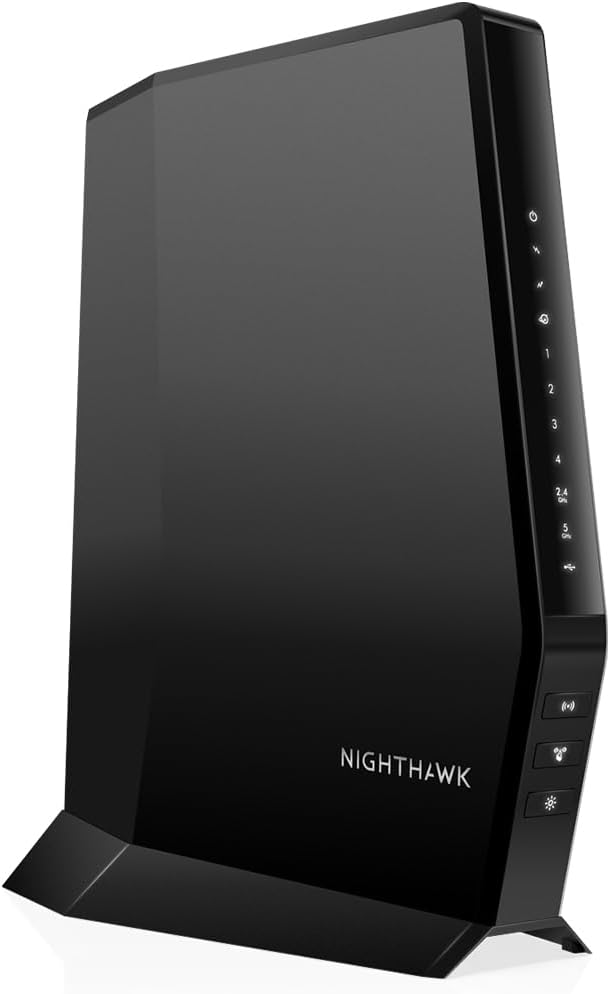




The NETGEAR Nighthawk CAX30 stands out as the top choice for most users seeking a modern, high-speed cable modem and router combo. It features the latest DOCSIS 3.1 technology which supports multi-gigabit internet plans, ensuring your hardware can handle future network upgrades without needing a replacement. With its integrated WiFi 6 system, it delivers consistent speeds across your entire home, making it ideal for households with multiple devices connected simultaneously.
We may earn a commission when you buy through this link, at no additional cost to you.
One of its key strengths is the robust coverage it provides, capable of handling up to 25+ connected devices without significant performance degradation. This is particularly useful for families who stream 4K video, game online, and work from home all at once. The built-in security features including WPA3 encryption and firewall protection add an essential layer of safety for your family and personal data. Additionally, the Nighthawk app makes managing your network incredibly simple, allowing you to pause internet access or run speed tests from your phone.
While it is a premium option, the trade-off is justified by the performance and longevity it offers. The lack of USB ports is a minor inconvenience for users who want to share storage or printers directly over the network, but wired connections are generally preferred for high-speed gaming or streaming devices anyway. The higher price point reflects the advanced technology inside, which helps future-proof your investment against rapidly evolving internet speeds.
If you are looking for a reliable device that balances speed, coverage, and smart features, the CAX30 is the one to get. It is compatible with major cable providers like Xfinity and Spectrum, ensuring it will work with your current plan. We recommend it for anyone wanting a seamless, high-performance networking experience that keeps up with modern digital demands.
The DOCSIS 3.1 modem supports download speeds well above 1 Gbps, ready for the fastest internet plans available today.
WiFi 6 technology improves capacity and efficiency, ensuring stable connections for all your smart home devices.
We may earn a commission when you buy through this link, at no additional cost to you.
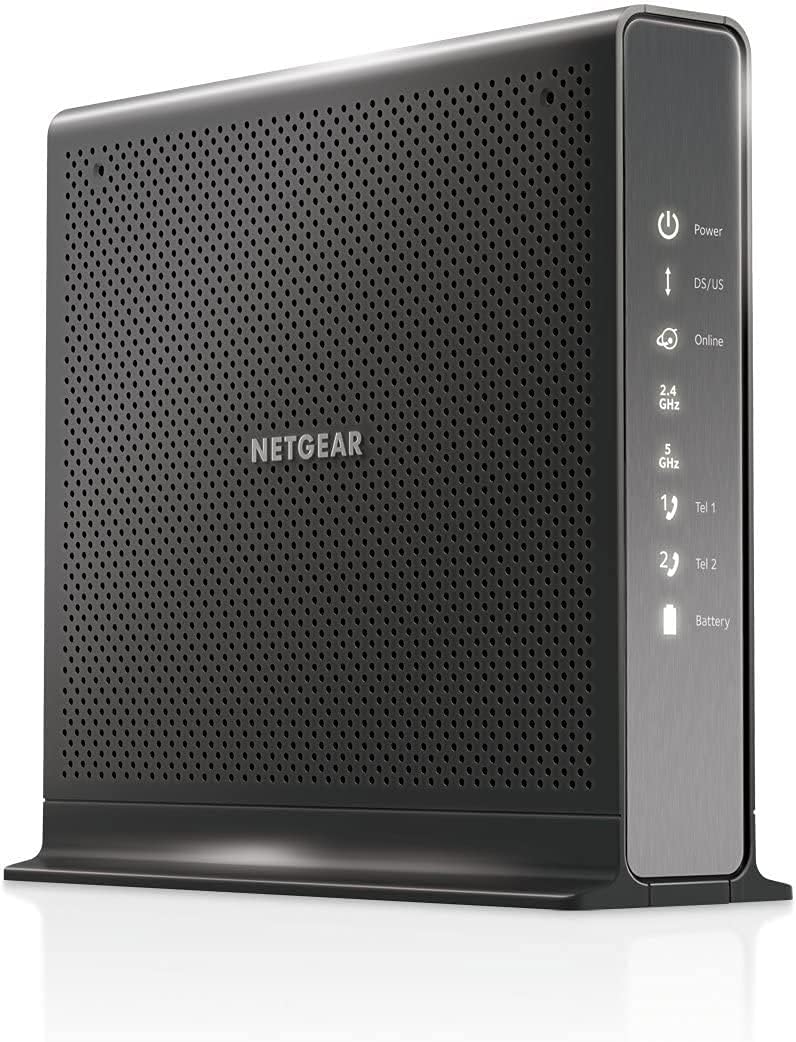
The NETGEAR Nighthawk C7000 is an excellent choice for budget-conscious buyers who still want reliable performance and solid brand reputation. It combines a DOCSIS 3.0 cable modem with an AC1900 WiFi 5 router to deliver speeds up to 800 Mbps, which is sufficient for most standard cable plans. Its compact design and simple setup process make it a great entry-level option for those replacing their rental equipment to save money.
We may earn a commission when you buy through this link, at no additional cost to you.
This device shines in its ability to maintain strong connections throughout a medium-sized home thanks to Beamforming+ technology. It directs wireless signals directly to your connected devices rather than broadcasting them in all directions, which improves range and stability. The inclusion of a USB 2.0 port adds versatility, allowing you to connect external storage drives or printers to your network easily without needing extra hardware.
While it does not support the newest WiFi 6 standard, the AC1900 speed is still very capable for streaming HD video, browsing, and casual gaming. The main limitation is that it may not fully utilize internet plans faster than 800 Mbps, but for average households, this is rarely an issue. It offers a great balance of cost and functionality, ensuring you save on monthly fees without sacrificing essential performance.
For anyone needing a straightforward, affordable solution that works with major providers like Xfinity and Cox, the C7000 is a smart buy. It provides all the features you need to get online quickly and reliably. If your internet plan is below 1 Gbps, this model will likely serve your needs perfectly while keeping your budget intact.
This combo saves you up to $168 a year in rental fees, offering a quick return on investment.
Beamforming+ enhances range and reduces dead spots to keep every device connected throughout your home.
We may earn a commission when you buy through this link, at no additional cost to you.
This renewed version of the NETGEAR CAX30 offers the same high-performance features as the brand-new model but at a more attractive price point. It includes the powerful DOCSIS 3.1 modem and WiFi 6 router combo that supports speeds up to 2.7 Gbps. Buying renewed is a great way to get advanced technology without paying full retail cost, making it perfect for savvy shoppers who want the best value.
We may earn a commission when you buy through this link, at no additional cost to you.
Despite being refurbished, the device is inspected to ensure it works like new and comes with the standard NETGEAR support features. You still get the advanced benefits like OFDMA technology for smoother performance during peak hours and robust security with WPA3. The renewed status does not impact the technical performance, so you get the same network quality and coverage in a more compact footprint.
The main consideration is that refurbished products may show minor cosmetic wear, though this rarely affects functionality. The warranty period might be shorter than that of a new unit, but it still provides peace of mind for your investment. If you are comfortable with pre-owned electronics and want the premium features of the CAX30 without the premium price, this is an ideal choice.
We recommend this option for users who want to upgrade to WiFi 6 and multi-gigabit speeds but are looking to save some cash. It works seamlessly with major cable providers and offers the same reliability you expect from NETGEAR. It is a practical solution for extending your home network capabilities while keeping costs down.
Get the advanced AX2700 WiFi 6 capabilities for a fraction of the price of a brand-new unit.
Renewed items are inspected to ensure they meet the performance standards of the original product.
We may earn a commission when you buy through this link, at no additional cost to you.
The NETGEAR Nighthawk CAX30 is a robust all-in-one solution that replaces both your modem and router with a single device capable of handling high-speed internet. It supports cable plans up to 2Gbps, making it future-proof for network upgrades. The included 1 USB 3.0 port adds flexibility for connecting storage or printers, which was missing in some other models in this class.
We may earn a commission when you buy through this link, at no additional cost to you.
Its dual-band AX2700 WiFi system ensures that your devices get fast speeds without interference. The device is optimized for gaming and streaming, providing low latency that is crucial for real-time applications. Security is also a priority with built-in firewall and parental controls, keeping your home network safe from external threats automatically.
While some users might find the setup process slightly technical if they are new to networking, the Nighthawk app provides guided assistance to make it easier. The coverage area is good for most average homes, though larger properties may require additional extenders. However, the performance in standard residential environments is excellent, with consistent speeds in most rooms.
This model is best for users who want a reliable and feature-rich combo that works with a wide range of major ISPs. It saves you monthly rental fees and offers the speed headroom needed for modern digital lifestyles. If you want a balance of power and practicality, the CAX30 delivers consistent results day after day.
Get Gigabit+ cable download speeds on today's fastest plans with headroom for upgrades.
NETGEAR routers include WPA3 WiFi encryption and firewall protection to keep your family safe.
We may earn a commission when you buy through this link, at no additional cost to you.
The ARRIS Surfboard G34 is designed for users who want a clean, modern design without sacrificing high-speed performance. It supports cable internet plans up to 2.5 Gbps with its DOCSIS 3.1 modem, ensuring you can take full advantage of fast internet. The compact size makes it easy to fit into small spaces or cable closets where bulky equipment might not fit.
We may earn a commission when you buy through this link, at no additional cost to you.
WiFi 6 technology is included to provide up to 3 Gbps wireless performance across your home. It is certified to work with major providers like Cox, Xfinity, and Spectrum, which adds to its convenience. The setup process is straightforward, involving a simple connection to the coaxial cable and activation with your provider.
One trade-off is the lower user rating compared to some competitors, which may indicate occasional connectivity issues for some users. Additionally, it offers less advanced customization options than high-end NETGEAR models, though this might be preferable for those who want a simple, set-it-and-forget-it device. The simplicity of the design matches its straightforward functionality well.
We suggest this modem for smaller homes or users who prioritize space-saving design and fast download speeds over extensive customization. It is a reliable option for anyone who needs a modern combo that avoids rental fees. If you have a fast internet plan and limited space, this model is worth considering.
Its compact modern footprint saves space while delivering ultrafast streaming and gaming capabilities.
DOCSIS 3.1 performance supports cable internet plans up to 2.5 Gbps for future-ready speeds.
We may earn a commission when you buy through this link, at no additional cost to you.
This renewed C7000 model brings the trusted reliability of NETGEAR to a lower price point, ideal for budget-focused households. It supports cable plans up to 800 Mbps and delivers AC1900 WiFi speeds which are sufficient for daily streaming and browsing. The device is a cost-effective way to stop paying monthly rental fees without compromising on core functionality.
We may earn a commission when you buy through this link, at no additional cost to you.
Even as a renewed unit, it maintains the same physical build and port configuration as the new version, including the USB 2.0 port for sharing devices. The WiFi 5 technology is stable and efficient for most standard internet needs, offering good coverage for typical home sizes. It ensures your home network is ready for online tasks without requiring advanced tech knowledge.
The main limitation is that it lacks the latest WiFi 6 standards, which means it may not reach peak speeds on the fastest available plans. However, for plans under 1 Gbps, it performs very well. The warranty and support from NETGEAR also add confidence to the purchase of a refurbished product.
We recommend this for users who want a solid, reliable replacement for their rental box without breaking the bank. It handles essential tasks like streaming HD video and browsing the web smoothly. If speed beyond 800 Mbps is not a priority, this is a practical and economical choice for your home setup.
This model replaces your cable modem and WiFi router saving you up to $150 a year in rental fees.
Get wireless coverage for up to 30 devices with AC1900 speed for fast and reliable connections.
We may earn a commission when you buy through this link, at no additional cost to you.
The NETGEAR Nighthawk CAX80 is designed for power users who need maximum wireless throughput and capacity. With its AX6000 WiFi 6 system, it supports high device counts and delivers ultra-fast speeds for bandwidth-heavy tasks like 4K streaming and competitive gaming. It includes a 2.5 Gigabit Ethernet port for connecting high-speed devices like gaming PCs directly to the router.
We may earn a commission when you buy through this link, at no additional cost to you.
Its coverage area extends up to 2,500 square feet making it suitable for large homes or offices. The DOCSIS 3.1 modem ensures that wired speeds keep up with the wireless capabilities, so you do not experience bottlenecks during peak hours. The device is engineered to manage congestion effectively with OFDMA technology for stable connections.
The primary trade-off is the high price point which may not be justifiable for average internet plans. Some users have noted that the device runs hot or experiences occasional firmware issues which can affect reliability. Despite this, it remains one of the most powerful combos available on the market for those who demand top-tier specs.
If you have a large home and multiple high-demand devices, this modem is worth the investment for its sheer capacity. It ensures that everyone gets fast speeds simultaneously without slowing each other down. For those who need the absolute best in wired and wireless speed, the CAX80 is a strong candidate.
Stay connected with capacity for 30+ connected devices and coverage up to 2,500 sq ft.
One 2.5 Gig Multi-Gig port and four Gigabit ports keep your fastest devices hardwired.
We may earn a commission when you buy through this link, at no additional cost to you.
The NETGEAR C7100V is a specialized solution for users who need both internet and voice services from a single device. It supports Xfinity cable and voice plans up to 600 Mbps with DOCSIS 3.0 technology ensuring stable performance for calls and data. The built-in battery backup ensures your phone service remains active during power outages for up to 8 hours of standby.
We may earn a commission when you buy through this link, at no additional cost to you.
It offers AC1900 WiFi speeds which are reliable for standard home networking needs. The device includes 2 voice ports for connecting standard landline phones directly, removing the need for separate adapters. This all-in-one approach simplifies cabling and reduces the number of boxes you need in your home or office.
The main downside is that the technology is based on older standards compared to WiFi 6 models. However, for households that still use a landline for voice communication, it remains one of the few combo options that support VoIP services well. The battery backup adds significant value for emergency preparedness.
We recommend this for users who specifically need voice services and want to consolidate their equipment. It is compatible with major providers like Xfinity and supports standard telephone usage seamlessly. If you rely on home phone lines alongside internet, this is a practical and reliable option.
Ideal for streaming 4K HD videos and keeping phone lines active during power outages.
Three-in-one DOCSIS 3.0 Cable Modem plus WiFi Router plus Xfinity Voice support.
We may earn a commission when you buy through this link, at no additional cost to you.
The NETGEAR C6250 is a straightforward and affordable option perfect for small homes or apartments with modest internet needs. It supports cable plans up to 300 Mbps which is sufficient for streaming and general browsing. The device is easy to set up and replace rental equipment effectively for households wanting to keep monthly costs low.
We may earn a commission when you buy through this link, at no additional cost to you.
With AC1600 wireless speeds and coverage up to 1500 square feet, it provides reliable connectivity for a few devices. It features 2 Gigabit Ethernet ports for wired connections and a USB port for extra device sharing. The simple design ensures it fits unobtrusively into any living space without technical complexity.
While it lacks the power of high-speed DOCSIS 3.1 models, it performs well within its specified range. The trade-off is that it is not ideal for larger households or those with gigabit internet plans. However, for its price point and intended use case, it delivers stable and consistent results.
We suggest this model for users on a tight budget who do not require extreme speeds. It is compatible with major providers like Spectrum and Cox, making it versatile. If your internet plan is under 300 Mbps and you want to save on rental fees, this is a practical and efficient choice.
Model C6250 replaces your cable modem and WiFi router saving you up to $168 dollars a year.
Get up to 1500 sq ft wireless coverage and 25 devices connected with AC1600 speed.
We may earn a commission when you buy through this link, at no additional cost to you.
The ARRIS SBG7600AC2 is a reliable modem and router combo from a brand with a long history in home connectivity. It supports internet plans up to 800 Mbps with its DOCSIS 3.0 technology which is robust for most users. The AC2350 WiFi performance ensures decent speeds for streaming and downloading across multiple devices simultaneously.
We may earn a commission when you buy through this link, at no additional cost to you.
One of its key features is the inclusion of four Gigabit Ethernet ports which is rare at this price point allowing you to connect multiple wired devices without a switch. The setup process is guided by the SURFboard Central App which simplifies activation and network management. Parental controls allow for time limits and internet pausing for better management.
Users generally find it stable and easy to set up although the reliance on the app for some features might be a minor hurdle. It is compatible with major providers like Cox and Xfinity offering good flexibility for different ISP contracts. The savings on rental fees alone make it a valuable choice for many households.
We recommend this for users who want a solid middle-ground option with reliable performance and good port selection. It balances speed and cost effectively for average internet needs. If you want a device that is proven and easy to manage via mobile app, the SBG7600AC2 is a strong candidate.
Just plug-in and download the SURFboard Central App to activate and customize your network.
Reduce your cable bill up to 168 dollars per year in cable modem rental fees.
We may earn a commission when you buy through this link, at no additional cost to you.
Selecting the right modem and router combination requires understanding your internet plan, home size, and technical needs. This guide outlines the key factors to consider to ensure you pick a device that meets your requirements.
DOCSIS is the standard for cable internet modems. Newer DOCSIS 3.1 modems support faster speeds and better efficiency compared to older 3.0 models. Ensure your selected modem matches the capabilities of your cable provider to avoid speed bottlenecks.
Look for DOCSIS 3.1 if you have or plan to get gigabit internet speeds to ensure future-proofing.
WiFi standards evolve over time with newer versions offering better speed and handling of multiple devices. WiFi 6 (802.11ax) is the current standard that provides improved performance over WiFi 5. It is particularly useful for homes with many connected gadgets.
Choose a WiFi 6 router if you want the latest technology and better performance for multiple users.
The speed rating of a modem and router combo indicates the maximum data transfer rates it can handle. Make sure this rating aligns with your internet plan so you do not pay for speeds you cannot use. A mismatch can result in slower performance than expected.
Check your internet plan speed and select a device that supports equal or higher throughput for best results.
The physical size and layout of your home determine how much coverage you need from a router. Larger homes may require routers with extended range capabilities or mesh support to eliminate dead spots. Always check the manufacturer's coverage estimates against your square footage.
Ensure the device covers your entire living space to maintain consistent connectivity in every room.
Not all modems work with all internet service providers. Some models are approved for Xfinity while others are for Spectrum or Cox. Always verify that the device is listed as compatible with your specific ISP to avoid setup issues or activation failures.
Check your provider's website for a list of approved devices before purchasing to guarantee compatibility.
The number and type of Ethernet ports on the modem or router affect how you connect wired devices. Some combos include USB ports for sharing storage which can be very convenient. Consider how many wired connections you need for gaming consoles or computers.
Ensure there are enough ports to connect your essential devices directly for stable and fast access.
Modem and router combos range significantly in price based on their features and performance capabilities. While premium models offer advanced tech budget options can suffice for standard needs. Balance cost against required features to find the best value.
Determine your maximum budget and look for a device that offers the necessary specs within that range.
Modern combos include built-in security features like firewalls and WPA3 encryption to protect your data. Some models also offer parental controls to manage screen time and access. Security is critical to prevent unauthorized access to your network.
Prioritize models with updated security protocols to keep your home network safe from online threats.
Begin by connecting the coaxial cable from your wall outlet to the modem port and plugging in the power cord. Wait for the status lights to indicate a successful connection before trying to connect your devices. Many modern units allow setup via a mobile app which simplifies configuration.
Place the device in a central location away from walls or metal objects to maximize wireless signal strength. Keep it on a flat surface and avoid placing it inside cabinets or enclosed spaces that trap heat. Proper ventilation ensures the device operates within safe temperature ranges.
Regularly update the firmware through the app or web interface to ensure security patches and performance improvements are applied. Periodically reboot the device to clear cache and maintain stable internet connections. Following these steps helps extend the lifespan of your hardware.
A cable modem WiFi router combo combines two essential networking devices into one unit, simplifying your setup and often saving you money on monthly equipment rental fees. It reduces cable clutter and provides a unified interface for managing both internet connection and wireless access.
You can check your internet service provider's website for a list of approved modems or use their online device compatibility tool. Always verify that the DOCSIS version and model number are supported before purchasing to ensure smooth activation and functionality.
Not all combo units support every speed tier. Ensure the device's DOCSIS standard and speed rating match your internet plan to avoid limitations. For example, a DOCSIS 3.0 modem may not be ideal for gigabit internet plans.
If setup fails, check that all cables are securely connected and the coaxial line is not damaged. Restart both the modem and your computer or phone then try again. If issues persist contact your ISP for activation support.
Modern combo units include robust security features like firewalls and encryption to protect your network. While separate devices might offer more customization, combo units from reputable brands provide sufficient security for most home environments.
It is generally recommended to replace your modem and router combo every 3 to 5 years to benefit from new technology and security updates. Aging hardware may struggle with faster speeds and increased device connectivity demands.
A combo unit typically includes a built-in router so you do not need a separate device unless you require advanced features. If your home is large or has many devices consider adding a mesh extender for better coverage instead of a full router.
DOCSIS 3.1 offers higher speed potential and better efficiency compared to 3.0 making it suitable for gigabit internet. It supports more bandwidth and advanced technologies like OFDMA which improves performance in congested networks.
Choosing the right cable modem WiFi router combo can significantly improve your home internet experience and reduce monthly costs. Our top picks cover various needs from high-speed gaming to budget-friendly everyday use ensuring there is an option for everyone.
Prioritize DOCSIS compatibility and WiFi standards that match your current and future internet plan to maximize value. Consider your home size and number of devices to find a model with appropriate coverage and capacity.
Prices and availability change frequently so always check the latest listings before making a purchase. Reviewing current user ratings and verifying ISP compatibility will help you make a confident decision for your network needs.