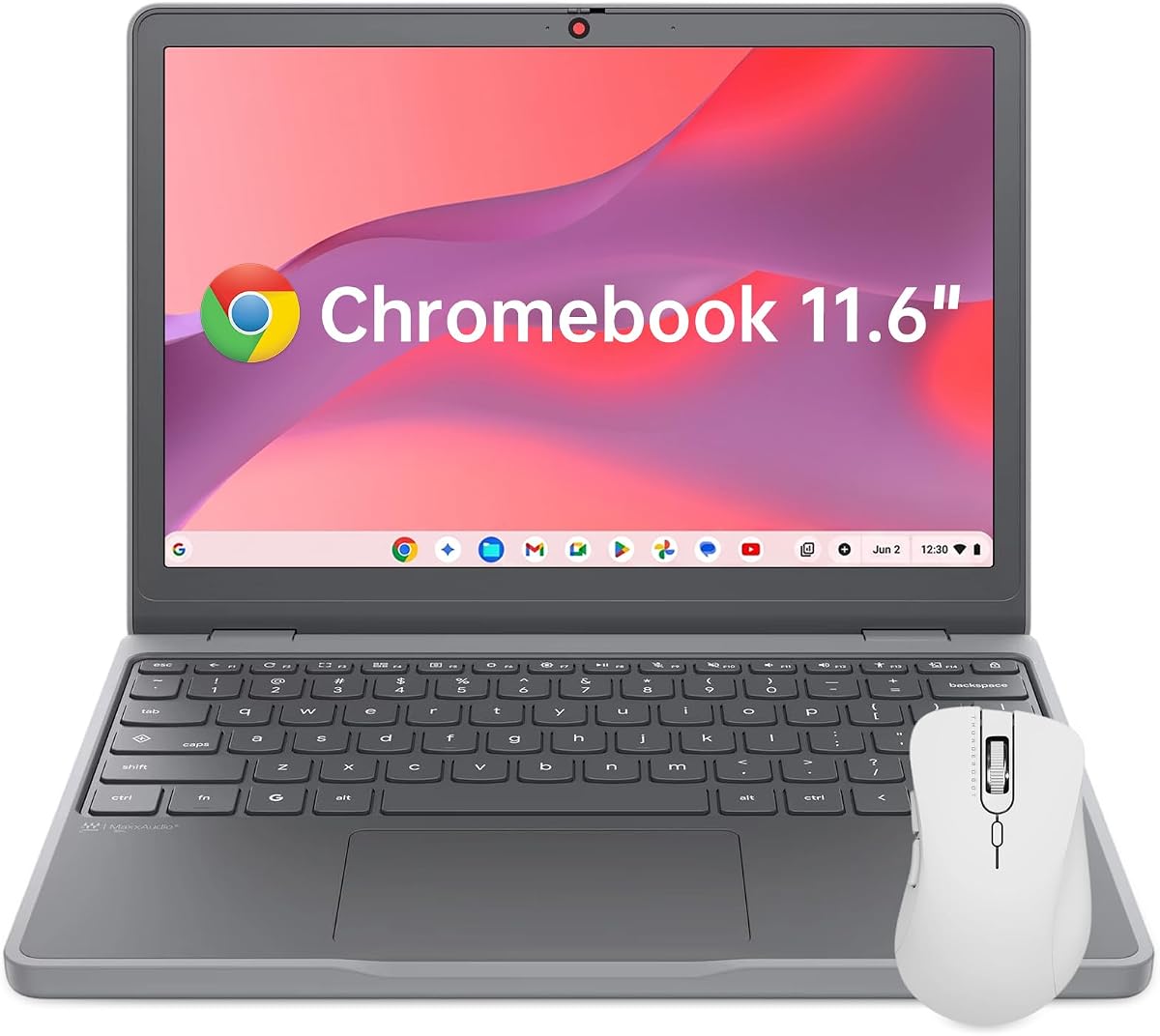
Lenovo Chromebook 11.6
4.4Editor score
Intel N150 4-Core CPU
4GB LPDDR5X RAM
64GB UFS Storage
Chromebooks with AI capabilities are transforming how we work and create. These devices leverage integrated Google AI tools to streamline tasks, enhance creativity, and boost productivity without requiring complex setups or expensive hardware.
We analyzed ten leading models based on processor power, memory, storage, and specific AI feature integration. Our comparison focuses on real-world usability, battery life, and the value provided by bundled AI subscriptions to help you make an informed decision.
Each pick highlights unique strengths whether you need portable computing, robust processing, or specific AI enhancements. Note that prices and availability can change frequently, so verify current details before purchasing to ensure you get the best deal available.
4.4Editor score

4.9Editor score

As an Amazon Associate we earn from qualifying purchases.
This side-by-side comparison highlights key specifications across all ten selected Chromebooks. Use this table to quickly assess processor types, memory capacities, storage options, and connectivity features to determine which model best fits your specific AI workflow requirements.


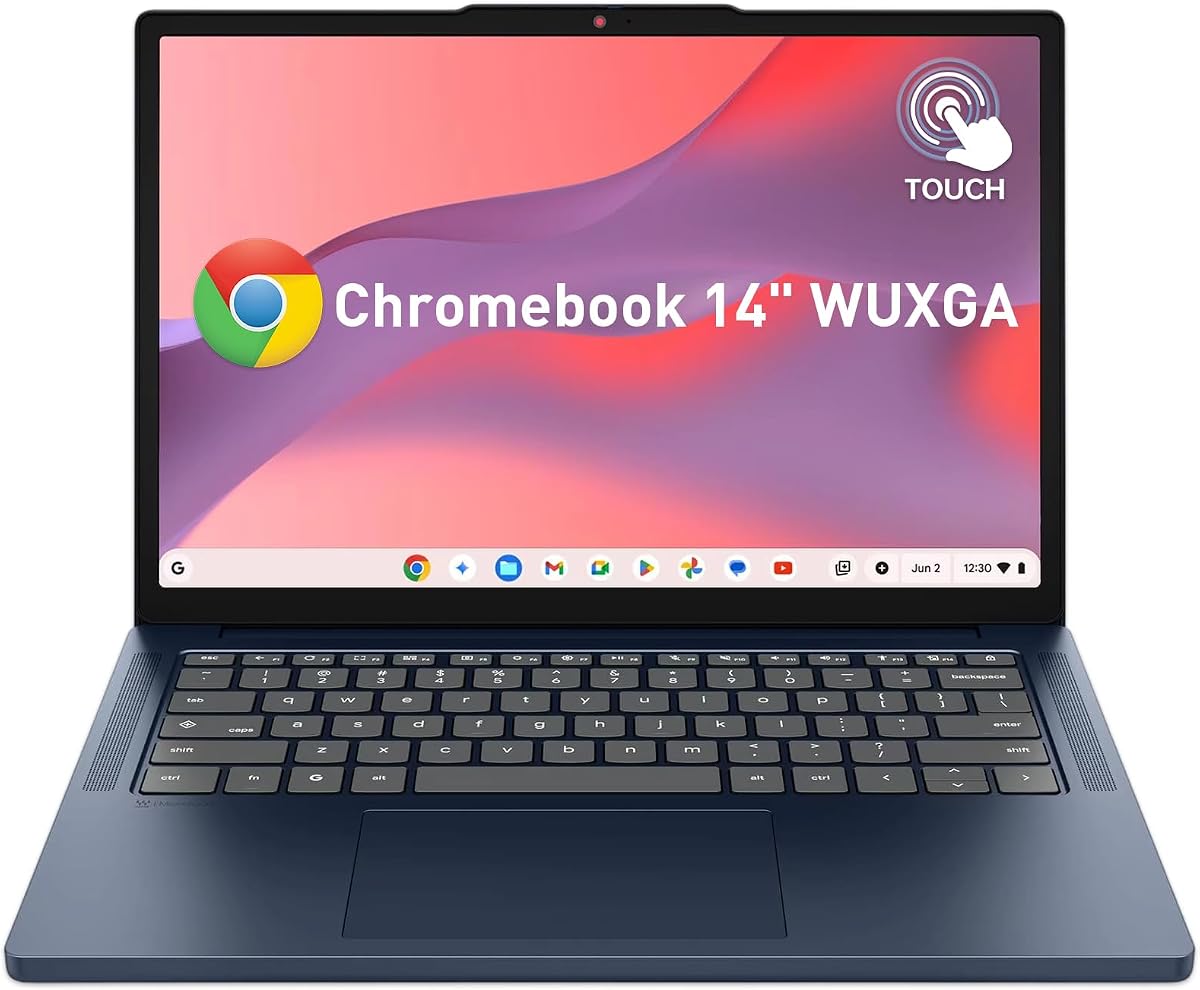


The Acer Chromebook Plus 514 stands out with its impressive 4.9 rating and robust hardware. It brings powerful AI tools directly to your workflow through integrated Gemini features and a fast Intel Core processor.
We may earn a commission when you buy through this link, at no additional cost to you.
Its standout qualities include a 14-inch WUXGA display and support for Wi-Fi 7 which ensures you stay connected with minimal latency during AI processing tasks. The 12-month Google AI Pro trial adds significant value for creators.
While the price is higher than budget options the performance justifies the cost. You might find the storage limiting if you manage massive local files but cloud storage is integrated with the AI subscription.
This model is ideal for professionals needing reliable speed and AI integration. It balances premium features with portability making it our top recommendation for serious Chromebook users.
Included Google AI Pro offers 5TB storage and advanced Gemini features like handwriting conversion and photo editing.
Wi-Fi 7 support on dual streams provides future proofing for faster downloads and lower lag.
We may earn a commission when you buy through this link, at no additional cost to you.
This ASUS model offers a solid entry into AI Chromebooks with a 3.8 rating. It focuses on creative tools and streamlined productivity using Google's integrated AI ecosystem for writing and photo editing tasks.
We may earn a commission when you buy through this link, at no additional cost to you.
It provides double the memory and storage compared to base models which helps with multitasking. The AI features like Magic Eraser and noise cancellation enhance video calls significantly without extra software.
The lower rating suggests some users found issues with long term reliability or display quality. However for basic AI tasks it remains a cost-effective option for students or home office users.
Buy this if you want a straightforward experience with good cloud tools. It avoids complex specs but delivers on core functionality for everyday digital workflows and remote learning.
Features generative design tools and video effects that help users create unique backgrounds quickly.
Intel Core i3 processor ensures smooth operation for ChromeOS apps and light media editing.
We may earn a commission when you buy through this link, at no additional cost to you.
The Acer 515 offers a spacious 15.6-inch screen which is perfect for managing multiple AI windows. With a 4.3 rating it balances performance with visual comfort for users who prefer larger displays.
We may earn a commission when you buy through this link, at no additional cost to you.
It includes the same AI Pro trial as other Plus models providing access to Gemini and large cloud storage. The processor is fast enough for general productivity and AI enhancements during work sessions.
The main trade-off is portability due to the size. While the weight is manageable it fits less comfortably in smaller bags compared to the 14-inch variants in this lineup.
Choose this for stationary workspaces or home desks where screen real estate matters. It delivers a robust experience for students and professionals needing a visual edge.
The 15.6-inch IPS display allows for better split-screen management of documents and research.
Supports up to 10 hours of battery life ensuring all-day use without frequent charging.
We may earn a commission when you buy through this link, at no additional cost to you.
This premium model brings the next level of AI experiences with an Intel Core Ultra processor that includes a dedicated AI engine. It is designed for those wanting cutting-edge hardware and versatile form factors.
We may earn a commission when you buy through this link, at no additional cost to you.
The 2-in-1 touchscreen allows you to use Gemini features directly on the display. With high-resolution visuals and Thunderbolt 4 connectivity it handles modern workflows and external displays effortlessly.
While the rating is currently N/A the hardware specs suggest a top tier experience. The premium pricing reflects the advanced silicon and build quality found in this convertible chassis.
Ideal for professionals needing hardware acceleration for AI tasks and flexible device usage. It represents the high end of Chromebook capabilities for power users.
The dedicated NPU on the Core Ultra processor helps unlock complex AI experiences on the PC.
Antimicrobial Gorilla Glass and 120Hz refresh rate provide a premium and durable touch experience.
We may earn a commission when you buy through this link, at no additional cost to you.
This variant focuses on storage with a 512GB SSD which doubles the capacity of many rivals. It maintains a 4.3 rating and includes the same AI Pro trial for enhanced productivity tools.
We may earn a commission when you buy through this link, at no additional cost to you.
The N355 processor ensures smooth daily performance while the extra storage helps local file management. You can even connect up to three external monitors expanding your workspace significantly.
The trade-off is slightly less processing power compared to the higher-end Intel models. However for local storage needs and external display support it offers excellent value for money.
Consider this if you store many files locally or need multiple screens. It is a practical choice for hybrid work setups requiring physical storage space.
With 512GB you can keep more projects offline reducing dependency on internet connectivity for files.
Expands workspace by supporting three external monitors via HDMI and USB-C ports simultaneously.
We may earn a commission when you buy through this link, at no additional cost to you.
The Lenovo 2026 model is an excellent budget option with a perfect 5.0 rating. It prioritizes portability and audio quality making it ideal for students attending virtual classes or online research.
We may earn a commission when you buy through this link, at no additional cost to you.
While storage and RAM are modest the MediaTek processor runs ChromeOS smoothly for web browsing and document editing. It fits well in backpacks and supports long battery life for all-day use.
The 64GB storage is tight for heavy media but cloud tools help. The audio system is superior to many rivals which aids in clear communication during calls.
This is the top choice for educational budgets needing reliable daily performance. It delivers solid basics without unnecessary bloat or high costs.
Dual stereo speakers with MaxxAudio ensure clear sound for online lectures and media consumption.
At under 3 lbs it is easy to carry anywhere without fatigue.
We may earn a commission when you buy through this link, at no additional cost to you.
This version emphasizes durability with MIL-STD 810H standards. It is designed to withstand harsh conditions which is vital for field work or rugged daily use cases.
We may earn a commission when you buy through this link, at no additional cost to you.
The hardware matches previous 514 models with 512GB storage and a responsive touchscreen. Fast charge technology ensures you can quickly get back to work if battery runs low.
Durability often adds weight but the performance remains consistent for daily tasks. The webcam shutter adds necessary privacy for those concerned about security on public networks.
Best for users in demanding environments or schools needing rugged devices. It offers peace of mind without sacrificing core computing features.
Meets military grade standards ensuring reliability in tough conditions and accidental drops.
Physical privacy shutter on the camera prevents unauthorized viewing during video calls.
We may earn a commission when you buy through this link, at no additional cost to you.
This model provides a straightforward configuration with reliable basics. It includes Wi-Fi 6E for better network stability and 512GB storage to handle your apps and documents.
We may earn a commission when you buy through this link, at no additional cost to you.
The processor handles typical web apps and light AI tasks well. It is a good balance of features for everyday users who do not need high-end performance or specialized tools.
While it lacks advanced features found in premium models it gets the job done. The 4.0 rating suggests it is a competent but unremarkable option in the market.
Suitable for general users seeking a simple upgrade from older devices. It covers essential needs without unnecessary complexity or high costs.
Wi-Fi 6E ensures fast speeds and low latency for smooth streaming and browsing.
512GB SSD allows you to store substantial media and project files locally.
We may earn a commission when you buy through this link, at no additional cost to you.
This AMD variant offers strong performance with the Ryzen 3 7320C. It is rated 4.5 stars and includes specific AI video tools that enhance call clarity and lighting automatically.
We may earn a commission when you buy through this link, at no additional cost to you.
The battery life is impressive lasting up to 12 hours which supports long workdays. However the storage is limited to 128GB so cloud reliance is necessary for large files.
Keyboard spill resistance is a nice touch for accidental spills during work. While storage is tight the speed and battery make it a strong contender for mobile users.
Choose this if you prefer AMD efficiency and need all-day power. It is ideal for students or professionals who rely on cloud storage.
Up to 12 hours of life ensures continuous work without needing a charger.
Built-in AI tools enhance lighting and cancel noise for clear professional meetings.
We may earn a commission when you buy through this link, at no additional cost to you.
The smallest option on our list the 11.6 model is designed for maximum portability. With a 4.4 rating it is excellent for travel where size and weight are top priorities.
We may earn a commission when you buy through this link, at no additional cost to you.
It includes a security chip for basic protection against data theft. While the screen is small it supports essential tasks like email and web research effectively.
The trade-off is screen real estate which may strain eyes for long reading sessions. But for quick access to tools on the go it is hard to beat.
Perfect for commuters who need a secondary device or a travel companion. It offers essential security and battery life in a tiny package.
Weighs just 2.69 lbs fitting easily into any small bag or pocket.
Integrated Google H1 Security Chip protects personal data and files effectively.
We may earn a commission when you buy through this link, at no additional cost to you.
Choosing the right Chromebook requires balancing processor speed, memory, and storage to support AI features effectively. This guide helps you prioritize the most important factors for your specific needs.
The processor determines how fast you can run AI tools. Look for newer Intel Core i3 or Core Ultra processors which include dedicated AI engines for faster processing.
Prioritize models with at least an i3 processor to ensure smooth performance when using Gemini or generative tools.
Memory impacts multitasking. If you use many tabs or run multiple apps, 8GB is the minimum recommendation for AI workflows.
Models with 8GB RAM provide a better experience than 4GB options when switching between apps.
Chromebooks rely heavily on cloud storage but local space matters for offline files. 256GB is standard but 512GB models offer more flexibility.
Choose higher storage if you plan to keep large media files locally on the device.
A clear display helps with reading and creative work. Look for IPS panels with at least 1080p resolution and touch support for better interaction.
Anti-glare coatings are essential for working in bright environments to reduce eye strain.
Fast internet is crucial for cloud-based AI. Wi-Fi 6 or 7 ensures you stay connected without lag during video calls or data uploads.
USB-C ports are standard for charging and connecting external displays which expands your workspace.
Battery life determines portability. Aim for at least 10 hours of usage to get through a workday without recharging.
Fast charging features add convenience when you need to top up quickly between meetings.
Many models include free trials of Google One AI Premium. This grants access to advanced tools and extra cloud storage.
Check if the device includes a free year to maximize value before deciding on a purchase.
If you travel often, look for MIL-STD ratings and spill-resistant keyboards. These features protect your investment from daily wear and tear.
A sturdy build ensures the device lasts longer even in demanding environments.
Start by enabling your AI features through Google Account settings. Ensure your Google One subscription is active if your device includes a free trial period for AI Pro tools.
Keep your device updated regularly to receive the latest security patches and AI model improvements. Updates usually happen automatically but checking settings helps maintain optimal performance.
Protect your Chromebook by using a soft case when traveling. Avoid placing heavy items on top of the device to prevent screen damage and hinge stress.
Google AI Pro provides access to advanced AI tools like Gemini Advanced and 5TB of cloud storage. It helps boost productivity with better writing assistance and image generation features.
Most models support basic AI tools via the browser. Higher-end models with dedicated processors handle these tasks faster and more efficiently for complex workflows.
At least 8GB of RAM is recommended for smooth performance. While 4GB works for basic tasks, 8GB prevents slowdowns when managing multiple apps or large AI generated files.
Yes, the models with higher processors and ample storage are excellent for professionals. They support video conferencing, document editing, and cloud collaboration effectively.
Both processors handle ChromeOS well. AMD models often offer better battery life while Intel Core Ultra models provide dedicated AI acceleration for faster performance.
Absolutely. The budget and mid-range models are perfect for students needing affordable devices for classes and research without compromising on essential productivity tools.
Reduce screen brightness and disconnect unused peripherals. Enable battery saver mode when needed and close unnecessary browser tabs to preserve energy for longer usage periods.
Yes, most models support external displays via HDMI or USB-C. Some high-end models can even drive up to three external monitors for an expanded workspace.
We have reviewed ten top models ranging from budget-friendly options to premium AI-enhanced devices. The Acer Chromebook Plus 514 stands out as the best overall due to its balance of power and features.
For those on a strict budget, the Lenovo Chromebook offers reliable performance and portability. If you need maximum power, the Spin 714 provides the best premium hardware available.
Always verify current prices and promotions as they change frequently. Your best choice depends on your specific workflow needs and how much you value advanced AI integration.