
Omada AX3000 Wireless Access Point
4.5Editor score
Free cloud management with no fees
Ultra-fast Wi-Fi 6 speeds
Five years warranty included
Discover the top 10 commercial wireless routers for business. Compare features, speeds, security, and real ratings to find the best network solution.
Finding the right commercial wireless router is crucial for maintaining a secure and efficient business network. Modern businesses need reliable connectivity to support multiple devices, ensure data security, and provide seamless guest access.
We analyzed leading models based on performance, security features, ease of management, and scalability. Our list includes routers from top brands known for enterprise-grade reliability and advanced networking capabilities.
Each pick highlights key strengths and ideal use cases for different business environments. Please note that product availability and pricing may change over time, so check current listings before purchasing.
4.5Editor score
4.2Editor score

4.6Editor score
This side-by-side comparison highlights the key specifications and capabilities of each router to help you make an informed decision for your business needs.




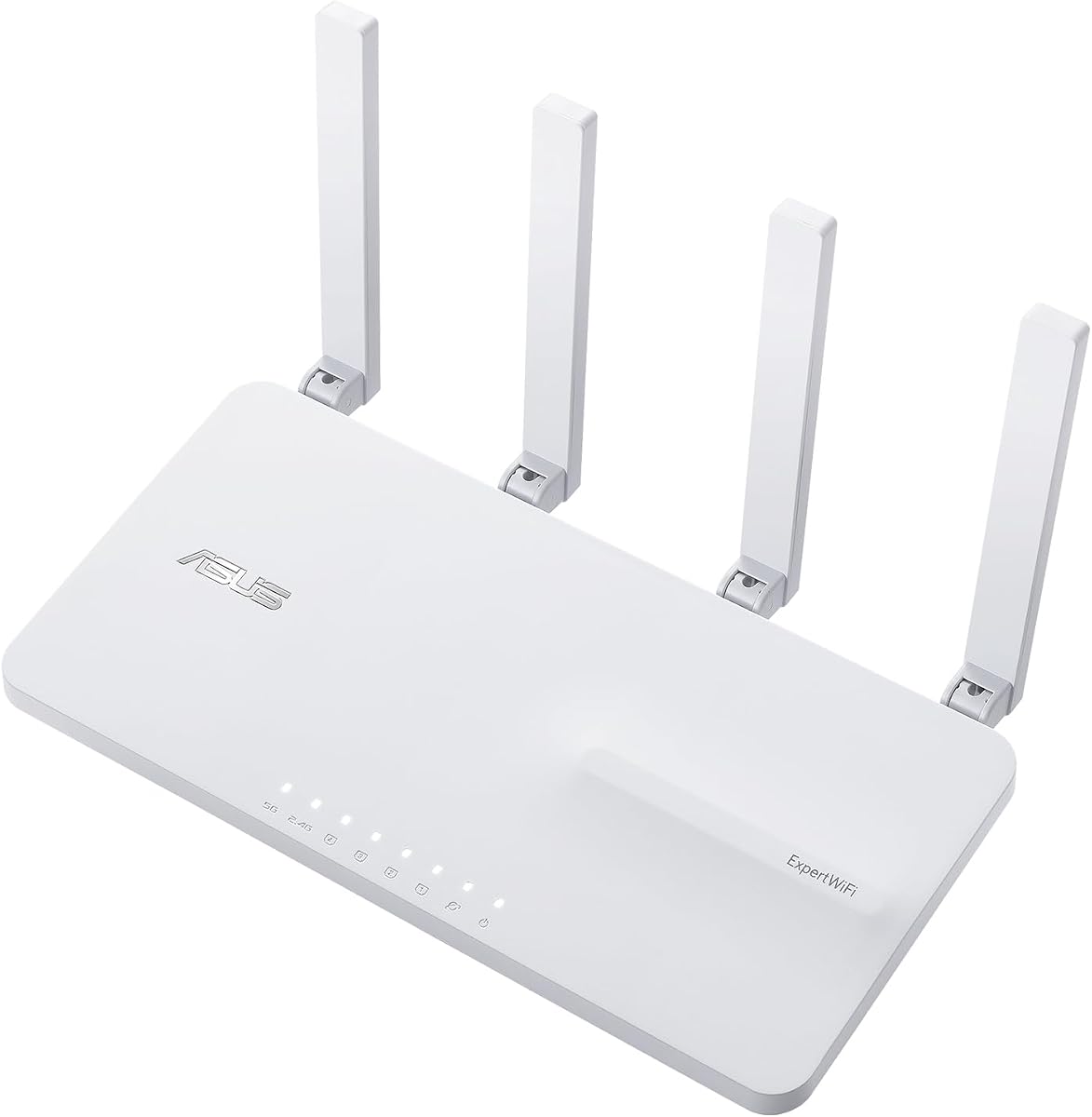
The ASUS ExpertWiFi EBR63 is designed specifically for small to medium businesses needing robust Wi-Fi 6 performance. It holds a 4.2 rating and stands out with commercial-grade features like customizable guest portals and free security subscriptions.
We may earn a commission when you buy through this link, at no additional cost to you.
Key strengths include the ability to separate up to five SSIDs for different devices and prioritize traffic. The backup WAN feature using a USB port ensures internet stays up even if the primary line fails, which is critical for business continuity.
While the lack of Wi-Fi 7 may be a trade-off for future-proofing, the current Wi-Fi 6 performance is sufficient for most business scenarios. The Easy management app simplifies setup significantly for non-technical staff.
Businesses looking for a balance of enterprise features and ease of use should consider this router. It is best for small offices that need reliable connectivity without complex hardware management.
Businesses can customize the SSID, portal type, brand name, and templates to match their style.
Receive a free subscription to ASUS AiProtection Pro and use USB for backup WAN connectivity.
We may earn a commission when you buy through this link, at no additional cost to you.
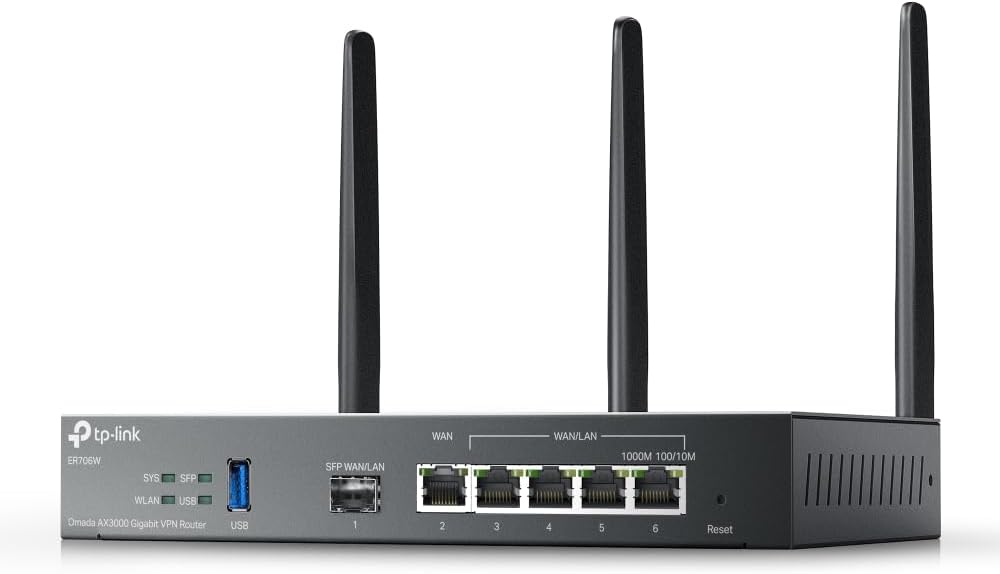
The Omada ER706W is a powerful router for businesses that need advanced networking and secure VPN capabilities. Rated 4.1, it supports AX3000 speeds and offers robust security protocols like SSL, IPSec, and WireGuard.
We may earn a commission when you buy through this link, at no additional cost to you.
Its standout feature is the 1x Gigabit SFP slot and 5 WAN ports for load balancing, which maximizes internet utilization. This is essential for businesses with multiple ISPs or high traffic demands.
While highly capable, it works best within the Omada Software Defined Networking platform, which requires some learning. It may be overkill for very small businesses without IT knowledge.
For businesses needing scalable network infrastructure with strong security, this router is an excellent investment. It is ideal for offices requiring seamless integration with Omada switches and APs.
Includes 1x Gigabit SFP slot and 5 Gigabit RJ45 ports for versatile network setup.
Supports SSL, IPSec, GRE, WireGuard, and OpenVPN for secure remote access.
We may earn a commission when you buy through this link, at no additional cost to you.
The Ruckus WirelessR750 is an indoor Wi-Fi 6 access point specifically engineered for ultra-dense environments like lecture halls or large offices. It maintains a 4.3 rating for reliability and performance in crowded areas.
We may earn a commission when you buy through this link, at no additional cost to you.
Its main strength lies in managing many simultaneous connections without dropping signal quality. This makes it ideal for spaces where many devices connect to Wi-Fi at once, ensuring smooth operations.
The main drawback is that it functions best as part of a larger Ruckus network requiring a controller. This adds complexity and cost compared to standalone routers intended for smaller offices.
Enterprises and educational institutions should choose this access point for consistent connectivity. It ensures high performance even in challenging radio environments.
Part number 901-R750-US00 is designed for high-density client density areas.
We may earn a commission when you buy through this link, at no additional cost to you.
The Ruckus R670 is a cutting-edge access point featuring Wi-Fi 7 and high-speed connectivity. It holds a 4.4 rating and supports data rates up to 9.34 Gbps for future-proof networks.
We may earn a commission when you buy through this link, at no additional cost to you.
Key features include BeamFlex+ adaptive antenna technology for better coverage and reduced errors. It also unifies Wi-Fi and non Wi-Fi technologies with built-in BLE and Zigbee for IoT.
The high price reflects its enterprise capabilities and advanced performance. It is best suited for organizations willing to invest in top-tier infrastructure for high-end applications.
Large enterprises deploying next-gen networks should consider this model. It offers unmatched speed and smart antenna technology for seamless connectivity.
Wi-Fi 7 provides exceptional end-user experience expanding use cases for classrooms and meetings.
Eliminates siloed networks by unifying Wi-Fi and IoT with BLE or Zigbee.
We may earn a commission when you buy through this link, at no additional cost to you.
The NETGEAR Orbi 970 Series is a top-rated mesh system designed for huge spaces and high performance. It holds a 4.6 rating and offers up to 27 Gbps speeds with 10000 sq ft coverage.
We may earn a commission when you buy through this link, at no additional cost to you.
Its patented Quad-Band technology with dedicated backhaul ensures devices stay fast simultaneously. This prevents slowdowns when many devices connect to the network at once.
The price is significant due to the advanced hardware and 3-pack configuration. However, for very large premises, this eliminates the need for multiple separate routers.
Large commercial properties or multi-story facilities should choose this system. It delivers seamless whole-premises connectivity without dead zones.
Router plus 2 satellites create a seamless mesh system up to 10000 sq ft.
A 10 Gig internet port plus 10 Gig and 2.5 Gig LAN ports deliver ultra-fast wired connections.
We may earn a commission when you buy through this link, at no additional cost to you.
The Omada EAP650 is a high-value access point providing free cloud management and fast speeds. It holds a 4.5 rating and is designed for businesses needing reliable indoor Wi-Fi without complex controllers.
We may earn a commission when you buy through this link, at no additional cost to you.
Its ability to manage via cloud without extra fees saves operational costs. The compact design blends into modern offices while delivering up to 2976 Mbps Wi-Fi speeds.
While it lacks router functions, it integrates easily into existing networks. Small businesses wanting flexible expansion should find this a cost-effective solution.
Startups or small businesses needing reliable access points should choose this model. It offers professional features at an affordable entry point.
Free cloud management with no additional fees managed via Omada app.
Supports Mesh WiFi, WPA3, and Beamforming for seamless roaming and load balancing.
We may earn a commission when you buy through this link, at no additional cost to you.
The Ubiquiti U6+ is a reliable access point offering 3 Gbit/s wireless transmission speed. It holds a 4.6 rating and supports multiple standards for trouble-free connectivity in various environments.
We may earn a commission when you buy through this link, at no additional cost to you.
Its wall-mountable form factor makes installation easy in tight or high spaces. It also supports PoE+ to receive data and power through a single cable, simplifying setup.
It is not a router but a component for Unifi networks, so a controller is needed. However, it is perfect for businesses standardizing on Ubiquiti hardware.
Small to medium businesses seeking scalable infrastructure should select this access point. It ensures high-efficiency communication for employees and clients.
PoE+ port receives data and power up to 25.5W through a single cable.
We may earn a commission when you buy through this link, at no additional cost to you.
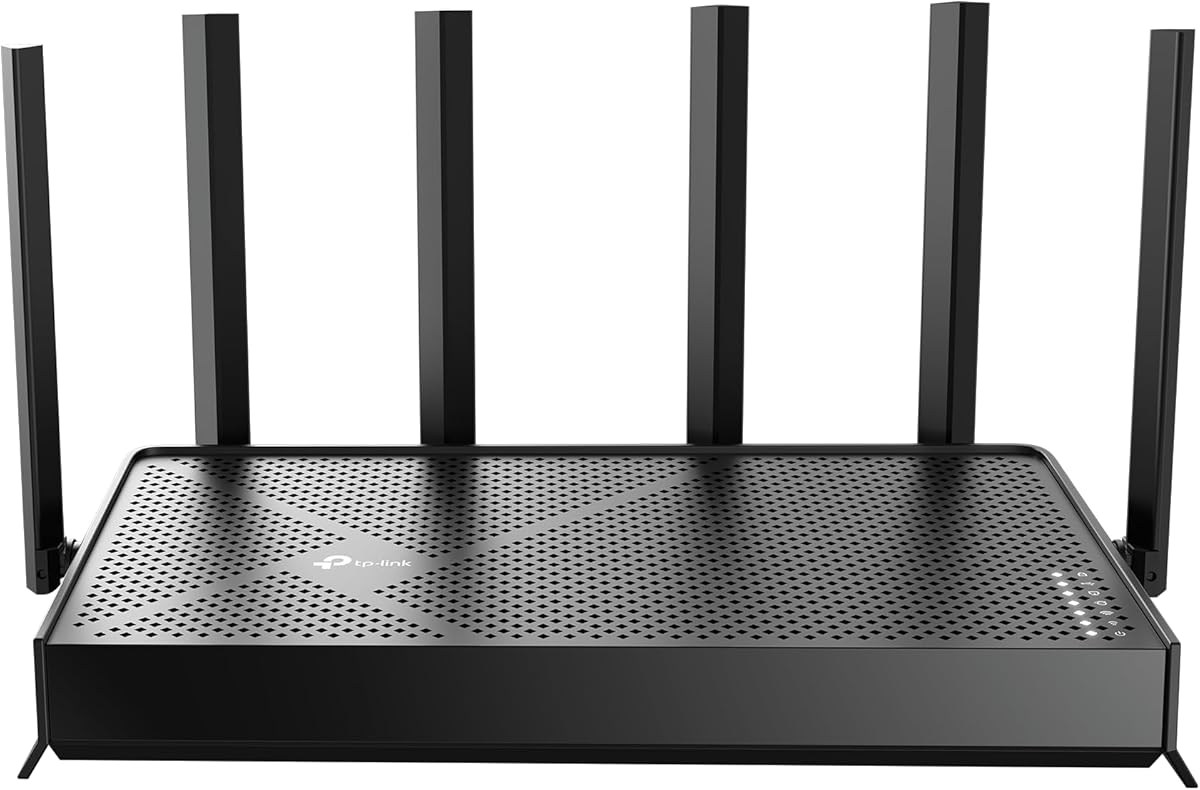
The TP-Link BE6500 introduces next-gen Wi-Fi 7 technology to business environments. It holds a 4.3 rating and features Multi-Link Operation for optimized performance on latest devices.
We may earn a commission when you buy through this link, at no additional cost to you.
With speeds up to 5.64 Gbps and multi-gig ports, it handles high-bandwidth apps easily. It is designed to be Secure-by-Design with advanced security requirements.
It is not compatible with Deco mesh systems which may limit future expansion options. However, it serves as a standalone powerhouse for high-speed internet.
Tech-forward businesses needing the latest connectivity standards should choose this router. It ensures seamless 4K/8K streaming and fast downloads.
Features Multi-Link Operation and 4K-QAM for optimized performance on latest devices.
1x 2.5 Gbps WAN/LAN port and 1x 2.5 Gbps LAN port offer high-speed data transmissions.
We may earn a commission when you buy through this link, at no additional cost to you.
The NETGEAR Nighthawk is a dedicated tri-band Wi-Fi 7 router suitable for high-density home offices. It holds a 4.3 rating and delivers up to 9.3 Gbps for demanding devices like 8K streaming.
We may earn a commission when you buy through this link, at no additional cost to you.
Its dedicated high-speed band prevents slowdowns for critical devices. The Nighthawk app makes setup and management intuitive for non-technical users.
While powerful, it lacks some enterprise features found in business-specific routers. However, it is robust enough for small remote work setups.
Small businesses with heavy media usage should consider this router. It ensures smooth connectivity for remote workers and gaming.
A dedicated tri-band router with a third high-speed band for demanding devices.
We may earn a commission when you buy through this link, at no additional cost to you.
The ASUS RT-BE88U is a powerful Wi-Fi 7 router featuring 10G ports for wired capacity. It holds a 4.3 rating and boosts throughput up to 7200Mbps with advanced Wi-Fi 7 tech.
We may earn a commission when you buy through this link, at no additional cost to you.
Its two 10G ports allow for multi-gig wired networks for NAS drives or servers. AI WAN detection ensures always-on internet even if primary lines fail.
The price is premium but justified by the cutting-edge ports and performance. It is ideal for businesses needing both wireless and wired speeds.
Tech businesses requiring maximum throughput should choose this router. It delivers blazing-fast connectivity for high-end network applications.
Bolster your wired network capacity up to 34G with 10G ports.
Establish always-on internet through AI WAN detection and versatile WAN configuration.
We may earn a commission when you buy through this link, at no additional cost to you.
Choosing the right commercial router involves evaluating speed, security, and management tools to match your business needs.
Modern businesses need at least Wi-Fi 6 for efficient device handling and high throughput. Look for routers that support the latest standards to ensure future compatibility and reduce congestion.
Security is critical for protecting sensitive business data. Select routers with built-in firewalls, VPN support, and regular firmware updates to defend against threats.
As your business grows, your network must expand. Choose routers that support mesh systems or multiple access points to cover larger areas without losing performance.
A user-friendly interface or app simplifies setup and ongoing maintenance. Look for cloud management options if you prefer remote control without on-site servers.
Separate guest traffic from internal business data to ensure security. Routers with VLAN support or multiple SSIDs allow you to isolate access effectively.
Ensure the router has enough Ethernet ports for wired devices and backhaul. Multi-gig ports are recommended if you have high-speed internet plans or NAS servers.
Look for features like dual WAN or USB tethering backup to maintain connectivity if one line fails. This minimizes downtime for critical business operations.
Consider not just the router cost but also subscriptions for security or management. Balance upfront investment with long-term operational expenses for the best value.
Begin by placing the router in a central location to maximize signal coverage across your office. Ensure it is elevated and free from obstructions like metal cabinets or thick walls.
Regularly update the router firmware to benefit from the latest security patches and performance improvements. Most commercial routers allow automatic updates to keep them secure.
Monitor network traffic periodically to identify unauthorized devices or unusual patterns. Use the management app to set up guest portals and ensure security settings remain active.
Commercial routers feature advanced security, multiple SSIDs, and robust throughput to handle many devices. They offer enterprise tools like VLAN support and centralized management for business environments.
Wi-Fi 7 offers higher speeds and lower latency which are beneficial for high-density or data-intensive tasks. For standard office work, Wi-Fi 6 may suffice, but Wi-Fi 7 ensures future-proofing.
Use guest network isolation to separate public traffic from internal business data. Routers with customizable portals allow you to require login or accept terms before access.
Yes, using mesh systems or access points allows you to extend coverage seamlessly. This setup ensures consistent signal across large offices or multi-story buildings.
Ensure the router has enough Gigabit or Multi-gig ports for your wired devices. Multi-gig ports are useful if you use high-speed internet or fast NAS storage.
Use VPN support built into the router to allow secure connections for remote employees. This ensures data is encrypted when accessed outside the local network.
The ASUS ExpertWiFi EBR63, Omada EAP650, and NETGEAR Orbi 970 stand out as top options for different needs. They balance performance, security, and ease of use effectively.
Prioritize security features and management tools that fit your IT capabilities. Scalability is also key if you expect growth or need multiple access points.
Check current availability and pricing as models update frequently. Selecting the right router now ensures a reliable and secure network for your business.