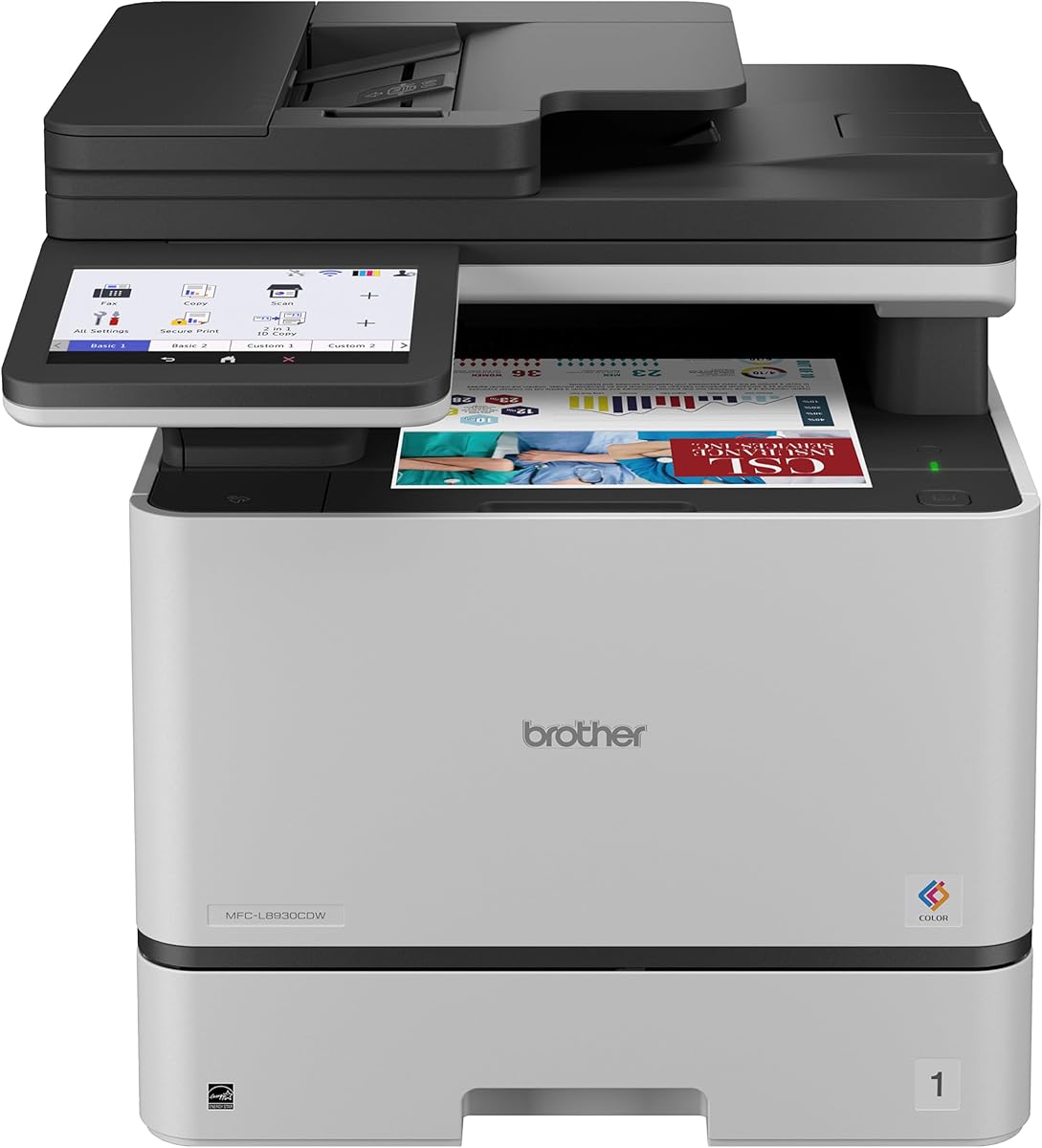
Brother MFC-L8930CDW
4.4Editor score
Color laser printing
80-page ADF
Advanced security features
Discover the top copier machines for business in 2026. Compare features, ratings, and performance to find the perfect office printer for your needs.
Finding the right copier machine for business is essential for maintaining productivity and efficiency in any modern workplace. Whether you run a small startup or a large corporation, having reliable printing, scanning, and copying capabilities ensures your operations run smoothly without technical interruptions.
We have carefully selected and reviewed ten of the best multi-function printers available today based on speed, connectivity, and overall value. Our analysis focuses on real-world performance metrics, user ratings, and critical features that matter most to business owners and office managers seeking dependable solutions.
Each pick highlights specific strengths and ideal use cases to help you make an informed decision for your unique environment. Please note that product availability and pricing can change frequently, so we recommend verifying current details before making your final purchase decision.
4.4Editor score

4.1Editor score

4.5Editor score
This side-by-side comparison highlights the key specifications and capabilities of our top ten selected models to help you quickly identify the best fit for your office requirements.


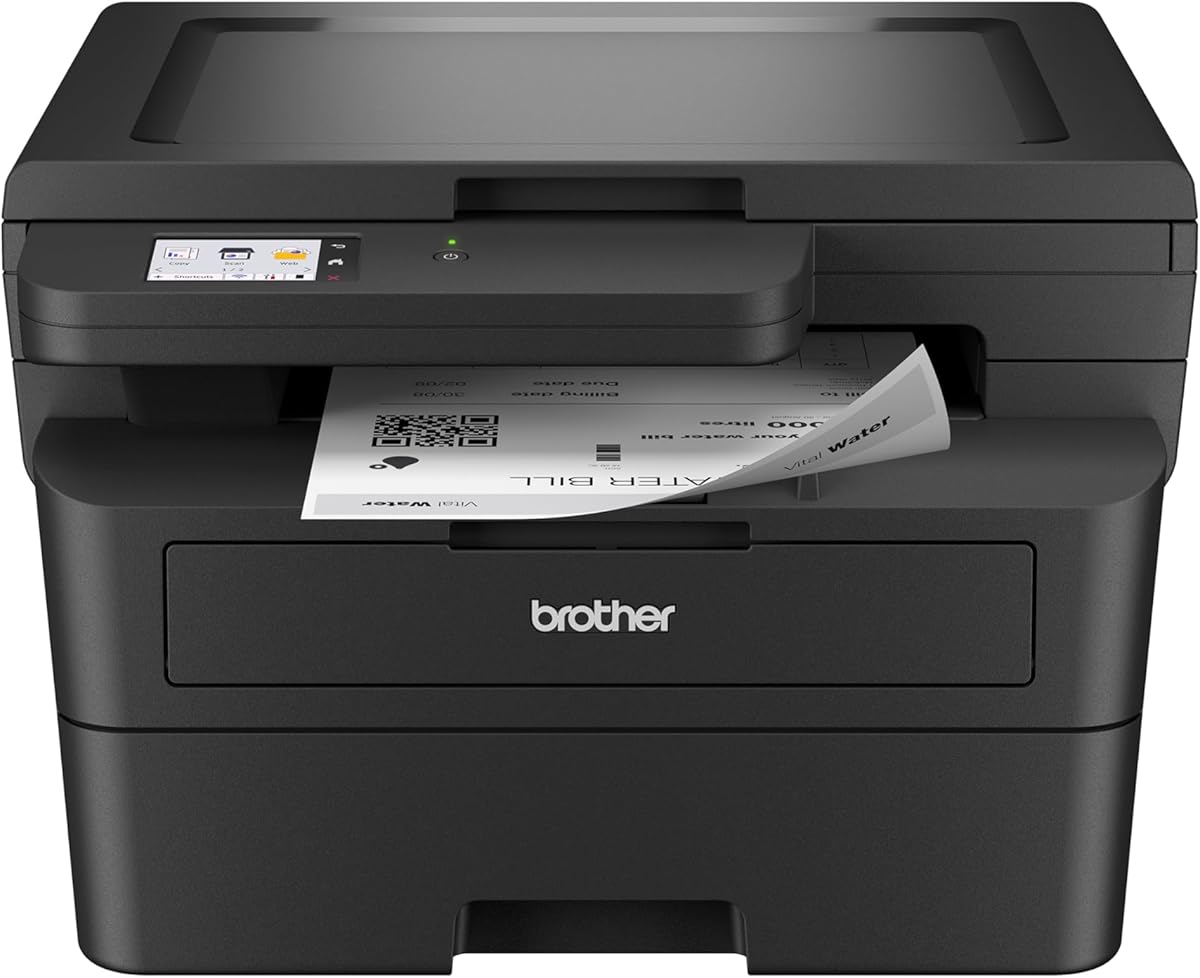
The Brother DCP-L2640DW stands out as a top contender for small businesses needing a reliable copier machine for business. With a rating of 4.1 stars, it delivers exceptional performance in a compact package that fits easily into tight office spaces without sacrificing functionality.
We may earn a commission when you buy through this link, at no additional cost to you.
Its standout qualities include fast print speeds up to 36 pages per minute and scan speeds up to 23.6 ipm. The built-in dual-band wireless ensures seamless connectivity for all your devices, allowing team members to print from anywhere in the office efficiently.
While it lacks color printing capabilities, the monochrome laser output is sharp and professional. The 50-page auto document feeder is a huge time-saver for multi-page tasks, making it ideal for offices that prioritize speed and efficiency over color graphics.
We recommend this model for small businesses and home offices looking for a no-nonsense workhorse. It balances cost, speed, and reliability perfectly, making it a smart investment for daily professional document handling.
The dual-band wireless support ensures stable connections even in busy environments with many devices competing for network bandwidth.
Despite its powerful features, the unit maintains a small footprint that fits easily on crowded desks or in dedicated cubicles.
We may earn a commission when you buy through this link, at no additional cost to you.
The Brother MFC-L5915DW is built for high-volume environments where speed is critical. With a 4.4-star rating, it offers business-grade performance with print speeds reaching up to 50 pages per minute to keep workflows moving quickly.
We may earn a commission when you buy through this link, at no additional cost to you.
Its high-yield toner cartridges significantly reduce operating costs over time, making it financially sustainable for heavy daily use. The 70-page auto document feeder with single-pass two-sided scanning boosts productivity by handling large batches without constant refilling.
While the unit requires more physical space than smaller models, the trade-off is worth it for busy offices. The Gigabit Ethernet ensures fast data transfer, and the professional quality output meets rigorous business standards for client-facing documents.
This copier machine for business is best suited for medium to large offices with heavy printing demands. It delivers the speed and durability needed to handle peak workloads without breaking a stride.
Using ultra high-yield toner cartridges helps reduce the cost per page significantly, making it affordable for large-volume printing needs.
The single-pass, two-sided scanning capability at up to 56 ipm allows for rapid processing of multi-page legal or technical documents.
We may earn a commission when you buy through this link, at no additional cost to you.
The Brother MFC-L8930CDW represents the premium end of copier machines for business, combining color versatility with enterprise-level security. Rated 4.4 stars, it delivers sharp color and black printing that enhances professional presentation and marketing materials.
We may earn a commission when you buy through this link, at no additional cost to you.
Its security features are robust, including Triple Layer Security and an integrated NFC card reader to protect sensitive data. The 7-inch color touchscreen makes navigation intuitive, and you can customize shortcuts for frequently used tasks to save valuable time.
While the initial investment is higher than monochrome models, the value is clear for businesses needing color output. The ability to scan directly to cloud services like SharePoint keeps documents organized and accessible across the team efficiently.
We recommend this model for businesses that require high-quality color prints and need to safeguard proprietary information. It is a powerful all-in-one solution for modern, security-conscious offices.
Protect documents in transit and at rest with advanced security features that help keep devices secure and safeguard networks.
Customize up to 64 shortcuts on the large touchscreen to streamline common tasks and reduce time spent navigating menus.
We may earn a commission when you buy through this link, at no additional cost to you.
The Brother MFC-L3720CDW offers a balanced mix of color capabilities and essential business functions like faxing. With a 4.0-star rating, it provides professional-quality output suitable for a variety of office tasks and small team collaboration.
We may earn a commission when you buy through this link, at no additional cost to you.
Its advanced connectivity features include Wi-Fi Direct and cloud service access, allowing seamless printing from Google Drive or Dropbox. The intuitive touchscreen simplifies daily operations, and the 50-sheet auto document feeder keeps scanning tasks moving efficiently.
While not the fastest on the market, it delivers consistent performance for typical office volumes. The automatic duplex printing saves paper, and the mobile command center app lets you manage workflows from anywhere with a smartphone.
This model is perfect for small to medium businesses that need color printing and faxing without breaking the bank. It is a practical choice for diverse document needs in a professional setting.
Transform your workflow with the touchscreen featuring direct access to popular cloud services for seamless document management.
Leverage remote access capabilities and toner level monitoring directly from your mobile device through the exclusive companion app.
We may earn a commission when you buy through this link, at no additional cost to you.
The HP LaserJet Pro MFP 3101sdw is an excellent entry-level choice for small teams needing reliable copier capabilities. Its high 4.5-star rating reflects its consistent performance and ability to handle the high demands of daily business operations.
We may earn a commission when you buy through this link, at no additional cost to you.
Designed with intelligent Wi-Fi that seeks the best connection, it ensures you stay online and ready to print. The 250-sheet input tray and 50-sheet auto document feeder provide ample capacity for moderate workloads without constant refilling.
While it lacks some advanced features like Ethernet ports, it covers all the basics with professional-quality black and white prints. The award-winning reliability means less downtime and more productivity for your team.
We recommend this for small teams starting out or looking for an affordable, dependable office printer. It delivers great value and keeps your workflow moving smoothly every day.
Bring your business to life with toner designed for sharp, professional-quality prints that impress clients and partners.
Stay connected with dependable Wi-Fi that looks for the best connection to ensure you are always ready to print.
We may earn a commission when you buy through this link, at no additional cost to you.
The Canon Color imageCLASS MF753Cdw II offers a comprehensive solution with printing, scanning, copying, and faxing in one unit. As a Color duplex laser printer, it handles double-sided color documents effortlessly, saving time and paper for your office.
We may earn a commission when you buy through this link, at no additional cost to you.
Canon is known for vivid color accuracy, making this unit ideal for businesses that need to print brochures or marketing materials. The wireless readiness ensures easy integration into existing networks without complex cabling requirements.
While specific speed details may vary, the build quality and reliability are consistent with the brand. It is designed to fit well in office environments where space is limited but functionality cannot be compromised.
This copier machine for business is suitable for teams needing reliable color capabilities across all functions. It brings versatility and brand reliability to your daily document workflow needs.
This 4-in-1 device handles print, scan, copy, and fax duties to reduce the need for multiple machines.
Automatically print on both sides of the paper to save resources and produce professional-looking double-sided documents.
We may earn a commission when you buy through this link, at no additional cost to you.
The HP LaserJet Pro MFP 3101fdw is designed for offices requiring fax functionality alongside standard printing. With a 4.2-star rating, it provides everything small teams need to handle professional-quality documents efficiently.
We may earn a commission when you buy through this link, at no additional cost to you.
HP Wolf Pro Security protects your data with customizable settings, ensuring your printer and information remain secure. Intelligent Wi-Fi keeps you connected and ready to print from any device including PC, tablet, or mobile.
Ethernet and Bluetooth connections offer flexible networking options for your workspace. The auto document feeder supports fast scan and copy tasks, making it a reliable workhorse for daily administrative work.
This model is perfect for offices that need secure fax capabilities without compromising on speed or connectivity. It is a secure and versatile copier machine for business environments.
Includes HP Wolf Pro Security with customizable settings so your printer and information are always secure from threats.
Wireless printing works with Microsoft, Mac, AirPrint, Android, Chromebook and more for complete flexibility.
We may earn a commission when you buy through this link, at no additional cost to you.
The Canon imageCLASS MF462dw II delivers speed and ease of use with a quick first print time of approximately 5 seconds. Rated 4.2 stars, it is a solid option for businesses needing fast monochrome output with a user-friendly interface.
We may earn a commission when you buy through this link, at no additional cost to you.
Its 5-inch color touchscreen and Application Library make navigation intuitive, allowing quick access to the features you use most. The generous paper capacity includes a 250-sheet standard cassette and options to expand using an optional paper cassette.
The duplex automatic document feeder saves time by scanning two-sided documents in one pass. Using high-capacity toner helps limit replacements and keeps costs predictable for your budget.
We recommend this for teams that need quick setup and fast printing without complex configurations. It is a reliable copier machine for business that simplifies daily document management.
Setup your wireless connection and get up and running in just a few steps to minimize downtime and frustration.
Print from compatible mobile devices using the Canon PRINT app, Apple AirPrint and Mopria Print Service.
We may earn a commission when you buy through this link, at no additional cost to you.
The HP Laserjet Pro MFP 4101fdw is built for offices with larger printing needs, supporting up to 10 people efficiently. With a 4.3-star rating, it provides blazing fast print speeds of up to 42 pages per minute to meet demand.
We may earn a commission when you buy through this link, at no additional cost to you.
HP Wolf Pro Security ensures your data remains safe with customizable settings. The intelligent Wi-Fi looks for the best connection to stay online, and Bluetooth inclusion adds another layer of connectivity flexibility.
While it requires original HP chips for cartridges, this ensures consistent quality and security. The auto document feeder supports quick scanning and copying, making it a versatile tool for high-volume offices.
This model is ideal for growing teams that need speed, security, and reliability. It is a high-performance copier machine for business environments with substantial printing loads.
Up to 42 black-and-white pages per minute single-sided ensures you never have to wait long for your documents.
Intelligent Wi-Fi looks for the best connection to stay online and ready to print whenever you need it.
We may earn a commission when you buy through this link, at no additional cost to you.
The Brother HL-L2480DW is engineered for efficiency in small offices and work from home settings. With a 4.5-star rating, it combines printing, scanning, and copying in a compact unit that saves space without losing power.
We may earn a commission when you buy through this link, at no additional cost to you.
Voice commands via Alexa make it one of the most modern printers on this list. The 2.7-inch touchscreen enables effortless navigation, and you can print from and scan to popular cloud-based apps like Google Drive and Dropbox.
Its 250-sheet capacity paper tray supports high-volume black and white printing, while automatic duplex printing saves paper and reduces waste. The Refresh EZ Print Subscription Service ensures you never run out of toner again.
We recommend this for home offices or small teams needing smart features and space-saving design. It is a versatile copier machine for business that fits seamlessly into modern workflows.
Connect with built-in dual-band wireless, Ethernet, or USB to integrate easily into any network.
The manual feed slot enables printing on envelopes and specialty paper for added versatility.
We may earn a commission when you buy through this link, at no additional cost to you.
Selecting the right copier machine for business involves evaluating several critical factors to ensure the device meets your specific office needs and budget.
Print speed is crucial for productivity. Look for machines that offer at least 20-30 pages per minute (ppm) to handle daily workflows efficiently. Consider your expected monthly volume to choose between standard and high-yield toner options.
Determine if your business needs color printing. While monochrome machines are cheaper and faster, color models are essential for marketing materials and vibrant presentations. Balance your needs with the higher cost of color toner.
Modern offices require flexible connectivity. Ensure the machine offers Wi-Fi, Ethernet, and Bluetooth. Mobile printing support like AirPrint or manufacturer apps is vital for staff working remotely or on the go.
A larger paper tray reduces refilling frequency. Look for a standard tray capacity of at least 250 sheets. High-volume offices may need an auto document feeder (ADF) with 50 sheets or more for scanning.
Data security is paramount. Business-grade printers should offer encryption, secure printing, and user authentication. Models with features like HP Wolf Security or Triple Layer Security protect sensitive documents from unauthorized access.
Consider the cost per page rather than just the purchase price. High-yield toner cartridges often lower long-term costs. Check the availability of subscription services that automatically send toner before you run out.
Choose a machine that grows with your business. Look for expandable paper trays and robust build quality. A machine rated for high monthly duty cycles will last longer under heavy use.
Intuitive interfaces save training time. A good touchscreen with customizable shortcuts helps employees complete tasks quickly. Check for easy setup processes to minimize IT workload.
Proper maintenance ensures longevity and consistent quality. Regularly clean the glass scanner with a soft, lint-free cloth to remove dust and smudges that can degrade scan quality. Check the toner levels periodically to avoid unexpected interruptions during busy workdays.
Update your printer's firmware regularly to benefit from security patches and new features. This is especially important for network-connected machines to protect your office data from vulnerabilities. Most manufacturers offer apps or dashboard tools to manage updates automatically.
If you encounter paper jams, handle them gently to avoid damaging internal components. Always follow the manufacturer's instructions for clearing jams and never use sharp objects. Keeping a supply of compatible paper and toner on hand ensures you are always ready to work.
A printer primarily converts digital files to physical copies. A copier machine for business, or multifunction printer (MFP), adds scanning, copying, and often faxing capabilities. It is designed for higher volumes and more complex office tasks.
No. Laser printers use toner cartridges which are pre-packaged. Some models include starter cartridges. For cost savings, consider high-yield replacements or subscription services that deliver toner automatically before you run out.
Most modern devices have a wireless setup wizard on the touchscreen. Connect the printer to your Wi-Fi network by selecting your SSID and entering the password. Alternatively, use WPS or the manufacturer's mobile app for a quick connection.
It is possible but may void warranties. Some brands block non-original cartridges via firmware. Using original toner ensures consistent quality and security features are intact.
Automatic duplex printing prints on both sides of the paper. N-up printing combines multiple pages on one sheet. These features are standard on business copiers and significantly reduce paper usage.
Use features like secure print release requiring a PIN. Enable data encryption and network security protocols. Regularly update firmware to patch vulnerabilities and ensure your printer remains safe.
We hope this guide has helped you identify the right copier machine for business. The top three picks offer excellent value across different needs, from high-speed monochrome to premium color solutions.
Prioritize features like security, connectivity, and speed that match your daily workflow. Remember that the best machine is one that supports your team without interruptions.
Always check current stock and compatibility before purchasing. The best copier machine for business is available now at a great price if you find the right fit for your office.