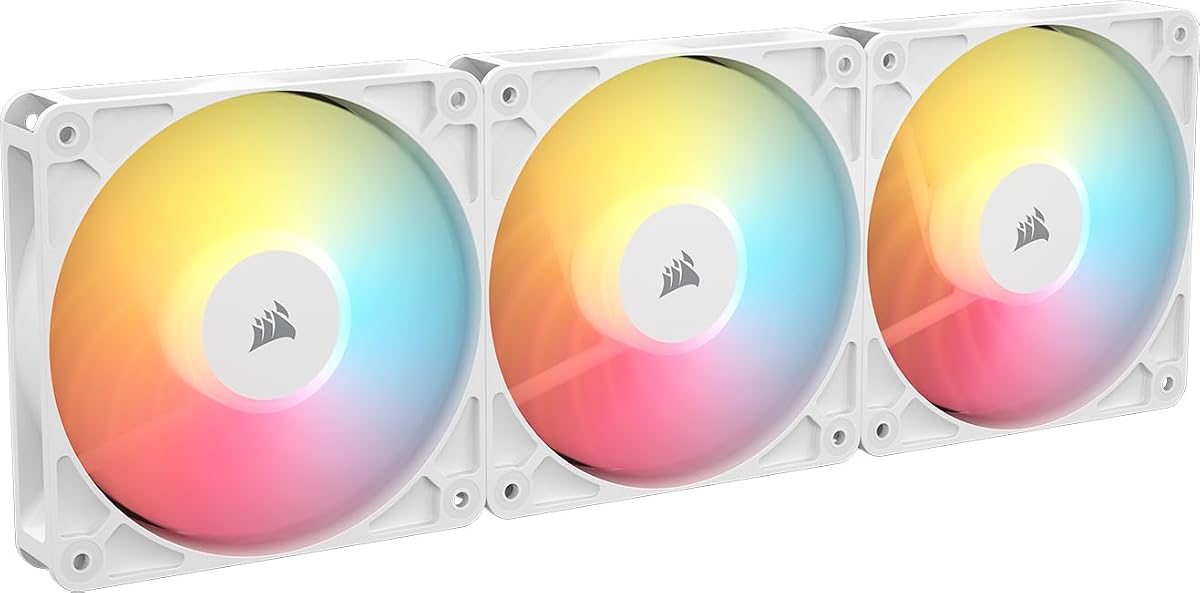
Corsair RS120-R ARGB Reverse Triple Pack White
4.7Editor score
Reverse rotor for visible lighting
Daisy-chain connection support
High static pressure for radiators
Discover the top 10 Corsair case fans for 2026. Compare specs, RGB lighting, airflow, and real user ratings to find the perfect cooling solution.
Choosing the right cooling solution is essential for any PC build. Corsair offers a wide range of case fans designed to balance performance, noise, and aesthetics. Their models often feature advanced bearing technology and customizable lighting to match your setup perfectly.
This guide compares ten distinct Corsair fan options based on real product data and user feedback. We evaluated airflow performance, static pressure capabilities, noise levels, and ease of installation. Each selection highlights specific use cases from budget builds to premium RGB setups.
Every pick includes detailed specifications and honest pros and cons to help you decide. Note that availability and pricing can fluctuate over time. Check the latest listings before purchasing to ensure you get the best value for your current build needs.
4.7Editor score

4.6Editor score

4.7Editor score
This table provides a side-by-side overview of the top Corsair case fans available this year. Compare key specs like airflow, static pressure, and lighting features to find the best fit for your chassis and cooling requirements.


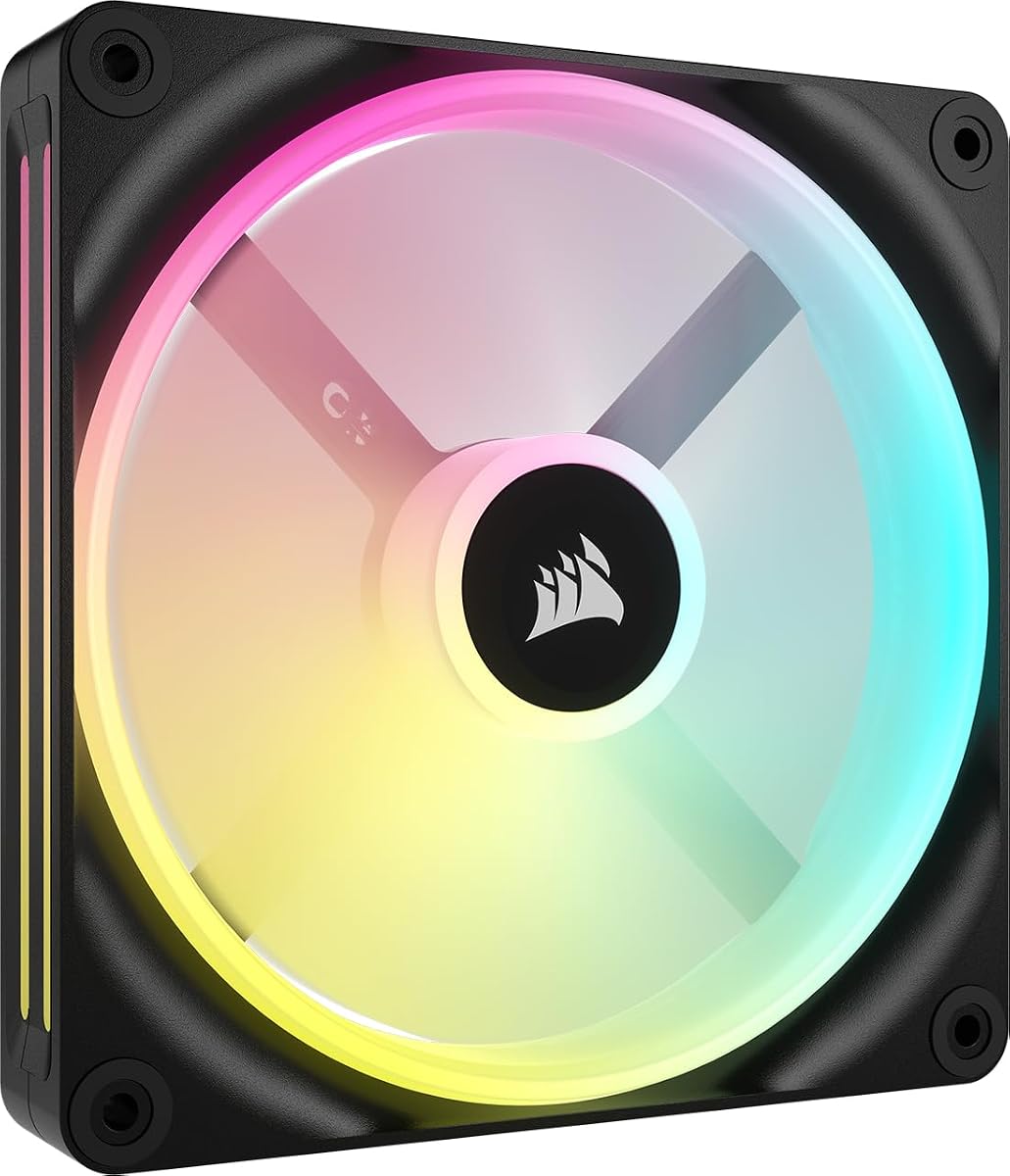


This triple pack earns our top spot for its innovative cable management and strong performance. It delivers excellent airflow and static pressure suitable for radiators or direct mounting.
We may earn a commission when you buy through this link, at no additional cost to you.
The dual light loop design with 18 LEDs per fan ensures vibrant lighting that syncs perfectly with other iCUE devices. The included iCUE Link System Hub simplifies installation by reducing cable clutter significantly.
While the iCUE software is required for full RGB customization, the performance gains and quiet operation make up for this dependency. The Magnetic Dome bearing ensures smooth running over time.
Ideal for enthusiasts who want a clean setup with high performance. It balances lighting, cooling, and simplicity better than most competitors in the market.
The iCUE Link bridge connectors allow you to daisy-chain fans directly without messy wiring.
With 5.22mm-H2O pressure, these fans push air effectively through dense radiators.
We may earn a commission when you buy through this link, at no additional cost to you.
Reverse fans solve a common aesthetic problem by ensuring lighting remains visible even when mounted as intakes. This white triple pack is one of the most affordable options that delivers on this promise.
We may earn a commission when you buy through this link, at no additional cost to you.
Each fan includes eight LEDs for customizable lighting through your motherboard. The daisy-chain connection reduces cable clutter, and the Magnetic Dome bearing keeps noise levels low.
The airflow is decent for general case cooling but slightly lower than higher-end models. However, for the price point, the unique reverse design and reliable performance offer great value.
Perfect for white-themed builds where appearance matters. It provides a budget-friendly way to upgrade both cooling and looks simultaneously.
The blades are mounted backward so the frame doesn't block the RGB ring.
The bearing design reduces friction and noise effectively at typical speeds.
We may earn a commission when you buy through this link, at no additional cost to you.
This premium triple pack combines the aesthetic benefits of reverse fans with the high-end features of the LX series. It delivers vibrant lighting and powerful cooling in a single package.
We may earn a commission when you buy through this link, at no additional cost to you.
The dual light loops create a bright, customizable ring effect. The QuikTurn Screws included in the box make installation faster and easier compared to standard screws.
Though it costs more than standard options, the combination of features justifies the price. The high static pressure makes it versatile for different mounting scenarios.
Best for users who want top-tier reverse fans without compromising on lighting or cooling. It is a robust choice for high-end black-themed builds.
Special screws allow for quick installation without losing threads or struggling with tools.
With 4.72mm H2O pressure, these fans can handle radiators and obstructed areas well.
We may earn a commission when you buy through this link, at no additional cost to you.
This pack offers straightforward performance for those who prefer standard fans with RGB lighting. It focuses on delivering solid cooling with minimal complexity.
We may earn a commission when you buy through this link, at no additional cost to you.
Airflow reaches up to 72.8 CFM, which is competitive for general case ventilation. The daisy-chain feature connects multiple fans through a single connector on your motherboard.
The lighting uses eight LEDs per fan and is customizable via ARGB headers. While it lacks the advanced features of the LX series, it provides great value for its price.
Recommended for users who prioritize cooling efficiency and ease of installation over advanced RGB features. It is a reliable choice for standard builds.
Connect multiple fans using just one PWM and one ARGB connector to save motherboard ports.
Designed with noise reduction in mind, making them suitable for quiet systems.
We may earn a commission when you buy through this link, at no additional cost to you.
This black variant of the reverse fan series offers the same benefits as the white version but fits black builds better. It provides a clean look with visible lighting.
We may earn a commission when you buy through this link, at no additional cost to you.
The eight LEDs per fan can be controlled via standard ARGB headers. The reverse rotor ensures that even when mounted as intake, the lighting remains unobstructed.
Airflow is adequate for general use, though not as high as some premium options. The Zero RPM mode helps keep noise down during light loads.
An excellent choice for black-themed builds that need reverse fans. It balances cost and functionality effectively for most users.
This bearing technology reduces friction and ensures long lifespan for the fan motor.
Despite being a reverse fan, it maintains enough pressure for standard cooling tasks.
We may earn a commission when you buy through this link, at no additional cost to you.
This 140mm single fan provides excellent airflow for those with larger chassis slots. It is designed to work seamlessly with the iCUE Link ecosystem.
We may earn a commission when you buy through this link, at no additional cost to you.
With 34 RGB LEDs, it offers rich lighting effects like Time Warp when connected to a hub. The airflow reaches 82.5 CFM, which is powerful for a single fan.
While it supports Zero RPM mode, the need for a hub might increase the total cost. However, the cooling performance is strong for high-end setups.
Ideal for users needing a single large fan replacement or expansion. It delivers quiet performance and vibrant lighting.
The 140mm size allows it to move more air than standard 120mm fans efficiently.
The bearing reduces friction significantly, ensuring smooth and quiet operation.
We may earn a commission when you buy through this link, at no additional cost to you.
This thick fan moves massive amounts of air while spinning slower than standard fans to reduce noise. It is designed for high-pressure cooling tasks like radiators.
We may earn a commission when you buy through this link, at no additional cost to you.
At 102.9 CFM, it outperforms most other options in terms of pure volume. The 5mm thickness allows larger blades to move more air at lower RPMs.
While it offers great performance, its thickness may limit fit in smaller cases. The lighting includes eight LEDs and a window for side visibility.
Best for white builds needing maximum cooling power. It is an excellent choice for water-cooled systems with thick radiators.
The thicker fan allows for larger blades, moving more air at lower speeds.
Slower RPMs produce less noise while maintaining high airflow performance.
We may earn a commission when you buy through this link, at no additional cost to you.
This thick 120mm fan is built to handle high-density radiators and restrictive spaces. It delivers strong static pressure in a compact 120mm size.
We may earn a commission when you buy through this link, at no additional cost to you.
Constructed from Liquid Crystal Polymer, the blades are rigid and resistant to vibration. The 4.2mm-H2O pressure rating ensures effective air movement through obstacles.
It uses a standard PWM header instead of iCUE Link, making it simpler to integrate with older boards. The 30mm thickness means it needs extra space.
Recommended for users who need high pressure in a small form factor. It is durable and effective for high-performance cooling.
This material is incredibly strong and reduces blade vibration for better efficiency.
The thick design creates 4.2mm-H2O pressure, ideal for radiator use.
We may earn a commission when you buy through this link, at no additional cost to you.
This standard RX fan provides a great balance between airflow and static pressure for daily use. It features a white frame that suits light-colored builds well.
We may earn a commission when you buy through this link, at no additional cost to you.
With 95.7 CFM airflow, it moves plenty of air through the case. The pressure rating ensures it can handle radiators effectively.
The lighting is controlled via motherboard ARGB headers or iCUE Link. It uses a Magnetic Dome bearing for smooth operation over time.
Suitable for users seeking a high-performance 140mm fan. It offers solid cooling without the bulk of MAX models.
With 3.79mm-H2O pressure, it pushes air efficiently through dense radiators.
Anti-vortex vanes direct airflow at hot components for better cooling.
We may earn a commission when you buy through this link, at no additional cost to you.
This kit offers a convenient way to add two large fans and a hub together. It simplifies the setup process for iCUE Link compatible systems.
We may earn a commission when you buy through this link, at no additional cost to you.
As a renewed product, it may have minor cosmetic issues but typically comes with a warranty. The kit includes bridge connectors for easy daisy-chaining.
You get two fans and a hub in one purchase, which saves money compared to buying separately. It is ideal for starting a Link-based RGB ecosystem.
Good for budget-conscious users wanting a complete kit. Just note the renewed status when purchasing.
Includes two fans and the necessary hub to get started immediately.
Certified to work like new, often at a lower price than brand new.
We may earn a commission when you buy through this link, at no additional cost to you.
Selecting the right fan depends on your specific needs. Below are key factors to consider before making your decision.
Airflow (CFM) measures how much air a fan moves, ideal for general case ventilation. Static pressure measures how hard a fan pushes air through resistance, making it better for radiators or dense filters. Choose high airflow for intake/exhaust and high static pressure for cooling components.
Consider your use case: high CFM for free space and high mmH2O for radiators.
Standard RGB fans use 4-pin headers and cannot be individually addressed for color. ARGB fans use 3-pin headers and allow individual LED control for complex effects. Check your motherboard header type to ensure compatibility.
Match the fan connector type to your motherboard to avoid compatibility issues.
Most cases take 120mm or 140mm fans. Some support thicker fans like 30mm versions. Ensure your case has enough space and the correct screw holes. Thicker fans may not fit standard mounts without modification.
Always verify the maximum supported fan size in your case specs before buying.
Noise is measured in decibels (dB). Look for models with dB ratings below 30dB for quiet operation. Bearing type also affects noise; Magnetic Dome or fluid bearings are generally quieter than ball bearings.
Lower dB ratings ensure a quieter environment especially at higher RPMs.
Standard PWM connectors allow individual fan connections. Daisy-chain connectors allow multiple fans to share one header. iCUE Link systems use bridge connectors for a single cable connection via a hub. Choose based on cable management needs.
Cable management options impact build cleanliness and motherboard port usage.
The bearing type impacts lifespan and noise. Magnetic Dome bearings are durable and quiet. Fluid dynamic bearings offer low friction and long life. Sleeve bearings are cheaper but may wear out faster.
Prefer Magnetic Dome or fluid bearings for longevity and quiet performance.
Prices vary based on features like RGB, hub inclusion, and thickness. Budget packs offer basic cooling while premium packs include software and advanced lighting. Decide your budget and necessary features before shopping.
Higher cost often brings better software integration and lighting options.
Corsair fans often work best with iCUE software. It allows detailed control over speed and lighting effects. Ensure your motherboard supports your fan type or plan to buy a hub.
Check software requirements to confirm ease of control.
Install fans by securing them with screws at all corners to prevent vibration. Ensure the arrow on the frame points in the direction you want airflow. Connect PWM or ARGB cables carefully to avoid damaging the header.
Use software like iCUE to set fan curves. This allows fans to spin faster only when needed keeping noise down during idle. Regularly check for dust buildup on blades and filters.
Clean fans with compressed air monthly to maintain performance. Dust can block airflow and increase noise over time. If fans wobble, check screw tightness or replace if necessary.
Most Corsair fans use standard PWM or ARGB headers that work with any motherboard. However, iCUE Link fans require a hub for full features. Always check if your board has the right connectors before buying specialized models.
RGB fans use 4-pin connectors and change color together. ARGB fans use 3-pin connectors and control individual LEDs for effects. Check your motherboard headers to ensure compatibility before purchasing.
Yes many Corsair fans have high static pressure suitable for radiators. Models like the RS MAX and RX series are designed specifically for pushing air through dense cooling blocks.
iCUE Link uses bridge connectors to connect fans directly to each other and a hub. This reduces cable clutter by using a single cable for power and data instead of multiple individual wires.
Most Corsair fans come with a 2 to 4 year warranty depending on the model. Always check the product page for specific terms. Renewed products may have different warranty coverage.
Most builds need at least one intake and one exhaust. For water cooling or heavy use add fans to radiators. Consider airflow balance to avoid pressure issues and dust buildup.
We have covered ten distinct Corsair fans ranging from budget triple packs to premium single fans. The LX series stands out for cable management while the RS-R series offers great reverse aesthetics.
Prioritize airflow and pressure based on your case size and cooling needs. If lighting is a major factor, consider iCUE Link models for easier control and sync.
Prices and availability can change so always check current listings before buying. Verify your motherboard compatibility to ensure you get the best value and performance for your setup.