
Corsair iCUE Link QX120 RGB
4.4Editor score
Exclusive Time Warp lighting mode
Includes System Hub bridge connectors
Magnetic Dome bearing technology
Discover the top Corsair fans for cooling and style. Compare specs, ratings, and features across 10 models to find your perfect PC airflow solution today.
Finding the right cooling solution for your personal computer is essential for maintaining peak performance and hardware longevity. Corsair offers a wide range of high-quality fans designed to handle everything from silent operation to extreme thermal loads with precision engineering and aesthetic appeal.
We have carefully evaluated ten distinct models from the Corsair lineup based on their airflow capabilities, noise levels, build quality, and connectivity features. Our analysis focuses on real-world performance metrics, user feedback, and the specific technologies that differentiate each fan series in today’s competitive market.
Each pick in this guide highlights specific strengths such as reverse rotor designs, advanced RGB lighting, or unique link connectivity systems. Please note that availability and pricing can fluctuate frequently, so checking the latest details directly on the product pages is always recommended before making a final decision.
4.4Editor score

4.7Editor score
4.7Editor score
This side-by-side comparison allows you to quickly assess the key specifications and features across all ten models reviewed in this guide. Whether you prioritize airflow volume, static pressure for radiators, or advanced lighting integration, this table provides a clear overview to help narrow down your choices based on your specific system requirements.


The CORSAIR iCUE Link RX120 RGB represents the pinnacle of cooling performance and aesthetic integration in modern PC builds. With an impressive rating of 4.7 stars from users, these fans are celebrated for their ability to move significant air volume while maintaining a quiet operation profile. The standout quality lies in their ability to balance raw cooling power with the sleek connectivity that reduces cable clutter behind the motherboard tray.
We may earn a commission when you buy through this link, at no additional cost to you.
At the core of this model is the advanced AirGuide technology which directs airflow precisely where it is needed most, such as through dense radiator fins. This ensures that the thermal efficiency of your liquid cooling system is maximized without the need for aggressive fan speeds that would generate excessive noise. The inclusion of magnetic dome bearings further enhances longevity by reducing friction and minimizing operational noise over time.
One trade-off to consider is the dependency on the iCUE Link System Hub for full functionality. While the bridge connectors streamline wiring significantly, users without this hub may not be able to utilize the full potential of the daisy-chain features. However, for those investing in a high-end build, the initial investment pays off through cleaner cable management and easier expansion of future fan sets.
This fan set is ideal for enthusiasts who prioritize both thermal performance and visual customization in their gaming or workstation PCs. It is particularly well-suited for systems with large radiators that demand high static pressure to push air through restrictive structures. Ultimately, the RX120 RGB stands as a top recommendation for anyone seeking a reliable and stylish cooling solution.
The combination of high CFM and static pressure ensures that heat is expelled rapidly from critical components like the CPU and GPU.
Connecting multiple fans requires only a single cable to the hub, dramatically reducing wire clutter and improving airflow paths.
We may earn a commission when you buy through this link, at no additional cost to you.
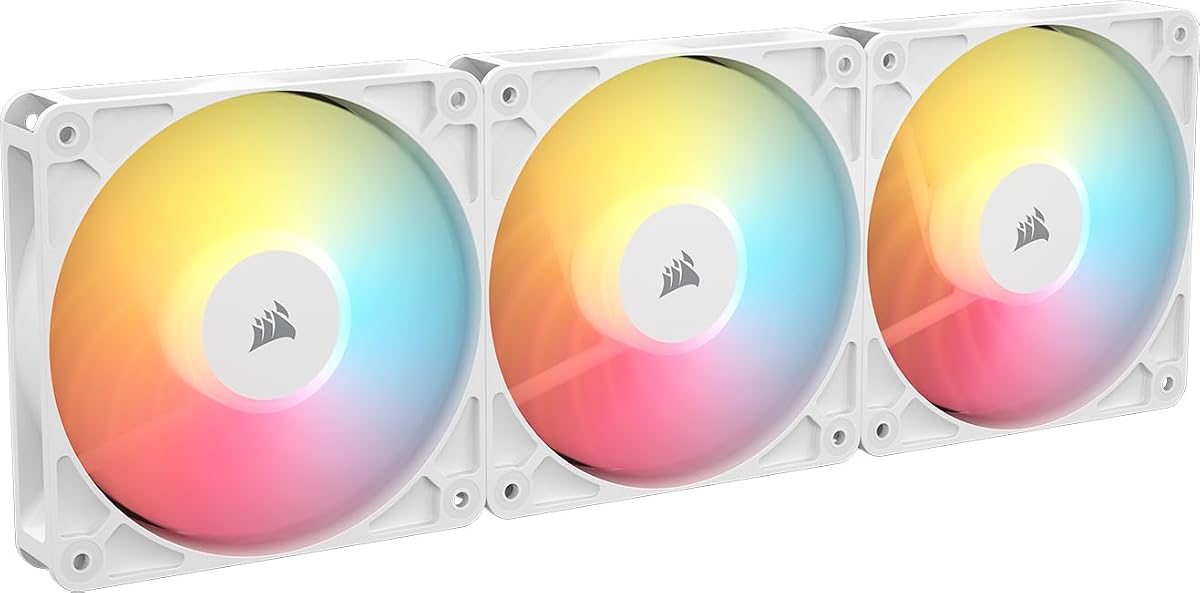
The QX120 RGB model is positioned as a premium offering within the Corsair lineup, focusing heavily on advanced lighting features and system integration. With a user rating of 4.4 stars, it is appreciated for its comprehensive starter kit that includes the necessary hub to manage multiple components efficiently. The standout quality is its unique Time Warp lighting mode which creates stunning visual effects that synchronize across the system.
We may earn a commission when you buy through this link, at no additional cost to you.
Performance-wise, these fans offer robust cooling capabilities with a static pressure rating that handles radiator mounts effectively. The magnetic dome bearing technology ensures that the fans run smoothly and quietly even at lower speeds, thanks to the Zero RPM mode which stops the fans when cooling is not critically needed. This contributes to a much quieter ambient environment during light usage tasks.
While the pricing is higher than standard fan options, the inclusion of the system hub and bridge connectors provides significant value by simplifying the build process. The main drawback is the potential requirement for specific compatible hardware to fully leverage the iCUE ecosystem features. Users without a compatible motherboard or existing iCUE setup might find the investment slightly steep compared to basic PWM fans.
This kit is best suited for users building a high-end gaming PC who want to showcase their system with synchronized lighting and clean cabling. It is an excellent choice for those who value a complete out-of-the-box solution that minimizes the complexity of managing multiple fan cables. The QX120 RGB delivers a premium experience that justifies its cost through superior design and functionality.
With 34 LEDs per fan and exclusive lighting modes, users can create a truly unique and immersive visual experience.
The inclusion of the hub and connectors means no extra purchases are needed to start managing your cooling ecosystem.
We may earn a commission when you buy through this link, at no additional cost to you.
The RS120-R ARGB Reverse fans offer a compelling entry point into high-quality cooling with a focus on aesthetic design and affordability. Holding a strong rating of 4.7 stars, these fans are highly rated for their reverse rotor design which allows lighting to be viewed clearly even when installed as intakes. The standout quality is their ability to provide a clean look without the premium price tag of more complex RGB systems.
We may earn a commission when you buy through this link, at no additional cost to you.
These fans deliver reliable airflow performance with speeds adjustable up to 2100 RPM to ensure adequate cooling under load. The magnetic dome bearing technology helps to maintain quiet operation, and the support for Zero RPM mode means they remain silent during idle periods. This combination of features makes them a versatile option for a wide range of system configurations and budgets.
One limitation is that they rely on standard motherboard PWM and ARGB headers rather than proprietary hubs. While this is sufficient for most users, it does require more cables to be managed in the case compared to daisy-chain systems. However, for budget-conscious builders or those who prefer standard components, this is a minor trade-off for the significant cost savings.
These fans are ideal for users looking to upgrade their case airflow or add visual flair to a build without breaking the bank. They are particularly recommended for white builds where the reverse rotor ensures the lighting shines through the front of the case seamlessly. The RS120-R series proves that affordable options can still deliver high performance and solid build quality.
The reverse rotor design ensures that the motor hub does not obstruct the lighting view, providing a cleaner look from the front.
Despite the lower price, the fans still offer high static pressure and reliable bearings suitable for demanding thermal tasks.
We may earn a commission when you buy through this link, at no additional cost to you.
The LX120 RGB series is a powerful contender in the mid to high-end market, offering a balance between cooling performance and lighting aesthetics. With a rating of 4.6 stars, users appreciate the inclusion of the iCUE Link System Hub which simplifies the installation process significantly. The standout quality is the high static pressure rating which makes these fans exceptional for use with radiators and other restrictive air pathways.
We may earn a commission when you buy through this link, at no additional cost to you.
The dual light loops feature allows for more complex lighting designs, enabling users to create layered visual effects across their build. AirGuide technology further enhances efficiency by directing air to specific hot spots within the chassis. These features combine to ensure that the system stays cool even under heavy gaming or rendering loads while maintaining a visually appealing setup.
One downside is the reliance on the proprietary iCUE Link system which can limit flexibility if you plan to mix with non-Corsair components. Additionally, the hub requires its own power connection which might add to the clutter inside the case if not managed well. For those dedicated to the Corsair ecosystem, however, this is a minimal concern compared to the benefits gained.
This model is a strong choice for builders who want a complete package that includes all necessary connectivity components. It is well suited for those who prioritize high static pressure for liquid cooling radiators and want robust lighting features. The LX120 RGB offers a reliable and efficient solution that meets the demands of modern high-performance PCs.
The high static pressure allows these fans to push air through dense fin stacks effectively preventing heat buildup in the coolant.
The dual loops provide more customization options for lighting patterns and colors ensuring a unique look for your PC.
We may earn a commission when you buy through this link, at no additional cost to you.
The RS120 ARGB triple pack offers a straightforward and effective solution for users looking to upgrade their case fans without high costs. It holds a solid rating of 4.6 stars from customers who value its high airflow capacity and simple connectivity features. The standout quality is its daisy-chain capability which allows multiple fans to be controlled through a single header connection.
We may earn a commission when you buy through this link, at no additional cost to you.
These fans utilize magnetic dome bearings to ensure smooth operation and minimize noise levels during use. The airflow rating of 72.8 CFM ensures that heat is moved out of the case efficiently maintaining a healthy thermal environment for internal components. The low noise profile is particularly beneficial for users who prefer a quieter computing environment during daily tasks or media consumption.
A potential trade-off is the lack of advanced proprietary hub features found in higher-end models. This means you are relying on your motherboard's headers for control which can be limiting if you have many fans. However, the simplicity of the setup makes it an easy plug-and-play upgrade for most standard desktop cases without needing extra software or hardware.
These fans are ideal for budget builds or upgrades where pure airflow and simplicity are the main priorities. They are also suitable for users who do not require advanced lighting effects or complex ecosystem integration. The RS120 ARGB pack delivers reliable cooling performance at a price point that is accessible to a wide range of PC builders.
With high CFM ratings these fans move air through the case quickly to keep temperatures low even with minimal resistance.
The daisy-chain design reduces the number of cables required connecting multiple fans with one plug and keeping the system tidy.
We may earn a commission when you buy through this link, at no additional cost to you.
The RS120 MAX is a specialized fan designed to maximize cooling efficiency through increased thickness and robust construction. It achieves a rating of 4.6 stars due to its ability to handle high static pressure environments such as dense radiators or restrictive filter setups. The standout quality is its 30mm thickness which allows for larger blades and more efficient airflow generation at lower speeds.
We may earn a commission when you buy through this link, at no additional cost to you.
Constructed from liquid crystal polymer the fan frame and blades offer exceptional durability and rigidity. This material reduces vibration and increases performance stability ensuring that the fan maintains its efficiency over years of use. The PWM control provides precise speed adjustments allowing users to optimize the balance between noise and cooling performance in real time.
One limitation is that it is sold as a single fan which might be less convenient than buying a pack for a full case upgrade. Additionally the increased thickness requires compatible mounting points that can accommodate the extra depth. For users with standard cases these fans are excellent replacements for intake or exhaust points that need extra push.
This fan is best suited for system integrators and enthusiasts who need to push air through difficult obstacles like thick radiators. It is also ideal for those looking to replace a failing fan with a more robust and durable option. The RS120 MAX provides a focused performance advantage that justifies its specialized design and build quality.
The thicker profile allows for more blade surface area moving more air through restrictive filters or radiator fins with less effort.
Liquid crystal polymer construction ensures longevity and resistance to physical stress keeping the fan performing well over time.
We may earn a commission when you buy through this link, at no additional cost to you.
The RS120-R ARGB reverse model focuses on aesthetics by flipping the blade orientation to reveal the lighting fully when mounted as an intake. With a rating of 4.6 stars, users love the clean look this provides which eliminates the visible motor hub from the front of the case. The standout quality is this unique reverse rotor design which enhances the visual appeal of any build significantly.
We may earn a commission when you buy through this link, at no additional cost to you.
Performance remains strong with airflow capabilities that handle standard cases effectively. The magnetic dome bearing ensures quiet operation and the Zero RPM mode keeps the system silent during low load periods. This balance allows for a cool and quiet system that also looks great from the front panel without compromising on thermal management.
A trade-off involves standard RGB connectivity which requires separate power cables for the lights if not using the daisy-chain. This might add some wire clutter for beginners who are not familiar with cable management techniques. Despite this the aesthetic benefit of the reverse design often outweighs the minor complexity of the wiring for most users.
These fans are perfect for builders who want a stylish upgrade without spending on high-end custom loops or RGB hubs. They are especially good for white or black builds where a clean front intake is desired. The RS120-R series offers a unique blend of form and function that stands out in a crowded market.
By removing the central hub obstruction the lighting on the blades is fully visible creating a more uniform and bright effect.
Despite the design twist these fans work with standard PWM and RGB headers making them versatile for many system configurations.
We may earn a commission when you buy through this link, at no additional cost to you.
The LX120-R RGB combines reverse aesthetics with powerful cooling and advanced lighting loops for a premium experience. Holding a strong rating of 4.7 stars, this kit is praised for its dual light loops which offer deeper lighting effects than standard rings. The standout quality is its ability to deliver high static pressure while maintaining a visually stunning reverse rotor appearance.
We may earn a commission when you buy through this link, at no additional cost to you.
Included in the kit is the iCUE Link System Hub which ensures that the fans are easy to install and manage without a mess of cables. The high static pressure rating makes it excellent for radiators ensuring that the liquid cooling system operates at peak efficiency. The magnetic dome bearing technology contributes to a quiet and smooth operation across various speed settings.
One potential downside is the cost which can be higher than other options due to the inclusion of the hub and advanced lighting features. Additionally the reverse design might limit orientation options slightly compared to standard fans. For enthusiasts who want the best of both worlds visually and thermally, these trade-offs are usually acceptable.
This kit is ideal for those building a high-end gaming rig that needs strong cooling and impressive visual presence. It is particularly recommended for cases with large front intakes where the reverse rotor can be fully appreciated. The LX120-R RGB is a top choice for users who demand both performance and aesthetic excellence in their cooling components.
The dual light loops create a layered lighting effect that looks vibrant and detailed even from a distance.
The high static pressure ensures that air is pushed effectively through dense radiator fins maintaining optimal temperatures.
We may earn a commission when you buy through this link, at no additional cost to you.
The RX360 II fans are designed as a unified triple unit which simplifies the installation of large 360mm radiators. With a rating of 4.0 stars, users appreciate the unified frame that reduces cable clutter behind the fan and improves airflow smoothness. The standout quality is the unified routing of power and data through the frame which makes mounting cleaner and easier.
We may earn a commission when you buy through this link, at no additional cost to you.
Performance features include precise PWM control with headroom up to 2100 RPM for demanding thermal scenarios. The support for Zero RPM mode ensures that the fans remain silent when the system is idle or under light load. Magnetic Dome bearings further contribute to low noise operation and durability by reducing friction during fan spin.
One consideration is that the fans require a compatible hub for full iCUE connectivity and are sold as a specific unified block. This might limit flexibility for custom loop builders who prefer individual fans. However, for pre-built support or standard setups, the unified design is a significant advantage in terms of ease of installation.
These fans are best suited for users looking to upgrade to a large radiator cooling system without dealing with multiple cables. They are ideal for clean build aesthetics where the fan frame integrates perfectly with the radiator mounts. The RX360 II offers a streamlined approach to cooling that balances convenience and performance well.
The single frame design ensures a sleek look with no visible wires running between individual fans on the radiator.
With speeds up to 2100 RPM the fans can ramp up quickly to handle sudden temperature spikes in the system.
We may earn a commission when you buy through this link, at no additional cost to you.
The RX140 MAX fans offer high cooling capacity in a large 140mm format that is ideal for cases with wide mounting spots. With a rating of 4.5 stars, users value the high airflow and thick design that moves air efficiently. The standout quality is the combination of the thick profile and the included hub which simplifies installation and control for larger fans.
We may earn a commission when you buy through this link, at no additional cost to you.
The 5mm thicker blade design allows for high airflow at lower speeds which reduces noise while maintaining thermal performance. Magnetic dome bearings ensure smooth and quiet operation over the long term. The static pressure rating is suitable for pushing air through radiators and filters ensuring that heat is removed effectively from the system.
One limitation is the 140mm size which might not fit in all standard cases without checking specific clearance requirements. Also the thicker design might restrict placement in tight spaces behind graphics cards. For cases that support this size, however, these fans are a significant upgrade over standard smaller options.
This dual pack is best for users who want to maximize airflow in a high-end case with room for large fans. It is ideal for those who value a balance of silence and cooling power without complex lighting features. The RX140 MAX provides a robust and efficient solution for serious cooling needs in spacious PC chassis.
The 140mm size moves more air per rotation than smaller fans allowing for quieter and more efficient cooling solutions.
Including the system hub means these fans are ready to use with the iCUE ecosystem immediately after purchase.
We may earn a commission when you buy through this link, at no additional cost to you.
Selecting the right fans for your computer requires understanding several technical factors to ensure compatibility and optimal performance. This guide outlines the key considerations to help you make an informed decision based on your specific cooling needs and aesthetic preferences.
Airflow (CFM) measures how much air a fan can move per minute and is crucial for moving heat out of the case. Static pressure is the force exerted on air as it flows through restrictions like radiators or filters and is essential for liquid cooling systems. Look for fans with high CFM for general case ventilation and high static pressure for radiator mounts.
Prioritize high CFM for exhaust and intake fans in open cases and high static pressure if you plan to use a liquid cooler with dense fins.
Fans come in various sizes such as 120mm and 140mm which dictate how they fit in your case. Check your motherboard case and radiator specifications to ensure the fans you choose will physically fit without obstruction. Using the wrong size can lead to mounting issues or inefficient cooling.
Always measure your mounting points before buying to ensure the fans will fit properly into your case or radiator slots.
The bearing type affects the lifespan and noise levels of the fan significantly. Magnetic Dome bearings are durable and reduce friction at low speeds offering quieter operation and longer life. Avoid basic sleeve bearings if you need silent or long-lasting performance for a demanding system.
Invest in fans with magnetic or fluid dynamic bearings for better durability and reduced noise during operation.
Modern Corsair fans often use proprietary hub connections like iCUE Link to reduce cable clutter. Standard fans use PWM and RGB headers which require more cables and connectors. Consider your preference for a tidy build versus standard compatibility when selecting fans.
Choose hub-based systems for cleaner builds and standard headers if you prefer universal component compatibility.
Noise is a critical factor for users who want a quiet environment during use. Higher RPM fans move more air but can be louder. Look for models with Zero RPM modes that stop fans when cooling is not needed to ensure silence during idle periods.
Select fans with lower maximum RPM for quiet operation or ensure they have a Zero RPM feature to avoid noise at low loads.
RGB lighting is a key feature for many PC builders who want visual customization. Corsair offers models with dual light loops or reverse rotor designs for specific looks. Ensure your motherboard or software can control the lighting effects you desire before purchasing.
Choose reverse rotor or dual loop designs if you want visible lighting when mounted as intake and check software compatibility.
Prices vary widely from budget triple packs to premium kits with hubs. Balance your budget with the features you need to get the best value. High-end models offer better connectivity and performance but standard packs provide reliable cooling at a lower cost.
Determine your budget early and prioritize essential features like airflow and pressure over decorative elements if funds are limited.
If you use Corsair peripherals or a specific ecosystem, ensure the fans integrate well with your existing setup. Software support like iCUE allows for better synchronization and control across your system components. Verify that your system can support the necessary software updates and features.
Ensure your PC software environment supports the iCUE app for full control over lighting and performance if using advanced fans.
Install fans carefully by securing them with screws or clips to avoid vibration. Ensure that the airflow direction is correct usually pushing air towards your components for intake or away for exhaust.
Connect your fans to the correct headers on your motherboard or hub. For PWM control use the appropriate fan header and for RGB lighting use the 3-pin or 4-pin RGB header as supported.
Regularly clean dust from the fan blades and filters to maintain efficiency. Dust buildup can restrict airflow and increase noise levels so periodic cleaning helps keep your system running smoothly.
Standard fans have the motor hub in the center which can block lighting when mounted as intake. Reverse rotor fans flip the blade orientation so the motor is hidden and lighting is visible from the front.
Yes, iCUE Link fans require the iCUE Link System Hub to function properly. This hub allows you to connect multiple components with a single cable and control them via software.
Check your case manual or manufacturer specifications for fan support sizes. Measure the mounting holes on the case frame to ensure a 140mm fan fits without blocking other components.
Static pressure measures a fan's ability to push air through restrictive elements like radiators or dust filters. High static pressure is essential for effective liquid cooling or blocked airflow areas.
Magnetic Dome bearings reduce friction and noise more effectively than standard sleeve bearings. They also tend to last longer and provide smoother operation especially at low speeds.
Use a can of compressed air to blow dust out of the fan blades and heatsinks. Avoid spinning the blades with the air can to prevent damage and ensure the PC is powered off before cleaning.
The ten models reviewed here offer a wide range of options to suit different performance needs and aesthetic preferences. From the budget-friendly RS120-R ARGB to the premium iCUE Link RX120 RGB there is a solution for every type of build.
Prioritize the features that matter most to you such as airflow volume static pressure or lighting customization. Ensure you check compatibility with your existing hardware before making a final purchase decision.
Prices and availability are subject to change so always verify the current offers on the product pages before buying. Investing in quality fans will pay off in better performance and a more comfortable computing experience.