
SOLAKAKA A99 Pro
4.5Editor score
LCD screen display
Full hot-swappable support
Customizable web driver
Discover the top 10 creamy keyboards for smooth typing and thocky sound. Compare features, ratings, and layouts to find your perfect match today.
Creamy keyboards have become a staple for enthusiasts who value smooth tactile feedback and satisfying acoustic profiles. These boards often feature gasket mounts and pre-lubed switches to deliver a premium feel that reduces fatigue during long sessions.
We compared ten top-rated models based on connectivity, build quality, and sound dampening features. Each product was evaluated for its switch type, layout efficiency, and overall user experience to ensure a reliable recommendation for any setup.
Every pick includes detailed specs and real user feedback to help you make an informed decision. Prices and availability fluctuate frequently, so check the current listings before purchasing to secure the best deal for your needs.
4.5Editor score

4.8Editor score

4.6Editor score
This side-by-side comparison highlights key specifications across all ten models to help you quickly identify which board matches your specific requirements for layout, connectivity, and sound profile.


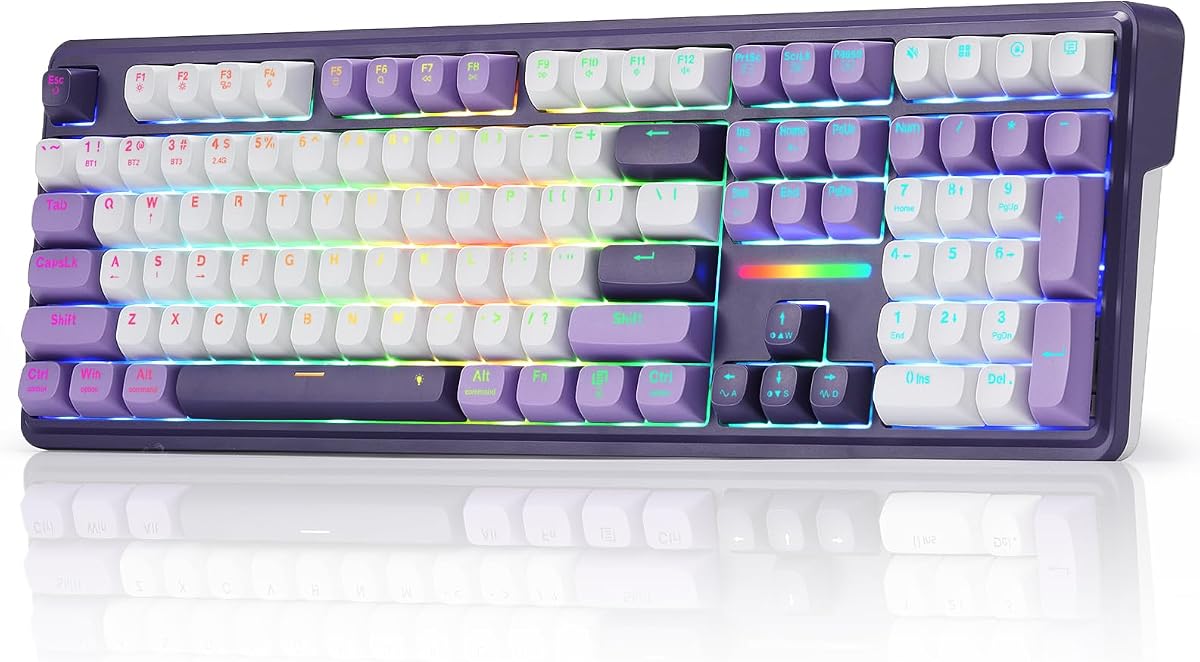


The YUNZII B98 PRO stands out as the top choice for those seeking a premium creamy keyboard experience. With a 4.8 user rating, it offers a blend of office efficiency and gaming versatility that few competitors match.
We may earn a commission when you buy through this link, at no additional cost to you.
Its gasket mount and five-layer filling structure create a uniquely smooth typing feel that minimizes noise and vibration. The inclusion of QMK/VIA support allows for deep customization, making it ideal for power users.
While the price is higher than budget options, the durability and battery life justify the investment. Users appreciate the ability to swap knobs and switches to fit personal preferences.
This keyboard is perfect for professionals and enthusiasts who want a reliable daily driver with high customization potential. It delivers a polished experience that enhances productivity.
Choose between a playful cat knob or a metal knob to match your desk aesthetic while controlling volume and media effortlessly.
Switch seamlessly between up to five devices using Bluetooth, 2.4GHz wireless, or USB-C to keep your workflow uninterrupted.
We may earn a commission when you buy through this link, at no additional cost to you.
The SOLAKAKA A99 Pro introduces a unique LCD display that shows system stats like battery and time directly on the board. This visual aid adds a layer of convenience that enhances the user experience significantly.
We may earn a commission when you buy through this link, at no additional cost to you.
With a robust gasket structure and five layers of padding, the typing sound is rich and muted. The metal knob provides a tactile premium touch that complements the high-quality build.
Although it requires a wired connection for the web driver, the ability to customize macros and lighting without bulky software is a significant advantage. Users value the straightforward setup.
Ideal for tech enthusiasts who want visual feedback and a modern aesthetic. This keyboard balances innovation with classic mechanical typing satisfaction.
See battery levels and connection modes instantly without checking your computer screen for better workflow management.
Access deep customization online to map keys and add GIFs without needing to install heavy desktop software.
We may earn a commission when you buy through this link, at no additional cost to you.
The HUO JI E-Yooso offers a budget-friendly entry into creamy mechanical keyboards without sacrificing essential features. Its 4.6 rating reflects strong user satisfaction with the typing feel and sound.
We may earn a commission when you buy through this link, at no additional cost to you.
Built with a gasket structure and five layers of foam, it effectively dampens noise to create a thocky sound. The hot-swappable PCB allows future customization as your skills grow.
While it lacks wireless connectivity, the wired reliability ensures zero lag during intense gaming sessions. The 96% layout saves desk space while keeping the number pad.
This is the ideal choice for students or home users seeking quality on a tight budget. It proves you don't need to spend a fortune for a smooth typing experience.
Five layers of sound-absorbing foam reduce hollow noise for a solid sound on every keystroke.
Change switches easily without soldering to tailor the tactile feel to your specific preferences.
We may earn a commission when you buy through this link, at no additional cost to you.
The AULA F75 is a standout compact option that delivers creamy sounds in a space-saving design. Its 4.6 rating highlights its success as a wireless gaming keyboard.
We may earn a commission when you buy through this link, at no additional cost to you.
The pre-lubed linear switches provide a buttery smooth feel right out of the box. With five layers of filling silencer, the acoustic profile is rich and consistent.
While the 75% layout might take time to get used to, it frees up valuable mouse space. The multi-function knob simplifies volume and media adjustments significantly.
This board is best for gamers who want a portable yet full-featured setup. It balances performance and convenience effectively for modern desks.
Connect up to five devices via Bluetooth, 2.4GHz, or USB-C to switch between work and play quickly.
16.8 million colors with music rhythm effects bring a dynamic atmosphere to your gaming setup.
We may earn a commission when you buy through this link, at no additional cost to you.
Featuring LEOBOG Reaper switches, this variant of the AULA F75 offers a distinctively smooth linear experience. The 4.6 rating reflects the consistent quality of the mechanical switches.
We may earn a commission when you buy through this link, at no additional cost to you.
Pre-lubed stabilizers ensure that every keystroke is quiet and stable without wobbling. The gasket structure enhances the elasticity and comfort during extended typing sessions.
While it shares the same chassis as the standard F75, the switch choice makes a difference for fast-paced gaming. Users praise the responsiveness.
This keyboard is tailored for competitive gamers who need speed and precision. Its wireless reliability ensures no lag during critical matches.
Enjoy a smooth linear action that is optimized for rapid inputs and fast game responses.
Switch between modes seamlessly without pairing delays to maintain focus on gameplay or work.
We may earn a commission when you buy through this link, at no additional cost to you.
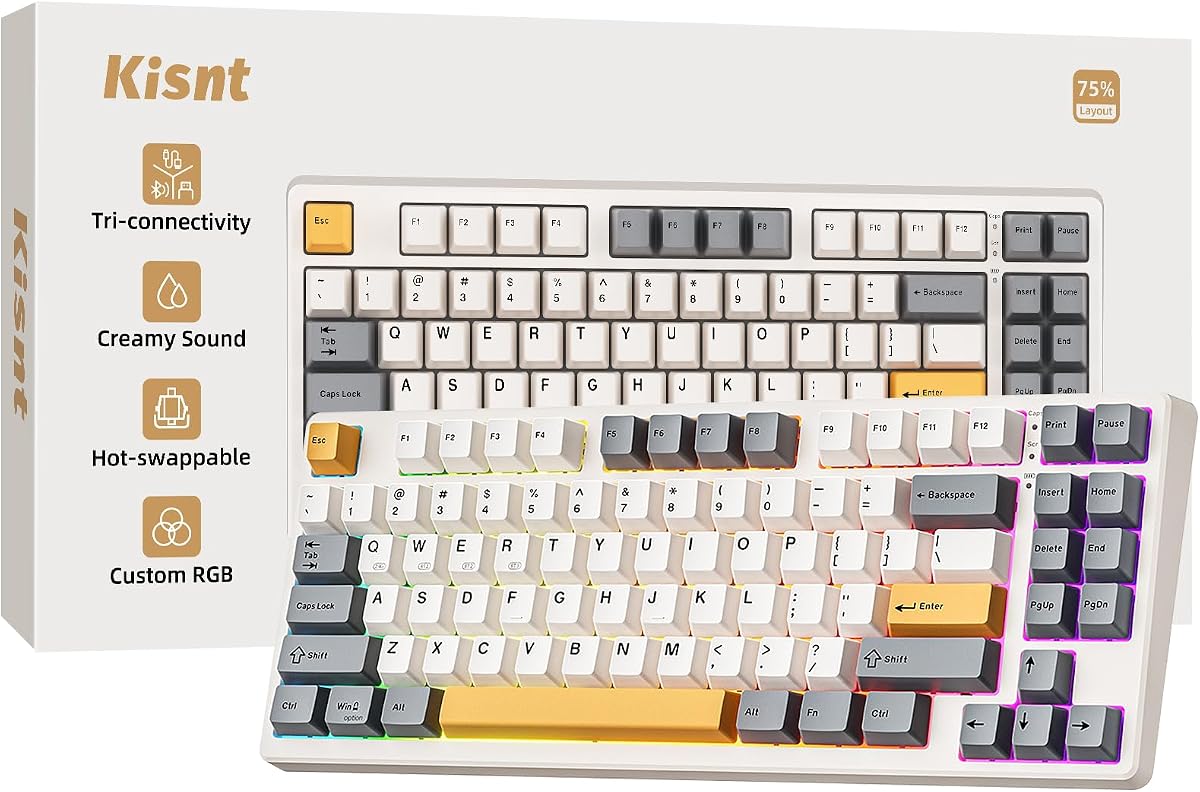
The Kisnt KN85 delivers a satisfying thocky sound thanks to its gasket mount and linear switches. Its 4.6 rating shows that users appreciate the acoustic feedback.
We may earn a commission when you buy through this link, at no additional cost to you.
The retro beige color adds a stylish touch to any desk. With a 2-year warranty, it offers peace of mind that many cheaper keyboards lack.
While the driver is Windows-only, the basic functionality works across all systems. The battery life is good but requires care to maintain longevity.
This keyboard is perfect for minimalists who value aesthetics and sound. It provides a cozy typing environment for long hours.
Absorbs harsh vibrations to produce a smooth marbly thock that is pleasant to the ears.
Vintage styling blends well with modern tech for a unique and inviting desk vibe.
We may earn a commission when you buy through this link, at no additional cost to you.
The Redragon K745 PRO brings a creamy feel to a full-size layout with essential numeric keys. Its 4.6 rating indicates strong performance in gaming scenarios.
We may earn a commission when you buy through this link, at no additional cost to you.
The see-through PBT keycaps allow RGB light to shine through cleanly while resisting wear. This durability ensures the board looks new for years.
Although it takes up more space, the dedicated hotkeys improve workflow efficiency for complex tasks. The gasket construction offers a premium bounce.
Ideal for users who need a full number pad and don't want to compromise on feel. It is a solid workhorse for daily data entry.
Retain all number pad keys for fast data entry without losing desktop space for navigation.
Enjoy vibrant lighting that resists grease and maintains a clean look over time.
We may earn a commission when you buy through this link, at no additional cost to you.
With a massive 8000mAh battery, the Redragon K768 PRO offers exceptional runtime for wireless use. Its 4.8 rating highlights its reliability for long sessions.
We may earn a commission when you buy through this link, at no additional cost to you.
The one-knob simplicity allows easy media and volume control without memorizing combos. This design reduces clutter and improves user efficiency.
Although it lacks a full number pad, it retains essential function keys. The PBT keycaps resist fading to keep the text clear.
This keyboard is ideal for travelers or users who hate frequent charging. It delivers a reliable and efficient typing experience anywhere.
Days of use between charges means you can work or game without interruption from power loss.
Adjust volume and brightness easily with a single knob to streamline your media management.
We may earn a commission when you buy through this link, at no additional cost to you.
The AULA S99 is an entry-level option that mimics the creamy feel with its membrane switches. With a 4.2 rating, it offers decent value for casual use.
We may earn a commission when you buy through this link, at no additional cost to you.
It supports macro programming which is rare at this price point. The foldable stand helps adjust the angle to reduce wrist strain.
While it lacks the precision of mechanical switches, it is durable enough for daily typing. The design allows flexible connectivity for multiple devices.
This keyboard is suitable for budget-conscious buyers who need full functionality. It is a great starting point for those exploring wireless setups.
Program complex actions into single keys to enhance efficiency even with a membrane board.
Switch between devices using Bluetooth or 2.4GHz to keep your workflow smooth and connected.
We may earn a commission when you buy through this link, at no additional cost to you.
The AULA 99 Key offers a stylish pink design with a compact layout that fits small desks. Its 4.2 rating reflects decent performance for the price.
We may earn a commission when you buy through this link, at no additional cost to you.
While it is a membrane keyboard, the RGB lighting adds a playful touch. The dual-mode knob allows easy control of volume and lighting effects.
It is not a mechanical keyboard but serves well for casual tasks. The foldable stand helps improve posture during extended use.
This board is ideal for those who prioritize style and budget. It brings a unique look to your desk setup.
Enjoy a cute and vibrant design that stands out among typical monochrome keyboards.
Save space with a 99-key design that keeps the numpad while reducing overall bulk.
We may earn a commission when you buy through this link, at no additional cost to you.
Selecting the perfect creamy keyboard involves evaluating several factors to ensure the board meets your specific needs for sound and functionality.
Creamy keyboards often use linear switches that are pre-lubed to minimize friction. This results in a smooth and quiet keystroke that is highly desired for long typing sessions. Look for manufacturers that specify lubed stabilizers to reduce rattle.
Prioritize pre-lubed linear switches for the smoothest experience.
A gasket mount allows the PCB to float inside the case, providing a softer typing feel and reducing harsh noises. This structure absorbs vibration effectively which enhances the acoustic quality. It is a key feature for achieving that signature creamy thock.
Choose a gasket mount for better sound dampening.
Consider whether you need a full-size layout with a number pad or a compact 75% design. Full-size offers maximum functionality while compact boards save desk space for mouse movement. Think about how you use your computer daily.
Select a layout that fits your desk space needs.
Wireless connectivity allows you to use Bluetooth or 2.4GHz modes for a cleaner desk. Wired USB-C ensures zero latency but limits mobility. Some models offer tri-mode options to switch between them seamlessly.
Decide on wireless freedom versus wired stability.
If you choose a wireless model, ensure the battery capacity is sufficient for your usage. Larger batteries like 8000mAh can last days on a single charge. Consider charging methods and battery indicators for convenience.
Look for high-capacity batteries for longer use.
High-quality PBT keycaps are more durable and resist grease better than ABS. This ensures your keyboard retains its texture and color over time. A solid metal frame can also add weight for stability.
Opt for PBT keycaps for durability.
Hot-swappable sockets allow you to change switches without soldering. This flexibility is great for tweaking the sound or feel as you go. Check for open-source firmware support if you need advanced macros.
Prefer hot-swap for future customization options.
Adjustable stands help maintain a comfortable wrist angle to prevent fatigue. Some keyboards include wrist rests to support your hands during long use. Proper ergonomics are essential for comfort and health.
Ensure the keyboard has adjustable ergonomics.
To keep your keyboard sounding fresh, regularly clean the keycaps with compressed air to remove dust and debris. This prevents particles from interfering with the switch feel and sound dampening materials.
If you use a mechanical keyboard, apply a small amount of lubricant to the stabilizers occasionally to reduce rattle. This simple maintenance task ensures a consistent creamy sound over years of use.
Store the keyboard in a dry environment when not in use to protect the electronic components. Avoid placing drinks near it to prevent liquid damage that could ruin the internal circuits.
A creamy sound is typically achieved through pre-lubed linear switches and a gasket mount. These components reduce friction and absorb vibration to create a smooth and satisfying acoustic profile.
Yes, creamy keyboards are excellent for gaming as they offer fast response times. The smooth switches allow for rapid inputs without noise disturbances during intense matches.
Many high-end models come pre-lubed to save you time and effort. However, advanced users can still disassemble switches for further tuning if they desire a specific sound.
The best layout depends on your needs; 96% retains the numpad while 75% saves space. Choose based on how much desk space you have and your reliance on numeric inputs.
Most models in this list are hot-swappable allowing easy switch replacement without soldering. This feature gives you the flexibility to upgrade your keyboard feel over time.
Yes, modern wireless keyboards use low latency 2.4GHz or Bluetooth 5.0 for stable performance. They are reliable enough for both office work and competitive gaming sessions.
We reviewed ten top models highlighting the YUNZII B98 PRO and SOLAKAKA A99 Pro as top contenders. Each offers a unique blend of sound quality and features for diverse needs.
When buying, prioritize gasket mount and switch lubrication to ensure a smooth typing experience. These factors directly impact the overall satisfaction of using the keyboard daily.
Remember to check current availability and pricing before making your final decision. Models can vary in stock so act quickly to secure your preferred keyboard today.