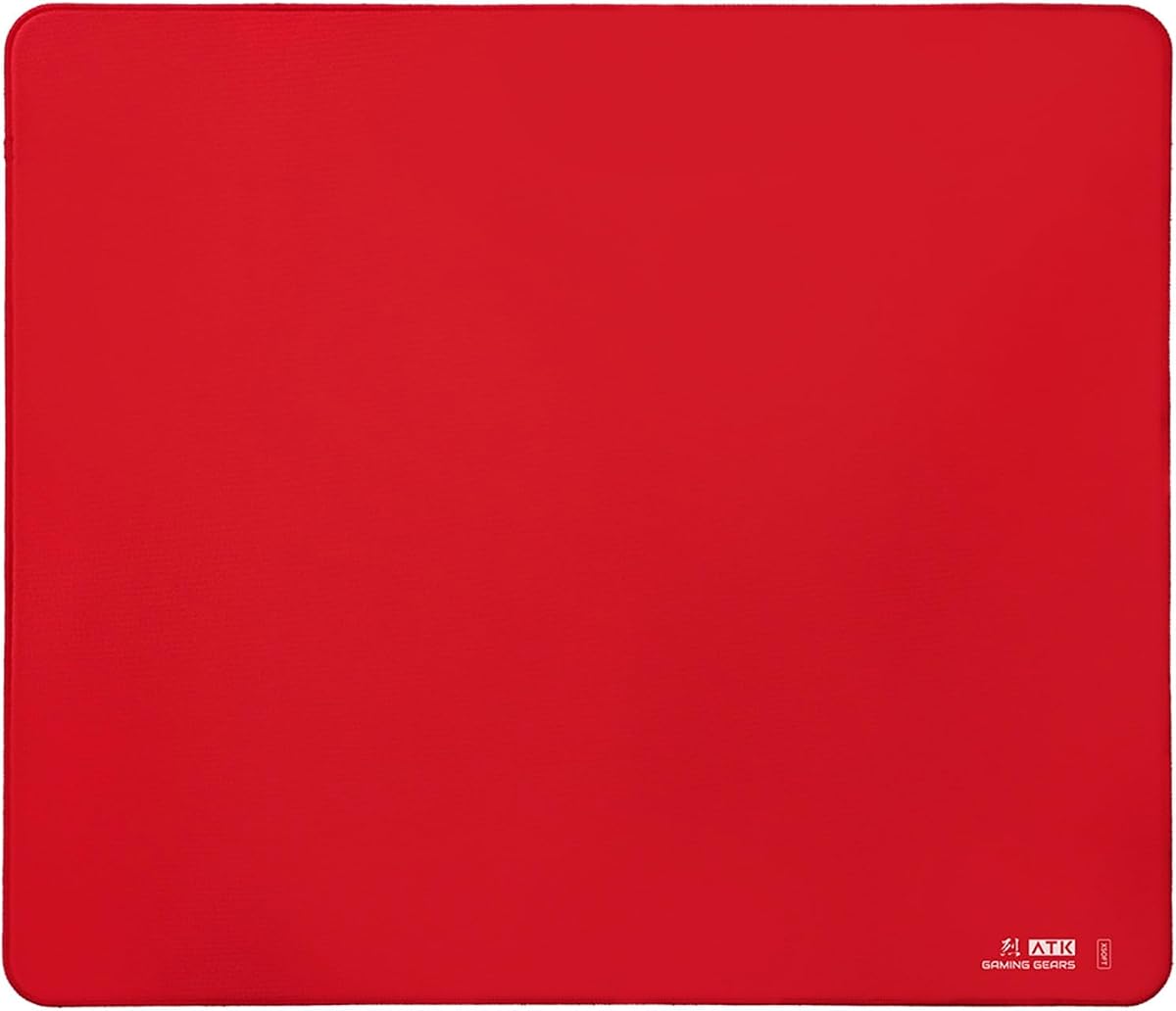
ATK Blaze XSoft Gaming Mouse Pad 490 x 420 mm – Base
5.0Editor score
Balanced composite fiber surface
XSoft custom polyurethane base
Precision recessed edge design
Finding the right mouse pad for Counter-Strike 2 is essential for competitive success. A quality surface ensures consistent tracking, smooth gliding, and precise aiming during intense matches. Whether you prefer speed or control, the right mat can significantly improve your gameplay experience.
We evaluated ten leading mouse pads designed for FPS gaming and CS2 specifically. Each product was assessed based on surface texture, build quality, size, and overall performance characteristics. This list covers diverse options from cloth to glass surfaces to suit various play styles and desk setups.
Each pick highlights key features, pros, cons, and expert insights to help you decide. Prices and availability can change, so check the current links for the most up to-date information. Our goal is to provide a clear, honest overview of the best options available this month.
5.0Editor score

4.7Editor score

4.5Editor score
As an Amazon Associate we earn from qualifying purchases.
This side-by-side comparison summarizes the key specifications and features of all ten mouse pads. It helps you quickly identify differences in material, size, surface type, and base stability to find the best fit for your needs.



This Razer Gigantus V2 Counter-Strike 2 Edition mouse pad stands out with its 4.7 rating and specialized design for elite competitive play. It features a textured micro-weave cloth surface optimized for pixel-precise accuracy across all mouse sensors. The high thread count allows for quick, fluid swipes essential in CS2.
We may earn a commission when you buy through this link, at no additional cost to you.
The thick, high-density rubber foam construction provides a sturdy foundation at 3mm thick. This ensures the mat remains uniformly flat even over imperfect surfaces. The anti-slip base is crucial for stability when things get chaotic during intense matches. It combines performance with durability effectively.
While the price is slightly higher than generic options, the targeted CS2 design and build quality justify the investment for serious players. The Dragon Lore theme may not appeal to all aesthetics, but performance remains the priority. The uniform flatness prevents tracking issues common with cheaper mats.
If you need reliable accuracy and a stable base for CS2, this pad delivers consistently. It suits players prioritizing sensor optimization and fluid movement. Consider it a solid choice for those ready to invest in a performance-oriented surface.
The textured micro-weave cloth surface is engineered specifically for consistent tracking regardless of sensor type used.
The high-density rubber foam and anti-slip base ensure the pad stays firmly in place during rapid movements.
We may earn a commission when you buy through this link, at no additional cost to you.
The ATK Blaze XSoft mouse pad earns a perfect 5.0 rating for its balanced composite fiber surface designed for FPS gaming. It offers low static friction for smooth micro-adjustments and controlled dynamic friction for stopping power. This makes it ideal for CS2 and similar tactical shooters.
We may earn a commission when you buy through this link, at no additional cost to you.
Its XSoft custom polyurethane base provides soft cushioning with responsive rebound. This significantly reduces wrist fatigue during long gaming sessions while ensuring a non-slip grip. The precision recessed edge design prevents fraying and curling, maintaining durability throughout intense gameplay.
The generous 490x420mm size suits low-sensitivity play and various grip styles. While the minimalist aesthetic blends well with any desk, it lacks the visual excitement of branded pads. The value proposition is excellent given the performance and comfort features.
For budget-conscious gamers seeking comfort and reliable tracking, this pad is highly recommended. It delivers premium features like uniform comfort cushioning at an accessible price point. Choose it if you prioritize function over flashy design.
The soft cushioned base reduces strain, making it perfect for extended practice sessions or competitive matches.
Recessed stitching ensures edges stay smooth, preventing snagging and maintaining a clean look over time.
We may earn a commission when you buy through this link, at no additional cost to you.
This glass gaming mouse pad offers a unique alternative to cloth with its tempered glass construction. It features a 0.85um micro-etched matte glass surface delivering smooth yet controlled glide. Designed for FPS players, it supports controlled flicks and precise tracking without becoming overly slippery.
We may earn a commission when you buy through this link, at no additional cost to you.
Unlike cloth pads, the glass surface resists humidity, sweat, and wear for long-term consistency. It is waterproof and non-porous, wiping clean in seconds without absorbing dust or pet hair. This makes maintenance exceptionally easy for daily gaming and office use.
The stable 3mm tempered glass construction stays firmly in place with a dense anti-slip silicone base. It maintains a premium solid feel, though hard surfaces can be less comfortable for some users. The minimalist design fits well in various setups.
If you prefer consistent glide unaffected by environmental factors, this pad is a strong candidate. It suits players valuing easy maintenance and durable surfaces. Test the surface feel before committing if you are used to cloth options.
The waterproof glass wipes clean instantly, eliminating the need for washing or deep cleaning routines.
Humidity and sweat do not affect tracking, ensuring reliable performance in varying conditions.
We may earn a commission when you buy through this link, at no additional cost to you.
This white variant of the glass gaming mouse pad matches the black version in performance. It features tempered glass with a micro-etched surface for balanced speed and control. The design caters to those seeking a clean, minimalist aesthetic for their gaming desk.
We may earn a commission when you buy through this link, at no additional cost to you.
The surface resists humidity and sweat, ensuring consistent tracking. It is waterproof and non-porous for easy cleaning. The dense anti-slip silicone base keeps it firmly in place during gameplay. It combines functional durability with a premium look.
While the white finish may show dust more than darker options, it remains easy to wipe clean. The 3mm tempered glass provides a solid, stable feel. It is ideal for players wanting to match light-colored peripherals.
Choose this if you value aesthetics alongside performance. It offers the same reliability as other glass pads with a brighter appearance. Consider your desk setup before selecting the color.
The white finish complements light desk setups, offering a sleek and professional look.
Performance remains identical to the black version with consistent glide and control.
We may earn a commission when you buy through this link, at no additional cost to you.
This Dragon Lore edition offers the same performance as the standard Gigantus V2 with a unique aesthetic. It features a textured micro-weave cloth surface optimized for pixel-precise accuracy. The 3mm thick high-density rubber foam maintains uniform flatness over surfaces.
We may earn a commission when you buy through this link, at no additional cost to you.
The anti-slip base ensures stability during chaotic moments. It suits players who appreciate themed gear without compromising on functionality. The design reflects Counter-Strike 2 culture while delivering reliable tracking.
While priced higher due to the edition, the build quality matches the standard. The thematic elements may not suit minimalists, but they add visual interest. It is a great choice for fans of the Dragon Lore skin.
Consider this if you want a balance of performance and style. It delivers the same control and accuracy as the base model. The unique design makes it a standout piece on your desk.
The Dragon Lore theme celebrates CS2 heritage, appealing to dedicated fans of the game.
Surface properties match standard models, ensuring no trade-off in speed or control.
We may earn a commission when you buy through this link, at no additional cost to you.
The Pulsar Superglide Pad v3 features premium alumino-silicate glass for exceptional durability and scratch resistance. Its Ultra-Smooth Type-S surface delivers extremely low friction for rapid flicks and seamless movement. This makes it ideal for competitive FPS players needing speed and consistency.
We may earn a commission when you buy through this link, at no additional cost to you.
Upgraded soft R-edge machining reduces wrist discomfort and sharpness. The fully molded high-density silicone rubber base grips the desk securely. It also comes with precision mouse dot skates for further glide customization.
While the price is high, the performance and build quality justify it for enthusiasts. The included dots allow fine-tuning of glide and control. It offers a refined, professional feel unmatched by cloth options.
Choose this if you want top-tier glass performance. It is built for longevity and precise tracking. Consider adjusting mouse feet for optimal results on the glass surface.
Included precision dots let you adjust glide characteristics to match your exact preferences.
Soft R-edge machining ensures smooth transitions, reducing strain during extended sessions.
We may earn a commission when you buy through this link, at no additional cost to you.
The Corsair MM PRO Control is tailored for precision aiming with its esports-tuned cloth surface. It provides accurate sensor tracking for consistent aim and pinpoint accuracy. The 4mm base offers comfortable cushioning and enhanced stopping power.
We may earn a commission when you buy through this link, at no additional cost to you.
The hex-patterned polyurethane base delivers exceptional anti-slip grip for stability. Sloped, stitched edges minimize disruption when reaching the pad edge. It ensures durability and minimizes irritation during long sessions.
While focused on control, it may feel slower for those preferring high-speed glide. The thick cushioning enhances comfort significantly. It suits players prioritizing accuracy over raw speed.
Consider this if you need a reliable control surface. It balances stability, accuracy, and comfort effectively. Check your play style before choosing control versus speed.
The control cloth provides reliable stopping power for precise flick shots and adjustments.
Sloped stitched edges reduce hand disruption and maintain comfort near borders.
We may earn a commission when you buy through this link, at no additional cost to you.
The X-Raypad Aqua Control Plus Wave delivers high-speed accuracy with linear trajectory. It offers pixel-precise accuracy with tested circle track accuracy above 99%. The irregular knit texture ensures consistent glide on X and Y axes.
We may earn a commission when you buy through this link, at no additional cost to you.
Sweat-proof design prevents performance drops during intense sessions. The protruding edges are flat and soft, avoiding hand discomfort. It suits players with low DPI requirements and those needing high precision.
The natural rubber base maintains softness without bulging. This ensures durability and shape retention over time. While the texture may feel unique, it provides reliable consistency for demanding players.
Choose this for high-end precision performance. It supports both gaming and creative work well. Consider testing if the knit texture matches your feel.
Data tested accuracy ensures your movements translate precisely without deviation.
Soft, flat edges reduce irritation even after hours of usage.
We may earn a commission when you buy through this link, at no additional cost to you.
This XXL desk mat provides a balanced surface optimized for gaming sensors. Its precision micro-weave ensures smooth glide without sacrificing precision. Spill-resistant barriers protect the pad from liquids for easier maintenance.
We may earn a commission when you buy through this link, at no additional cost to you.
Low-profile stitching prevents fraying and minimizes skin irritation. The grippy rubber base locks the pad securely on any surface. It supports wide movements and suits various DPI settings.
While the size requires ample space, it integrates keyboard and mouse surfaces. The low profile keeps things streamlined. It suits those wanting a cohesive desk mat experience.
Consider this if you need large coverage. It offers practical features like spill resistance. Ensure your desk can accommodate the dimensions.
The XXL size covers both keyboard and mouse areas, creating a seamless workspace.
Spill-resistant coating allows quick cleanup, keeping the surface consistent.
We may earn a commission when you buy through this link, at no additional cost to you.
This Air Glass mouse pad offers one of the thinnest profiles at 2mm. It features polished 2.5D edges preventing skin irritation. The fast-glide hard mat suits flick shots and heavy tracking in CS2.
We may earn a commission when you buy through this link, at no additional cost to you.
Embedded artwork beneath the glass ensures the design never fades or affects tracking. It remains waterproof and sweat-resistant for consistent performance. The anti-slip rubber base keeps it stable.
While thin, the impact-resistant tempered glass ensures durability. The aesthetic designs add visual appeal. It fits ergonomic setups where arm elevation is minimized.
Choose this for sleek, ergonomic designs. It combines performance with visual art. Check thickness compatibility with your wrist rest.
Ultra-thin design prevents awkward arm elevation for longer comfort.
Embedded artwork remains protected and permanent under the glass surface.
We may earn a commission when you buy through this link, at no additional cost to you.
Selecting the ideal mouse pad involves understanding material types, size, and surface properties. This guide helps you weigh these factors based on your gameplay needs.
Mouse pads generally come in cloth or glass. Cloth offers a softer feel with varying speeds. Glass provides consistent tracking immune to environmental changes.
Choose cloth for comfort and traditional feel. Select glass for consistent, low-maintenance performance.
Size impacts arm movement and desk space. Standard sizes suffice for high DPI users while XL or XXL suits low DPI.
Measure your desk before buying to ensure proper fit without clutter.
Speed surfaces allow quicker movements with low friction. Control surfaces offer more resistance for precise stopping power.
Assess your aiming style to decide between speed or control surfaces.
Anti-slip bases prevent movement during play. High-density rubber bases offer better stability.
Look for solid rubber bases to maintain consistency during intense matches.
Stitched edges prevent fraying. Recessed or smooth edges enhance comfort.
Choose stitched or soft edges to avoid wrist irritation during long sessions.
Visuals affect setup ambiance. Themed pads add personality to your desk.
Balance performance with aesthetics to suit personal taste.
Glass pads are easier to clean. Cloth pads may need washing over time.
Consider how much maintenance you are willing to perform.
Thicker pads offer cushioning; thinner ones keep arms level. Comfort depends on personal preference.
Select thickness that reduces wrist fatigue without elevating the arm.
Place the pad on a flat, clean surface to ensure stability. Ensure the anti-slip base grips the desk firmly.
Clean glass pads with a damp cloth to remove dust. Wash cloth pads gently according to manufacturer instructions.
Allow the pad to dry completely before use. Proper care extends lifespan and maintains performance consistency.
Both offer distinct benefits. Glass provides consistent tracking unaffected by humidity and requires minimal cleaning. Cloth offers comfort and traditional feel. Choose based on your preference for maintenance and surface texture.
Larger pads benefit low-sensitivity players needing wider movements. High-sensitivity players may not need extra space. Size choice depends on your grip and play style preferences.
Clean glass pads weekly with a damp cloth. Wash cloth pads monthly or when dirty. Regular cleaning maintains performance and prevents tracking issues.
Standard thickness is 3 to 4mm for comfort. Ultra-thin pads suit those preferring flat surfaces. Balance cushioning with arm ergonomics.
Speed pads aid fast flickers but require good stopping power. Control pads may suit tracking players. Test surfaces to find your preference.
Measure your desk space and consider your grip. XL pads suit low sensitivity and large desks. Standard pads work for limited space.
Our top picks highlight performance, comfort, and value across materials. Razer Gigantus V2 stands out overall while ATK Blaze leads on budget.
Prioritize surface texture and size matching your play style. Balance stability and maintenance for long-term satisfaction.
Always check current prices and reviews before purchasing to ensure you get the best deal.