
reMarkable Paper Pro
4.2Editor score
11.8 inch color Canvas display
Unmatched paper-like writing friction
Adjustable reading light included
Discover the top digital notebooks for note taking in 2026. Compare features, ratings, and real user feedback to find your perfect writing companion.
Digital notebooks are transforming how we capture ideas, replacing physical paper with smart technology that syncs effortlessly to your devices. Whether for study, work, or creativity, these tools blend tactile writing with digital organization.
We evaluated ten leading models based on writing feel, sync reliability, screen quality, and software features. Our analysis draws from verified user ratings and detailed specifications to ensure a trustworthy comparison for every budget.
Each pick below highlights distinct strengths like color displays, real paper syncing, or AI tools. Prices and availability change frequently, so check current listings before purchasing to secure the best deal for your needs.
4.2Editor score

4.4Editor score

4.3Editor score
This side-by-side comparison breaks down the core specifications of every top-rated digital notebook. Evaluate display types, connectivity methods, pen technology, and storage options to find the model that aligns with your workflow.



The Amazon Kindle Scribe stands out as a top-tier choice for digital note taking, combining reading and writing in a distraction-free environment. Its 4.4 rating reflects strong user satisfaction with its dedicated writing focus.
We may earn a commission when you buy through this link, at no additional cost to you.
Key strengths include the Premium Pen, which requires no charging, and advanced AI tools that summarize your handwritten notes automatically. Active Canvas lets you expand margins for notes while reading books, keeping everything organized in one device.
Trade-offs involve a closed ecosystem that doesn't support third-party apps like standard Android tablets. For users prioritizing pure writing and reading over browsing, this limitation is a reasonable cost for the focused experience.
Buy this if you want a premium, distraction-free tool for studying or professional document review. It is ideal for those who already use Kindle ecosystems for reading and need seamless integration with their current books.
Unlike tablets loaded with apps, the Scribe limits notifications to help you focus entirely on your thoughts and tasks.
Built-in tools convert messy handwriting into readable text and can summarize long notes to save you time reviewing.
We may earn a commission when you buy through this link, at no additional cost to you.
The XPPen Note Plus offers an affordable entry into digital note taking by digitizing notes written on real paper. With a 4.3 rating, users appreciate its ability to blend analog feel with digital convenience.
We may earn a commission when you buy through this link, at no additional cost to you.
Its core strength lies in syncing instantly to your phone via Bluetooth 5.3 without needing a screen. The dedicated ink pen works on A5 paper, ensuring a tactile experience while capturing every stroke with high pressure sensitivity.
Limitations include reliance on a connected phone for full functionality. While offline storage exists, full editing and cloud backup require reconnection, which might interrupt flow for some users.
This is a great pick for students or professionals needing a lightweight, low-cost tool. Choose it if you value the feel of paper but want digital backup without a full tablet screen.
Write on real paper as usual while the pen captures your strokes digitally for storage and organization.
Swap inner cores easily to reduce waste and maintain the exact paper style you prefer for writing.
We may earn a commission when you buy through this link, at no additional cost to you.
The reMarkable Paper Pro redefines digital note taking with a full-size color display that maintains a paper-like writing experience. Its 4.2 rating indicates strong performance in delivering a premium feel for writers.
We may earn a commission when you buy through this link, at no additional cost to you.
Strengths include the largest color screen in its class, allowing vibrant note-taking and reading. The Marker Plus pen feels natural, and low-glare technology ensures comfort even in bright light, reducing eye strain significantly.
Trade-offs involve the high cost and the need for a subscription to unlock full cloud storage and advanced sharing. However, for those seeking the best paper feel and color capability, these costs are justified.
Buy this if you want a high-end tool for creative sketching and professional document review. It suits users who value color notes and a pure, distraction-free writing environment above all else.
Write and read in color for the first time on a paper tablet, making notes more vibrant and engaging.
Sort notes easily with folders and tags while handwriting conversion helps keep everything searchable.
We may earn a commission when you buy through this link, at no additional cost to you.
The HUION Note combines real paper writing with digital capture, highlighted by its unique audio syncing feature. It earns a 4.2 rating for helping users capture context alongside their handwritten notes effectively.
We may earn a commission when you buy through this link, at no additional cost to you.
Key strengths include recording audio that syncs with your writing, allowing you to replay what you said when writing notes. The app manages files seamlessly, and the pen is battery-free for hassle-free daily use.
Trade-offs involve needing the mobile app for full access and the finite paper supply. However, the ability to switch to drawing mode adds versatility that few other products in this category offer.
Buy this for classes or meetings where voice notes add value. It is perfect for students who want to preserve the lecture context without sacrificing the tactile feel of paper.
Review notes with synchronized audio clips to recall exactly what was discussed during specific parts of your writing.
Use it as a writing tool or swap to a drawing tablet for creative projects with the included panel.
We may earn a commission when you buy through this link, at no additional cost to you.
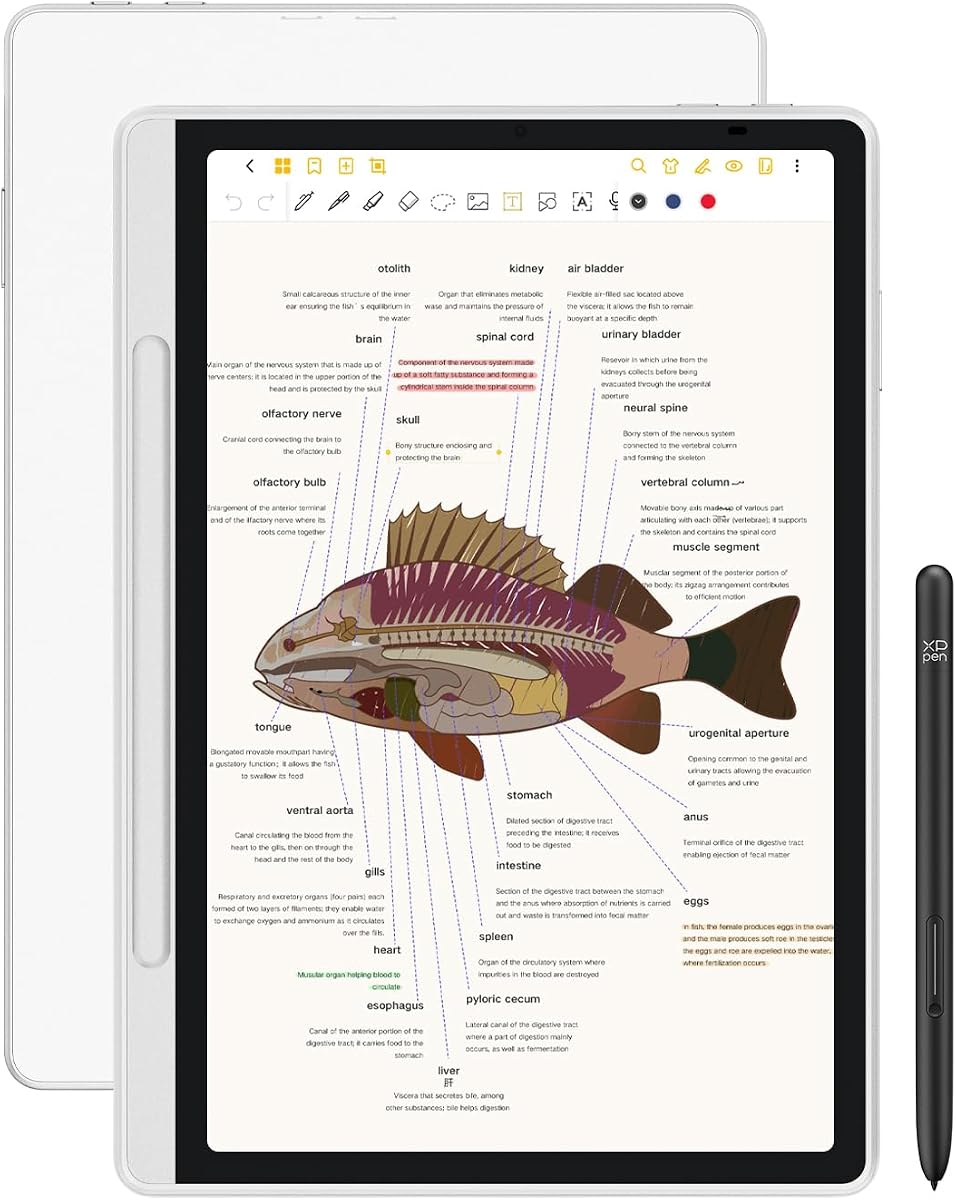
The XPPen 3 in 1 offers a versatile Android tablet experience tailored for writing, blending a high-refresh screen with note-taking tools. It holds a 4.2 rating for balancing productivity features with writing comfort.
We may earn a commission when you buy through this link, at no additional cost to you.
Strengths include a 90Hz refresh rate for smooth ink flow and Android 14 support for downloading any app you need. The pencil supports high pressure sensitivity, and the low blue light certification reduces eye strain during long sessions.
Limitations include the narrow viewing angle on the glass screen and faster battery drain than e-ink devices. These factors are manageable if you need full app functionality and a color screen for presentations or media.
Buy this if you need a workhorse device for meetings and entertainment. It is ideal for professionals who need to edit PDFs and take notes within the same powerful, color-enabled device.
Enjoy smooth, ghosting-free writing thanks to the 90Hz screen that keeps up with your fast strokes.
Access Google Play apps for video calls and productivity tools beyond just writing and reading.
We may earn a commission when you buy through this link, at no additional cost to you.
The Ophayapen 3-in-1 provides a comprehensive kit for digital note taking, combining a smart pen with a notebook and writing board. It earns a 3.9 rating for its practical approach to converting handwritten text into editable files.
We may earn a commission when you buy through this link, at no additional cost to you.
Key strengths include OCR technology that converts notes directly into Word documents and a searchable database. The audio feature ensures you capture context, and offline storage protects against connection issues during critical moments.
Trade-offs involve a lower reliability rating compared to top competitors due to app sync consistency. However, the value of having multiple tools in one package makes it a strong contender for budget-conscious buyers.
Buy this if you need a complete solution for converting notes quickly. It is well-suited for teachers or students who require quick sharing and document conversion without expensive hardware.
Turn handwritten text into editable Word files instantly to streamline your workflow and sharing.
Find specific notes quickly using timestamps and tags to organize your digital library effectively.
We may earn a commission when you buy through this link, at no additional cost to you.
The reMarkable Paper Pure delivers a focused black-and-white writing experience with faster ink response and a whiter display. Its 4.2 rating reflects strong performance for users prioritizing clarity and speed over color.
We may earn a commission when you buy through this link, at no additional cost to you.
Strengths include a high-contrast screen that reduces eye strain and a faster update speed than previous models. The clean interface minimizes distractions, and the included folio provides immediate protection for daily transport.
Trade-offs involve the lack of color and the need for a subscription for cloud features. However, for pure writing, the speed and contrast improvements make it a compelling alternative to the Pro model.
Buy this if you want the fastest paper-like experience available. It suits writers and professionals who value speed and simplicity in their daily note-taking routine.
Enjoy a whiter screen that mimics paper more closely for reduced strain during long reading sessions.
Focus on your work with an uncluttered screen that removes unnecessary digital interruptions.
We may earn a commission when you buy through this link, at no additional cost to you.
The reMarkable Paper Pro Book Folio offers the ultimate premium experience with a stylish leather case and color display. With a 4.2 rating, it appeals to those wanting a complete, high-end package for professional use.
We may earn a commission when you buy through this link, at no additional cost to you.
Strengths include the durable leather folio that protects the device and the large color screen for vibrant notes. The writing feel remains unmatched, and the included eraser on the pen enhances the natural feel of correction.
Trade-offs involve the highest cost and the need for a subscription for full utility. However, for luxury buyers who value aesthetics and performance equally, this bundle offers significant value.
Buy this for a professional tool that looks and feels premium. It is ideal for executives who need a sophisticated device that doubles as a stylish accessory.
Protect your investment with a durable leather cover that adds a touch of class to your workflow.
Combine vibrant color notes with a high-end aesthetic for the ultimate paper tablet experience.
We may earn a commission when you buy through this link, at no additional cost to you.
The Ophaya Smart Digital Notebook provides an affordable and functional way to digitize handwritten notes in real time. Its 4.3 rating highlights strong user satisfaction with its sync speed and ease of use.
We may earn a commission when you buy through this link, at no additional cost to you.
Key strengths include the inclusion of five notebooks, ensuring you have paper ready for extended use. The app converts handwriting to Word and allows searching by keywords, making note management simple and efficient.
Trade-offs include the basic nature of the app and reliance on a phone connection. While it lacks advanced features, it serves well as a straightforward tool for daily note taking.
Buy this for a simple, reliable kit. It is great for anyone needing an easy way to capture notes digitally without complex setup or high costs.
Watch your notes appear on your phone immediately, ensuring you never lose a thought during meetings.
Find specific notes quickly by searching for keywords directly within your digital library.
We may earn a commission when you buy through this link, at no additional cost to you.
The Ophaya Smart Pen and Reusable Digital Notebook offers an eco-friendly approach to digital note taking. With a 4.0 rating, it appeals to users who want sustainability alongside standard digital capture features.
We may earn a commission when you buy through this link, at no additional cost to you.
Key strengths include the reusable aspect of the notebook, which reduces waste compared to traditional paper. The software converts notes to editable files and includes audio sync for added context.
Trade-offs involve occasional app setup issues and nib wear from reuse. However, the environmental benefits and functionality make it a solid choice for conscious buyers.
Buy this if you value sustainability and practical features. It suits users who want to minimize waste while still capturing notes effectively for digital use.
Write on special reusable paper that can be erased and reused many times to reduce waste.
Convert your notes into editable formats easily for sharing and archiving in digital systems.
We may earn a commission when you buy through this link, at no additional cost to you.
Choosing the right digital notebook involves evaluating several factors to match your writing and organizational needs. Consider these key elements before making your decision.
Screen types vary from paper-like e-ink to color LCD displays. E-ink is easier on the eyes and offers longer battery life, while color LCDs support video and apps but consume more power. Size matters too; 10 inches or larger is ideal for reading PDFs comfortably.
If you prioritize battery life and reading, choose e-ink. If you need color and app support, opt for an LCD tablet.
Look for a pen with high pressure sensitivity to capture your writing nuances. Battery-free pens are convenient as they don't require charging. Eraser functionality is also valuable for quick edits during note-taking.
Ensure the pen feels comfortable in your hand and includes an eraser for seamless editing.
Decide between real-time sync via Bluetooth and offline storage. Real-time sync keeps your notes on your phone immediately but requires a connection. Offline storage allows writing without a phone but needs later syncing.
Choose real-time sync if you need instant access on multiple devices. Offline storage suits environments with limited connectivity.
Software determines how easily you can organize, edit, and export notes. Look for apps that support PDF annotation, handwriting-to-text conversion, and cloud storage. Some devices offer AI tools for summarizing notes automatically.
Check if the app supports your file format needs, such as Word or PDF export, and offers searchable text.
Some devices use physical paper pads with special pens, while others use digital screens. Paper formats offer a tactile feel but require physical refills. Digital screens allow infinite pages without physical waste.
Select physical paper if you love the tactile experience. Choose digital screens for convenience and storage capacity.
Battery life varies significantly between e-ink tablets, which last weeks, and Android tablets, which last days. Consider how often you can charge your device and how long you write daily.
Prioritize long battery life if you travel frequently. Shorter life is acceptable if you charge daily.
Digital notebooks range from affordable smart pen kits to premium tablets. Set a budget that matches your need for features like color, AI tools, or app support.
Balance cost with features to ensure you get a device that lasts without overspending on unnecessary capabilities.
Look for devices with sturdy casings and protective covers. A durable build ensures longevity, especially for daily use in classrooms or offices.
Check reviews for build quality and consider purchasing a folio or case for added protection.
Start by installing the companion app on your smartphone or tablet. Follow the on-screen instructions to pair your pen via Bluetooth if required. Ensure your device is charged before your first writing session.
Write naturally on the screen or paper pad. Use gestures or buttons to switch between pen and eraser modes. Organize your notes into folders immediately to prevent clutter. For digital screens, use the stylus with light pressure to maximize screen life.
Regularly sync your notes to the cloud to prevent data loss. Clean the screen with a soft cloth if you use a digital display. Replace paper pads when full to ensure consistent performance. Charge the device regularly to maintain battery health.
Digital notebooks offer superior long-term storage because files can be backed up to the cloud or external drives. This protects against physical damage or loss. Paper notes can be stored physically but are prone to damage over time.
Most digital notebooks allow offline writing and storage. You can write and save notes locally on the device. However, syncing to the phone or cloud requires a connection later.
Yes, most models support drawing and sketching with pressure-sensitive pens. Artists can use these devices for digital illustration. Ensure the pressure levels meet your artistic needs.
Many devices feature handwriting-to-text conversion in their apps. Look for OCR or AI features in the software settings. Some convert automatically while others require manual selection.
E-ink tablets offer battery life lasting weeks, making them ideal for travel. Android tablets last days. Consider your trip length when choosing a model for travel.
Most digital notebooks support both Android and iOS. Check the app description for specific compatibility details before buying. Ensure your phone meets the minimum OS requirements.
We have explored ten top-rated digital notebooks ranging from budget-friendly paper sync devices to premium color tablets. Each model offers unique strengths to suit different writing habits and needs.
Prioritize screen type, pen comfort, and sync reliability when selecting a device. Ensure the software supports your required file formats and storage options for seamless workflow integration.
Prices and availability change regularly. Visit the product links to check current deals before purchasing to secure the best value for your chosen digital notebook.