
DisplayPort to USB C Cable with Power 4K@60Hz
4.8Editor score
Full touch and audio sync
Optimized for creative pros
Durable graphene shielding
Discover the top 10 Displayport adapters for AR glasses. Compare specs, compatibility, and real user ratings to find the perfect video solution for immersive viewing.
Finding the right Displayport adapter for AR glasses is crucial for seamless video streaming and immersive gaming experiences. These adapters bridge the gap between traditional PC outputs and modern USB-C augmented reality headsets. Understanding compatibility and performance helps avoid frustration.
We analyzed ten top-rated products based on resolution support, power delivery, and build quality. Our comparison focuses on real-world usability with popular AR brands like Xreal and Rokid. Each entry highlights key strengths to simplify your buying decision.
Each pick below shows specific features, ratings, and compatibility notes to guide your choice. Prices and stock availability can change rapidly on major retail platforms. Always verify device requirements before purchasing to ensure a perfect match for your setup.
4.8Editor score
4.5Editor score
4.7Editor score
This side-by-side comparison evaluates all ten adapters across resolution, power delivery, and device support to help you choose quickly.


This adapter offers reliable high-resolution streaming for AR glasses with strong support for 4K at 120Hz. Users praise its plug-and-play simplicity and broad compatibility with devices like Xreal and Rokid. It maintains stable connections during long sessions.
We may earn a commission when you buy through this link, at no additional cost to you.
Its advanced chipset ensures low latency which is vital for gaming and interactive content. The aluminum housing helps dissipate heat efficiently keeping performance consistent even under load. The compact size makes it easy to carry in a pocket or bag for on-the-go setups.
One trade-off is the strict requirement for DP Alt Mode on the glasses which limits use with some older or non-standard devices. Additionally the one-way transmission direction means you cannot reverse the connection for other workflows but this is standard for this category.
For most users wanting crisp visuals and smooth motion on AR headsets this adapter delivers excellent value. It stands out for its balance of performance and portability making it the top choice for daily use.
Delivers crisp 4K at 120Hz for immersive movie and gaming experiences without screen tearing or lag.
Built with a premium aluminum alloy case that resists heat and fits easily into travel cases for mobile use.
We may earn a commission when you buy through this link, at no additional cost to you.
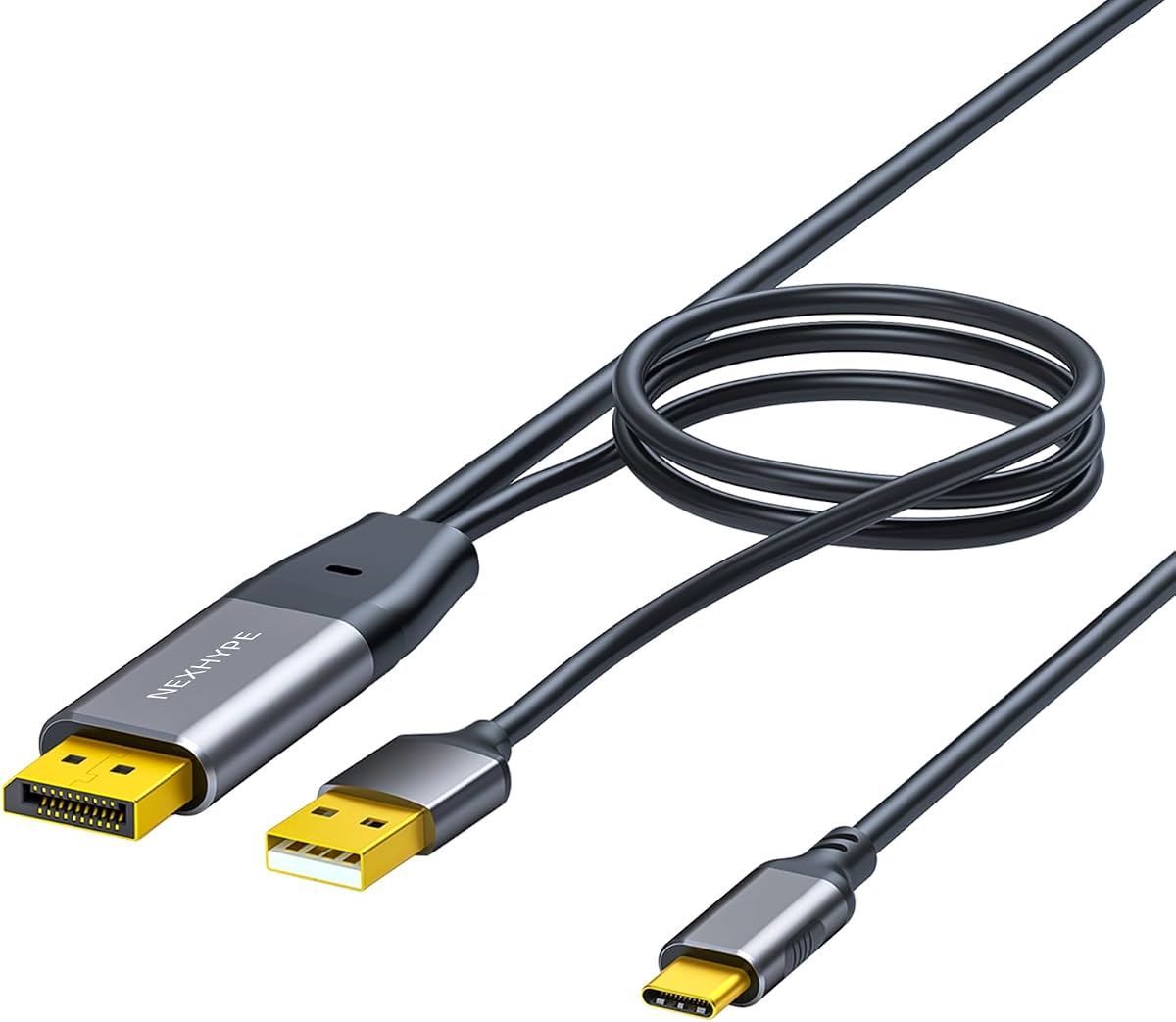
This cable provides an extended reach of 6.6 feet which is ideal for setups where the PC and glasses are farther apart. It integrates a power cable to help supply energy to the glasses or portable monitors. Users appreciate the flexible jacket and reliable connections.
We may earn a commission when you buy through this link, at no additional cost to you.
The gold-plated connectors resist corrosion and ensure stable signal transmission over time. It works well with brands like Xreal and RayNeo offering sufficient power for most AR use cases. The PVC jacket allows bending without damage for comfortable positioning.
Keep in mind that for larger portable monitors over 15.6 inches an extra power source might be necessary since the integrated USB has limited output. The cable is one-way so ensure your source device has a DisplayPort output to avoid confusion.
If you need extra length for home or office use this cable offers practical convenience without sacrificing signal quality. It is a solid choice for users who prioritize setup flexibility and reliable power delivery.
The 6.6 foot length allows comfortable positioning between PC and glasses without stretching or cable strain.
Includes a USB power cable to support battery-free portable monitors and AR glasses during long sessions.
We may earn a commission when you buy through this link, at no additional cost to you.
Designed for creative professionals and Mac users this cable delivers full touch and audio support alongside 4K at 60Hz. Its graphene shielding ensures a clear stable signal with minimal interference. Reviews highlight its reliability with Apple Studio Displays and portable monitors.
We may earn a commission when you buy through this link, at no additional cost to you.
The active power port stabilizes the signal for smooth touch interaction which is rare in this category. It connects seamlessly with devices like Mac Mini and Dell XPS making it perfect for color-critical work or video editing. The aluminum cooling casing keeps heat low.
Some limitations include the need for GPU DSC support when using Apple Studio Display and incompatibility with certain devices like Switch 2. Also it does not support bidirectional use so it is strictly for DisplayPort to USB-C setups only.
For users needing precise touch and high-fidelity audio on AR glasses or monitors this cable stands out as a premium option. It combines robust build quality with specialized features for demanding workflows.
Supports full touch functionality on compatible monitors for interactive workflows and precise cursor control.
Graphene shielding and aluminum casing ensure low-latency high-fidelity audio and video for editing tasks.
We may earn a commission when you buy through this link, at no additional cost to you.
Gamers will appreciate this adapter for its support of 4K at 120Hz and up to 1080P at 360Hz ensuring smooth motion without tearing. The active cooling design prevents overheating during long play sessions. The aluminum housing with a silicone pad provides stable placement on desks.
We may earn a commission when you buy through this link, at no additional cost to you.
Three USB 2.0 ports let you connect peripherals like keyboards directly to the adapter though a separate data cable is needed to activate them. It supports HDR and 10-bit color which benefits video editors and enthusiasts too. The low latency is ideal for fast-paced games.
Be aware that the included USB cable is for power only so you must source a separate USB 3.0 cable for data transfers via the hub. Also the power output is limited to 5W so portable monitors may need additional power.
For serious gamers or streamers who need responsive visuals and extra connectivity this adapter is a top choice. Its balance of refresh rate and build quality makes it a strong contender for demanding setups.
Delivers 4K at 120Hz with minimal motion blur for immersive and responsive gameplay.
Includes three USB ports for connecting keyboards and mice directly to the setup.
We may earn a commission when you buy through this link, at no additional cost to you.
This adapter pushes the envelope with support for 8K at 30Hz and ultra-smooth 4K at 144Hz making it perfect for high-performance setups. The integrated 65W Power Delivery port simplifies charging your display while streaming. Its short 0.5m length and graphene coating make it highly portable.
We may earn a commission when you buy through this link, at no additional cost to you.
The graphene-coated cable is flexible and resistant to bending which reduces wear over time. Users note it works well with portable monitors and AR glasses offering plug-and-play convenience without drivers. It is lightweight and ideal for travel or tight desks.
However it does not support touchscreen functionality or displays with built-in batteries so check your device specs before buying. Also the short cable length may require an extension if you need more reach from your source.
If you need maximum resolution and power delivery in a compact form factor this adapter delivers great value. It is best suited for professionals and enthusiasts who prioritize high-end visuals.
Supports 8K at 30Hz and 4K at 144Hz for stunning clarity and smooth motion.
Includes 65W Power Delivery to charge your display or glasses without extra adapters.
We may earn a commission when you buy through this link, at no additional cost to you.
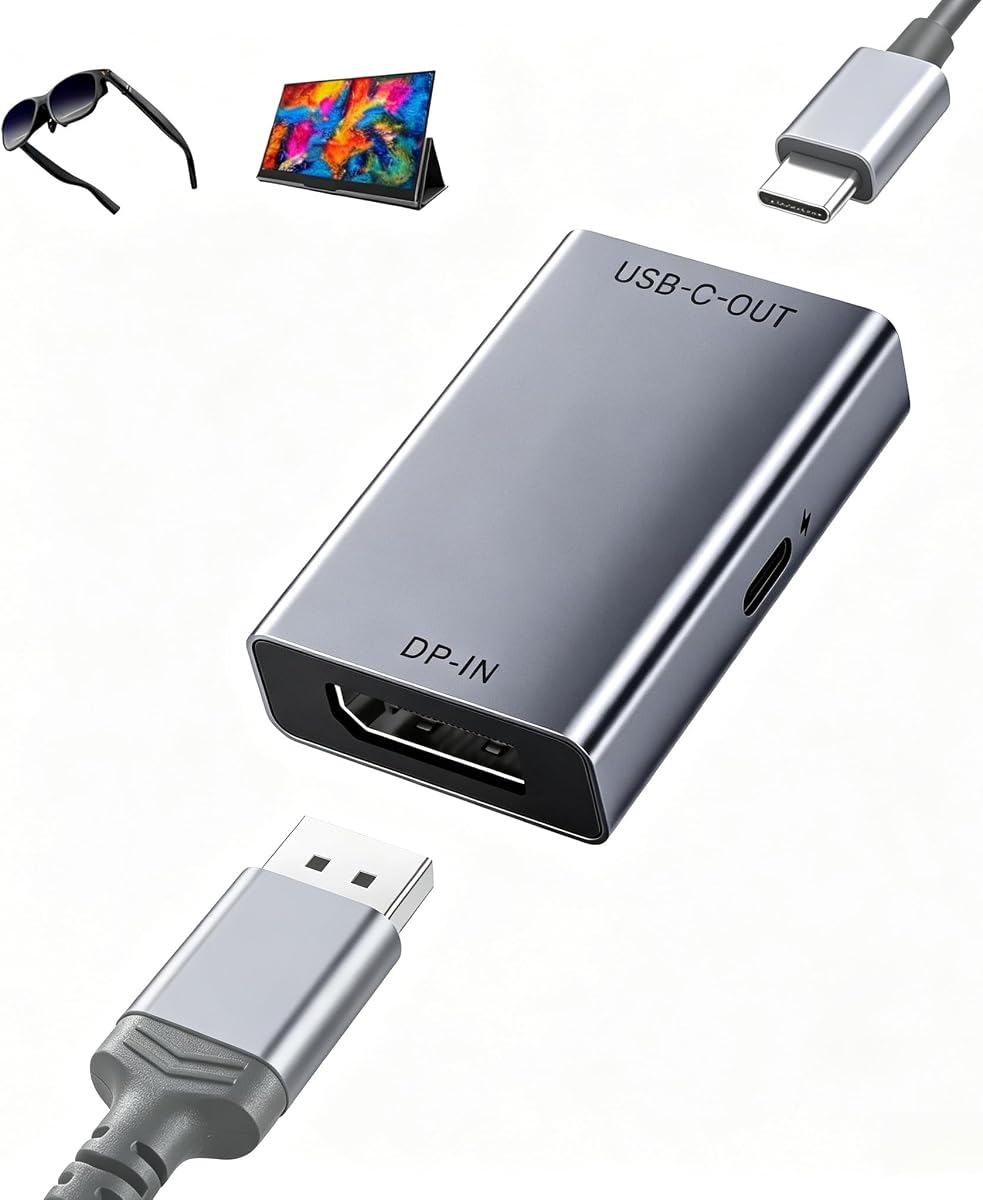
This female adapter is compact and designed for direct connection to AR glasses with a 1.6ft extension. It supports 4K at 60Hz and includes a USB power cable for added convenience. The gold-plated connector ensures stable signal transmission and resistance to corrosion.
We may earn a commission when you buy through this link, at no additional cost to you.
Users find it great for travel since the small size fits easily in bags. It works with brands like Xreal and Viture making it versatile for most current headsets. If there is no sound remember to update firmware or switch to DP mode.
Some high-power devices may need an additional power source since the adapter's design is compact. Also if you lose signal try flipping the USB-C port as it is single-sided for better compatibility.
For travelers and casual users needing a simple reliable adapter this model is practical. Its short length and solid build make it a convenient accessory for daily use.
The 1.6-foot female adapter is small enough to fit in any travel bag.
Gold-plated connectors ensure reliable signal transmission and prevent rust over time.
We may earn a commission when you buy through this link, at no additional cost to you.
This straightforward cable converts DisplayPort to USB-C with a 6-foot length for flexible placement. It features a USB power supply to stabilize signal and enable touch on compatible portable monitors. Users like its durable construction and ease of setup without drivers.
We may earn a commission when you buy through this link, at no additional cost to you.
The gold-plated connectors and aluminum casing prevent rust and ensure smooth plugging. The PVC jacket allows bending without performance loss so you can route it easily on desks or floors. It works with Xreal and Rokid glasses for reliable streaming.
It does not supply power to portable screens so those devices must have their own adapter or battery. Data transmission is limited so it is best for video and touch only not data-intensive tasks.
For basic streaming needs where simplicity and length are key this cable is a dependable option. It offers solid performance at a competitive price for everyday use.
USB power connection ensures stable signal for touch functionality on portable screens.
Gold-plated connectors and aluminum casing ensure long-lasting reliable performance.
We may earn a commission when you buy through this link, at no additional cost to you.
Optimized for Switch 2 dock and handheld consoles this adapter enables seamless gameplay on AR glasses or monitors. It supports PD3.0 pass-through charging so you can play while charging. The aluminum build and short length make it travel-friendly.
We may earn a commission when you buy through this link, at no additional cost to you.
Users report high-resolution output with 4K at 60Hz and 1080P at 144Hz ensuring smooth motion. The cooling design keeps heat manageable but ventilation is advised. It works with laptops and USB-C displays for versatile use.
Note that TV mode activation requires 60W power and it may get hot in enclosed spaces. Also it is not for VR headsets so check device support before purchasing.
For gamers with Switch 2 or handhelds wanting immersive AR experiences this adapter is uniquely suited. Its specialized chip and PD support make it a practical choice for console streaming.
Designed for Switch 2 dock and handhelds for seamless casting to AR glasses.
PD3.0 pass-through lets you charge devices during gameplay without interruptions.
We may earn a commission when you buy through this link, at no additional cost to you.
This 6.6-foot cable converts DisplayPort to USB-C with support for touch functionality on portable monitors. It connects computers to AR glasses or monitors without drivers for easy setup. Users value the flexibility and reliable transmission.
We may earn a commission when you buy through this link, at no additional cost to you.
The gold-plated connectors and aluminum casing ensure a stable connection over time. It works well with devices like MacBook Pro and XPS offering seamless video and audio streaming. The flexible PVC jacket allows bending without damage.
Keep in mind it does not supply power to screens so you may need an external source for larger monitors. Also ensure your glasses support DP Alt Mode before purchasing to avoid compatibility issues.
For users needing a long cable with touch support for interactive displays this model is practical. It balances reach with performance for versatile setups.
Enables full touch interaction on compatible portable monitors and displays.
The 6.6-foot length allows flexible placement for comfortable viewing.
We may earn a commission when you buy through this link, at no additional cost to you.
This adapter is designed for VITURE magnetic glasses enabling quick connection to any USB-C display. It supports transfers up to 10 Gbit/s and 4K at 60fps for smooth video. Users appreciate the ease of magnetic pairing and portability.
We may earn a commission when you buy through this link, at no additional cost to you.
It can pair with the Mobile Dock to use two displays simultaneously for multitasking. The short cable keeps setups clean and is easy to carry. It is a perfect accessory for VITURE brand users needing versatility.
However it is limited to VITURE magnetic ports so it will not work with other brands of AR glasses. Also the short cable may require extensions for longer distances from your source device.
For VITURE users wanting seamless magnetic connectivity and dual display potential this adapter is ideal. It offers reliable performance for its specific ecosystem.
Connects instantly to VITURE magnetic ports for easy setup.
Works with Mobile Dock to connect two displays at once.
We may earn a commission when you buy through this link, at no additional cost to you.
Choosing the right adapter requires evaluating resolution support, power needs, and device compatibility.
Look for adapters supporting 4K at 60Hz or 120Hz for smooth visuals. Higher refresh rates reduce motion blur which is critical for gaming and video. Ensure your AR glasses can handle the resolution to avoid bottlenecks.
Prioritize models with clear resolution specs like 4K@120Hz or 8K@30Hz for best performance.
Many adapters include USB power cables but outputs vary. Some offer PD to charge devices while streaming while others only stabilize signals. Check if your glasses or monitor need external power for longer sessions.
Choose adapters with 65W power delivery for versatile charging and stable performance.
Cable lengths range from 0.5 meters to over 6 feet. Shorter options are portable but limit placement flexibility. Longer cables allow comfortable setups for home office or travel use.
Select lengths that match your typical distance between source and display for best ergonomics.
Some adapters support touch functionality on monitors which enhances interactivity. Others are video only without data capabilities. Verify if you need touch control for your workflow.
Ensure touch support is explicitly listed if you plan to use touch-enabled portable monitors.
Materials like aluminum alloy and graphene shielding improve heat dissipation and signal stability. Gold-plated connectors resist corrosion for longevity. Durable jackets prevent damage from bending.
Opt for models with premium materials to ensure reliable performance over time.
Check that your glasses support DP Alt Mode for video input. Some adapters work best with specific brands like Xreal or VITURE. Confirm compatibility with your source device outputs.
Always verify device requirements before buying to avoid connection issues or wasted purchases.
Extra features like USB hubs HDR support or multi-display capability add versatility. USB ports allow peripheral connections for productivity. HDR improves color accuracy for content creation.
Consider these extras if you need expanded functionality beyond simple video conversion.
Longer warranties like 12 to 18 months indicate manufacturer confidence. Good customer support helps resolve setup issues quickly. Lifetime technical support can be valuable for complex setups.
Choose products with clear warranty terms and responsive support teams for peace of mind.
Connect the DisplayPort end to your computer or gaming console and the USB-C end to your AR glasses. Ensure all connections are secure to avoid signal drops during use.
Plug the USB power cable into a stable power source like a laptop USB port or wall charger to stabilize the signal especially for touch features.
Clean connectors regularly with a dry cloth and avoid bending the cable sharply to preserve internal shielding. Store adapters in protective cases when traveling to prevent damage.
No. Only adapters supporting DP Alt Mode on the glasses and DisplayPort output on the source device will work. Verify compatibility before purchasing.
Check that firmware is updated and set the glasses to DP mode. Some adapters do not carry audio so you may need external speakers.
Most adapters are one-way from DisplayPort to USB-C. You cannot reverse the direction without specific bidirectional models.
Many glasses require external power. Use the included USB power cable or connect to a power bank if the adapter does not supply enough power.
Choose 4K at 120Hz for best gaming experience. This reduces motion blur and ensures smooth visuals on fast-paced games.
Adapters are typically one-to-one. For multiple displays use a dock or splitter that supports your specific glasses and output device.
Only specific models with touch support will work. Look for explicit mentions of touch functionality in product specs before buying.
The DisplayPort to USB-C Adapter with Power 4K@120Hz offers top performance for most users seeking immersive visuals and reliable connections.
Prioritize adapters that match your resolution needs power requirements and device brand to avoid compatibility headaches and ensure smooth streaming.
Always check current prices and availability since offers change regularly. Verify your setup specs before finalizing your purchase.