
Surface Thunderbolt 4 Docking Station
4.3Editor score
Dual 4K@60Hz HDMI
1000Mbps Gigabit Ethernet
100W DC Charging
Discover the top 10 docking stations for Surface Pro 11 in 2026. Compare features, ratings, and performance to find the perfect hub for your productivity.
Finding the right docking station for your Surface Pro 11 is crucial for transforming it into a powerful desktop workstation. These hubs expand connectivity options, allowing you to connect multiple monitors, peripherals, and storage devices seamlessly.
We evaluated ten top-rated models based on port variety, video output quality, charging capabilities, and overall build quality. Each product was assessed for compatibility with the latest Surface devices and real-world performance metrics.
Each review highlights key strengths and weaknesses to help you match a dock to your specific workflow needs. Prices and availability change frequently, so verify current offers before making your final purchase decision today.
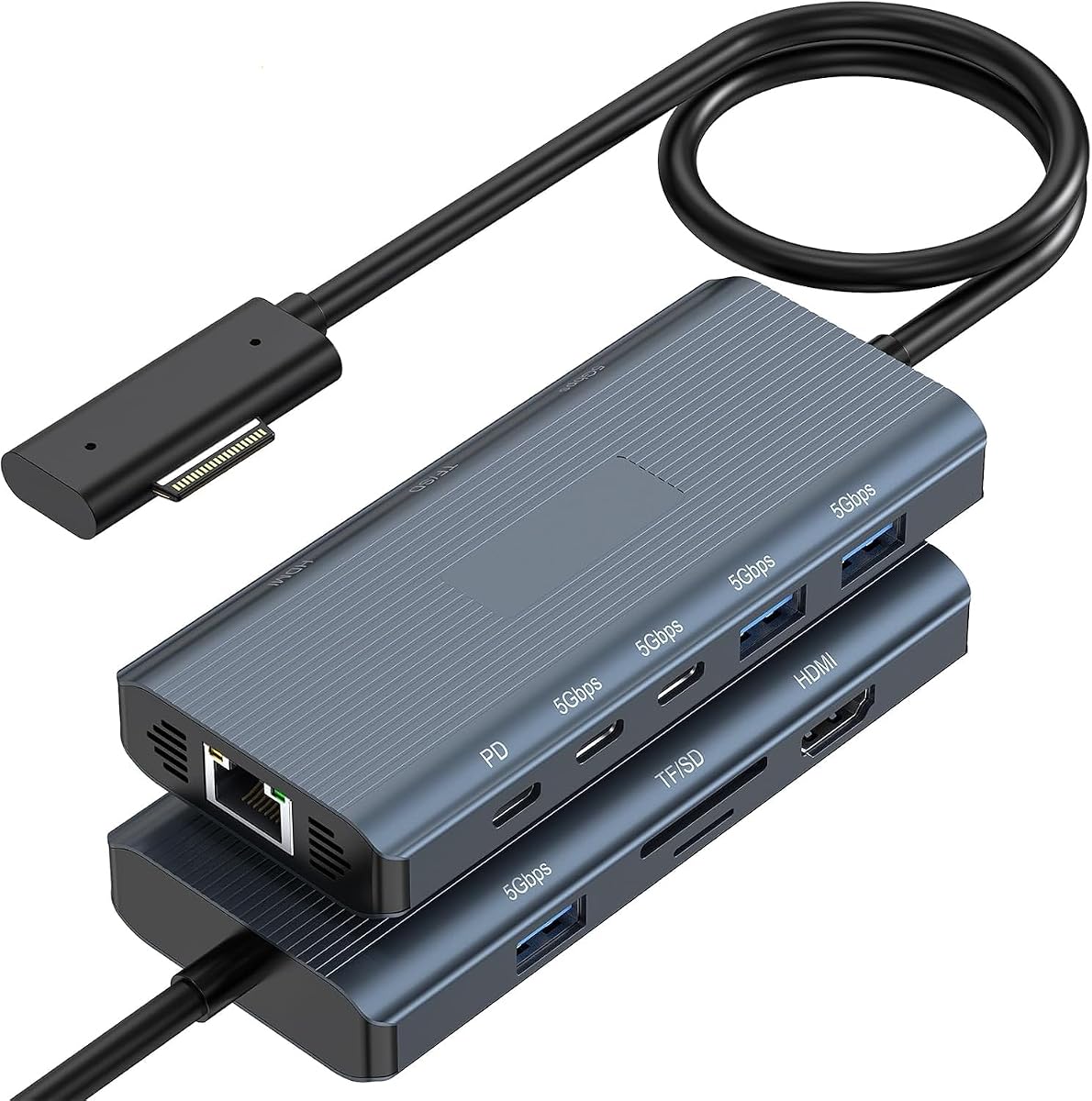
4.3Editor score
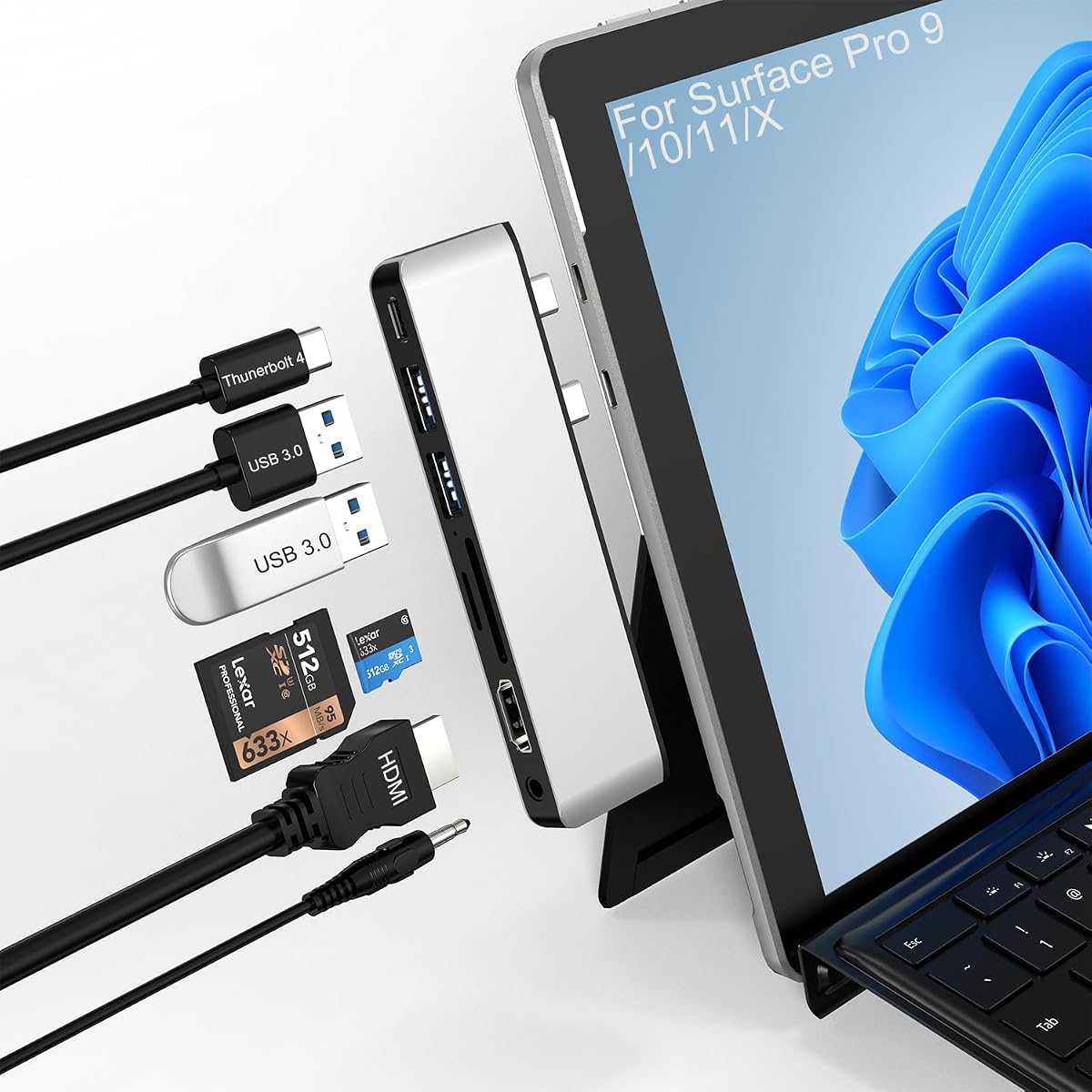
4.8Editor score
4.2Editor score
This side-by-side comparison highlights the unique strengths of each docking station to help you identify the best fit for your specific Surface Pro 11 setup requirements and budget constraints.



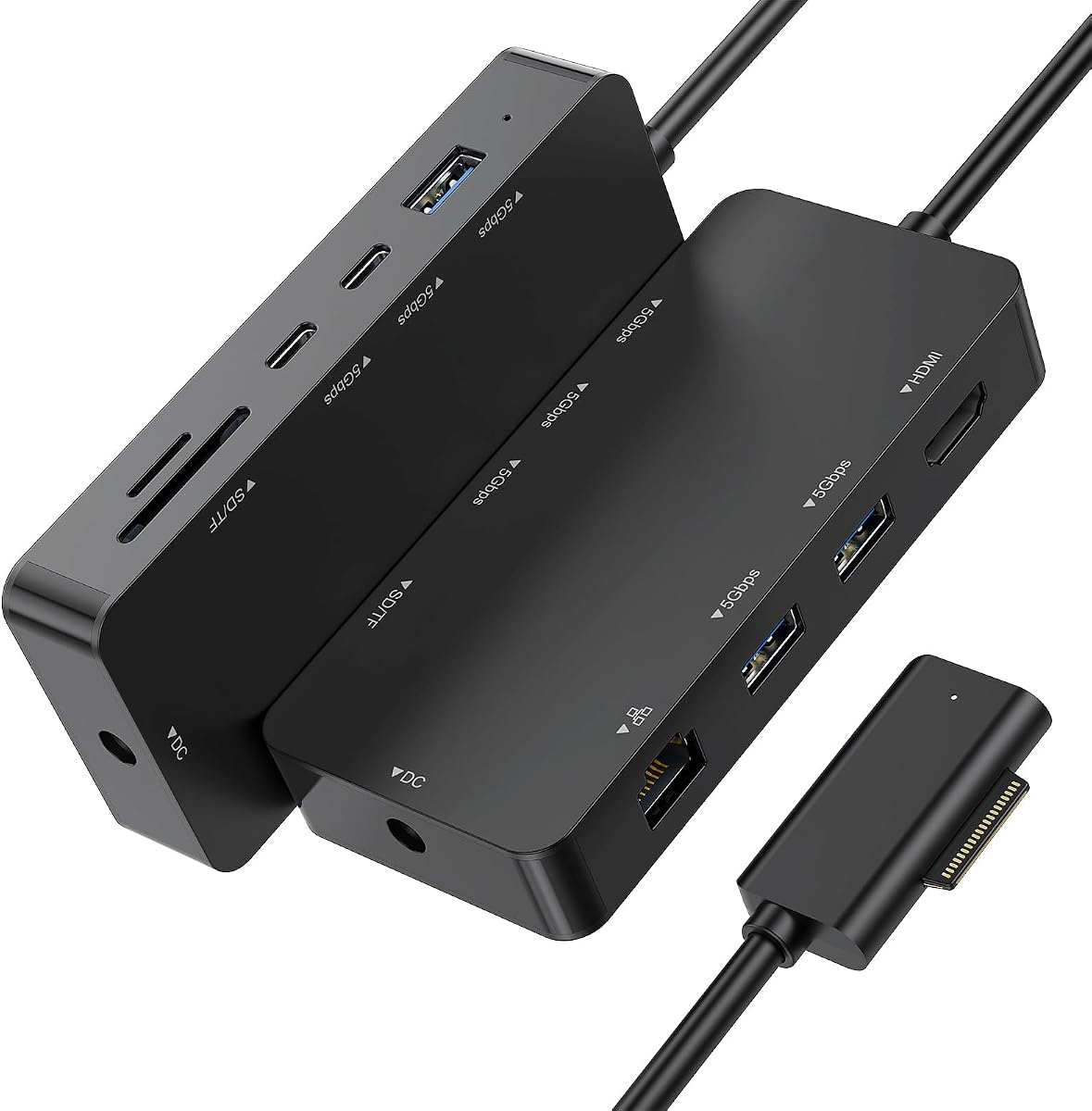
This 11-in-1 Surface Pro Docking Station has earned the top spot in our rankings due to its exceptional balance of high-speed video output and robust connectivity options. With a strong 4.8-star rating from users, it demonstrates reliable performance for daily professional workflows.
We may earn a commission when you buy through this link, at no additional cost to you.
The standout feature is its support for 4K resolution at 60Hz via HDMI, which ensures smooth visuals for content creators and designers. Additionally, the inclusion of a Gigabit Ethernet port provides stable internet connections that wireless networks often struggle to match during large file transfers.
While the device requires a dedicated power supply adapter rather than relying solely on bus power, this design choice ensures your Surface Pro 11 charges efficiently while driving multiple peripherals. The 100W PD input means you can connect heavy external drives without worrying about power drops.
This dock is the perfect choice for hybrid workers who need a single connection point for their entire office setup. Its compatibility with nearly all Surface models makes it a versatile investment that will serve you well as you upgrade your hardware in the future.
The 4K@60Hz HDMI port delivers crystal clear visuals that enhance productivity and entertainment experiences significantly.
Built-in Gigabit Ethernet ensures low latency internet connectivity essential for video conferencing and large downloads.
We may earn a commission when you buy through this link, at no additional cost to you.
The 12 in 1 Surface Dock 2 is designed specifically for users who need to maximize their screen real estate. It allows you to connect two HDMI monitors and one VGA monitor at the same time, which is rare for hubs in this price range.
We may earn a commission when you buy through this link, at no additional cost to you.
Its ability to handle triple displays makes it ideal for financial analysts or traders who need to watch multiple data streams. The VGA port adds legacy support for older projectors or monitors, ensuring you can upgrade at your own pace.
While the Ethernet port caps at 100Mbps and HDMI runs at 30Hz, these limitations are often acceptable for office tasks that prioritize screen count over high refresh rates. It includes a power adapter, so you do not need to hunt for one separately.
If your primary goal is to extend your workspace with multiple screens without breaking the bank, this dock provides the necessary connectivity. Just ensure your Surface device can handle the multi-stream transport requirements for triple displays before buying.
Combine two HDMI ports and one VGA port to create a massive workspace for multitasking and data analysis.
The VGA port allows you to connect older screens or projectors that lack modern HDMI interfaces easily.
We may earn a commission when you buy through this link, at no additional cost to you.
This compact Surface Pro 11 USB Hub stands out because it includes a dedicated Thunderbolt 4 port capable of incredible data speeds and video output. Its small footprint makes it perfect for travel while still offering high-end performance features.
We may earn a commission when you buy through this link, at no additional cost to you.
The Thunderbolt 4 connection supports up to 40Gbps data transfer and even 8K video output, which future-proofs your setup significantly. This allows professionals to work with high-resolution files and large datasets without any bottlenecks.
One important caveat is that the slim profile may not fit well if you use a protective case on your device. This is a design trade-off for keeping the hub lightweight and portable for business trips and daily commutes.
Choose this hub if you value portability and raw data speed over having a massive number of ports on the desk. It is a premium solution for those who need to move frequently but still require high-performance connectivity.
Experience 40Gbps data transfer speeds that allow you to move massive files in just a few seconds.
The lightweight aluminum body fits easily into any bag without adding bulk to your travel setup.
We may earn a commission when you buy through this link, at no additional cost to you.
This New Surface Docking Station offers a reliable way to expand your visual workspace with support for two HDMI monitors and one VGA display. It holds a strong 4.8 rating, indicating consistent satisfaction among users who need multiple screens.
We may earn a commission when you buy through this link, at no additional cost to you.
The device includes a 72W power adapter, which helps keep your laptop charged while driving multiple external monitors. This feature is vital for productivity because it allows you to work for hours without worrying about battery drainage.
Note that the USB-C ports on this model are for data transfer only and cannot be used for charging or video. This limitation means you must rely on the dedicated power port to keep your device powered during heavy use sessions.
If your main priority is screen count and reliability rather than advanced USB-C features, this dock fits the bill perfectly. It simplifies your desk setup by consolidating connections into a single unit with proven performance.
Achieves a strong 4.8 rating based on real user feedback regarding reliability and ease of use.
Comes with a 72W adapter to ensure your Surface remains charged while running multiple monitors efficiently.
We may earn a commission when you buy through this link, at no additional cost to you.
This 12 in 1 Surface Dock Pro shares similar strengths with the other triple display docks but adds robust support for various Surface models. Its 4.8 rating suggests that it performs reliably for daily professional tasks without frequent issues.
We may earn a commission when you buy through this link, at no additional cost to you.
The ability to drive three screens simultaneously makes it a strong candidate for power users who need to reference multiple documents or data sources. It also supports USB-C data ports for fast file transfers from external drives.
However, users should note that the Ethernet connection is capped at 100Mbps, which might slow down large downloads compared to Gigabit options. This is acceptable for general browsing but may be a bottleneck for heavy network use.
If you are looking for a professional-grade hub that can handle complex workflows involving multiple monitors and accessories, this is a solid option. It balances port variety with stability to keep your desktop running smoothly.
Designed for power users who need to manage multiple monitors and accessories efficiently throughout the day.
Includes both USB-C and USB-A ports to support a wide range of modern and legacy peripherals easily.
We may earn a commission when you buy through this link, at no additional cost to you.
The Surface Thunderbolt 4 Docking Station is a premium choice designed for users who demand the highest performance in video and network speeds. It offers Dual 4K@60Hz HDMI output and a full 1000Mbps Ethernet port for ultra-stable connectivity.
We may earn a commission when you buy through this link, at no additional cost to you.
Its Gigabit Ethernet ensures you get the fastest possible internet connection for large file transfers or cloud backups. The 100W DC charging ensures your laptop remains powered even when driving two 4K monitors and other peripherals simultaneously.
While this model is priced higher than many others, the inclusion of true Gigabit networking and high-refresh-rate HDMI makes it a worthwhile investment for pros. It eliminates common bottlenecks found in cheaper docks that limit speeds significantly.
If you need reliable high-speed internet and crisp video without compromise, this premium dock is the best solution available. It is built to handle heavy daily workloads without slowing down your productivity or creative processes.
The 1000Mbps Ethernet port provides rock solid connectivity for smooth video conferencing and large downloads.
Dual 4K@60Hz HDMI outputs provide fluid visuals essential for design work and detailed photo editing.
We may earn a commission when you buy through this link, at no additional cost to you.
This 10-in-1 Surface Dock provides a balanced mix of ports suitable for daily office work. It features a 4K HDMI output and a reliable Gigabit Ethernet port to keep your internet connection stable and fast for all tasks.
We may earn a commission when you buy through this link, at no additional cost to you.
The inclusion of a 3.5mm audio jack is a practical touch for users who prefer wired headphones for calls or music. It eliminates the need for extra adapters if you want to use wired audio devices directly with your dock.
While the HDMI output is limited to 30Hz, it is still sufficient for standard productivity tasks and video watching. The 65W power supply is adequate for charging your Surface while it supports connected devices without issues.
Choose this dock if you need a reliable and stable setup with enough USB-A ports for legacy peripherals. It is a solid choice for users who value audio connectivity and stable network access over high refresh rate visuals.
The 3.5mm audio jack allows you to plug in wired headphones for calls and media consumption without adapters.
Built-in Gigabit Ethernet ensures stable internet connection essential for remote work and large file uploads.
We may earn a commission when you buy through this link, at no additional cost to you.
This 12-in-1 Surface Dock is praised for its 4.5 rating and ability to support three screens. It is a great value choice for those who want to extend their workspace without compromising on power or connectivity features.
We may earn a commission when you buy through this link, at no additional cost to you.
The dual 4K HDMI ports ensure you can run modern monitors side by side with high clarity. It also supports 72W power input to keep your device charged while driving these displays simultaneously without draining the battery.
The Ethernet port supports up to 100Mbps which is standard for general use but slower than Gigabit options. However for most daily web browsing and email tasks this speed is more than enough to maintain smooth connectivity.
If you are looking for a well-rounded dock that balances performance and cost effectively you will appreciate this model. It simplifies your desk setup by combining power charging and video output into one simple connection.
Achieves a solid 4.5 rating from users who appreciate its reliable performance and value for money.
Supports two HDMI monitors and one VGA monitor to maximize your multitasking workspace capacity easily.
We may earn a commission when you buy through this link, at no additional cost to you.
This Microsoft Surface Dock distinguishes itself by offering a DisplayPort alongside HDMI and Thunderbolt 4. This mix of options gives you significant flexibility in connecting various types of monitors and high-speed accessories to your Surface.
We may earn a commission when you buy through this link, at no additional cost to you.
The 120W power supply ensures that even with multiple high-resolution screens connected your laptop stays charged efficiently. The Thunderbolt 4 port provides the fastest data transfer speeds available for demanding workflows.
The inclusion of Gigabit Ethernet ensures your network connection stays fast and stable during heavy data loads. It supports up to three displays with 4K@60Hz output ensuring smooth visuals for any professional task.
If you need maximum versatility in display options and high power delivery this dock is an excellent choice. Its premium design supports the highest standards of performance for professionals who demand the best from their setup.
The unique DisplayPort output provides an alternative to HDMI for connecting compatible monitors easily.
The 120W power supply ensures you have enough energy to run multiple devices simultaneously without issues.
We may earn a commission when you buy through this link, at no additional cost to you.
This 10-in-1 Surface Station features a magnetic Surface Connect cable which makes connecting to your device much easier and more secure. It holds a strong 4.7 rating from users who value convenience and reliability in their hardware.
We may earn a commission when you buy through this link, at no additional cost to you.
The 4K@60Hz HDMI support ensures you get smooth and sharp visuals on external displays. It also includes Gigabit Ethernet to keep your network connection fast and stable for professional use.
The PD charging feature ensures your device stays powered while connected to all peripherals. This reduces cable clutter and ensures your laptop is ready to go anytime you need to unplug and move.
If you want a simpler connection method that reduces wear and tear on your device ports this magnetic dock is a great option. It is a premium choice for those who want to upgrade their desk setup with ease.
The magnetic Surface Connect cable simplifies docking and undocking without the need to align ports perfectly.
4K at 60Hz output ensures your external monitor displays smooth and responsive visuals for work or play.
We may earn a commission when you buy through this link, at no additional cost to you.
Selecting the right docking station depends on understanding your specific connectivity needs and how you plan to use your Surface Pro 11 daily.
When looking at video options check if the dock supports 4K at 60Hz or if it is limited to 30Hz. Higher refresh rates provide smoother visuals which are essential for designers and video editors.
Prioritize docks with HDMI ports that support high resolutions to ensure your external displays match the quality of your Surface screen.
Count the number of USB ports you need for your keyboard mouse and external drives. Look for a mix of USB-A and USB-C options to ensure compatibility with all your existing accessories.
Ensure the dock includes SD card slots if you regularly transfer photos or videos from cameras to your Surface device.
For stable internet connections verify if the dock includes a Gigabit Ethernet port. Standard 100Mbps ports may slow down large file transfers or cloud backups significantly.
Gigabit connectivity is essential for users who rely on fast internet for remote work or heavy data streaming.
Check if the dock supports Power Delivery to charge your laptop while connected. Ensure the wattage matches your Surface Pro 11 charger requirements for effective charging.
A dock that supports 100W PD ensures you can drive multiple monitors without draining your laptop battery.
Aluminum docks often dissipate heat better than plastic ones which helps maintain stability during long use. Look for a solid build that feels durable and stable on your desk.
High quality materials can prevent overheating and ensure consistent performance over time.
Ensure the dock is explicitly compatible with the Surface Pro 11 to avoid connection issues. Some docks support only older generations of Surface devices.
Check the product details for a list of supported models to guarantee it will work with your specific device.
Balance the features you need with your budget to find the best value. Premium docks cost more but offer better speeds and reliability for professional work.
If you only need basic connectivity a budget friendly option might suffice for your daily tasks.
Look for docks that offer a warranty period of at least twelve months. Good customer support ensures you get help quickly if you face issues.
A reliable warranty provides peace of mind and protects your investment against defects.
Connect the power adapter to the dock first before attaching your Surface device to ensure stable power delivery from the start.
Align the magnetic connector correctly on your Surface Pro 11 to avoid forcing the connection which could damage the ports.
Keep the dock and its cables clean by wiping them with a dry cloth regularly to prevent dust buildup and overheating.
Most of these docks are compatible with a range of Surface models including older versions. Always check the product compatibility list before buying to ensure it works with your specific device.
Some budget docks limit HDMI to 30Hz due to bandwidth restrictions. To get 60Hz look for a dock that explicitly supports 4K@60Hz output.
Yes most docks support Power Delivery to charge your device. Ensure you use the provided power adapter and check the wattage for effective charging.
Yes many docks support triple displays using HDMI and VGA. Note that you may need to turn off the Surface screen to enable all three external monitors.
Data ports transfer files while charging ports provide power. Some docks offer USB-C ports that support both functions simultaneously for added convenience.
Most of these docks are plug-and-play and do not require extra drivers. They work automatically once connected to your Surface device.
Use a soft dry cloth to wipe the surface and ports. Avoid using liquid cleaners that could damage the internal electronics.
Yes it provides faster and more stable internet for large downloads. It is essential for users who prioritize network speed and reliability.
We have reviewed ten excellent docking stations for the Surface Pro 11 offering a wide range of options for different needs.
Prioritize video quality and network speed if you are a professional designer or remote worker requiring high performance.
Always check current prices and availability before buying to ensure you get the best deal for your chosen model.