
LitEnergy A4 LED Copy Board Light Tracing Box
4.5Editor score
Slim 0.2 inch thickness
USB powered operation
Eyesight-protective design
Light boxes for tracing and drawing are essential tools for artists, designers, and hobbyists who need precise illumination for their work. These LED pads provide even, flicker-free light that helps you trace images, sketch, or work on detailed crafts like diamond painting with ease.
We compared ten highly-rated products based on brightness, portability, size, and user feedback to create this comprehensive guide. Our analysis focuses on real specifications and verified customer experiences to help you choose the right tool for your specific creative needs and budget.
Each pick in this list highlights key features, pros, and cons to give you a clear picture of what to expect. Keep in mind that product availability and pricing can change over time, so check the current listings before making your final purchase decision.
4.5Editor score
4.8Editor score

4.5Editor score
As an Amazon Associate we earn from qualifying purchases.
This side-by-side comparison highlights the key specifications of all ten models to help you quickly identify the best fit for your workspace and creative requirements.


This model stands out as the top choice due to its large 19-inch diagonal surface and highly reliable performance. Users appreciate the consistent lighting and the convenience of the included accessories that allow immediate use.
We may earn a commission when you buy through this link, at no additional cost to you.
The three brightness settings provide flexibility for different tasks, from delicate sketches to bold tattoo transfers. The built-in ruler adds a practical touch for technical drawings and aligning elements precisely.
While it is not wireless, the long USB cable ensures you can place it comfortably on your desk. The anti-slip pads keep the unit steady during detailed work, reducing frustration and improving focus.
This light box is ideal for professionals and hobbyists who need a spacious, reliable tool for varied creative projects. Its combination of size, features, and positive feedback makes it the best overall value.
The large surface area accommodates full A3 or larger sheets, giving you room to work on complex illustrations without constant repositioning.
With included tracing sheets and clips, you can start your projects right away without needing to buy extra supplies separately.
We may earn a commission when you buy through this link, at no additional cost to you.
For those on a tight budget, this A4 pad offers exceptional value without sacrificing core functionality. Its slim profile makes it easy to store or carry, while the even lighting supports detailed work.
We may earn a commission when you buy through this link, at no additional cost to you.
The gradual dimming effect lets you find a comfortable brightness level quickly. Since it uses USB power, it works well with laptops or power banks, making it versatile for travel or small desks.
The lack of a battery means it requires a nearby power source, but the low power consumption keeps it energy efficient. The protective design helps reduce eye strain during long drawing sessions.
This pad is perfect for students or casual artists who need a reliable tool for standard A4 projects. Its low cost and solid performance make it a strong budget-friendly contender.
Weighing very little and measuring only 5mm thick, this unit slips easily into bags or drawers when not in use.
The energy-efficient lamps provide consistent illumination while keeping power usage low, extending the life of your connected USB source.
We may earn a commission when you buy through this link, at no additional cost to you.
This professional-grade light box delivers a spacious A2 surface for large-scale projects. Its robust construction and stable AC power ensure reliable performance for serious artists and designers.
We may earn a commission when you buy through this link, at no additional cost to you.
The dimmable LEDs allow you to adjust intensity to suit different media, from thin paper to thicker canvases. The uniform light diffusion eliminates hot spots, ensuring clear visibility across the entire board.
While the investment is higher, the longevity and size justify the cost for frequent users. The AC adapter provides steady output without battery drain concerns, ideal for studio environments.
Choose this option if you need a permanent, high-capacity solution for detailed or oversized work. Its reliability and area make it a top premium choice.
Built to withstand frequent professional use, this unit maintains consistent performance over years of daily operation.
Engineered for optimal diffusion, it ensures that light is evenly spread, preventing glare that can interfere with precise tracing.
We may earn a commission when you buy through this link, at no additional cost to you.
This rechargeable model offers true portability for on-the-go creativity. The built-in stand and magnetic design improve ergonomics, allowing you to work comfortably without extra accessories.
We may earn a commission when you buy through this link, at no additional cost to you.
The three color modes let you switch between warm and cool light to match your environment or task. Side buttons prevent accidental activation, keeping settings stable during use.
Battery life ranges from two to six hours depending on brightness, requiring periodic charging. The Type-C port ensures fast, modern connectivity for refills.
Ideal for travelers or those with limited outlet access, this board combines convenience with functionality. Its thoughtful design features make it a standout wireless option.
The hidden stand adjusts to nine angles, helping you maintain good posture and reduce strain during extended sessions.
Four provided magnets attach to the screen, holding paper firmly in place so you can focus on your artwork.
We may earn a commission when you buy through this link, at no additional cost to you.
This package stands out for the comprehensive accessories included in the box. The padded case protects the unit, and the clip secures materials, making it ready for immediate use.
We may earn a commission when you buy through this link, at no additional cost to you.
Stepless and six-level brightness options provide precise control over lighting intensity. The eye-care LED temperature range ensures comfort without glare for long periods.
While the stand offers only one angle, it is ergonomically designed to reduce fatigue. Charging is quick via Type-C, though the adapter must be sourced separately.
If you value a complete kit with strong protection and flexible lighting, this is a practical choice for artists and hobbyists alike.
The soft-lined carry bag ensures your light pad stays scratch-free and safe while you transport it to classes or studios.
With both step and stepless dimming, you can fine-tune brightness to match any paper thickness or lighting condition.
We may earn a commission when you buy through this link, at no additional cost to you.
This compact light box fits easily on small desks while still providing powerful illumination. Its lock feature prevents accidental button presses during detailed work, improving user experience.
We may earn a commission when you buy through this link, at no additional cost to you.
At 6000 Lux, the brightness is sufficient for most tracing and diamond painting tasks. The aluminum frame ensures durability, and the thin design saves valuable workspace.
The visual area is limited to 9×13 inches, which may be tight for larger art. However, for standard sketching or tattoo transferring, it performs well.
Choose this model if desk space is limited but you still need high brightness. Its practical features make it a solid compact solution.
The lock mode requires a hold to activate, ensuring your settings remain unchanged while your hands are busy drawing.
The high Lux rating ensures visibility even with thicker paper or dark backgrounds, reducing strain on your eyes.
We may earn a commission when you buy through this link, at no additional cost to you.
This model offers one of the largest working surfaces in the lineup, ideal for expansive projects. The magnetic system holds your materials firmly, freeing your hands for precision work.
We may earn a commission when you buy through this link, at no additional cost to you.
Three color temperatures and multiple brightness levels let you customize lighting to suit different times of day. The side buttons prevent accidental toggling, ensuring stable operation.
While some users report minor issues, the size and features remain strong selling points for heavy users. The even light helps prevent fatigue during long crafting sessions.
If you need a large area for quilting or architecture sketches, this board provides the space and stability required. Check reviews to ensure compatibility with your needs.
The expansive surface supports full A2 sheets, making it suitable for big designs that smaller pads cannot accommodate.
Physical buttons on the side reduce the risk of accidental changes, keeping your brightness steady during use.
We may earn a commission when you buy through this link, at no additional cost to you.
This light box includes riser stands that improve viewing angles, reducing neck strain during long sessions. The separate brightness buttons make adjustments simple without disrupting your workflow.
We may earn a commission when you buy through this link, at no additional cost to you.
Battery life provides several hours of wireless use, and the included case keeps everything organized. The A4 size fits standard paper, making it versatile for most drawing tasks.
While it lacks magnets, the clip included can secure paper adequately for most uses. The ergonomic design supports better posture compared to flat-only boards.
Choose this if you value comfort and portability for standard A4 projects. The stand feature adds significant value for daily users.
The stand elevates the pad slightly, creating a more natural angle for your hands and eyes while working.
Having dedicated buttons for brightness changes means you can adapt quickly to different lighting needs without complex menus.
We may earn a commission when you buy through this link, at no additional cost to you.
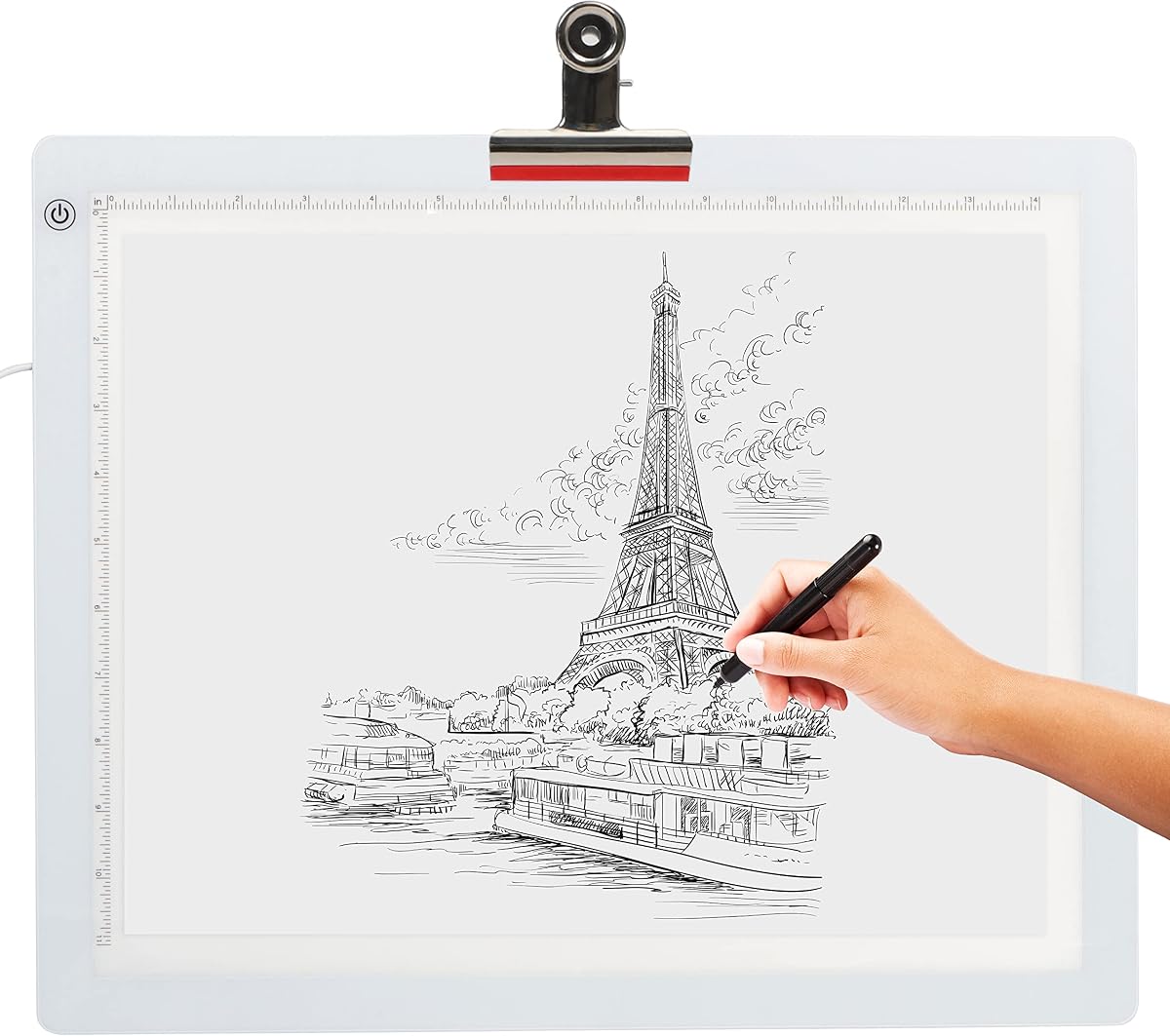
This model features a printed scale for measurement, which aids in proportionate drawings and design work. It offers reliable flicker-free illumination suitable for detailed tracing.
We may earn a commission when you buy through this link, at no additional cost to you.
The touch control simplifies brightness adjustments, and the USB power ensures easy connectivity to standard devices. Its thin and light design make it convenient to transport.
While it lacks advanced features like dimming or magnets, it covers the basics well. The scale adds a unique utility for technical sketching or layout planning.
If you need a simple, budget-friendly pad with measurement help, this is a solid choice. Its straightforward design minimizes distractions during creative work.
The integrated scale helps you estimate sizes without needing extra tools, streamlining your workflow for technical drawings.
The touch-sensitive interface allows quick brightness changes with minimal effort, keeping you focused on the task.
We may earn a commission when you buy through this link, at no additional cost to you.
This ultra-thin pad measures just 5.1mm, making it extremely portable and easy to store. Its stepless brightness control provides fine adjustments for perfect lighting conditions.
We may earn a commission when you buy through this link, at no additional cost to you.
The memory function remembers your preferred setting, saving time when you return to your project. The uniform light output ensures consistent visibility across the surface.
The active area is smaller than standard A4, which might limit larger drawings. However, for sketching or tattoo transfers, it is sufficient and comfortable to use.
Choose this if portability and a sleek profile are your top priorities. Its refined features add convenience to everyday creative routines.
The unit recalls your last brightness level automatically, reducing the need for manual adjustment each time you use it.
At only 5.1mm thick, this pad slips easily into slim sleeves or backpacks for on-the-go work sessions.
We may earn a commission when you buy through this link, at no additional cost to you.
Choosing the right light box involves considering size, power source, and specific features that match your creative workflow and workspace.
The size of the light box determines how much of your artwork you can view at once. Standard A4 pads are great for general sketches, while larger A2 boards support full sheets for design or quilting.
Select a size that matches your common paper dimensions to avoid frequent repositioning and improve efficiency.
Light boxes come with USB, AC adapter, or rechargeable battery options. USB models are portable but need a nearby source, while battery ones offer true mobility but require charging breaks.
Decide if you need mobility or stable continuous power based on where you typically work.
Brightness levels affect visibility and eye comfort. Stepless or multi-level dimming allows you to tailor light to the task, reducing strain during long sessions.
Look for flicker-free LEDs that maintain consistent intensity to avoid headaches and visual fatigue.
Controls range from touch switches to physical buttons. Side physical buttons prevent accidental toggling during use, which is helpful when your hands are occupied with drawing.
Choose a control layout that feels intuitive and safe for your working style.
If you plan to move the light box often, weight and thickness matter. Slim, lightweight units fit into bags easily, while larger ones stay fixed at a desk.
Consider whether you need a travel-friendly tool or a stationary studio piece.
Some models include stands, clips, or magnetic surfaces to improve posture and secure materials. These features reduce strain on your neck and hands during prolonged use.
Prioritize ergonomic add-ons if you spend hours working on detailed projects daily.
Certain packages come with carrying cases, tracing paper, or rulers that add immediate value. Others require you to buy these separately.
Check the box contents to see if they match your immediate project needs.
Materials like aluminum frames and scratch-resistant surfaces extend the life of the light box. High-quality LEDs ensure long-term performance without degradation.
Invest in a sturdy build if you plan to use the tool frequently over several years.
Place the light box on a stable, flat surface to ensure even lighting and prevent accidental slides. Secure your tracing paper or stencil using the included clips or magnets if available.
Turn on the device and adjust brightness to a comfortable level that allows clear visibility without glare. If your model has a memory function, set it to your preferred default.
After use, unplug the unit or turn it off to save energy. Wipe the surface with a dry cloth to remove dust and avoid direct contact with liquids to maintain LED integrity.
Standard A4 pads work well for most sketching and drawing tasks, covering typical letter-size sheets. If you often work with larger formats, consider A2 models for full coverage without repositioning.
Yes, quality light boxes use flicker-free LEDs that minimize eye strain. However, taking regular breaks and adjusting brightness to your comfort level is recommended for extended sessions.
Basic models work out of the box, but accessories like paper clips or tracing sheets can improve the experience. Check the package contents before purchasing to avoid missing items.
Rechargeable boxes offer greater mobility since they don't need constant outlet access. Wired models provide uninterrupted power, which is ideal for stationary studio setups without charging delays.
Absolutely. Many artists use them to trace designs onto skin or transfer stencils accurately. The even illumination helps ensure clean lines for tattoo applications.
Most modern light boxes have LEDs rated for 50,000 hours of use. With proper care and avoiding moisture exposure, they can last several years even with daily use.
Magnets hold your paper or canvas firmly in place, freeing your hands for drawing. This stability improves precision and reduces the need for manual adjustments during tracing.
A stand improves ergonomics by tilting the pad to a comfortable angle. It can reduce neck and back strain during long sessions, making it a valuable addition for frequent users.
The top picks in this guide offer a range of options from budget-friendly A4 pads to large professional A2 boards. Your choice depends on specific needs like workspace size, portability, and power preference.
Prioritize features that directly improve your workflow, such as ergonomic stands or adjustable brightness. These details can significantly enhance comfort and output quality over time.
Remember to verify current availability and specifications before purchasing, as models may update. The right light box will support your creative projects efficiently and reliably for years.