
WHYFONE 43 inch Long Arm 180 Rotating
4.4Editor score
165 lbs heavy duty capacity
43 inch extra long extension
Portrait and landscape rotation
Finding the right mounting solution can transform how you watch television. A 180 degree swivel TV mount offers flexibility that fixed brackets cannot match. It allows you to angle your screen precisely for any seat in the room.
We compared ten top-rated models based on build quality, swivel range, and ease of installation. Each product was evaluated for compatibility with modern TVs and real-world usability in various room layouts.
Every pick below highlights key strengths and limitations to help you decide quickly. Remember that stock levels and offers change frequently, so check current availability before finalizing your purchase decision today.
4.4Editor score

4.8Editor score

4.7Editor score
As an Amazon Associate we earn from qualifying purchases.
This comparison table summarizes the key specifications of all ten models. It helps you quickly identify which mount fits your TV size, wall type, and budget constraints without reading full reviews.

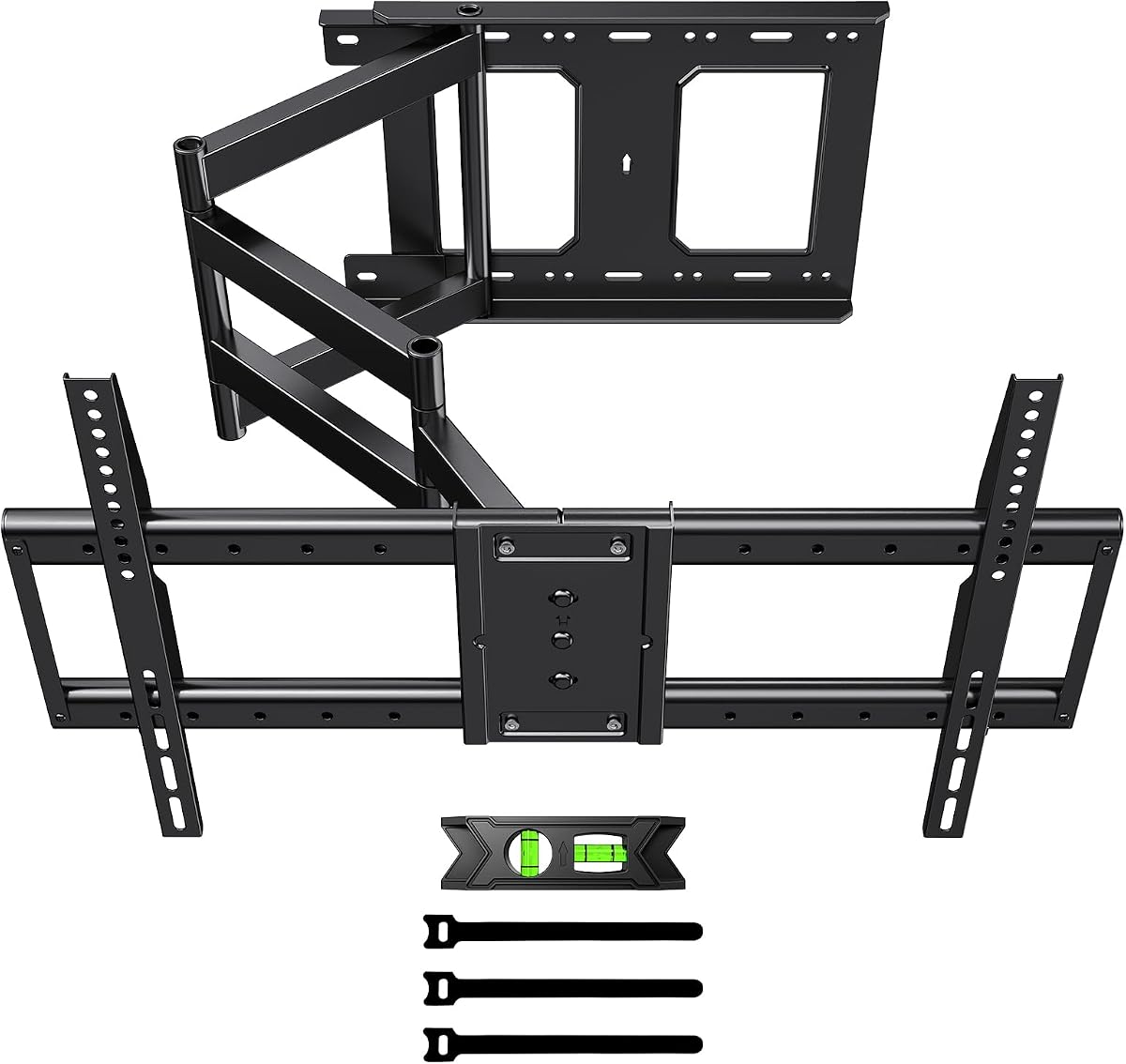


This Perlegear model stands out as the top choice for large screen setups needing serious support. With a 4.8 rating it delivers reliability and flexibility for users wanting to maximize viewing angles across a room. The pre-assembled nature makes installation significantly easier than many competitors.
We may earn a commission when you buy through this link, at no additional cost to you.
The mount supports TVs up to 97 inches and 150 pounds which covers nearly every consumer display on the market. Its 40.1 inch extension arm lets you pull the screen far out for better visibility from distant seating. The ±90 degree swivel ensures you can face any seat without neck strain.
While it is heavier than average mounts that extra mass translates to stability during movement. The pre-assembly means fewer loose parts but the setup requires care to align studs properly. Two people are recommended due to the weight and size of the package.
If you own a large TV and want a mount that handles it confidently this is the pick. It balances heavy duty strength with smooth articulation. Check your wall stud spacing before ordering to ensure compatibility with the included hardware options.
The 150 pound capacity and wide wall plate ensure large TVs stay secure even during full extension.
Most components come pre-connected so you spend less time assembling and more time enjoying your setup.
We may earn a commission when you buy through this link, at no additional cost to you.
The PERLESMITH mount offers an impressive 42.72 inch extension that surpasses many alternatives. It targets users who need to pull their TV far from the wall for better viewing angles in spacious rooms. The 4.7 rating reflects consistent performance over time.
We may earn a commission when you buy through this link, at no additional cost to you.
Its long arm design makes it ideal for corner mounting or reaching over furniture like consoles. The included cable management clips help keep wires organized along the arm. Tilt adjustments allow you to reduce glare from windows or overhead lights effectively.
The weight capacity matches the Perlegear model at 150 pounds but the arm length can make it feel more substantial. Careful installation is key to ensure it handles the leverage of a fully extended screen. Users should verify stud strength before mounting.
Choose this if you need maximum reach and flexibility without compromising on load capacity. It transforms awkward corners into prime viewing spots. Confirm your wall structure can handle the torque before finalizing your purchase.
The 42 inch extension lets you bring the screen closer to seating areas in large living spaces.
Designed to fit snugly in corners while still offering full motion swivel and tilt options.
We may earn a commission when you buy through this link, at no additional cost to you.
WHYFONE delivers a premium experience with the highest weight capacity in this comparison at 165 pounds. The design emphasizes durability and advanced features like portrait rotation which is rare in this category. Its 4.4 rating indicates solid performance despite the complex features.
We may earn a commission when you buy through this link, at no additional cost to you.
The thick steel tubes are 2.8 times thicker than comparable mounts which enhances stability. You can rotate the screen between landscape and portrait modes for social media or digital signage use. The spider design panel distributes force evenly to reduce long-term sagging.
While the price is higher the longevity justifies the investment for expensive TVs. The manual rotation between modes is smooth but may take practice to align perfectly. Two people are required for safe installation due to the weight of the mount and TV.
Opt for this if you need extreme durability and unique orientation features. It is ideal for commercial setups or homes with oversized displays. Ensure your wall can support the heavy load before installing.
Switch between viewing modes without tools to adapt to different content types effortlessly.
Thicker steel components and rigorous testing ensure safety for the heaviest consumer TVs.
We may earn a commission when you buy through this link, at no additional cost to you.
This Perlegear model targets mid-size TVs with ease of use in mind. It holds a 4.8 rating for its smooth movements and simple installation process. The 100 pound capacity suits most household screens up to 70 inches without needing extra support.
We may earn a commission when you buy through this link, at no additional cost to you.
The tool-free tilt adjustment allows you to change angles quickly without tools. When retracted the mount stays close to the wall for a clean look. It works well in corners where space is limited and you need precise positioning.
While it cannot support heavy commercial TVs it is perfect for standard home setups. The single stud design simplifies mounting but you must ensure the stud is solid. Installation takes minimal time thanks to the labeled hardware and template.
Choose this for a streamlined setup in bedrooms or smaller living areas. It balances function and aesthetics well. Verify your TV weight stays under 100 pounds to maintain safety.
Tilt the screen manually to reduce glare or align with seating without digging for tools.
Retracts close to the wall to minimize clutter and maintain a tidy room appearance.
We may earn a commission when you buy through this link, at no additional cost to you.
HCMOUNTING offers a budget-friendly yet robust solution for corner installations. Its 4.7 rating comes from reliable performance and the unique center aligned retraction that prevents crooked TV positioning. It supports up to 132 pounds which is above average for this price.
We may earn a commission when you buy through this link, at no additional cost to you.
The single stud swivel design makes it versatile for various wall types. Unlike other mounts it centers itself automatically when retracted which reduces manual tweaking. The 10-year support adds confidence for long-term use.
While the extension is shorter than high-end models it suits most standard rooms. The price point makes it accessible without sacrificing safety. Just ensure you use anchors if installing on brick or concrete for stability.
This is the smart pick for apartment renters or budget-conscious buyers. It brings premium features to an affordable package. Check stud alignment carefully to maximize the centering benefit.
The mount aligns with the wall plate automatically when folded in for a straight look.
Ten years of product support ensures you have help available for any issues over time.
We may earn a commission when you buy through this link, at no additional cost to you.
The FORGING MOUNT includes a versatile screen rotation capability for digital center applications. It holds a 4.7 rating for its stability and ease of setup. The 110 pound capacity handles most mid-to-large TVs with confidence.
We may earn a commission when you buy through this link, at no additional cost to you.
You can switch between vertical and horizontal layouts for social media or documents. The commercial grade construction ensures it withstands frequent adjustments without wobbling. It fits neatly into corners to save main wall space.
While the rotation is cool it might be overkill for standard movie watching. The build is robust but heavier than typical home units. Install it carefully to avoid stress on the wall.
Choose this if you need a digital kiosk feel at home. It is also great for gaming or reading setups. Ensure your wall can support the added leverage of rotation.
Rotate the screen for different apps or content types without needing a separate mount.
Designed specifically to tuck into corners and free up valuable wall area.
We may earn a commission when you buy through this link, at no additional cost to you.
This Perlegear model focuses on extending reach without sacrificing stability. The 37.4 inch extension allows viewing from multiple zones like a kitchen and living room. Its 4.7 rating confirms reliable daily use.
We may earn a commission when you buy through this link, at no additional cost to you.
The single stud design gives flexibility for placement. Tool-free tilt lets you adjust angles quickly for glare reduction. It supports up to 110 pounds which covers most mid-size sets well.
The long arm can create leverage issues on weak walls so check stud integrity. The packaging includes all hardware needed to start immediately. It retracts cleanly for a tidy look.
Ideal for rooms with wide seating arrangements or unique layouts. It brings the screen closer when needed. Follow the manual to avoid strain on the arm.
The extra long reach covers larger rooms by pulling the TV out to center view.
A solid central pivot point ensures smooth movement without sagging over time.
We may earn a commission when you buy through this link, at no additional cost to you.
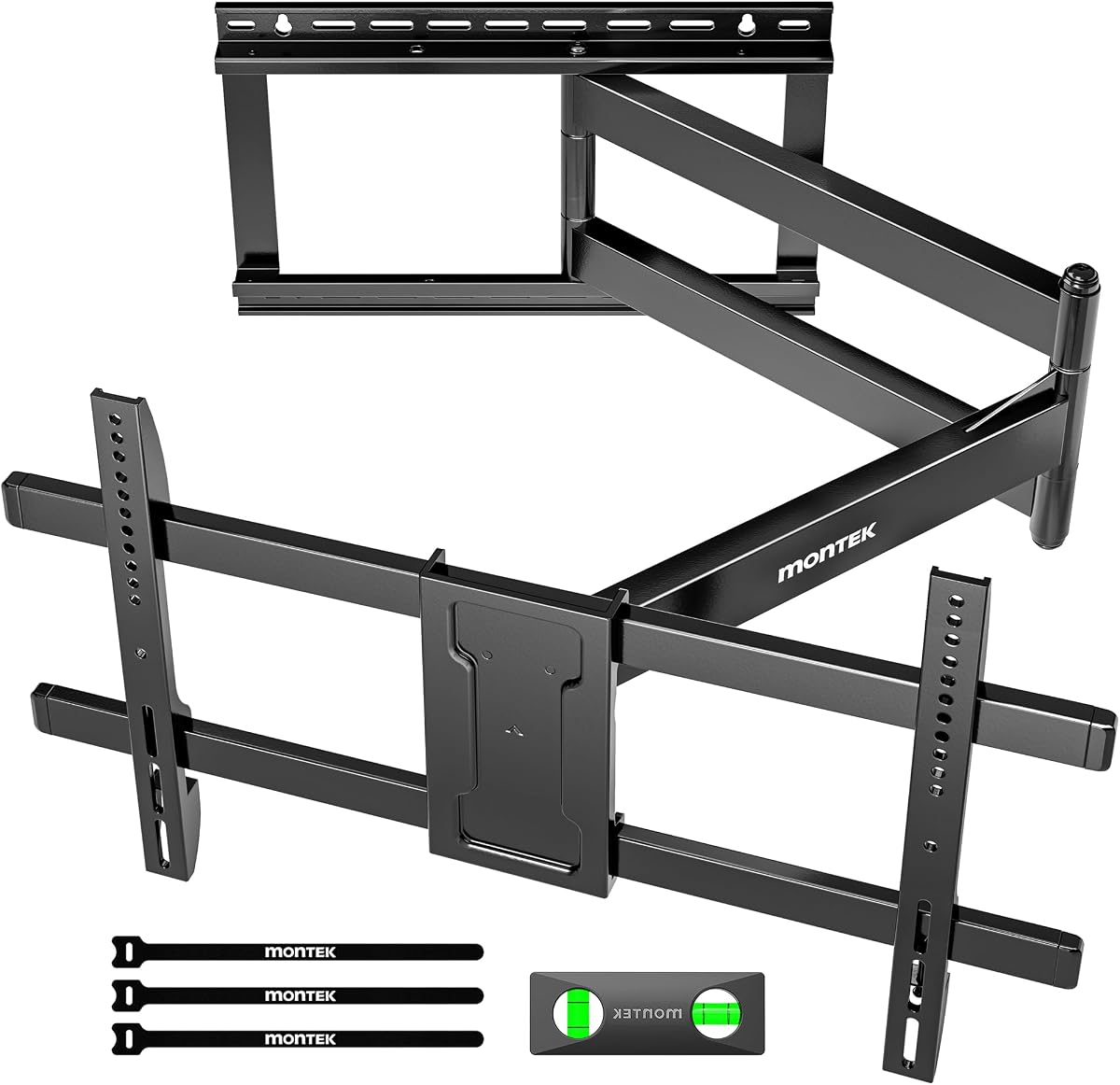
monTEK stands out for integrated cable management that keeps wires organized. The 4.7 rating reflects ease of setup and smooth movement. Its 42 inch extension is perfect for spacious rooms where distance matters.
We may earn a commission when you buy through this link, at no additional cost to you.
The velcro straps help conceal wires along the arm reducing clutter. Level adjustments ensure the screen stays straight after mounting. The bubble level in the box speeds up alignment.
While the velcro may degrade after years it is a nice touch. The hardware is clearly labeled to reduce installation stress. It fits standard wood studs well.
Choose this if keeping wires hidden is a priority. It offers a complete package for clean home theaters. Confirm stud spacing matches the required 16 to 18 inches.
Built-in velcro straps keep cables hidden for a professional look.
A bubble level ensures your TV is perfectly straight without extra tools.
We may earn a commission when you buy through this link, at no additional cost to you.
Mount-It! offers extreme load capacity with a 220 pound rating. It is built for heavy plasma or commercial screens in a home setting. The 4.6 rating points to solid quality and trust.
We may earn a commission when you buy through this link, at no additional cost to you.
The two stud span design provides immense stability and reduces risk of sagging. You get a lifetime warranty which is rare. The tilt range handles high placements above fireplaces or in corners.
While the extension is shorter the strength is unmatched. It is ideal for older heavy TVs. Ensure you have two studs for proper installation.
Select this for maximum security on heavy displays. It balances safety with functionality well. Check your wall structure before mounting.
With a 220 pound capacity it supports even the heaviest commercial grade TVs safely.
A lifetime warranty ensures long-term peace of mind for your investment.
We may earn a commission when you buy through this link, at no additional cost to you.
This mount focuses on vertical content for meetings or streaming. The 90 degree rotation makes it unique. It holds a 4.6 rating for flexibility and ease of use.
We may earn a commission when you buy through this link, at no additional cost to you.
The tilt range allows for significant glare control. Installation is fast at 15 minutes with the included hardware. The 40.9 inch extension covers wide rooms well.
Vertical rotation may need time to master for perfect alignment. Ensure drywall anchors are used if not hitting studs. It is great for dynamic setups.
Choose this for digital signage or gaming. It offers versatility at a solid price. Verify wall type before installing.
Rotate your screen to match vertical apps or videos without separate mounts.
Most users finish installation in 15 minutes with pre-labeled parts.
We may earn a commission when you buy through this link, at no additional cost to you.
Selecting the right mount involves more than just checking size compatibility. Consider your wall type, TV weight, and desired viewing angles before making a final decision.
Ensure the mount supports your TV's physical dimensions and weight. Always check the maximum weight limit to prevent failure or damage over time. A 150 pound rating covers most large consumer TVs safely.
Verify the weight limit matches your setup exactly to avoid risk.
Check if your wall has wood studs, concrete, or brick. Some mounts only fit single studs while others require two for stability. Drywall alone cannot support heavy loads without anchors.
Match the mount to your wall type to guarantee safety.
A 180 degree swivel allows full room flexibility while tilt reduces glare. Look for ±90 degrees swivel and adjustable tilt to align with seating. Wider ranges offer better ergonomic viewing angles.
Prioritize a wide range for flexible seating positions.
Longer arms let you pull the TV closer for intimate viewing. Check the fully extended length versus retracted depth to save space. This is vital for corner setups or large living rooms.
Choose an extension that suits your room dimensions.
Some mounts are pre-assembled while others require complex assembly. Ensure the hardware matches your wall type and includes a level. Two people are usually needed for large TVs.
Confirm installation steps and tools before purchasing.
Look for cold rolled steel or heavy duty construction to ensure longevity. Thicker tubes and solid hinge pins reduce wobbling. Quality materials prevent wear over years of movement.
Select robust materials for long term reliability.
Integrated clips or velcro help conceal wires along the arm. Organized cables improve aesthetics and reduce trip hazards. Look for included hardware to route wires cleanly.
Check for built-in cable management options.
A warranty protects you against defects and structural issues. Some brands offer lifetime warranties while others provide limited coverage. US-based support helps with installation questions.
Prioritize models with solid warranty coverage.
Start by locating wall studs using a stud finder and marking them clearly. Ensure the mount is centered before drilling to avoid stress on the wall. Use a level to check alignment during installation.
Adjust the swivel and tilt arms regularly to keep them moving smoothly. Lubricate any moving joints if they feel stiff over time. Do not force the arm if it meets resistance.
Periodically check the mounting bolts to ensure they remain tight. Dust and clean the mount to prevent buildup in the hinges. Following these steps extends the life of your mount.
No. You must anchor into wood studs or use heavy anchors for concrete. Drywall cannot support the weight of a TV and mount securely without studs.
Swivel refers to horizontal movement left and right while rotation usually means vertical 90 degree shifts. Both features allow you to change how you view your screen.
Measure your TV's VESA pattern and weight. Compare these numbers with the mount's maximum specifications. Always leave a safety margin for heavy models.
Yes. if the mount supports the weight and the wall is sturdy. Do not exceed the listed load capacity to avoid tipping or breaking.
Some heavy-duty models support commercial loads but check the rating. Residential mounts may not be designed for daily public use. Look for commercial grade options for business settings.
Installation takes 15 to 45 minutes depending on experience. Having a second person helps with lifting large TVs and mounting arms safely.
We found top options for different needs including heavy duty support and budget choices. The Perlegear PGXLF02 offers excellent balance while HCMOUNTING saves money without compromising safety. WHYFONE brings premium features for large screens.
Prioritize build quality and wall compatibility when making your final decision. A sturdy mount protects your TV and gives you peace of mind. Do not overlook stud spacing before installation.
Prices and availability change often so verify current details before purchasing. Your ideal mount will fit your room style and viewing needs perfectly. Enjoy a better viewing experience with the right choice.