
Thermaltake Pure 20 Series
4.5Editor score
High airflow thick design
Anti-Vibration Mounting System
Long Life Sleeve Bearing
Finding the right cooling solution is crucial for any high-performance PC build. 200mm case fans offer a unique balance of high airflow and low noise that smaller fans often struggle to match. They are ideal for larger chassis where space allows for maximum air movement without compromising acoustic comfort during intense gaming or work sessions.
We have compiled this list by analyzing real user feedback, technical specifications, and manufacturer reputations. Our goal is to highlight fans that deliver reliable cooling, durable bearings, and modern features like PWM control or ARGB synchronization. Each product was selected based on its ability to maintain optimal temperatures while keeping system noise levels manageable for everyday use.
Every pick in this guide includes detailed pros and cons, specific technical specs, and direct links to verified retailers. Please note that availability and pricing can fluctuate frequently based on demand and retailer stock. We recommend checking the current links before making a final decision to ensure you get the best value and compatibility for your specific system setup today.
4.5Editor score
4.8Editor score

4.6Editor score
As an Amazon Associate we earn from qualifying purchases.
This side-by-side comparison allows you to quickly evaluate the key specifications and performance metrics of the top 200mm case fans available today. From airflow capacity and noise levels to bearing types and mounting compatibility, each entry highlights the most critical details needed to make an informed decision for your PC build.


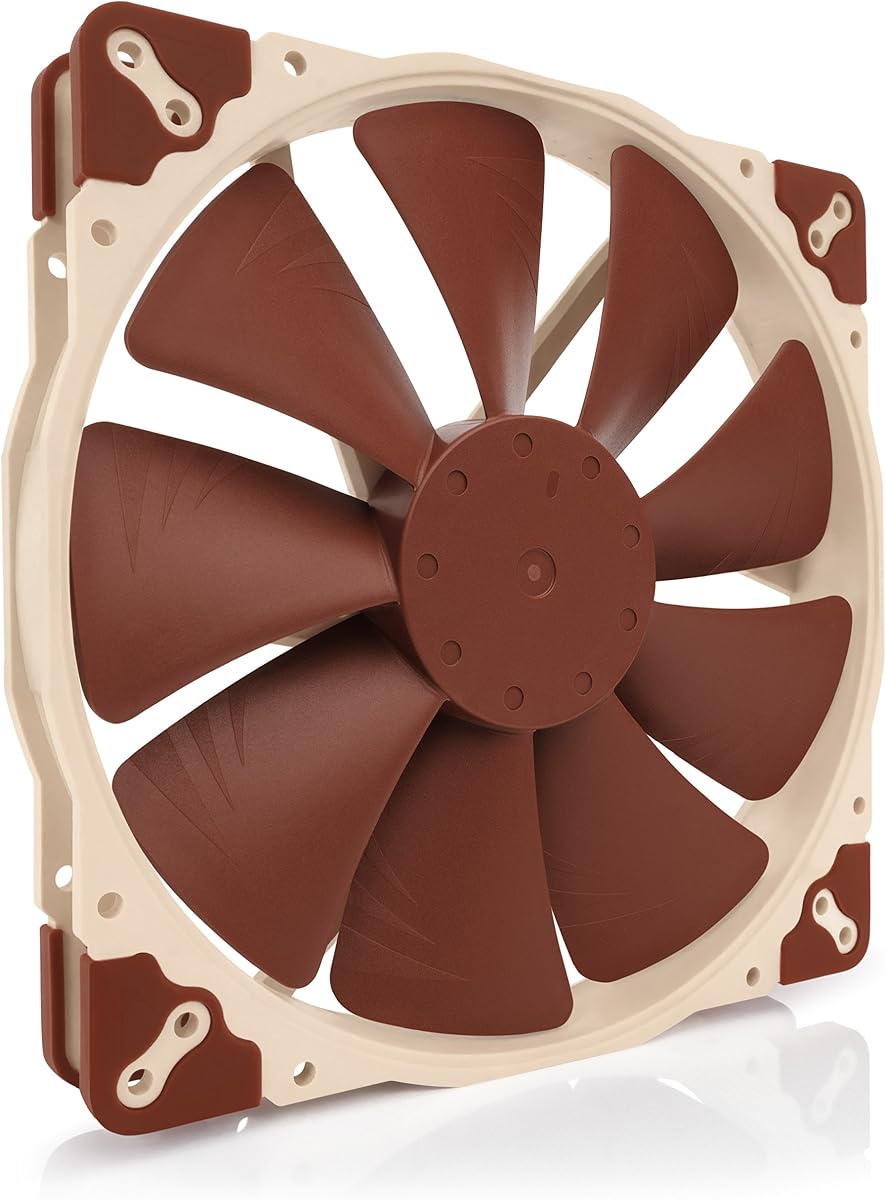
The Noctua NF-A20 PWM stands out as the premier choice for users seeking absolute silence and efficient cooling. With a 4.8 rating, it delivers consistent performance across a wide range of system loads while keeping noise levels exceptionally low. Its award-winning A-series design ensures that every revolution moves maximum air with minimal disturbance to your workspace.
We may earn a commission when you buy through this link, at no additional cost to you.
Key strengths include the Flow Acceleration Channels and Advanced Acoustic Optimisation frame which work together to reduce turbulence and noise. The 4-pin PWM connection allows for automatic speed control via your motherboard, ensuring the fan ramps up only when needed. It includes a low-noise adaptor and extension cable, making installation flexible for various case layouts.
Honest trade-offs involve the higher cost compared to generic options and the specific 200mm diameter which requires adequate clearance in your chassis. These are acceptable because the reliability and acoustic performance significantly reduce long-term frustration and maintenance needs. The inclusion of multiple mounting hole sets ensures compatibility with many modern PC cases.
This fan is ideal for enthusiasts who prioritize acoustic comfort alongside thermal efficiency in their builds. Whether you are building a quiet workstation or a high-end gaming rig, this model provides a dependable solution that ages well. We highly recommend it for anyone willing to invest in superior cooling technology.
The Advanced Acoustic Optimisation frame reduces resonance and vibration for near-silent operation.
With over 150,000 hours MTTF, this fan ensures years of stable performance without failure.
We may earn a commission when you buy through this link, at no additional cost to you.
The Thermaltake Pure 20 Series delivers exceptional value by balancing performance and cost effectively. With a 4.5 rating, it offers high airflow through its unique 30mm thick frame which boosts air pressure without adding excessive noise. This makes it a practical solution for budget-conscious builders who still want effective cooling performance.
We may earn a commission when you buy through this link, at no additional cost to you.
Key strengths include the focused airflow blade design that creates a torrent of air while managing noise levels. The anti-vibration mounting system minimizes vibration transmission to the case, enhancing overall acoustic comfort. Its long life sleeve bearing offers good reliability for everyday use without breaking the bank on replacement costs.
Trade-offs include the 30mm thickness which may require deeper case mounting slots and the sleeve bearing which generally has a shorter lifespan than premium ball bearings. These are acceptable given the low price point and the performance it offers for most standard use cases. An LED version is also available for those seeking added aesthetics.
Buyers looking for an effective and affordable upgrade to their existing case cooling will find this fan ideal. It works particularly well in Thermaltake chassis but is widely compatible with others. We recommend it as a smart entry point into high-airflow 200mm cooling solutions.
The 30mm thick frame increases air pressure to move more air through restrictive components.
Included anti-vibration mounting reduces case resonance for a quieter system overall.
We may earn a commission when you buy through this link, at no additional cost to you.
The Noctua NF-A20 PWM chromax.Black.swap elevates the standard NF-A20 with an aesthetic upgrade that matches modern black-themed builds. With a 4.6 rating, it maintains the high-performance standards of the original while offering unique color customization options. This makes it perfect for users who refuse to compromise on looks or cooling quality.
We may earn a commission when you buy through this link, at no additional cost to you.
Key strengths include the chromax.black.swap edition which features an all-black design and swappable anti-vibration pads in multiple colors. The Flow Acceleration Channels and Acoustic Optimisation frame ensure quiet cooling similar to the standard version. It supports automatic speed control via 4-pin PWM headers for efficient system management.
Trade-offs involve the premium price tag and the need to manually swap pads for color customization which takes some effort. These are acceptable because the visual impact and performance justify the cost for dedicated enthusiasts. It remains a reliable choice for those wanting top-tier cooling with style.
This fan is best suited for users building high-end systems where aesthetics matter as much as performance. The flexibility in pad colors allows you to match your build theme precisely. We highly recommend it for those seeking the ultimate balance of form and function in a 200mm fan.
Swappable anti-vibration pads let you customize your fan color to match any PC theme.
Award-winning A-series design delivers industry-leading airflow with minimal noise interference.
We may earn a commission when you buy through this link, at no additional cost to you.
The Thermaltake CT200 PWM is a solid mid-range option that prioritizes airflow volume with its 131.6 CFM rating. With a 4.3 rating, it provides reliable cooling for general gaming and work tasks while maintaining manageable noise levels. Its hydraulic bearing ensures smooth operation and long life compared to sleeve bearings found in budget units.
We may earn a commission when you buy through this link, at no additional cost to you.
Key strengths include the optimized 9-blade design which pushes significant air volume and static pressure. The daisy chain connectors allow quick installation without needing multiple motherboard headers, simplifying cable management significantly. It runs at speeds between 500 and 900 RPM for balanced performance across different conditions.
Trade-offs include slightly higher noise compared to premium options and a design intended to complement the existing CT fan lineup. These are acceptable given the strong airflow capabilities and the convenience of daisy chaining for multi-fan setups. It serves well as a rear or bottom exhaust fan in larger chassis.
Buyers seeking high airflow without the premium price of top-tier brands will appreciate this model. It is particularly useful for cases requiring strong exhaust capabilities. We recommend it for practical builds where cooling efficiency is the primary goal.
The 9-blade design ensures maximum CFM for effective heat dissipation across large radiators.
Daisy chain connectors allow multiple fans to share one header for cleaner cable management.
We may earn a commission when you buy through this link, at no additional cost to you.
The Cooler Master SickleFlow 200 aRGB combines cooling performance with stunning lighting effects. With a 4.6 rating, it delivers high airflow while offering customizable lighting that enhances any modern build. Its Dynamic PWM technology allows precise speed control to balance noise and cooling according to your needs.
We may earn a commission when you buy through this link, at no additional cost to you.
Key strengths include the frosted blade design which diffuses lighting for a vibrant and uniform luminous effect. The hybrid frame combines flexibility with rigidity to minimize resonance and noise during operation. It includes anti-resonance mounting and a two-tier sealing mechanism for enhanced stability and lifespan.
Trade-offs include the need for a separate RGB controller or motherboard support for lighting features which increases complexity. The price is also higher than basic non-RGB units. These are acceptable if visual appeal is a priority for your PC build aesthetic.
This fan is ideal for gamers and enthusiasts who want a visually impressive system without sacrificing cooling power. The frosted blades ensure light looks soft and professional rather than harsh. We recommend it for builds focused on both aesthetics and airflow performance.
Frosted blades disperse light evenly for a vibrant and customizable luminous effect.
Hybrid PBT Frame design balances flexibility with rigidity for smoother operation.
We may earn a commission when you buy through this link, at no additional cost to you.
The Noctua NF-A20 FLX is designed for users who prioritize silence over maximum performance. With a 4.7 rating, it offers a premium quiet experience using a 3-pin Molex interface compatible with many older or simpler power headers. The 550 RPM setting provides near-silent operation for extremely quiet builds.
We may earn a commission when you buy through this link, at no additional cost to you.
Key strengths include the Low-Noise Adaptor that allows you to switch between 800 RPM for airflow and 550 RPM for silence. The A-series design with Flow Acceleration Channels ensures that even at lower speeds, the fan moves air effectively. It also comes with an extension cable and 3:4-pin adaptor for power supply connection.
Trade-offs include the 3-pin interface which limits motherboard speed control and the lower RPM ceiling compared to PWM fans. These are acceptable if you want a plug-and-play silent solution without software configuration. It remains a top choice for home theater PCs or office workstations.
This fan is best suited for environments where noise is a significant concern. Its reliability and ease of use make it a favorite for dedicated quiet systems. We recommend it for users who value silence above all other factors.
The Low-Noise Adaptor provides a fixed 550 RPM setting for near-silent performance.
3-pin Molex connection ensures compatibility with both motherboard and PSU headers.
We may earn a commission when you buy through this link, at no additional cost to you.
The Noctua NF-A20 5V PWM offers unique versatility with its ability to run on USB power sources. With a 4.7 rating, it delivers high-performance quiet cooling suitable for devices with host ports or USB power supplies. This makes it an excellent choice for portable builds or specific cooling needs.
We may earn a commission when you buy through this link, at no additional cost to you.
Key strengths include the USB power adaptor cable which allows running the fan from power banks or phone chargers. The 5V 4-pin PWM interface ensures PWM speed control on compatible devices while polarity protection prevents damage from incorrect connections. It includes an OmniJoin adaptor set for proprietary fan headers.
Trade-offs include the requirement for a 5V power source and limited to 800 RPM speeds compared to standard 12V units. These are acceptable given the flexibility it offers for non-standard setups. It remains a reliable solution for niche applications needing silent airflow.
This fan is ideal for users with specialized systems like Raspberry Pi rigs or portable enclosures. Its compact control and reliability are unmatched for 5V systems. We recommend it for anyone needing a quiet fan outside traditional PC cases.
USB power adaptor cable allows connection to standard USB host ports for flexible installation.
OmniJoin adaptor set ensures compatibility with various fan headers and connectors.
We may earn a commission when you buy through this link, at no additional cost to you.
The Cooler Master MF200R RGB delivers solid cooling with integrated RGB lighting at a competitive price. With a 4.4 rating, it offers a mix of noise reduction technology and sound absorbing rubber pads for quiet operation. Its hybrid design ensures static pressure without sacrificing overall airflow volume.
We may earn a commission when you buy through this link, at no additional cost to you.
Key strengths include the Jet Engine and helicopter Blade design which optimizes air pressure and movement efficiently. Smart fan sensor technology automatically stops the motor if jammed, protecting your build from damage. It supports certified RGB compatibility with major motherboard manufacturers for unified lighting control.
Trade-offs include the lower CFM compared to high-flow fans and the need for a controller to manage lighting. These are acceptable given the balanced noise and airflow performance. It is a popular choice for builds needing RGB without breaking the budget.
This fan is best suited for users looking for an affordable RGB upgrade. Its silent technology and protective features add value beyond just looks. We recommend it for cost-conscious builders wanting visual flair.
Hybrid design applies static pressure efficiently while maintaining strong airflow levels.
Smart fan sensor protects your build by stopping the motor if a jam occurs.
We may earn a commission when you buy through this link, at no additional cost to you.
The CHICIRIS 200mm Case Fan brings powerful airflow and vibrant lighting to budget builds. With a 4.5 rating, it delivers 95 CFM of air volume while maintaining ultra quiet operation thanks to its hydraulic bearing design. This makes it a compelling option for users seeking high volume cooling with visual appeal.
We may earn a commission when you buy through this link, at no additional cost to you.
Key strengths include the 34 LED lamp beads which provide stunning illumination with bright uniform glow. The hydraulic bearing ensures stable performance and reduces friction over time for reliable longevity. It supports 5V 3pin ARGB motherboard synchronization for easy lighting control from your system.
Trade-offs include limited independent reviews and newer brand presence in the market. These are acceptable given the strong specifications and competitive pricing. It offers a modern look with practical cooling for new builds.
This fan is best suited for users wanting maximum ARGB lighting without paying premium prices. Its large air volume ensures effective cooling even in larger cases. We recommend it for budget-friendly builds needing strong performance.
Delivers 95 CFM airflow ensuring efficient heat dissipation during intense sessions.
Hydraulic bearing with oil sealed cover ensures stable performance over many years.
We may earn a commission when you buy through this link, at no additional cost to you.
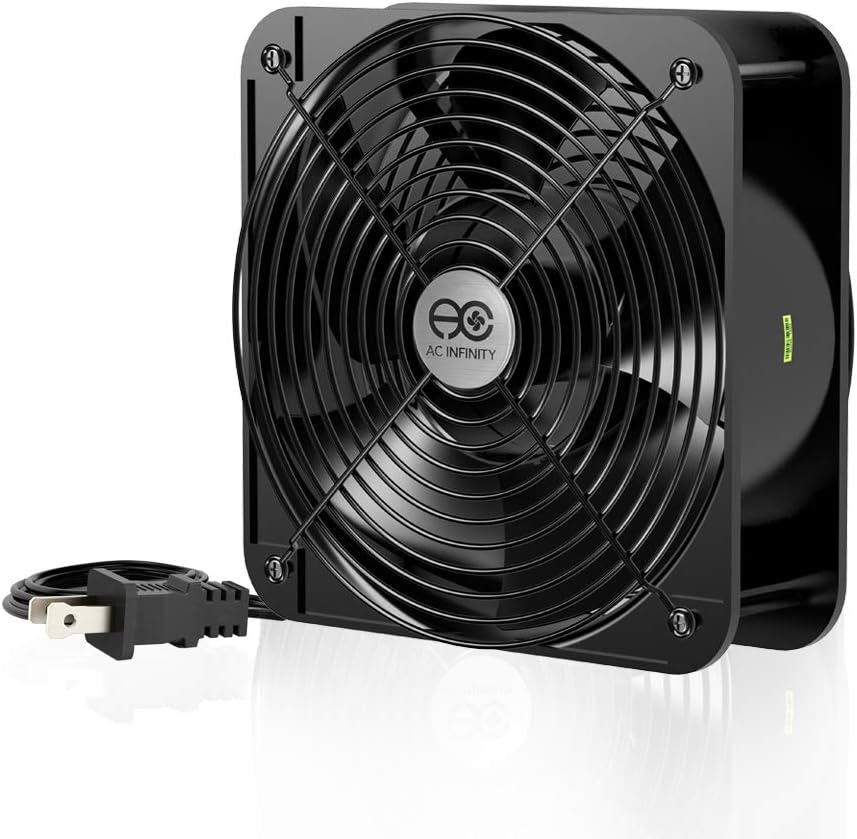
The AC Infinity AXIAL 2060 is an industrial-grade fan designed for maximum ventilation. With a 4.5 rating, it pushes 425 CFM of air to cool large or specialized enclosures effectively. Its 60mm thick frame provides significant surface area for heavy-duty cooling tasks.
We may earn a commission when you buy through this link, at no additional cost to you.
Key strengths include the heavy-duty aluminum construction and dual-ball bearings ensuring durability for harsh environments. It comes with power plug cords and mounting sets for easy installation in projects needing strong airflow. The fan can stand upright or lay flat for versatile mounting options.
Trade-offs include high noise levels at 65 dBA and the need for a standard AC outlet which limits PC use. These are acceptable for industrial or specialized setups where cooling power is paramount. It is not meant for quiet home office use.
This fan is ideal for cooling servers, electronics cabinets, or large enclosures. Its reliability and airflow make it unmatched for specialized needs. We recommend it only when cooling power is more important than silence.
High-speed 425 CFM airflow ensures rapid cooling for large electronics enclosures.
Dual-ball bearings and aluminum frame ensure long lifespan in demanding environments.
We may earn a commission when you buy through this link, at no additional cost to you.
Selecting the right 200mm fan involves considering several technical factors that impact cooling and noise. This guide outlines the most important aspects to check before making your purchase.
Airflow measured in Cubic Feet per Minute (CFM) determines how much air the fan moves. Higher CFM values indicate stronger cooling capacity especially useful for hot components or large cases. Look for fans rated above 90 CFM for significant ventilation improvements.
Prioritize high CFM for exhaust fans and balanced values for intake fans.
Noise level measured in decibels (dB) affects how audible the fan is during operation. Lower dB values like 18 or 20 are ideal for quiet builds while higher values may be acceptable for industrial settings. Check the maximum dB rating to understand worst-case scenarios.
Choose lower dB values for workstations and gaming rigs needing silence.
Bearing type influences fan longevity and noise characteristics. Sleeve bearings are affordable but wear out faster while hydraulic and ball bearings last longer and run quieter. For long-term use choose hydraulic or ball bearing options to avoid frequent replacements.
Select hydraulic or ball bearings for better durability and stability.
Connector type dictates how the fan connects to your motherboard or power supply. PWM connectors allow automatic speed control via motherboard headers while Molex provides direct power without speed adjustment. Ensure your case supports the connector type you choose.
Use PWM connectors for automatic speed control and Molex for direct power.
Physical dimensions must match your case mounting points to ensure proper installation. Standard 200mm fans are 200mm wide and 200mm tall but thickness can vary from 25mm to 30mm or more. Measure your case clearance to avoid installation issues.
Verify your case supports the exact width and thickness of the fan.
Mounting compatibility refers to how many hole patterns the fan supports. Some fans offer multiple hole sets for universal fit while others are specific to certain cases. Check the product specs to confirm it fits your chassis model.
Look for multiple mounting hole sets for maximum compatibility.
Lighting features like ARGB add visual appeal but require compatible controllers or motherboard headers. Ensure your system supports RGB synchronization if you want unified lighting effects across components. Some fans include built-in controllers for independent control.
Check RGB compatibility if lighting aesthetics are important for your build.
Warranty and support reflect the manufacturer confidence in the product quality. Longer warranties like three years or more suggest reliability and better after-sales service. Consider brands with strong reputation for fan performance when purchasing.
Opt for brands with longer warranty periods to ensure long-term protection.
Install the fan by aligning the screw holes with your case mounts and securing it with provided screws. Ensure the blades face the correct direction to move air towards or away from components as needed. Use rubber pads if available to reduce vibration noise.
Connect the fan to a motherboard header using the included cable for automatic speed control. If using PWM check BIOS settings to enable fan curves. For simpler setups use the power supply adapter cable for constant speed operation.
Clean the fan blades and frame periodically with compressed air to prevent dust buildup. Dust can balance fan weight and cause noise or performance degradation. Regular maintenance ensures the fan stays silent and efficient throughout its lifespan.
Yes 200mm fans often provide more airflow with less noise due to their larger blade size and lower RPM needs. They are excellent for improving system ventilation without increasing acoustic disturbance. If your case supports them they are generally worth the upgrade.
Most modern cases support one or two 200mm fans typically at the front or rear. Check your specific case manual for supported dimensions and mount points. You may use PWM splitters to connect multiple fans to one motherboard header.
Yes PWM fans require 4-pin headers for full speed control. If your motherboard has 3-pin headers you will lose automatic speed regulation but can still power the fan. Use a 3:4 pin adapter if available for better compatibility.
Not all cases support 200mm fans. Many budget cases only support 120mm or 140mm fans. Verify the dimensions listed in your case specifications before purchasing to ensure proper fit.
Sleeve bearings are simpler and cheaper but may wear faster. Hydraulic bearings use oil seals to reduce friction and extend life. For quiet long-term performance hydraulic bearings are generally preferred over sleeve types.
Fans typically have arrows indicating airflow direction. Install them so air flows from outside the case into internal components or from components to the outside exhaust. Check the fan frame for airflow direction indicators.
Installing the fan backwards reverses airflow which can lead to heat buildup inside the case. This may cause higher component temperatures and reduced system stability. Always align airflow direction with your cooling plan.
Yes as long as the dimensions and mounting points match. Most 200mm fans use standard screw holes so you can mix brands. Just ensure the new fan supports your desired connector type like PWM or 3-pin.
The Noctua NF-A20 PWM remains the top choice for those seeking perfect balance of silence and performance. The Thermaltake Pure 20 Series offers excellent value for budget builders needing high airflow. For premium aesthetics the chromax.Black.swap version provides unique visual customization.
When selecting a fan prioritize airflow and noise levels that match your build requirements. Consider connector types and mounting compatibility to ensure smooth installation without issues. A well-chosen fan improves overall system stability and acoustic comfort significantly.
Prices and availability change frequently so check current stock before finalizing your purchase. Visit the provided links to verify the latest deals and ensure you get the right fan for your PC. Choosing wisely today ensures a cooler and quieter experience tomorrow.