
22MP Film & Slide Scanner with 5 LCD LCD
4.3Editor score
Affordable Pricing Point
Built-in 128MB Memory
HDMI Output Included
Discover the top 35mm slide scanners for digitizing film. Compare features, ratings, and performance to preserve your memories digitally.
Preserving your family history often means digitizing old 35mm slides and negatives. A reliable 35mm slide scanner allows you to convert these physical memories into digital files without needing complex software or a computer. This guide explores the best models available today.
We analyzed ten top-rated scanners based on user feedback, resolution capabilities, ease of use, and included accessories. Our comparison highlights devices that offer standalone operation, high-resolution output, and user-friendly interfaces suitable for seniors and tech enthusiasts alike.
Each pick below showcases key strengths and trade-offs to help you find the right tool for your collection. Note that product availability and specifications can change over time, so always verify details before purchasing to ensure they meet your specific needs.
4.3Editor score
4.3Editor score

5.0Editor score
This side-by-side comparison lists all ten featured scanners with their core specifications to help you quickly identify which device aligns with your digitization needs and budget constraints.





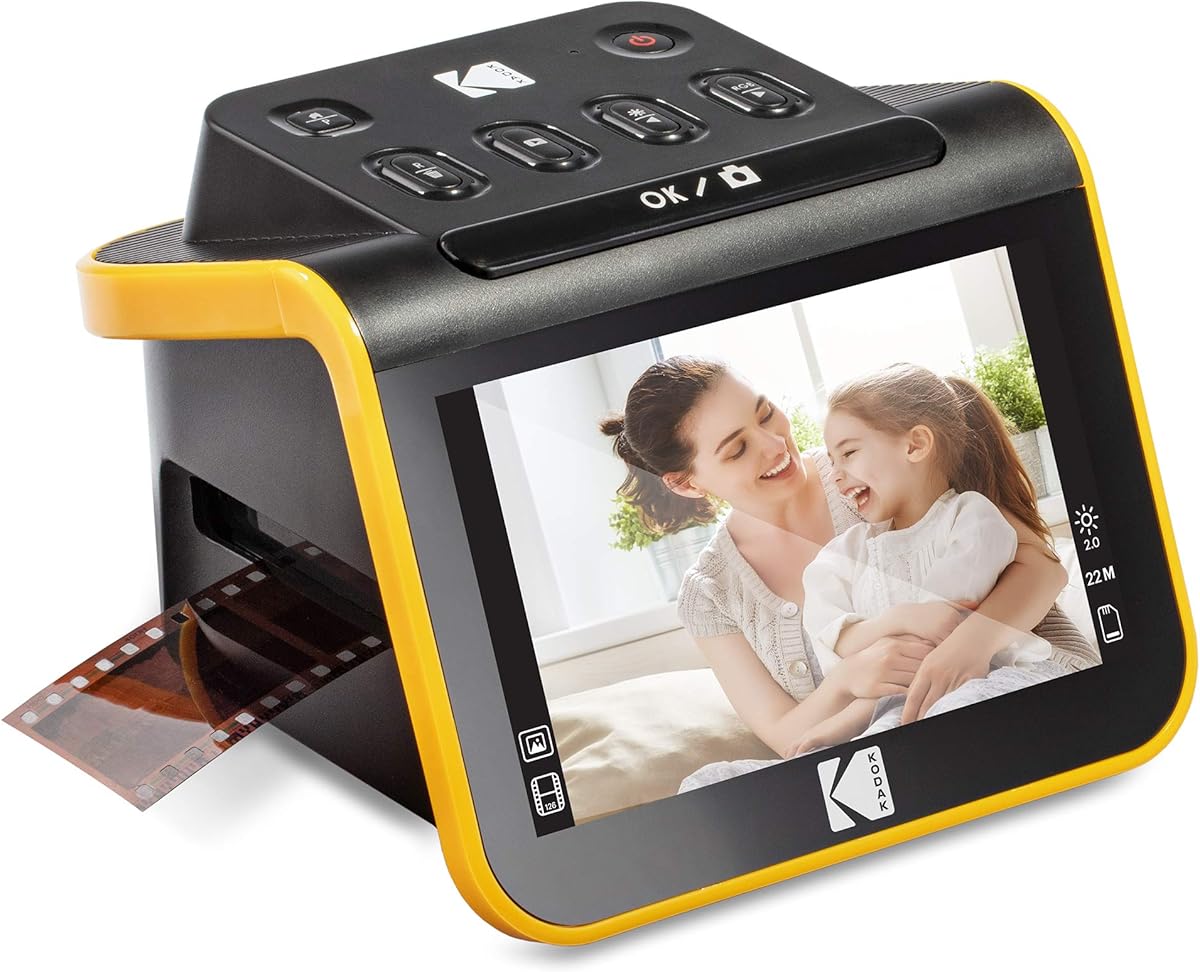
The KODAK Slide N Scan is a versatile 35mm slide scanner designed to digitize old memories without needing a computer. It boasts a 22MP resolution and a 5-inch LCD screen that makes viewing and editing images straightforward for users of all ages.
We may earn a commission when you buy through this link, at no additional cost to you.
This device supports multiple film formats including 135, 110, and 126mm negatives and slides. The easy-load film inserts allow for continuous scanning, which speeds up the process significantly. Users can save images directly to an SD card and share them via HDMI to a TV.
While the device is powerful, some users have noted that the included software can be finicky depending on the computer system. Additionally, the SD card is not included in the box, so you will need to purchase one separately to start saving images immediately.
This scanner is ideal for anyone looking to preserve family archives quickly and easily. If you need a standalone solution that handles various film types and offers a large preview screen, this model is a strong candidate for your collection.
The 5-inch display allows you to see scanned images immediately so you can adjust brightness and color before saving.
Adapters for 135, 110, and 126mm formats ensure you can digitize nearly any old film in your attic.
We may earn a commission when you buy through this link, at no additional cost to you.
The Magnasonic All-in-One scanner stands out for its ability to handle Super 8 film alongside standard 35mm slides and negatives. With a 24MP resolution and a 5-inch display, it offers high-quality digitization that captures fine details in your old photos.
We may earn a commission when you buy through this link, at no additional cost to you.
Users appreciate the standalone functionality that requires no computer or driver installation. You can adjust brightness and color directly on the device screen. It supports up to 128GB SD cards which means you can store thousands of images without needing to offload frequently.
While it supports Super 8 film, which is a rare feature in this price range, the HDMI cable is not included in the package. Some users may also find the interface slightly less intuitive compared to competitors that focus purely on photo scanning.
If you have a collection of Super 8 movies or mixed film types this scanner is an excellent choice. It balances high resolution with broad format support making it a robust tool for archiving diverse media formats.
Few scanners in this category handle Super 8 film making it a unique option for movie collectors.
Support for 128GB SD cards ensures you have ample space for large scanning projects.
We may earn a commission when you buy through this link, at no additional cost to you.
The KODAK Slide N Scan Max focuses on delivering high-resolution digital files from your old film. It uses a 13MP CMOS sensor with 22MP interpolation to capture detailed images that are suitable for printing or large display.
We may earn a commission when you buy through this link, at no additional cost to you.
A key feature of this model is the smooth-moving tray that feeds film without constant repositioning. This streamlines the scanning process and reduces the time spent on manual adjustments. The device saves directly to SD cards up to 32GB so you can work offline.
While the resolution is impressive, some users have reported that the tray can occasionally jam with thicker slides. Also the SD card is not included which adds a small extra cost to get started. However the image quality generally makes up for these minor inconveniences.
This scanner is perfect for users who prioritize image detail and want a seamless scanning workflow. If you have high-value slides that you want to digitize with clarity this model provides the technical specs to meet those needs.
The efficient tray design reduces manual handling and speeds up batch scanning sessions.
22MP interpolation ensures crisp digital files even if your original slides have imperfections.
We may earn a commission when you buy through this link, at no additional cost to you.
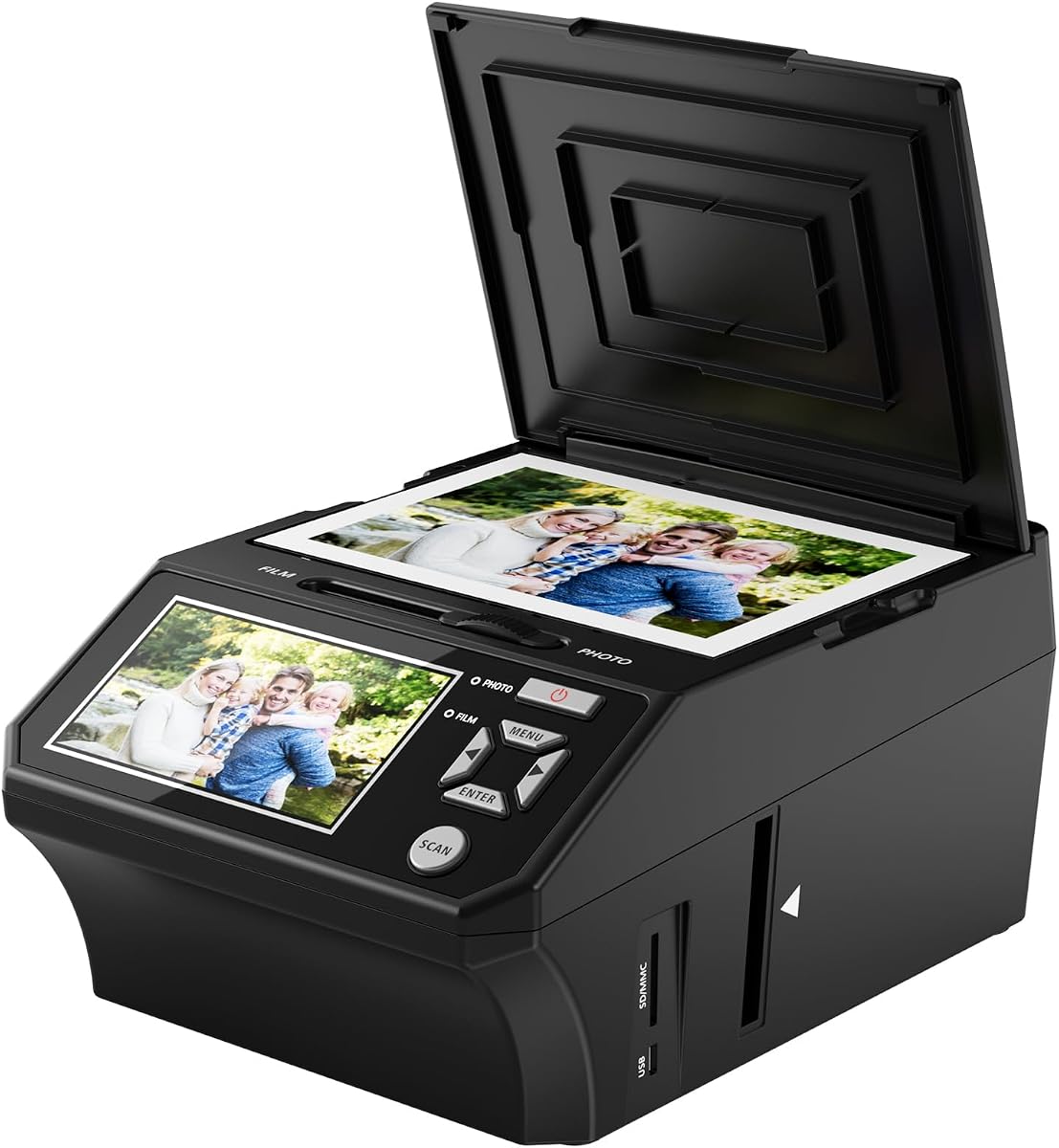
This scanner stands out because it includes an 8GB SD card right out of the box which saves you an extra purchase. It also supports scanning printed photos like 3R and 4R sizes making it a true all-in-one converter for mixed media.
We may earn a commission when you buy through this link, at no additional cost to you.
The large 5-inch HD screen provides a vibrant viewing experience with wide angles that make it easy to see details. Users appreciate the simple one-touch operation that works offline without needing to install drivers or software on your computer.
While the included SD card is limited to 8GB you can upgrade to larger cards if needed. Some users note the screen brightness could be brighter for dark environments but the included accessories and warranty provide strong value for the price.
For families wanting a complete kit to digitize slides and printed photos this is an excellent choice. The inclusion of a warranty and necessary accessories makes it a hassle-free option for preserving your memories digitally.
Getting an SD card and all necessary cables in the box makes it ready to use immediately.
Unlike many slide-only scanners this model also handles physical prints up to 5R size.
We may earn a commission when you buy through this link, at no additional cost to you.
This scanner offers an excellent entry point for digitizing 35mm slides without breaking the bank. It features a 22MP resolution and a 5-inch LCD that allow you to preview and edit images easily. The built-in memory is useful for a few quick scans.
We may earn a commission when you buy through this link, at no additional cost to you.
The package includes an HDMI cable and all necessary film holders which is rare for devices in this price range. Users find the one-touch scanning straightforward and suitable for those who do not want to deal with complex settings or computers.
While it lacks some premium features found in more expensive models the value proposition is strong. The basic build quality is acceptable for occasional use but heavy daily scanning might show wear over time compared to sturdier units.
If you are on a tight budget but still want a complete setup this is a great choice. The included accessories and low price make it an accessible option for families starting to digitize their old photo collections.
You get full functionality at a fraction of the cost of premium scanners.
Having the HDMI cable included helps you display photos on a TV immediately.
We may earn a commission when you buy through this link, at no additional cost to you.
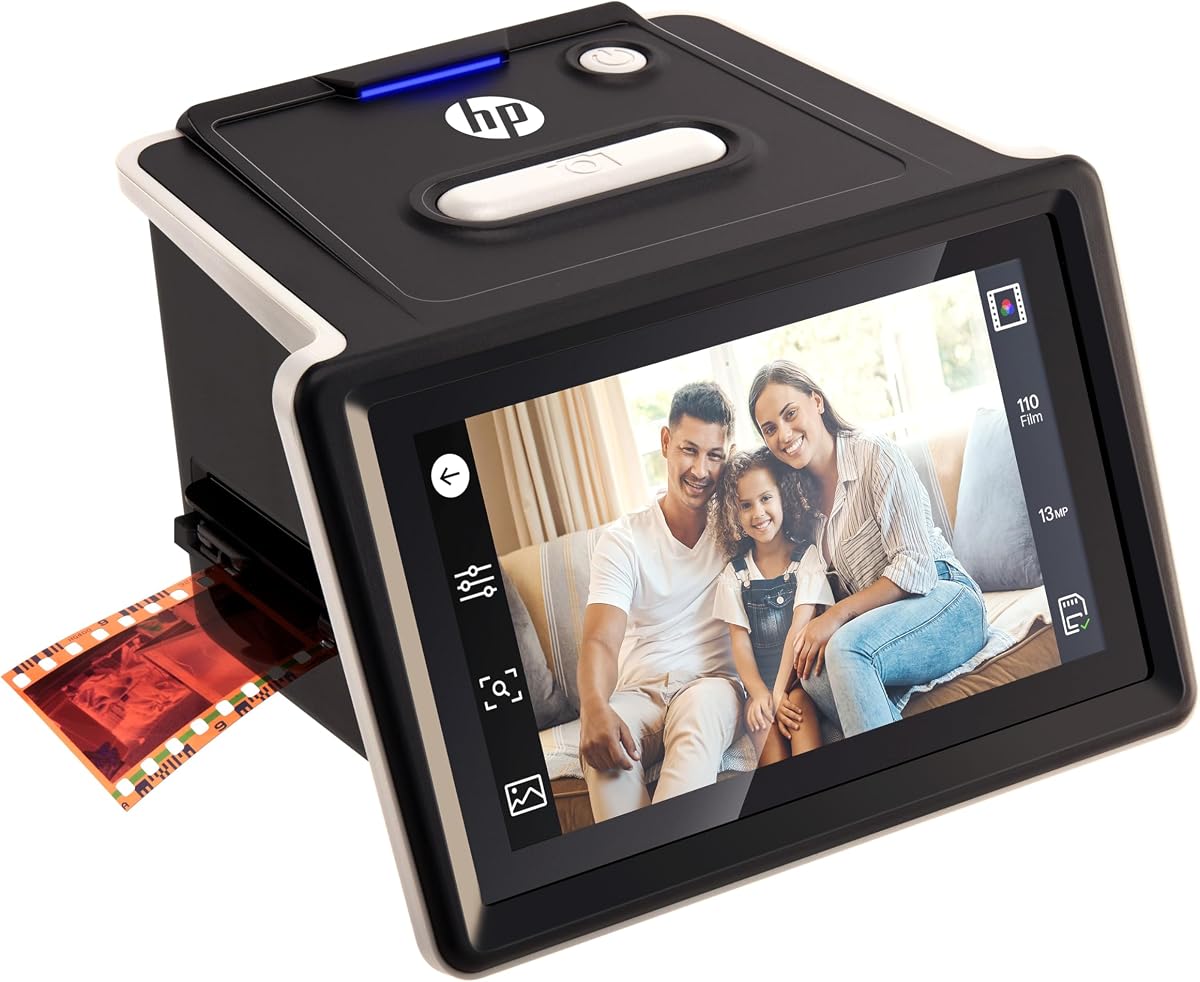
The HP Film & Slide Scanner distinguishes itself with a generous 7-inch touchscreen display that simplifies navigation. This larger interface makes it easier to preview and edit images without squinting at a small screen which is beneficial for older users.
We may earn a commission when you buy through this link, at no additional cost to you.
It includes built-in editing tools that let you crop and adjust scans directly on the device. The quick-feed loading tray supports multiple formats like 135 and 126mm and simplifies processing mixed slide collections efficiently and without hassle.
While the 13MP sensor is lower than some competitors the usability and display quality compensate for it. The price is higher than average but the improved touch interface and larger screen justify the cost for those prioritizing ease of use.
If you value a user-friendly interface and plan to share photos on a large display this scanner is ideal. The touchscreen control removes the complexity of buttons making it accessible for everyone in the family.
The 7-inch touch display replaces physical buttons for a more intuitive user experience.
A larger screen helps you see details more clearly when adjusting image settings.
We may earn a commission when you buy through this link, at no additional cost to you.
This HP model offers modern connectivity with USB-C power which aligns with current device standards. It features a 5-inch touchscreen and 13MP sensor that captures clear images from color and black-and-white film effectively.
We may earn a commission when you buy through this link, at no additional cost to you.
The 22MP interpolation enhances detail in your digital output making prints clearer. You can save directly to an SD card which simplifies the workflow. The gallery mode turns the device into a picture frame for showcasing memories on a wall.
While it uses USB-C power this might require an adapter for older computers lacking this port. The SD card is not included but the flexibility of power sources and high-quality scanning make it a versatile tool for modern users.
Ideal for tech-savvy users who want a portable and modern scanner this model works well with contemporary setups. The combination of touchscreen and USB-C makes it a forward-thinking choice for digital archiving.
USB-C power ensures compatibility with modern laptops and adapters easily.
Use the device as a digital picture frame to display your memories continuously.
We may earn a commission when you buy through this link, at no additional cost to you.
The KODAK SCANZA supports a wide array of formats including 8mm film which is rare for compact scanners. It uses a 3.5-inch LCD but provides enough visibility for basic editing and viewing. The included adapters cover 35mm 126 and 110 formats.
We may earn a commission when you buy through this link, at no additional cost to you.
Users appreciate the included cleaning brush which helps remove dust from slides before scanning. This prevents marks on digital images and maintains quality. The HDMI cable is also included facilitating easy connection to TVs for family viewing sessions.
The screen is smaller than many competitors which can make precise adjustments harder. However the versatility in film types and included accessories like the brush and HDMI cable make it a practical choice for collectors with varied media.
If you have 8mm film or mixed media this scanner handles it well. The included extras reduce initial costs and the high SD card limit ensures you can store many files without worrying about space.
The brush helps clean dust off the light box to ensure clear digital images.
It can handle 8mm negatives and slides which few other scanners in this range do.
We may earn a commission when you buy through this link, at no additional cost to you.
The DigitConvert scanner is designed for portability with a compact form factor that fits easily into bags or drawers. It features a 2.4-inch LCD and a simple interface that works without installing software or drivers on your computer.
We may earn a commission when you buy through this link, at no additional cost to you.
Batch scanning allows you to process multiple frames quickly which is efficient for large rolls of 35mm film. Users find it user-friendly for seniors because the steps are minimal. The small size makes it easy to store when not in use.
The small screen is a limitation for detailed editing but acceptable for basic viewing. The SD card is not included but the device supports up to 128GB which offers flexibility for storage needs once you purchase one.
For travel or small spaces this scanner is an excellent fit. Its simplicity and portability make it a great gift for those who want to preserve memories without dealing with complex equipment or large setups.
Small footprint makes it easy to store in drawers or take on trips.
Few steps required mean anyone can scan photos without technical training.
We may earn a commission when you buy through this link, at no additional cost to you.
The ClearScan T7 offers a premium experience with a 7-inch touchscreen and 24MP output that delivers high-quality digital files. It includes a 16GB SD card which allows you to start scanning immediately without extra purchases.
We may earn a commission when you buy through this link, at no additional cost to you.
The touch interface reduces button confusion making it comfortable for first-time users and seniors. It supports Super 8 film alongside standard 35mm and 126mm formats. This versatility ensures you can digitize nearly any old film format you may have.
While it is priced higher than basic models the included SD card and high resolution justify the cost. The user-friendly interface and support for multiple formats make it a top choice for families who want a comprehensive solution.
If you want a reliable and high-quality scanner that requires minimal setup this is a great pick. The included card and touch control make it accessible for everyone while maintaining professional results.
16GB card in the box lets you begin scanning right away without extra costs.
The touch screen simplifies navigation and makes the device easier to use for seniors.
We may earn a commission when you buy through this link, at no additional cost to you.
Choosing the right scanner depends on your specific needs regarding resolution format support and ease of use.
Resolution determines how detailed your digital images will be. Look for scanners with at least 10MP optical resolution to ensure prints are clear. Interpolation can boost numbers but optical resolution is the true measure of quality.
Higher resolution is better if you plan to enlarge photos but may slow down scanning speed.
Check which formats the scanner supports such as 35mm 110 126 or Super 8. Some scanners only handle slides while others include negatives. Ensuring compatibility with your collection avoids wasted purchases.
Choose a model that covers all the formats you own to keep your workflow simple.
Standalone scanners work without a computer which is convenient for users who do not want to install software. They usually have built-in screens for previewing. Computer-based models may offer more editing features but require a PC.
If ease of use is priority select a standalone unit with a clear display screen.
A larger LCD screen makes it easier to check details and edit images. Touchscreens can be more intuitive than buttons especially for seniors. Look for models with at least a 5-inch display for comfortable viewing.
A clear interface reduces errors during the scanning process for all users.
Consider whether the scanner saves to SD cards or requires a computer. High capacity SD support like 128GB allows for large batches. HDMI output lets you view images directly on a TV for sharing.
USB or USB-C connectivity is useful for transferring files to a computer if needed.
Some scanners come with SD cards cables and cleaning brushes while others do not. Accessories can save you money upfront and simplify setup. Verify what is in the box before buying.
A complete bundle ensures you have everything to start digitizing immediately.
Electronics may need repairs so a longer warranty is beneficial. Check customer support availability and user reviews for reliability. A three-year warranty can provide peace of mind for expensive scanners.
Reliable support helps resolve issues quickly if the scanner stops working.
Look for simple buttons and large screens if buying for older relatives. Avoid models that require complex software installation. One-touch scanning is ideal for straightforward digitization without technical barriers.
User-friendly devices ensure seniors can preserve memories without frustration or help.
Insert the appropriate film holder based on your slide type such as 35mm or 126mm. Place the holder into the loading tray ensuring it clicks securely into position to prevent misalignment during scanning.
Turn on the scanner and select your film type using the on-screen menu. Press the scan button to begin capturing the image. Wait for the preview to appear on the display before saving to ensure quality.
Clean the glass and light box regularly with the included brush to remove dust speckles. Store the scanner in a dry place and avoid exposing it to extreme temperatures to maintain sensor accuracy over time.
Many modern slide scanners work independently without needing a computer. These standalone models have built-in screens for previewing and allow you to save images directly to an SD card. This makes the process much simpler for those who do not want to deal with software drivers.
A resolution of at least 10MP is recommended for clear prints. Higher resolutions like 20MP or 22MP allow for larger prints without losing detail. Keep in mind that optical resolution is more important than interpolated numbers found in marketing materials.
Most versatile scanners include holders for both slides and negatives. Always check the product specifications to ensure it supports the specific type of film you have. Some budget models may only support slides so verify compatibility before purchase.
Use a soft brush or microfiber cloth to gently remove dust from the slides. Avoid using liquids directly on the film as this can damage the emulsion. Most scanners come with a brush specifically designed to clean the light box and film holders.
Scanners typically support SD cards up to 32GB or 128GB depending on the model. Check your scanner's manual to confirm the maximum supported size. A higher capacity card allows you to store more images before needing to transfer them to a computer.
Unclear images may be due to dust on the film or the scanner glass. Clean both thoroughly and check that the film is loaded correctly. Adjusting brightness and contrast settings on the scanner can also improve image quality.
Most standalone scanners allow basic editing like adjusting brightness and color. Some models let you crop and resize images directly on the screen. This avoids the need for external software but advanced editing usually requires a computer program.
We highlighted ten top scanners ranging from budget-friendly to premium options to suit different needs. The KODAK Slide N Scan offers great versatility while the ClearScan T7 stands out for its large touchscreen and ease of use.
Consider your specific film types and desired resolution when choosing. If you need high quality prints opt for higher resolution models but for simple sharing standalone units are often sufficient.
Prices and availability change frequently so check current listings before deciding. Investing in a reliable scanner today ensures your precious memories are preserved digitally for future generations to enjoy.