
Samsung Odyssey G93SC
4.1Editor score
QD-OLED Panel
240Hz Refresh Rate
0.03ms Response Time
Finding the right display can transform your workspace or gaming setup entirely. A 49 inch ultrawide curved monitor offers an immersive experience that flat screens simply cannot match. These displays provide expansive real estate for multitasking and gaming.
We analyzed ten top-rated models to help you navigate the options. Our comparison focuses on resolution, refresh rates, panel types, and connectivity. We look at user ratings and expert insights to ensure you get value.
Each pick highlights unique strengths whether you need speed or color accuracy. Prices and availability change frequently so always verify current listings before buying. This guide remains updated to reflect the latest market offerings accurately.
4.1Editor score

4.2Editor score

4.4Editor score
As an Amazon Associate we earn from qualifying purchases.
This side-by-side comparison highlights key specifications across all ten models. Use this table to quickly identify which monitor fits your specific needs for resolution and connectivity.

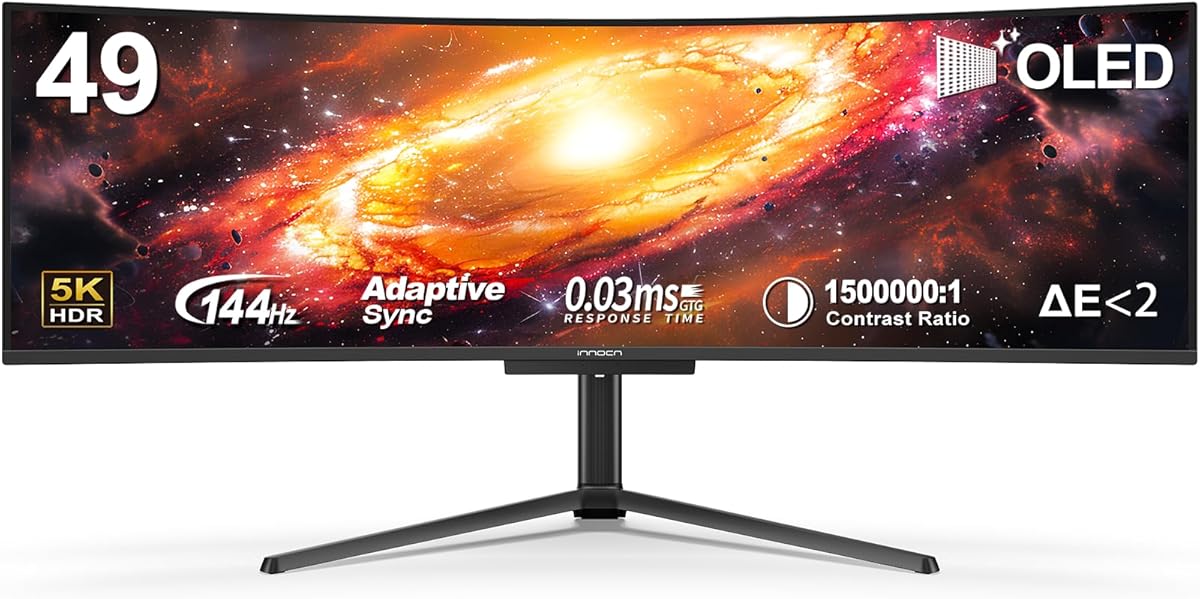


This INNOCN model stands out with its massive 5120×1440 resolution offering incredible detail for work and play. It holds a solid 4.2 rating from users who appreciate its immersive 32:9 aspect ratio. The curved design wraps around your vision naturally reducing neck strain during long sessions.
We may earn a commission when you buy through this link, at no additional cost to you.
The 120Hz refresh rate ensures smooth motion which is crucial for gaming and video editing. Connectivity is robust with USB-C power delivery allowing you to dock laptops easily. The 99% sRGB coverage makes colors vibrant and accurate for creative tasks requiring precision.
While the HDR400 label is present real HDR impact is limited compared to OLED options. Built-in speakers are functional but lack depth for immersive audio experiences. These trade-offs are acceptable given the price point and overall performance capabilities.
Buyers seeking a high-resolution workhorse should consider this model highly. It balances productivity features with gaming performance effectively. The adjustable stand ensures you can position the screen perfectly for your desk setup.
The 32:9 aspect ratio provides more horizontal space than standard monitors enhancing multitasking efficiency significantly.
USB-C ports allow single cable solutions for video data and power simplifying your desk setup effectively.
We may earn a commission when you buy through this link, at no additional cost to you.
The Samsung Odyssey G93SC brings QD-OLED technology to the ultrawide market delivering unmatched picture quality. Its 4.1 rating reflects strong user satisfaction with the visual fidelity and speed. The screen wraps around you with 1800R curvature for deep immersion in games.
We may earn a commission when you buy through this link, at no additional cost to you.
With a 240Hz refresh rate and 0.03ms response time this monitor eliminates motion blur almost entirely. HDR True Black 400 ensures dark scenes look rich without gray washed out blacks. This makes it ideal for competitive gamers needing quick reactions.
The premium price tag is a significant investment compared to LCD alternatives. OLED panels carry inherent risks of burn-in over extended static use. However for dynamic content these risks are minimized making it a viable choice for enthusiasts.
This monitor is best suited for gamers who prioritize visual fidelity above all else. It delivers a console-like experience on PC with seamless graphics and fast response times. Invest in this if you want the cutting edge of display technology.
OLED pixels turn off completely for perfect blacks creating infinite contrast that LCDs cannot match effectively.
The high refresh rate and instant response time ensure fluid visuals even in the fastest games.
We may earn a commission when you buy through this link, at no additional cost to you.
The INNOCN 49C1G offers an accessible entry point into the 49-inch ultrawide market. With a strong 4.4 rating users value its blend of performance and affordability. It delivers a 32:9 wide format that expands your workspace significantly without breaking the bank.
We may earn a commission when you buy through this link, at no additional cost to you.
A 144Hz refresh rate ensures smooth motion for casual gaming and general use. The Dual FHD resolution provides ample space for productivity tasks though pixel density is lower than QHD options. Connectivity remains robust with USB-C allowing single cable laptop connections.
The lower resolution means text might appear slightly less crisp than higher pixel monitors. HDR400 offers some dynamic range but lacks true high dynamic range impact. These are reasonable trade-offs for the significant savings it offers buyers.
Buyers on a budget looking for a large screen should prioritize this model. It provides the ultrawide experience most affordable with without needing premium specs. It is perfect for general productivity and casual gaming environments.
You get the full ultrawide immersion at a fraction of the cost of premium competitors easily.
144Hz refresh rate keeps gameplay and scrolling fluid reducing visual fatigue during long work sessions.
We may earn a commission when you buy through this link, at no additional cost to you.
LG brings smart features to the desktop with this 34-inch curved monitor. Its 4.3 rating highlights satisfaction with the integrated streaming capabilities and screen quality. It functions as a standalone TV for entertainment without needing a PC connection.
We may earn a commission when you buy through this link, at no additional cost to you.
The webOS platform gives instant access to Netflix Disney+ and other major apps. A Magic Remote allows easy navigation without a mouse keyboard. This makes it versatile for living room setups or office breaks requiring media consumption.
Gaming performance is secondary here lacking high refresh rates or adaptive sync. It focuses on utility and media rather than competitive edge. This distinction matters if you need a dedicated gaming monitor primarily.
Choose this if you want a monitor that doubles as a smart TV. It simplifies your setup by removing the need for external streaming sticks. Ideal for casual users prioritizing media over hardcore gaming specs.
Built-in smart apps eliminate the need for extra devices reducing cable clutter on your desk.
Use voice commands via the Magic Remote to quickly launch apps or search for content efficiently.
We may earn a commission when you buy through this link, at no additional cost to you.
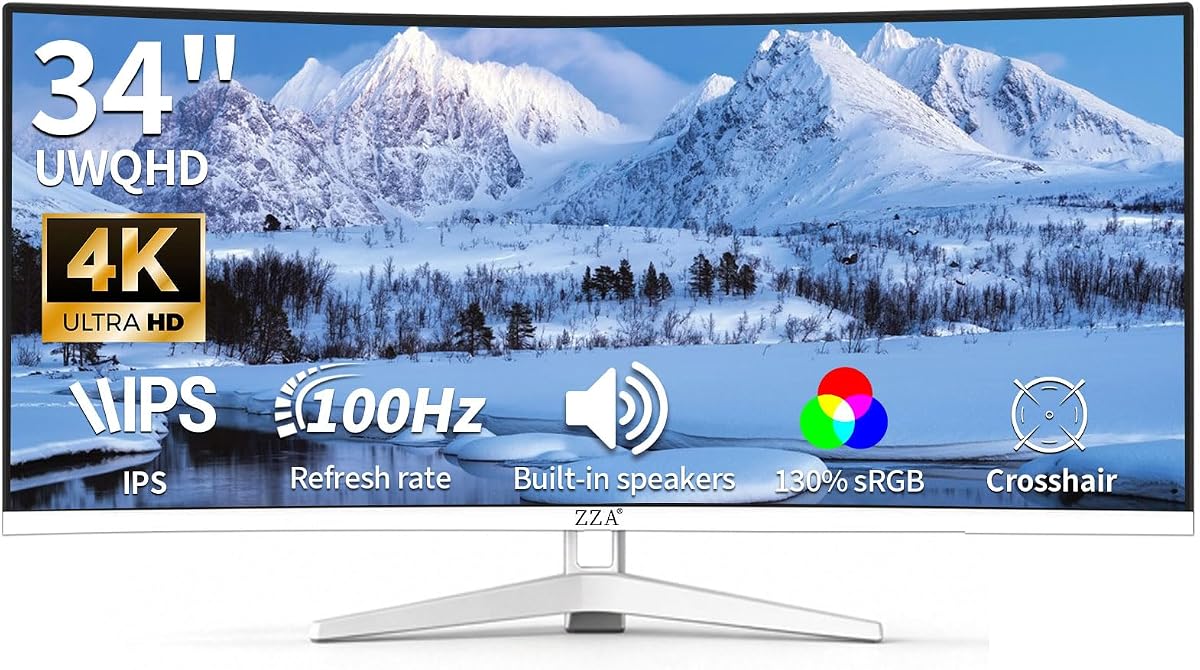
ZZA offers a compelling white 34-inch monitor with strong color performance. A 4.5 rating indicates high user satisfaction with its build and visual output. The WQHD resolution ensures sharp text and clear visuals for daily tasks.
We may earn a commission when you buy through this link, at no additional cost to you.
The 130% sRGB coverage makes colors vibrant suitable for creative work. Built-in speakers remove the need for extra peripherals on your desk. The 3800R curvature provides a gentle wrap without extreme distortion or fisheye effects.
Input selection is somewhat limited compared to competitors like USB-C. The curvature is subtle which might not satisfy users wanting deep immersion. However for a white budget option it delivers impressive quality.
This model suits users who prefer a clean desk aesthetic and solid color accuracy. It works well for mixed use including work and light gaming. It is a great choice for those needing a stylish budget monitor.
130% sRGB coverage ensures rich colors ideal for photo editing and video playback tasks.
The white finish adds a modern touch that complements light color setups and desks.
We may earn a commission when you buy through this link, at no additional cost to you.
The INNOCN 49Q1R brings QD-OLED technology to the ultrawide segment at a competitive rate. A 4.2 rating suggests users are impressed by the contrast and color fidelity. The 1800R curvature wraps tightly around your field of vision.
We may earn a commission when you buy through this link, at no additional cost to you.
With OLED you get perfect blacks and infinite contrast ratios naturally. The 144Hz refresh rate is ample for most high-end gaming needs. USB-C power delivery supports 90W enabling single cable connectivity for laptops and devices.
Potential buyers should be aware of OLED burn-in risks if static elements remain on screen. The pricing can vary which affects long-term value proposition slightly. However the visual experience rivals far more expensive premium brands.
Opt for this if you want premium OLED quality without the top-tier brand markup. It delivers stunning visuals for both media consumption and creative work. This is a strong pick for those wanting the best visual fidelity.
OLED technology enables true blacks turning off pixels completely for deep contrast in dark scenes.
Wide color gamut ensures accurate reproduction essential for photo editing and color grading tasks.
We may earn a commission when you buy through this link, at no additional cost to you.
Sceptre delivers exceptional speed at a budget price point with this 34-inch gaming monitor. A 4.4 rating reflects strong user approval of its high refresh performance. It is designed specifically for competitive gamers needing fast reaction times.
We may earn a commission when you buy through this link, at no additional cost to you.
The 240Hz refresh rate with 1ms response time provides incredibly smooth motion. This eliminates ghosting and blur allowing for precise tracking in fast games. The deep 1500R curve enhances immersion but might not fit every desk space.
Build quality is utilitarian focusing on performance metrics over premium aesthetics. The deep curve can cause distortion for non-gaming tasks like text reading. It prioritizes speed and value over versatility and premium finish.
This is ideal for budget-conscious gamers focused on fast-paced titles. It offers top-tier refresh rates without the high cost. Choose this if speed is your primary requirement for your setup.
1ms response time and 240Hz refresh rate deliver buttery smooth motion for competitive gaming.
1500R curvature wraps around your vision for a cinema-like experience during media consumption.
We may earn a commission when you buy through this link, at no additional cost to you.
This LG model stands out with the highest user rating of 4.6 in the group. It focuses on ergonomic comfort and productivity features for office environments. The 100Hz refresh rate is sufficient for general use and light gaming.
We may earn a commission when you buy through this link, at no additional cost to you.
OnScreen Control software allows easy screen splitting and window management. A height adjustable stand ensures you can position the screen to reduce neck strain. USB-C connectivity supports power delivery for laptops simplifying desk setup.
While it lacks high refresh rates it excels in daily usability. HDR10 is present but brightness is standard for office tasks. The focus remains on clarity and comfort for long working sessions.
Choose this if you need a reliable ergonomic monitor for office work. It delivers a smooth user experience with intuitive software tools. Ideal for professionals who value adjustability and connectivity.
Adjustable height and tilt let you find the perfect viewing angle reducing physical strain.
Software tools simplify multitasking by enabling easy window management and split screen layouts.
We may earn a commission when you buy through this link, at no additional cost to you.
LG focuses on productivity tools with this 34-inch ultrawide monitor. A 4.1 rating indicates solid performance for office and creative workflows. The 1800R curve supports comfortable viewing during extended work hours.
We may earn a commission when you buy through this link, at no additional cost to you.
LG Switch allows instant switching between inputs and image settings easily. This saves time when moving between PC and console tasks. Reader Mode reduces blue light to protect eyes during long document reading sessions.
The stand is slim and low profile saving valuable desk space efficiently. However brightness levels are not optimized for bright rooms or HDR. It remains a strong choice for focused work environments.
Select this for a clean desk setup with reliable productivity features. It supports efficient multitasking and quick adjustments without fumbling. Good for users prioritizing function over extreme gaming metrics.
LG Switch hotkeys allow instant input changes enhancing workflow speed effectively.
Reader Mode and anti-glare coatings reduce eye strain during long document editing sessions.
We may earn a commission when you buy through this link, at no additional cost to you.
Samsung offers a balanced experience with the ViewFinity S5. A 4.5 rating highlights strong user satisfaction with both gaming and work capabilities. The 120Hz rate ensures smooth visuals for diverse tasks.
We may earn a commission when you buy through this link, at no additional cost to you.
AMD FreeSync Premium syncs refresh rate with GPU to reduce tearing. Game Mode adjusts contrast instantly for clearer detail in dark scenes. Eye Saver Mode reduces blue light and flicker to prevent fatigue.
Lack of USB-C is a minor drawback for modern laptop users. Stand adjustments are limited compared to ergonomic alternatives. However it delivers a balanced mix of gaming and office features well.
This is a solid all-rounder for mixed use environments. It supports casual gaming and office work equally well. Good for users wanting reliable performance without excessive complexity or cost.
Game Mode tweaks color and contrast instantly improving visibility in dark game scenes.
Eye Saver Mode reduces harmful blue light and flickering for better long-term viewing comfort.
We may earn a commission when you buy through this link, at no additional cost to you.
Choosing the right ultrawide monitor requires understanding key technical factors. This section breaks down what to consider before making your purchase decision.
Resolution determines how sharp images and text appear on screen. For 49-inch displays aim for at least 5120×1440 for crisp details. Lower resolution might look grainy at this size.
Gamers should prioritize high refresh rates like 144Hz or 240Hz. Faster response times reduce motion blur and ghosting in fast scenes. Look for 1ms if you play competitive games.
VA panels offer high contrast while IPS provides better viewing angles. OLED panels deliver perfect blacks but cost more and have burn-in risks. Choose based on your budget needs.
Curved screens like 1800R wrap around your vision reducing eye strain. Flatter curves like 3800R look more natural for mixed tasks. Ensure the stand allows height and tilt adjustments.
USB-C is essential for single-cable laptop docking with power delivery. HDMI and DisplayPort are standard for consoles and PCs. Check that ports match your devices before buying.
HDR improves contrast and color but varies by monitor class. Look for DisplayHDR 400 minimum for noticeable benefits. OLED offers true HDR but at a higher price point.
For creative work look for 99% sRGB or DCI-P3 coverage. Accurate colors ensure your work looks consistent across devices. Calibration tools might be needed for professional output.
Budget models offer value while premium ones deliver better features. Check warranty length for panel defects like dead pixels. Higher cost often means better build quality and support.
Position the monitor so the center aligns with your eye level for comfort. Adjust height and tilt to minimize glare from overhead lights.
A 49 inch ultrawide monitor offers a 32:9 aspect ratio providing twice the horizontal space of a standard monitor. This allows you to run multiple windows side by side without needing multiple screens.
Yes many models feature high refresh rates like 120Hz or 240Hz. They support adaptive sync technologies such as FreeSync and G-Sync to reduce screen tearing and stuttering during gameplay.
Most modern ultrawide monitors include USB-C ports allowing single cable connection. This transfers video data and power simultaneously simplifying your laptop desk setup significantly.
Curved screens reduce eye strain by matching your natural field of view. Flat screens are better for precision tasks where geometry matters. Choose based on your primary work type.
Use a microfiber cloth to gently wipe the surface. Avoid harsh chemicals or sprays that could damage the panel coating. Clean only when the screen is off to avoid streaks.
HDR enhances contrast and color making images look more lifelike. It is useful for media consumption but less critical for standard office work. Higher HDR ratings indicate better performance.
We recommend the INNOCN 49C1R as the top pick for its balance of resolution and connectivity. Samsungs G93SC leads in premium visual quality for serious gamers.
Prioritize refresh rates for gaming or resolution for creative work when deciding. Ensure your desk space can accommodate the wide footprint of these displays.
Always check current listings as prices fluctuate frequently. Verify warranty terms and return policies before finalizing your purchase for peace of mind.