
Dell UltraSharp 32 Thunderbolt Hub
4.6Editor score
Enhanced IPS Black Panel
Built-in KVM Switch
120 Hz Refresh Rate
Finding the right display for your workflow can be challenging. Modern professionals need high resolution and fast connectivity to stay productive. A 4K monitor with Thunderbolt support offers sharp visuals and seamless data transfer in one sleek package.
We have evaluated ten top models based on screen quality, connectivity options, and overall value. Each product was selected for its ability to handle demanding tasks while providing a comfortable viewing experience for long hours of work.
Our list highlights key strengths and potential drawbacks for each option. While prices may fluctuate over time, the features we discuss remain consistent. Read on to find the perfect match for your specific computing needs and budget constraints today.
4.6Editor score
4.4Editor score

4.4Editor score
As an Amazon Associate we earn from qualifying purchases.
This side-by-side comparison helps you visualize the differences between our top ten picks. We have organized key specifications and features so you can quickly identify which model fits your specific professional or creative requirements.


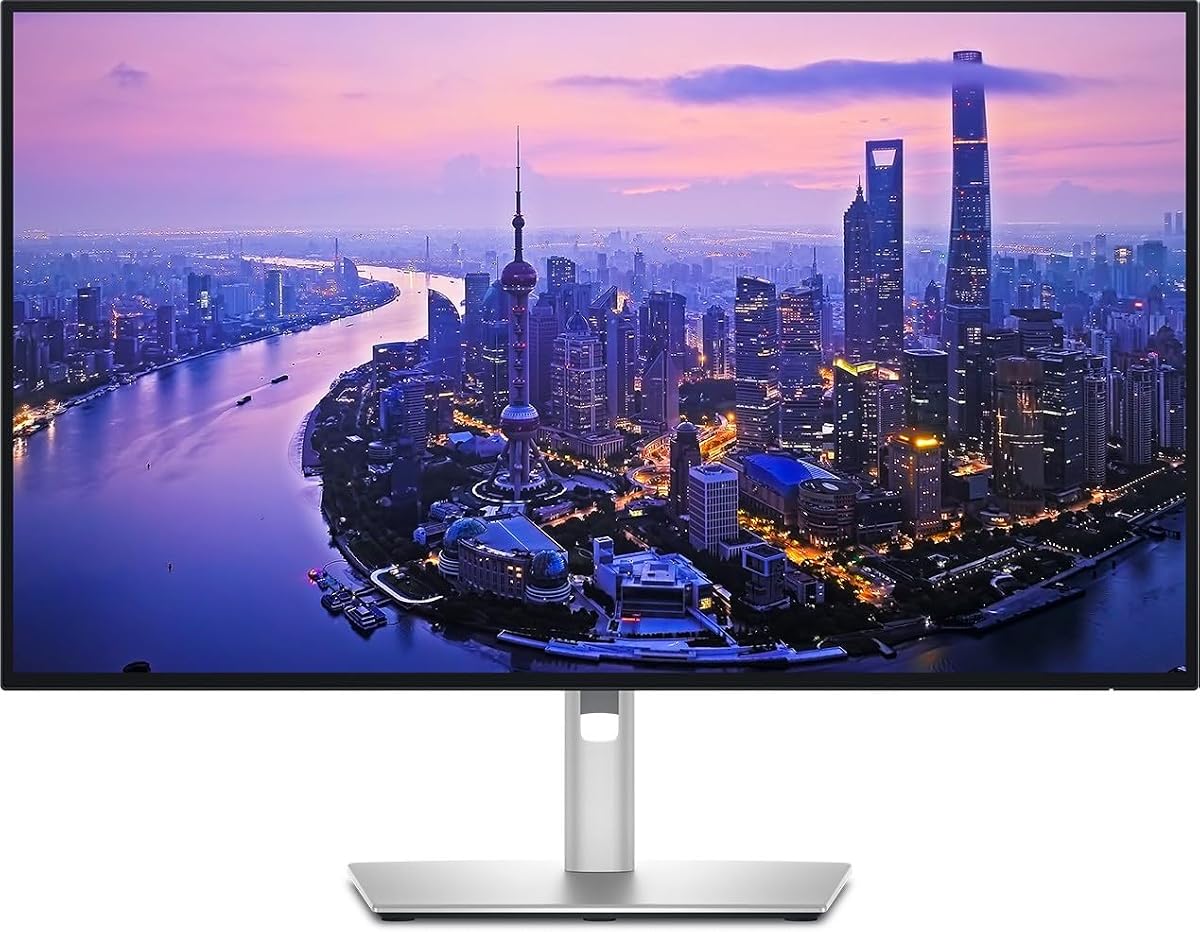
The Dell UltraSharp U2725QE stands out as our top pick for professionals seeking a reliable and high-performance display. With a rating of 4.4 stars, it offers a perfect balance of color accuracy, connectivity, and comfort for daily workflows.
We may earn a commission when you buy through this link, at no additional cost to you.
Its IPS Black panel delivers deeper blacks and better contrast than standard IPS screens. The factory calibration ensures Delta E values less than 1.5, making it ideal for creative work where color fidelity is paramount.
While it comes at a higher price point compared to standard monitors, the included Thunderbolt 4 hub and high wattage power delivery justify the investment. It simplifies your desk by reducing the need for separate docking stations.
We recommend this monitor for designers, video editors, and power users who need a single cable solution. Its robust feature set ensures it remains relevant for years to come.
The factory calibration ensures that what you see on screen is accurate to real life without needing additional tools.
Thunderbolt 4 lets you connect your laptop, transfer data, and charge your device using just one cable.
We may earn a commission when you buy through this link, at no additional cost to you.
This 32-inch monitor is a powerhouse for creators and executives who demand the best visual experience available. Its 4.6 rating reflects its exceptional build quality and advanced features tailored for professional environments.
We may earn a commission when you buy through this link, at no additional cost to you.
The IPS Black technology provides a 3000:1 contrast ratio, making dark scenes look richer and more detailed. This is a significant upgrade over standard panels found in similar price ranges.
The built-in KVM switch allows you to control two computers with one mouse and keyboard. This is a massive time-saver for those who work between a personal laptop and a company desktop.
If you have the budget and need the ultimate workspace setup, this model is unmatched. It combines luxury aesthetics with high-end productivity features that justify its premium positioning in the market.
The KVM switch lets you seamlessly toggle between two devices without switching cables or monitors constantly.
Deeper blacks on the IPS panel make HDR content and graphic design work look more lifelike and vivid.
We may earn a commission when you buy through this link, at no additional cost to you.
For those who need a capable 4K monitor without breaking the bank, this Dell model is an excellent choice. It delivers smooth performance and solid color reproduction at a price point that appeals to students and casual users.
We may earn a commission when you buy through this link, at no additional cost to you.
The 120Hz refresh rate makes scrolling and navigation feel noticeably smoother than standard 60Hz screens. This feature also makes the monitor suitable for light gaming and multimedia consumption during breaks.
While it lacks the advanced power delivery of premium models, 65W is sufficient to charge most laptops while working. The inclusion of USB-C means you can still keep your desk relatively tidy.
We recommend this for budget-conscious buyers who prioritize screen resolution and smooth motion over professional-grade color accuracy. It is a strong entry point into the world of high-resolution Thunderbolt compatible displays.
A 120Hz refresh rate reduces motion blur and makes everyday tasks feel more responsive and fluid.
You get high-quality features like USB-C and 4K resolution at a fraction of the cost of premium models.
We may earn a commission when you buy through this link, at no additional cost to you.
This monitor offers a solid workspace for productivity tasks thanks to its versatile hub capabilities. The built-in Thunderbolt hub simplifies your desk by allowing you to connect multiple peripherals directly to the screen.
We may earn a commission when you buy through this link, at no additional cost to you.
Its color performance covers 100% of sRGB and Display P3 spaces. This ensures that images and videos appear vibrant and true to life. which is essential for anyone working with digital content.
While it has a lower rating compared to other models in this list, it remains a reliable option for office environments. The stand offers full ergonomic adjustments to help reduce strain during long work sessions.
We suggest this for users who need a reliable connectivity hub and clear visuals. It balances functionality and sustainability making it a good choice for eco-conscious professionals.
Multiple USB and Thunderbolt ports let you connect drives, webcams, and other gear without extra dongles.
The adjustable stand allows you to find the perfect height and angle to maintain a healthy posture.
We may earn a commission when you buy through this link, at no additional cost to you.
LG brings a unique angle to this list with a monitor that doubles as a smart entertainment hub. The built-in webOS platform lets you stream content directly without turning on your computer.
We may earn a commission when you buy through this link, at no additional cost to you.
With DisplayHDR 400 support, it handles high dynamic range content well. This makes movies and games look more immersive with brighter highlights and deeper shadows than standard SDR screens.
The 90W power delivery via USB-C ensures your laptop stays charged while you work. The speakers are surprisingly decent for a monitor, offering decent audio for calls and media without external headphones.
This is a great choice for users who want an all-in-one entertainment and work station. It excels at providing a seamless media experience alongside solid productivity features.
WebOS allows you to watch Netflix or YouTube directly on the screen using the included remote control.
HDR400 certification ensures better contrast and brightness for a more realistic viewing experience.
We may earn a commission when you buy through this link, at no additional cost to you.
This option offers the same high-quality build as the standard model but may come with different packaging or certification. It is ideal for users looking to access premium features while finding a specific listing.
We may earn a commission when you buy through this link, at no additional cost to you.
As a variant of the popular UltraSharp line, it maintains the robust build quality and connectivity options users expect. The Thunderbolt hub remains a central feature for streamlined desk setups.
While specific reviews are unavailable for this exact listing, the base model's reputation speaks for itself. It provides the same professional-grade experience for those who prefer this specific SKU.
We recommend this for buyers who find it at a competitive price point. It ensures you get the core benefits of the UltraSharp series without compromising on functionality or design.
This listing provides access to the same high-end connectivity and display quality as the standard model.
We may earn a commission when you buy through this link, at no additional cost to you.
The ViewSonic VP2488-4K is perfect for those with limited desk space who still demand high resolution. Its compact 24-inch footprint allows for more room for documents or secondary tools.
We may earn a commission when you buy through this link, at no additional cost to you.
Mac users will appreciate the color calibration that aligns with Apple's ecosystem. The display is Pantone Validated ensuring professional accuracy for creative work like photo editing and design.
It supports Thunderbolt 4 with up to 100W power delivery. This is a significant feature for powering a MacBook Pro while maintaining high-speed data and video transfer simultaneously.
We recommend this for designers and architects with smaller desks. It offers premium color performance in a smaller package making it a strong choice for focused creative work.
Pantone validation ensures colors are accurate and consistent with industry standards for print and digital.
A 24-inch 4K screen provides crisp text and detail without taking up the full desk real estate.
We may earn a commission when you buy through this link, at no additional cost to you.
Samsung's S7 model is praised for its massive 32-inch display at a relatively accessible price. It offers ample screen real estate for multitasking and detailed design work in a clean IPS panel.
We may earn a commission when you buy through this link, at no additional cost to you.
The 4.8 user rating indicates high satisfaction with its color reproduction and build quality. HDR10 support enhances the viewing experience by improving contrast and brightness levels in supported content.
Eye Saver Mode and Flicker Free technology make it comfortable for long hours of work. The Game Mode feature optimizes settings for lower input lag if you take breaks to play casual games.
This is a top pick for those who want a large screen without paying premium prices. It balances work ergonomics with entertainment features making it versatile for home offices.
Blue light reduction features help minimize eye strain during long sessions of document editing or coding.
The 32-inch size allows you to fit multiple windows side by side without feeling cramped.
We may earn a commission when you buy through this link, at no additional cost to you.
For users who need maximum screen area for data analysis or video editing this 32-inch Dell offers a compelling solution. The integrated Thunderbolt hub simplifies connections to external drives and laptops.
We may earn a commission when you buy through this link, at no additional cost to you.
Its slim bezel design enhances the viewing experience by minimizing distractions at the edges of the screen. The 4K resolution ensures that text and images remain sharp even when zoomed in close.
HDR capabilities add depth to images making it suitable for content creation and media viewing. The design is sleek enough to fit modern office aesthetics while providing the performance needed for heavy work.
We recommend this for professionals who prioritize screen real estate. It helps consolidate multiple windows into one cohesive workspace reducing the need for physical secondary monitors.
The large screen allows you to keep many windows open simultaneously without cluttering your physical desk.
We may earn a commission when you buy through this link, at no additional cost to you.
The TU87F offers a unique feature set for managing multiple sources with its Picture-by-Picture capability. This allows you to view feeds from two computers on a single 32-inch screen simultaneously.
We may earn a commission when you buy through this link, at no additional cost to you.
With dual Thunderbolt 3 ports it supports daisy chaining to create a multi-monitor setup using fewer cables. It charges your device at up to 90W while handling high-speed data transfers.
The VA panel provides deeper blacks compared to IPS but may have narrower viewing angles. However for single-user desktop use this is rarely an issue and the cost savings can be significant.
This monitor is best for users who need to compare screens or manage dual workflows. It is a budget-friendly way to get high-resolution productivity features without buying two separate monitors.
Picture-by-Picture lets you view two different computer feeds side by side on the same monitor.
We may earn a commission when you buy through this link, at no additional cost to you.
Selecting the right monitor involves balancing resolution, connectivity, and color performance to suit your specific workflow needs.
4K resolution offers sharpness ideal for text and detailed graphics. IPS panels provide better color accuracy while VA panels offer deeper blacks.
Choose IPS for color critical work and VA for media consumption if budget is a constraint.
Thunderbolt 4 is the current standard for high-speed data and video transfer in one cable. Ensure your laptop supports it for full functionality.
Look for ports that support power delivery to charge your laptop while using the monitor.
Higher wattage delivery like 100W or more ensures even power laptops stay charged during heavy use. Lower wattage might not suffice for performance laptops.
Check the monitor's USB-C power specs to match your device's requirements.
Professional monitors cover sRGB and DCI-P3 spaces for accurate color reproduction. Factory calibration ensures consistency out of the box.
Prioritize high gamut coverage and low Delta E values for creative tasks.
A 120Hz refresh rate provides smoother motion for scrolling and casual gaming. Standard 60Hz is sufficient for static office work.
Lower response times reduce motion blur and improve overall visual fluidity.
Integrated USB hubs allow you to connect peripherals directly to the monitor. This reduces desk clutter and simplifies your setup.
Ensure there are enough USB-A and Ethernet ports to meet your daily needs.
An adjustable stand with tilt, swivel, and height settings is essential for long-term comfort. A sleek design blends better with modern office aesthetics.
Look for VESA mount compatibility if you plan to use a monitor arm.
Prices vary significantly based on features and brand. Determine which features are essential versus nice to have before shopping.
Balance the cost with the lifespan and utility the monitor will provide.
Connect your laptop to the monitor using a certified Thunderbolt cable to ensure full power and video functionality.
Adjust the monitor's height and tilt to keep the screen at eye level for better posture during work.
Clean the screen with a microfiber cloth and avoid harsh chemicals to protect the anti-glare coating.
Thunderbolt 4 allows for a single cable connection that handles video, data, and charging simultaneously. It supports data speeds up to 40 Gbps and can daisy chain multiple displays for extended setups.
No, some monitors only support USB-C for video and power. Ensure the monitor specifically states Thunderbolt support if you need high speed data transfer capabilities.
4K offers sharper text and more screen real estate for multitasking. It allows you to fit multiple windows comfortably without needing a larger physical screen.
Most models in this list are Mac compatible especially those with Thunderbolt ports. Check the color gamut to ensure it matches Mac display standards for accurate color.
Use the built-in software or hardware tools provided by the manufacturer. Many models come factory calibrated but software like Dell Display Manager can help fine-tune settings.
IPS panels have better viewing angles and color accuracy while VA panels offer higher contrast ratios and deeper blacks. Choose based on whether color or contrast is more important.
We have explored a diverse range of monitors that combine 4K resolution with high-speed Thunderbolt connectivity for modern professionals.
Prioritize color accuracy and power delivery if you work in creative fields or use a MacBook Pro for daily tasks.
Always check current availability and pricing as offers change frequently to find the best deal for your specific setup.