
OMTech 50W Fiber
5.0Editor score
LightBurn Compatible
Rotary Axis Included
Red Dot Pointer
Finding the right 50W laser engraver can transform your creative projects into professional results. Whether you need to cut through thick wood or engrave intricate details on metal, the right machine makes all the difference in precision and speed. This guide explores the leading models available today to help you choose wisely.
We compared ten top-rated 50W laser engravers based on performance, ease of use, software compatibility, and safety features. Each product was evaluated for its ability to handle diverse materials and deliver consistent quality. Our analysis draws from technical specifications and user feedback to ensure you get a clear picture of what each machine offers.
Every pick in this list showcases unique strengths tailored to different needs and skill levels. From portable handheld units to industrial-grade desktop systems, there is a solution for everyone. Keep in mind that availability and pricing can fluctuate, so check current listings before making your final decision.
5.0Editor score

4.4Editor score

4.8Editor score
As an Amazon Associate we earn from qualifying purchases.
This side-by-side comparison highlights key differences across all ten models to help you quickly identify the best fit for your specific needs. We focus on power type, working area, and core capabilities to streamline your decision-making process.




The GWEIKE G2 Max stands out as the top choice for professionals seeking speed and precision in a 50W laser engraver. With a 4.4 rating, it delivers exceptional performance for metal work, offering industrial-grade capabilities like 3D carving and color engraving.
We may earn a commission when you buy through this link, at no additional cost to you.
Its high-speed galvanometer achieves up to 15000 mm/s, making it incredibly efficient for batch production. The 50W fiber laser provides deep engraving and cutting on metals like stainless steel and titanium, while the electric lift column simplifies focus adjustments.
While it excels in metal applications, it is not ideal for cutting wood due to the nature of fiber lasers. However, for those focusing on jewelry, industrial marking, or detailed metal art, the trade-off is well worth the investment in quality and speed.
This machine is best suited for advanced users or businesses needing reliable, high-output performance. Its compatibility with LightBurn and GLaser ensures a smooth workflow for those ready to maximize their engraving potential.
The galvanometer system allows for rapid engraving at 15000 mm/s with 0.001 mm accuracy, perfect for detailed serial numbers or complex logos.
You can mark over 90 vibrant colors on metals without using paint, expanding your creative options for custom gifts and branding.
We may earn a commission when you buy through this link, at no additional cost to you.
The VEVOR 50W CO2 Laser Engraver offers a perfect solution for users focused on cutting and engraving non-metal materials. With a perfect 5.0 rating, it impresses with its large working area and reliable performance for wood, acrylic, and glass projects.
We may earn a commission when you buy through this link, at no additional cost to you.
Its CO2 laser is optimized for organic materials, allowing clean cuts on up to 7mm acrylic and 5mm wood. The dual work beds and pass-through design make it easy to handle longer materials, which is excellent for signs or large decorative items.
Although it cannot engrave bare metals effectively, this limitation is standard for CO2 technology. For small businesses or hobbyists working on wooden crafts, leather, or acrylic displays, this machine provides ample power and versatility at a competitive value.
The compatibility with LightBurn, RDWorks, and CorelDRAW ensures you can use your preferred design software. This flexibility makes it a robust choice for anyone looking to expand their cutting capabilities beyond basic DIY tools.
The 20 x 12 inch bed allows for substantial projects without needing multiple passes or complex setups.
The built-in air assist clears smoke and debris during cutting, resulting in cleaner edges and protecting the lens.
We may earn a commission when you buy through this link, at no additional cost to you.
Cloudray's 50W Fiber Laser Engraving Machine is tailored for precision work, especially in jewelry and small crafts. Its perfect 5.0 rating reflects its ability to handle intricate designs on gold, silver, and stainless steel with remarkable accuracy.
We may earn a commission when you buy through this link, at no additional cost to you.
The included 360 rotary axis allows for engraving rings, bracelets, and cylindrical objects effortlessly. With a speed of 10000 mm/s and a spot accuracy of 0.01mm, it ensures consistent quality for professional-grade markings and detailed lettering.
The compact size makes it easy to transport and store, ideal for mobile engravers or those with limited workspace. While the working area is smaller than desktop models, it is optimized for the high-value items it targets.
This model is a strong recommendation for jewelers, trophy shops, or anyone needing reliable marking on small metal parts. The compatibility with EzCad2 and Lightburn simplifies the workflow for both beginners and seasoned crafters.
The D69 rotary axis attachment enables precise engraving on cylindrical shapes like rings and pen barrels without rotation errors.
With a spot diameter of 0.01mm, it can reproduce tiny text and detailed logos that other machines might blur.
We may earn a commission when you buy through this link, at no additional cost to you.
OMTech's 50W Fiber Laser Engraver combines premium features with professional capabilities, earning a perfect 5.0 rating from users. It offers a spacious 7.9×7.9 inch workspace that accommodates larger metal projects while maintaining high precision.
We may earn a commission when you buy through this link, at no additional cost to you.
The inclusion of LightBurn compatibility is a significant advantage for those who prefer its intuitive interface over traditional CAD software. The red dot pointer aids in quick setup, ensuring you can start engraving with minimal alignment issues.
Designed for detailed metal engravings, it handles stainless steel, gold, and jewelry with ease. The rotary axis allows for marking cylindrical objects, adding versatility to the system. However, the higher price point reflects its professional-grade build and performance.
This model is ideal for serious hobbyists or small businesses that need a reliable workhorse for metal marking. Its balance of speed, area, and software flexibility makes it a top contender in the premium segment.
Using LightBurn provides a modern, accessible interface that simplifies design import and toolpath generation for complex projects.
The 200x200mm bed allows you to engrave multiple items in a single run, increasing production efficiency.
We may earn a commission when you buy through this link, at no additional cost to you.
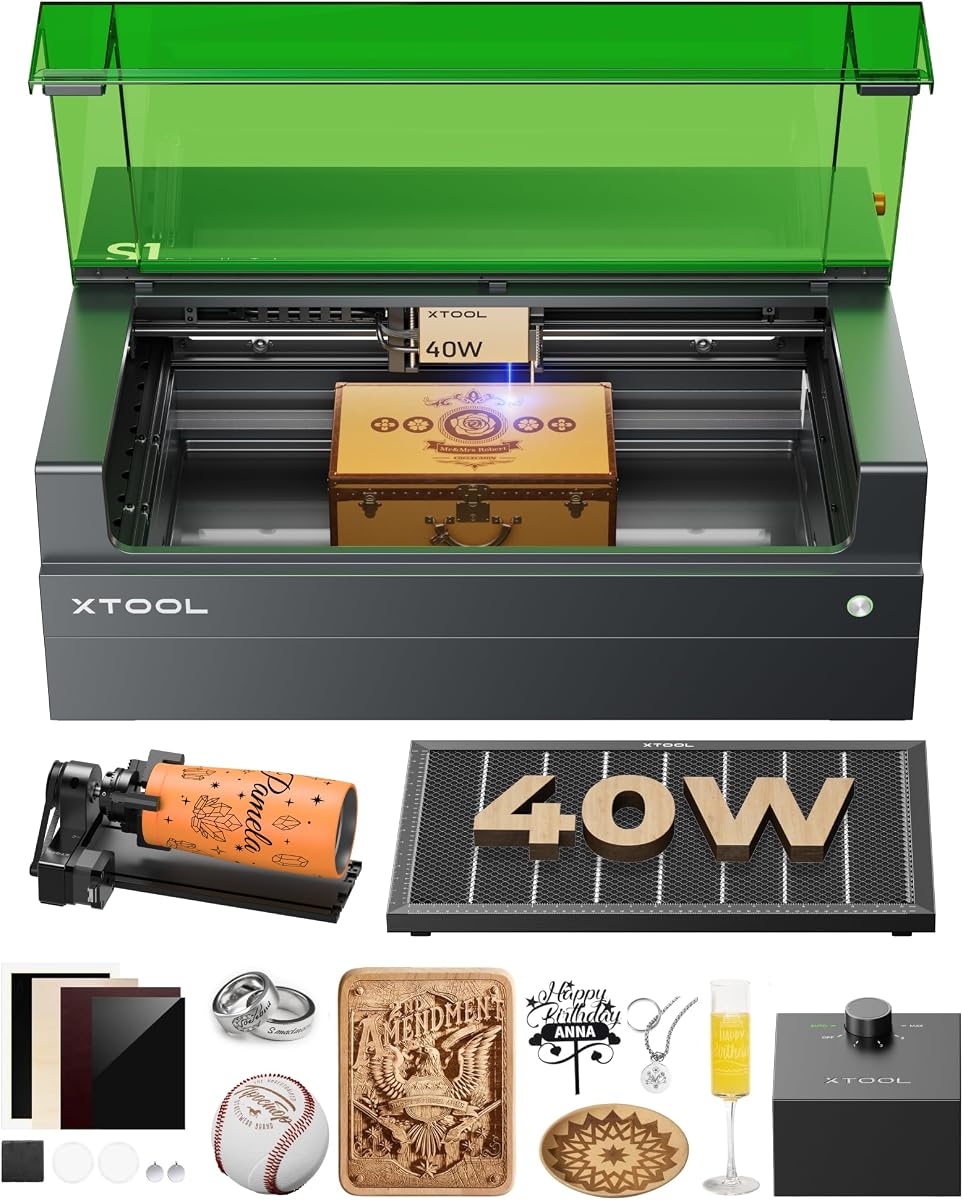
The xTool S1 40W is a powerful diode laser that offers exceptional versatility for beginners and intermediates. With a 4.6 rating, it balances safety and performance, featuring a fully enclosed Class 1 design that is safe for homes with pets and children.
We may earn a commission when you buy through this link, at no additional cost to you.
Its massive 23.93 x 15.16 inch bed is perfect for large projects like door signs or tumblers. The patented Pin-point Positioning technology allows for high accuracy, and the auto-focus feature eliminates guesswork during setup.
While it is a diode laser rather than a fiber laser, it still handles wood, leather, and coated metal effectively. The 40W power cuts through 18mm cherry wood in a single pass, proving its strength for various materials.
This machine is best for users who prioritize safety and ease of use over raw cutting speed on metal. The pre-tested parameters and AI design tools make it incredibly accessible for those new to laser engraving.
The Class 1 enclosed system filters 99% of laser light and blocks smoke, removing the need for protective goggles during operation.
Simply place your material and let the machine handle the focus, saving time and ensuring consistent results.
We may earn a commission when you buy through this link, at no additional cost to you.
The ATOMSTACK A40 PRO V2 delivers near-50W performance at a budget-friendly price, earning a strong 4.8 rating. It features a unique dual-mode switch allowing you to toggle between 24W and 48W for precision or power needs.
We may earn a commission when you buy through this link, at no additional cost to you.
Its speed of 500mm/s is impressive for a diode laser, enabling quick engraving on materials like wood, stone, and coated metals. The automatic air assist system keeps edges clean and protects the lens from debris during cutting.
The aluminum frame ensures stability during operation, reducing vibration for sharper results. While it requires some assembly and manual focus, the value it provides makes it a top choice for DIYers and small business owners on a budget.
This machine is highly recommended for those entering the world of laser cutting who want robust features without breaking the bank. Its compatibility with LightBurn and laserGRBL ensures a wide range of software options.
Switching between 24W and 48W lets you fine-tune output for different tasks, from delicate engraving to deep cutting.
The built-in air system removes smoke and heat, preventing burns and ensuring cleaner cuts on sensitive materials.
We may earn a commission when you buy through this link, at no additional cost to you.
OMTech's 50W Mini Fiber Laser offers a compact solution for metal marking without sacrificing performance. While it lacks a user rating in some stores, its technical specs highlight a powerful system designed for efficiency and longevity.
We may earn a commission when you buy through this link, at no additional cost to you.
With a lifespan of 100,000 hours, this machine is built for long-term use in workshops or small studios. The red dot pointer simplifies alignment, and the air-spaced lens reduces distortion for accurate results across the 5.9×5.9 inch bed.
Though the area is smaller, the 10000 mm/s speed allows for rapid production of small parts like ID tags or jewelry. It supports both LightBurn and EZCad2, giving users flexibility in how they manage their designs and settings.
This model is ideal for users who have limited space but need professional fiber laser capabilities. Its focus on core functionality and durability makes it a reliable choice for dedicated metalwork.
The source is rated for 100,000 hours of operation, ensuring years of reliable performance even with daily use.
Being compatible with LightBurn allows for easier workflow integration and modern design tools.
We may earn a commission when you buy through this link, at no additional cost to you.
The LE400PRO 50W is designed with beginners in mind, offering a simple and safe entry into laser engraving. With a 4.5 rating, it provides a generous 400x400mm working area that accommodates a variety of projects without needing to move materials frequently.
We may earn a commission when you buy through this link, at no additional cost to you.
Its fixed focus technology ensures precision without the need for constant recalibration. The magnetic protective cover filters 97% of UV rays, offering good safety without requiring heavy goggles. The all-metal structure adds stability for consistent results.
While the output power is effectively lower than true 50W systems, it is sufficient for engraving wood, acrylic, and coated metals. The setup is straightforward, taking only 10-20 minutes to get started, which reduces frustration for new users.
This model is best for hobbyists who want a reliable machine for personal projects or small custom gifts. Its ease of use and safety features make it a great starting point for learning laser operations.
You can install and start using this machine within 20 minutes thanks to its modular design and clear instructions.
The protective cover and emergency switch ensure a safe environment, especially for those working in shared spaces.
We may earn a commission when you buy through this link, at no additional cost to you.
Monport's 60W Fiber Laser Engraver pushes the boundaries of speed and depth in metal marking. With a 4.5 rating, it uses a custom galvanometer system to achieve 10000 mm/s speeds while maintaining 0.01mm accuracy.
We may earn a commission when you buy through this link, at no additional cost to you.
The higher power allows for 2.5D engraving and metal sheet cutting, making it more versatile than standard 50W units. The included rotary axis and red dot pointer enhance its usability for a variety of cylindrical and flat projects.
Designed for professional durability, the source has a lifespan of up to 100,000 hours. It supports LightBurn, which simplifies the user experience for those who prefer modern design software over traditional interfaces.
This machine is recommended for professionals who need faster results and deeper engraving without moving to industrial systems. Its balance of performance and software compatibility makes it a strong contender in the fiber laser category.
The 60W power enables deep 2.5D engraving suitable for industrial marking and durable logos on tools.
Custom reflectors in the galvanometer boost speed and precision, reducing distortion at the edges of the work area.
We may earn a commission when you buy through this link, at no additional cost to you.
The Creality Falcon2 Pro 60W offers a fully enclosed solution with advanced features like an HD camera and dual laser system. While user ratings are still emerging, its specs promise professional performance for wood and coated metal cutting.
We may earn a commission when you buy through this link, at no additional cost to you.
The adjustable power levels of 60W, 40W, and 22W provide flexibility for different materials, minimizing scorching on delicate items. The HD camera aids in alignment, reducing setup time for complex layouts and ensuring precision for every cut.
It is designed for efficiency with integrated air assist and exhaust management, keeping cuts clean and reducing smoke. The Class 1 safety rating means it is safe to operate without goggles, which is a major plus for shared workspaces.
This machine is ideal for advanced users who need production-ready performance and precise alignment. The combination of high power and safety features makes it a sophisticated tool for serious makers.
The integrated camera helps you position your material precisely, ensuring your design lands exactly where you want it.
Switching between 60W, 40W, and 22W allows you to optimize settings for different thicknesses and materials easily.
We may earn a commission when you buy through this link, at no additional cost to you.
Selecting the right 50W laser engraver requires understanding the type of laser, its capabilities, and how it fits your specific needs.
Fiber lasers excel at metal marking and engraving due to their short wavelength which absorbs well into metals. CO2 and diode lasers are better suited for non-metal materials like wood, acrylic, and leather. Choosing the correct type ensures you can work efficiently on your desired materials.
Focus on fiber if metal is your primary target; opt for CO2 or diode for organic materials.
While all these models are rated around 50W, the effective cutting power varies. Higher wattage generally means faster cutting and deeper engraving. However, diode lasers may have different effective output compared to fiber or CO2 sources.
Prioritize machines with consistent power delivery for better reliability and performance.
The size of the workbed determines the maximum project size you can handle. Larger areas are great for signs or bulk items, while smaller beds are ideal for jewelry and small crafts. Consider the space you have available in your workshop.
Choose a size that matches your typical project dimensions to avoid limitations.
Software plays a huge role in your workflow. Some machines come with proprietary tools, while others support industry standards like LightBurn. LightBurn is known for its intuitive interface and wide file format support.
Ensure the machine supports software you are comfortable with or willing to learn.
Laser safety is critical. Enclosed machines with Class 1 ratings are safest, while open-beam models require protective eyewear and careful handling. Look for features like emergency stops and flame sensors.
Always prioritize safety features to protect yourself and your environment.
If you plan to engrave tumblers, rings, or cylindrical objects, a rotary axis is essential. Some models include this by default, while others require you to buy it separately. Check if the machine supports this addition.
Look for built-in or compatible rotary options if you need 3D engraving.
Reliable customer support and a solid warranty can save you from headaches. Manufacturers with active communities and responsive support teams can help troubleshoot issues quickly. Consider the reputation of the brand before purchasing.
A good warranty ensures long-term reliability for your investment.
Prices range widely depending on features and power. Higher-end machines offer better build quality and speed, while budget options may lack some advanced features. Balance your needs with what you can afford.
Select the best value that meets your core requirements without unnecessary extras.
Always start by wearing appropriate protective gear if the machine is not fully enclosed. Ensure your workspace is well-ventilated to handle smoke and fumes effectively during operation.
Calibrate the focus carefully before each session. An out-of-focus laser can damage the lens or produce poor results. Follow the manufacturer's instructions for adjusting the height or focal length.
Clean the lenses and mirrors regularly to maintain optimal performance. Dust and debris can reduce power and affect engraving quality. Use a soft cloth and recommended cleaning solutions to avoid scratches.
A 50W fiber laser can engrave metals effectively but typically cannot cut through thick metal sheets. It may cut thin foils or coatings. For cutting metal, a higher power laser like 100W or more is usually required.
Safe materials include wood, acrylic, leather, paper, and coated metals. Avoid PVC, vinyl, and fiberglass as they release toxic gases when laser cut. Always check material safety guidelines before starting.
Most machines support popular software like LightBurn or RDWorks. Some include proprietary software, but LightBurn is often preferred for its ease of use and broad compatibility. Ensure your system meets the requirements.
Typical lifespans range from 10,000 to 100,000 hours depending on the type. Fiber lasers usually last longer than CO2 or diode sources. Proper maintenance can extend the life of the source significantly.
Safety depends on the model. Enclosed Class 1 units are safe for home environments. Open-beam models require strict safety measures including goggles and controlled access. Always follow safety protocols to avoid eye or skin injury.
Yes, 50W fiber lasers are excellent for engraving jewelry made of gold, silver, and stainless steel. They offer the precision needed for intricate designs on small surfaces. Ensure you have a rotary attachment for rings and bracelets.
We have explored ten top options ranging from compact fiber systems to large industrial machines. Each brings unique strengths to the table, whether you prioritize speed, area, or safety. Your choice will depend on your specific materials and project goals.
When making your final decision, consider how often you will use the machine and what materials dominate your work. The right 50W laser engraver will serve as a powerful tool for years of creativity and production.
Keep in mind that inventory and offers change frequently. Check the latest listings to ensure you get the best deal available today. With the right model, you are ready to create professional-quality engraved items with ease.