
Canon PIXMA TS4320
4.0Editor score
EPEAT Silver certified
ENERGY STAR compliant
Compact stylish design
Discover the top Airprint printers for home and office. Compare features, ratings, and performance of the best models to find your perfect wireless printer today.
Finding the right printer for your home or office can be a daunting task, especially with so many options available on the market today. Airprint technology has revolutionized how we connect and print from our devices, offering seamless integration without the need for extra drivers or complex setups. This guide aims to simplify your search by highlighting the most reliable and feature-rich models currently available.
We have carefully evaluated ten top-rated printers based on their connectivity options, print quality, ease of use, and overall value for money. Our analysis focuses on models that support Airprint natively, ensuring you can print from your iPhone, iPad, or Mac with just a few taps. Each product has been selected to meet diverse needs, from basic document printing to high-quality photo output and multifunction capabilities.
Each pick in this list showcases specific strengths, such as budget-friendly pricing, robust ink systems, or advanced smart features like voice control and automatic duplexing. We have included detailed pros and cons to help you weigh the trade-offs involved with each choice. Please note that prices and availability can change frequently, so checking the latest details on the product pages is always recommended before making a final decision.
4.0Editor score

4.2Editor score
4.0Editor score
This side-by-side comparison highlights the key specifications and features of all ten selected models to help you quickly identify which one fits your specific workflow and budget requirements.






The Canon PIXMA TS6520 stands out as a top contender for home users seeking a reliable and versatile all-in-one printer. With a solid rating of 4.2 stars, it offers exceptional value for money while maintaining high standards in print quality and connectivity. Its seamless Airprint support ensures that you can print documents and photos directly from your iOS devices without hassle.
We may earn a commission when you buy through this link, at no additional cost to you.
One of its key strengths lies in its 2-cartridge hybrid ink system, which delivers sharp text and vivid colors suitable for both documents and creative projects. The inclusion of a 1.42-inch OLED display provides easy monitoring of ink levels and printer status at a glance. Additionally, the dual-band Wi-Fi connectivity ensures stable connections, reducing interruptions during important printing tasks.
While the TS6520 excels in many areas, it does have a smaller paper capacity compared to larger office models, which might require frequent refilling during heavy usage. The paper type support is also somewhat limited, though it covers standard documents and photos effectively. These trade-offs are acceptable given its compact size and budget-friendly price point for home environments.
For home users or hybrid workers who prioritize ease of use and quality output without breaking the bank, the TS6520 is an excellent choice. It strikes a great balance between functionality and affordability, making it a recommended pick for anyone needing a dependable wireless printer. Check the latest pricing and availability to ensure it meets your current needs.
Airprint compatibility allows for effortless printing from smartphones and tablets, enhancing productivity on the go.
The hybrid ink system ensures vivid colors and sharp text, maximizing value per page for everyday use.
We may earn a commission when you buy through this link, at no additional cost to you.
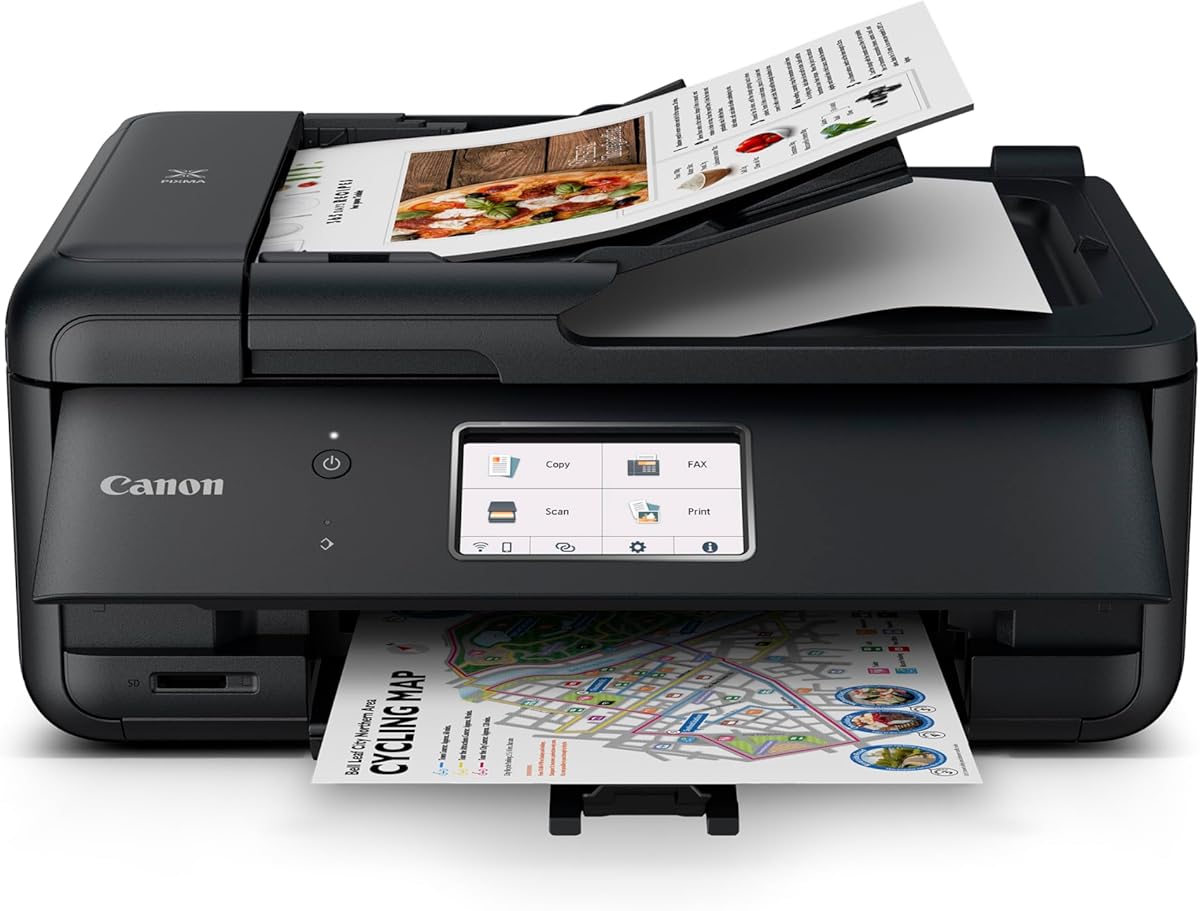
The Canon PIXMA TS4320 is an ideal choice for those seeking a budget-friendly printer that does not compromise on essential features. With a rating of 4.0 stars, it offers reliable performance for everyday printing, scanning, and copying tasks. Its Eco-Conscious design with EPEAT Silver certification makes it a great option for environmentally aware users.
We may earn a commission when you buy through this link, at no additional cost to you.
This printer features a 2-cartridge hybrid ink system that produces crisp, vibrant prints for both documents and photos. The setup process is effortless, allowing you to get started quickly with your smartphone or computer via Airprint or the Canon PRINT App. Dual-band Wi-Fi connectivity ensures stable connections for smooth printing from anywhere in your home or office.
The TS4320 lacks some advanced features like a dedicated fax function or an auto document feeder, which might be limiting for users with higher volume needs. The control panel is also quite basic, lacking a full touchscreen. However, these trade-offs are minimal given its low price and strong performance for basic home office tasks.
If you are looking for a cost-effective solution for light to moderate printing needs, the TS4320 is a solid investment. It combines affordability with reliability and environmental responsibility. We recommend checking current availability and pricing to confirm it aligns with your specific requirements before purchase.
Certified by EPEAT and ENERGY STAR, this printer helps reduce your environmental footprint while maintaining high efficiency.
Effortless setup allows you to start printing from your mobile devices immediately without complex configurations.
We may earn a commission when you buy through this link, at no additional cost to you.
The HP DeskJet 2955 is designed to meet the basic printing needs of home users with the added benefit of AI capabilities. While it has a slightly lower rating of 3.7 stars, it offers unique features like HP AI to optimize print formatting and reduce wasted pages. The inclusion of a 3-month trial for Instant Ink adds value for new users.
We may earn a commission when you buy through this link, at no additional cost to you.
Key features include color printing, copying, and scanning capabilities, all connected via reliable dual-band Wi-Fi. The HP AI technology helps ensure that web pages and emails print with precision, removing unwanted content automatically. It is also built with at least 70% recycled plastics, aligning with sustainable design principles.
The print speeds are modest at up to 7.5 ppm for black and 5.5 ppm for color, which might be slow for high-volume tasks. Additionally, the 60-sheet input tray may require frequent refilling if you print frequently. These limitations are typical for entry-level home printers but may impact productivity for heavier users.
For households that prioritize convenience and sustainability for occasional printing, the 2955 is a viable option. The AI features and ink subscription trial can save time and money over the short term. We suggest reviewing user feedback to ensure it meets your specific speed and capacity expectations.
HP AI removes unwanted content from web pages, ensuring your prints are perfectly formatted and save paper.
Built with recycled plastics and ENERGY STAR certification, this printer supports a greener environmental approach.
We may earn a commission when you buy through this link, at no additional cost to you.
The Canon PIXMA TR8620a is a robust all-in-one printer designed for home offices that require advanced features like faxing and auto document feeding. With a rating of 4.0 stars, it offers a 1,000-page duty cycle and smart connectivity features that set it apart from standard models. Its unique integration with Alexa for smart reorders is a standout innovation.
We may earn a commission when you buy through this link, at no additional cost to you.
This printer features a wireless 4-in-1 setup with print, copy, scan, and fax capabilities. The auto 2-sided printing and dual paper feeds (100 sheet cassette and rear feed) provide flexibility for different paper types and sizes. Smart reorders via Alexa ensure you never run out of ink supplies without needing a subscription.
The TR8620a is priced higher than basic models and has a larger physical footprint, which might not suit smaller workspaces. However, its productivity features justify the cost for users who need reliable daily performance and advanced connectivity. The 1-year warranty provides additional peace of mind for long-term use.
If you need a premium printer with comprehensive office capabilities and smart features, the TR8620a is an excellent investment. It balances professional functionality with home convenience. We recommend comparing it with other high-end options to ensure it offers the best value for your specific needs.
Alexa integration allows you to discover your printer and reorder ink using simple voice commands for convenience.
With a 1,000 page duty cycle and dual feeds, it handles larger workloads efficiently without jamming.
We may earn a commission when you buy through this link, at no additional cost to you.
The Canon MegaTank G3270 is designed for users who print frequently and want to reduce their ongoing ink costs. With a rating of 4.1 stars, it offers up to 2 years of ink included and supports up to 6,000 black and white pages per set. This makes it an economical choice for households or small offices with high printing demands.
We may earn a commission when you buy through this link, at no additional cost to you.
Key features include wireless printing, copying, and scanning capabilities. The tank system allows for mess-free refilling, ensuring you can keep printing without interruption. While it does not offer duplex printing, its low cost per page offsets this limitation for many users who prioritize volume and savings over speed.
The single-sided printing limitation means you may need to manually flip pages for two-sided documents, which can be time-consuming. The LCD display is also a basic square screen rather than a full touchscreen, limiting customization options. These trade-offs are acceptable given the significant cost savings on ink over time.
If you print a high volume of documents and want to avoid expensive cartridge replacements, the G3270 is a top recommendation. It offers exceptional value and reliability. We suggest verifying that the lack of duplexing meets your workflow requirements before making a purchase.
With up to 6,000 pages per set, this printer reduces the frequency of refills significantly.
The tank system allows for quick and clean ink refills, minimizing downtime and mess.
We may earn a commission when you buy through this link, at no additional cost to you.
The Brother Work Smart 1360 combines full-size features with a compact design, making it suitable for home offices that need productivity without bulk. With a rating of 3.8 stars, it offers automatic duplex printing, a 20-sheet ADF, and a 150-sheet paper tray. Cloud app connections allow seamless access to files from services like Google Drive and Dropbox.
We may earn a commission when you buy through this link, at no additional cost to you.
It prints at speeds of up to 16 ppm in black and 9 ppm in color, which is fast for its class. The mobile connectivity app enables easy navigation and monitoring from your phone. This model is engineered to handle everyday schoolwork and documents effectively while maintaining a small footprint.
The display is a basic color panel rather than a large touchscreen, which might limit ease of use for some users. Color speeds are moderate compared to premium models, so large photo prints may take longer. However, its overall feature set provides good value for typical home office tasks.
For users needing reliable daily printing with cloud access, the 1360 is a solid contender. It balances functionality with affordability. We recommend checking current stock levels to ensure timely delivery if you plan to buy soon.
Connect to popular cloud apps directly from the printer for easy access to files on the go.
Monitor your ink usage with Page Gauge to avoid running out during critical printing jobs.
We may earn a commission when you buy through this link, at no additional cost to you.
The HP Envy Photo 7975 is a premium multi-purpose home printer designed for families that need high-quality photos and documents. With a rating of 4.0 stars, it features separate photo trays, auto document feeders, and AI-enabled formatting to ensure precise prints. It also includes wireless and security features to keep your data safe.
We may earn a commission when you buy through this link, at no additional cost to you.
Key strengths include true-to-screen borderless photo printing up to 10 ppm for color. The large intuitive color touchscreen makes navigation smooth and easy. AI technology automatically removes unwanted content from emails and web pages, saving time and paper. It is also ENERGY STAR certified for efficiency.
While excellent for photos, it may not be the fastest for large document runs compared to laser printers. The Instant Ink trial is optional after three months, so you need to decide if the subscription fits your budget. These trade-offs are acceptable for users prioritizing photo quality and smart features.
If you create home content frequently or need high-quality photos alongside documents, the 7975 is a strong choice. It offers a balance of creativity and efficiency. We suggest reviewing the Instant Ink terms to see if they suit your long-term needs.
Dedicated photo trays and borderless printing ensure your memories look professional at home.
AI-enabled tools adapt to your workflow for precision and security without extra effort.
We may earn a commission when you buy through this link, at no additional cost to you.
The HP Envy 6155 is perfect for homes needing everyday high-quality color documents and borderless photos. With a rating of 4.2 stars, it offers print speeds up to 10 ppm for black and 7 ppm for color. Its 2.4-inch touchscreen makes navigation easy, and dual-band Wi-Fi ensures reliable connections.
We may earn a commission when you buy through this link, at no additional cost to you.
It features P3 technology for true-to-screen color accuracy, meaning what you see is what you get. AI capabilities optimize print formatting to remove wasted pages. The 3-month Instant Ink trial helps you save on ink costs initially. It is also made with at least 60% recycled plastic content.
The printer is designed to work only with original HP chips, which may limit cartridge choices over time. Firmware updates could potentially affect third-party cartridges. These constraints are typical for many modern printers but may be a consideration for those seeking open systems.
For users wanting vibrant prints and smart features, the 6155 is a reliable option. It balances quality and convenience well. We recommend checking warranty terms and cartridge policies to ensure they meet your expectations before buying.
P3 technology ensures prints match your screen colors exactly for high-quality photo reproduction.
AI tools remove unwanted content automatically, saving paper and improving professional look.
We may earn a commission when you buy through this link, at no additional cost to you.
The HP Smart Tank 5003 is marketed as the last printer you will ever need, offering up to 3 years of ink included right out of the box. With a rating of 4.1 stars, it supports up to 6,000 color or black pages. This makes it ideal for low-cost, high-volume printing without frequent maintenance.
We may earn a commission when you buy through this link, at no additional cost to you.
Its cartridge-free refill system is mess-free, simply plugging ink bottles into the tank to drain. This ensures you spend less time on maintenance and more time printing. The printer supports borderless prints and wireless connections, meeting diverse home needs effectively.
It lacks advanced functions like faxing and a full touchscreen panel, which might limit some users. However, the savings on ink over the long term outweigh these limitations for most households. The reliable design ensures consistent performance without complex steps.
If you want a cost-effective solution for high-volume printing, the 5003 is an excellent choice. It prioritizes savings and simplicity. We suggest comparing it with other tank models to confirm the best fit for your specific requirements.
With up to 3 years of ink included, this printer reduces ongoing costs significantly.
Ink bottles drain directly into the tank without squeezing or spilling, keeping your workspace clean.
We may earn a commission when you buy through this link, at no additional cost to you.
The Canon PIXMA TR7120 is a budget-friendly all-in-one printer perfect for home users and hybrid workers. With a high rating of 4.3 stars, it offers exceptional value with seamless Airprint support and a hybrid ink system. Its compact design fits well in small spaces without sacrificing functionality.
We may earn a commission when you buy through this link, at no additional cost to you.
It features an Auto Document Feeder (ADF) for easy scanning and copying of multi-page documents. The OLED display allows you to monitor ink levels and printer status at a glance. Dual-band Wi-Fi ensures stable connections for smooth printing from anywhere in your home or office.
While the ink cartridges are small, the hybrid system delivers sharp text and vivid colors effectively. The lack of a full touchscreen may limit some users, but the intuitive control panel is user-friendly. These trade-offs are acceptable given its low cost and feature set.
If you need a compact printer with document handling capabilities, the TR7120 is a great option. It balances functionality and design well. We recommend checking current pricing to ensure it fits your budget before purchasing.
The Auto Document Feeder allows quick scanning and copying of multi-page documents easily.
Its small footprint complements your workspace while delivering full all-in-one functionality.
We may earn a commission when you buy through this link, at no additional cost to you.
Choosing the right printer involves considering several key factors such as connectivity, ink costs, speed, and specific features that match your daily needs.
Modern printers offer a range of connectivity options including Wi-Fi, Bluetooth, and USB. Ensure the model supports Airprint natively for seamless integration with iOS devices. Dual-band Wi-Fi (2.4GHz and 5GHz) provides more stable connections and reduces interference, which is crucial for offices with many connected devices.
Look for models that support standard protocols like Mopria to ensure compatibility with Android devices as well. This flexibility allows all users to print without needing specific apps or configurations.
Print quality varies significantly between inkjet and laser models. Inkjet printers generally produce better photo quality and color gradients. Check the dots per inch (DPI) rating for text and photo clarity. Print speeds are measured in pages per minute (ppm) and differ for black and color outputs, so consider your typical workload.
For document-heavy users, higher ppm rates reduce wait times. If you print photos frequently, prioritize models with advanced color technology like P3 for accurate representation. Speed and quality should align with your primary use cases to avoid disappointment.
Ink costs can accumulate quickly over time. Traditional cartridge-based printers often have higher costs per page. Ink tank systems allow you to refill bottles, reducing the cost per page significantly. Consider how much you print monthly to decide between standard cartridges and tanks.
Check if the printer supports subscription services like Instant Ink which may offer cost savings but require ongoing commitment. Understanding the total cost of ownership beyond the initial purchase price helps you budget accurately.
Many modern printers include scanning and copying functions, saving space compared to separate devices. Look for models with auto document feeders (ADF) if you need to scan multi-page documents frequently. Duplex or two-sided printing is another useful feature that saves paper and reduces bulk.
Fax capabilities are less common now but may still be essential for specific industries. Assess your office requirements to decide if these extra functions are worth the added complexity and cost in your setup.
Manufacturer mobile apps enhance usability by allowing remote printing and monitoring. Apps often provide tools for editing documents before printing or scanning directly to cloud storage. Look for apps with intuitive interfaces and broad device compatibility for a better user experience.
Additional features like ink level alerts and firmware updates via the app ensure your printer stays up-to-date. A robust app ecosystem adds convenience and helps maintain the printer's efficiency over time.
Space is often a constraint in homes and offices. Compact designs are essential for smaller desks. Consider the dimensions of the printer and whether it offers rear feed options for thick media like photo paper without taking up extra space.
Aesthetic design also matters for home setups. Sleek, modern designs blend better with decor. Ensure the model fits your workspace comfortably while providing enough room for paper trays and accessories.
Voice assistants like Alexa allow hands-free control such as checking ink levels or ordering supplies. Some printers offer smart reordering systems that automate supply delivery. These features enhance convenience and ensure uninterrupted workflow without manual intervention.
Look for security features that protect data during wireless printing. Encryption and secure network protocols are vital if you handle sensitive documents. Smart features should complement your productivity without compromising privacy.
A standard warranty period typically covers hardware issues for one year. Extended warranties or support plans may be available for purchase. Check user reviews regarding customer service responsiveness and ease of troubleshooting common issues.
Reliable support ensures you can resolve problems quickly. Consider the reputation of the manufacturer regarding longevity and availability of parts. Strong support reduces downtime and protects your investment in the long run.
Set up your printer by downloading the manufacturer's app on your smartphone and connecting it to your Wi-Fi network. Ensure Airprint is enabled in the printer settings and your device is on the same network. Follow the on-screen instructions to print a test page confirming successful connection.
Regularly print test pages even if you use the printer infrequently to prevent ink nozzles from clogging. Use genuine or compatible cartridges recommended by the manufacturer to avoid damage. Keep firmware updated through the app to ensure security and performance improvements.
Clean the print heads and exterior surfaces with a soft, damp cloth to remove dust and residue. Store the printer in a cool, dry place away from direct sunlight to maintain internal components. Schedule regular maintenance checks to ensure longevity and consistent output quality.
Airprint is a proprietary feature that allows Apple devices to print without installing specific drivers. It uses standard network protocols to find compatible printers on your Wi-Fi. Most modern printers support this natively, making setup quick and easy for iOS users.
Many printers support third-party cartridges, but some manufacturers restrict this via firmware updates. Check the specific model's policy before purchasing alternative cartridges. Using non-recommended cartridges may void warranties or cause print quality issues in certain cases.
Android users can use Mopria or the manufacturer's mobile app to print wirelessly. Ensure Airprint or Mopria services are enabled on the printer settings. Install the relevant app from the Play Store and follow connection prompts to print documents or photos easily.
Common issues include mismatched Wi-Fi networks or firewall settings blocking discovery. Ensure both your device and printer are on the same network. Restarting the printer or router often resolves connectivity glitches. Updating firmware may also fix known Airprint compatibility issues.
Inkjet printers use liquid ink for better photo quality and lower upfront costs. Laser printers use toner for faster text output and lower cost per page for documents. Choose based on your primary needs: photos favor inkjets while high-volume text favors lasers.
No, only multifunction models designed for office work typically include an auto document feeder (ADF). This feature allows scanning multiple pages automatically. Check the specs carefully if you need this for bulk document processing or copying tasks.
Use draft modes for internal documents to save ink and enable duplex printing to reduce paper usage. Subscribe to ink delivery services if they offer savings over standard purchases. Consider ink tank models for high-volume users to lower the cost per page significantly.
Modern printers include encryption and network security protocols to protect data. Ensure your Wi-Fi is password protected and keep firmware updated to patch vulnerabilities. Check if the model offers secure print features requiring user authentication before release.
Our top picks highlight a range of options from budget-friendly models like the Canon TS4320 to premium choices like the Canon TR8620a with advanced features. Each model offers unique strengths depending on your needs for photos, documents, or office productivity.
Prioritize factors such as ink costs, connectivity, and size when making your decision. Whether you need a compact home printer or a robust office machine, the options here provide excellent Airprint capabilities to keep your workflow smooth.
Remember that prices and availability change frequently, so always verify current deals on the product pages before buying. Investing in the right printer ensures you save time and money while enjoying high-quality prints for years to come.