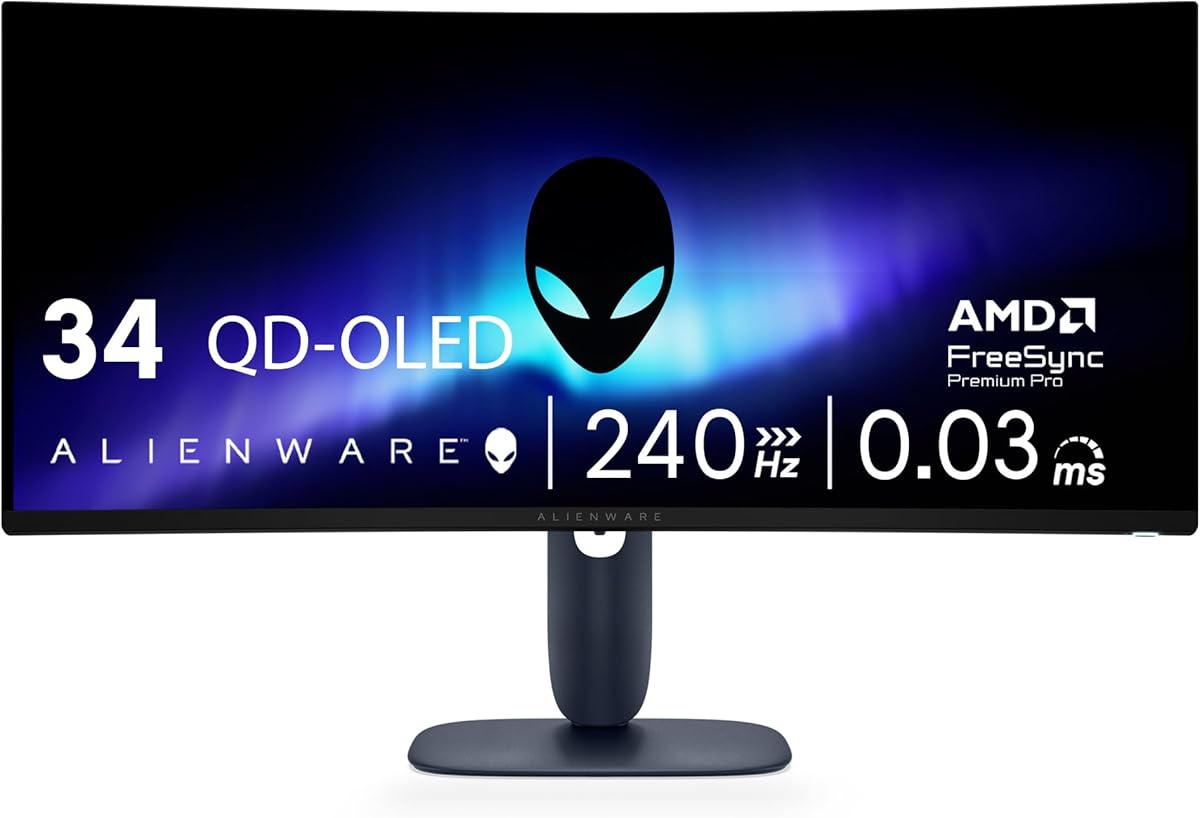
Alienware 34 240Hz QD-OLED Curved Gaming Monitor AW3425DW
4.5Editor score
QD-OLED technology
240Hz refresh rate
Ultrawide immersion
Finding the right display can transform your gaming experience from good to exceptional. Alienware monitors are renowned for their cutting-edge technology and sleek designs that appeal to competitive players and enthusiasts alike.
We have carefully evaluated the latest models available on the market to bring you a comprehensive list. Our comparison focuses on refresh rates, panel types, and overall performance to help you make an informed decision.
Each pick in this guide highlights specific strengths and ideal use cases for different types of gamers. Please note that availability and specifications may change over time so always verify details before purchasing.
4.5Editor score

4.6Editor score

4.6Editor score
As an Amazon Associate we earn from qualifying purchases.
This side-by-side comparison highlights the key specifications and features of each model to help you identify the best fit for your gaming needs.


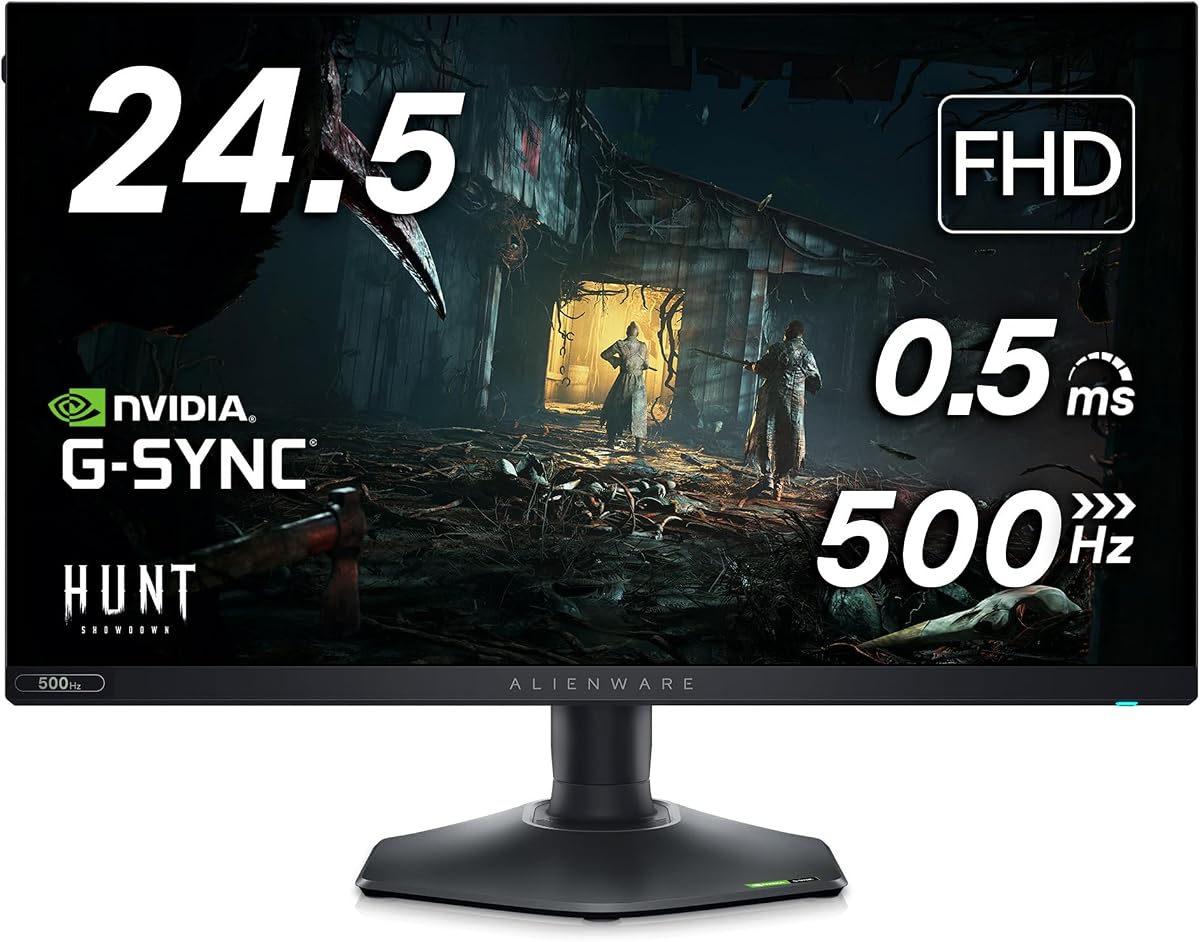


The Alienware 27 Gaming Monitor AW2725DM stands out as a top contender for gamers seeking high performance and visual fidelity. With a 4.6 rating from users, it delivers fluid visuals and sharp details that enhance immersive gameplay experiences.
We may earn a commission when you buy through this link, at no additional cost to you.
Its QHD resolution combined with a 180Hz refresh rate ensures that fast-paced games run smoothly without motion blur. The Fast IPS panel provides vibrant colors with 95% DCI-P3 coverage, making scenes look true to life during intense sessions.
While it lacks the extreme brightness of higher-end HDR models, the VESA DisplayHDR 400 certification still offers decent contrast for casual HDR content. The dedicated console mode and low blue light solution also make it suitable for extended play without eye strain.
This monitor is ideal for competitive gamers who value speed and clarity. Its robust feature set and reliable performance justify its position as a leading choice in the Alienware lineup.
The 180Hz refresh rate ensures ultra-smooth gameplay, giving you a competitive edge in fast-paced titles.
Enjoy rich and accurate colors thanks to the Fast IPS panel and high DCI-P3 coverage.
We may earn a commission when you buy through this link, at no additional cost to you.
The Alienware 34 240Hz QD-OLED Curved Gaming Monitor offers an unparalleled visual experience for enthusiasts. With a 4.5 rating, it delivers seamless speed and vibrant colors that make every game feel immersive and dynamic.
We may earn a commission when you buy through this link, at no additional cost to you.
Its QD-OLED technology provides infinite contrast and 99.3% DCI-P3 coverage, ensuring that colors pop and details remain crisp even in dark scenes. The 1800R curve enhances peripheral vision, creating a wraparound effect that pulls you into the action.
While the price is steep and OLED panels carry a slight risk of burn-in over time, the visual benefits outweigh these concerns for many users. The inclusion of multiple adaptive sync technologies ensures smooth performance across different hardware setups.
This monitor is best suited for gamers who prioritize visual fidelity and immersion over budget constraints. It represents the pinnacle of Alienware's display technology with cutting-edge features and exceptional build quality.
The 34-inch curved design expands your peripheral vision, making games feel more realistic and engaging.
With a 240Hz refresh rate and 0.03ms response time, motion is incredibly fluid with zero ghosting.
We may earn a commission when you buy through this link, at no additional cost to you.
The Alienware 25 Gaming Monitor AW2523HF is a standout choice for competitive gamers on a budget. With a 4.6 rating, it offers an industry-leading 360Hz refresh rate and a blazing-fast 0.5ms response time for incredibly smooth gameplay.
We may earn a commission when you buy through this link, at no additional cost to you.
Its Fast IPS panel ensures vivid colors and wide viewing angles, maintaining clarity even during intense action sequences. The hexagonal base design optimizes desk space, allowing for better mouse movement, while the integrated headset hanger keeps your peripherals organized.
Although the resolution is Full HD rather than QHD or 4K, the sheer speed of this monitor makes it ideal for fast-paced esports titles where reaction time matters most. The ergonomic adjustments also help maintain comfort during long sessions.
This monitor is perfect for players who prioritize speed and responsiveness over resolution. It delivers professional-grade performance at a more accessible price point compared to premium alternatives.
The 360Hz refresh rate and 0.5ms response time minimize motion blur and lag for precise gameplay.
The hexagonal base and headset hanger provide a clutter-free environment tailored for competitive gaming.
We may earn a commission when you buy through this link, at no additional cost to you.
The Alienware AW3423DW Curved Gaming Monitor brings QD-OLED technology to an accessible form factor for immersive gaming. With a 4.3 rating, it delivers cinematic color and HDR performance that rivals higher-end models.
We may earn a commission when you buy through this link, at no additional cost to you.
Its 175Hz refresh rate and 0.1ms response time ensure smooth motion in fast-paced games while the infinite contrast ratio provides deep blacks and bright highlights. The Creator Mode allows precise color adjustments for users who also need accuracy for creative work.
While its refresh rate is lower than some competitors, the visual fidelity it offers is unmatched for single-player experiences. The customizable OLED AlienFX lighting adds a unique aesthetic touch that enhances the overall gaming setup.
This monitor is best suited for gamers who value visual quality and versatility. It balances performance with artistic features to create a compelling display for both gaming and content creation.
The QD-OLED panel delivers a higher peak luminance and greater color gamut range than traditional WOLED panels.
Switch between color spaces and adjust gamma settings to achieve accurate visuals for creative projects.
We may earn a commission when you buy through this link, at no additional cost to you.
The Dell 26.5 Alienware Monitor AW2726DM combines Quantum Dot OLED technology with a high refresh rate for a balanced gaming experience. With a 4.5 rating, it offers stunning visuals and smooth performance across various game genres.
We may earn a commission when you buy through this link, at no additional cost to you.
Its 240Hz refresh rate ensures fluid motion and the QD-OLED panel provides vibrant colors and deep blacks for immersive visuals. The 1800R curve enhances the feeling of being inside the game, making it suitable for both competitive and casual play.
While it comes with a higher price tag, the combination of speed and visual fidelity makes it a compelling option for serious gamers. The build quality and ergonomic adjustments also contribute to a comfortable user experience over long sessions.
This monitor is ideal for those seeking a high-performance display without compromising on visual quality. It delivers reliable performance and stunning imagery that enhance your gaming environment significantly.
This panel type delivers superior color performance and brightness compared to standard OLED panels.
The 240Hz refresh rate ensures that fast action remains clear and responsive for competitive play.
We may earn a commission when you buy through this link, at no additional cost to you.
The Dell Alienware 27 4K QD-OLED 240Hz Gaming Monitor AW2725Q (Renewed) brings stunning clarity to your desktop with its high pixel density. Although rated N/A due to its renewed status, its specifications promise exceptional visual fidelity.
We may earn a commission when you buy through this link, at no additional cost to you.
Its 4K resolution provides super-dense pixels that make images look incredibly sharp and detailed. The QD-OLED technology ensures rich colors and deep blacks while Dolby Vision HDR enhances the contrast for a more immersive viewing experience.
While it requires a powerful GPU to run games at 4K smoothly, the visual payoff is significant for those who prioritize resolution. The renewed option also offers a more accessible way to access this premium technology.
This monitor is perfect for users who want the best possible clarity and color performance. It is an excellent choice for high-end gaming rigs that can fully utilize its advanced features.
With 166 PPI, this monitor offers the highest pixel density of any Alienware model for stunning visuals.
Dolby Vision and VESA DisplayHDR True Black 400 produce greater visual depth in every scene.
We may earn a commission when you buy through this link, at no additional cost to you.
The Alienware AW2524H Gaming Monitor pushes the boundaries of speed with its category-defining refresh rate. With a 4.4 rating, it provides fluid motion and eliminates blurring for fast-paced gaming scenarios.
We may earn a commission when you buy through this link, at no additional cost to you.
Its Fast IPS panel ensures consistent colors and wide viewing angles, while the 480Hz refresh rate delivers new levels of motion clarity. The NVIDIA Reflex Latency Analyzer technology allows players to optimize their system for the lowest possible latency.
While it is limited to Full HD resolution, the sheer speed makes it ideal for competitive titles where every millisecond counts. The anti-glare coating helps reduce distractions during intense play sessions.
This monitor is best suited for competitive gamers who prioritize speed above all else. It offers professional-grade performance that can give you an edge in online matches.
The 500Hz overclock refresh rate delivers fluid motion that eliminates ghosting and blurring effectively.
NVIDIA Reflex Latency Analyzer technology lets you optimize your systems for the lowest possible latency.
We may earn a commission when you buy through this link, at no additional cost to you.
The Alienware Gaming Monitor AW2523HF 24.5 IPS LED FHD 360Hz offers excellent value by including HEX accessories alongside its performance features. Although rated N/A, its specs promise smooth gameplay and useful extras for gamers.
We may earn a commission when you buy through this link, at no additional cost to you.
Its 360Hz refresh rate ensures fast and fluid motion, while the Fast IPS panel provides consistent colors. The included USB LED light and 7-in-1 hub add functionality to your desk setup without needing extra purchases.
While it lacks some advanced features found on higher-end models, the inclusion of accessories makes it a smart choice for budget-conscious buyers. The adjustable stand allows for a comfortable viewing angle during extended play.
This monitor is perfect for gamers looking for performance and practicality in one package. It delivers reliable speed and extra utility that enhance your overall setup.
The package includes a USB LED light and 7-in-1 hub for expanded desk functionality.
With a 360Hz refresh rate, fast-moving graphics remain clear for quicker reaction times.
We may earn a commission when you buy through this link, at no additional cost to you.
The Alienware 27 280Hz QHD Gaming Monitor offers a strong balance of speed and visual quality. With a perfect 5.0 rating from users, it is a highly recommended option for those seeking reliability and performance.
We may earn a commission when you buy through this link, at no additional cost to you.
Its 280Hz refresh rate reduces motion blur and input lag, while the Fast IPS Nano Color panel ensures vivid colors from any angle. The VESA DisplayHDR 600 certification provides deeper contrast and brighter peaks for immersive visuals.
The triple sync support ensures seamless frame synchronization across PC and consoles, making it versatile for different setups. The fully ergonomic stand allows for customizable comfort during marathon gaming sessions.
This monitor is best suited for gamers who want a versatile and reliable display. It offers excellent performance across various genres and supports both PC and console gaming effectively.
The 280Hz overclocked refresh rate reduces motion blur and input lag for a competitive edge.
VESA DisplayHDR 600 delivers deeper contrast and brighter peaks for a more immersive experience.
We may earn a commission when you buy through this link, at no additional cost to you.
The Alienware 120Hz UltraWide Gaming 34 Inch Curved Monitor AW3420DW delivers an immersive experience with its wide screen and high resolution. With a 4.6 rating, it offers sharp details and smooth gameplay suitable for both gaming and productivity.
We may earn a commission when you buy through this link, at no additional cost to you.
Its 21:9 aspect ratio and WQHD resolution maximize your field of view, providing an even and consistent experience. The IPS Nano color technology ensures that colors exceed standard sRGB standards for vibrant and accurate visuals.
While the 120Hz refresh rate is lower than newer models, it still offers buttery smooth gameplay for most titles. The customizable AlienFX lighting adds a unique touch that enhances the overall aesthetic of your setup.
This monitor is ideal for users who prioritize immersion and visual clarity over sheer speed. It provides a balanced experience that is suitable for both gaming and general use.
The 21:9 aspect ratio maximizes your field of view and provides a consistent visual experience.
With 98% DCI-P3 coverage, games and media look stunningly vibrant and accurate.
We may earn a commission when you buy through this link, at no additional cost to you.
Choosing the right monitor involves balancing performance features with your specific gaming needs and budget constraints.
A higher refresh rate such as 144Hz or 240Hz ensures smoother motion and reduces blur in fast-paced games. Look for rates that match your PC's capability to fully utilize the display.
Prioritize high refresh rates if you play competitive titles where fluid motion gives you an edge.
IPS panels offer wide viewing angles and excellent color accuracy, while OLED provides deeper blacks and higher contrast. Consider which visual qualities matter most for your specific gaming style.
Choose OLED for cinematic experiences and IPS for reliable color consistency and durability.
Resolution affects the sharpness of the image with QHD and 4K offering more detail than Full HD. Ensure your graphics card can handle the resolution you desire for smooth gameplay.
Select a resolution that balances visual clarity with performance capabilities of your system.
Response time measures how quickly pixels change color with lower numbers reducing ghosting. Aim for 1ms or less for competitive gaming to ensure clear motion.
Fast response times are essential for avoiding motion artifacts during rapid movements.
Adaptive sync technologies like G-SYNC and FreeSync prevent screen tearing by matching the monitor's refresh rate to your GPU. Check compatibility with your graphics card before purchasing.
Ensure your monitor supports the same sync technology as your GPU for tear-free gaming.
Adjustable stands allow you to customize height, tilt, and swivel for comfort. Look for features like pivot and cable management to keep your setup tidy.
An ergonomic stand helps reduce strain during long gaming sessions.
HDR enhances contrast and color range for more lifelike visuals. Look for certifications like HDR600 or TrueBlack for better brightness and depth.
Choose HDR support if you value enhanced contrast and dynamic range in your games.
Curved monitors wrap around your field of view for increased immersion. Consider the curve radius based on screen size and your seating position.
Opt for curved displays if you prefer a more immersive gaming environment.
Start by connecting your monitor using high-quality cables like HDMI 2.1 or DisplayPort to ensure maximum refresh rate support. Adjust the stand for a comfortable viewing height and angle to reduce neck strain.
Calibrate your display using built-in settings or software to achieve accurate colors. Enable adaptive sync and HDR features in your operating system to optimize performance.
Clean the screen with a soft microfiber cloth to avoid scratches. Keep vents clear and avoid touching the panel directly to maintain longevity.
The Alienware 25 Gaming Monitor AW2523HF offers a 360Hz refresh rate which is ideal for competitive titles. Its fast response time and reliable performance make it a top choice for esports players.
Many models feature HDR support such as VESA DisplayHDR 400 or TrueBlack. Check specific product details to confirm the exact HDR capabilities and brightness levels.
G-SYNC is NVIDIA's proprietary technology while FreeSync is AMD's open standard. Both prevent screen tearing but you should choose the one compatible with your graphics card.
Yes, many models offer high color accuracy and wide color gamuts. Features like Creator Mode allow precise adjustments for professional workflows.
Use the OSD joystick or buttons on the monitor to access menus. Navigate through options to adjust brightness, color, and game settings easily.
Use certified DisplayPort or HDMI cables that support your desired refresh rate and resolution. High-speed cables ensure stable signal transmission for smooth gameplay.
Whether you choose a high-speed IPS model or an immersive OLED panel, Alienware offers options to fit various preferences and budgets. Each model brings unique strengths to the table for different gaming scenarios.
Prioritize features that matter most to your gameplay whether it is speed, resolution, or visual fidelity. Matching your needs to the right specifications will maximize your enjoyment.
Always check current availability and pricing as these can change frequently. Investing in the right display ensures years of smooth and immersive gaming experiences.