
Dell 27 All-in-One
4.5Editor score
Core 5 120U
Dell ComfortView Plus
5MP Plus IR Camera
Finding the right desktop for school requires balancing performance with space efficiency. All in One PCs streamline your setup by combining the computer and display into a single sleek unit. This simplifies dorm life and home study areas significantly.
We evaluated ten leading models based on processor power, screen quality, and connectivity options. Each selection supports multitasking, video calls, and document work needed for modern education. Real user ratings confirm reliability and satisfaction across different budgets.
Each pick below highlights key strengths and ideal use cases for student workflows. Prices and availability fluctuate often so verify current listings before purchasing. These models represent the best value and performance currently available for academic needs.
4.5Editor score

4.9Editor score

4.5Editor score
As an Amazon Associate we earn from qualifying purchases.
This side-by-side comparison lists every model included in our review. Check specifications like screen size, memory, and storage to find the best fit for your academic requirements and budget constraints quickly.




This Lenovo IdeaCentre model stands out as a top choice for students needing robust computing power. With a 10-core Intel i7 processor and 16GB DDR5 RAM it handles heavy multitasking smoothly. The 27-inch FHD display provides ample screen real estate for research and writing.
We may earn a commission when you buy through this link, at no additional cost to you.
Performance is exceptional thanks to the 13th Gen i7-13620H chip which boosts clock speeds up to 4.9GHz. DDR5 memory ensures quick access to data and faster application loading times. This makes it ideal for engineering simulations video editing or large data processing tasks.
While the price reflects its premium specs the value is significant for long term academic use. The only trade-off is the lack of a touch interface which might limit interactive learning experiences. However the performance benefits outweigh this limitation for most serious students.
Students pursuing demanding majors should prioritize this model for its reliability and speed. It future-proofs your setup against increasing software requirements over the years of study. Invest in this system for a seamless and powerful learning environment.
The 10-core architecture handles complex computations and multitasking with ease for advanced coursework.
DDR5 RAM significantly boosts system responsiveness and application switching capabilities for better productivity.
We may earn a commission when you buy through this link, at no additional cost to you.
Dell delivers a polished experience with this 27-inch All-in-One that prioritizes visual comfort and build quality. The display features ComfortView Plus to reduce blue light emissions during long study sessions. Students will appreciate the crisp visuals and reduced eye strain.
We may earn a commission when you buy through this link, at no additional cost to you.
The Intel Core 5 120U processor provides balanced performance for daily academic tasks. While not as powerful as the i7 options it handles web browsing and document work effortlessly. The integrated stand allows keyboard storage underneath keeping your desk tidy.
A key advantage is the 5MP Plus IR camera which ensures clear video quality for remote classes. However the price is higher compared to similar models with lower specs. You are paying for premium build quality and eye care technologies here.
This model is perfect for students who spend many hours reading or writing online. The investment in comfort features supports health and productivity over long terms. Consider it if visual ergonomics are a top priority for your setup.
ComfortView Plus reduces harmful blue light to protect vision during extended reading and study hours.
The unique stand design houses the keyboard underneath to save valuable desktop space.
We may earn a commission when you buy through this link, at no additional cost to you.
The HP 21.5 model offers excellent value for budget conscious students needing reliable basic computing. It features an Intel N100 processor that handles everyday apps and web tasks efficiently. The inclusion of a docking hub adds significant connectivity flexibility.
We may earn a commission when you buy through this link, at no additional cost to you.
Despite the lower price it includes DDR5 RAM which improves system responsiveness compared to DDR4. The 8-in-1 docking hub expands USB options allowing easy connection of external drives. This is useful for transferring files to campus or backing up work.
The screen size is smaller than other models which might feel tight for multitasking. Storage is limited but sufficient for documents and media files. However the low cost makes it a practical choice for entry level needs.
Ideal for students with basic requirements like writing papers and browsing the web. It saves money while still providing modern features like Windows 11 and fast memory. Choose this for an economical and functional learning machine.
The built-in 8-in-1 docking hub provides extra USB ports for peripherals without buying a separate dock.
Inclusion of DDR5 RAM ensures better performance efficiency than older standard memory types.
We may earn a commission when you buy through this link, at no additional cost to you.
HP presents a strong contender with the OmniStudio focusing on memory and storage capacity. The 16GB DDR5 RAM handles multitasking between research tabs and media smoothly. A pop-up privacy camera ensures security during video calls and online classes.
We may earn a commission when you buy through this link, at no additional cost to you.
Generous storage options allow you to keep all coursework and media locally. The 24-inch Full HD IPS screen offers vibrant colors and wide viewing angles. This visual clarity is beneficial for group study sessions or reviewing diagrams.
Eco conscious students will appreciate the EPEAT Gold and ENERGY STAR certifications. The performance balances speed with power efficiency for long daily use. While the processor specifics are not highlighted the RAM ensures fluid operation.
This unit is suitable for students who need ample space and privacy. It supports diverse academic workflows without compromising on screen quality. A reliable choice for those valuing data security and sustainability.
The pop-up camera design allows physical privacy control when not actively on video calls.
Certified eco-friendly manufacturing reduces environmental impact for conscientious buyers.
We may earn a commission when you buy through this link, at no additional cost to you.
Lenovo offers a professional grade device with this model featuring 16GB of RAM for efficient multitasking. It runs Windows 11 Pro which provides advanced management tools useful for IT coursework. The PCIe SSD ensures fast boot times and file access.
We may earn a commission when you buy through this link, at no additional cost to you.
Connectivity is robust with WiFi 6 and Bluetooth 5.2 for reliable wireless connections. The Vent-Hear design improves airflow for better thermal management during extended use. This helps maintain consistent performance without overheating issues.
While the overall rating is slightly lower the specs remain competitive for the price. The inclusion of wireless peripherals simplifies setup right out of the box. It is a solid option for business or professional training environments.
Students needing Pro features or extra RAM will find this appealing. It balances cost with performance effectively for general academic work. Ensure you check specific port needs before purchasing.
Vent-Hear technology optimizes airflow to keep the system cool during heavy loads.
Windows 11 Pro adds remote desktop and enhanced security features for power users.
We may earn a commission when you buy through this link, at no additional cost to you.
This IdeaCentre model provides a complete value package including keyboard mouse and software. The 512GB SSD offers ample space for storing assignments and multimedia files. Eye comfort features reduce strain during long reading or coding sessions.
We may earn a commission when you buy through this link, at no additional cost to you.
The Intel N100 processor handles typical student tasks without lag. It supports efficient video calling and web browsing. The bundled Office 365 access eliminates extra subscription costs for productivity software.
Eight gigabytes of RAM are sufficient for single tasking or light multitasking. Wired peripherals keep costs down but limit desk flexibility slightly. This makes it a practical choice for budget focused buyers.
Students looking for a ready-to-use device will appreciate the included software. It removes the hassle of setup and immediate productivity. A dependable and affordable option for daily study needs.
Lifetime Office 365 access is included reducing initial software acquisition costs.
Anti-glare and comfort features protect vision during long study hours.
We may earn a commission when you buy through this link, at no additional cost to you.
HP positions this unit as a modern everyday desktop with a compact 22-inch screen. The DDR5 RAM ensures responsiveness despite the lower price tier. Windows 11 Pro brings enhanced security suitable for business coursework.
We may earn a commission when you buy through this link, at no additional cost to you.
It includes Type-C connectivity for versatile peripheral connection and data transfer. The HD webcam provides clear video quality for meetings. However the internal storage is limited which might require external drives for backups.
The design is space-saving for tight dorm rooms. It balances performance with modern connectivity standards well. The Pro version adds value for users needing advanced security features.
Students prioritizing compact design and Pro features will find this useful. It is less about raw power and more about modern usability. Choose it for a clean efficient workspace.
Windows 11 Pro offers BitLocker and Remote Desktop for enhanced data protection.
Type-C and HDMI ports support modern monitor and peripheral connections easily.
We may earn a commission when you buy through this link, at no additional cost to you.
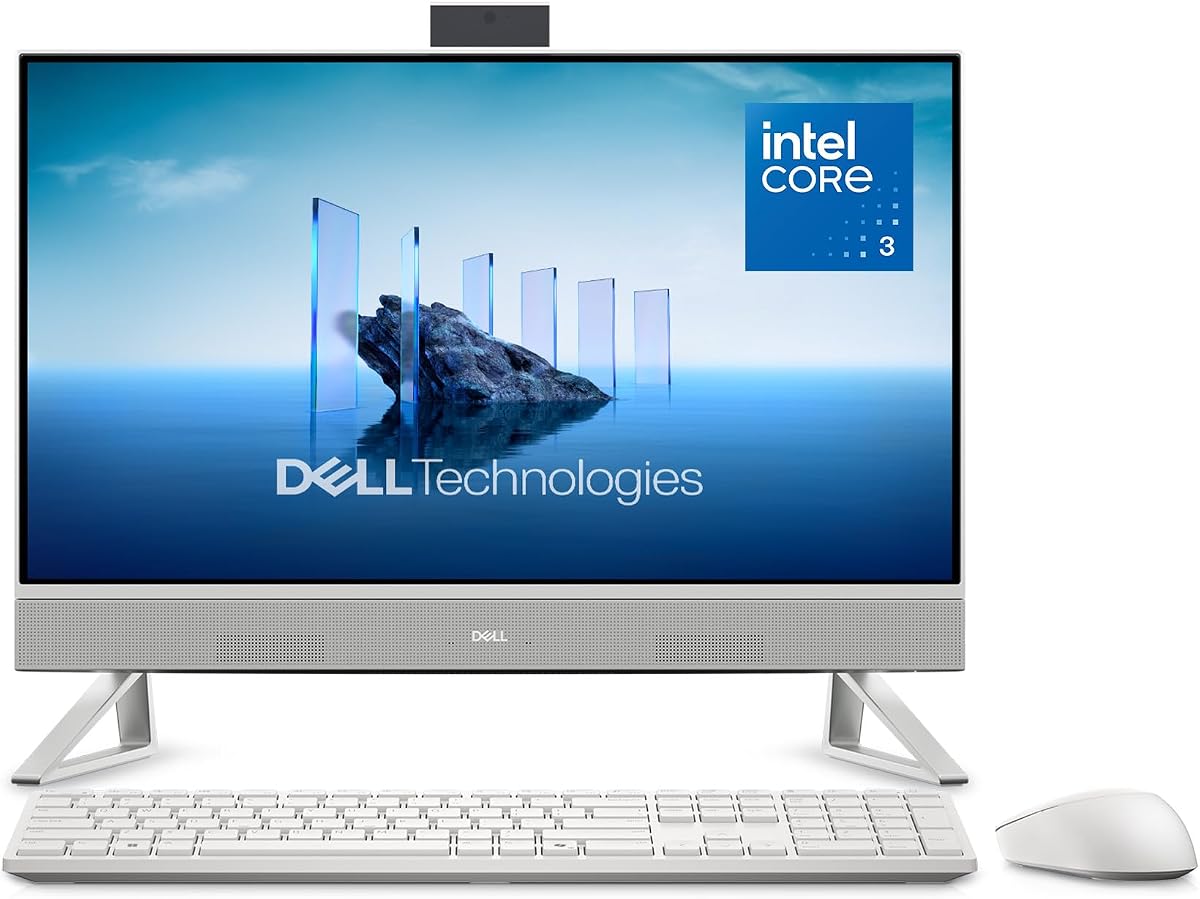
This Dell model focuses on comfort with ComfortView Plus to reduce blue light exposure. It features the Intel Core 3 100U which handles daily student needs well. The high user rating indicates satisfaction with reliability.
We may earn a commission when you buy through this link, at no additional cost to you.
The design supports a modern multitasking interface in Windows 11. It is lightweight and easy to move between dorms or rooms. Onsite service support adds peace of mind for warranty claims.
While not for heavy gaming or rendering it excels at web and document tasks. The price fits mid-range budgets effectively. It is a straightforward choice for general use.
Students who prioritize eye health and reliability should consider this. It balances performance with health features effectively. A solid pick for consistent daily computing.
Blue light reduction supports long study sessions without excessive eye strain.
Onsite service offers convenient assistance if hardware issues arise.
We may earn a commission when you buy through this link, at no additional cost to you.
This Lenovo All-in-One provides a straightforward solution for home or school use. The 256GB SSD offers quick access to essential files. It fits neatly into smaller spaces without sacrificing screen size.
We may earn a commission when you buy through this link, at no additional cost to you.
Connectivity includes four USB ports for multiple peripherals. The Intel N100 handles basic browsing and document creation efficiently. It includes built-in security features like TPM 2.0.
Storage might need external expansion for heavy media libraries. However for coursework and web use it is perfectly adequate. The price point is attractive for budget buyers.
Ideal for students needing a simple and efficient desktop. It covers the basics without unnecessary bloat. A practical choice for daily academic tasks.
TPM 2.0 hardware provides robust protection for sensitive user data.
Multiple USB ports allow easy connection of external drives and peripherals.
We may earn a commission when you buy through this link, at no additional cost to you.
This model offers impressive storage capacity with a 1TB SSD for local files. The 16GB RAM supports smooth multitasking for research and media. The N305 processor delivers 8 cores for efficient daily performance.
We may earn a commission when you buy through this link, at no additional cost to you.
It fits large multimedia libraries and many applications without needing external drives. The three-sided borderless design provides a modern immersive look. This is excellent for media consumption alongside study.
Performance is solid for general productivity. The storage capacity is a standout feature compared to other models. It handles heavy file loads better than average.
Students needing local storage and memory will appreciate this value. It balances specs with affordability effectively. A great pick for data-heavy workflows.
1TB SSD capacity allows storing thousands of files locally without external drives.
16GB RAM supports running multiple heavy applications simultaneously.
We may earn a commission when you buy through this link, at no additional cost to you.
Selecting the right computer involves balancing performance needs with physical constraints. Consider these factors to ensure your machine supports your academic goals effectively.
The CPU determines how fast tasks run. Look for at least an Intel N100 or Core 3 level for smooth operation. Higher end chips help with heavy workloads.
Choose a processor that matches your major requirements and budget.
A larger screen reduces eye strain and increases workspace. Aim for 24 inches or more if possible. IPS panels offer better viewing angles and color accuracy for multimedia.
Prioritize screen size and eye comfort features for long study hours.
RAM controls how many apps you can run together. 8GB is minimum but 16GB is safer for multitasking. DDR5 memory offers better performance than DDR4.
Opt for at least 16GB if you switch between many browser tabs frequently.
Solid State Drives ensure quick boot times and file access. Avoid traditional hard drives. Check total capacity to see if you need external storage.
Ensure you have at least 256GB of SSD space for comfort.
Check ports like USB-A, USB-C, and HDMI. Wi-Fi 6 is standard and offers faster wireless speeds. Ensure there are enough ports for your peripherals.
Verify port selection matches your external devices before buying.
Windows 11 Home is standard but Pro adds security features. Ensure the software is updated and ready for use. Licensing details vary by model.
Check if Windows 11 Pro or Home fits your security needs.
Measure your desk space before purchasing. All-in-One PCs vary in width and depth. Some include stands that hide the keyboard to save space.
Ensure the physical dimensions fit your dorm or room layout comfortably.
Prices range from under $500 to over $1000. Balance your financial limit with the features needed. Higher cost often brings better warranties and build.
Compare total value and warranty coverage to maximize your investment.
Keep your system on a flat stable surface to avoid vibration or heat issues. Leave enough space behind the unit for ventilation to maintain performance.
Use a microfiber cloth to clean the screen gently. Avoid harsh chemicals or paper towels that could scratch the surface coating.
Unplug the device during thunderstorms or when cleaning internal vents. Update drivers regularly to maintain software efficiency and security standards.
Yes they offer space saving designs that are perfect for dorms and small rooms. They combine the display and computer into one unit making setup easier and desk management simpler.
Most models do not allow upgrades because components are built into the screen. It is best to purchase with enough RAM and storage for future needs since the hardware is fixed.
Yes most units include wired or wireless keyboards and mice in the box. This ensures you have everything needed to start working immediately upon delivery.
LED screens typically last thousands of hours before dimming. Proper cleaning and avoiding physical stress will extend the lifespan significantly beyond the warranty period.
Yes all selected models come pre-installed with Windows 11 Home or Pro. This ensures compatibility with modern software and secure system management out of the box.
Many models include HDMI-out ports for connecting a secondary display. This allows for expanded workspace when you need more screen real estate than the single unit offers.
We reviewed ten excellent models that cover a range of needs and budgets. Whether you need raw power or budget friendly tools there is a fit in this list.
Prioritize RAM and storage if you plan to keep the machine for several years. A larger screen will also reduce strain during heavy reading sessions.
Check current prices and availability as they change frequently. This guide helps you identify the right model quickly before making your purchase.