
OBDLink MX+ OBD2 Bluetooth Scanner
4.6Editor score
Enhanced OEM support
Over voltage protection
Works with Windows PC
Compare the top 10 Android OBDII scanner tools with real ratings and features. Find the best Bluetooth diagnostic tool for your vehicle today.
Finding a reliable Android OBDII scanner tool is essential for modern car owners. These devices connect to your vehicle to diagnose issues quickly and affordably without needing a trip to the mechanic.
We compared ten top-rated Bluetooth and wireless scanners based on user feedback, connectivity stability, and diagnostic depth. Each model offers unique strengths for different vehicle types and maintenance needs.
Every pick shows real capabilities and limitations found in official product data. Prices and availability change often, so verify current details before purchasing to ensure you get the right tool for your car.
4.6Editor score

4.5Editor score

4.6Editor score
This side by side comparison highlights key features across all ten models to help you choose the right scanner for your specific vehicle needs and budget constraints.



The BlueDriver OBD2 Scanner Bluetooth stands out as a top choice for Android users seeking professional diagnostics. It earns strong ratings from verified users and offers features typically found in costly handheld tools.
We may earn a commission when you buy through this link, at no additional cost to you.
This scanner reads and clears more codes than basic readers, including enhanced diagnostics for ABS, SRS, and TPMS. Its key strength is the unlimited technician verified repair reports matched to your VIN which provide definitions and confirmed fixes.
While it costs more than basic adapters, the value comes from avoiding unnecessary repairs and shop visits. It is designed for gas vehicles from 1996 onward in North America and does not support heavy duty diesel options.
If you want a reliable tool that simplifies diagnostics without monthly fees, this is an excellent investment. It turns your phone into a powerful scanner and works seamlessly without wires or hardware hassles.
Each report includes verified definitions and causes to help you understand issues before making repairs.
Bluetooth connectivity lets you drive and monitor live data without cables tethered to your phone.
We may earn a commission when you buy through this link, at no additional cost to you.
The OBDLink MX+ transforms your Android device into a professional grade diagnostic scan tool with robust performance. It is highly rated for its compatibility with popular apps like FORScan and Torque which offer deep vehicle insights.
We may earn a commission when you buy through this link, at no additional cost to you.
This scanner supports enhanced OEM functions for many major brands including Ford GM and Toyota allowing you to clear codes and view live parameters like ABS and SRS. It also provides over voltage protection to safeguard your vehicle battery.
Although it costs more, the value lies in its versatility and connection stability. It is designed for users who need reliable data across different apps and operating systems without sacrificing diagnostic depth.
Choose this if you prioritize professional features and cross platform support. Its robust construction and included firmware updates make it a durable choice for serious vehicle maintenance enthusiasts.
Compatible with iPhone Android and Windows PC giving you flexibility for different diagnostic needs.
Works with specific apps to unlock manufacturer specific data often hidden from generic scanners.
We may earn a commission when you buy through this link, at no additional cost to you.
The ANCEL AD310 is a top rated handheld scanner that works well with Android devices for basic diagnostics. It is compact sturdy and does not require batteries, drawing power directly from the OBDII port.
We may earn a commission when you buy through this link, at no additional cost to you.
It supports all OBDII protocols and reads live data and freeze frames to help identify emission system faults. Its clear screen and labelled buttons make it simple to use even for those with limited car knowledge.
While it is an excellent budget option, it only handles emission related issues and cannot access ABS SRS or transmission codes. This limitation is acceptable for users who just need to clear check engine lights.
If you want a simple reliable tool for home or travel, this scanner offers great value. It provides accurate fast results and fits easily in a backpack for convenience anywhere.
Draws power from the vehicle port so no batteries or charging cables are needed for operation.
Supports multiple OBDII protocols to ensure compatibility with a wide range of vehicle makes.
We may earn a commission when you buy through this link, at no additional cost to you.
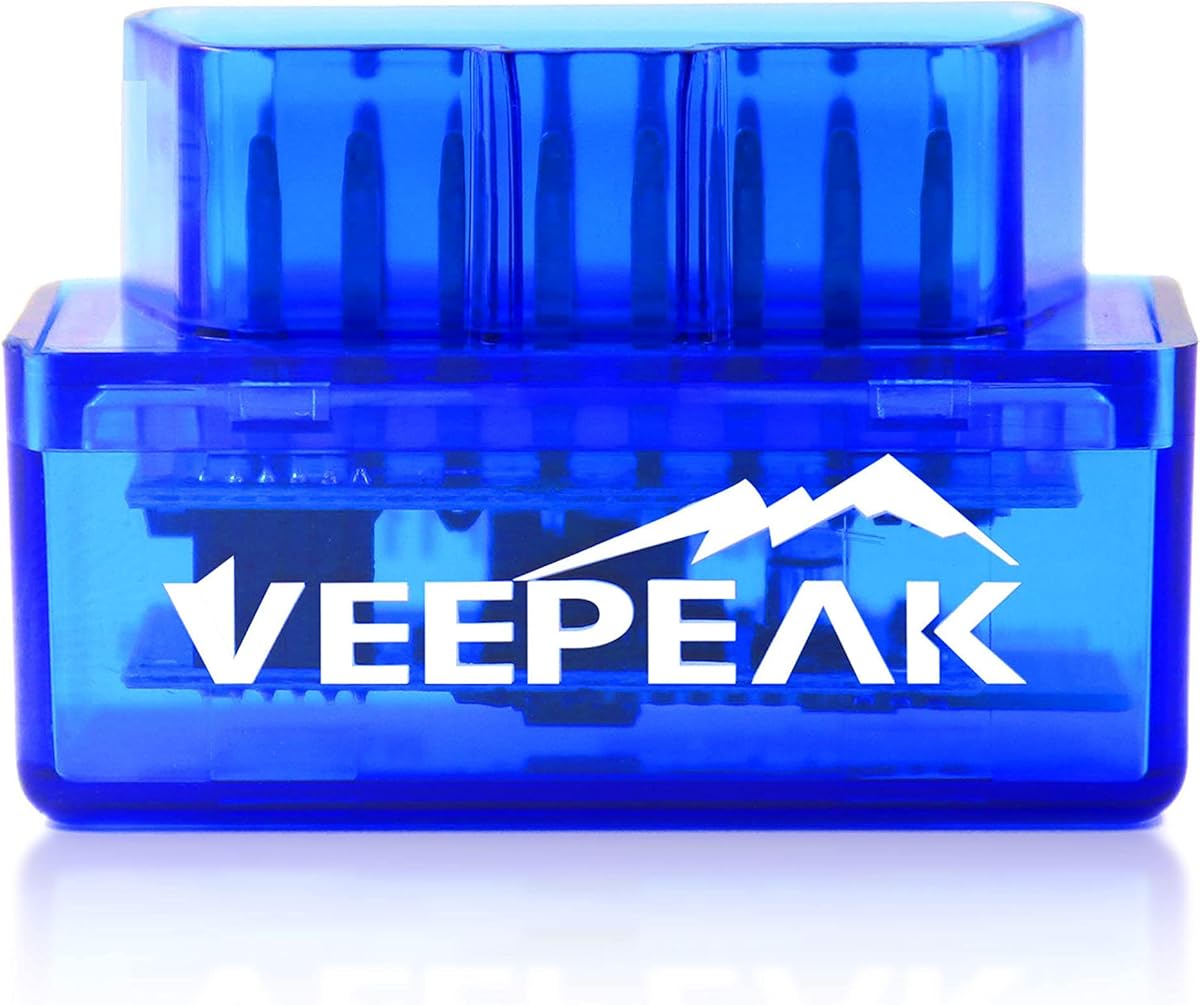
The Veepeak OBDCheck BLE is a compact Bluetooth LE adapter that turns your Android phone into a diagnostic tool. It works with many third party apps to read and clear trouble codes for the check engine light.
We may earn a commission when you buy through this link, at no additional cost to you.
This scanner focuses on generic OBDII functions including live sensor data and I/M readiness. It is designed for standard diagnostics and requires a compatible app to operate without built in proprietary software.
Users should note that it does not support ABS SRS or service resets. This trade-off keeps the price low while still providing essential monitoring capabilities for most 1996 plus vehicles.
Choose this if you need a simple wireless adapter for basic check engine diagnostics. It is affordable and works well with apps you already use for vehicle monitoring.
Works with popular apps like Torque and OBD Fusion for customized diagnostic experiences.
Bluetooth LE ensures low power consumption and stable connectivity with your smartphone.
We may earn a commission when you buy through this link, at no additional cost to you.
The Veepeak OBDCheck BLE+ offers enhanced connectivity by supporting both Bluetooth LE and classic Bluetooth for broader app compatibility. It provides live sensor data and works with many diagnostic apps on Android devices.
We may earn a commission when you buy through this link, at no additional cost to you.
This tool is designed for standard OBDII functions and requires a compatible third party app to operate. It can read freeze frame data and I/M readiness to help monitor vehicle health effectively.
Advanced diagnostics like ABS SRS or injector coding are not supported. This limitation is acceptable for casual users who only need to track engine performance and clear basic fault codes.
If you want a versatile adapter that works with many apps, this model is a solid choice. It balances affordability with essential features for everyday vehicle diagnostics.
Supports both Bluetooth LE and classic protocols to ensure wider app compatibility across devices.
Access live sensor data to understand real time vehicle performance while driving.
We may earn a commission when you buy through this link, at no additional cost to you.
The FOXWELL NT301 is a professional mechanic grade code reader that offers live data graphing to help spot engine issues in real time. It features a bright color screen and built in speaker for clear feedback.
We may earn a commission when you buy through this link, at no additional cost to you.
This scanner reads and clears engine fault codes quickly and supports smog check helper functions to verify readiness before testing. It also includes free lifetime updates and a one year seller assurance warranty.
While it lacks wireless Bluetooth connectivity, its cable connection ensures stability during diagnostics. It is designed for users who prefer a dedicated handheld device with visual data logging capabilities.
If you want a reliable tool for smog checks and detailed data graphs, this is a strong option. It provides professional insights without the cost of expensive scan tools.
View sensor data in easy to read graphs to spot issues instantly without interpretation.
Dedicated keys and LED indicators help verify readiness status before inspection day.
We may earn a commission when you buy through this link, at no additional cost to you.
The BlueDriver OBD2 Scanner Bluetooth offers expanded make and model coverage for newer vehicles while maintaining the core features of the standard version. It supports technician verified repair reports and works without subscription fees.
We may earn a commission when you buy through this link, at no additional cost to you.
This scanner provides enhanced diagnostics for ABS SRS and TPMS on supported models and works well for gas vehicles from 1996 onward. Its wireless connectivity simplifies the process of connecting your phone to the vehicle.
While user ratings vary, the tool still delivers professional grade diagnostics at a single purchase cost. It is designed for family vehicles and daily drivers needing consistent and reliable performance.
If you prioritize wireless convenience and verified repair data, this model remains a good choice. It helps you diagnose problems confidently without recurring costs or technical complexity.
Optimized for newer models to ensure compatibility with 2024 and later vehicle systems.
Get verified fixes and definitions matched to your specific VIN for accurate repairs.
We may earn a commission when you buy through this link, at no additional cost to you.
The XTOOL A30D offers professional level diagnostics with bidirectional control that sends commands to your vehicle to test components like fuel pumps and windows. It includes 19 reset functions for routine maintenance without extra costs.
We may earn a commission when you buy through this link, at no additional cost to you.
This scanner supports lifetime software updates and stable wireless connectivity up to 33 feet. It displays real time data from all major modules and includes live data streaming for deeper vehicle insights.
Users should note that some features like FCA AutoAuth require an active subscription. This is a minor trade-off for the extensive functionality and support provided for modern vehicles.
If you need a tool for reset tasks and component testing, this scanner delivers advanced features. It is suitable for DIYers and home garage users who want comprehensive diagnostic access.
Send commands directly to your vehicle to test components without disassembly.
Perform routine resets like oil service and EPB to save on maintenance shop visits.
We may earn a commission when you buy through this link, at no additional cost to you.
The Veepeak Mini Bluetooth OBD2 Scanner is a compact adapter designed specifically for Android phones and tablets using classic Bluetooth. It turns your device into a customized dashboard for live engine data access.
We may earn a commission when you buy through this link, at no additional cost to you.
This tool reads and clears check engine light codes and provides live sensor data to help diagnose issues efficiently. It requires a compatible third party app to operate and works best for standard diagnostics.
While it does not support iOS devices, it is affordable and portable for everyday use. It does not support advanced functions like ABS or SRS but works well for basic monitoring.
If you want a small reliable scanner for Android devices, this is a practical choice. It fits easily in your pocket and works with apps you already use for diagnostics.
Designed with a small profile to fit easily in any OBD port or pocket.
Specifically optimized for Android devices to ensure stable classic Bluetooth connectivity.
We may earn a commission when you buy through this link, at no additional cost to you.
The V011 OBD2 Scanner features upgraded Bluetooth 5.4 for faster and more reliable connections with your smartphone. It includes a dedicated app that provides performance testing and fault clearing capabilities for most vehicles.
We may earn a commission when you buy through this link, at no additional cost to you.
This scanner supports over 96 percent of car makes and offers intuitive data visualization through clear charts. It includes helpful how to guides to help you understand and address issues yourself.
While it requires setting up the app first, it provides a comprehensive solution for diagnostics. The fault codes can only be cleared after the car is repaired ensuring accurate results.
If you want a modern scanner with fast connectivity and visual data, this is a great option. It empowers you to save on repair bills with guided diagnostic support.
Upgraded connectivity ensures stable and fast data streaming between scanner and phone.
Clear charts help beginners quickly grasp car status without technical knowledge.
We may earn a commission when you buy through this link, at no additional cost to you.
Choosing the right Android OBDII scanner tool depends on your vehicle type, desired features, and budget. This guide outlines key factors to consider for a confident purchase.
Bluetooth LE adapters are energy efficient and work with modern smartphones but may lack compatibility with older apps. Classic Bluetooth adapters offer broader app support but drain battery faster. Check your phone and app compatibility before buying.
Bluetooth LE offers better efficiency while classic supports more apps.
Basic scanners only read and clear check engine codes for emission systems. Advanced tools access ABS, SRS, TPMS, and transmission data. Decide if you need enhanced diagnostics or just simple engine fault codes.
Basic tools cover emission faults while advanced tools include safety systems.
Many Bluetooth scanners require third party apps to function. Some devices come with proprietary apps but may limit features to specific brands. Ensure your Android device is supported by the app ecosystem.
Verify app support for your Android device before purchase.
Most tools support 1996 and newer vehicles in the US but coverage varies for European or Asian models. Check compatibility with your specific make and model especially for advanced functions.
Confirm make and model compatibility for your vehicle.
Bidirectional tools send commands to vehicle components like fuel pumps and doors for testing. This feature requires specific hardware and software support. It is useful for active troubleshooting beyond passive code reading.
Bidirectional control allows active testing of components without disassembly.
Reset functions like oil light, EPB, and TPMS can help avoid service visits. These functions vary by model and year so confirm support for your specific car. Some models require paid apps for these features.
Check for specific reset functions needed for your vehicle.
Some tools require monthly or yearly fees for full features. Others offer one time purchase with unlimited access. Consider long term costs when choosing between different models.
Avoid hidden fees by selecting tools with one time purchase models.
Look for sturdy adapters with reliable connection stability. Cheap plastic units may fail after limited use. Consider warranty and support options to ensure lasting performance.
Choose durable units with warranty support for longevity.
Connect your scanner to the OBDII port located under the steering wheel near your vehicle ignition. Turn the ignition on but do not start the engine for most diagnostics.
Open your compatible diagnostic app and follow the connection steps to pair the scanner. Ensure Bluetooth is enabled on your Android device but avoid pairing in system settings if instructed.
After reading codes or viewing data, unplug the scanner to save your vehicle battery. Store it in a protective case to prevent damage and ensure it remains clean for future use.
Most Bluetooth adapters require compatible third party apps to operate. Some tools include proprietary apps but others work with generic ones like Torque or Car Scanner. Check product descriptions for supported applications.
Yes, most scanners can read and clear emission related fault codes. Note that clearing codes does not fix the underlying issue and lights may return if the problem persists.
Most tools support 1996 and newer vehicles in the US with OBDII ports. Older models may need different adapters and compatibility should be verified before purchase.
Some adapters support both Android and iOS while others are device specific. Always check the product listing to confirm compatibility with your smartphone operating system.
Advanced scanners can access ABS and SRS codes but basic ones cannot. Look for tools with enhanced diagnostic features if you need safety system data.
Bluetooth adapters consume some power while connected. It is recommended to unplug them when not in use to prevent battery drain especially if parked for long periods.
Bluetooth LE is more energy efficient and works with newer devices but may have fewer app options. Classic Bluetooth offers broader compatibility but uses more power.
Check the product description for supported makes models and years. Contact customer support with your VIN if you are unsure about compatibility for specific functions.
The BlueDriver and OBDLink MX+ stand out for advanced users needing professional diagnostics. Budget choices like ANCEL AD310 and Veepeak adapters offer essential features at lower costs.
Prioritize the features you need such as bidirectional control or safety system diagnostics. Ensure your Android device and vehicle are compatible to avoid functionality issues.
Always verify current availability and details before buying to ensure you get the right tool for your needs and expectations.