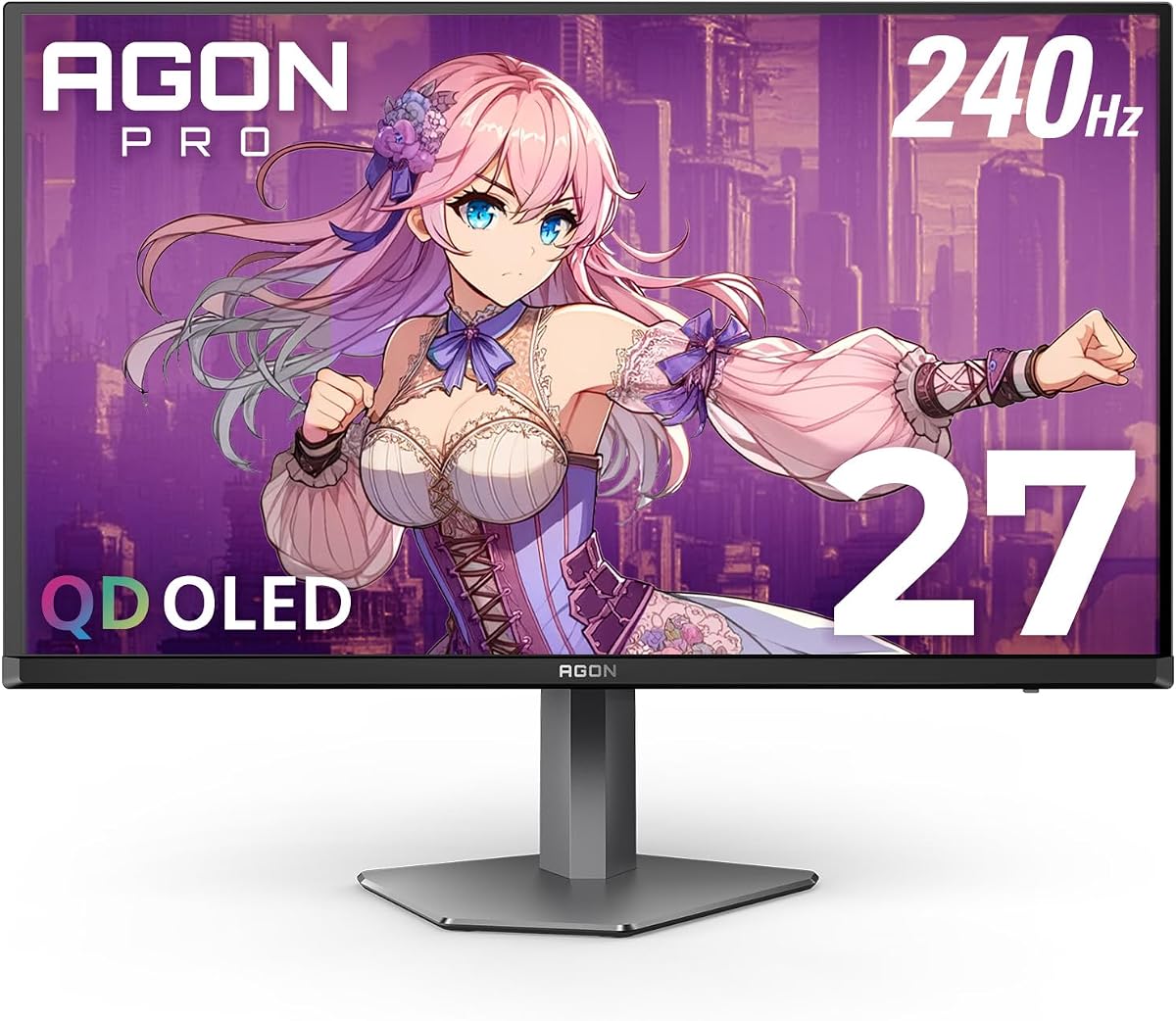
AOC Agon Pro 27 Inch Gaming Monitor QD OLED
4.4Editor score
0.03ms GTG response time
QD OLED panel with deep blacks
240Hz refresh rate for esports
Discover the top 10 AOC monitors for gaming and work. Compare specs, ratings, and features to find the perfect display for your needs.
Finding the right monitor can transform your gaming and productivity experience. AOC offers a wide range of displays catering to different budgets and performance needs. Whether you need high refresh rates or crisp 4K visuals, there is an AOC monitor for you.
We compared ten real products based on their specifications, user ratings, and feature sets. Each selection was evaluated for performance, build quality, and value to ensure you get the best information possible for your purchasing decisions today.
This guide highlights key strengths and weaknesses for every model listed. You will see detailed breakdowns of panel types, refresh rates, and connectivity options. Please note that availability and pricing can change frequently on major online marketplaces.
4.4Editor score

4.6Editor score

4.6Editor score
This side-by-side comparison covers all ten selected models to help you visualize differences in size, resolution, and performance metrics quickly.


The AOC Q27G41ZE stands out as a top contender for gamers who need speed without sacrificing visual fidelity. With a 240Hz refresh rate and 0.3ms response time, it delivers incredibly smooth motion for fast-paced titles. Its QHD IPS panel ensures that colors remain vibrant and viewing angles are wide, making it great for both solo sessions and shared viewing.
We may earn a commission when you buy through this link, at no additional cost to you.
Performance is where this monitor truly shines. The adaptive sync support ensures compatibility with both NVIDIA and AMD GPUs, reducing stutter and tearing significantly. Shadow control features and game mode presets allow you to tweak settings quickly for optimal visibility in dark scenes. The frameless design also helps create an immersive experience by minimizing bezel distractions.
While the refresh rate is high, there are some trade-offs in ergonomics. The stand only offers tilt adjustment, lacking height or swivel options which might be needed for some users. Additionally, connectivity is somewhat limited with just one DisplayPort and two HDMI ports. However, for the price and performance ratio, these are minor inconveniences.
This monitor is ideal for competitive gamers or streamers who want a high refresh rate without breaking the bank. If you prioritize motion clarity and color accuracy, the Q27G41ZE is a strong recommendation. It balances performance and design well, making it a versatile choice for modern gaming setups.
The 240Hz refresh rate paired with 0.3ms response time ensures that moving targets remain sharp and clear during intense gameplay.
Using an IPS panel allows for accurate color reproduction and wide viewing angles, making the display suitable for content creation as well.
We may earn a commission when you buy through this link, at no additional cost to you.
The AOC 24G42HE offers an impressive refresh rate for its price point, making it a standout budget choice. With a 200Hz refresh rate and 1ms MPRT response time, it handles fast action smoothly without excessive motion blur. The 116% sRGB color gamut ensures that visuals remain vivid and true to life, even in a smaller form factor.
We may earn a commission when you buy through this link, at no additional cost to you.
This monitor is designed with multi-taskers and multi-monitor setups in mind. The three-sided frameless design minimizes bezel distractions, allowing for a seamless experience across multiple screens. Its low input lag and adaptive sync support make it a solid option for console gamers and PC users alike who need responsive gameplay.
The main limitation is the Full HD resolution and smaller 24-inch size. If you prefer larger screens or higher resolutions for media consumption, this might feel limiting. However, for competitive gaming where reaction time is key, the smaller pixel count can sometimes be an advantage for readability.
If you are looking for a high-performance monitor without spending too much, this model is a fantastic starting point. It provides the speed and color quality needed for modern games while keeping costs low. It is especially suitable for students or casual gamers on a tight budget.
The sleek frameless design makes it easy to connect multiple units side by side for an expansive workspace or gaming arena.
Designed to support up to 120Hz for consoles, it ensures your gaming rig gets the most out of current generation systems.
We may earn a commission when you buy through this link, at no additional cost to you.
The AOC Agon Pro AG276QZD2 brings OLED technology to the mainstream gaming market with impressive results. The self-luminous OLED panel delivers perfect blacks and infinite contrast, making HDR content look stunning. With a 0.03ms response time, it eliminates motion blur almost entirely, offering a level of clarity that traditional panels struggle to match.
We may earn a commission when you buy through this link, at no additional cost to you.
Visual fidelity is enhanced by a wide color gamut covering over 101 percent of DCI-P3 and 136.7 percent of sRGB. This makes games and media pop with vibrant colors and deep shadows. The built-in ambient lighting can sync with your setup to enhance immersion, adding a custom aesthetic to your battle station.
While the performance is top-tier, the price is significantly higher than LCD alternatives. There is also a inherent risk of burn-in with OLED panels if static elements like taskbars are left on screen for long periods. However, modern tech and pixel shifting features help mitigate this risk significantly.
This monitor is perfect for enthusiasts who demand the absolute best in image quality and response speed. If budget is not a constraint and you want a display that looks and feels like the future of gaming, this is the choice to make. It turns every gaming session into a cinematic experience.
OLED technology allows for true blacks since pixels can turn off completely, creating a depth that LCD panels cannot achieve.
The 0.03ms GTG response time ensures that fast-moving objects are rendered instantly, removing blur for crystal clear visuals.
We may earn a commission when you buy through this link, at no additional cost to you.
The AOC U27B3A is designed primarily for productivity and multimedia use. Its 4K resolution provides a vast amount of screen real estate for multitasking and detail-oriented work. The IPS panel ensures that colors are accurate and consistent, which is crucial for graphic design or photo editing tasks where precision matters.
We may earn a commission when you buy through this link, at no additional cost to you.
Adding built-in speakers is a convenient feature for users who want to avoid cluttering their desk with external audio devices. The frameless design also helps keep the desk area looking clean and modern. While it is not a high refresh rate gaming monitor, it handles general entertainment and casual gaming well enough for most users.
The stand is basic and does not offer extensive ergonomic adjustments like height or pivot. This might be a drawback for long work sessions where eye level adjustment is needed. Additionally, the refresh rate is standard at 60Hz, which limits its suitability for competitive gaming.
If you need a sharp, reliable display for office work or home media consumption, this monitor offers excellent value. It brings 4K clarity to the budget-friendly segment without compromising on color quality. It is a solid choice for home offices or living rooms where visual clarity is the top priority.
The 4K resolution allows you to fit multiple windows side by side comfortably, improving workflow efficiency significantly.
Integrated speakers and a sleek bezel mean fewer cables and a cleaner desk setup right out of the box.
We may earn a commission when you buy through this link, at no additional cost to you.
The AOC 27G51Z pushes the limits of Full HD with a 260Hz overclocked refresh rate. This is ideal for competitive gamers who prioritize frame rates over resolution. The IPS panel maintains good color accuracy despite the lower resolution, and the 0.5ms response time ensures smooth motion even during intense combat scenes.
We may earn a commission when you buy through this link, at no additional cost to you.
Customization is made easy with the included G-Menu software and OSD. You can tweak settings and monitor profiles directly from your desktop, which adds convenience to daily use. The flicker-free technology also helps reduce eye strain during long sessions, making it a comfortable choice for marathon gaming runs.
One drawback is the pixel density; a 27-inch screen at 1080p can look slightly less sharp than smaller or higher resolution panels. However, for gaming where performance is key, this trade-off is often acceptable. The stand also lacks height adjustment, which can be an ergonomic limitation for some.
This monitor is best suited for those who want high frame rates without spending on higher resolution models. It delivers smooth gameplay and useful software tools at a reasonable price. If your main goal is winning in esports titles, this model offers the performance you need.
The G-Menu software allows for easy adjustment of monitor settings directly from Windows, saving time on manual OSD navigation.
Flicker-free technology and low blue light modes help protect your vision during extended use.
We may earn a commission when you buy through this link, at no additional cost to you.
The AOC CQ32G4VE offers a large 32-inch canvas with a 1500R curve for deep immersion. The QHD resolution provides enough detail for gaming and media, while the VA panel delivers high contrast for deep blacks. A 180Hz refresh rate ensures that motion remains smooth during most activities.
We may earn a commission when you buy through this link, at no additional cost to you.
This monitor is designed to wrap around your field of view, making racing and sim games particularly engaging. The wide color gamut covers over 120% of sRGB, providing rich and vibrant images. HDR support adds further depth to compatible content, enhancing the overall viewing experience.
While VA panels offer better contrast, they can have slightly slower response times compared to IPS. This might result in minor ghosting in very fast motion, but it is often unnoticeable in typical use. The size also requires a larger desk space, which might not fit smaller setups.
For those seeking immersion and a cinematic feel, this monitor is a strong choice. It blends size, curve, and performance well for a comfortable viewing experience. It is ideal for gamers who want to feel inside the game rather than just watching it on a flat screen.
The 1500R curve matches the natural curvature of the human eye, reducing distortion and focusing your attention on the screen center.
VA technology provides high static contrast, making dark scenes in games and movies look deep and detailed.
We may earn a commission when you buy through this link, at no additional cost to you.
The AOC C32G2ZE combines a large 32-inch screen with a 240Hz refresh rate for fast gameplay. The curve enhances immersion, making it feel like the action is happening right in front of you. FreeSync Premium ensures smooth rendering on AMD graphics cards, minimizing tearing during intense moments.
We may earn a commission when you buy through this link, at no additional cost to you.
This monitor is also tuned for console gaming with features that support up to 120Hz on compatible systems. The low input lag ensures that your commands are registered quickly, which is crucial for competitive matches. The frameless design allows it to blend into multi-monitor configurations without distracting borders.
The trade-off is resolution; Full HD on a 32-inch panel means pixels are larger than on smaller or higher-res screens. While acceptable for gaming from a distance, it may not be sharp enough for detailed work. The VA panel also has average response times compared to faster IPS or OLED alternatives.
If you want a large, fast monitor for gaming and do not mind lower resolution, this is a great option. It offers high speed and immersion at a competitive price point. It works well for both PC and console gamers looking to upgrade to a larger display.
Optimized for modern consoles to deliver 120Hz gaming where supported, making it a versatile hybrid for multi-platform households.
Thin bezels on three sides make it perfect for multi-monitor setups where screen gaps can break immersion.
We may earn a commission when you buy through this link, at no additional cost to you.
The AOC Q27G4ZD delivers high-end OLED performance in a standard 27-inch size. The QD OLED panel offers incredible contrast and color accuracy, making images pop with life. Combined with a 240Hz refresh rate, it provides a smooth and responsive experience for both shooters and story-driven games.
We may earn a commission when you buy through this link, at no additional cost to you.
G-Sync compatibility ensures that NVIDIA users can play without screen tearing, enhancing the fluidity of the experience. The 0.03ms response time means that even the fastest motions are rendered clearly. HDR10 support further enhances the dynamic range, offering more detail in highlights and shadows.
As with many OLEDs, the price is higher than traditional LCDs, and there are considerations regarding burn-in. However, the visual benefits often outweigh these concerns for enthusiasts. The base may also lack some ergonomic adjustments found on pricier stands, which might be a minor inconvenience.
This is a fantastic choice for gamers who want the best picture quality and speed. It balances the benefits of OLED with high refresh rates effectively. If you are looking for a high-performance display that makes every game look amazing, this model is worth considering.
Works seamlessly with NVIDIA graphics cards to ensure smooth gameplay without artifacts or screen tearing.
Wide color gamut coverage ensures that the vibrant hues produced by the panel are accurate and rich.
We may earn a commission when you buy through this link, at no additional cost to you.
The AOC Agon Pro AG276QZD2-2 is a top-tier OLED monitor with a feature-rich design. It offers 240Hz refresh and 0.03ms response for high-speed gaming. The built-in USB hub and height-adjustable stand add convenience and ergonomic flexibility that many standard models lack.
We may earn a commission when you buy through this link, at no additional cost to you.
Support for both FreeSync Premium Pro and G-Sync ensures broad compatibility across GPU brands. HDMI 2.1 ports allow for advanced console features, making it a great all-rounder for PC and console players. The matte screen coating helps reduce glare while maintaining clarity.
This model comes at a premium price point due to its high-end specs. It is best for users who need maximum connectivity and adjustability. The complexity of features might be more than some casual users need, but enthusiasts will appreciate the added utility and control.
If you want an OLED experience with added conveniences like a USB hub and better ergonomics, this is a solid choice. It balances high-end performance with practical design. It is recommended for those who prioritize both image quality and user comfort in their setup.
The height-adjustable stand lets you position the screen exactly where you need it for comfortable viewing.
USB hub and HDMI 2.1 support make it easy to connect multiple devices without extra cables or docks.
We may earn a commission when you buy through this link, at no additional cost to you.
The AOC 22B30HM2 is a compact and affordable choice for users with limited space or budget. It offers a 100Hz refresh rate and 1ms response time, providing smooth performance for casual gaming. As a renewed product, it offers value while still delivering core AOC quality and reliability.
We may earn a commission when you buy through this link, at no additional cost to you.
The VA panel delivers good contrast and color, making it suitable for general use and entertainment. Eye care features like flicker-free and blue light filter help maintain comfort during long sessions. The VESA mount compatibility gives you the flexibility to mount it on a wall or stand if needed.
Its main limitation is the small 21.5-inch screen and moderate refresh rate. This might not suit heavy gamers or those needing a large workspace. However, for casual users or secondary displays, it is an efficient and reliable option. The renewed status also ensures it is priced lower than new models.
This monitor is best for budget-conscious buyers who still want a decent gaming experience. It is a practical solution for smaller desks or secondary setups. If you need a reliable monitor that is gentle on the budget and eyes, this is a solid pick.
Its small footprint fits easily in tight spaces while the VESA mount allows for flexible installation options.
Renewed certification means the unit has been tested to ensure it meets specific standards for quality and function.
We may earn a commission when you buy through this link, at no additional cost to you.
Choosing the right monitor depends on what you use it for most. This guide breaks down the key factors to consider.
AOC offers IPS, VA, and OLED panels. IPS provides wide viewing angles and color accuracy. VA offers high contrast and deep blacks. OLED delivers unmatched contrast and speed.
Choose IPS for color work and general use, VA for media and gaming contrast, or OLED for premium visual performance.
Higher refresh rates like 144Hz or 240Hz make motion smoother. This is crucial for competitive gaming where every millisecond counts.
For general use 60Hz may suffice, but gamers should aim for at least 144Hz to see smoother transitions.
Resolution affects image clarity. Full HD is good for 24-inch, QHD for 27-inch, and 4K for larger screens.
Pick a resolution that matches your screen size to avoid pixelation or unnecessary detail demands.
Lower response times reduce motion blur. OLEDs offer near instant response while IPS and VA vary.
Look for under 5ms for gaming to ensure sharp movement and clear targets.
FreeSync and G-Sync help match refresh rate with GPU output. This eliminates screen tearing.
Ensure your GPU supports the sync type you choose for smooth gameplay.
Adjustable stands for height and tilt help reduce neck strain. VESA mounts offer further customization.
Prioritize adjustable stands if you plan to use the monitor for long hours.
Check for HDMI, DisplayPort, and USB ports. HDMI 2.1 is ideal for consoles while DisplayPort 1.4 is great for PC.
Ensure the monitor has enough ports for your setup to avoid using extra dongles.
Curved screens offer immersion while flat screens are better for productivity. Size impacts desk footprint.
Choose a size that fits your desk and use case without feeling too cramped or large.
When setting up your monitor, connect it using the highest quality cable available. DisplayPort is preferred for high refresh rates. Ensure the cables are secure to avoid signal loss.
Adjust the brightness to match your room lighting to reduce eye strain. Use the built-in modes for gaming or reading to optimize contrast and sharpness for your needs.
Clean the screen with a microfiber cloth and avoid harsh chemicals. Do not press hard on the panel. Keep the monitor in a dry and cool environment to prolong its lifespan.
The AOC Q27G41ZE is ideal for competitive gaming due to its 240Hz refresh rate and 0.3ms response time. It offers smooth motion and adaptive sync which are critical for fast-paced esports titles.
Yes, for enthusiasts who want top-tier visuals. Models like the AG276QZD2 provide incredible contrast and speed that LCDs cannot match. The cost is higher but the visual benefits are significant for immersive games.
Most AOC monitors support standard VESA 100x100mm mounts. This allows you to attach the monitor to a wall or stand for flexible positioning. Check the specific model details to confirm compatibility.
IPS panels offer better color accuracy and viewing angles while VA panels provide higher contrast and deeper blacks. Choose IPS for color-critical work and VA for darker environments and media consumption.
Yes, many models feature high color coverage and accurate IPS panels. The U27B3A for instance provides 4K clarity and wide color gamuts suitable for creative tasks and photo editing.
Some models like the U27B3A include built-in speakers for basic audio. However, most gaming models do not. It is recommended to use external speakers or headphones for better sound quality.
Adaptive Sync synchronizes the monitor's refresh rate with the graphics card output. This prevents screen tearing and stuttering ensuring smooth visuals especially during fast motion in games.
Renewed monitors are tested to meet specific quality standards. They offer a budget-friendly option while providing confidence in functionality. It is a good choice for secondary screens or budget builds.
AOC offers a diverse range of monitors suitable for any user. From budget-friendly models to premium OLEDs there is a choice for every need. The Q27G41ZE and AG276QZD2 stand out as top performers in their categories.
When selecting a monitor focus on your primary use case. Gamers should prioritize refresh rate and response time while workers might value resolution and ergonomics. Assessing your needs first will help you narrow down the options quickly.
Remember that prices and availability can change so always check current listings before buying. With the right choice you will enjoy a significant upgrade to your visual experience. Choose wisely and enhance your daily use.