
ASUS ExpertBook B3
4.5Editor score
AI-powered performance with Intel Core Ultra 5
Military-grade durability and sustainable build
Comprehensive business-ready connectivity options
Choosing the right business laptop requires balancing performance, portability, and security. ASUS offers a wide range of options tailored for professionals, from lightweight ultrabooks to robust workstations.
We evaluated ten distinct ASUS models based on processor power, memory capacity, display quality, and enterprise-grade security features. Our analysis focuses on real-world productivity tasks and durability standards.
Each pick below highlights specific strengths and ideal use cases. Please note that product availability and pricing can fluctuate frequently, so verify current details before making a purchase decision.
4.5Editor score

5.0Editor score

4.1Editor score
As an Amazon Associate we earn from qualifying purchases.
This side-by-side comparison highlights the core specifications of all ten selected models. Use this table to quickly identify differences in processors, memory, storage, and display technologies across the lineup.



The ASUS ExpertBook B9 OLED stands out as the premier choice for mobile professionals who demand both portability and visual excellence. With a perfect 5.0 rating, it delivers on its promise of being the world's lightest 14-inch OLED business laptop. Weighing merely 2.18lbs, it is ideal for frequent travelers or those who carry their device daily between meetings. The integration of Windows 11 Pro ensures enterprise-grade security and management tools right out of the box.
We may earn a commission when you buy through this link, at no additional cost to you.
At the heart of this device is the Intel Core 7 processor (Series 1), which provides robust computing power for multitasking and productivity applications. The inclusion of a dedicated Copilot key signals ASUS's commitment to integrating AI into the user workflow, allowing for quick access to intelligent assistance. The 16GB LPDDR5X RAM ensures smooth switching between applications, while the 512GB NVMe PCIe 4.0 SSD offers fast boot times and rapid file access. The OLED display delivers vibrant colors and deep blacks, making it superior for visual tasks.
While the performance and portability are exceptional, users should note that the storage is fixed at 512GB. For teams managing large local datasets, an external drive might be necessary, though the device supports Wi-Fi 6E for fast cloud connectivity. The battery life and build quality are designed to withstand travel, supported by ASUS's reputation for durability. This model balances high-end specs with a slim form factor better than any other on this list.
Business users who prioritize weight and screen quality will find this laptop unmatched. It is perfect for executives, consultants, and creatives who need a premium machine that fits easily into a briefcase. The investment is justified by the exceptional display and lightweight chassis, making it the definitive top pick for this roundup.
Weighing only 2.18lbs, this laptop is designed for professionals who move constantly. Its slim profile ensures it fits into tight bags without adding significant load to your commute.
The dedicated Copilot key provides instant access to AI tools, streamlining your workflow. This feature helps you draft emails, summarize documents, and manage tasks more efficiently without leaving your active application.
We may earn a commission when you buy through this link, at no additional cost to you.
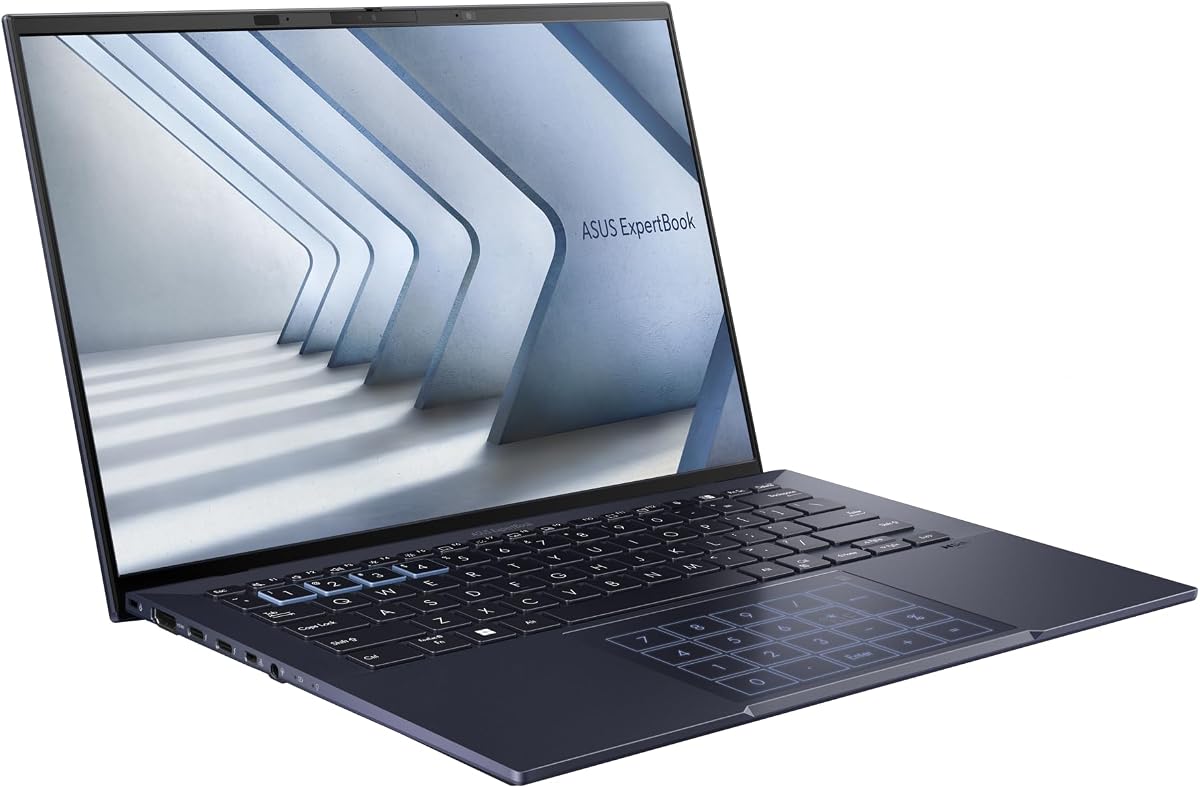
The ASUS ExpertBook B3 is engineered for power users who require substantial memory and storage for complex workflows. Boasting a high rating of 4.5, it features the latest Intel Core Ultra 5 225H processor, which includes built-in AI capabilities via the NPU. This hardware supports AI ExpertMeet, optimizing conference experiences by managing audio and video streams efficiently. The 32GB of RAM ensures that even the most demanding business applications run without stuttering.
We may earn a commission when you buy through this link, at no additional cost to you.
Storage is another major highlight, with a massive 2TB drive offering ample space for files, archives, and media without needing immediate cloud sync. The 16-inch FHD display provides a spacious workspace for multitasking, with an anti-glare finish that reduces eye strain during long working hours. Connectivity is comprehensive, including Thunderbolt 4 ports for fast data transfer and external display support. The inclusion of Wi-Fi 6 and Bluetooth ensures stable wireless connections.
Durability is a key focus here, with the laptop passing US MIL-STD-810H tests. This means it can withstand the rigors of daily transport and harsh environments. However, the size and weight might be a consideration for those prioritizing ultra-portability. The spill-resistant keyboard also adds to the reliability for busy office environments. It is a robust machine designed for longevity.
This laptop is ideal for power users, data analysts, or IT professionals who need heavy-duty performance on the go. If you require maximum RAM and storage in a reliable business chassis, the B3 is the clear leader. Its combination of AI features and physical durability makes it a premium choice worth considering for enterprise deployment.
The Intel Core Ultra 5 processor includes an integrated AI Boost NPU. This hardware accelerates AI workloads, making features like AI ExpertMeet possible for better conference optimization.
Built-in TPM 2.0 and Windows Secured-core PC support protect sensitive data. The fingerprint reader and webcam shutter add physical layers of security for confidential business operations.
We may earn a commission when you buy through this link, at no additional cost to you.
The ASUS Vivobook Laptop Business Computer offers exceptional value by combining capable hardware with essential software and accessories. Rated 4.1 stars, it features a 10-Core Intel i5 CPU and 24GB of RAM, ensuring smooth performance for daily office tasks. The standout feature is the inclusion of a Lifetime Microsoft Office license, which saves significant money over time compared to subscription models. This makes it a smart choice for small businesses and individual professionals.
We may earn a commission when you buy through this link, at no additional cost to you.
Storage is handled through a hybrid approach, with a fast 512GB NVMe SSD for the system and applications, complemented by a 500GB external drive for bulk storage. The bundle also includes a 6-in-1 USB-C docking station hub, wireless mouse, and HDMI cable, reducing the need for extra purchases. The 14-inch FHD display features a slim-bezel NanoEdge design for a modern look and better viewing experience. Privacy is addressed with a physical webcam shield.
While the external drive is convenient, it is not as fast as an internal NVMe SSD. Users should rely on the internal drive for active projects. The processor handles standard business workloads efficiently but is not designed for heavy rendering. However, the overall package price and inclusions make it a strong contender for those starting a new setup. It is a complete solution right out of the box.
If you are looking for a budget-friendly option that includes everything you need to start working immediately, this is an excellent pick. The lifetime office license alone makes it a high-value proposition. It is best suited for general office work, students, or small business owners who want a hassle-free experience.
Unlike many competitors, this bundle includes Microsoft Office Professional Plus with a lifetime license. This permanent access to Word, Excel, and Outlook eliminates recurring subscription costs.
The package includes a docking station, mouse, and cables. This comprehensive set reduces the initial cost of setting up your workspace, as you get peripherals included with the laptop.
We may earn a commission when you buy through this link, at no additional cost to you.
The ASUS ExpertBook B1 is designed for professionals who need a larger screen without sacrificing performance. With a rating of 4.2, it features a 15.6-inch FHD display that provides more real estate for spreadsheets and documents. The 32GB RAM configuration ensures that you can run multiple applications simultaneously without slowdowns. It comes pre-installed with Windows 11 Pro, offering robust management tools and privacy controls suitable for enterprise environments.
We may earn a commission when you buy through this link, at no additional cost to you.
Thermal management is handled by the ExpertCool system, which maintains stable temperatures even during prolonged operation. This is critical for maintaining performance during long work sessions. The laptop also includes a wide array of ports, such as USB-C, USB-A, and HDMI, so you can connect various peripherals without needing dongles. The chassis is built to meet MIL-STD 810H durability standards, ensuring reliability in diverse conditions.
While the larger screen is beneficial, it adds to the overall weight and size, making it less portable than smaller 14-inch models. Security features like TPM 2.0 and BIOS protection are present, but the lack of a built-in fingerprint reader means you rely on Windows Hello or password login. This is a minor trade-off for the price and performance balance it offers.
This model is ideal for desk-bound workers who move between offices but need screen real estate. The 32GB RAM makes it suitable for multitasking heavy environments like finance or engineering. If you prefer a larger display and strong connectivity over extreme portability, the B1 is a compelling option to consider.
The ExpertCool system manages heat effectively during long operations. This prevents throttling and ensures the device remains comfortable to touch even after hours of use.
With dual USB-C, USB-A, and Ethernet ports, connectivity is a major strength. You can easily connect monitors, storage drives, and wired networks without extra adapters.
We may earn a commission when you buy through this link, at no additional cost to you.
The ASUS ExpertBook BLACK stands out for its high-resolution OLED display, offering a premium viewing experience in a compact 14-inch form factor. Rated 4.6 stars, it combines a 2.8K OLED HDR display with a lightweight magnesium-lithium alloy chassis. The Intel Core i7-1355U processor provides sufficient power for standard business applications, while the 16GB RAM handles everyday multitasking. The device is certified for Military Grade 810H durability, ensuring it can handle the wear and tear of travel.
We may earn a commission when you buy through this link, at no additional cost to you.
Storage is generous with 1TB of PCIe NVMe M.2 SSD, providing ample space for your work files and system needs. The narrow bezel design enhances the screen-to-body ratio, making the visuals appear more immersive. It supports a 180-degree hinge, allowing it to lay flat for easy viewing in different settings. Windows 11 Pro ensures security features are active, protecting sensitive data.
While the display is a standout feature, the RAM is capped at 16GB, which might be a limitation for users with very heavy virtualization needs. The non-touch nature of this specific variant keeps the cost lower but might not appeal to users who prefer stylus input. However, for general business tasks, it remains highly capable. The smart cooling technology helps maintain performance without excessive noise.
This laptop is perfect for visual professionals like designers or marketers who value color accuracy and screen clarity. The combination of OLED quality and a lightweight chassis makes it a strong contender for mobile office workers. If screen quality is your top priority in a business machine, this model delivers well.
The 2.8K OLED HDR display delivers exceptional color accuracy and contrast. This makes it ideal for reviewing design work or editing media on the go.
Constructed from magnesium-lithium alloy, the chassis is both light and strong. It withstands shocks and drops while keeping the total weight down for easier carrying.
We may earn a commission when you buy through this link, at no additional cost to you.
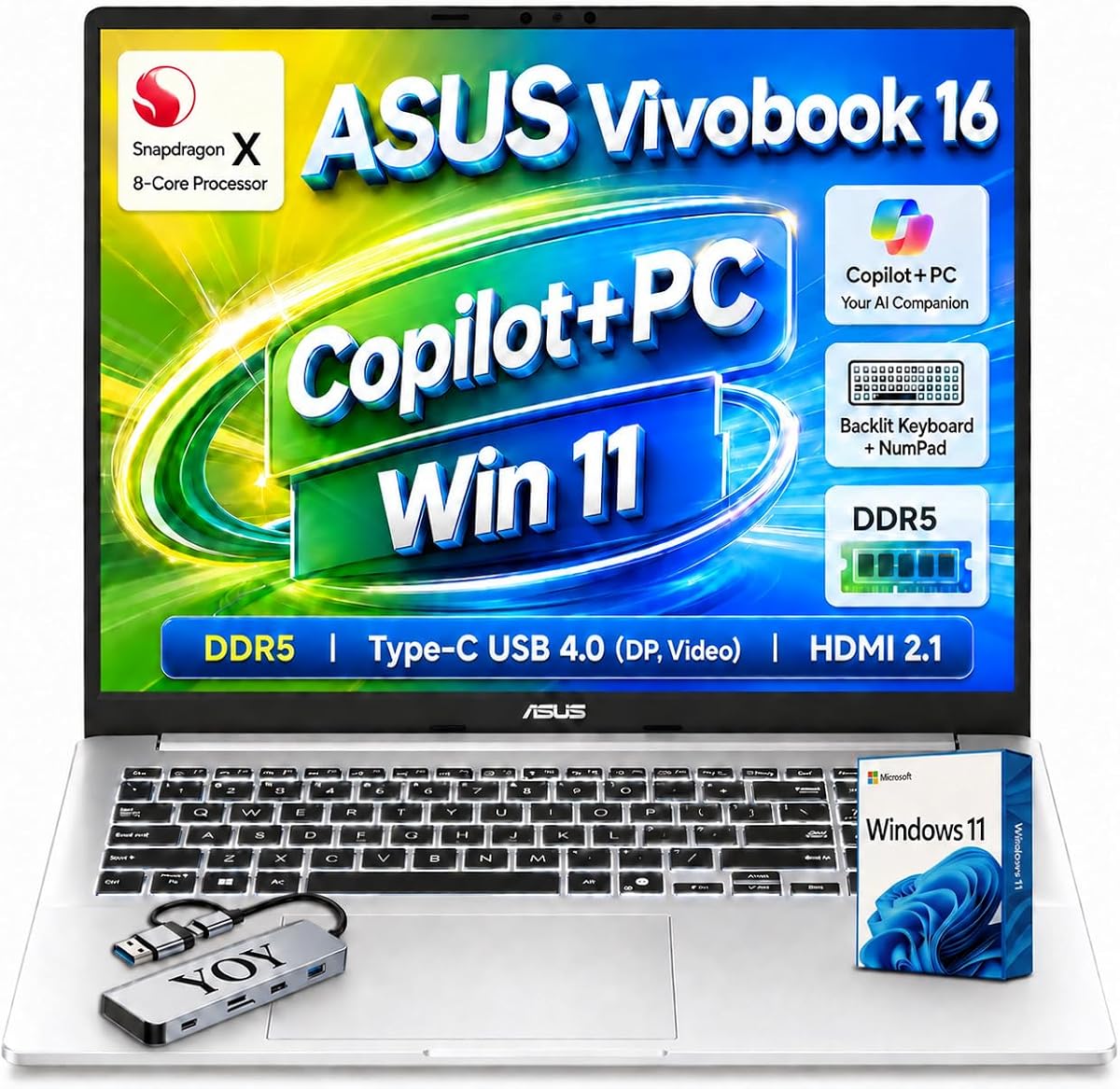
The ASUS Vivobook 16 Business offers a unique experience with its Snapdragon X processor, positioning it as a Copilot+ PC. Rated 4.3 stars, it delivers next-generation AI capabilities with up to 45 TOPS for AI workloads. This hardware supports features like Windows Hello face sign-in and advanced noise cancellation for calls. The 16-inch WUXGA IPS display provides a spacious 16:10 workspace, making it comfortable for reading documents and spreadsheets.
We may earn a commission when you buy through this link, at no additional cost to you.
Memory and storage are handled by 16GB LPDDR5X and a 1TB Gen 4 SSD, ensuring responsive performance for modern applications. The device includes USB4 ports for high-speed data transfer and external display support, along with HDMI 2.1 for connecting to 4K monitors. The backlit keyboard includes a numeric keypad, which is a significant plus for data entry tasks. Wi-Fi 6E ensures you stay connected with low latency networks.
One consideration is the ARM architecture of the Snapdragon processor, which may not support every legacy x86 application natively. However, for modern cloud-based work, it is highly efficient. The battery life is a strong point, often exceeding what Intel laptops offer on a single charge. The weight is higher than 14-inch models but acceptable for a 16-inch device.
This laptop is best suited for users who want to test the latest in AI computing and need good battery life. If you are tied to cloud apps and web tools, the performance is excellent. It is a forward-looking choice for businesses ready to adopt new PC architectures.
Powered by the Snapdragon X processor, this device is optimized for AI tasks. It enables features that anticipate user needs, enhancing productivity through intelligent automation.
The 16-inch WUXGA display offers a larger canvas for multitasking. The 16:10 aspect ratio allows more vertical content to be viewed at once, improving workflow efficiency.
We may earn a commission when you buy through this link, at no additional cost to you.
The ASUS Vivobook 16 Business 2026 is a strong contender for those needing a larger screen with solid performance. With a 4.8 rating, it features a 10-Core 13th Gen Intel Core i7-1355U processor that anticipates user needs for responsiveness. The 16-inch FHD+ IPS display provides a vivid and immersive experience with 300-nit brightness. It includes Windows 11 Pro, ensuring secure access to corporate resources and data protection.
We may earn a commission when you buy through this link, at no additional cost to you.
Storage is configured with a fast 512GB PCIe NVMe SSD for the system and a 500GB external drive for backups. This dual approach allows for quick access to active files while keeping archives safe. The bundle includes a USB-C docking station hub and wireless mouse, making it a ready-to-use package. The laptop is tuned with SonicMaster audio, which enhances call quality and media playback.
While the external drive is useful, it means you have an extra device to carry. The processor is powerful enough for most business tasks, but the 16GB RAM is standard rather than exceptional. The build quality focuses on durability and reliability for mobile business scenarios. It is a balanced option for professionals who need screen space without moving to a premium tier.
If you need a large display for spreadsheets or coding, this model is a great choice. The inclusion of the docking station and external drive adds significant value to the package. It is ideal for business users who want a complete solution with a big screen for multitasking.
The 13th Gen Core i7 features 10 cores and 12 threads. This ensures that complex tasks run smoothly without slowing down your workflow.
The package includes essential accessories like a dock and mouse. This saves you time setting up your workspace and ensures you have the connectivity you need.
We may earn a commission when you buy through this link, at no additional cost to you.
The ASUS Vivobook 16 Business Ryzen offers impressive performance for its price point, earning a perfect 5.0 rating. It is powered by the AMD Ryzen 7 7730U octa-core processor, which provides efficient multitasking and solid graphics performance via Radeon integrated graphics. The 16-inch WUXGA IPS display offers clear visuals for document work. The device includes a full-sized keyboard with a numeric keypad, which is essential for data entry and accounting tasks.
We may earn a commission when you buy through this link, at no additional cost to you.
Storage is provided by a 1TB PCIe NVMe SSD, ensuring fast boot times and ample space for your work. The 16GB DDR4 RAM supports smooth switching between programs. Connectivity options include Wi-Fi 6 and Bluetooth 5.3, ensuring stable wireless performance. It comes with Windows 11 Home, which supports most business applications though it lacks some Pro-specific features like BitLocker.
While the OS version is Home, this is often upgradeable if necessary. The build includes a fingerprint reader for secure login. The battery is standard for this size, lasting through a typical workday. For the price, the hardware configuration is hard to beat. It is a reliable tool for general office work and light creative tasks.
This laptop is ideal for small business owners or freelancers who need a reliable machine without a high cost. The Ryzen processor provides excellent efficiency and speed. If you do not strictly require Windows 11 Pro features, this model offers the best value on the list.
The full-sized keyboard includes a dedicated numeric keypad. This is a significant advantage for users who input data frequently, saving time and reducing errors.
The Ryzen 7 7730U provides strong performance while keeping power consumption low. This helps maintain battery life even during intensive processing tasks.
We may earn a commission when you buy through this link, at no additional cost to you.
The ASUS Vivobook 16 Business Upgraded version focuses on flexibility and ease of modification. It features the same Ryzen 7 7730U processor and 16GB RAM but is marketed as an upgraded model. This suggests potential for further hardware tweaks or configurations. It includes a specialized USB Hub accessory that enhances data syncing speeds up to 5Gbps. This is useful for users who frequently transfer large files.
We may earn a commission when you buy through this link, at no additional cost to you.
The display is a 16-inch WUXGA IPS panel, similar to other models in the range. It supports Wi-Fi 6 and Bluetooth 5.3 for connectivity. The keyboard includes a numeric keypad and fingerprint reader, which are standard features for business usability. The device ships with Windows 11 Home. It is backed by a manufacturer warranty from the specific vendor, GreatPriceTech.
The rating of 3.9 indicates mixed experiences, possibly due to third-party upgrades or warranty handling. Users should verify the warranty details before purchasing. However, for those comfortable managing their own software setup, this model offers the raw components of a solid machine. The included USB hub adds immediate value for data-heavy workflows.
If you need a laptop that can be modified to suit your needs, this model provides a good base. It is best for tech-savvy users who want to customize their setup. The included accessories help extend its utility without requiring extra immediate purchases.
This model is designed to allow hardware upgrades. This flexibility lets you adapt the machine to your changing needs over time.
The included USB Hub supports fast data transfer rates. This simplifies the process of moving large files between your laptop and external storage.
We may earn a commission when you buy through this link, at no additional cost to you.
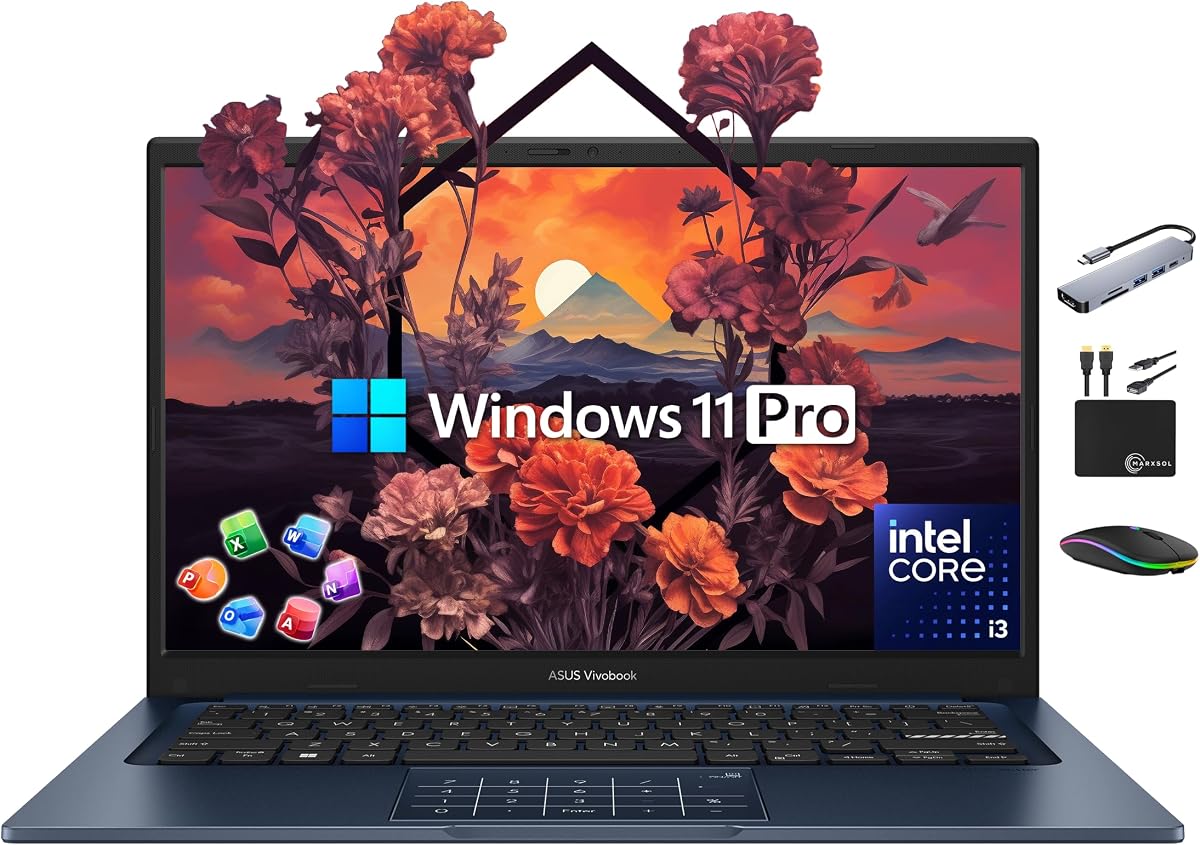
The ASUS Vivobook Laptop 2025 is designed for entry-level business needs while offering generous memory. With a 4.2 rating, it features a 6-Core Intel i3-1315U processor that is sufficient for standard productivity tasks like browsing and document editing. The standout is the 24GB RAM, which is high for an i3-based machine, allowing for smoother multitasking. It also includes Windows 11 Pro and a Lifetime Office 2024 license, covering the basic software stack.
We may earn a commission when you buy through this link, at no additional cost to you.
Storage mirrors the previous Vivobook model with a 512GB internal SSD and a 500GB external drive. This setup provides a balance of speed for the system and bulk storage for files. The bundle includes the same docking station and accessories, making it a ready-to-deploy option for new hires or small teams. The 14-inch display fits well into travel bags, supporting the portable use case.
While the i3 processor is not meant for heavy rendering, the high RAM compensates well for memory-intensive browser work. The privacy shield on the webcam is a thoughtful inclusion for security. It is a cost-effective solution that does not skimp on essential features. The lifetime office license significantly lowers the total cost of ownership over time.
This laptop is best for remote workers or businesses looking to equip new employees on a budget. The high RAM ensures it does not feel slow during daily tasks. If you need a portable device with software included and solid basic performance, this is a strong recommendation.
With 24GB of RAM, this machine handles many browser tabs and apps better than standard entry models. It reduces the likelihood of slowdowns during regular office work.
The Lifetime Office 2024 Plus license means you pay once and use forever. This covers Word, Excel, and other essential tools, saving recurring subscription fees.
We may earn a commission when you buy through this link, at no additional cost to you.
Choosing the right ASUS business laptop involves evaluating several key factors that align with your professional needs. This guide breaks down the most important specifications to consider.
The processor is the brain of your laptop. For general business tasks like email and spreadsheets, an Intel i3 or i5 is sufficient. For heavy multitasking or AI features, consider the Core 7 or Ultra series.
Prioritize a processor with enough cores to handle your typical workload without lag.
RAM determines how many applications you can run at once. 16GB is standard for most business users. If you use virtual machines or many browser tabs, 24GB or 32GB is recommended.
Ensure the RAM is DDR5 or LPDDR5X for better speed and efficiency.
Look for at least 512GB of NVMe SSD storage. Faster SSDs improve boot times and file access. Some models include external drives, which can help with bulk storage needs.
Choose internal SSDs for active work to maximize performance.
A 14-inch display is portable, while 16-inch offers more workspace. OLED displays provide better color accuracy, while IPS panels offer reliability and longer battery life.
Anti-glare finishes are essential for reducing eye strain during long hours.
Business laptops often pass MIL-STD 810H testing. This certification ensures the device can withstand shocks, drops, and extreme temperatures.
Check for spill-resistant keyboards if you work in coffee shops or active environments.
Enterprise security includes TPM 2.0 chips, BIOS protection, and privacy shutters. Fingerprint readers and Windows Hello support add extra layers of login security.
Windows 11 Pro is preferred for business management and encryption features.
Ensure the laptop has enough ports for your needs. Look for USB-C, HDMI, and Ethernet if you connect to monitors or wired networks regularly.
Wi-Fi 6E support ensures you stay connected on modern networks.
If you travel often, prioritize models under 3 lbs. A lightweight chassis and good battery life are crucial for a device that moves with you.
Balance weight against screen size and cooling needs for your use case.
To get the most out of your ASUS laptop, start by installing the latest BIOS and driver updates through the MyASUS app. This ensures all hardware components are optimized for performance and stability. Regularly check for Windows updates to keep your system secure against vulnerabilities.
When traveling, always use the provided hard shell case or sleeve to protect the screen and chassis from physical damage. Be mindful of the hinge mechanism; avoid forcing it beyond its intended range. Keep the laptop away from extreme heat or cold to preserve battery health.
Clean the display with a microfiber cloth and avoid harsh chemicals. Use compressed air to clear dust from the ports and keyboard regularly. For battery care, avoid leaving the laptop plugged in constantly if not needed; try to keep charge cycles between 20% and 80% for longevity.
For remote work, the ASUS Vivobook 16 Business Ryzen or the ExpertBook B9 OLED are excellent choices. They offer strong connectivity and comfortable displays for long hours of use. The lightweight B9 is ideal for moving between locations.
Most models in this list come with Windows 11 Pro pre-installed, especially the ExpertBook series. The Vivobook models generally include it for business use. Check the product specs before purchasing to confirm the OS version.
Battery life varies by model. The Snapdragon-based Vivobook offers exceptional endurance. Intel and AMD models typically provide a full workday of use. Carry a charger if you travel frequently for all-day meetings.
Some models have soldered RAM, while others allow for expansion. The ExpertBook B1 and B3 often have accessible slots. Check the specific product manual or specifications to confirm upgradeability.
They include TPM 2.0, Windows Hello support, and physical privacy shutters. Many have fingerprint readers and secure boot options. These features help protect data if the device is lost or stolen.
Yes, for users who need extra storage immediately without buying separately. It is useful for backups and archives. However, it is external, so rely on the internal SSD for active working files for speed.
We have reviewed ten diverse options ranging from lightweight OLED ultrabooks to high-performance workstations. The ExpertBook B9 OLED leads as the top choice for those needing portability and screen quality, while the Vivobook bundles offer the best value for general users.
Your decision should depend on whether you prioritize raw processing power or weight. For heavy multitasking, models with 32GB RAM are unmatched. For travel, the 14-inch ultrabooks are the logical choice to keep your bag light.
Prices and availability change often, so verify the current details and warranty terms before you buy. Investing in the right machine today ensures productivity and reliability for years to come.