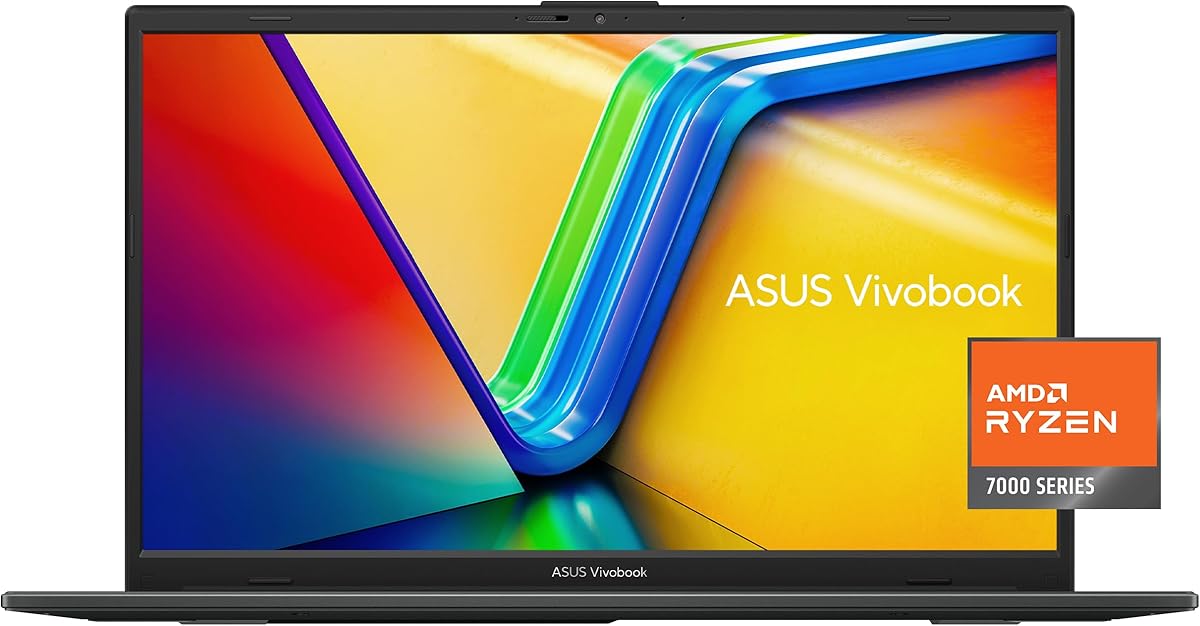
ASUS Vivobook Go 15
4.3Editor score
AMD Ryzen 3 Processor
Lightweight Design
Fast Charging
Finding the right laptop for school is crucial for academic success. Students need reliable machines that balance performance, portability, and battery life to handle everything from writing papers to attending virtual classes.
We have carefully evaluated ten top-rated ASUS laptops based on real user feedback and technical specifications. This guide highlights models that excel in durability, speed, and value to help you make an informed decision.
Each pick below showcases key strengths and potential trade-offs for student use. Please note that availability and pricing can change frequently, so verify the latest details before making your final purchase decision.
4.3Editor score

4.8Editor score

4.5Editor score
As an Amazon Associate we earn from qualifying purchases.
This side-by-side comparison highlights the key specifications of each model to help you quickly identify which device best fits your specific academic needs and budget constraints.


This laptop stands out as the top choice for students looking for future-proof AI capabilities. It holds an impressive 4.8 rating and comes ready with Copilot+ PC features that streamline research and writing tasks.
We may earn a commission when you buy through this link, at no additional cost to you.
The Snapdragon X processor paired with 16GB of RAM ensures smooth performance even when running multiple browser tabs and applications simultaneously. The 14-inch display provides crisp visuals perfect for reading textbooks or watching lectures.
While it offers exceptional efficiency, some users may find the transition from traditional x86 architecture requires minor adjustments for legacy software. However, most common student apps are fully optimized for this new platform.
We recommend this model for students who prioritize battery life and modern AI tools over gaming performance. It is an excellent investment for long-term academic success.
The integrated NPU handles AI tasks like live captions and background noise cancellation effortlessly.
The 1920 x 1200 resolution ensures text is sharp and easy to read for hours.
We may earn a commission when you buy through this link, at no additional cost to you.
This model is ideal for students on a tight budget who need a reliable machine for basic coursework. With a solid 4.3 rating, it offers essential performance without breaking the bank.
We may earn a commission when you buy through this link, at no additional cost to you.
The AMD Ryzen 3 processor combined with DDR5 RAM provides snappy performance for web browsing and word processing. The 15.6-inch screen offers enough space for comfortable typing and reading documents.
However, the 128GB storage might fill up quickly with large files or media. You may need to rely heavily on cloud storage solutions to manage your academic materials effectively.
Choose this laptop if you need a durable and portable device for everyday writing and research. It is a practical choice for those who do not require heavy computational power.
Meets US military-grade standards for longevity and sustainability in demanding environments.
The slim bezel design maximizes screen real estate within a compact chassis.
We may earn a commission when you buy through this link, at no additional cost to you.
This powerhouse is designed for students tackling engineering, data science, or heavy creative work. It achieves a 4.5 rating thanks to its elite-level performance and robust cooling bundle.
We may earn a commission when you buy through this link, at no additional cost to you.
The 32GB RAM and 1TB SSD allow you to run complex simulations or video editing software without slowdowns. The Intel Core i9 processor ensures that even the most demanding tasks are completed quickly.
While it is heavier and more expensive, the included cooling solution helps prevent thermal throttling during long study sessions. This ensures consistent performance even when the laptop is pushed to its limits.
We recommend this machine for graduate students or those with specialized software requirements. It is a long-term investment that will remain capable for years.
Includes a PCO Cooler bundle to maintain peak frequency during intense tasks.
Features a fingerprint reader and physical webcam shield for enhanced data protection.
We may earn a commission when you buy through this link, at no additional cost to you.
This model strikes a nice balance between performance and storage capacity. It holds a 4.3 rating and features a generous 512GB SSD which is rare at this price point.
We may earn a commission when you buy through this link, at no additional cost to you.
The fast charging capability allows you to quickly top up the battery before class. This ensures you spend less time tethered to an outlet and more time focused on your work.
While the RAM is standard, the Ryzen 5 processor handles daily tasks well. The AI noise-canceling feature is particularly useful for clear communication during online group projects.
Select this laptop if you need ample storage for documents and media without upgrading to a premium tier. It is a practical choice for general student use.
Recharges up to 50 percent capacity in just 30 minutes with fast-charge technology.
Wi-Fi 6E provides stable and fast internet connections for seamless streaming.
We may earn a commission when you buy through this link, at no additional cost to you.
The 16-inch screen makes this laptop perfect for multitasking with multiple windows open. It receives a 4.4 rating for its stunning visuals and smooth performance powered by Snapdragon.
We may earn a commission when you buy through this link, at no additional cost to you.
The 16:10 aspect ratio provides more vertical space which is ideal for coding or writing long essays. The brightness ensures visibility even in well-lit lecture halls or libraries.
Due to its size, it might not fit in smaller backpacks as easily as 14-inch models. However, the productivity gains from the extra screen real estate often outweigh the portability trade-off.
This device is recommended for students who work on a desk frequently and prioritize screen space. It transforms a laptop into a mini desktop experience.
The 16:10 aspect ratio offers more vertical space for documents and code.
Integrated Adreno GPU delivers stunning visuals and smooth performance.
We may earn a commission when you buy through this link, at no additional cost to you.
This bundle includes a docking hub which adds significant value for connectivity. It has a 4.1 rating and offers Windows 11 Pro for enhanced enterprise features and security.
We may earn a commission when you buy through this link, at no additional cost to you.
The 1TB SSD ensures you have plenty of room for large files and applications. The 12GB RAM is a nice middle ground that supports smoother multitasking than 8GB models.
While performance is adequate for standard tasks, it may struggle with heavy video editing. However, the included hub makes it easy to connect external monitors and peripherals at home.
Choose this laptop if you want a complete package with extra accessories included. It is a strong contender for students needing a home office setup.
Includes a PLUSERA Docking Hub for extended port options and convenience.
Windows 11 Pro provides enhanced security and enterprise-level management tools.
We may earn a commission when you buy through this link, at no additional cost to you.
This model offers a reliable combination of specs for students seeking a balanced experience. It holds a 4.2 rating and provides enough memory to keep applications running smoothly.
We may earn a commission when you buy through this link, at no additional cost to you.
The 16GB RAM allows for efficient multitasking which is crucial when referencing sources while writing. The latest Intel Core 5 processor ensures you are getting current technology.
Although it lacks some premium features like touch screens, it covers all the basics effectively. The Full HD display is crisp enough for long periods of reading and typing.
We suggest this model for students who want a dependable workhorse without premium frills. It offers great value for the performance provided.
Intel Core 5 120U processor handles modern multitasking with ease.
Built-in Wi-Fi 6 ensures stable internet connections anywhere.
We may earn a commission when you buy through this link, at no additional cost to you.
This laptop combines productivity with gaming capabilities in a compact 14-inch form factor. With a 4.2 rating, it appeals to students who want to relax with games after class.
We may earn a commission when you buy through this link, at no additional cost to you.
The AMD Ryzen AI 7 processor provides excellent speed for creative tasks and light gaming. The inclusion of a Game Pass trial adds extra value for entertainment and stress relief.
While it is a powerful device, the price reflects its advanced capabilities. Ensure your primary needs align with these high specs to get the most out of the investment.
We recommend this for students who balance academic work with gaming hobbies. It is a versatile tool for both productivity and fun.
Includes DirectX 12 Ultimate and Game Pass trial for immersive play.
Backlit chiclet keyboard allows comfortable typing in dim environments.
We may earn a commission when you buy through this link, at no additional cost to you.
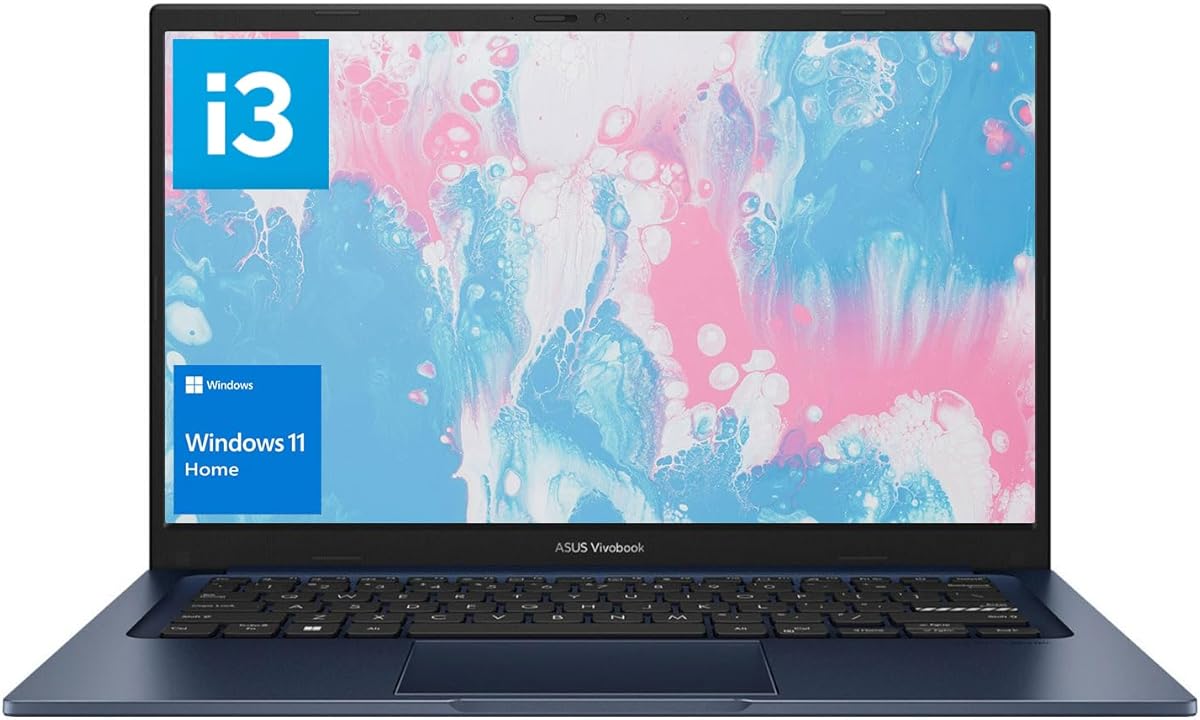
This model stands out for offering 16GB of RAM at a lower price point. It maintains a 4.2 rating and is perfect for students who prioritize memory over raw processing speed.
We may earn a commission when you buy through this link, at no additional cost to you.
The i3 processor handles basic tasks like browsing and writing without issue. The 16GB memory ensures that having many tabs open won't slow down your system significantly.
While not ideal for heavy video editing, it is a robust machine for everyday schoolwork. The compact size makes it easy to carry between classes and study spots.
Choose this if you need a lightweight and responsive device for standard coursework. It offers excellent value for those focused on text-based work.
16GB high-bandwidth RAM ensures smooth operation with multiple apps.
Compact 14-inch design fits easily into small backpacks.
We may earn a commission when you buy through this link, at no additional cost to you.
This is the most portable option in the list designed for lightweight student study. With a 3.9 rating, it serves best as a secondary device for simple writing and reading tasks.
We may earn a commission when you buy through this link, at no additional cost to you.
The battery life is strong, allowing you to go through the day without charging. Its slim profile ensures it slips into any bag without adding extra weight to your load.
However, the 4GB RAM limits how many applications you can run at once. We recommend upgrading storage or using cloud storage for files to mitigate space issues.
Select this only if your primary need is extreme portability and low cost. It is a supportive tool for light academic tasks.
All-day battery life keeps stress levels low during long study sessions.
Thin and portable design ideal for daily student carrying.
We may earn a commission when you buy through this link, at no additional cost to you.
Choosing the right laptop involves weighing several factors like processor speed, memory, and battery life. This guide breaks down the most important elements to help you find the perfect match.
The processor is the brain of your laptop. For most students, an Intel Core i3 or i5 or AMD Ryzen 3 or 5 is sufficient for general coursework and multitasking.
Look for newer generations to ensure longevity and better battery efficiency throughout your academic career.
RAM determines how many programs can run simultaneously. Aim for at least 8GB for basic use but 16GB is ideal if you run multiple browser tabs and apps.
Higher RAM prevents lag when switching between research, writing, and streaming video lectures.
Solid State Drives (SSD) are faster and more durable than traditional hard drives. A minimum of 256GB is recommended to store your files locally without relying solely on cloud storage.
512GB or 1TB is better if you work with media files or large data sets regularly.
A clear display reduces eye strain during long study sessions. Look for Full HD (1920×1080) resolution and Anti-glare coatings to maintain clarity in bright environments.
A 15.6 inch screen offers a good balance between workspace and portability for most students.
Battery life is crucial for students moving between classes or working in libraries. Aim for a laptop that offers at least eight hours of real-world usage on a single charge.
Fast charging features are a bonus that allow you to top up quickly during breaks.
If you carry your laptop daily, weight matters. Look for models under 4 lbs to avoid back strain. Thinner bezels also help keep the physical size manageable.
Consider the thickness of the device if you have a tight backpack or bag.
Ensure the laptop has the ports you need like USB-A, USB-C, and HDMI. Some modern models remove USB-A ports so you may need dongles for older peripherals.
Wi-Fi 6 support ensures faster and more stable internet connections for online classes.
Student laptops often travel in bags with books and water bottles. Check for military-grade durability ratings which indicate resistance to drops and bumps.
Physical webcam covers add privacy without needing extra software.
Always use the original charger to maintain battery health and avoid power issues. Keep the laptop clean by wiping the screen with a microfiber cloth regularly.
Update your Windows software and drivers frequently to ensure security and performance. Enable sleep mode when not in use to save power and protect your data.
Avoid placing the laptop on soft surfaces like beds which can block vents and cause overheating. Invest in a quality protective case to prevent scratches during transport.
Engineering students typically need high processing power for simulations and 3D modeling. The Vivobook 15 with the Intel Core i9 processor and 32GB RAM is the top choice for these demanding tasks.
Yes, all models listed have built-in webcams and microphones. Many also feature AI noise-canceling technology to isolate your voice from background noise during calls.
Some models allow RAM upgrades while others have soldered memory. The Vivobook 16 and 15 models often offer better upgrade paths compared to the slim Go series.
Battery life varies by usage but expect around 8 to 10 hours for standard productivity tasks. The Snapdragon models tend to have the longest battery life due to efficient chip design.
Most come with a free trial of Microsoft Office 365. You will need a subscription to continue using the full desktop suite after the trial period expires.
The Vivobook Go 15 with the Intel Celeron processor is the most affordable option. It is great for basic writing tasks but lacks power for heavier applications.
We have explored ten distinct ASUS laptops ranging from budget-friendly options to high-performance machines. Each model offers unique benefits depending on your specific field of study and budget.
Prioritize RAM and storage capacity to ensure your laptop remains fast and capable for several years. Do not overlook battery life as it is key for a busy schedule on campus.
Prices and availability change often so check current deals before making your purchase. Investing in the right tool now will help you stay organized and productive throughout your studies.