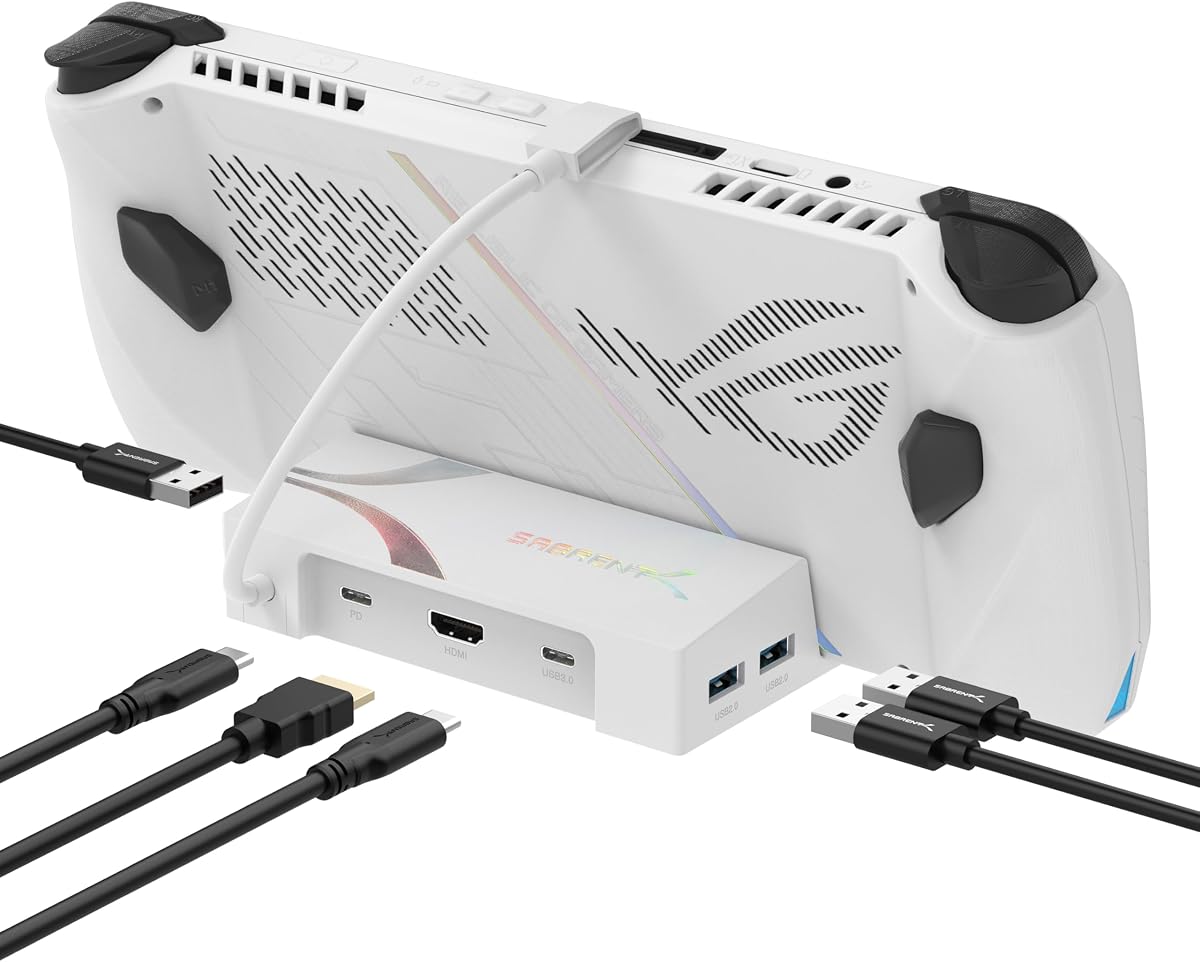
SABRENT 6-Port USB-C Dock
4.0Editor score
Affordable price point
4K@60Hz HDMI
95W pass-through charging
Compare the top 10 ASUS ROG Ally Dock options. We review features, compatibility, and real user ratings to help you choose the right hub for your handheld setup.
Finding the right docking station for your ASUS ROG Ally can transform your handheld gaming experience into a full desktop setup. Whether you need extra ports, faster charging, or high resolution video output, the right dock connects your device to monitors, keyboards, and stable internet.
We compared ten top-rated docks based on compatibility with the ROG Ally X and other handhelds, video output quality, charging speed, and overall build. This list covers essential models from trusted brands like JSAUX, Anker, and UGREEN to help you make an informed decision.
Each pick highlights key strengths and limitations so you can match a dock to your specific needs. Keep in mind that prices and availability change frequently, so check the current listings before making your final choice for your gaming station.
4.0Editor score

4.3Editor score

4.4Editor score
This table provides a side-by-side comparison of the ten top docking stations reviewed in this guide. It highlights key specifications, output capabilities, and unique features to help you quickly identify the best option for your specific gaming needs.
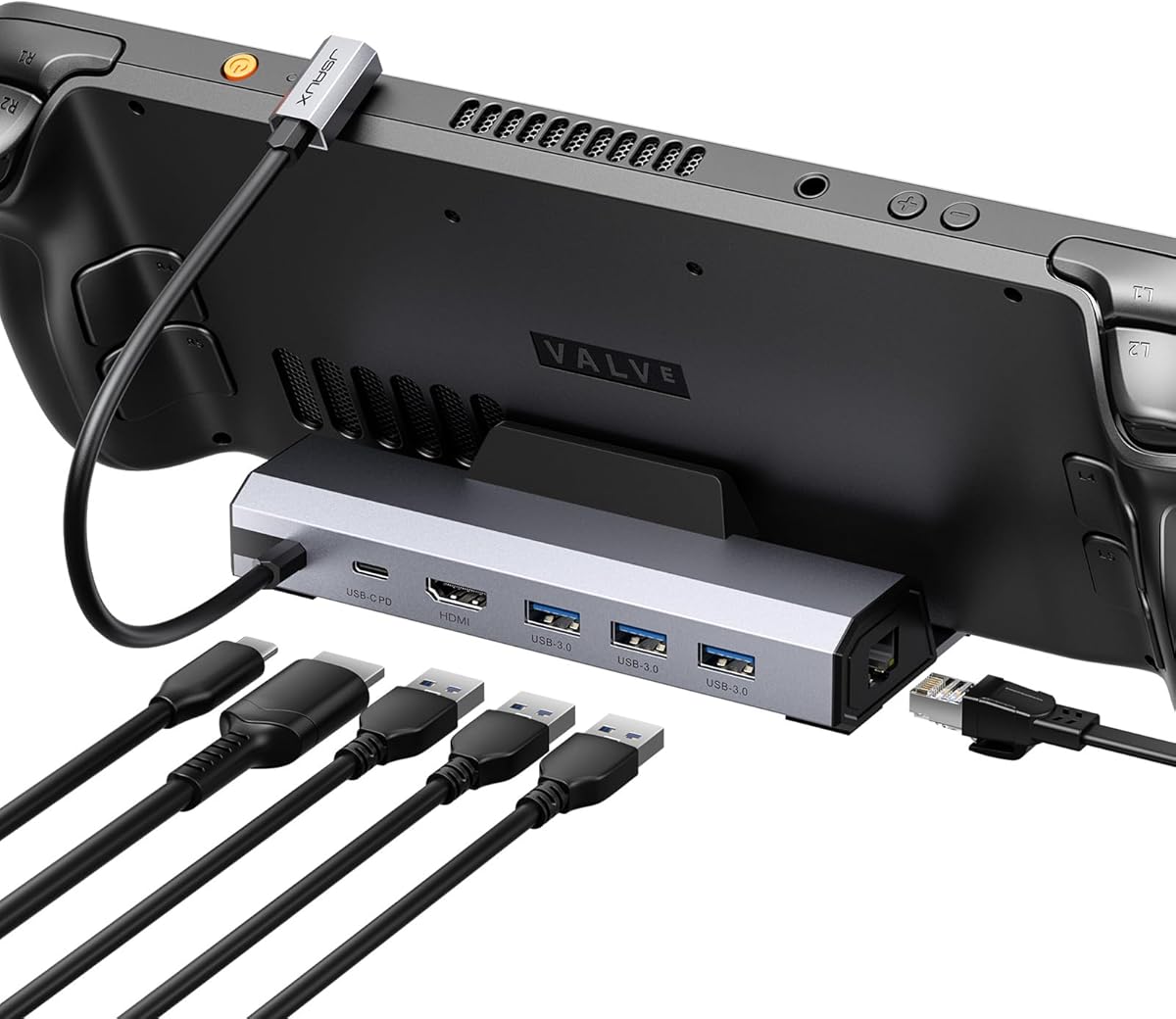
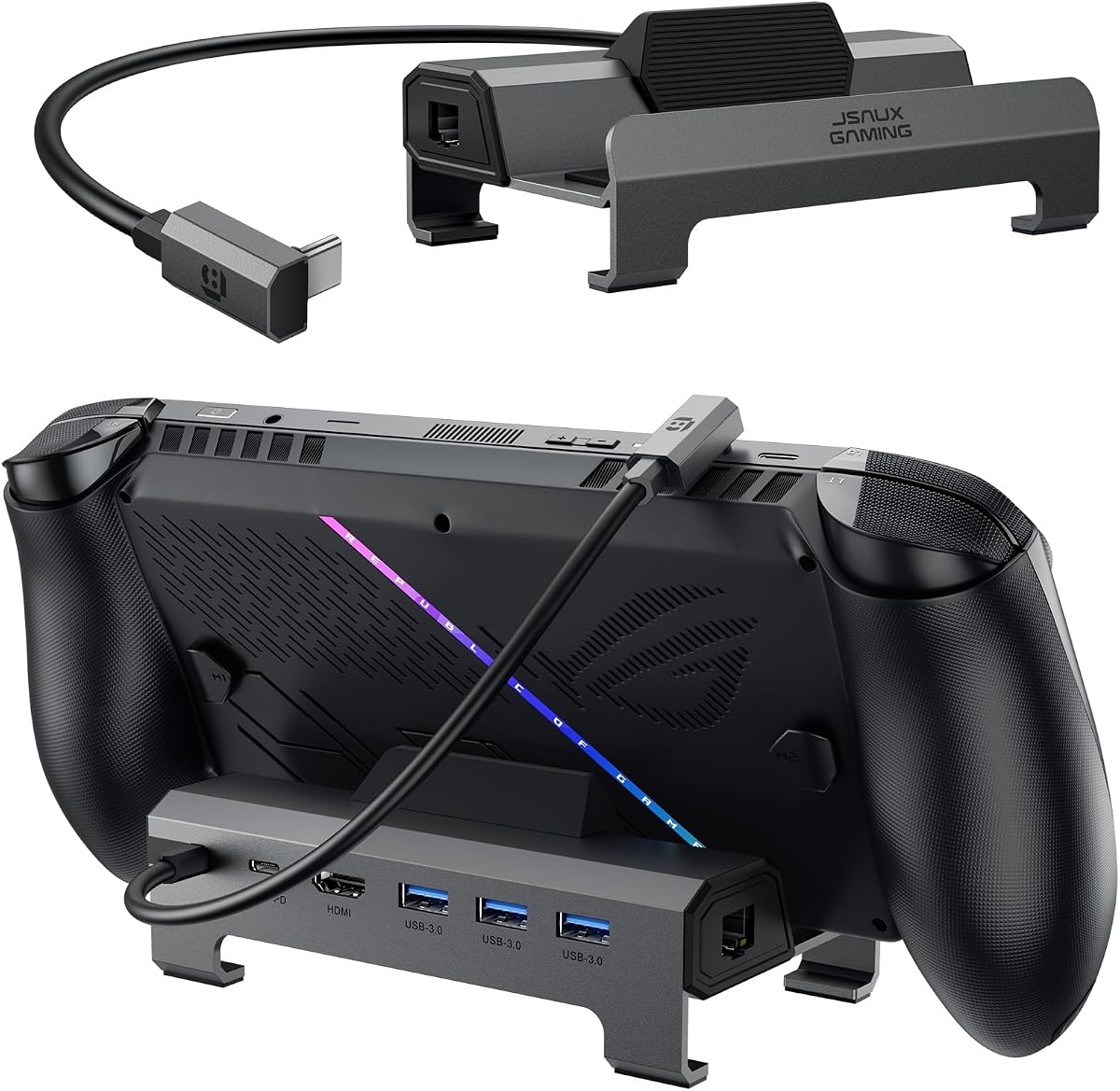
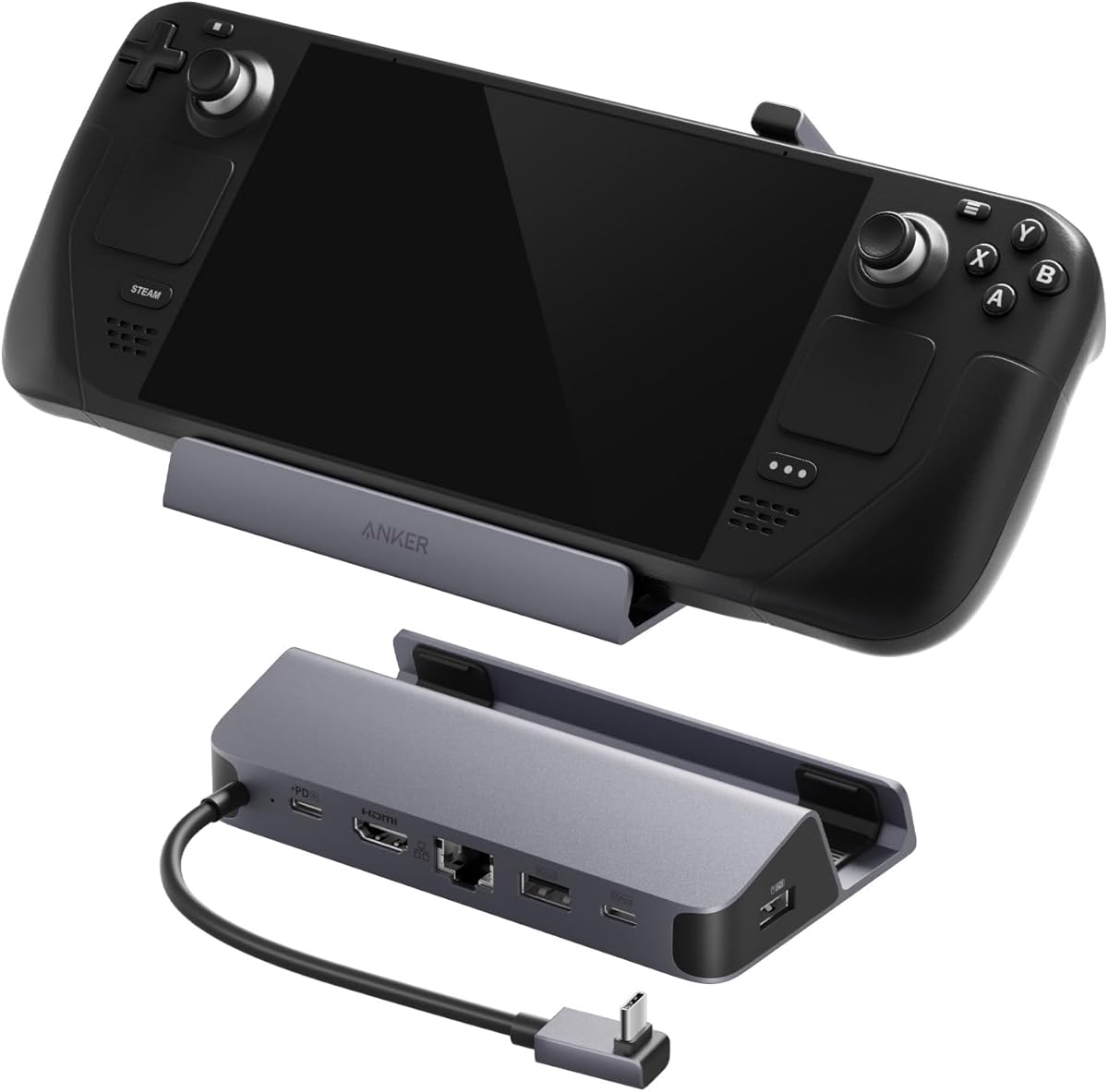
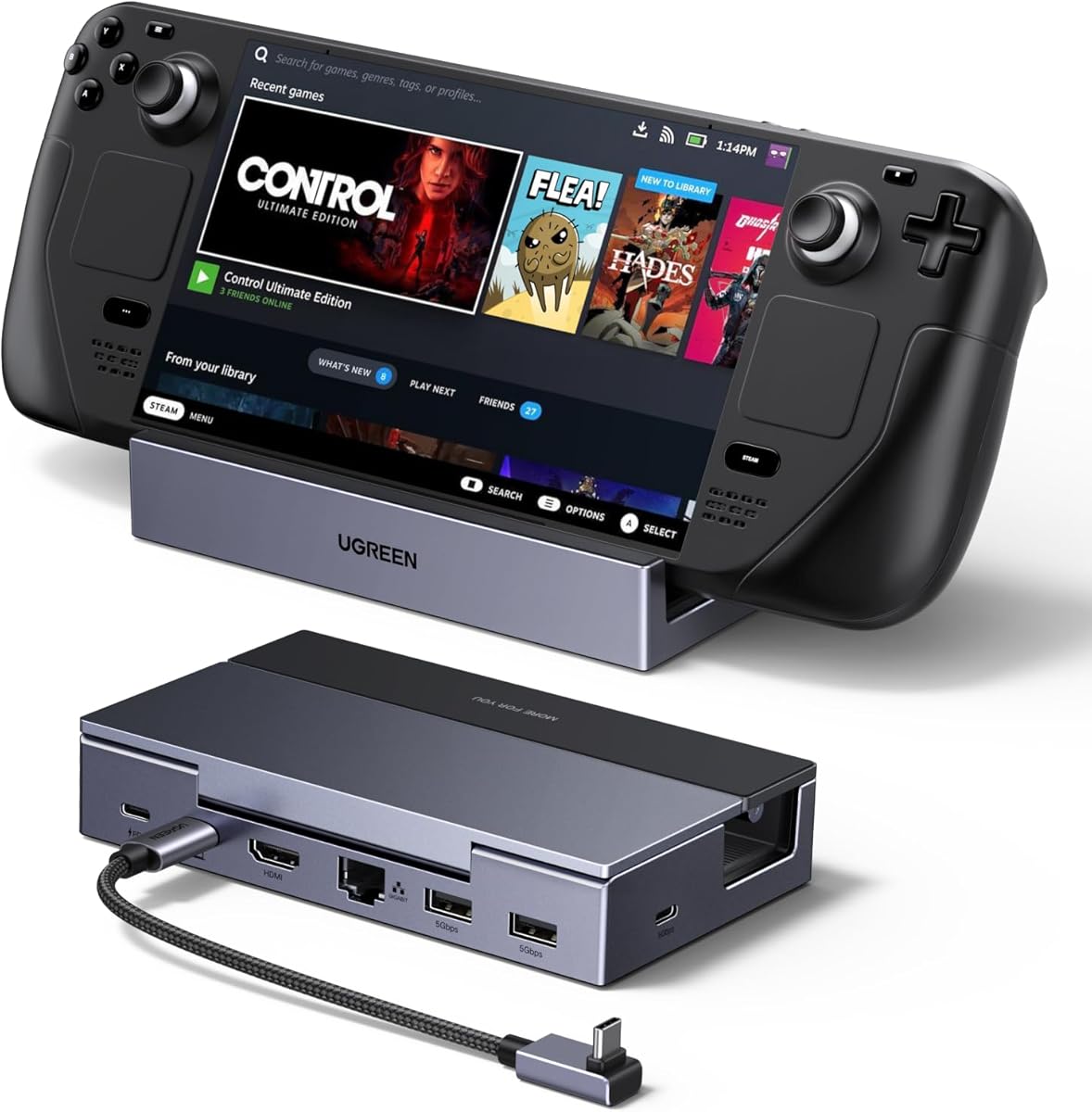

The JSAUX HB0609 stands out as the top choice for ROG Ally users seeking high refresh rates. With a 4K@120Hz HDMI 2.1 output, it allows you to experience smoother gameplay on compatible monitors or TVs. It includes essential ports like Gigabit Ethernet and three USB-A ports, making it a complete hub.
We may earn a commission when you buy through this link, at no additional cost to you.
A major strength is its power delivery. The dock supports up to 100W PD charging, which is necessary to keep the ROG Ally X running in Turbo Mode while plugged in. The modular design is another highlight; you can detach the base to use it as a standalone stand for your handheld when not docked.
However, it lacks VRR (Variable Refresh Rate) and ALLM (Auto Low Latency Mode) support. If your monitor supports these features, you might not get the full benefit of VRR without this dock. You must ensure you have a 100W PD charger to avoid potential power warnings during intensive use.
Overall, the JSAUX HB0609 is the best pick for those who prioritize high refresh rates and versatile connectivity. Its modular design and robust charging capabilities make it a practical investment for a desktop gaming setup.
The ability to use the base as a standalone stand adds versatility beyond standard docks.
100W PD support ensures your Ally X runs at full performance without throttling.
We may earn a commission when you buy through this link, at no additional cost to you.
The SABRENT 6-Port USB-C Dock is an excellent budget-friendly choice for users who need basic connectivity. It offers 4K@60Hz HDMI output and supports 95W pass-through charging, which is sufficient for the ROG Ally. It is designed purely as a hub, meaning it does not act as a stand.
We may earn a commission when you buy through this link, at no additional cost to you.
Its compact design makes it easy to carry around. You get three USB-A ports and one downstream USB-C port for connecting multiple peripherals simultaneously. This is ideal if you just want to connect a monitor and peripherals without a complex setup.
Keep in mind that this is a dock, not a stand. You will need to rely on your own setup to prop up your device. Also, it lacks an Ethernet port, so you are limited to Wi-Fi for internet connectivity unless you use a separate adapter.
If you are looking for a simple, affordable way to connect your ROG Ally to a monitor and peripherals, the SABRENT hub is a solid choice. Just ensure you have a separate stand if you need one for desk use.
Delivers essential ports and 4K video at a very competitive price point.
Provides 95W charging to keep your device powered during gameplay.
We may earn a commission when you buy through this link, at no additional cost to you.
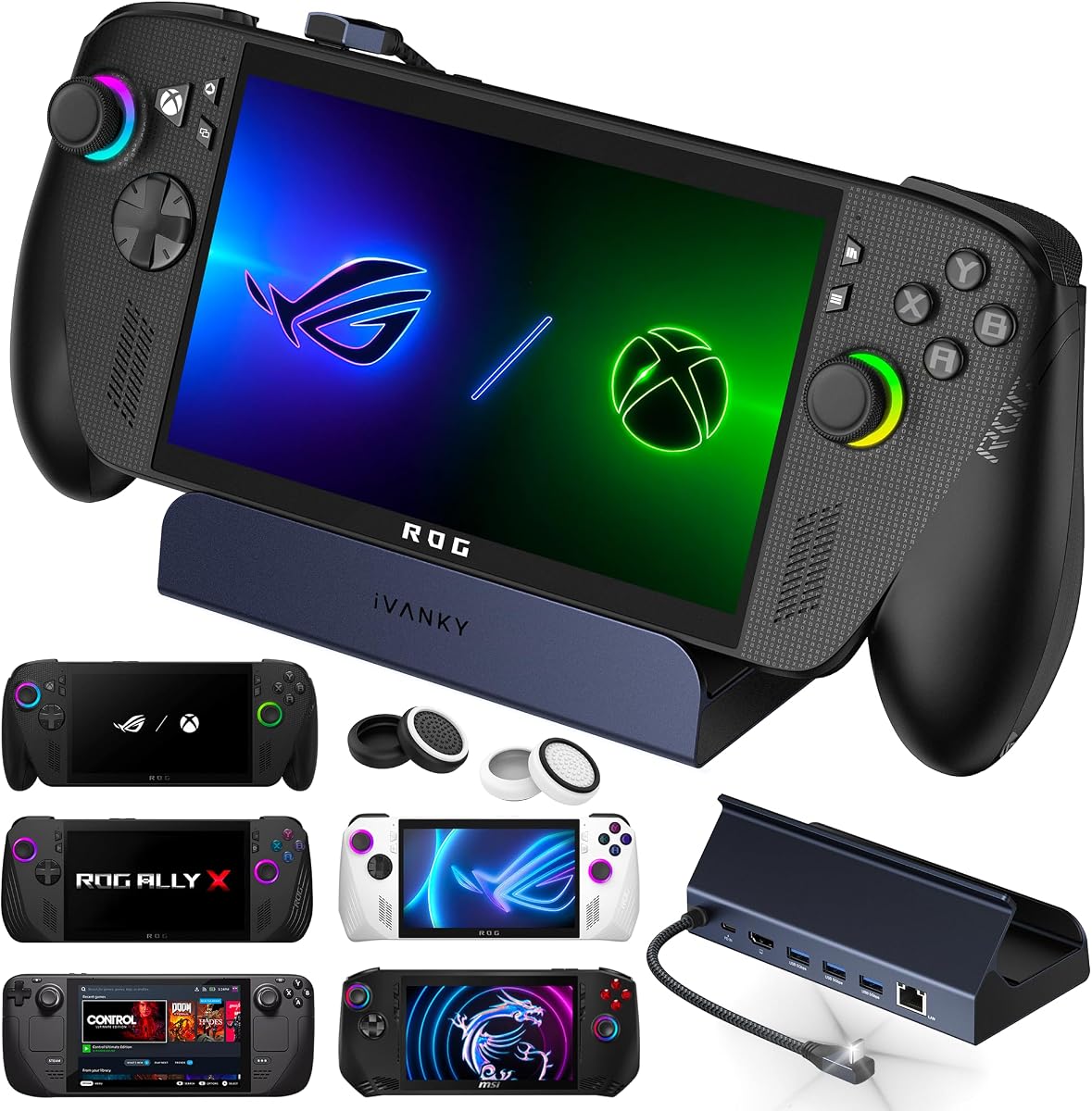
The iVANKY 14-in-1 RGB Dock offers premium features for users who want a complete and customizable setup. It supports 4K@120Hz output and includes a wide range of ports, including SD and TF card slots. The RGB lighting adds a personalized aesthetic to your gaming station.
We may earn a commission when you buy through this link, at no additional cost to you.
One of its best features is the dual-foldable stand design. This ensures the dock does not block the cooling vents of your ROG Ally, which helps maintain optimal temperatures during long sessions. It includes two USB-A 3.2 ports and two USB-A 3.0 ports for extensive connectivity.
While it is more expensive than other options, the extra features justify the cost for enthusiasts. The customizable RGB lighting can be synced with other devices in your setup. However, if you prefer a minimalistic look without lights, this might be extra cost.
For those seeking a high-end dock with maximum connectivity and aesthetic options, the iVANKY 14-in-1 is the best choice. Its thoughtful design for cooling and extensive port selection make it a top contender for serious gamers.
Seven different lighting modes allow you to match your dock to your setup.
Dual-foldable stand prevents blocking ventilation vents for better heat dissipation.
We may earn a commission when you buy through this link, at no additional cost to you.
The JSAUX HB0603 is designed to provide a seamless big-screen gaming experience. It features 4K@120Hz HDMI output, which is excellent for reducing screen tearing and providing smooth visuals. It is a strong choice for those who want high-quality video output.
We may earn a commission when you buy through this link, at no additional cost to you.
It supports 100W PD charging, ensuring your handheld stays powered even during intensive use. The inclusion of a Gigabit Ethernet port makes it a great choice for users who need a stable wired internet connection to reduce latency during online gaming.
Note that this model is not compatible with the new ROG Xbox Ally or Xbox Ally X models. It works well with the standard ROG Ally X and Steam Deck. Its fixed design means it lacks the modular flexibility of the HB0609 model.
If you are looking for a reliable dock with 120Hz output and wired internet, the JSAUX HB0603 is a great choice. It offers strong performance for the price and is compatible with most major handheld gaming devices.
The 4K@120Hz output is ideal for fast-paced competitive gaming.
Gigabit Ethernet ensures low latency for online multiplayer sessions.
We may earn a commission when you buy through this link, at no additional cost to you.
The iVANKY 8-in-1 dock stands out for its support of 4K@144Hz output. This high refresh rate is perfect for competitive gamers who want the smoothest possible experience on a compatible monitor. It is optimized to unlock the ROG Turbo Mode for better performance.
We may earn a commission when you buy through this link, at no additional cost to you.
It comes with joystick caps to protect the controls on your device, adding a thoughtful touch to the package. The dock supports 100W PD charging, which is sufficient to keep your device running at full power while docked. A 24-month warranty provides peace of mind.
To get the full benefit of Turbo Mode, you may need to update your device's BIOS to the latest version. This is a common requirement for new hardware accessories. The limited number of ports compared to 12-in-1 models might be a trade-off for some users.
If high refresh rates are your priority, the iVANKY 8-in-1 is the best option. Its support for 144Hz makes it a future-proof choice for high-end monitors and fast-paced gaming sessions.
Unlocks 144Hz refresh rate for ultra-smooth gameplay on compatible displays.
Designed to work seamlessly with ROG Turbo Mode for peak performance.
We may earn a commission when you buy through this link, at no additional cost to you.
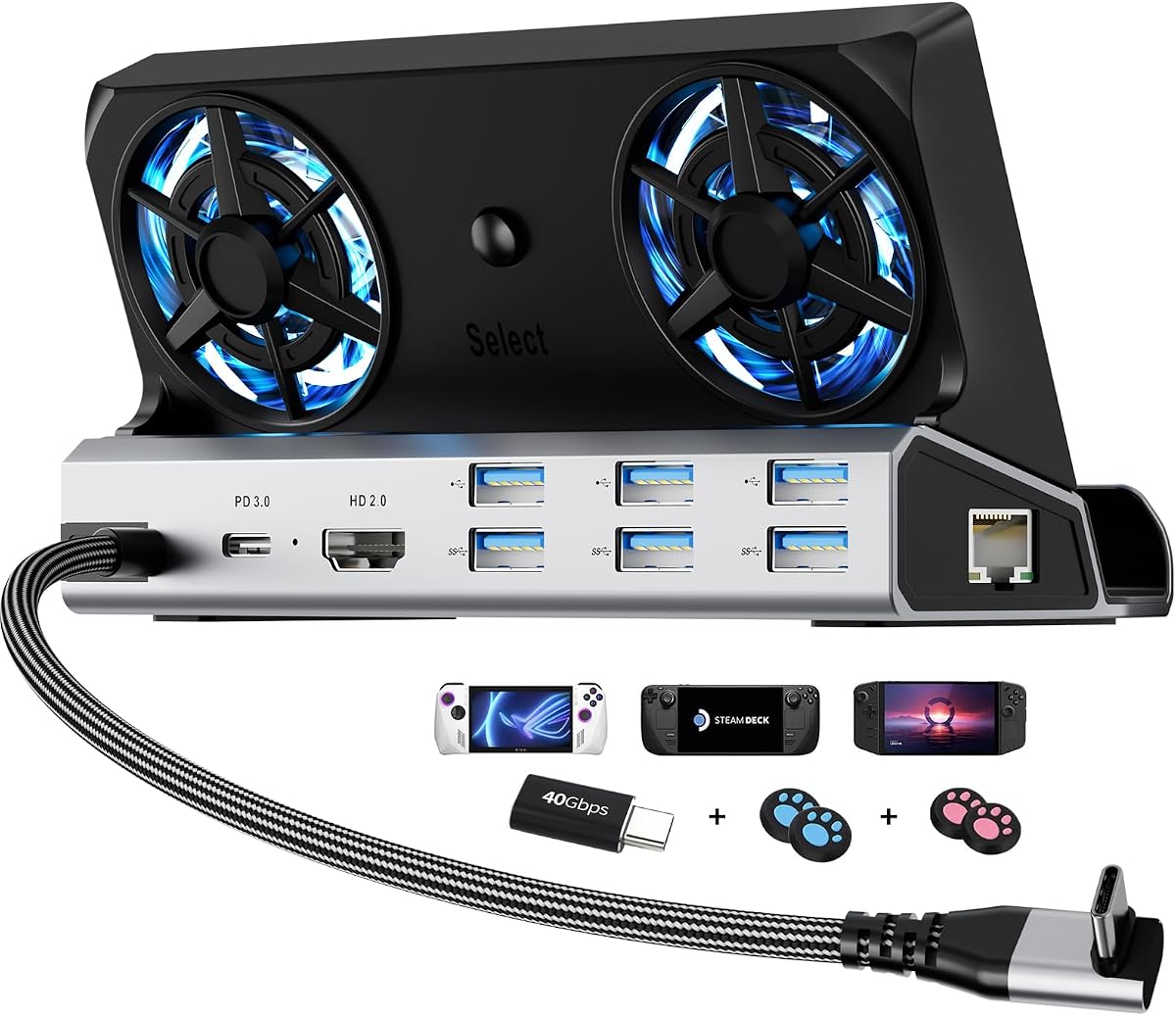
The YCE 12-in-1 dock is notable for its dual 5cm cooling fans. These large fans help dissipate heat effectively, reducing thermal throttling during long gaming sessions. It offers a wide range of ports, making it a versatile all-in-one solution.
We may earn a commission when you buy through this link, at no additional cost to you.
The dock is built from aviation-grade aluminum, which enhances durability and heat dissipation. It includes a Type-C extender to protect the original port on your device from wear. The inclusion of joystick caps is another thoughtful addition.
While the fans help with cooling, they add noise and visual effects that might not appeal to everyone. The fans can be turned off to save energy if needed. It is slightly more expensive than basic docks due to its advanced features.
If you are concerned about overheating and want extensive connectivity, the YCE 12-in-1 is a strong choice. Its cooling fans and durable build make it a practical option for extended gaming use.
Dual 5cm fans provide high airflow to prevent thermal throttling during gameplay.
Includes Type-C extender and joystick caps to protect your device from wear.
We may earn a commission when you buy through this link, at no additional cost to you.
The JSAUX HB0612 is designed with universal compatibility in mind. It features a widened base that accommodates handhelds with protruding grips. It is compatible with ROG Ally X, Steam Deck, and Legion Go, making it a versatile choice for multi-device owners.
We may earn a commission when you buy through this link, at no additional cost to you.
It supports 4K@120Hz HDMI output, which ensures smooth visuals on compatible screens. The dock includes a Gigabit Ethernet port for stable internet connectivity. It also provides 100W PD charging to keep your device powered during use.
This is a straightforward, no-fuss dock that focuses on functionality. It does not include RGB lighting or a stand design. Its high rating reflects its reliability and performance for general gaming needs.
If you need a reliable dock that works with multiple handhelds and supports high refresh rates, the JSAUX HB0612 is a solid choice. It provides essential features without unnecessary extras.
Accommodates handhelds with protruding grips for stable docking.
4K@120Hz output ensures smooth gameplay on compatible displays.
We may earn a commission when you buy through this link, at no additional cost to you.
The Anker 6-in-1 is a compact and reliable docking solution. Anker is known for its quality electronics, and this dock reflects that reputation. It features 4K@60Hz HDMI output and supports 100W PD charging.
We may earn a commission when you buy through this link, at no additional cost to you.
One standout feature is the built-in USB-C cable, which reduces the need for extra accessories. The dock has a compact footprint, making it suitable for travel or small desks. It includes two USB-A ports for peripherals.
However, this model lacks an Ethernet port, so you will be limited to Wi-Fi for internet connectivity. It also caps at 60Hz for video output, which is standard for most casual gaming but not for high refresh rate setups.
If you value portability and brand reliability, the Anker 6-in-1 is a great choice. It simplifies your setup with a built-in cable and provides essential ports for basic connectivity.
Integrated USB-C cable reduces clutter and travel complexity.
Small design fits easily on small desks or in travel bags.
We may earn a commission when you buy through this link, at no additional cost to you.
The UGREEN 6-in-1 dock features a clever foldable design. The stand is made from aluminum alloy, which makes it sturdy yet portable. It supports 4K@120Hz HDMI output and includes VRR and FreeSync support for smoother gameplay.
We may earn a commission when you buy through this link, at no additional cost to you.
It includes essential connectivity options like Gigabit Ethernet and USB ports for your peripherals. The 100W PD charging support ensures your device stays powered during use. Its compact footprint makes it easy to carry around.
While the foldable design is great for travel, it may not offer the same stability as a fixed stand for permanent desk setups. It is an excellent choice if you move your setup frequently.
If you need a portable dock with high refresh rate support, the UGREEN 6-in-1 is a great option. Its VRR support and foldable design make it versatile for both travel and home use.
Foldable design allows for easy storage and travel without losing stability.
Enhances gameplay smoothness by reducing screen tearing on compatible displays.
We may earn a commission when you buy through this link, at no additional cost to you.
The YCE 14-in-1 dock is unique for its M.2 NVMe expansion slot. This allows you to expand storage directly through the dock, which is a valuable feature for gamers with large libraries. It offers extensive connectivity with 14 ports in total.
We may earn a commission when you buy through this link, at no additional cost to you.
It includes 3-speed cooling fans to help dissipate heat during use. The dock comes with multiple accessories, including joystick caps and an HDMI cord. It supports 100W PD charging for reliable power delivery.
The main limitation is that it only supports 4K@60Hz output, which may not be enough for high refresh rate monitors. The fans and RGB lights add complexity, which some users might not need.
If you need to expand storage and want extensive connectivity, the YCE 14-in-1 is a unique choice. Its M.2 NVMe slot sets it apart from other docking solutions on the market.
Allows direct storage expansion through an M.2 NVMe slot on the dock.
14 ports include USB, card readers, and HDMI for full connectivity.
We may earn a commission when you buy through this link, at no additional cost to you.
Choosing the right dock requires understanding your specific needs. Whether you want high refresh rates, extra storage, or just basic connectivity, this guide outlines the key factors to consider.
Check whether the dock supports 4K@60Hz or 4K@120Hz/144Hz. High refresh rates are essential for smooth competitive gaming on capable monitors. Standard 60Hz is enough for casual play but may not maximize your display's potential.
Prioritize models with HDMI 2.1 if you want 120Hz or higher. This ensures your handheld can leverage its full visual performance when connected to an external screen.
Ensure the dock supports at least 100W PD charging to keep your ROG Ally X running at full performance. Lower wattage docks may cause slower charging or battery drain during intensive gameplay.
Look for pass-through charging specifications to confirm the dock can supply enough power to your device while it is in use. A 100W charger paired with the dock is often recommended.
Count the number of USB-A and USB-C ports you need. Most docks offer 3 to 5 ports, but you may need more if you connect multiple peripherals. Ethernet ports are crucial for stable, low-latency internet connectivity.
Consider whether you need SD or TF card slots for extra storage expansion. These are useful for accessing files directly from your handheld without a separate card reader.
Decide if you need a built-in stand to prop up your device. Modular stands can be detached for standalone use, while fixed stands are more stable on a desk. Ensure the design does not block your device's cooling vents.
Foldable designs are great for portability but may lack the stability of a fixed dock. For a permanent setup, a solid, non-folding dock is usually preferable for everyday use.
Verify that the dock is explicitly compatible with the ROG Ally X model. Some docks may not support the new form factor or power requirements of this specific device. Check the product description carefully.
Universal docks that support multiple handhelds offer flexibility if you own more than one device. However, prioritize models optimized for the Ally X for the best performance and reliability.
Look for docks made from aluminum or high-quality plastic that feel solid. A durable build ensures long-term use and better heat dissipation during extended gaming sessions. Avoid cheap materials that may break easily.
Some docks include cooling fans to help dissipate heat, which is a plus for performance. However, fans can add noise and complexity, so weigh this against your preference for quiet operation.
RGB lighting can enhance your gaming setup but is not essential for functionality. If you prefer a clean look, avoid docks with colorful lights. Some models allow you to disable RGB to save power.
Consider whether you want a dock that matches your existing setup's style. Aesthetic features add value to some users but may distract others who prefer a minimalistic look.
Compare prices across different models to find one that fits your budget. Basic docks start at lower prices, while premium models with more features cost more. Determine which features you truly need before buying.
Check the warranty terms offered by the manufacturer. A longer warranty, such as 24 months, indicates confidence in the product's quality. Look for brands that offer responsive customer service.
Connect the dock to your ROG Ally using the provided USB-C cable. Ensure the cable is securely plugged into both the dock and the device's USB-C port. Then connect the power adapter to the dock to enable pass-through charging.
Once connected, you can plug in peripherals like a keyboard, mouse, or external storage into the available USB ports. Connect your monitor to the HDMI port and your router to the Ethernet port for a stable internet connection.
To maintain optimal performance, avoid blocking the cooling vents on the dock. If your dock has fans, keep them free of dust to ensure proper airflow. Regularly check your cables and connections to avoid wear over time.
Yes, you generally need a 100W PD charger to get the full benefit of the dock's pass-through charging. Lower wattage chargers may result in slower charging or reduced performance during gameplay. Always use the recommended charger for your specific dock.
Some docks are specifically designed for the ROG Xbox Ally, while others may not support it. Always check the product compatibility list before purchasing. Docks like the JSAUX HB0609 explicitly support ROG Xbox Ally X models.
An Ethernet port is highly recommended for competitive gaming as it provides a stable, low-latency connection. Wi-Fi can work for casual play but may introduce lag during intense multiplayer sessions. Consider a dock with Ethernet if you prioritize stability.
4K@60Hz provides 60 frames per second, which is smooth for most games. 4K@120Hz offers 120 frames per second, resulting in smoother motion and reduced input lag. High refresh rates are better for competitive shooters and fast-paced games.
Yes, most of these docks are compatible with any device that has a USB-C port with DisplayPort Alt Mode. You can use them with laptops, tablets, and smartphones to expand connectivity. Always verify compatibility before using them with non-handheld devices.
This warning usually appears when the dock requires more power than your charger provides. Ensure you are using a 100W PD charger. Lower wattage chargers may not provide enough power to charge the device while it is gaming.
Most of these docks are plug-and-play and do not require any driver installation. They work instantly with Windows, macOS, and SteamOS once connected. However, some advanced features like RGB might require software for customization.
Most of the docks listed have only one HDMI port, which limits you to one external monitor. If you need multi-monitor support, you would require a dock with multiple video output ports. Check the specs carefully if this is a priority for you.
The JSAUX HB0609 remains the top choice for its support of 120Hz output and modular design. It offers a balance of performance and versatility for most users looking to upgrade their setup. The iVANKY 14-in-1 is ideal for those wanting premium features and customization.
Prioritize your specific needs when making a selection. If you require high refresh rates, focus on docks with 120Hz support. If portability is key, consider models with foldable designs. Ensure your chosen dock supports 100W PD charging for best results.
Remember that prices and availability can change frequently. Check the current listings for the latest pricing before you buy. Select a dock that aligns with your gaming habits and budget for the best long-term value.