
NetumScan USB 1D Barcode Scanner
4.4Editor score
Reliable USB wired connection
Durable shock resistant design
Supports major ISBN barcodes
Compare the top 10 barcode scanners for libraries. See real ratings, features, and expert picks to find the perfect model for your collection.
Libraries require reliable tools to manage collections efficiently. A quality barcode scanner streamlines checkouts and inventory checks. We review ten top models to help you choose the right device.
We compared ten real products based on compatibility, battery life, and scanning accuracy. Our analysis covers wired and wireless options. This guide helps you find a scanner that fits your library workflow.
Each pick highlights key strengths and potential trade-offs. We focus on performance in library settings like quiet modes and durability. Prices and availability change so check current details before buying.
4.4Editor score

4.4Editor score
4.3Editor score
This side by side comparison highlights key specs for each model. See how they stack up on connectivity and durability and battery life to find your best match.




The NETUM Bluetooth Barcode Scanner ranks highly for libraries due to its versatility and battery life. It supports 2.4G wireless Bluetooth and wired modes making it adaptable to various workflows. Users report reliable scanning of ISBNs and worn barcodes which is crucial for book collections.
We may earn a commission when you buy through this link, at no additional cost to you.
Its 2600mAh battery allows for extensive use on a single charge reducing downtime during busy cataloging or circulation periods. The CCD sensor reads codes from screens or glass which helps when checking in devices. Programmable features let staff customize prefixes or disable sounds for quiet zones.
While the scanner is robust it does not work with Square POS systems so check compatibility if you use that software. The initial configuration requires scanning specific barcodes from the manual which adds a setup step.
Librarians needing a dependable wireless scanner for daily circulation should choose this model. Its balance of battery life and connectivity makes it a top recommendation for modern library environments.
The 2600mAh battery ensures continuous scanning up to 200000 times on a full charge ideal for long shifts without interruptions.
Support for Bluetooth 2.4G wireless and wired connections means it works seamlessly with PCs tablets and mobile devices used by staff.
We may earn a commission when you buy through this link, at no additional cost to you.
The NetumScan USB 1D Barcode Scanner offers an affordable entry point for libraries needing basic reliability. Its wired USB connection ensures stable performance without battery concerns. It handles ISBNs and common 1D codes well making it suitable for standard checkouts.
We may earn a commission when you buy through this link, at no additional cost to you.
Built with high quality ABS this scanner withstands repeated drops from heights which is useful in busy environments. The CCD sensor captures codes from paper and screens efficiently. Auto induction mode reduces the need to constantly trigger the device manually.
The lack of wireless means it is less flexible for mobile scanning tasks compared to Bluetooth models. It also supports only 1D codes so it cannot read QR codes which some libraries use for digital links.
For fixed desk stations or budget conscious libraries this scanner delivers solid value. Its durability and ease of use make it a practical choice for essential circulation tasks.
Designed to withstand drops from 2 meters this scanner offers long term use without frequent replacements.
No extra drivers are needed for basic USB connections ensuring quick deployment for staff members.
We may earn a commission when you buy through this link, at no additional cost to you.
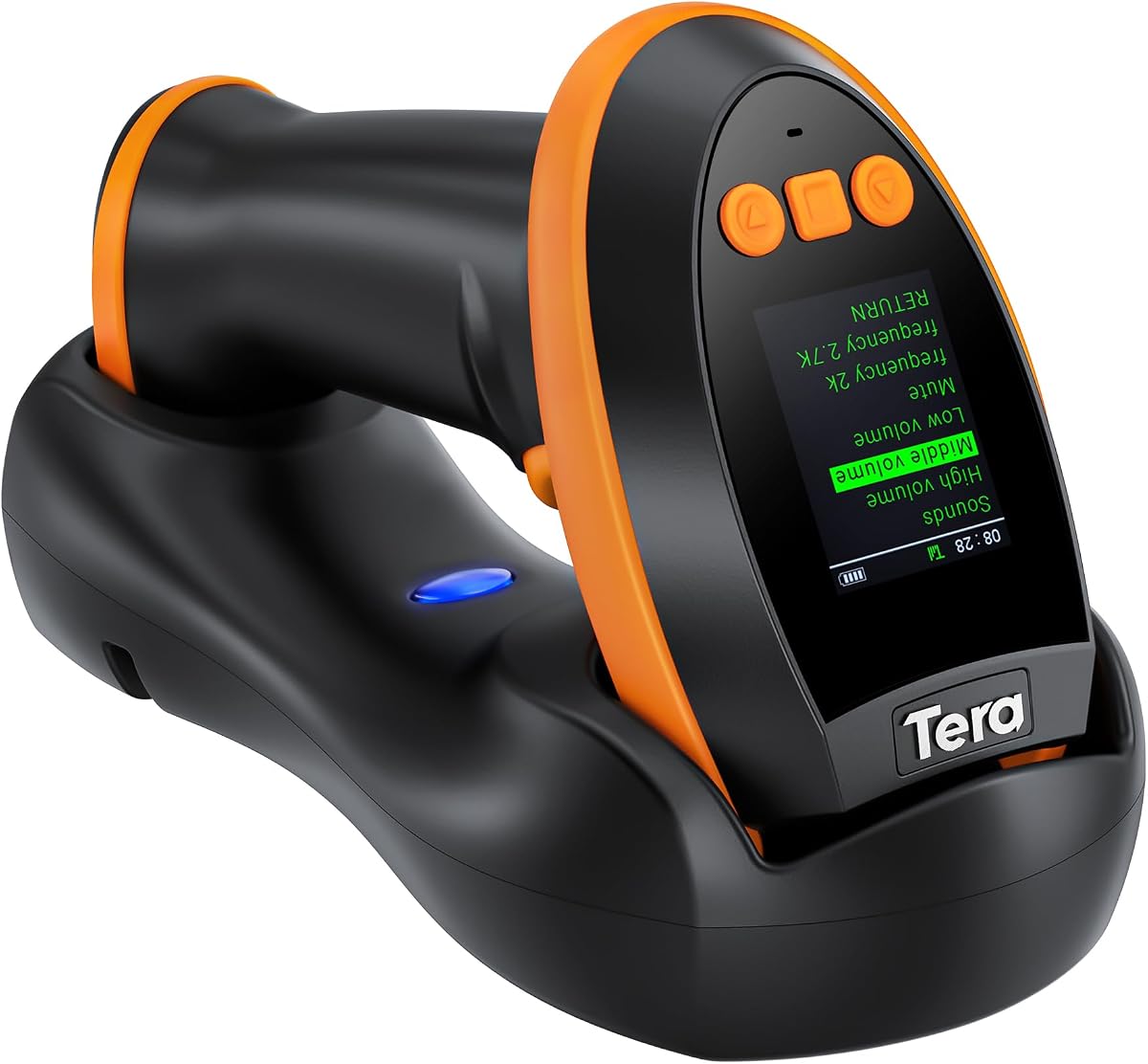
The Tera Barcode Scanner Wireless with Screen stands out for its advanced features and premium design. It supports both 1D and 2D codes including QR which is useful for modern digital integration. The screen allows quick access to settings like language and volume.
We may earn a commission when you buy through this link, at no additional cost to you.
Its charging cradle simplifies storage and battery management ensuring the device is ready for use. The 2500mAh battery supports all day operation. With 2.4G wireless Bluetooth and USB options it connects to diverse devices without compatibility issues.
The premium features come with a higher cost compared to standard scanners which may not be necessary for basic libraries. The interface requires scanning barcodes to change settings which might confuse new users initially.
Libraries requiring QR scanning and a polished interface will appreciate this model. The combination of versatility and user friendly screen makes it a top premium choice for tech savvy staff.
The unique screen lets you customize settings like language and connection options directly on the device.
Capable of reading both 1D and 2D QR codes this scanner adapts to evolving library inventory needs.
We may earn a commission when you buy through this link, at no additional cost to you.
The Eyoyo Mini 1D Bluetooth Barcode Scanner is ideal for staff who need mobility. Weighing only 35 grams it fits easily in a pocket for quick scans. Its vibration mode makes it perfect for quiet reading areas where sounds might disturb patrons.
We may earn a commission when you buy through this link, at no additional cost to you.
With Bluetooth and 2.4G wireless options it connects to tablets and laptops effectively. It handles standard 1D codes well including damaged ones. The 650mAh battery lasts up to ten days with moderate use thanks to auto off features.
It cannot scan from screens or phones which limits some digital workflows. The smaller battery capacity means more frequent charging compared to larger units.
For cataloging or shelf browsing this portable scanner is excellent. Its comfort and quiet operation make it a top pick for mobile library tasks.
At just 35 grams this scanner minimizes hand strain during prolonged scanning sessions.
Vibration mode allows for silent scanning which is crucial for maintaining a quiet environment in libraries.
We may earn a commission when you buy through this link, at no additional cost to you.
The Tera Barcode Scanner with Battery Indicator focuses on user convenience and durability. The light indicator shows battery levels reducing unexpected power loss. Its extended handle and flat trigger provide a comfortable grip for long shifts.
We may earn a commission when you buy through this link, at no additional cost to you.
It supports a wide wireless range allowing staff to move freely. The IP54 rating protects against dust which is beneficial in older library buildings. It reads standard codes reliably and handles damaged labels well.
It does not support 2D codes which might limit digital integration. The purple finish is distinctive but may not match all equipment aesthetics.
For libraries prioritizing ergonomics and reliability this model is strong. The battery indicator adds peace of mind for daily operations.
The unique battery indicator light eliminates low battery anxiety by showing remaining power clearly.
Silicone protective cover and IP54 rating ensure durability against drops and dust exposure.
We may earn a commission when you buy through this link, at no additional cost to you.
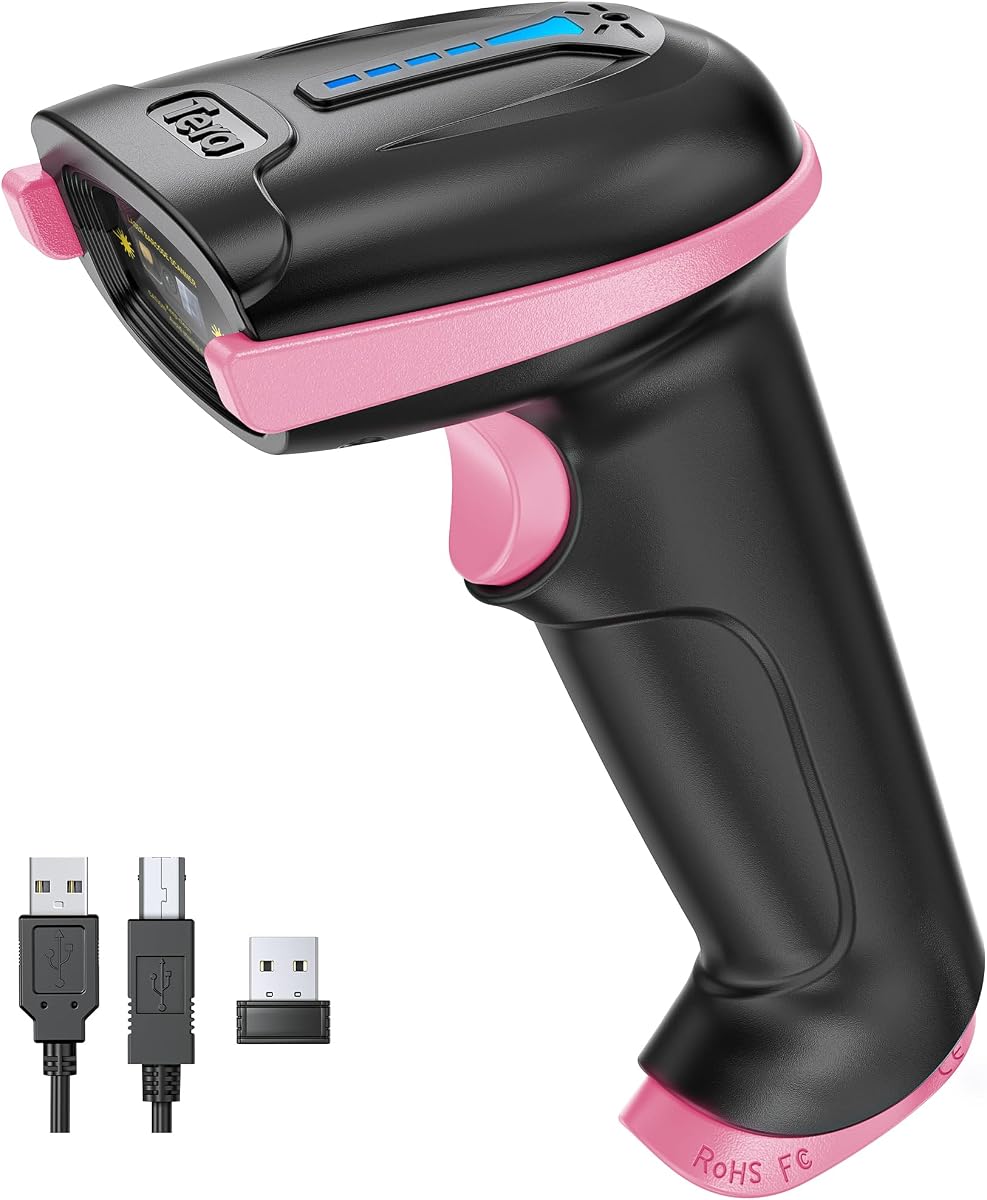
The Pink version of the Tera Barcode Scanner offers the same reliability with a distinctive look. The battery indicator ensures consistent power during long shifts. Its ergonomic handle reduces hand fatigue during intensive use.
We may earn a commission when you buy through this link, at no additional cost to you.
It connects wirelessly over long distances and resists dust with IP54 protection. Staff find it reliable for daily checkouts. The color adds a friendly touch to library equipment.
Like the purple model it lacks 2D scanning capabilities. It may not suit every decor style.
For teams valuing design and ergonomics this scanner is great. It combines practical features with an appealing appearance.
The pink finish adds a friendly touch to library equipment without compromising performance.
The battery indicator light keeps staff informed of charge levels to prevent downtime.
We may earn a commission when you buy through this link, at no additional cost to you.
The WoneNice USB Laser Barcode Scanner provides rapid and reliable scanning for busy desks. Its laser technology captures codes quickly which helps during peak hours. The wired connection ensures constant data flow without battery worries.
We may earn a commission when you buy through this link, at no additional cost to you.
It works seamlessly with standard office software and operating systems. The 200 scans per second speed keeps lines moving. Users can adjust beeps and prefixes to suit their workflow.
It lacks wireless mobility which might hinder mobile tasks. The visible laser beam may disturb some environments.
For high volume checkouts this scanner is efficient. Its speed and compatibility make it a solid choice for fixed stations.
Scanning up to 200 times per second this device keeps circulation lines moving efficiently.
Works with common software like Excel and Word ensuring easy integration into existing systems.
We may earn a commission when you buy through this link, at no additional cost to you.
The Symcode Wireless Barcode Scanner offers outstanding range and multi scanner support for large libraries. It allows multiple units to connect to one receiver which is useful for team operations. The rechargeable battery lasts weeks on standby.
We may earn a commission when you buy through this link, at no additional cost to you.
Its 2.4Ghz wireless ensures stable data transfer. Setup is straightforward with auto pairing. It handles standard codes well but lacks 2D capabilities.
The laser beam might be visible in low light. It does not support QR codes.
For large layouts needing wide reach this model excels. Its network features enhance productivity in team environments.
Delivers up to 100m indoor transmission allowing staff to scan from a distance.
Multiple scanners can transmit data to one receiver which streamlines team workflows.
We may earn a commission when you buy through this link, at no additional cost to you.
The Eyoyo Pink Portable Mini offers a stylish solution for mobile scanning. Its compact size fits easily in bags. The 650mAh battery provides hours of use. It connects via Bluetooth and wireless or wired modes.
We may earn a commission when you buy through this link, at no additional cost to you.
It decodes common 1D codes even if damaged. The vibration and sound settings allow for quiet scanning. The pink design makes it easily identifiable.
Battery life is shorter than larger units. It does not read QR codes.
For staff who value style and portability this scanner is a good fit. It suits teams wanting a distinct look without sacrificing function.
Designed with a pink finish this scanner adds a touch of color to library equipment.
Switches between 2.4G wireless Bluetooth and USB to adapt to different devices.
We may earn a commission when you buy through this link, at no additional cost to you.
The Barcode Scanner with Stand provides a practical hands free option for desks. The adjustable stand allows flexible angles. Auto sensing scans codes without triggering which speeds up checkins. It supports both 1D and 2D codes.
We may earn a commission when you buy through this link, at no additional cost to you.
It works with most operating systems without driver installation. Users can customize settings like prefixes. The wired connection ensures stability.
It needs a dedicated space for the stand. Wireless is not an option.
For fixed checkin stations this scanner is efficient. Its hands free features streamline workflows and reduce handling.
The auto sensing feature allows staff to scan items without pressing a trigger.
An adjustable stand lets you position the scanner at the optimal angle for reading.
We may earn a commission when you buy through this link, at no additional cost to you.
Selecting a library barcode scanner involves weighing connectivity battery life and durability. This guide explains the key factors to consider for your environment.
Libraries must decide between wired and wireless options based on mobility needs. Wired scanners offer stable constant connectivity without battery worries making them ideal for fixed desks. Wireless scanners using Bluetooth or 2.4G allow staff to move freely during inventory or shelf checks.
Long shift operations require robust battery performance to avoid interruptions. Scanners with 2000mAh capacity or more can last weeks on standby or many hours of active use. Auto off features help extend runtime when the device is idle during quiet periods.
A library scanner should withstand drops and frequent handling without failing. Look for models with shock resistant materials and rubberized grips. Some have dust protection ratings like IP54 which helps maintain performance in older buildings or dusty environments.
CCD or laser sensors differ in how they read barcodes. CCD sensors read from screens and glass making them versatile for modern digital codes. Laser scanners often have longer range and faster speeds but may struggle with certain surfaces or screen images.
Libraries demand quiet tools to avoid disturbing patrons during scanning. Scanners with vibration modes or muteable buzzers are essential. Check if you can adjust volume settings so the device blends into the environment without noise.
Ensure the scanner supports your existing library software and operating systems. Most models work with Windows and Mac but check for specific constraints like POS system limitations. Compatibility with mobile devices allows for modern apps and cloud based systems.
Determine if you need 1D and 2D code capabilities for your inventory. While many books use 1D ISBNs some programs include QR codes for digital resources. Advanced models support both formats giving flexibility for future upgrades or digital initiatives.
Comfortable handling reduces strain during long shifts. Look for ergonomic grips and balanced weight. Some models feature extended handles or soft triggers that make repeated scanning less taxing on hands and wrists over time.
To start using your scanner connect it to your computer or device as instructed. Ensure your operating system recognizes the device and install drivers if required. For wireless models scan the pairing codes to establish a stable link with your host system.
Regularly charge the battery to maintain peak performance. Store wireless units in a safe place away from direct sunlight. Clean the sensor lens with a soft cloth to remove dust that could hinder scanning speed or accuracy over time.
Test scans frequently to ensure reliability during busy periods. If the scanner misses codes check the alignment and distance to the label. Adjust sensitivity settings through the manual to optimize reading for damaged or low quality barcodes.
Some models support 2D QR codes while others are limited to 1D barcodes. If you need to scan digital links or QR stickers choose a scanner with 2D imaging capabilities. Most budget wired units focus on standard ISBN 1D codes.
Look for batteries with 2000mAh or higher to last through long shifts without charging. Models with auto off features extend standby time significantly. A charger should last weeks on standby and several hours of active daily use.
Wireless scanners provide more mobility for inventory checks and circulation floors. Wired units ensure constant power and connection without battery worries. Choose based on your workflow whether staff need to move around or stay at a desk.
Many models support iOS and Android through Bluetooth or 2.4G wireless. Check product details for mobile OS compatibility before purchasing. Some require specific configuration barcodes to enable mobile connectivity modes properly.
Most modern scanners have mute or vibration modes accessible via configuration barcodes. Scan the manual codes to disable the buzzer sound. This allows staff to scan items silently without disturbing patrons in quiet areas.
CCD and advanced laser sensors often read damaged or reflective codes. Models with high resolution sensors handle smudged or faded labels well. If your collection includes old books check for scanners with strong decoding capabilities for worn codes.
Most scanners are plug and play requiring minimal setup. Wireless models need pairing codes scanned from the manual. Follow instructions to connect to your system quickly. Training time is usually short for staff to learn basic use.
We reviewed ten top barcode scanners ranging from budget friendly to premium models. The NETUM Bluetooth Scanner leads for its battery life and connectivity options making it a top overall pick for most libraries.
Prioritize features that match your workflow like quiet modes or mobility. Ensure the chosen scanner supports your system and code types before purchasing to avoid compatibility issues during daily operations.
Prices and stock change often so check current listings before buying. Selecting the right tool can save staff time and improve efficiency in managing collections throughout the year.