
Epson FastFoto FF-680W
4.5Editor score
Scan up to 36 photos at once
Wireless connectivity options
High-speed duplex scanning capability
Digitizing your physical photo collection is a essential task for preserving memories. A dedicated batch photo scanner automates this process, allowing you to convert hundreds of prints into digital files quickly and efficiently without manual handling.
We have evaluated ten leading models based on scanning speed, image quality, software capabilities, and ease of use. Our analysis focuses on devices that handle mixed photo sizes and offer reliable automation features like auto-cropping and deskewing.
Each pick in this guide highlights specific strengths for different user needs. Note that availability and pricing may vary over time, so checking the current listing is recommended before making a final purchase decision.
4.5Editor score

4.5Editor score

4.1Editor score
As an Amazon Associate we earn from qualifying purchases.
This side-by-side comparison highlights the key specifications and capabilities of each top-rated batch photo scanner to help you choose the right fit for your needs.




The Plustek Photo Scanner ePhoto Z300 is a highly efficient device designed specifically for digitizing photos quickly. With a 4.5 star rating, it stands out for its speed and ease of use, making it ideal for users with large collections.
We may earn a commission when you buy through this link, at no additional cost to you.
Its standout feature is the ability to scan a 4×6 inch photo in just two seconds at 300 dpi. The CCD sensor ensures high-quality captures, while the auto crop and deskew functions save significant manual editing time.
While it lacks wireless features, the reliable USB connection ensures stable transfers. The software includes powerful tools for restoring faded images, which is a significant advantage for vintage photo collections.
This scanner is best suited for home users prioritizing speed and quality over wireless convenience. Its ability to handle 8×10 inch photos further enhances its versatility for standard album sizes.
The device achieves rapid throughput with a dedicated feeder slot, allowing continuous scanning without constant manual intervention.
Built-in software provides one-click enhancements to fix color balance and sharpness on older prints efficiently.
We may earn a commission when you buy through this link, at no additional cost to you.
The Epson FastFoto FF-680W is engineered for high-volume users who need to digitize thousands of photos efficiently. Its 4.5 star rating reflects its reliability and advanced features for both photos and documents.
We may earn a commission when you buy through this link, at no additional cost to you.
Its duplex capability allows capturing images on both sides of a photo in a single pass, preserving handwritten notes on the back. The wireless connectivity adds flexibility for placement within a workspace.
The inclusion of a carrier sheet ensures delicate photos are protected during the rapid feeding process. The FastFoto app extends functionality by enabling voice notes and text annotations directly on scans.
This model is perfect for archivists or large families needing robust performance. The investment is justified by the speed and unique features like automatic upload to cloud services.
Capturing both sides of photos in one pass saves significant time compared to manual flipping.
The companion app allows for easy organization and enhancement directly from smartphones.
We may earn a commission when you buy through this link, at no additional cost to you.
The AMBIR Photo Scanner offers a compelling entry point for those new to digitization. With a 4.1 star rating, it balances cost and functionality, making it a strong choice for casual users.
We may earn a commission when you buy through this link, at no additional cost to you.
Its bundle includes a specialized cleaning kit, ensuring delicate prints are dusted before scanning. The wide range of supported sizes, from 1×1 to panoramic 12-inch photos, adds to its versatility.
While the software interface might require some time to master, it offers comprehensive tools for organizing and editing photos. The USB power requirement simplifies setup by reducing cable clutter.
This scanner is ideal for budget-conscious users seeking a dedicated photo device. It provides all the essential features needed to preserve memories without a high financial commitment.
The included accessories provide essential maintenance tools often sold separately with other brands.
Capable of handling small cards and large panoramas, this scanner adapts to various collections.
We may earn a commission when you buy through this link, at no additional cost to you.
The ScanSnap iX2500 Photo Edition is designed for users wanting seamless integration with digital workflows. Rated 4.5 stars, it combines scanning speed with intelligent software for organized results.
We may earn a commission when you buy through this link, at no additional cost to you.
Its touchscreen interface simplifies sending scans to specific apps or cloud services directly. The inclusion of three photo carrier sheets ensures protection for delicate items during high-speed feeds.
The device also handles standard documents effectively, making it a versatile all-in-one solution. However, users focusing solely on photos might find the document features secondary to the scanning performance.
This model is best for professionals needing a unified workflow. The wireless capabilities and fast speeds make it a top choice for modern offices.
Customizable profiles allow instant sorting and naming based on user preferences.
Wi-Fi 6 support ensures stable connections even in environments with heavy network traffic.
We may earn a commission when you buy through this link, at no additional cost to you.
The ScanSnap iX2500 is a high-performance device primarily optimized for document digitization. While it scores 4.3 stars, its speed and capacity are unmatched for paper-heavy work.
We may earn a commission when you buy through this link, at no additional cost to you.
It features a robust 100-sheet feeder that reduces the need for frequent reloading during large batches. The touchscreen simplifies settings adjustments, making it easy to switch between document types.
Photos can be scanned using carrier sheets, but the workflow is less streamlined than dedicated photo scanners. This trade-off is acceptable for offices needing to digitize mixed media like letters and receipts.
This scanner is ideal for hybrid users handling documents and photos. The reliable connection and fast speeds ensure productivity even in busy environments.
The large feeder reduces interruptions, allowing continuous workflow for large document batches.
Wi-Fi 6 ensures minimal latency and maximum speed for wireless scanning tasks.
We may earn a commission when you buy through this link, at no additional cost to you.
The Epson Perfection V19 II is designed for high-detail scanning needs like books or fragile items. With a 3.9 rating, it prioritizes resolution over raw speed, serving a niche market.
We may earn a commission when you buy through this link, at no additional cost to you.
The high-rise removable lid allows scanning of books without opening them fully, reducing physical stress on the spine. This feature makes it ideal for preserving bound materials.
While the 4800 dpi resolution allows for high-quality enlargements, the lack of an ADF means manual placement is required for each photo. This process is slower than batch scanners.
This model is best for archivists working with non-standard or bulky items. The resolution is excellent for restoration projects that need fine details.
The lid allows scanning of bulky objects like books or fragile items safely.
4800 dpi ensures even the smallest details in artwork or photos are preserved.
We may earn a commission when you buy through this link, at no additional cost to you.
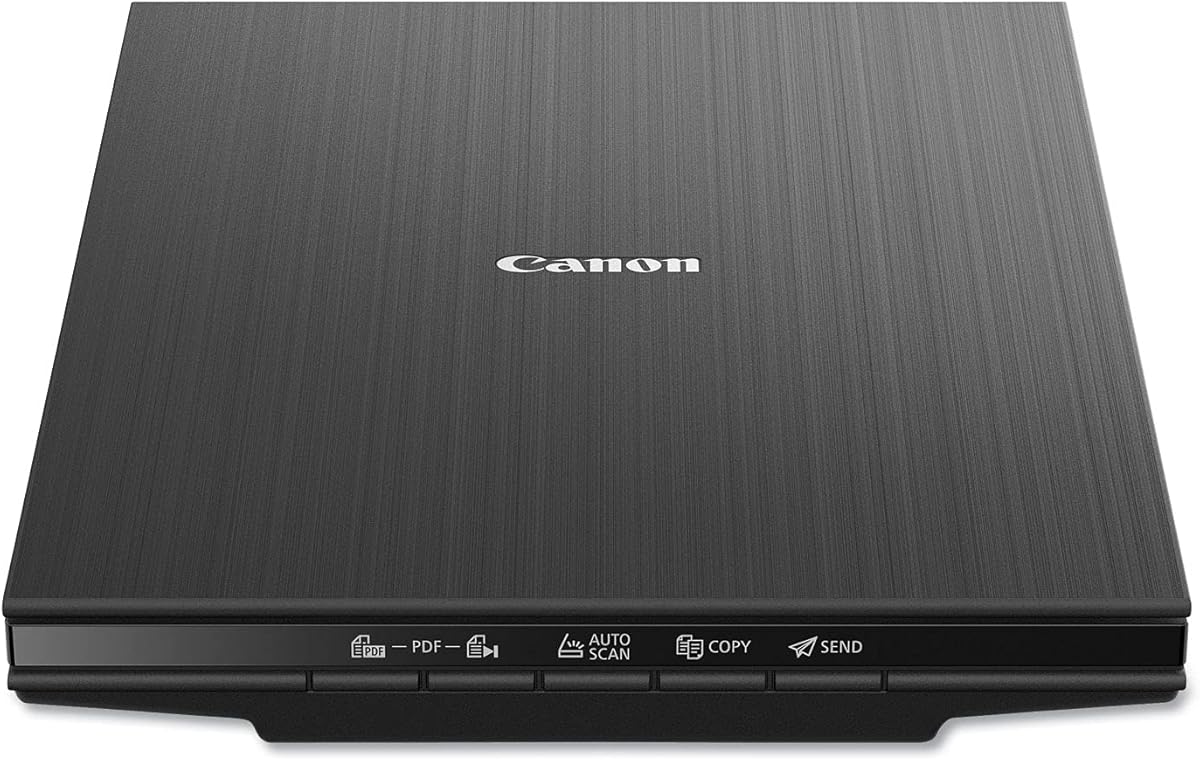
The Canon CanoScan LiDE 400 offers a sleek design for modern workspaces. Rated 4.1 stars, it balances portability with performance for occasional digitization needs.
We may earn a commission when you buy through this link, at no additional cost to you.
Its USB Type-C connection simplifies cabling, ensuring power and data through a single wire. The auto detect feature automatically identifies document sizes to reduce setup time.
The slim profile makes it easy to store when not in use. While it scans in about 8 seconds, the manual loading process limits its throughput compared to ADF models.
This scanner is perfect for small desks or home offices. The dust removal feature helps maintain image quality on prints with surface debris.
The scanner automatically detects document size and type for efficient setup.
Its narrow footprint ensures it fits easily on crowded desks or shelves.
We may earn a commission when you buy through this link, at no additional cost to you.
The HP Small USB Scanner is designed for mobility and quick tasks. With a 4.2 rating, it serves users needing to capture documents on the go without bulky equipment.
We may earn a commission when you buy through this link, at no additional cost to you.
It operates at 15 pages per minute, providing decent speed for small batches. The included WorkScan software allows basic adjustments like cropping and optimization before saving files.
USB power eliminates the need for external adapters, enhancing its portability. However, the single-sided nature means double-sided documents require manual flipping.
This scanner is ideal for travelers or remote workers. Its lightweight design ensures it fits easily into bags without adding significant weight.
Its slim profile allows it to slip into a laptop bag for easy transport.
Included software provides essential editing and saving options without complexity.
We may earn a commission when you buy through this link, at no additional cost to you.
The Epson Perfection V39 II offers reliable flatbed performance for occasional users. Its 3.7 rating reflects its simplicity but also its focus on high-resolution scanning.
We may earn a commission when you buy through this link, at no additional cost to you.
The Easy Photo Fix technology restores color to faded images with a single click, which is helpful for older collections. The high-rise lid helps in handling slightly thicker items safely.
While it lacks automation, the USB power design keeps the setup compact. Users need to place each item manually, which limits bulk processing capabilities.
This model is suitable for users with smaller photo collections. The resolution ensures high-quality digital copies for archival purposes.
Automated tools help restore color and clarity to faded prints instantly.
4800 dpi allows for detailed digital reproductions suitable for printing.
We may earn a commission when you buy through this link, at no additional cost to you.
The AMBIR Photo Scanner with PICTURESTUDIO includes robust software for editing and organizing. With a 3.4 rating, it appeals to users prioritizing digital enhancement over raw hardware specs.
We may earn a commission when you buy through this link, at no additional cost to you.
Features like AI colorization allow black and white photos to be tinted automatically. The 3-second scan speed per photo ensures quick digitization even for larger batches.
The software offers detailed control over brightness and contrast, making it versatile for restoration. However, the interface might be complex for beginners compared to simpler alternatives.
This scanner is best for enthusiasts interested in photo restoration. The included tools provide a complete workflow from scan to final digital edit.
Advanced algorithms allow for automatic tinting of black and white photos.
Detailed settings for exposure and sharpness allow professional-grade restoration.
We may earn a commission when you buy through this link, at no additional cost to you.
Selecting the right batch photo scanner involves evaluating speed, resolution, and software features that match your specific needs.
Speed is critical for large collections. Look for models that can scan standard 4×6 inch photos in seconds. High-speed batch scanners can process hundreds of prints per hour, significantly reducing the time spent on digitization.
Prioritize devices with automatic feeding mechanisms to maximize throughput.
Resolution determines the quality of the digital output. A minimum of 600 dpi is recommended for standard photos, while archival-quality scans may benefit from 1200 dpi or higher. Ensure the device supports variable resolution settings.
Higher resolution allows for enlargements without losing detail.
Most photo scanners use CCD sensors for better color accuracy and detail capture. CMOS sensors are sometimes used in cheaper models but may sacrifice quality. Check product specifications for the sensor type to ensure reliable results.
CCD sensors generally provide better fidelity for sensitive vintage prints.
The included software should offer tools for auto-cropping, deskewing, and color restoration. Advanced features like AI colorization or cloud integration can streamline your workflow. Compatibility with both Mac and PC is also important.
Ensure the software is user-friendly and regularly updated by the manufacturer.
Ensure the scanner accommodates various sizes, from small 1×1 inch to 8×10 inch. Some models even support panoramic strips. A wide range of supported sizes ensures you do not need to crop your scans.
Check for adjustable feeders or dedicated slots for larger prints.
Connectivity determines how data is transferred. USB is standard and reliable, while wireless options offer flexibility. Consider if you need to connect multiple devices or store files directly to the cloud.
Wireless models are convenient but require stable network configurations.
Scanners often include carrier sheets or protective rollers to prevent scratching delicate prints. Look for models with built-in dust removal or cleaning features. Durability ensures the device lasts through extensive use.
Protective accessories are essential for handling old and fragile photos safely.
Simple setups and intuitive interfaces save time. Models with one-touch scanning or automatic size detection reduce manual steps. A well-designed workflow ensures you stay focused on organizing rather than technical issues.
Check for user reviews regarding setup simplicity and daily operation.
Always clean your photos before scanning to remove dust or debris. Use a soft brush or air blower to gently clean the surface without touching the image side. This ensures high-quality scans and protects the scanner's glass or rollers.
Load photos one by one if using a feeder, ensuring they are aligned correctly. Avoid overloading the tray to prevent jams. For flatbed models, place the photo face down on the glass and close the lid gently.
Keep your scanner software updated to access the latest features and bug fixes. Regularly clean the glass or internal rollers with a microfiber cloth to maintain performance. Store the device in a dry, cool place to prevent electronic damage.
For pure speed, the Epson FastFoto FF-680W and ScanSnap iX2500 are top choices. They can scan multiple photos per minute and support large batch feeding. These models are ideal for digitizing thousands of images quickly.
Yes, most dedicated batch scanners support common sizes like 3×5, 4×6, 5×7, and 8×10. Some even handle panoramic or large 12-inch strips. Always verify the supported dimensions in the product specifications before purchasing.
Most scanners come with dedicated software for scanning and organizing. However, you can also use third-party tools like Adobe Photoshop or GIMP for advanced editing. Check if the bundled software offers the features you need.
Use a soft, dry brush or a dedicated air blower to remove dust gently. Avoid using liquids that might damage the print. Some scanners include cleaning kits with microfiber cloths for safe maintenance of delicate items.
A flatbed offers higher resolution for fragile or bound items but is slower. A batch feeder is much faster for standard photos but requires photos to be loose. Choose based on whether speed or precision is your priority.
Yes, all models support scanning black and white prints. Some even offer AI tools to colorize them digitally after scanning. Ensure your resolution settings are high enough to capture the tonal details.
Choosing the right batch photo scanner depends on your specific needs regarding speed, quality, and budget. The top picks in this guide offer reliable solutions for various requirements, from budget-friendly options to high-performance premium models.
Prioritize features like auto-cropping, resolution, and software capabilities that match your workflow. Investing in a device that aligns with your collection size ensures you save time and effort in the long run.
Remember to check the current product listings for availability and updates. Technology evolves quickly, so verifying the latest features and support is always a good practice before finalizing your purchase.