
Brailliant BI 40X Braille Display
5.0Editor score
40-cell display size
Bluetooth 5 stability
Extended internal storage
Discover the top 10 Braille displays for blind users. Compare features, ratings, and usability to find the perfect accessibility device for your needs.
Finding the right Braille display can transform how blind and visually impaired users access digital content. These devices offer tactile feedback through refreshable cells, enabling independent reading and writing across computers and mobile devices.
We evaluated ten top-rated options ranging from compact slates to advanced electronic displays. Our comparison considers connectivity, battery life, display size, and overall usability to help you make an informed decision.
Each pick below highlights key strengths and potential trade-offs for different user needs. Keep in mind that product availability and pricing may change over time, so verify details before purchasing.
5.0Editor score

4.5Editor score

4.9Editor score
This table provides a side-by-side overview of all ten products. Use it to quickly compare key specifications and find the model that best fits your accessibility requirements.




The Brailliant BI 20X stands out as a versatile refreshable Braille display designed for daily use. It offers a compact 20-cell interface with cursor routing keys, making reading and writing tasks efficient on multiple platforms.
We may earn a commission when you buy through this link, at no additional cost to you.
Its ability to connect to five Bluetooth devices simultaneously allows seamless switching between smartphones, tablets, and computers. The onboard KeySoft Lite apps add value by supporting tasks like editing documents or accessing online libraries directly.
While the 20-cell width is smaller than larger models, it remains highly portable and sufficient for most general tasks. Users seeking a reliable companion that balances functionality with portability will find this device meets their needs effectively.
This display is ideal for students or professionals needing independent access to digital content. Its combination of connectivity options and built-in tools makes it a top recommendation for anyone seeking a robust Braille solution.
Connect to five Bluetooth and one USB device simultaneously for seamless workflow switching between phones, tablets, and computers.
Access onboard apps like Editor, Braille Editor, Calculator, and Online Libraries for independent task management without external software.
We may earn a commission when you buy through this link, at no additional cost to you.
The Brailliant BI 40X delivers a premium experience with a wider 40-cell refreshable display. This larger surface area accommodates more text per line, reducing the need for frequent scrolling during long reading sessions.
We may earn a commission when you buy through this link, at no additional cost to you.
Equipped with Bluetooth 5 technology, it ensures faster and more stable wireless connections compared to older standards. The increased 32GB internal storage supports more locally stored files and media, enhancing offline usability significantly.
Despite its advanced features, it maintains the same ergonomic design and battery life as the 20X model. Users who prioritize reading comfort and file storage capacity will appreciate the additional capabilities this model provides.
For power users or those consuming large documents frequently, this model is a worthy investment. Its reliability and expanded interface make it a leading choice for demanding accessibility environments.
Bluetooth 5 technology provides faster pairing and more stable connections for uninterrupted access across multiple devices simultaneously.
32GB internal storage allows users to store more documents and media files locally for offline use without external drives.
We may earn a commission when you buy through this link, at no additional cost to you.
This business card slate offers an entry-level solution for creating embossed Braille on small labels or cards. Its ultra-thin aluminum design makes it easy to keep in a pocket or briefcase for on-the-go note-taking.
We may earn a commission when you buy through this link, at no additional cost to you.
A built-in signature guide ensures lines stay straight, which is helpful for beginners or when signing names formally. The included Classic Stylus is durable and designed to fit the slots perfectly for consistent dot formation.
While it lacks electronic features, its simplicity is its strength for quick labeling tasks or learning Braille basics. It represents one of the most cost-effective ways to start using tactile writing tools immediately.
Perfect for students or professionals needing simple labels, this slate is a reliable basic tool. Its low cost and ease of use make it an essential accessory for anyone new to Braille writing.
The integrated guide ensures perfectly straight lines for signing names or writing Braille text on business cards or labels.
Its ultra-thin aluminum body and compact size allow it to fit easily in a wallet, pocket, or briefcase for portability.
We may earn a commission when you buy through this link, at no additional cost to you.
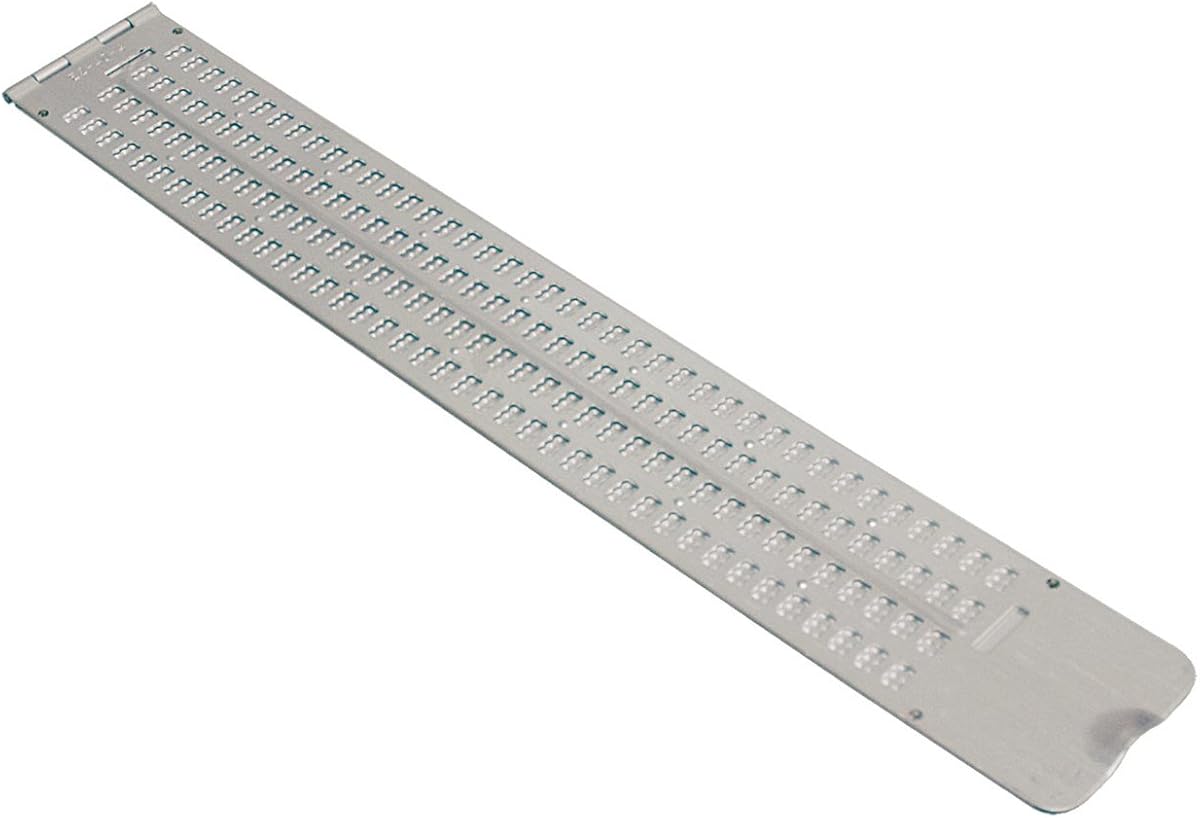
This slate features a generous 13-line by 36-cell layout, ideal for writing extended handwritten notes without moving the device. The hinged aluminum design ensures durability while protecting the paper inside during writing.
We may earn a commission when you buy through this link, at no additional cost to you.
A thumb notch facilitates easy opening and closing, providing convenience for quick use. The included stylus allows users to start writing immediately without needing to purchase additional accessories separately.
While it receives mixed ratings, its straightforward design serves those who prefer analog writing methods. It is well-suited for students needing a robust tool for homework or quick notes without electronic dependencies.
For users needing a traditional and affordable option, this slate provides solid performance. Its large writing area makes it practical for detailed work where electronic devices may not be available or desired.
The 13 by 36 cell grid allows users to write lengthy notes on a single sheet without frequent repositioning of the slate.
Made of durable aluminum with a hinged design, this slate withstands regular use while keeping paper secure inside the device.
We may earn a commission when you buy through this link, at no additional cost to you.
This full-page slate is designed to accommodate standard letter-sized paper, allowing users to write complete documents without shifting pages. Its quiet plastic construction ensures that writing sounds do not disturb others nearby.
We may earn a commission when you buy through this link, at no additional cost to you.
Embossed line numbers on the right side help users resume writing exactly where they left off after interruptions. The included guides for embossing Braille on tape add versatility for labeling needs beyond standard paper.
While less portable than smaller slates, its capacity makes it ideal for desk work or home use. It is a practical choice for those needing to produce multiple pages of Braille efficiently and affordably.
For students or professionals managing long notes or assignments, this slate offers significant utility. Its thoughtful design features like line guides and quiet operation make it a strong contender for extended writing sessions.
Supports full 25 by 28 cell writing on standard letter paper, enabling users to complete full pages without interruptions.
The thick plastic construction produces less noise than metal alternatives, making it considerate for shared or quiet environments.
We may earn a commission when you buy through this link, at no additional cost to you.
This pocket slate features a slim profile that fits comfortably in a briefcase or backpack. Its 4-line by 40-cell horizontal layout provides enough space for writing longer lines of text in a narrow form factor.
We may earn a commission when you buy through this link, at no additional cost to you.
The pins-up design allows users to read the embossed Braille directly after writing. Aluminum construction ensures it remains durable despite its lightweight nature for daily transportation.
While not ideal for large documents, it excels for quick messages or short notes while traveling. Users needing a discreet and portable writing tool will find it very convenient for everyday carry.
For individuals frequently on the move, this slate is an efficient solution. Its balance of size and capacity makes it a reliable companion for short writing tasks anywhere.
Measures 11-7/8 inches by 1-3/4 inches to fit easily into a briefcase, backpack, or pocket for convenient daily transport.
The 40 cells per line layout allows for longer text strings on fewer lines, optimizing the narrow width for notes.
We may earn a commission when you buy through this link, at no additional cost to you.
The Hable One keyboard simplifies typing for iPhone and Android users without requiring prior Braille knowledge. Its eight tactile buttons allow accurate navigation and typing using standard Braille input methods.
We may earn a commission when you buy through this link, at no additional cost to you.
Designed for privacy, it lets users type sensitive information while keeping their phone secure in a pocket or bag. The device connects seamlessly with screen readers, enhancing accessibility for daily digital tasks.
With over one month of battery life on a single charge, it reduces the need for frequent recharging. Free onboarding calls and tutorials help users master the interface quickly and independently.
This keyboard is ideal for those relying heavily on smartphones for communication. Its intuitive design and long battery life make it a practical accessory for independent mobile device use.
No prior Braille knowledge is required to learn, supported by free onboarding calls and tutorials for quick mastery.
Features a rechargeable battery lasting over one month on a single charge to ensure reliable daily use without interruption.
We may earn a commission when you buy through this link, at no additional cost to you.
This handheld label maker enables blind and sighted users to create Braille labels for organizing spaces. It supports embossing on standard vinyl tape widths, offering flexibility for various household or office uses.
We may earn a commission when you buy through this link, at no additional cost to you.
A dial with Braille markings on the upper rim helps select characters accurately while the lower rim uses print for sighted assistance. The included 8-foot tape roll allows immediate testing without additional purchases.
Its simple mechanical design requires a gentle tug to release and cut labels, making it intuitive after practice. It is lightweight enough to move around easily for labeling different items on the go.
For users needing to organize items with tactile labels, this tool offers a straightforward solution. Its dual-interface dial and included accessories make it accessible and ready to use right out of the box.
The upper rim dial is embossed in Braille while the lower rim uses regular print to assist both blind and sighted users.
Comes with an 8-foot roll of half-inch tape so users can start creating Braille labels immediately without extra costs.
We may earn a commission when you buy through this link, at no additional cost to you.
These stickers overlay existing Windows keyboards with Braille characters for tactile reference without hiding the original letters. They are made from clear Lexan material that prevents key legends from being covered during use.
We may earn a commission when you buy through this link, at no additional cost to you.
Installation is simple with a peel-and-stick method and 3M adhesive that ensures the stickers stay in place. This creates a bilingual interface allowing both tactile and visual key recognition simultaneously.
They are economical solutions for offices or homes where multiple users might need Braille access without hardware changes. Users can maintain their original keyboard functionality while adding accessibility features quickly.
Ideal for shared workspaces or budget-conscious setups, these overlays offer a practical way to upgrade keyboards. Their transparent design ensures no loss of existing key markings while adding necessary tactile cues.
Transparent stickers allow the original key legends to show through, creating a bilingual Braille and standard keyboard layout.
Uses 3M adhesive backing to ensure stickers do not slip, ooze, or curl during regular typing and daily use.
We may earn a commission when you buy through this link, at no additional cost to you.
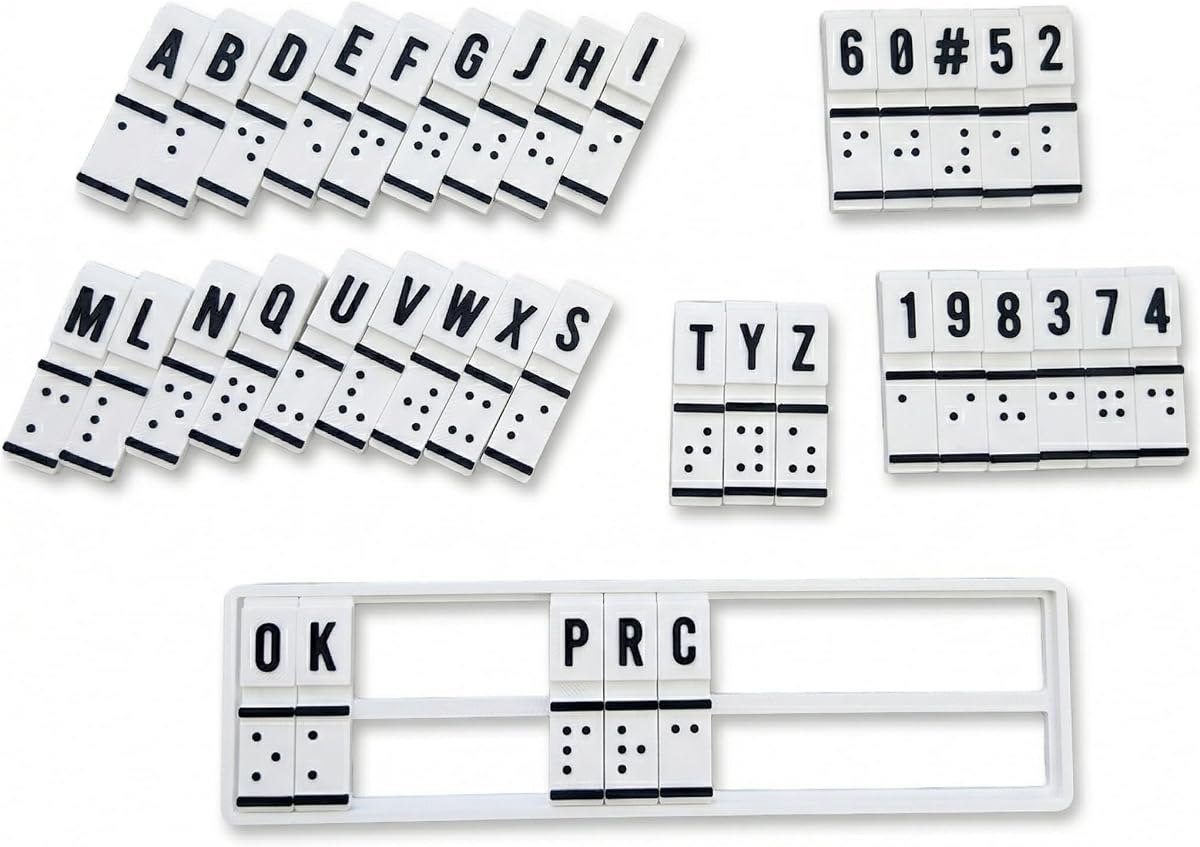
This interactive device combines education and translation functions to help beginners practice Braille patterns. It allows users to feel and create Braille directly using raised cells, building confidence and muscle memory without electronics.
We may earn a commission when you buy through this link, at no additional cost to you.
Its design supports text-to-Braille and Braille-to-text conversion through physical interaction, bridging communication between sighted and non-sighted users. It serves as a practical aid for self-study, classroom teaching, or home practice sessions.
The portable and sturdy build makes it suitable for therapy sessions or on-the-go training. Users seeking to strengthen their tactile literacy will find it an engaging tool for daily skill building.
For families or educators supporting Braille learning, this machine offers a hands-on approach to literacy. Its focus on physical interaction helps reinforce foundational skills effectively for new learners.
Features raised Braille cells and mechanisms allowing users to feel and read patterns directly for enhanced tactile literacy skills.
Designed for educators and parents to facilitate classroom teaching or family-assisted Braille practice sessions easily.
We may earn a commission when you buy through this link, at no additional cost to you.
Selecting the right Braille display requires considering how you intend to use it daily. Here are key factors to evaluate before making a purchase.
Electronic displays come in various sizes, typically ranging from 20 to 40 cells per line. Larger displays offer more text visibility per line but tend to be heavier and more expensive. Consider your primary tasks; reading long documents might benefit from 40 cells, while general navigation might suffice with 20.
For most users, a 20 to 40 cell range balances readability with portability. Choose based on how much text you need to see at once during typical use.
Modern displays support Bluetooth and USB connections to link with computers, tablets, and phones. Check how many devices you need to connect simultaneously to switch workflows smoothly. Bluetooth 5 offers faster and more stable wireless performance than older standards.
Ensure the device supports your specific screen reader software and operating system compatibility requirements for seamless integration.
Since many users rely on these devices throughout the day, battery life is critical. Look for models offering at least 15 to 20 hours of usage per charge. USB-C charging ports are common now and provide convenient power options.
Prioritize devices with longer battery endurance if you need all-day accessibility without frequent recharging stops.
Some electronic displays include onboard apps for editing, calculation, or accessing libraries directly. These features can reduce reliance on external devices for basic tasks. Evaluate whether these tools match your daily productivity needs.
Features like internal storage and text-to-speech integration can significantly enhance independence during offline activities.
If you travel or commute often, weight and dimensions matter. Compact models or manual slates are lighter but might lack electronic functionality. Electronic displays should have sturdy cases or designs that withstand transport.
Choose a form factor that fits comfortably in your bag or allows easy handling during movement.
Prices vary widely between basic slates and advanced electronic displays. Electronic options typically cost more but offer greater flexibility and connectivity. Manual slates are budget-friendly but require physical writing tools.
Set a realistic budget that aligns with your essential needs, balancing features with long-term value.
Reliable customer support and warranty coverage are important for electronic devices. Check if the manufacturer offers updates, repair services, or training resources. Good support ensures longevity and helps resolve technical issues quickly.
Verify warranty terms and available resources before purchasing to ensure peace of mind after purchase.
Devices should feel intuitive with ergonomic keys and layouts. Some models offer tutorials or onboarding support to help new users adapt quickly. Consider how long you might spend learning the interface before daily comfort is achieved.
Prioritize user-friendly designs that minimize frustration and promote independent usage from the start.
For electronic displays, start by pairing via Bluetooth or USB following the manufacturer instructions. Navigate using the cursor routing keys or the dedicated Braille keyboard to access text and content.
Regularly clean the display cells and casing with a soft, dry cloth to prevent dust buildup. For slates, keep the stylus in good condition and store the device in a protective case when not in use.
Check battery levels daily and charge before depletion to avoid interruptions. Keep firmware updated for best performance and explore training resources to maximize your device's capabilities over time.
A refreshable Braille display is electronic and connects to devices for digital content access, while a manual slate is a handheld tool for embossing Braille on paper. Electronic displays are more versatile for modern technology use, whereas slates are simpler and cheaper for basic writing.
Most displays connect via Bluetooth using standard profiles like HID or specific Braille protocols. Pair the device through your phone's settings and install any necessary screen reader apps for full compatibility and functionality.
Compatibility depends on the specific screen reader software and operating system. Most major displays work with popular readers like NVDA, JAWS, or VoiceOver but checking the manufacturer's compatibility list is recommended before purchasing.
Battery life varies but many modern devices offer 15 to 20 hours on a single charge. Factors like brightness, connectivity usage, and age can affect this duration, so keeping a charger handy is advisable for all-day use.
Yes, electronic displays support text input through their Braille keys or connected keyboards. Many models include onboard editors or allow connection to word processors for efficient document creation and review independently.
Slates generally need minimal maintenance, mainly keeping them clean and storing them safely. Ensure the stylus tip remains smooth and replace worn slates if pins or guides become damaged to maintain writing quality.
Some regions offer grants or insurance coverage for assistive technology including Braille displays. Schools or vocational rehabilitation services might also provide funding, so inquire with local organizations or educators for specific aid programs.
A 40-cell display offers more text per line, reducing scrolling, while a 20-cell model is more compact. Choose based on your preference for text visibility versus portability needs in your daily activities.
We highlighted top options from compact slates to premium electronic displays suited for different needs. Each pick offers distinct advantages balancing cost, portability, and advanced features.
Prioritize connectivity and battery life if you rely heavily on digital content daily. For basic tasks, a manual slate might suffice and save costs effectively.
Always check current availability and pricing as details may vary by retailer. Investing in a suitable device can significantly enhance independence and accessibility for everyday tasks.