
Brother HL-L2405W
4.1Editor score
Compact home office design
30 ppm monochrome output
Easy mobile connectivity
Discover the top 10 Brother laser printers for 2026. Compare features, ratings, and performance to find the perfect monochrome or color printer for your office.
Finding the right printing solution can significantly impact your daily workflow and overall productivity. Brother has established itself as a reliable brand in the office equipment market, offering a wide range of laser printers designed to meet diverse needs from home offices to large enterprises.
We have meticulously compared ten top-rated Brother laser printers to help you make an informed decision. Our analysis covers critical aspects such as print speed, connectivity options, paper handling capabilities, and overall user ratings to ensure you get the best value for your investment.
Each selection in this guide highlights specific strengths and ideal use cases to match your unique requirements. Please note that product availability and pricing can change frequently, so we recommend checking the latest details before making your final purchase decision.
4.1Editor score

4.1Editor score
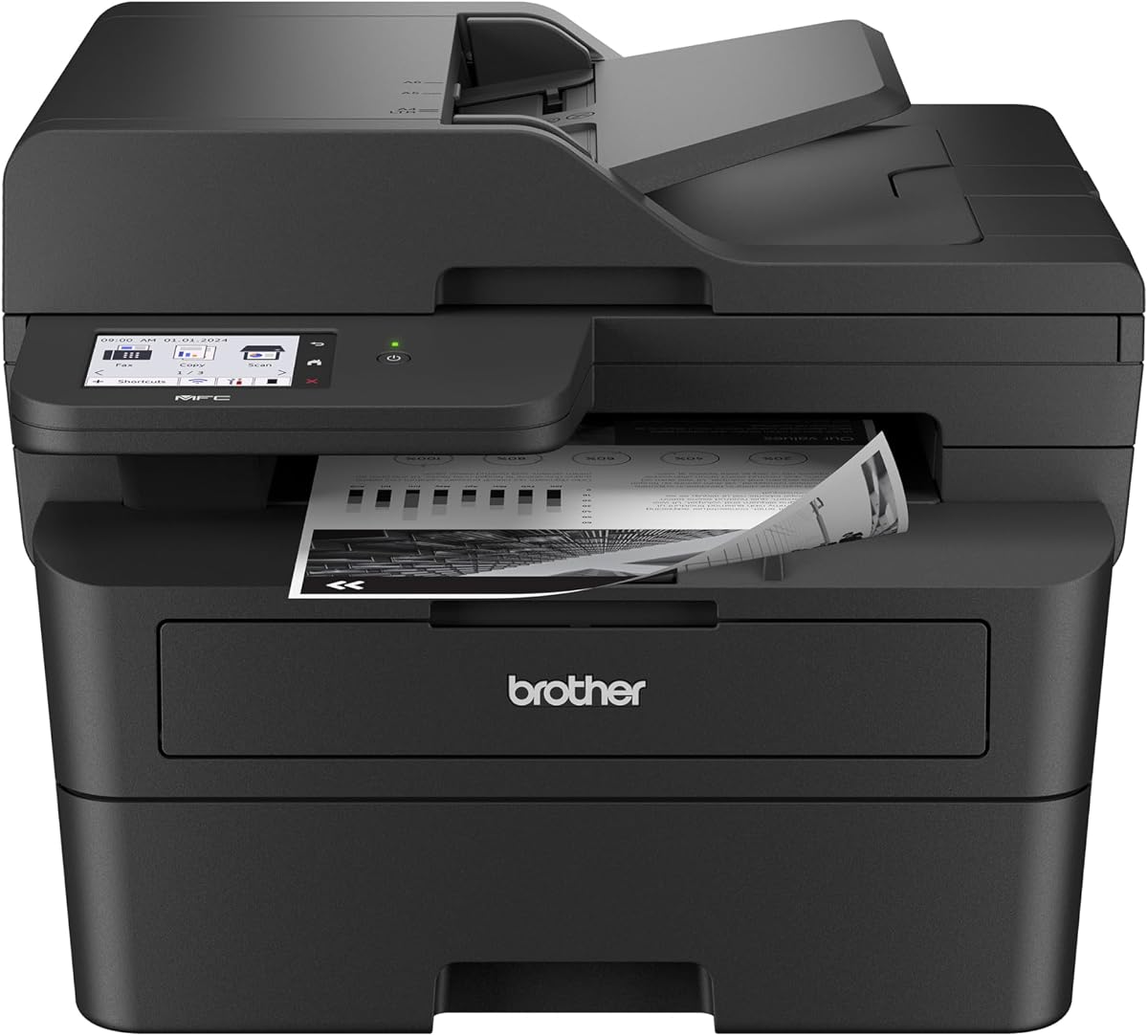
4.2Editor score
The following table provides a quick side-by-side overview of the key specifications for each model to help you identify the right fit at a glance.





The Brother DCP-L2640DW stands out as a versatile workhorse for small businesses needing reliable printing scanning and copying in one device. With a solid 4.1-star rating users appreciate its efficiency and consistent performance in daily office tasks.
We may earn a commission when you buy through this link, at no additional cost to you.
Its standout feature is the rapid 36 pages per minute print speed which significantly reduces wait times during busy periods. The built-in dual-band wireless ensures stable connections while the 50-page auto document feeder simplifies multi-page scanning and copying without manual intervention.
While it lacks fax capabilities which might be a downside for some traditional offices the convenience of mobile printing via the Brother Mobile Connect app makes up for it. Users can manage supplies and monitor usage remotely ensuring smooth operations without interruption.
This model is ideal for small teams or home offices that prioritize speed and connectivity over fax features. Its balanced feature set and compact design make it a top recommendation for those seeking a reliable all-in-one laser solution.
The 50-page auto document feeder streamlines scanning and copying tasks allowing you to process stacks of documents quickly without constant attention.
The Brother Mobile Connect app lets you print and scan from your smartphone while tracking toner levels and ordering supplies on the go.
We may earn a commission when you buy through this link, at no additional cost to you.
The Brother HL-L2405W is an excellent choice for home offices or individuals looking for a reliable and affordable single-function laser printer. It delivers crisp black and white output with a strong 4.1-star rating reflecting user satisfaction with its performance.
We may earn a commission when you buy through this link, at no additional cost to you.
This printer excels in providing consistent quality at a speed of 30 pages per minute making it suitable for steady workloads. The compact footprint ensures it fits easily on smaller desks while the dual-band wireless and USB options provide flexible connection choices for your devices.
While it lacks the extra functions of all-in-one models like scanning or copying its focused design keeps it cost-effective and efficient. The inclusion of Alexa compatibility allows for voice-activated printing which adds a layer of convenience for smart home users.
Ideal for students or professionals who mainly need to print documents this model offers great value for money. Its simplicity and reliability make it a solid investment for straightforward printing needs without unnecessary extra features.
Designed to be space-saving this printer fits comfortably in small home offices or bedrooms without sacrificing performance or connection options.
You can connect wirelessly via dual-band Wi-Fi or directly via USB making it easy to integrate with various computers and mobile devices.
We may earn a commission when you buy through this link, at no additional cost to you.
The Brother HL-L2460DW is a robust single-function printer that emphasizes speed and efficiency with automatic duplex printing capabilities. With a rating of 4 stars it is recognized for its ability to handle high-volume printing tasks quickly and accurately for small teams.
We may earn a commission when you buy through this link, at no additional cost to you.
This model offers a print speed of 36 pages per minute which helps maintain productivity during busy workdays. The automatic duplex feature is a significant advantage as it saves time and reduces paper consumption by printing on both sides of the sheet automatically.
While it does not include scanning or copying features the focus on high-quality printing makes it a strong candidate for those who prioritize document output. The flexible connectivity options including dual-band wireless and Ethernet ensure it integrates smoothly into existing network setups.
Best for home offices or small teams that need fast reliable printing without the need for additional multifunction capabilities this printer delivers consistent results. Its combination of speed and paper-saving technology makes it a practical choice for cost-conscious users.
Automatic duplex printing helps you reduce paper waste and save on costs by producing two-sided documents without manual intervention.
With support for dual-band wireless and Ethernet you can connect this printer to your network for easy sharing among multiple devices.
We may earn a commission when you buy through this link, at no additional cost to you.
The Brother MFC-L2820DW is a versatile all-in-one printer that adds fax capabilities to the standard print scan and copy functions making it ideal for small offices. Its high 4.3-star rating reflects strong user approval of its efficiency and ease of use in professional settings.
We may earn a commission when you buy through this link, at no additional cost to you.
It delivers a print speed of 36 pages per minute and scan speeds up to 23.6 ipm ensuring that document handling is quick and efficient. The 2.7-inch touchscreen provides an intuitive way to navigate settings and access popular cloud apps like Google Drive and Dropbox directly.
While it is limited to monochrome printing which may not suit designs needing color the inclusion of fax is a significant benefit for businesses that still rely on this communication method. The compact design ensures it does not dominate limited workspace area.
This model is perfect for small businesses that require comprehensive document management in a single compact device. Its combination of fax support and fast performance makes it a highly recommended choice for offices needing reliable all-in-one solutions.
The intuitive 2.7-inch touchscreen makes it easy to navigate settings and access cloud apps without needing a computer connection.
For businesses that still require faxing this model provides reliable fax capabilities alongside standard printing and scanning tasks.
We may earn a commission when you buy through this link, at no additional cost to you.
The Brother HL-L3220CDW brings color capabilities to the home office with a focus on professional quality and speed. While it has a slightly lower rating of 3.9 stars it remains a popular choice for users needing vibrant graphics and crisp text in their documents.
We may earn a commission when you buy through this link, at no additional cost to you.
It delivers a respectable 19 pages per minute for color printing which is competitive for this category. The generous 250-sheet paper tray minimizes refills and the manual feed slot allows for versatile printing on envelopes and specialty media without interrupting workflow.
One trade-off is the slower speed compared to monochrome models but this is expected given the complexity of color printing. The built-in security protocols ensure your sensitive business documents are protected during wireless transmission and storage.
This printer is best suited for professionals who need high-quality color prints for presentations and marketing materials. Its reliable performance and secure connectivity make it a valuable asset for small businesses needing color laser printing capabilities.
Produces stunning business documents with crisp text and vibrant graphics that make your materials stand out from competitors.
The manual feed slot enables printing on envelopes and specialty paper ensuring you can handle various document types easily.
We may earn a commission when you buy through this link, at no additional cost to you.
The Brother HL-L2480DW is a highly rated all-in-one printer that combines speed and efficiency in a compact design suitable for small offices. With an impressive 4.5-star rating users consistently praise its reliability and ease of use for daily printing and scanning tasks.
We may earn a commission when you buy through this link, at no additional cost to you.
It offers a print speed of 36 pages per minute and automatic duplex printing which helps save time and reduce paper waste. The 2.7-inch touchscreen enables effortless navigation and the ability to print from cloud apps like Google Drive and Dropbox directly.
While it lacks fax capabilities the strong focus on printing and scanning makes it a versatile choice for most office needs. The compact footprint ensures it fits comfortably on desks without consuming too much valuable workspace area.
Ideal for remote workers or small teams needing a reliable all-in-one solution this model delivers exceptional value for its features. Its high user rating reflects the satisfaction customers find in its performance and intuitive interface.
Fast print and scan speeds combined with duplex printing help reduce downtime and keep your daily tasks moving smoothly.
The intuitive 2.7-inch touchscreen makes navigating settings and accessing cloud apps simple and user-friendly for all users.
We may earn a commission when you buy through this link, at no additional cost to you.
The Brother MFC-L2900DW is a premium business printer designed to elevate efficiency with its high-speed performance and advanced features. It boasts a 4.2-star rating and stands out for its 3.5-inch touchscreen that provides a smooth and responsive user experience.
We may earn a commission when you buy through this link, at no additional cost to you.
With a print speed of 36 pages per minute and single-pass two-sided scanning it handles document processing tasks with remarkable speed. The 50-page auto document feeder further enhances productivity by allowing you to scan large batches quickly without manual intervention.
While it comes at a higher price point than basic models the enhanced fuser design reduces electricity consumption by 22% making it energy efficient. The responsive touchscreen provides direct access to cloud services ensuring seamless workflow integration for your team.
This model is ideal for small businesses that require high-volume processing and advanced connectivity features. Its combination of speed energy efficiency and user-friendly interface makes it a top choice for professional office environments.
The 3.5-inch touchscreen display allows for effortless navigation through printing scanning and cloud functions without delay.
An enhanced fuser design delivers a 22% reduction in electricity consumption helping you save costs on energy usage.
We may earn a commission when you buy through this link, at no additional cost to you.
The Brother HL-6210DW is built for high-volume environments requiring exceptional speed and capacity for uninterrupted printing. With a solid 4.1-star rating it is recognized for its ability to handle demanding office tasks efficiently and reliably over long periods.
We may earn a commission when you buy through this link, at no additional cost to you.
Its standout feature is the impressive 50 pages per minute output speed which ensures that even large print jobs are completed quickly. The robust 520-sheet main tray and 100-sheet multipurpose tray support continuous operation without frequent refills.
Security is a key focus with triple-layer security features safeguarding your network and documents during transmission. While the upfront cost is higher than standard models the ultra high-yield toner cartridges help reduce long-term operational costs significantly.
This printer is best suited for busy offices that prioritize speed and paper capacity to keep workflows moving. Its reliable performance and security features make it a solid investment for professional environments with heavy printing demands.
The high-capacity paper trays and fast speed ensure you can handle large volume jobs without stopping to reload paper.
Triple layer security features protect your network and documents ensuring comprehensive safety for sensitive office data.
We may earn a commission when you buy through this link, at no additional cost to you.
The Brother MFC-L3720CDW is a comprehensive color all-in-one printer designed to handle a wide range of business needs efficiently. With a 4.0-star rating it balances color output with multifunction capabilities like faxing and scanning to support diverse office tasks.
We may earn a commission when you buy through this link, at no additional cost to you.
It delivers exceptional print speeds up to 19 pages per minute for color documents ensuring your marketing materials look professional and stand out. The intuitive 3.5-inch color touchscreen features 48 customizable shortcuts for direct access to cloud services and quick settings.
While the speed is lower than monochrome models due to color complexity the ability to fax and print in color makes it versatile. Mobile printing capabilities allow you to manage the printer remotely and monitor toner levels directly from your smartphone.
This model is ideal for businesses that need color printing along with faxing and scanning in a single device. Its smart integration and productivity features make it a powerful tool for modern office workflows.
The 3.5-inch color touchscreen features 48 customizable shortcuts making it easy to access your most used functions quickly.
Print scan copy and fax all in one device ensures you can handle any document task without needing multiple machines.
We may earn a commission when you buy through this link, at no additional cost to you.
The Brother Work Smart 1360 is a compact all-in-one printer designed for everyday home office use with wireless convenience and ease of operation. With a 3.8-star rating it is appreciated for its affordability and suitability for basic printing scanning and copying tasks.
We may earn a commission when you buy through this link, at no additional cost to you.
It produces beautiful prints with speeds up to 16 pages per minute in black which is adequate for light to moderate home use. The 20-sheet single-sided ADF and 150-sheet paper tray provide reliable handling for everyday documents without taking up much space.
While it is slower than laser models the low upfront cost makes it attractive for budgets. The simple-to-use 1.8-inch color display and Brother Mobile Connect app ensure that printing and scanning remain intuitive and accessible for all users.
This printer is best suited for home offices or students needing a simple reliable solution for everyday tasks. Its compact design and easy connectivity options make it a practical choice for those who value simplicity and affordability over speed.
The straightforward 1.8-inch display and mobile app navigation make it easy for anyone to print or scan quickly.
Designed to be cost-effective this model is perfect for users who need reliable printing without high upfront costs.
We may earn a commission when you buy through this link, at no additional cost to you.
Choosing the right printer involves understanding your specific needs such as print volume color requirements and connectivity preferences to ensure the model fits your workflow.
Print speed measured in pages per minute is crucial for maintaining productivity in busy environments. Higher speeds like 36 or 50 ppm are ideal for offices with high print volumes while slower speeds may suffice for home use.
Choose a model with a print speed that matches your daily workload to avoid bottlenecks and ensure efficient document handling.
Monochrome printers are generally faster and more cost-effective for text documents making them perfect for administrative tasks. Color lasers offer vibrant graphics but come with higher costs and slower speeds for color outputs.
Determine if your work requires color graphics or if black and white printing is sufficient to select the appropriate technology.
Modern printers often include dual-band Wi-Fi Ethernet and USB connections to support various devices. Wireless capabilities allow multiple users to print from different locations while Ethernet ensures a stable connection.
Look for models that support your existing network setup to ensure seamless integration and easy sharing across devices.
All-in-one models combine printing scanning copying and sometimes faxing into a single device saving space and resources. If you frequently need to scan or fax documents a multifunction printer is essential.
Select a unit with the specific features you need to avoid paying for functions you will not use regularly.
Paper tray capacity determines how often you need to refill paper during busy periods. Models with 250 sheets or more are better for high-volume needs while auto document feeders simplify scanning multi-page documents.
Consider the number of pages you print daily to choose a tray capacity that minimizes interruptions to your workflow.
The ability to print from mobile devices and cloud services is vital for modern workflows. Features like the Brother Mobile Connect app and cloud app integration allow remote management and easy printing.
Prioritize models with robust mobile app support if you often need to print from smartphones or tablets on the go.
While the initial price is important toner costs can significantly impact long-term budgeting. High-yield toners and subscription services can reduce costs over time especially for high-volume printing.
Check the cost and yield of replacement cartridges before buying to ensure the printer remains affordable to operate.
Office space is often limited so choosing a compact printer is important for small offices or home workspaces. Larger models may offer more features but take up valuable desk or floor space.
Measure your available space before purchasing to ensure the printer fits comfortably without crowding your area.
Set up your printer by connecting it to your network via the Wi-Fi settings or using a USB cable if preferred. Download the Brother Mobile Connect app or driver software on your device to ensure full functionality.
Keep your printer clean by wiping the exterior with a soft cloth and removing any paper dust that accumulates over time. This maintenance helps prevent paper jams and ensures the best print quality.
Regularly check your toner levels and replace cartridges when needed to avoid streaks or faint text on your documents. Use genuine Brother toner to maintain optimal performance and prevent potential damage to internal components.
For home offices the Brother HL-L2405W is a top budget-friendly option offering reliable monochrome output and compact design. It provides essential features without the complexity of large all-in-one units making it perfect for individual use.
Yes most modern Brother laser printers include built-in dual-band Wi-Fi for wireless printing from laptops smartphones and tablets. This allows you to print documents from anywhere within your network range without physical cables.
Many Brother models feature Energy Star certification and sleep modes that reduce power consumption when idle. Some premium models include enhanced fuser designs that further reduce electricity usage while maintaining performance.
Automatic duplex printing saves paper and time by printing on both sides of a sheet without manual intervention. This feature is ideal for reducing waste and creating professional double-sided documents easily.
You can connect your smartphone to a Brother printer using the Brother Mobile Connect app available for iOS and Android. Ensure your printer and phone are on the same Wi-Fi network for seamless mobile printing capabilities.
A touchscreen makes navigation easier by providing a visual interface for settings and cloud apps. While not essential it enhances usability and simplifies complex tasks like direct printing from cloud services.
Choosing the right Brother laser printer depends on balancing speed features and budget to fit your specific work requirements. Whether you need color capabilities or a reliable monochrome workhorse there is a model in this lineup to meet your needs.
Prioritize models that offer the connectivity and paper handling you need to avoid disruptions in your daily workflow. Investing in the right features now ensures that your printer remains useful as your office grows and changes.
Always check current availability and product details before purchasing since specifications and offerings can evolve over time. This guide provides a solid starting point but verifying the latest information helps ensure a satisfied purchase experience.