
Epson Workforce ES-400 II
4.5Editor score
50-sheet auto document feeder
High-speed duplex scanning
Cloud storage integration
Compare the top 10 business card scanners of 2026. Expert reviews on Ambir, Epson, and more. Find the right scanner for your office needs.
Business card scanners streamline contact management by converting physical cards into digital data instantly. These devices save time and reduce manual entry errors for professionals.
We compared ten leading models based on scanning speed, software features, and compatibility. Our analysis highlights the best options for various business environments.
Each pick shows key strengths and limitations to help you decide. Note that product availability and pricing change frequently online.
4.5Editor score

4.9Editor score

4.3Editor score
This table provides a side-by-side overview of the top business card scanners available today. Review the specifications to find the best fit for your workflow.


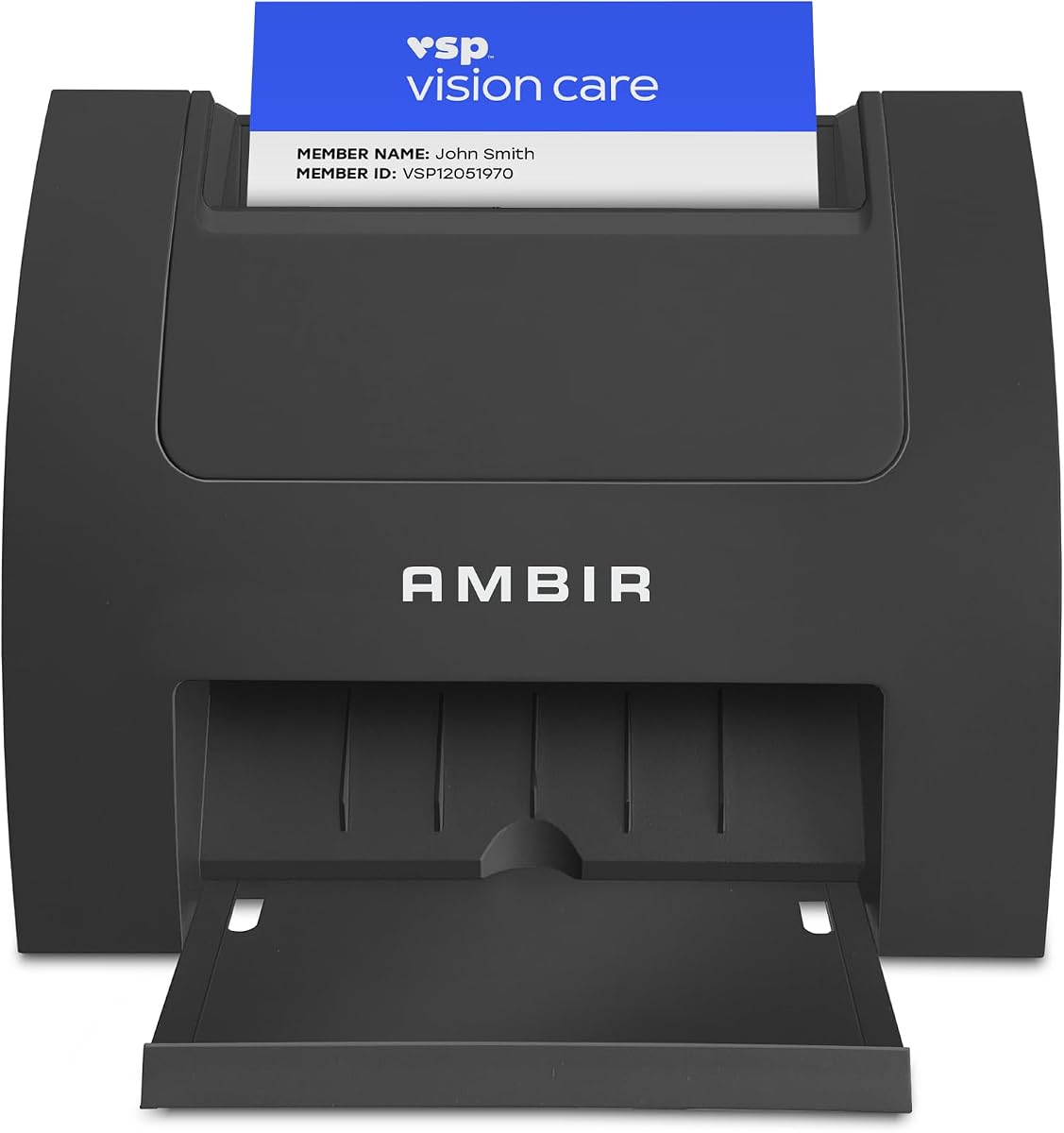


The Ambir ImageScan Pro 687-AS leads our list with a 4.9 rating. This duplex scanner excels at handling various card types quickly. It captures front and back in one pass efficiently.
We may earn a commission when you buy through this link, at no additional cost to you.
Its standout feature is the built-in webhook integration for workflow automation. Every scan triggers actions in apps like QuickBooks or Slack. The included software saves to local PC or cloud services.
While the cost is higher than basic models, the speed and automation justify it. The TWAIN driver ensures broad compatibility with existing software ecosystems. Raised characters are handled with ease.
This device is ideal for offices needing rapid contact digitization and automation. The Citrix Ready certification adds assurance for enterprise environments. It is a reliable choice for high-volume needs.
It handles patient IDs, insurance, and driver licenses easily even with raised characters. The duplex feature halves the time needed for full contact.
Connects to over 6,000 apps to send metadata automatically. This eliminates manual data entry for follow-ups and CRM updates.
We may earn a commission when you buy through this link, at no additional cost to you.
The PenPower WorldCard Pro offers solid international language support. It recognizes cards in 24 languages which helps global professionals. The data exchange features allow easy integration with address books.
We may earn a commission when you buy through this link, at no additional cost to you.
You can import and export contacts to various formats like vCard or HTML. The management tools let you categorize and search by keyword effectively. Address fields link directly to maps for convenience.
However, the 3.3 rating suggests some limitations in user experience. The software interface might not be as modern as competitors. It still serves specific needs for multilingual contact lists well.
Consider this if you frequently handle cards in different languages. The export flexibility makes it useful for diverse CRM systems. It balances cost and functional requirements reasonably.
Recognizes text in 24 languages efficiently. This reduces friction when digitizing international business contacts.
Exports to vCard CSV Text or HTML easily. You can manage contacts across different platforms without hassle.
We may earn a commission when you buy through this link, at no additional cost to you.
This model focuses heavily on Microsoft Outlook compatibility. It imports scanned information directly into your address book automatically. The AI-powered recognition improves accuracy for names and titles.
We may earn a commission when you buy through this link, at no additional cost to you.
Duplicate detection keeps your list organized without manual work. You can also scan to shared folders which helps executive assistants share contacts. The local processing ensures privacy for your data.
Note that it only supports Windows 10 and 11. This limits users on other operating systems. However, the two-year warranty provides good coverage for hardware reliability.
It is best for small teams using Outlook as their main CRM. The Zapier automation adds value for follow-up workflows. The shared folder feature supports distributed office environments well.
Growing your contact list is simple. Scanned info imports directly into your existing Outlook address book.
Optional AI processing extracts fields accurately locally. This improves accuracy for global contacts in multiple languages.
We may earn a commission when you buy through this link, at no additional cost to you.
The Epson Workforce ES-50 is designed for professionals on the go. It scans a single page in 5.5 seconds efficiently. The USB power makes it easy to carry anywhere without outlets.
We may earn a commission when you buy through this link, at no additional cost to you.
It handles various paper sizes up to 8.5 x 72 inches. Receipts and ID cards are digitized for accounting purposes easily. The software includes powerful OCR for searchable PDFs.
While it lacks an auto feeder, its portability is a major plus. It suits sales reps who need quick scanning in the field. The lightweight design fits easily into laptop bags.
This scanner is great for small document tasks like business cards. The included drivers work with virtually any imaging software. It balances performance with convenience for mobile use.
It is the lightest mobile single-sheet scanner. USB powered connectivity ensures no need for external power.
Nuance OCR creates searchable PDFs and Word files. This helps organize scanned business cards and receipts effectively.
We may earn a commission when you buy through this link, at no additional cost to you.
The AMBIR PS670ST-AS stands out for its vertical feed path. This design allows easy feeding and saves valuable desk space. It scans a card in under two seconds at high quality.
We may earn a commission when you buy through this link, at no additional cost to you.
It produces true 600 dpi images that meet third-party standards. The bundled software offers features like auto-scan and cloud saving. Continuous scanning lets you feed cards without stopping.
While it is single-sided, the speed compensates for many users. It is ideal for offices that need to process IDs and cards quickly. The compact form fits busy reception desks well.
Consider this if you prioritize speed and space saving. The automated workflow helps maintain efficiency throughout the day. It balances performance with a practical physical design.
The vertical feed path reduces desk footprint. This makes it perfect for busy office or reception areas.
Scans create beautiful color images under two seconds. Automated imaging saves time by removing the need to reset.
We may earn a commission when you buy through this link, at no additional cost to you.
The AMBIR PS667 is a specialized tool for ID verification and card scanning. It reads 2D barcodes to extract data like dates of birth. This device avoids subscription fees entirely.
We may earn a commission when you buy through this link, at no additional cost to you.
Local data storage ensures maximum privacy for your system. You can set age restrictions to flag minors automatically. The anti-passback security prevents duplicate scans within a timeframe.
This scanner suits small businesses needing compliance tools like bars or clubs. The turnkey solution includes all necessary hardware and software. It simplifies the age verification process significantly.
If your focus is security and age checks this is ideal. The ban lists help track customer visits effectively. It offers peace of mind without ongoing monthly costs.
Hardware and software are included in one purchase. No subscription fees mean no ongoing costs for your team.
All scanned info is stored locally on your system. This ensures maximum privacy without internet connectivity requirements.
We may earn a commission when you buy through this link, at no additional cost to you.
The ScanSnap iX1300 offers versatility for small spaces. It scans documents photos and cards efficiently. The wireless feature allows scanning to mobile devices and cloud services.
We may earn a commission when you buy through this link, at no additional cost to you.
It handles thick items and plastic cards without issues. Automatic de-skew and blank page removal ensure great results every time. The ScanSnap Home software organizes all your data easily.
While larger than dedicated card models, it manages business cards well. The Quick Menu lets you drag drops to favorite apps. This makes it a strong general office tool.
Choose this if you want a multi-purpose scanner. It supports both Mac and PC effectively. The space-saving design keeps your desk organized while scanning.
Connect via USB or Wi-Fi to any device. You can even scan without a computer using the mobile app.
ScanSnap Home software manages documents and photos. You can organize business cards with your other scanned files.
We may earn a commission when you buy through this link, at no additional cost to you.
The DocketPORT 667 is incredibly compact and portable. Its footprint is similar to a stapler. This makes it ideal for travel or small desks where space is limited.
We may earn a commission when you buy through this link, at no additional cost to you.
It is USB powered so you do not need an outlet. You can scan directly to industry-standard PDF formats easily. The included software ensures broad compatibility with systems.
While simple it covers the basics of card scanning. It suits travelers who need to digitize cards quickly. The lightweight design fits easily in any bag.
This is a straightforward option for minimal needs. It avoids complex setup for quick tasks. The direct PDF output simplifies file management.
It is about the size of a stapler. This takes up far less space than flatbed scanners.
Users can scan directly to PDF format easily. The TWAIN driver ensures broad software compatibility.
We may earn a commission when you buy through this link, at no additional cost to you.
The Brother DS-640 is ultra compact and ready whenever you are. At under one foot it fits anywhere including pockets. It scans color documents at blazing speeds up to 16ppm.
We may earn a commission when you buy through this link, at no additional cost to you.
The included free app allows scanning to many destinations. Automatic color detection and text enhancement optimize your images. It works with Windows Mac and Linux drivers.
This device is great for teams needing a quick shared mobile tool. The OCR suite helps manage document text efficiently. It balances portability with robust scanning performance.
Choose this if you need a lightweight device for the office. The speed does not slow down for color scans. It is reliable for daily contact digitization.
It is less than a foot long and very light. You can use it even where there is no outlet available.
Color scanning speed is the same as black and white. This ensures you are never slowed down by file types.
We may earn a commission when you buy through this link, at no additional cost to you.
The Epson Workforce ES-400 II is a high-speed desktop solution. It features a 50-sheet auto document feeder for stacks of cards. Duplex scanning allows you to scan front and back efficiently.
We may earn a commission when you buy through this link, at no additional cost to you.
The software offers auto file naming and cloud integration. You can scan straight to email or services like Google Drive. Image adjustments like auto crop improve the visual quality.
This model is designed for office document scanning productivity. It handles business cards with ease in bulk. The ultrasonic double feed detection prevents missed pages.
Choose this if you need to scan large volumes daily. The seamless integration with business workflows is a key benefit. It balances speed with reliable performance for offices.
Speed through stacks with a 50-sheet ADF. Efficient scanning helps you stay productive throughout the day.
TWAIN driver integrates with document management software. Easy sharing to cloud services simplifies storage and collaboration.
We may earn a commission when you buy through this link, at no additional cost to you.
Selecting the right business card scanner depends on your specific workflow needs and environment.
Scanning speed is crucial for high-volume environments. Look for models that can process a card in under five seconds to maximize efficiency.
Faster speeds reduce wait times for users and allow quick capture during meetings.
Duplex scanners capture both sides of a card in one pass. This feature halves the time needed compared to scanning single-sided cards.
If most of your cards have information on both sides, prioritize a duplex model.
Ensure the scanner works with your existing software and operating systems. TWAIN drivers offer broad compatibility with third-party applications.
Check for native support for tools like Outlook or CRM software you use daily.
Connectivity options include USB, Wi-Fi, or mobile ports. USB powered models are great for portability without needing extra outlets.
Wireless models offer more flexibility for desk placement and mobile use cases.
Data security ensures your contact information is stored safely. Some models store data locally on your system rather than the cloud.
For sensitive personal data, local storage offers maximum privacy control.
Cloud integration allows you to save scans directly to services like Dropbox. This streamlines sharing and backup processes for your contacts.
Look for models that support multiple cloud services for flexibility.
Automation features like Zapier workflow can save time on data entry. They send scanned metadata to other apps automatically.
This eliminates manual work and keeps your CRM updated instantly.
Physical size matters if desk space is limited. Ultra-compact models fit into small offices or travel bags easily.
Consider whether a desktop or portable design suits your typical workspace.
To use your scanner effectively, start by installing the included software and drivers. Connect the device to your computer via USB or Wi-Fi. Launch the application to begin digitizing cards instantly.
For best results, ensure cards are flat and free of debris before scanning. Place the card in the feed path correctly to avoid jams. Regularly check for firmware updates to maintain performance.
Clean the scanner glass and feed rollers gently with a soft cloth. Avoid using harsh chemicals that might damage the optical sensors. Store the device in a cool dry place when not in use.
Many modern business card scanners support both Windows and Mac. Always check the product specifications to ensure your operating system is compatible. Some models offer dedicated Mac drivers or applications.
Most scanners support common formats like PDF JPG and TIFF. Some advanced models allow exporting directly to CSV or vCard for contacts. This makes data transfer to CRM systems easier.
Most scanners are one-time purchases with no subscription fees. Some software features might offer premium cloud options but basic scanning is usually free. Always verify the specific model terms before buying.
High-quality scanners use specialized optics to read raised characters on plastic cards. This feature is common in models designed for ID or credit card scanning. It prevents image distortion during the process.
Only scanners with an auto document feeder (ADF) can scan multiple cards at once. Basic models usually require one card at a time. Check the specifications for auto feeder capacity if needed.
Most scanners are designed for plug-and-play setup. You simply connect the device and install the software provided. This process usually takes only a few minutes to complete.
We have reviewed the top business card scanners for 2026 to help you decide. From portable options to high-speed desktop models there is something for every need.
Prioritize speed and automation if you handle many cards daily. For travelers, a compact USB-powered design is essential for efficiency.
Remember to check current product availability before making a purchase. Technology evolves quickly and features may change over time.