
Guermok Video Capture Card
4.4Editor score
1080P 60FPS capture
USB 3.0 high speed
Plug and play setup
Discover the top capture cards for YouTube streaming and recording. Compare features, ratings, and performance to find the perfect device for your content.
Finding the right capture card for YouTube is essential for creators who want to share high-quality gameplay or camera feeds. A good device ensures smooth video, low latency, and reliable compatibility with streaming software. Whether you are a beginner or a pro, the right hardware makes a huge difference in production quality.
We evaluated ten popular capture cards based on video quality, ease of use, and compatibility with common devices like consoles and cameras. Our analysis focuses on real-world performance factors such as frame rates, resolution support, and connection types. This list helps you narrow down options without getting lost in technical jargon.
Each pick highlights key strengths and potential limitations to guide your decision. You will see detailed breakdowns of specs, pros, and cons for every model. Keep in mind that prices and availability can change, so checking current listings is always recommended before finalizing your purchase.
4.4Editor score

4.5Editor score

4.2Editor score
This side-by-side comparison shows the key specifications for each model to help you decide quickly.

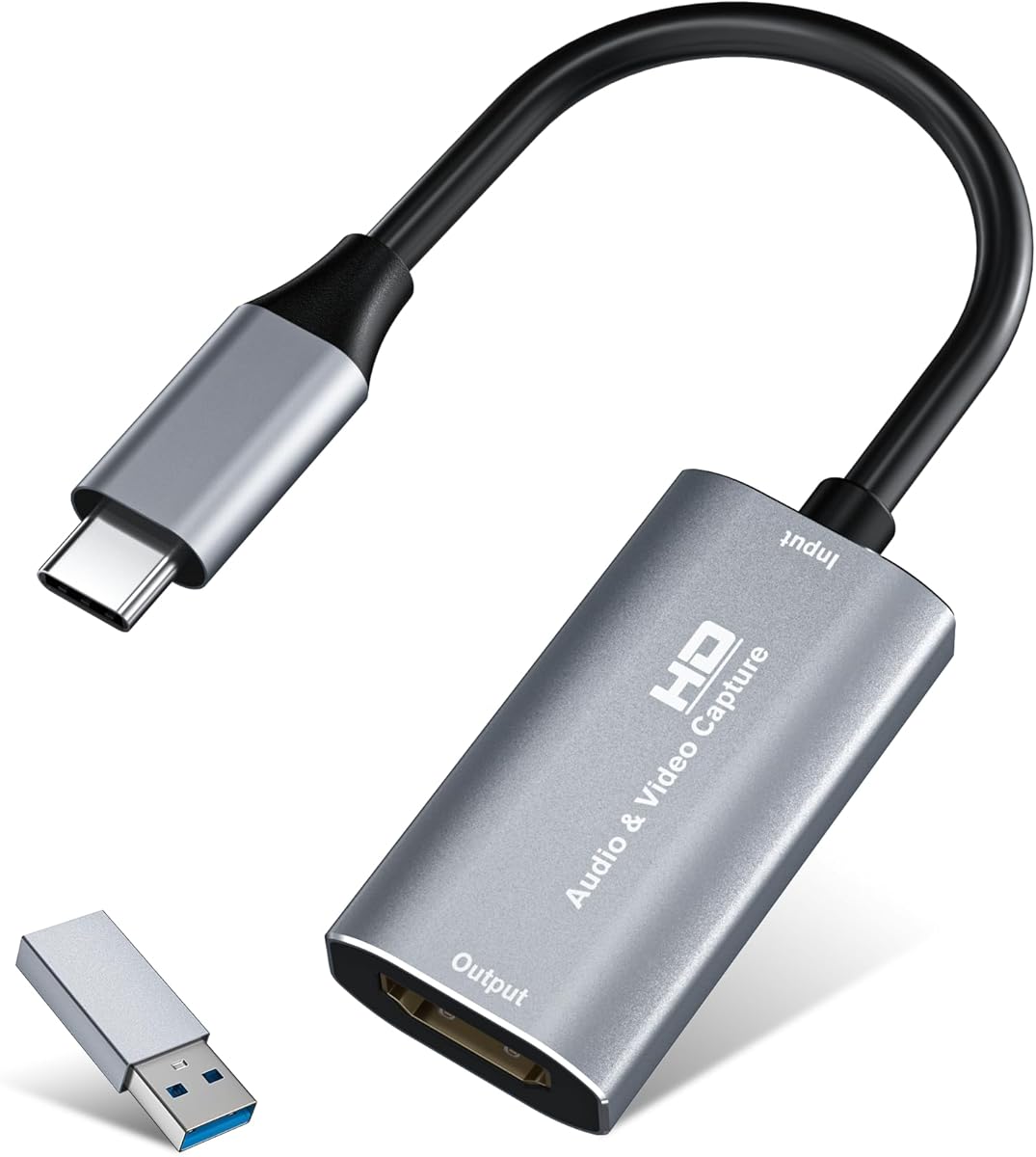

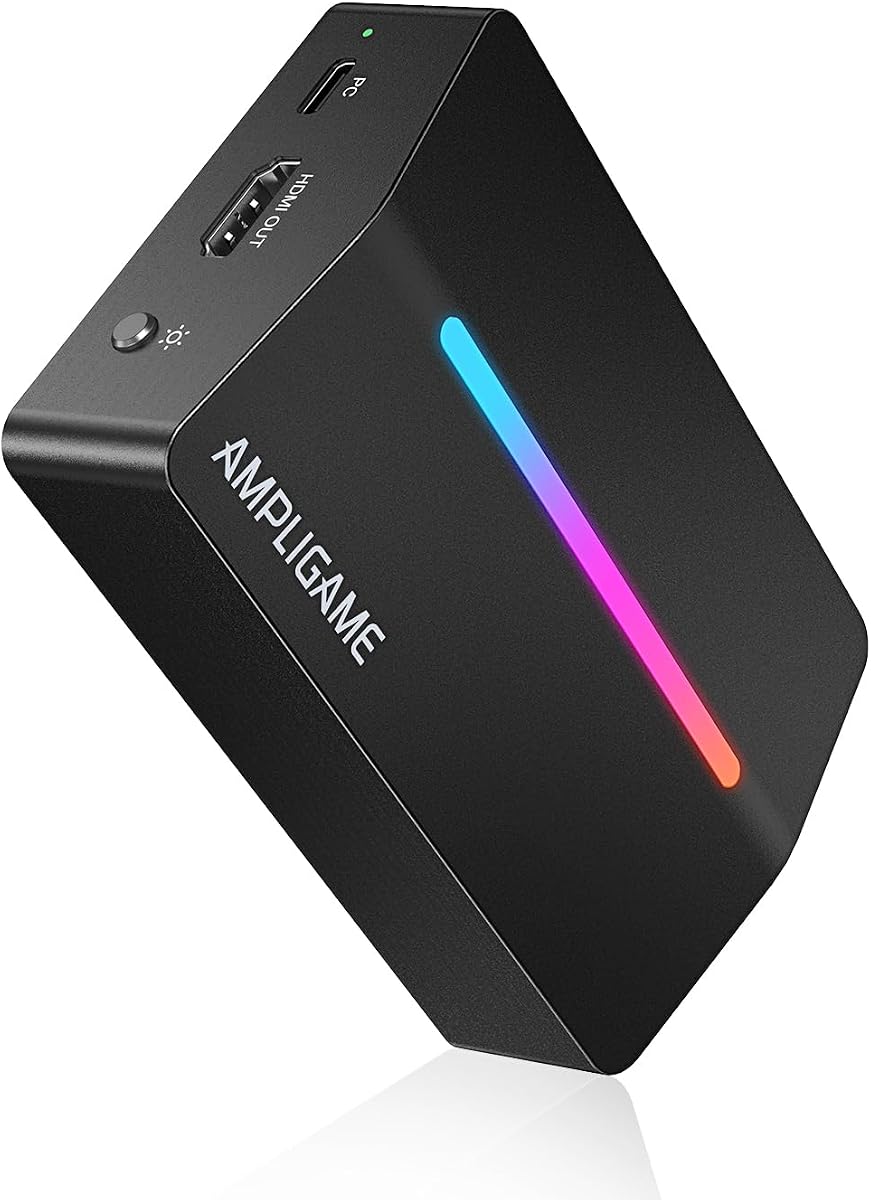
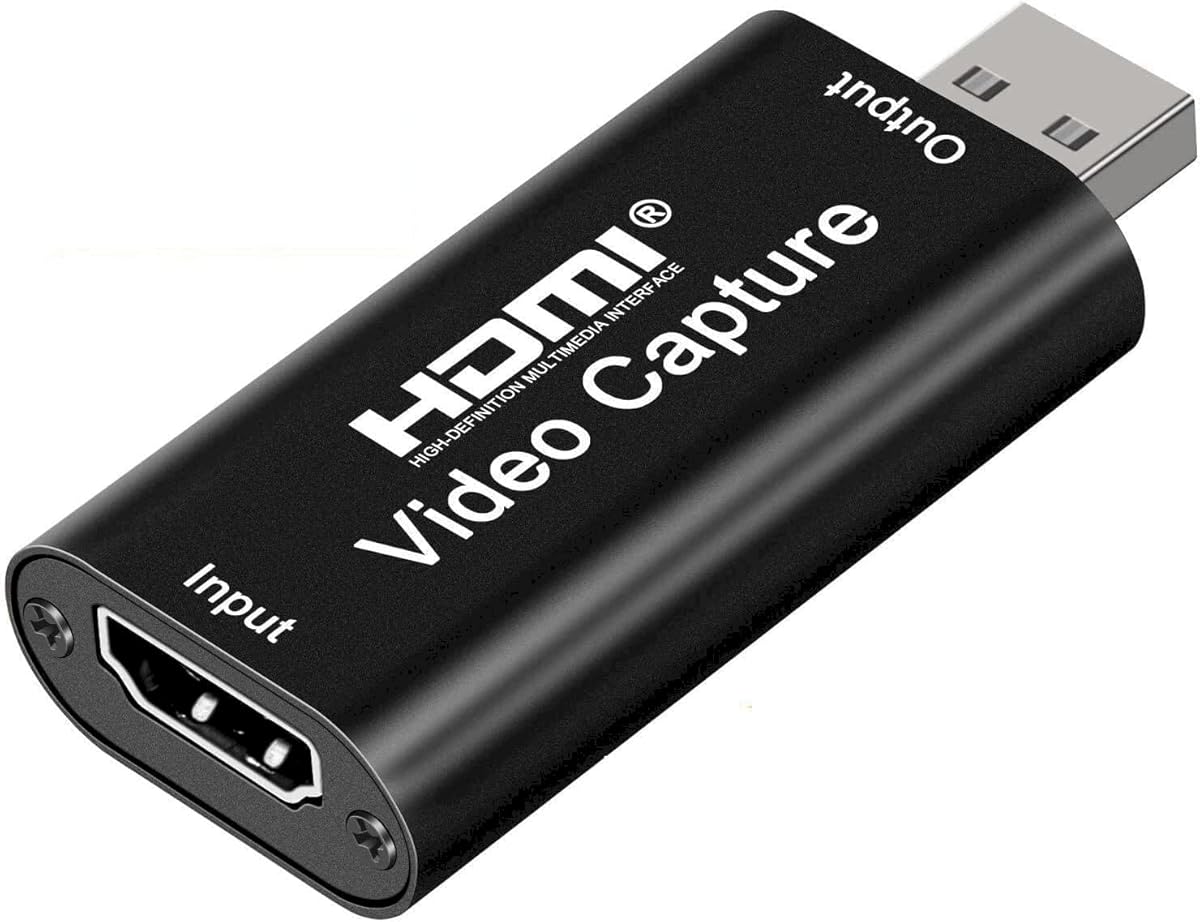


This capture card delivers reliable 1080P 60FPS performance suitable for most YouTube creators. It works with various HDMI sources like consoles and cameras without complex setup. The USB 3.0 connection ensures smooth data transfer while maintaining low latency for live streaming.
We may earn a commission when you buy through this link, at no additional cost to you.
Its plug and play design eliminates driver hassles, making it accessible for beginners. The HDMI loop-out allows you to play games without lag while capturing footage. Support for microphone input lets you add commentary directly without extra hardware.
While it does not support full 4K capture, it handles 4K input at 30Hz for flexible compatibility. The lack of high frame rate 4K output may limit advanced users but remains adequate for standard YouTube content. Setup is straightforward on both Windows and Mac systems.
Creators looking for an affordable entry point into streaming will find this device practical. It balances cost with essential features needed for consistent uploads. If you prioritize ease of use and compatibility over extreme resolution, this is a solid choice.
Works with PS4 PS5 Xbox cameras and more for versatile streaming options.
Compatible with OBS and major platforms for hassle-free broadcast setup.
We may earn a commission when you buy through this link, at no additional cost to you.
This capture card stands out with support for 4K at 144 frames per second. It uses HDMI 2.1 technology to deliver crisp visuals and low latency streaming. The variable refresh rate passthrough ensures smooth gameplay without screen tearing during broadcasts.
We may earn a commission when you buy through this link, at no additional cost to you.
Its ultra-low latency performance keeps gameplay and broadcast synchronized for a responsive viewer experience. The versatile connectivity supports various apps like OBS and Streamlabs effortlessly. This makes it ideal for high-end streaming setups on YouTube or other platforms.
The main trade-off is the higher cost compared to budget options. It also requires HDMI 2.1 compatible devices to fully leverage its capabilities. However the investment pays off for serious creators needing top-tier video quality.
If you stream competitive games or want maximum resolution this model delivers exceptional results. The seamless broadcasting features simplify workflow for professional content. It is a powerful tool for those prioritizing performance and reliability.
Unleash full content potential with cutting-edge 4K resolution visuals.
Variable Refresh Rate passthrough ensures flawless smooth gameplay.
We may earn a commission when you buy through this link, at no additional cost to you.
This budget-friendly card offers 1080P 60FPS capture with USB 3.0 speed. It supports 4K input for flexibility while keeping output smooth. The aluminum alloy build ensures efficient heat dissipation for stable performance.
We may earn a commission when you buy through this link, at no additional cost to you.
Its plug and play functionality makes setup quick without external drivers. The Type-C and USB interfaces allow versatile connection to most devices. This is perfect for outdoor streaming or travel due to its small size.
While it lacks 4K output, the 60FPS recording meets standard YouTube needs well. Some users may need to restart software for audio setup which can be a minor hurdle. Overall the performance is reliable for casual and semi-pro creators.
Creators on a tight budget will appreciate the value provided here. It covers essential features without extra costs or complexity. For streaming gameplay or meetings this card delivers consistent quality.
Avoid blue screens and lag with high-quality aluminum build.
Works on Windows Mac Linux Android and major streaming software.
We may earn a commission when you buy through this link, at no additional cost to you.
This capture card supports 4K input and records at 2K@30Hz or 1080P60. Its aluminum shell and advanced chipset ensure stable heat dissipation and low latency. The plug and play design works seamlessly across Windows and macOS.
We may earn a commission when you buy through this link, at no additional cost to you.
Streaming to YouTube or Twitch is straightforward with wide software compatibility. It handles consoles and cameras well for diverse recording needs. The compact size makes it easy to carry for mobile setups.
Users should note that tablet connections may require enabling OTG first. Performance depends on using a proper USB 3.0 port for best results. Despite minor caveats it remains a strong choice for versatile use.
Ideal for creators who need reliable quality on the go. The balance of features and portability suits various content types. For online meetings or gaming it provides dependable performance.
Real-time capture with no lag or frame drops.
Compatible with Switch Xbox PS cameras and more.
We may earn a commission when you buy through this link, at no additional cost to you.
This card delivers crisp 1080P 60FPS video for professional-looking YouTube footage. Its USB 3.0 design works instantly without drivers. It supports consoles DSLRs and more with seamless passthrough.
We may earn a commission when you buy through this link, at no additional cost to you.
Streaming is smooth with minimized delay between gameplay and broadcast. The compact form factor allows travel between setups easily. This helps creators build channels with engaging consistent content.
While it lacks advanced customization it covers core needs effectively. Compatibility with OBS and Streamlabs makes integration easy. For simple setups it provides reliable operation without fuss.
Creators needing a straightforward device for gameplay will find it useful. It balances performance and portability well. If you value simplicity this card fits the bill.
Engineered for gamers needing crisp detailed footage.
Supports PS5 Xbox Switch and DSLR cameras.
We may earn a commission when you buy through this link, at no additional cost to you.
This capture card features dynamic RGB lighting to match your streaming aesthetic. It delivers smooth HD 1080 60fps footage via USB 3.0. The 4K HDMI loop-out enables zero-latency gameplay while recording.
We may earn a commission when you buy through this link, at no additional cost to you.
It integrates easily with PS4 PS5 and PC setups. Features like LINE IN and headset ports improve communication during gameplay. The plug-and-play experience adapts well to various platforms.
Some users may prefer a simpler design without RGB. Performance is solid but the rating suggests some inconsistent experiences. Still it offers good value for those wanting style.
If you want your setup to look immersive this card helps. It covers essentials for broadcasts effectively. For casual streamers this blend of function and flair works.
Nine vibrant modes create immersive desk environments.
Integrates with OBS Discord Twitch and YouTube.
We may earn a commission when you buy through this link, at no additional cost to you.
This card provides 1080P capture at 30Hz with 4K input support. It uses USB 2.0 but maintains seamless real-time preview for smooth streaming. The thermal dissipation design ensures durability over time.
We may earn a commission when you buy through this link, at no additional cost to you.
Setup is effortless with no drivers needed on Windows or Linux. It works well for conferences teaching or gaming. The enhanced 4K capture experience offers rich stereo sound.
Due to USB 2.0, resolution is capped compared to faster ports. But for budget needs this meets core streaming goals. The compact form suits various use cases.
Ideal for beginners or those needing extra backup units. It handles audio and video clearly without hassle. For basic YouTube uploads this delivers solid results.
Experience instant lag-free previews with advanced tech.
Thermal dissipation ensures long-term reliable use.
We may earn a commission when you buy through this link, at no additional cost to you.
This card offers 4K input with smooth 1080P 60Hz output. Its YUY2 technology delivers richer colors for lifelike streaming. The mic-in port allows direct headset connection for voice.
We may earn a commission when you buy through this link, at no additional cost to you.
Plug and play setup removes driver needs instantly. Compatibility spans major apps and devices like Xbox or Switch. Low latency keeps audio synced perfectly with video.
Users should ensure proper USB 3.0 connection for best quality. The compact design aids portability for live events. Overall it provides reliable performance for various needs.
Great for teachers or gamers needing simple voice integration. The balance of features and support adds value. For streaming or calls this remains a strong contender.
Plug in a headset directly without extra adapters.
Works with Twitter YouTube OBS and more.
We may earn a commission when you buy through this link, at no additional cost to you.
This capture card supports 4K at 60FPS with real-time monitoring. It also handles 1080P up to 120FPS for high-frame-rate content. The broad compatibility works across Windows macOS and Linux.
We may earn a commission when you buy through this link, at no additional cost to you.
Video format flexibility enhances professional streaming options. Audio ports allow embedding commentary easily. This suits gamers and device mirroring needs effectively.
Users may need to match software capabilities with its features. Still the performance covers diverse requirements well. The USB A/C connections simplify setup.
Ideal for content creators needing high frame rates. It bridges the gap between cost and advanced options. For YouTube gaming this delivers smooth results.
Handles high frame rate input and recording.
Compatible with OBS Streamlabs VLC and more.
We may earn a commission when you buy through this link, at no additional cost to you.
This capture card captures 4K at 60Hz with HDR and VRR support. It allows passthrough up to 1080p at 240Hz for ultra-smooth gameplay. Smart display control shows real-time operation parameters easily.
We may earn a commission when you buy through this link, at no additional cost to you.
The utility software lets you adjust settings and firmware. Compatibility spans Windows macOS and Linux seamlessly. This offers deep customization for professional needs.
Setup may require downloading the utility for full control. However the flexibility is unmatched in this range. The low latency ensures synchronized broadcasts.
For creators needing HDR and high frame rates this fits. It supports PS5 Xbox and more well. If you value advanced features this is the top pick.
Enjoy superior image quality with smoother gameplay.
Download CapHub to customize settings and firmware.
We may earn a commission when you buy through this link, at no additional cost to you.
Selecting the right capture card involves understanding your streaming needs and hardware setup. This guide outlines key factors to help you find the perfect match for your YouTube channel.
Consider whether you need 4K or 1080P output. Higher frame rates like 60FPS ensure smooth motion for fast games. Check both input and output specs to match your source devices.
Prioritize 1080P 60FPS for most creators unless you have specific high-end needs.
USB 3.0 provides faster data transfer than USB 2.0 for better stability. Some models support Type-C for modern laptops. Ensure your computer has the right ports available.
Look for USB 3.0 to avoid bottlenecks during streaming.
Check that the capture card works with your console camera or PC. Broad OS support for Windows Mac and Linux adds flexibility. Software compatibility with OBS or Streamlabs is essential.
Verify compatibility with your streaming software and operating system.
Low latency is crucial for real-time interaction with viewers. Some cards offer loop-out to play without delay while recording. Look for terms like ultra-low latency in specs.
Choose devices promising minimal delay for smooth live streams.
Mic-in ports let you add commentary without extra mixers. Dual-channel audio support enhances sound quality. Ensure audio and video stay synced automatically.
Opt for models with built-in audio input for convenience.
Plug and play models save time by avoiding driver installation. Some advanced units might need specific software. Check if drivers are required before purchase.
Prefer plug and play for easier setup if possible.
Metal casing helps with heat dissipation during long sessions. Quality components extend the device lifespan. Read reviews for reliability over time.
Look for aluminum builds to prevent overheating.
Prices vary widely from affordable to premium. Determine your budget and match it to essential features. Avoid overspending if basic 1080P suffices.
Balance cost with performance needs for your channel.
Connect your HDMI source like a console to the capture card input. Plug the USB end into your computer. Launch software like OBS and select the capture card as the video source.
Adjust resolution and frame rate settings in your streaming app to match the card capabilities. Add your microphone if the card has an audio input. Test a recording before going live to check sync.
Store the device in a cool dry place when not in use. Avoid bending cables and keep ports free of dust. Update firmware if supported to maintain performance and compatibility.
Most modern capture cards are plug and play and do not require drivers. Some advanced models may include utility software for extra settings. Always check the product details for specific driver needs.
1080P at 60 frames per second is widely accepted and balances quality with bandwidth. Higher resolutions like 4K are great but require more upload speed. Choose based on your internet and viewer expectations.
Yes if your laptop has a compatible USB port like 3.0 or Type-C. Ensure the USB bandwidth is sufficient for smooth video. Some tablets may need OTG support for proper function.
Lag can come from high latency settings or insufficient USB bandwidth. Try using a direct USB port instead of a hub. Ensure your capture software settings match the card's capabilities.
Most cards support these consoles via HDMI input. Check for HDMI 2.1 if you need high frame rates. Compatibility usually includes Xbox PS5 Switch and other HDMI devices.
If the card has a mic-in port, connect your headset there. Otherwise use your computer microphone within streaming software. Ensure audio tracks are synchronized in your setup.
These ten capture cards offer a range of options from budget to premium. Each brings unique strengths like high frame rates or ease of use. Your choice depends on specific needs and setup.
Prioritize compatibility resolution and latency when deciding. Investing in a reliable device ensures consistent content quality. Consider long-term needs like advanced features for growth.
Prices and availability change often so verify details before buying. Check current listings for deals and stock. With the right tool your YouTube channel will benefit greatly.