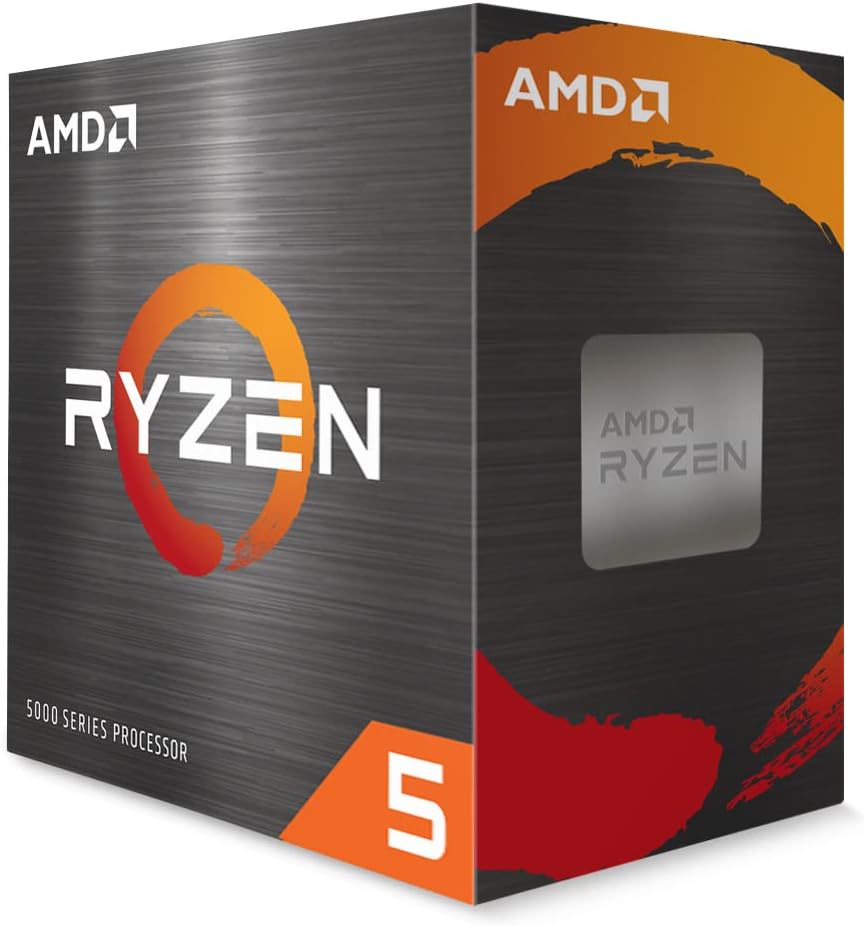
AMD Ryzen 5 5500
4.7Editor score
Six cores twelve threads
Includes Wraith Stealth cooler
AM4 platform compatibility
Discover the top affordable processors for gaming and productivity. Compare real ratings, core counts, and features to find the ideal cheap CPU for your build.
Finding the right cheap CPU involves balancing performance with affordability for every user. Whether you are building a budget gaming PC or a home office setup, the processor determines speed and longevity.
We compared ten highly rated options based on verified customer ratings, core architecture, and compatibility. Our list covers both brand new and certified renewed processors to suit different wallet sizes.
Each pick highlights specific strengths like gaming throughput, multitasking capability, or integrated graphics. Prices fluctuate regularly, so verify current availability before making your final decision online.
4.7Editor score

4.8Editor score

5.0Editor score
This table lists the key specifications for all ten processors to help you compare them side by side for your specific computing needs.




The AMD Ryzen 5 5500 stands out as a reliable choice for budget gaming builds. It offers six cores and twelve threads, ensuring smooth performance in modern titles and multitasking applications.
We may earn a commission when you buy through this link, at no additional cost to you.
With a max boost speed of 4.2 GHz, this processor delivers responsive gameplay. It also supports DDR4 memory, which makes upgrades affordable for most users looking to build a new rig.
Although it lacks PCIe 4.0 support, this chip excels in value for the price. The bundled Wraith Stealth cooler helps manage temperatures effectively without needing extra fans.
Gamers on a budget will find this processor hard to beat for overall capability. It is ideal for paired with a mid-range GPU for a balanced and powerful entry-level system.
This processor delivers consistent frame rates in popular games due to its core count and clock speeds.
Using DDR4 memory allows buyers to save money on RAM compared to newer platforms while maintaining performance.
We may earn a commission when you buy through this link, at no additional cost to you.
The Intel Celeron G-5900 is designed for basic home computing tasks like web browsing and document editing. Its low thermal design power means it runs cool and quiet in standard cases.
We may earn a commission when you buy through this link, at no additional cost to you.
With two cores and threads, this chip is sufficient for lightweight workloads. It supports Intel Optane Memory, which can help improve drive speed for those who use older hard drives.
While it is not built for gaming or heavy editing, it serves well for secondary PC needs. The LGA1200 socket ensures compatibility with a range of older Intel 400 series motherboards.
Users looking for a simple replacement for an aging system will appreciate its reliability. It remains a practical choice for budget office builds or media centers.
The 58W power rating ensures that energy bills stay low while running the system constantly for everyday tasks.
Optane Memory support allows for faster system responsiveness when paired with specific storage configurations.
We may earn a commission when you buy through this link, at no additional cost to you.
The Intel Pentium Gold G5600F has earned perfect ratings from users for its stability in simple systems. It features a 3.90 GHz clock speed that feels fast for general computing.
We may earn a commission when you buy through this link, at no additional cost to you.
Despite having only two cores, its single-core performance is strong for basic applications. The lack of integrated graphics means it requires a dedicated GPU, but this keeps costs down for gamers.
Its 4 MB cache helps with quick data retrieval during daily tasks. Many users report that this chip handles web browsing and media consumption without any lag or stuttering.
For those building a minimal budget PC, this processor offers excellent value. Just ensure your motherboard supports the specific socket type to avoid compatibility issues during setup.
The high clock speed ensures that daily applications launch quickly and operate smoothly without delays.
This option allows users to allocate their limited budget to other components like better memory or storage.
We may earn a commission when you buy through this link, at no additional cost to you.
The AMD Athlon 200GE is a strong contender for systems that do not have a dedicated graphics card. It comes with Radeon Vega 3 graphics, allowing for basic video playback and casual gaming.
We may earn a commission when you buy through this link, at no additional cost to you.
It features two cores and four threads, which is unusual for this price range. This thread count helps with multitasking compared to dual-threaded chips in its class.
The included near-silent cooler keeps noise levels low in quiet environments. Additionally, the AM4 socket allows for potential upgrades to higher Ryzen processors later on.
Users seeking a silent or budget office PC will find this model very capable. It balances performance and cost well for those who need graphics without extra hardware.
The bundled cooler is designed to run quietly, making it ideal for bedroom or office setups where noise is a concern.
Since it uses the AM4 socket, users can swap to a newer Ryzen CPU later without changing the motherboard.
We may earn a commission when you buy through this link, at no additional cost to you.
The Intel Celeron G3930 offers dependable performance for everyday computing tasks without breaking the bank. It supports HD Graphics 610, which handles video output and basic graphical needs efficiently.
We may earn a commission when you buy through this link, at no additional cost to you.
Its Socket LGA 1151 compatibility means it fits many older boards, making it a good replacement for damaged chips. This makes it a practical solution for extending the life of an existing PC.
While it is not suitable for heavy workloads, it handles web browsing well. Users have rated it highly for its reliability in consistent, light usage environments.
If you need a straightforward processor for a secondary machine or a student laptop replacement, this is a viable option. It balances legacy support with modern basic interface features.
Supporting the LGA 1151 socket allows this chip to replace older processors in systems that need a quick fix.
Intel HD Graphics 610 provides enough power for streaming videos and displaying content on multiple monitors.
We may earn a commission when you buy through this link, at no additional cost to you.
The Intel Core i5-6500 provides a solid step up from entry-level chips with four physical cores. Its renewed status ensures that it has been tested and verified for quality and stability.
We may earn a commission when you buy through this link, at no additional cost to you.
This processor supports both DDR4 and DDR3L memory, giving flexibility for existing systems. Turbo Boost Technology allows it to run faster than base speeds when the load demands more power.
While it lacks Hyper Threading, the four cores are sufficient for light gaming and editing. It fits well into Intel 100 series chipsets, which are still available on the used market.
Buyers looking to refresh an old system without a full build will appreciate this option. It is a cost-effective way to gain performance without purchasing brand new hardware.
Support for both DDR4 and DDR3L memory allows users to reuse existing RAM modules during an upgrade.
Turbo Boost technology automatically increases clock speed during demanding tasks to maintain system responsiveness.
We may earn a commission when you buy through this link, at no additional cost to you.
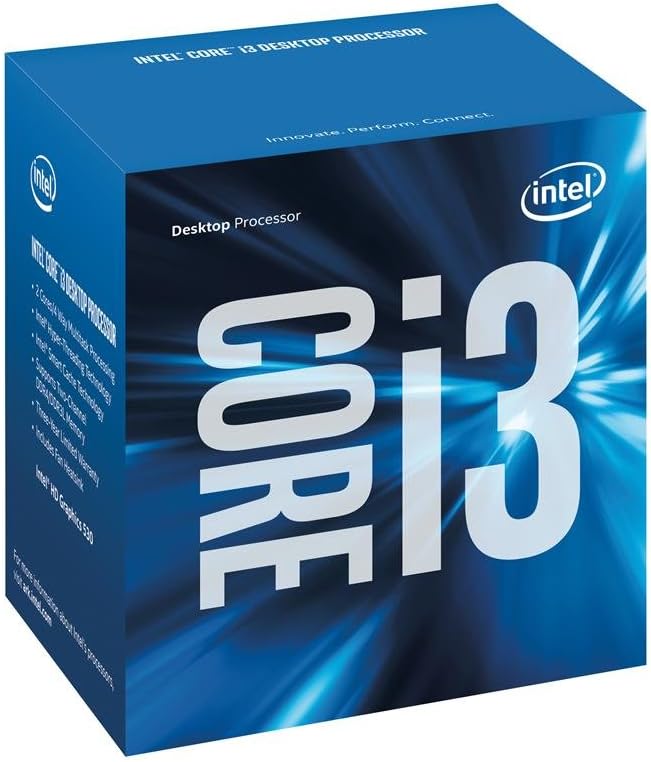
The Intel Core i3-6100 is a reliable dual-core processor that uses Hyper Threading to improve multitasking. Its 3.70 GHz speed delivers snappy performance for typical office and home tasks.
We may earn a commission when you buy through this link, at no additional cost to you.
Security features like Secure Key protect data, which is valuable for home users handling sensitive information. This chip fits into standard LGA 1151 sockets, which are very common.
Users rate this product highly for its consistent operation over time. It is an excellent choice for those who need a proven processor for basic productivity applications.
If your priority is stability and low power use, this model fits the bill. It remains a strong option for light gaming and daily usage where extreme power is not needed.
Hyper Threading allows each physical core to handle two threads, improving efficiency during multi application use.
Intel Secure Key provides hardware based security for better protection of user data against modern threats.
We may earn a commission when you buy through this link, at no additional cost to you.
The AMD Ryzen 5 9600X represents the top of this list in terms of performance and modern technology. Its Zen 5 architecture supports DDR5 memory and delivers incredibly high boost speeds up to 5.4 GHz.
We may earn a commission when you buy through this link, at no additional cost to you.
With six cores and twelve threads, this processor excels in gaming and productivity alike. It is unlocked for overclocking, giving enthusiasts full control to push performance even further.
While it comes at a higher price point, the platform is future-proof with AM5 sockets and PCIe 5.0 support. Users rate it highly for its smooth gameplay and low latency in demanding titles.
This CPU is ideal for those building a high-end rig that will last for years. It is the best choice if you want the absolute best cheap option with premium capabilities.
The Zen 5 architecture and DDR5 support ensure that the system stays current with the latest hardware advancements.
Max boost speeds of 5.4 GHz mean that gaming and single-threaded tasks run at maximum efficiency without throttling.
We may earn a commission when you buy through this link, at no additional cost to you.
The Intel Core i7-7700 was a popular high-performance chip in its generation. It offers four cores and eight threads, which is still competitive for many modern gaming titles.
We may earn a commission when you buy through this link, at no additional cost to you.
Its 4.2 GHz turbo frequency ensures that applications respond quickly during heavy usage. It is Optane Memory supported, which can accelerate storage speeds for older mechanical hard drives.
As a renewed product, it offers a way to access older high-end performance at a lower price. Users who own compatible 100 or 200 series motherboards will find it a useful upgrade path.
While it is not as powerful as newer models, its legacy performance remains strong. It is a great pick for those looking to maximize an existing platform without a full rebuild.
The 4.2 GHz turbo frequency ensures the processor can ramp up quickly to handle demanding workloads.
Optane Memory support allows the system to use specialized cache to speed up storage performance.
We may earn a commission when you buy through this link, at no additional cost to you.
The Intel Core i7-8700 brings six cores and twelve threads to budget-conscious buyers through the renewed market. It offers strong multi-threaded performance that outmatches many two and four core chips.
We may earn a commission when you buy through this link, at no additional cost to you.
With a max turbo frequency of 4.6 GHz and a large 12 MB cache, this processor handles multitasking well. It requires 300 series chipsets, so users must check motherboard compatibility before purchasing.
Hyper Threading technology allows it to manage multiple background applications without slowing down. Users note that it provides significant value compared to buying a new processor of similar specs.
For anyone needing a solid workstation or gaming build on a budget, this model is a great choice. It strikes a balance between older performance and low cost.
Twelve threads allow the system to handle heavy multitasking workloads while maintaining smooth performance.
The 12 MB cache helps data access times remain low for faster loading of applications and games.
We may earn a commission when you buy through this link, at no additional cost to you.
Selecting a processor involves checking compatibility, core counts, and whether you need integrated graphics or just raw speed.
Cores determine how many tasks can run simultaneously, while threads manage how those cores handle each task. For gaming, four to six cores are usually sufficient, whereas eight cores are better for content creation.
Look for chips that offer the highest thread count for the lowest price to ensure longevity.
Always match the CPU socket to your motherboard. AM4 and LGA 1151 are common older sockets, while AM5 is for newer systems. Using the wrong socket will prevent the system from turning on.
Check your motherboard model before buying to confirm support.
If you do not have a dedicated graphics card, choose a processor with built-in graphics like AMD Radeon Vega or Intel UHD Graphics. Without this, you will not get video output.
Most Ryzen 5 and i5 chips require a separate GPU for display.
Ensure the CPU supports your existing RAM type. DDR4 is common for older AM4 and LGA 1151, while DDR5 is for AM5. Mismatched memory speeds can limit performance.
Verify the supported memory speed in the processor specifications.
Renewed processors are tested and refurbished, often costing less than new ones. They come with warranties but may have older generations. This is a great way to get high-end specs cheap.
Always check the seller rating when purchasing renewed hardware.
Look for thermal design power (TDP) ratings. Lower TDP means less heat and lower electricity costs. High-performance chips usually run hotter and require better cooling solutions.
Standard office builds benefit from 65W or lower options.
Consider future upgrades. AM4 allows moving to newer Ryzen chips later. LGA 1151 is more limited. If you plan to upgrade soon, pick a socket with a longer support lifecycle.
This saves money on buying a new motherboard later.
Larger cache helps the CPU access data faster. While not the main metric, 8MB or higher is better for gaming. Smaller caches might bottleneck modern titles.
Check the specific cache size in the product details.
Always apply thermal paste correctly when installing the processor. A pea-sized dot in the center is usually enough to ensure efficient heat transfer without the paste spreading over the socket pins.
Keep the computer in a dust-free environment. Regular cleaning of the heatsink and fans prevents overheating. Dust buildup reduces airflow and can cause system instability.
Update your motherboard BIOS before installing new CPUs. This ensures the system recognizes the hardware correctly. Many issues with unrecognized CPUs are resolved by a simple firmware update.
The AMD Ryzen 5 5500 is a top pick for gaming due to its six cores and strong single-core performance. It supports DDR4 memory and delivers smooth frame rates when paired with a good graphics card.
No, many processors like the Ryzen 5 5500 or Pentium G5600F do not have integrated graphics. You must buy a separate graphics card for video output unless you choose a model with built-in graphics.
Yes, certified renewed CPUs have been tested for quality and come with warranties. They are often a great way to save money on older generations while maintaining reliable performance for daily use.
You need to check the socket type, such as AM4 or LGA 1200. Your motherboard manual lists supported CPU models. Ensuring the socket matches is the first step in compatibility.
For light editing and multitasking, six cores are sufficient. For heavy video rendering or 3D work, you might need more cores. However, six is a solid middle ground for most users.
Many cheap CPUs come with stock coolers. If you buy a Ryzen 5 9600X, you will need to buy one separately. For most budget picks, the included cooler is adequate for stock speeds.
It depends on the socket. AM4 allows upgrades to newer Ryzen models. Older sockets like LGA 1151 have limited upgrade paths. Check your motherboard specs before assuming future upgrades are possible.
We have covered a wide range of options from basic office chips to powerful gaming processors. Whether you choose the Ryzen 5 5500 or the Ryzen 5 9600X, you will find reliable performance for your needs.
Prioritize compatibility and core count when making your decision. It is better to save on a CPU that fits your build than to waste money on one that requires extra parts.
Prices and availability change often on online marketplaces. Check current listings before you buy to ensure you are getting the best deal for your specific requirements.