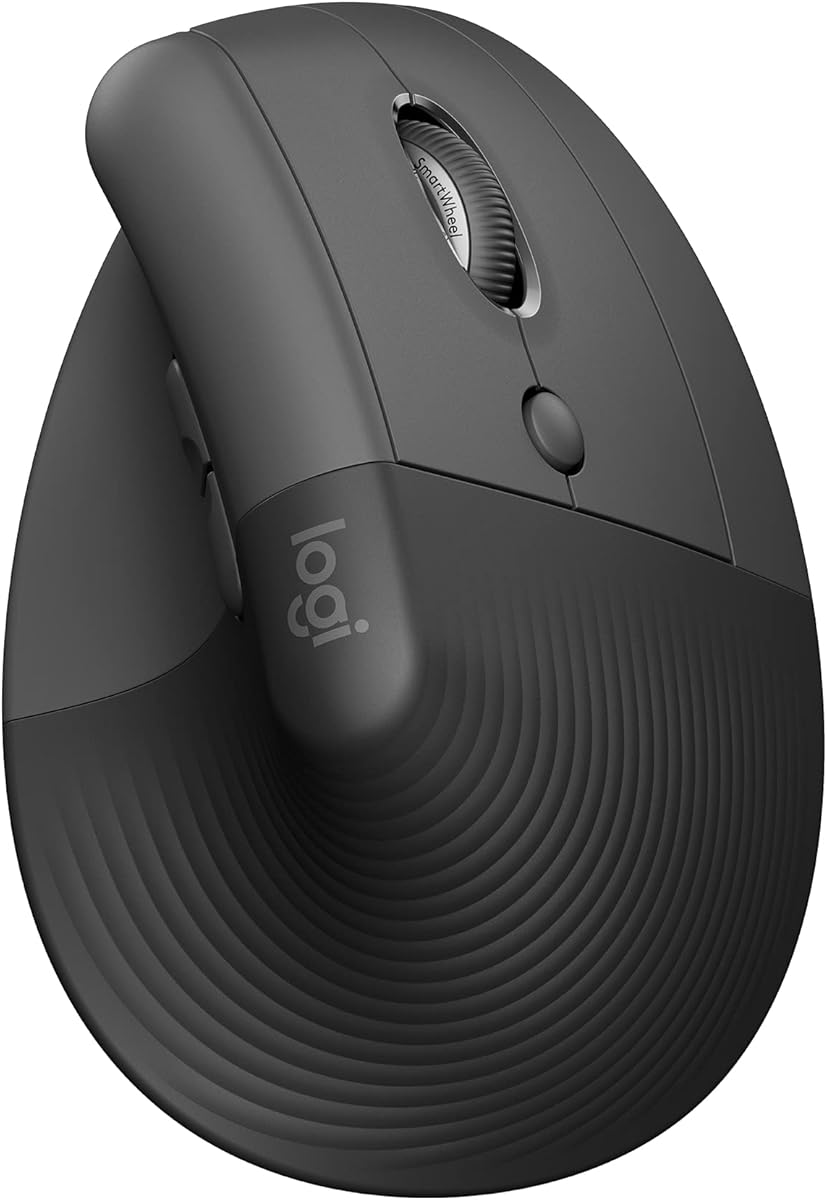
Logitech Lift Vertical Ergonomic Wireless Mouse – Graphite
4.4Editor score
Ergo-certified design
Up to two years battery life
SmartWheel smooth scrolling
Find the best cheap ergonomic mouse for comfort and productivity. Compare top-rated wireless vertical mice with real ratings and key features.
Finding a comfortable computer mouse can transform your daily workflow. An ergonomic design helps reduce wrist strain during long sessions. We selected ten affordable options that balance price with essential features.
Our team analyzed user ratings and technical specs to build this list. Each product offers unique benefits like silent clicks or multi-device connectivity. We focused on models under thirty dollars for true value.
Every pick highlights specific strengths and potential trade-offs for buyers. Look for compatibility with your operating system before purchasing. Remember that prices fluctuate frequently on major online marketplaces.
4.4Editor score

4.6Editor score

4.1Editor score
This table compares all ten vertical mice across key specifications to help you decide quickly.
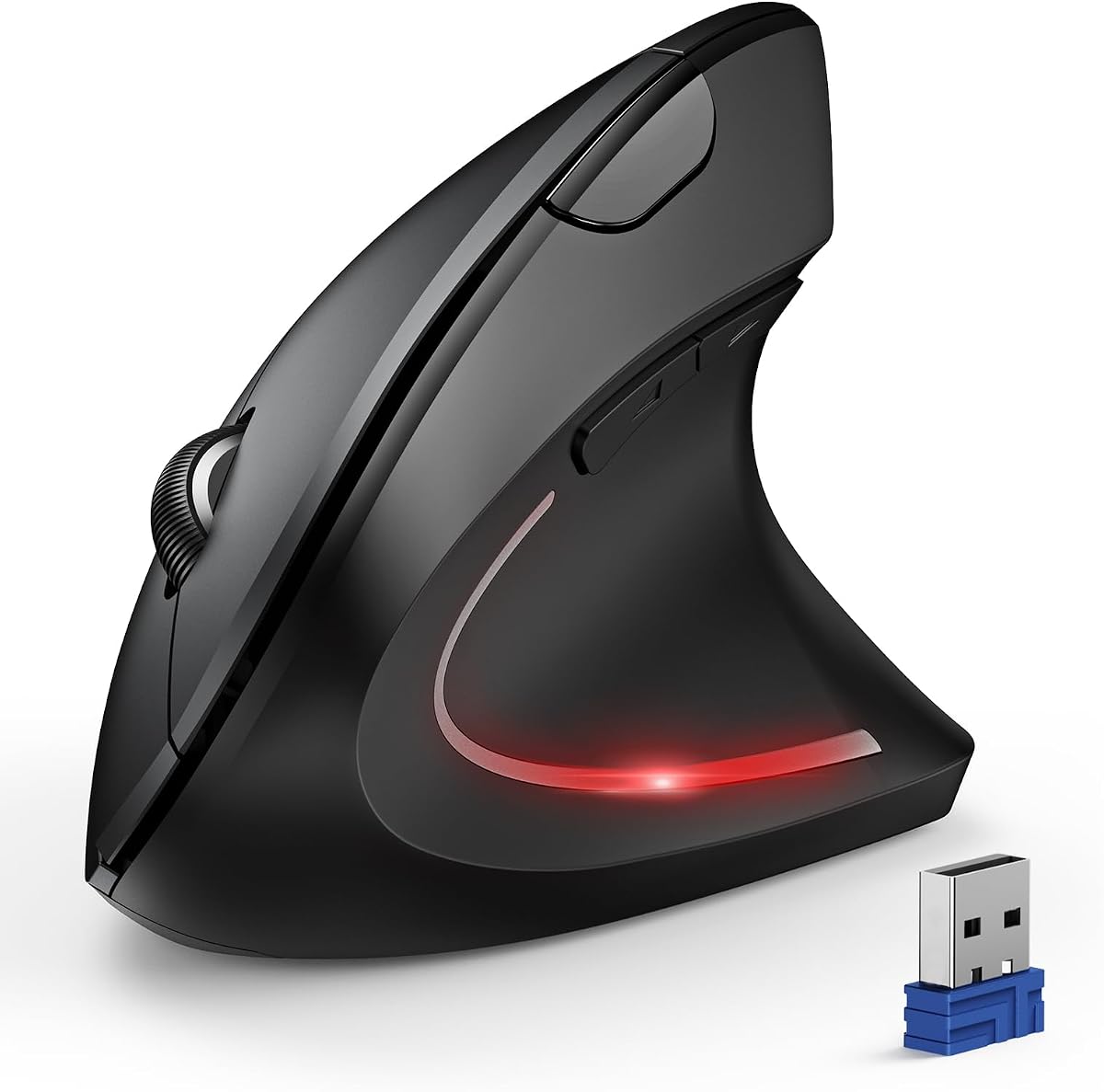


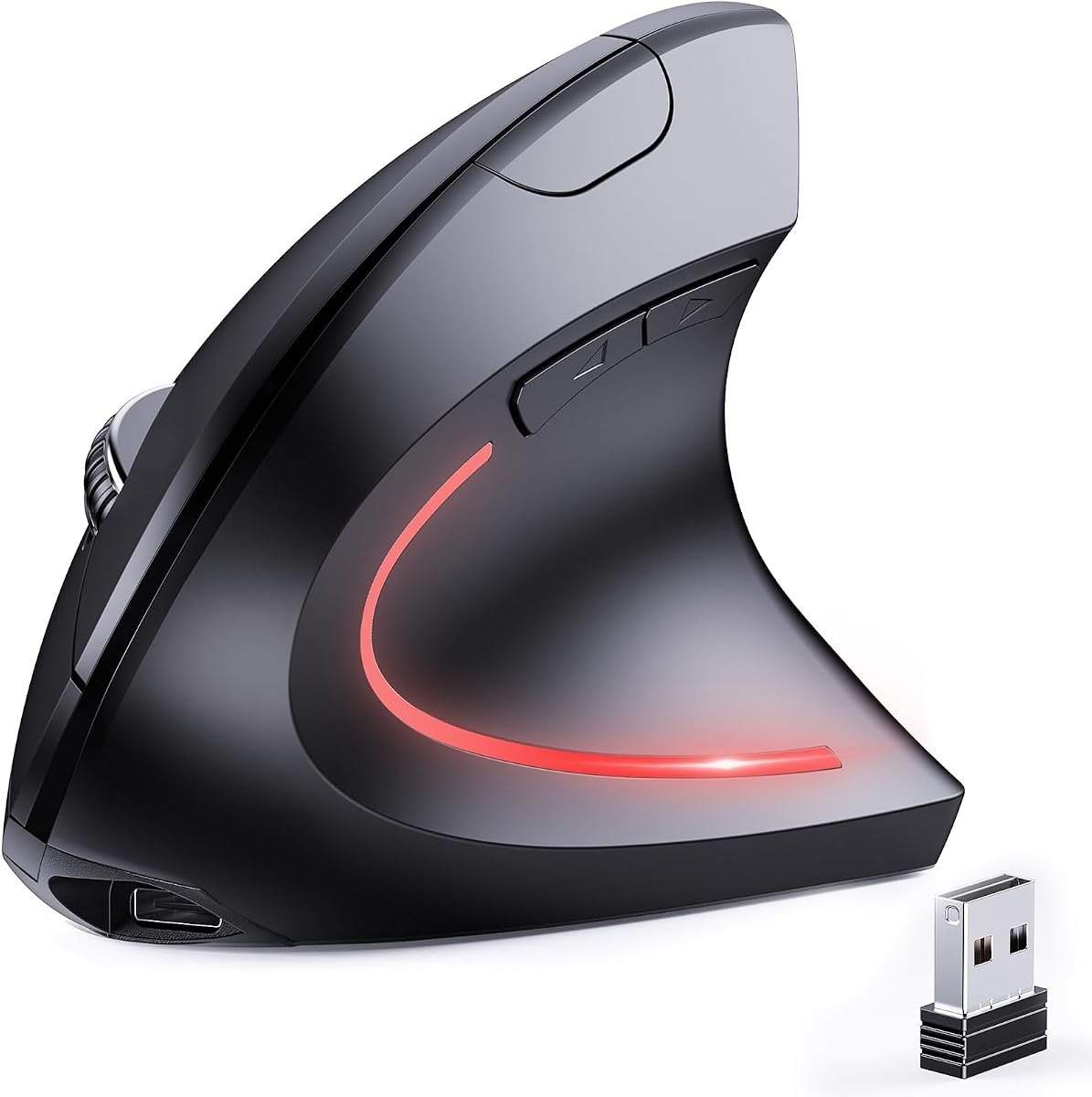


This TECKNET mouse stands out with its high rating and rechargeable battery. It features a vertical design that promotes a natural handshake grip. Users appreciate the silent clicks and multiple connectivity options.
We may earn a commission when you buy through this link, at no additional cost to you.
The 52 degree angle significantly reduces wrist strain during long work sessions. Its rechargeable battery eliminates the need for disposable replacements. The six DPI levels allow precise control for various tasks.
Side buttons may not function on macOS systems which is a minor limitation. Initial setup requires charging the device before first use. However these are small trade-offs for the comfort it provides.
Buyers seeking a durable and comfortable mouse will find this model ideal. It balances performance and ergonomics exceptionally well for the price point. It remains our top recommendation for general users.
The built-in battery saves money and waste from buying disposable cells regularly.
Clicks are 99% quieter making this perfect for shared offices or libraries.
We may earn a commission when you buy through this link, at no additional cost to you.
The Logitech Lift is the premium choice despite being affordable compared to pro gear. It features a softly textured grip and ergonomic certification from experts. Its SmartWheel offers seamless scrolling for productivity.
We may earn a commission when you buy through this link, at no additional cost to you.
Its battery lasts up to two years on a single set of AA batteries. The vertical shape promotes a natural posture reducing forearm strain. Compatible with many OS options via Bluetooth or Logi Bolt.
It costs more than basic models which might deter strict budget shoppers. It is best suited for small to medium sized hands specifically. Larger hands may find it less comfortable than other vertical options.
Choose this if you value ergonomics certified by experts and brand reputation. It delivers exceptional comfort and longevity. The investment pays off for daily users needing reliable wrist support.
Ergo-certified design ensures it meets high standards for wrist health and comfort.
SmartWheel allows smooth and precise scrolling through long documents effortlessly.
We may earn a commission when you buy through this link, at no additional cost to you.
This mouse offers excellent value with basic ergonomic features at a low cost. It uses a simple 2.4G connection and includes next/previous buttons for web browsing. The vertical design aligns your arm naturally.
We may earn a commission when you buy through this link, at no additional cost to you.
Setup is straightforward with no drivers needed just plug the receiver in. DPI levels adjustable from 800 to 1600 for different tasks. It is lightweight and works well on various surfaces.
It lacks silent clicks and requires disposable batteries which adds ongoing cost. The build is plastic and not as refined as pricier options. Still it provides core ergonomic benefits effectively.
Ideal for budget buyers needing a functional vertical mouse quickly. It is perfect for casual users or secondary computers. You get essential comfort without spending much money.
At a low price point it offers an easy entry into ergonomic computing.
Plug and play via USB receiver makes installation fast and frustration free.
We may earn a commission when you buy through this link, at no additional cost to you.
This model supports up to 4800 DPI for high precision tasks. Silent clicks keep your workspace quiet for libraries or offices. It connects via Bluetooth or USB for flexibility.
We may earn a commission when you buy through this link, at no additional cost to you.
The six DPI levels allow fine tuning for different work scenarios. Battery warning LED blinks when power is low. It includes a USB receiver stored inside the mouse base.
Some function buttons are not silent which may be a minor issue. It requires AAA batteries so consider the cost of replacements. Overall performance is strong for the price.
Great for users needing high precision and silent operation often. The multi-mode connectivity suits various devices. Choose this if you need more DPI range than typical mice.
The high DPI allows precise cursor movement for detailed design work.
Main clicks are silent so you won't disturb others around you.
We may earn a commission when you buy through this link, at no additional cost to you.
UGREEN delivers a solid ergonomic experience with quiet clicks and PTFE feet. The vertical design supports users with larger hands or long hours. It switches between Bluetooth and 2.4G easily.
We may earn a commission when you buy through this link, at no additional cost to you.
Its five-button layout provides productivity shortcuts for browsing and work. The PTFE glide ensures smooth tracking without friction. It supports multiple operating systems seamlessly.
It uses one AA battery which is convenient but still disposable. The DPI range is standard compared to high-end options. Still it balances features well for a moderate price.
Buyers wanting a quiet smooth mouse will like this model. It is versatile and works well across devices. A solid choice for general office or home use.
Quiet click buttons keep your workspace peaceful without loud taps.
PTFE glide feet ensure effortless movement with reduced surface friction.
We may earn a commission when you buy through this link, at no additional cost to you.
Anker provides a reliable option with a proven ergonomic structure. It uses a USB receiver and supports up to 1600 DPI. The mouse goes into power-saving mode after inactivity.
We may earn a commission when you buy through this link, at no additional cost to you.
It offers next and previous buttons for web browsing convenience. Its tracking is smooth on diverse surfaces suitable for work. The brand is known for durability and support.
Click sounds are not silent so it may not suit quiet offices. It uses AAA batteries which are standard but disposable. The design is a bit older compared to newer models.
Ideal for those who prefer a trusted brand over new features. It is reliable and easy to use. A good pick if you value brand reputation and basics.
Power-saving mode disconnects power after eight minutes to save energy.
Anker is a well-known brand for reliable electronics accessories.
We may earn a commission when you buy through this link, at no additional cost to you.
This version offers rechargeable convenience with a 600mAh battery. It supports both Bluetooth and USB connection for versatility. The silent click technology is ideal for quiet environments.
We may earn a commission when you buy through this link, at no additional cost to you.
The ergonomic 52 degree angle promotes a healthy wrist position. Six DPI levels allow you to switch between tasks easily. The durable construction withstands millions of clicks over time.
You must charge the device initially which takes about 1.5 hours. Side buttons may not work on some macOS versions. But these are minor issues compared to the benefits.
Buyers wanting rechargeable convenience should consider this model. It is eco-friendly and cost-effective over time. A strong choice for professionals needing comfort and flexibility.
Rechargeable battery reduces waste from disposable cells saving money too.
Built to withstand six million clicks ensuring long product life.
We may earn a commission when you buy through this link, at no additional cost to you.
This mouse supports simultaneous connection to two devices via Bluetooth and USB. It features six silent buttons and rechargeable battery for convenience. The vertical design promotes a neutral handshake position.
We may earn a commission when you buy through this link, at no additional cost to you.
The rechargeable battery saves you money on replacements over time. You can switch between devices with a simple button press. It works well on various surfaces with optical tracking.
Battery care is needed avoid fast charging adapters for longevity. The DPI range is standard compared to higher-end models. Overall it is a strong budget option for multitaskers.
Ideal for users needing two-device connectivity without extra cost. The silent buttons and rechargeable battery add value. A good pick for office environments.
Connect to two devices at once for seamless workflow switching.
All six buttons are silent for distraction-free use anywhere.
We may earn a commission when you buy through this link, at no additional cost to you.
Uineer adds a unique seven-color ambient light to the design. It syncs up to three devices for easy switching without pairing. The ergonomic vertical shape helps reduce wrist strain.
We may earn a commission when you buy through this link, at no additional cost to you.
It offers four DPI levels and smart power-saving features. The low battery LED alert prevents unexpected shutdowns during use. It comes with a generous after-sales support package.
The ambient light may not help work and could drain battery. It is best suited for small to medium hands. Some side buttons won't work on macOS systems though.
Buyers wanting a bit of style along with ergonomics will enjoy this. The three-device sync is excellent for multi-device users. A nice balance of features and price.
Seven ambient colors boost your visual experience and workspace style.
Sync up to three devices seamlessly for better multitasking.
We may earn a commission when you buy through this link, at no additional cost to you.
This model features the latest Bluetooth 5.3 for stable transmission. The 57 degree angle supports a healthy posture while working. Silent clicks reduce distractions in shared environments.
We may earn a commission when you buy through this link, at no additional cost to you.
The rechargeable battery lasts up to three months on a charge. Six DPI levels offer precision for varied tasks. It supports multi-device switching without repeated pairing.
Side buttons are not supported on macOS which limits some features. You need to recharge the battery periodically but it's easy via cable. Overall a well-rounded ergonomic option.
Buyers needing Bluetooth 5.3 and silent operation will find this ideal. The rechargeable feature makes it eco-friendly. A solid pick for modern office needs.
Bluetooth 5.3 provides strong stable connections without lag or dropouts.
Rechargeable battery offers months of use between charges saving effort.
We may earn a commission when you buy through this link, at no additional cost to you.
This mouse excels with ultra-quiet operation and a textured thumb groove. The 57 degree vertical design supports a healthy sitting posture. It switches smoothly between multiple devices.
We may earn a commission when you buy through this link, at no additional cost to you.
Silent clicks and scroll wheel make it ideal for shared spaces. The widened base supports your little finger for comfort. It works well across various operating systems.
It uses disposable batteries which is a minor downside. The DPI range is basic but sufficient for most users. Overall it focuses on quiet and comfortable daily use.
Buyers seeking the quietest option will love this model. The non-slip grip ensures control. A good pick for libraries or quiet offices.
Silencing clicks and wheel ensure you won't disturb others around you.
Non-slip thumb groove and widened base support a healthier posture.
We may earn a commission when you buy through this link, at no additional cost to you.
The Logitech Lift remains a top-tier option with brand trust. It features a SmartWheel for seamless scrolling and soft grip. Ergo-certified design ensures health and comfort.
We may earn a commission when you buy through this link, at no additional cost to you.
Its battery lasts up to two years reducing maintenance efforts. The vertical shape promotes natural posture throughout the day. It connects via Bluetooth or Logi Bolt USB.
It is pricier than basic options but worth it for comfort. Best for small to medium hands specifically. Larger hands might prefer other models with larger footprints.
Buyers valuing sustainability and comfort should choose this model. It offers a refined ergonomic experience. A strong investment for daily professionals needing reliability.
Plastic parts include certified post-consumer recycled plastic for eco-use.
Snug thumb rest and textured grip provide level-above coziness.
We may earn a commission when you buy through this link, at no additional cost to you.
Selecting the right ergonomic mouse depends on your hand size budget and connectivity needs.
Consider whether you need Bluetooth USB or dual-mode connection. Bluetooth saves USB ports but may have pairing steps. Dual-mode offers flexibility for various devices.
Choose dual-mode if you work with multiple devices often.
Rechargeable models reduce waste and long-term cost. Disposable batteries offer convenience but need replacements. Consider how often you use the mouse daily.
Opt for rechargeable if you want to save money on batteries.
Measure your hand to ensure the mouse fits comfortably. Small hands may prefer compact designs. Larger hands need wider grips for support.
Choose a size matching your hand to prevent strain.
Higher DPI allows faster cursor movement suitable for design work. Lower DPI provides precision for detailed tasks. Adjustable DPI gives flexibility for different workflows.
Pick a mouse with adjustable DPI for versatility.
Silent clicks are crucial for quiet environments like offices. Non-silent mice may disturb others. Check if only main buttons or all are silent.
Choose silent if you need a noise-free workspace.
Ensure the mouse supports your operating system. Some side buttons don't work on macOS. Verify all features work on your platform.
Check compatibility lists before buying to avoid issues.
Prices range from budget to premium models. Higher cost often brings better build and ergonomics. Determine your maximum spending limit.
Balance price with essential features you need.
Look for warranties covering defects and support. Some brands offer 36 months. Longer warranties suggest quality and reliability.
Choose a brand with good warranty terms.
Connect the mouse via Bluetooth or USB and allow drivers to install automatically if needed.
Adjust DPI levels by pressing the dedicated button to match your screen resolution.
Clean the sensor and buttons regularly with a soft cloth to ensure smooth operation.
Vertical mice promote a natural handshake position reducing wrist rotation and strain. They help prevent repetitive strain injuries. Many users report less discomfort after switching to ergonomic designs.
For general office use DPI between 1000 and 1600 is ideal. This range balances precision and speed. Higher DPI may be needed for large monitors or detailed design work.
Most support macOS basic functions but side buttons often do not work. Verify compatibility before purchasing especially if you rely on shortcuts. Many models specify macOS limitations clearly.
Yes if you work in shared environments like offices or libraries. Silent clicks reduce noise distractions. They provide peace without sacrificing performance or durability significantly.
Rechargeable models typically last 1 to 3 months per charge. Usage frequency affects battery life. Some offer fast charging for quick top-ups when needed.
Many models fit small to medium hands well. Larger hands may need bigger grips. Measure your hand width to find the best ergonomic fit.
Most work plug-and-play without software. Advanced customization may require drivers. Check product details if you need programmable buttons.
Yes many support gaming with adjustable DPI and quick response. Ergonomic mice reduce fatigue during long sessions. Look for high DPI and low latency for best results.
We reviewed ten affordable ergonomic mice highlighting features like silent clicks and rechargeable options. TECKNET and Logitech models stand out for performance and comfort.
Prioritize connectivity and hand fit when buying to ensure long-term satisfaction. Silent options suit quiet offices while rechargeable ones save money.
Always check current prices and compatibility before purchasing. Prices change frequently so verify details on product pages.