
Logitech G305 Lightspeed
4.6Editor score
HERO 12K sensor
Ultra-fast wireless
250 hour battery
Explore our top picks for cheap gaming mice. We compare sensors, ergonomics, and build quality to help you find the best budget gaming mouse for your setup.
Finding a reliable gaming mouse without breaking the bank can be challenging. You need precision, comfort, and durability to perform well in competitive matches. Our guide highlights the best affordable options that deliver high performance for less.
We evaluated ten top-rated budget mice based on sensor accuracy, build quality, and user feedback. Each product was compared for its DPI range, button programmability, and overall value. This list covers wired and wireless options to suit every preference.
Each pick includes detailed specs and real user ratings to help you decide quickly. Note that prices and availability may change over time. Check the latest offers before making your final purchase to get the best deal today.
4.6Editor score

4.5Editor score

4.6Editor score
This side-by-side comparison highlights the key features and specifications of all ten products. We look at sensor type, connection method, and unique capabilities to help you identify the best fit for your gaming needs.





This ergonomic mouse offers reliable precision for gamers who need accuracy without high costs. With a 6400 DPI sensor and solid build quality, it performs well in both casual and competitive scenarios. It stands out as a top choice for budget-conscious buyers.
We may earn a commission when you buy through this link, at no additional cost to you.
The mechanical switches support up to 10 million clicks, ensuring longevity. The ridged scroll wheel provides excellent control during intense gaming sessions. Five programmable buttons allow for quick macro assignments via Razer Synapse.
While it lacks advanced features found in higher-end models, it delivers essential performance reliably. Some users might find the lack of RGB lighting disappointing, but the focus remains on function over form.
Ideal for FPS players seeking a lightweight and comfortable grip. This mouse is a solid recommendation for anyone starting their PC gaming journey on a budget.
The optical sensor ensures smooth tracking with adjustable DPI buttons for quick sensitivity changes during gameplay.
Its classic shape supports palm users comfortably for extended periods without causing hand fatigue.
We may earn a commission when you buy through this link, at no additional cost to you.
This wireless mouse proves that low latency is possible without a cable. Its HERO sensor delivers incredible power efficiency and precision, making it a standout for portable gaming. Many users appreciate its balance of performance and affordability.
We may earn a commission when you buy through this link, at no additional cost to you.
The LIGHTSPEED technology ensures a lag-free experience with a 1ms report rate. A single AA battery lasts up to 250 hours, reducing the need for frequent replacements. Its lightweight design enhances speed during competitive play.
Although it uses a battery instead of being rechargeable, the long life offsets this trade-off. The compact design may feel small for large hands, but it remains effective for most grip styles.
Perfect for travelers and wireless enthusiasts who refuse to compromise on performance. It is highly recommended for anyone needing a reliable wireless option without breaking the bank.
The LIGHTSPEED connection eliminates cables while maintaining responsiveness comparable to wired mice.
Endurance mode extends battery life significantly, allowing months of gameplay on a single charge.
We may earn a commission when you buy through this link, at no additional cost to you.
This budget-friendly mouse offers extensive customization options for gamers who love tweaking settings. With 11 programmable buttons and dynamic RGB lighting, it provides a personalized experience. Users often highlight its comfort and value for money.
We may earn a commission when you buy through this link, at no additional cost to you.
The 8000 DPI range allows quick adjustments between sensitivity levels. The skin-friendly coating prevents slipping during intense matches. Side buttons offer quick access to macros and commands in games.
Its wired connection ensures zero latency but may limit movement space compared to wireless alternatives. Some users report that the RGB software can be complex to configure initially.
Best suited for users who prioritize features over form factor. It is a great pick for gamers who need many macro options on a strict budget.
Rubber textures on the grip surface ensure stability and comfort during long gaming sessions.
RGB lighting modes can be customized to match your setup style or gaming preferences.
We may earn a commission when you buy through this link, at no additional cost to you.
Acer brings a robust wired option that balances weight and accuracy. Its ergonomic design suits mid-hand grips, providing comfort during long play. The adjustable DPI and RGB lighting offer enough flexibility for most users.
We may earn a commission when you buy through this link, at no additional cost to you.
With 1000Hz polling and smooth skates, tracking feels responsive and precise. The ability to toggle lighting via the mouse adds convenience without needing software. Eight buttons cover most gaming needs effectively.
Mac users might need an adapter for full functionality. The driver setup requires following specific steps from the manual, which can be slightly time-consuming for beginners.
Ideal for FPS gamers needing high precision and a comfortable hold. It offers excellent value for those wanting high specs without extra cost.
High polling rates and smooth skates ensure that every movement translates accurately on screen.
RGB effects can sync with music for an immersive atmosphere, though driver installation is required.
We may earn a commission when you buy through this link, at no additional cost to you.
This mouse is perfect for those needing a basic gaming solution at the lowest price point. It offers plug-and-play convenience and decent ergonomics for beginners. Users often praise its simplicity and easy setup process.
We may earn a commission when you buy through this link, at no additional cost to you.
With four adjustable DPI levels, switching sensitivity is straightforward. The RGB lights add a nice touch of style to your desk. Its compact design fits easily in most hands without causing strain.
It lacks advanced programmability and high-end durability. Long-term use might show wear on the cable, but the low cost makes replacement easy when needed.
Great for casual gamers or students needing a spare mouse. It is highly recommended for anyone on a very tight budget looking for immediate functionality.
Simply plug the USB into your computer and start gaming without installing any software drivers.
Ergonomic contours and skin-friendly materials provide a soft feel during extended use.
We may earn a commission when you buy through this link, at no additional cost to you.
This white variant brings a clean look to wireless gaming. It shares the same powerful HERO sensor as the black model, delivering the same performance. Ideal for users who prefer a minimalist desk setup.
We may earn a commission when you buy through this link, at no additional cost to you.
The compact shape and lightweight design make it perfect for travel. Its battery life ensures uninterrupted gameplay for long periods. The wireless connection remains stable even in crowded environments.
While it lacks RGB lighting, the pure color is appealing to many. The surface may attract dust more than dark models, requiring frequent cleaning.
Recommended for those who value style without sacrificing speed. It is a strong contender for white-themed PC builds needing reliable performance.
The sleek white finish complements modern setups and adds a professional touch to your desk.
Despite its look, it performs identically to the standard model with the same high-end sensor.
We may earn a commission when you buy through this link, at no additional cost to you.
This mouse combines high-end specs with incredible lighting customization. It is designed for users who want precision and style. The optical switches and sensor ensure fast, reliable performance in any game.
We may earn a commission when you buy through this link, at no additional cost to you.
The HyperScroll wheel allows free spinning for quick scrolling and tactile mode for accuracy. Eleven buttons let you bind complex macros easily. The thumb rest adds significant comfort during long play.
It sits slightly higher in price but offers more value through features. The larger size might not fit smaller hands comfortably. The USB cable can add some drag during rapid movements.
Perfect for competitive players wanting premium features. It is a top choice for anyone who values lighting and performance equally.
High DPI and optical switches ensure your moves are tracked instantly and accurately.
With 11 lighting zones, you can create unique looks that sync with your games.
We may earn a commission when you buy through this link, at no additional cost to you.
This is a classic choice known for its versatility. The adjustable weight system lets you tune the feel to your preference. It works equally well for gaming and productivity tasks.
We may earn a commission when you buy through this link, at no additional cost to you.
The HERO sensor tracks accurately with no smoothing or filtering. Mechanical buttons feel crisp and reliable. The dual-mode scroll wheel switches between precision and free-spin quickly.
Its weight can be high for some users, though the adjustable system helps. The cable may stiffen over time, but the build quality remains top-notch.
Best for users who want a reliable workhorse mouse. It is highly recommended for anyone seeking a balance of features and build quality.
Use the included weights to balance the mouse perfectly for your grip style.
Switch between precise scrolling for documents and free-spin for gaming content.
We may earn a commission when you buy through this link, at no additional cost to you.
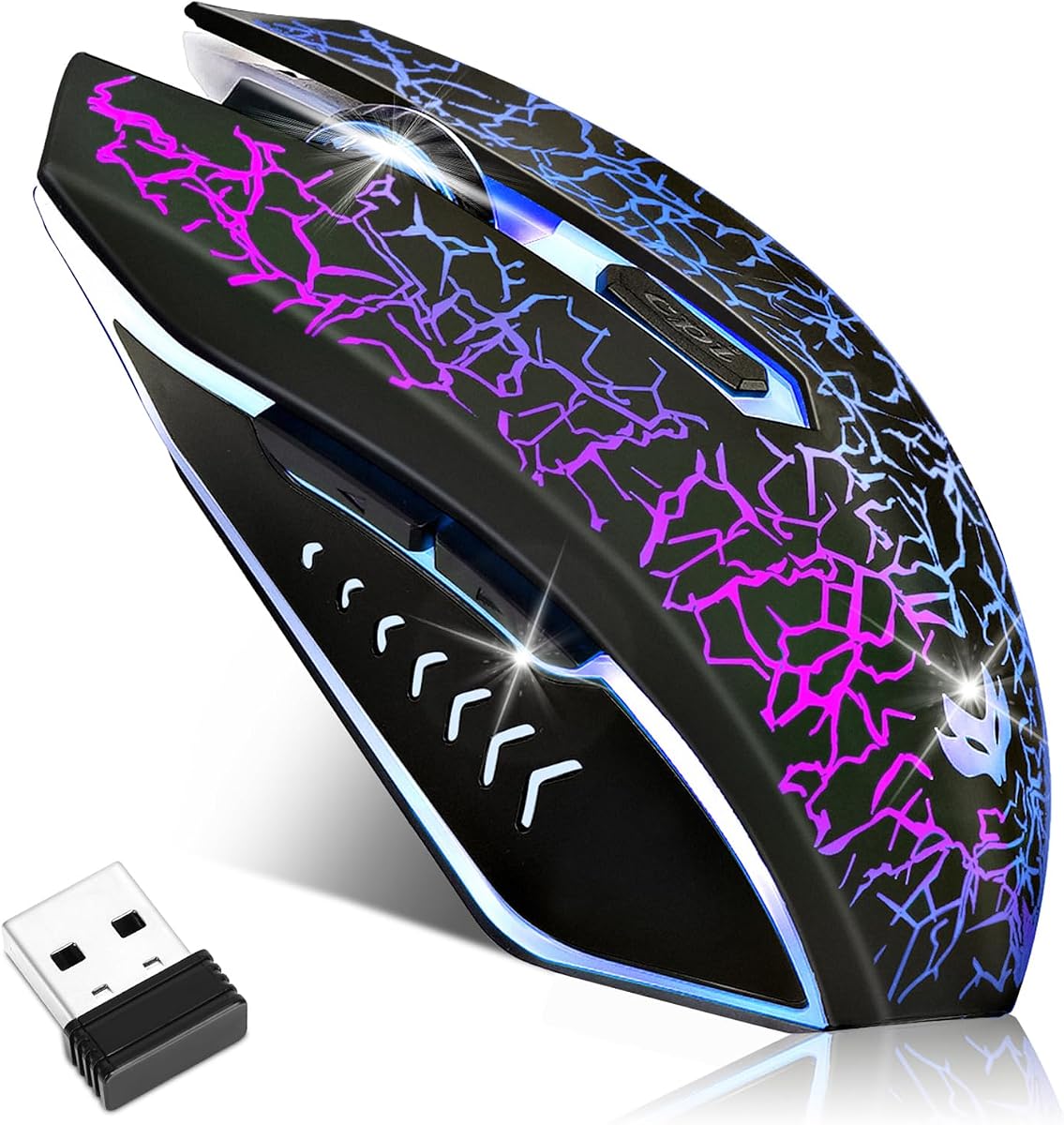
This wireless mouse offers great performance for the price. It uses a reliable Pixart sensor and rechargeable battery to avoid buying replacements. Users appreciate the freedom from cables without high costs.
We may earn a commission when you buy through this link, at no additional cost to you.
The 10000 DPI allows precise adjustments during play. Eight programmable buttons cover most gaming needs. The RGB lighting adds a competitive vibe to your setup.
Battery life is decent but can decrease with heavy RGB use. The driver software has many options but may confuse beginners. The build feels slightly lighter than premium models.
Ideal for casual gamers needing wireless freedom. It is a great pick for budget users who want rechargeable features.
A built-in battery means you can recharge via USB instead of replacing disposable batteries.
The 2.4G connection provides a stable link with minimal lag for competitive play.
We may earn a commission when you buy through this link, at no additional cost to you.
This mouse is perfect for quiet environments where noise is an issue. Its silent clicks are gentle on the ears, making it suitable for shared spaces. The rechargeable design adds to its convenience.
We may earn a commission when you buy through this link, at no additional cost to you.
With a 2400 DPI sensor, it handles general gaming well. The ergonomic shape supports natural hand positions. The LED light adds a touch of flair to your desk.
It lacks high DPI precision for competitive play, which might limit FPS use. The wireless range is good but may suffer interference in crowded areas.
Best for users needing quiet operation in offices or dorms. It is recommended for casual gamers prioritizing silence over speed.
Silent buttons reduce noise, making it perfect for libraries or late-night gaming.
Designed to fit comfortably in the palm for long periods without hand fatigue.
We may earn a commission when you buy through this link, at no additional cost to you.
Choosing a cheap gaming mouse involves balancing performance and price. This guide breaks down the key factors you should consider before making a purchase.
The sensor is the most critical component of a gaming mouse. For budget models, look for optical sensors with at least 6000 DPI to ensure smooth tracking without jitter. High DPI allows you to adjust sensitivity to your gaming style without needing to lift the mouse.
Comfort matters during long sessions. Ergonomic shapes reduce strain on your wrist and fingers. Consider whether you have a palm, claw, or fingertip grip when choosing a shape. A comfortable mouse prevents fatigue and keeps your aim steady.
Buttons allow you to execute macros and commands quickly. Most gaming mice offer six or more programmable buttons. Check if the software supports your preferred game and operating system to ensure compatibility and ease of use.
Wired mice typically offer lower latency and no need for charging. Wireless models provide freedom of movement but may introduce lag. Modern budget wireless options are improving, but wired remain the safest bet for competitive gaming.
Durability ensures the mouse lasts longer. Look for switches rated for millions of clicks and sturdy materials. While budget mice may feel lighter, they should still feel solid enough for regular gaming use.
RGB lighting enhances the look of your setup. While optional for performance, it adds style. Some models let you customize colors or patterns, which can be fun for personalization.
Ensure the mouse works with your operating system. Most support Windows and macOS, but check for specific driver requirements. If you plan to use a Mac or Linux, confirm the software is compatible.
Budget mice often cut corners but deliver value. Focus on core specs like sensor quality and build over flashy features. The goal is to find a reliable tool that enhances gameplay without unnecessary costs.
Start by connecting the mouse to your PC via USB or wireless receiver. Install any necessary software to customize buttons and DPI settings. Ensure your desktop surface is smooth for accurate tracking.
Clean your mouse regularly using a soft, dry cloth to remove dust and oils. Avoid harsh chemicals that may damage the coatings. Store the device in a dry place when not in use.
Update your mouse firmware periodically for optimal performance. Adjust your sensitivity settings based on the games you play most. Proper maintenance extends the lifespan of your device.
A DPI range between 6000 and 12000 is ideal for most gamers. It provides enough flexibility for both low and high sensitivity needs. Higher DPI does not guarantee better performance but does offer more customization options.
Yes, many budget models feature durable mechanical switches and reinforced cables. Look for products with click ratings above 5 million to ensure longevity. Proper care and handling also extend the life of the device.
Basic functions work without software, but customization requires it. Most models include lightweight software for mapping buttons and adjusting DPI. Ensure compatibility with your OS before purchasing.
Use a dry microfiber cloth to wipe down the surface and scroll wheel. For stubborn dirt, a slightly damp cloth can help, but avoid moisture near ports. Regular cleaning prevents debris from affecting buttons.
Absolutely. Gaming mice offer precise tracking and extra buttons that help productivity. However, some models may have aggressive designs or RGB lighting that might distract in professional settings.
Most budget mice are designed for palm or claw grips due to their general shapes. If you have small hands or use a fingertip grip, look for lightweight, smaller models to ensure comfort.
We have explored ten top budget options that deliver reliability and performance. The Razer DeathAdder Essential and Logitech G305 stand out as top contenders for most gamers seeking value.
When selecting your mouse, prioritize sensor accuracy and comfort over flashy features. A well-built budget mouse can perform as well as premium models in critical gaming scenarios.
Remember that prices and availability change frequently. Check current offers to ensure you get the best deal. Happy gaming and good luck on your next match.