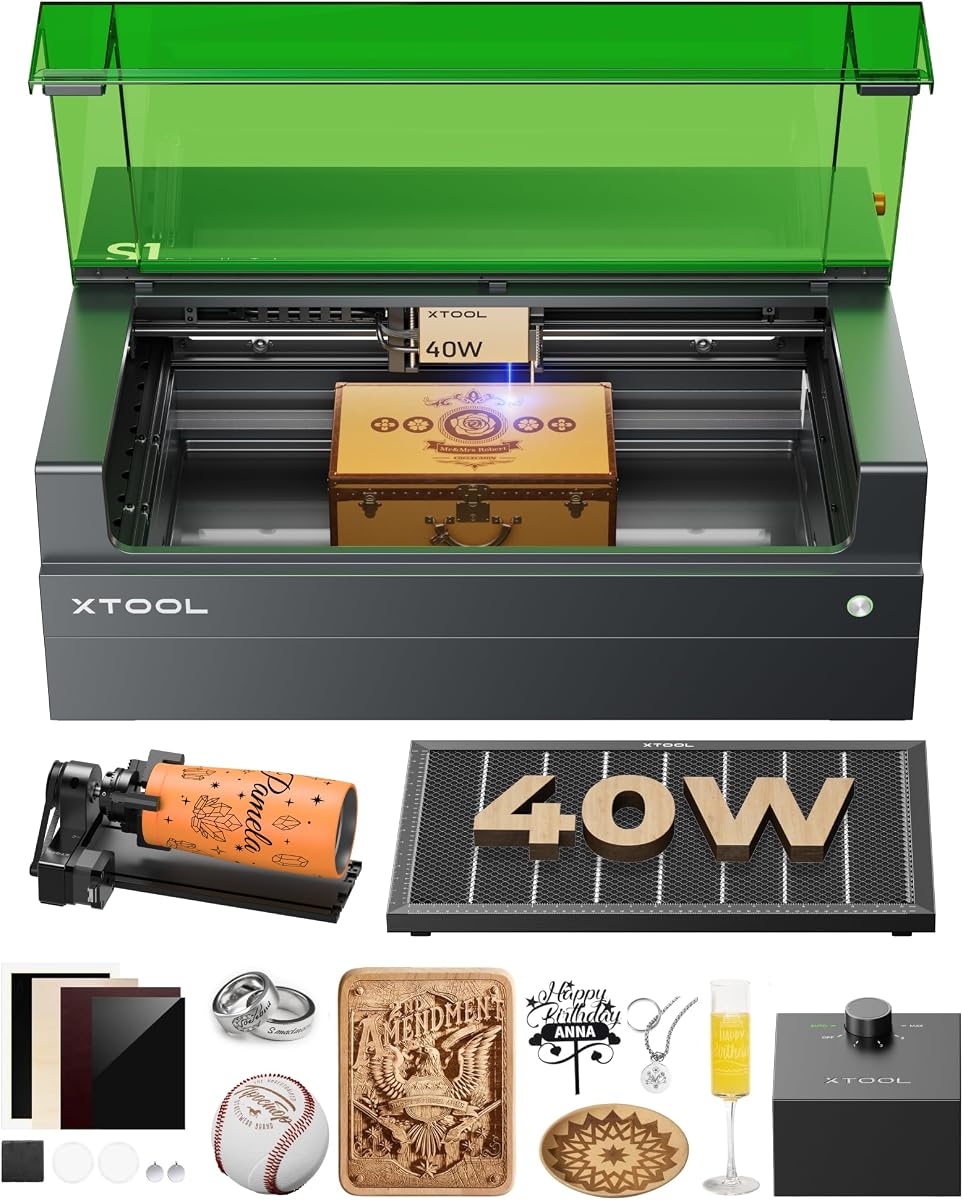
xTool S1 40W Laser Cutter
4.6Editor score
Powerful 40W laser output
Large 23.93 inch bed size
Class 1 enclosed safety design
Finding a reliable and affordable laser engraver can be challenging for hobbyists and small business owners alike. You want a machine that delivers precision without breaking the bank or compromising on safety. This guide explores ten top-rated options that balance cost with performance for various projects.
We have carefully evaluated each product based on user ratings, technical specifications, and real-world usability. Our comparison covers everything from compact desktop units to more robust machines capable of handling diverse materials like wood, leather, and acrylic. Each pick has been selected for its value proposition.
Every recommendation includes detailed insights into performance, ease of use, and compatibility with industry-standard software. While our goal is to highlight the best value, remember that pricing can fluctuate based on sales and availability. Always check the latest details before making your final purchase decision today.
4.6Editor score

4.3Editor score
4.3Editor score
As an Amazon Associate we earn from qualifying purchases.
This side-by-side comparison highlights the key specifications and capabilities of all ten featured laser engravers. Use this table to quickly identify which machine best fits your specific project requirements and budget constraints for 2026.


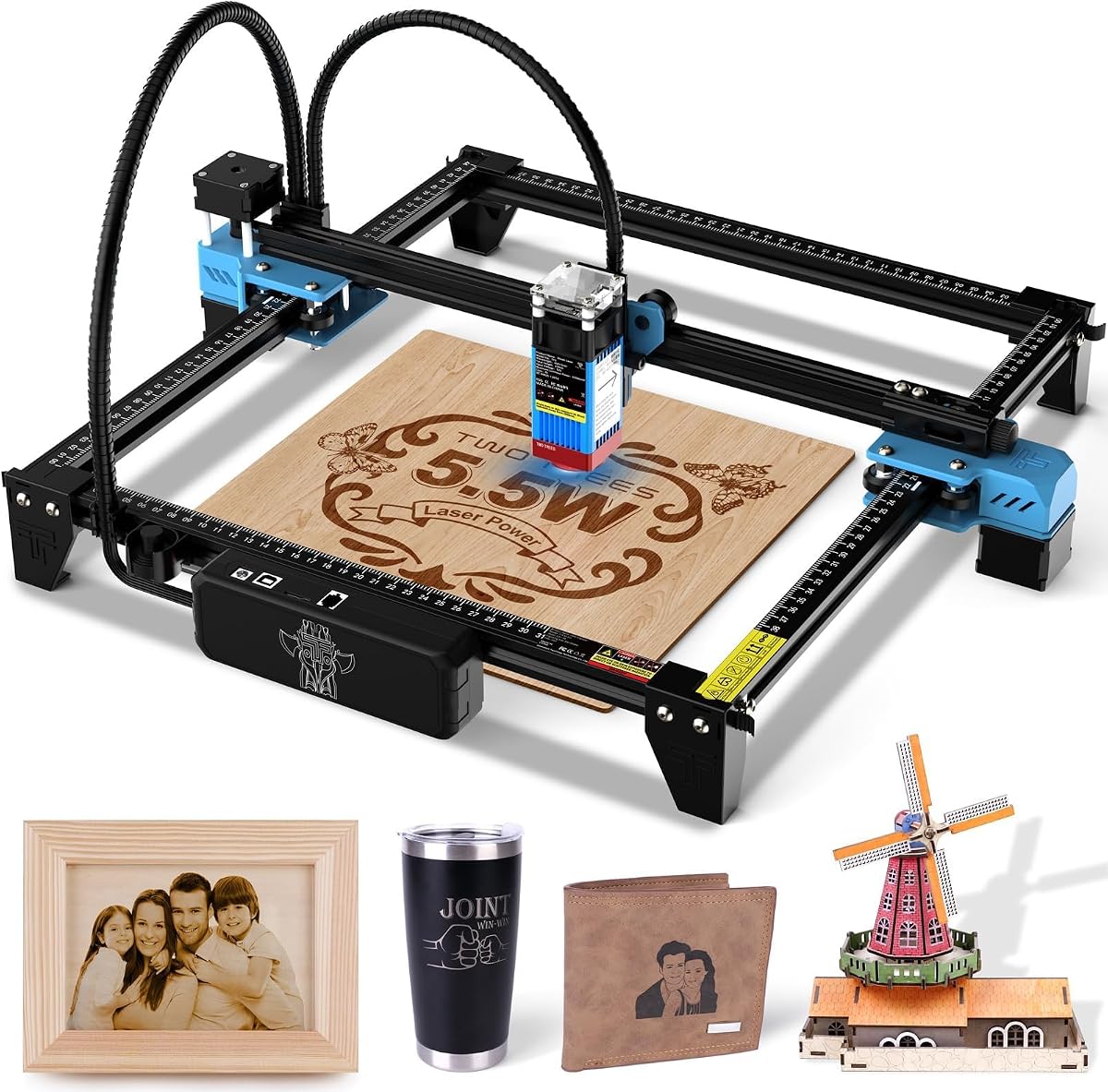


The ACMER S1 Laser Engraver stands out as a top contender for those seeking an affordable yet capable machine for creative projects. With a solid rating of 4.3 stars, users appreciate its balance of price and performance. This device is particularly well-suited for detailed engraving on wood, leather, and acrylic without requiring a significant financial investment.
We may earn a commission when you buy through this link, at no additional cost to you.
One of its strongest features is the included Acmerstudio software, which is optimized specifically for this device and ready to use right out of the box. The 2500mW laser power combined with a 455nm wavelength allows for ultra-fine accuracy up to 10,000mm/min. This makes it ideal for hobbyists who want professional-quality details on smaller items like coasters or jewelry.
While the 130x130mm working area is smaller than some other machines on this list, it keeps the unit incredibly compact and portable. The device is 99% preassembled, meaning you can start your first project in minutes rather than hours. However, users should note that cutting thick materials may require multiple passes due to the lower wattage.
If you are looking for a reliable entry point into laser engraving that does not demand complex setup or high costs, the ACMER S1 is an excellent choice. It offers robust compatibility with other software like LightBurn, giving you flexibility as you grow your skills. We recommend this model for beginners focused on detailed engraving rather than heavy cutting tasks.
The device includes custom software that simplifies the workflow for new users, ensuring you can focus on design rather than technical calibration.
Weighing only 2kg, this lightweight design makes it easy to store or transport for craft fairs and mobile engraving projects.
We may earn a commission when you buy through this link, at no additional cost to you.
The xTool M2 represents a significant leap in safety and smart features for home-based creators. Rated at 4.5 stars, it is designed to be safe enough for households with children and pets thanks to its Class 1 enclosed design. This machine transforms the engraving experience by integrating vision technology directly into the workflow.
We may earn a commission when you buy through this link, at no additional cost to you.
Its dual-camera system provides a real-time preview of your workspace, allowing you to place materials with confidence. The Place & Go feature ensures high accuracy while eliminating guesswork and wasted material. This is particularly useful for delicate items where precise positioning is critical. The included xTool Studio offers hundreds of customizable templates for immediate productivity.
While the base unit comes with a standard 10W diode laser, the architecture allows for future upgrades like the CMYK Inkjet module for full-color printing. This versatility makes it a long-term investment for creative businesses. The primary drawback is the cost, as optional add-ons are sold separately to unlock all capabilities.
If safety and user-friendly design are your top priorities, the xTool M2 is a compelling option despite the higher initial cost. It removes the technical barriers often associated with laser engraving. We recommend this machine for families or makers who want a secure, intuitive environment for creating personalized gifts and decor.
The Class 1 enclosure filters harmful radiation and protects your workspace, making it safe to operate even when children are nearby.
Built-in AI image generation helps turn creative text ideas into finished designs in minutes, reducing the learning curve for new users.
We may earn a commission when you buy through this link, at no additional cost to you.
The BlazeX M3 is designed to be a complete solution for beginners who want a fully equipped laser engraver from day one. With a rating of 4.0 stars, it delivers professional precision with a 0.01mm ultra-fine accuracy. This machine stands out because it includes essential accessories that often cost extra with other brands.
We may earn a commission when you buy through this link, at no additional cost to you.
Included in the box are a protective enclosure, a tool kit, 13 engraving materials, and a honeycomb laser bed. The enclosure ensures safety and smoke control, while the honeycomb bed provides stable support for cleaner cuts. This bundle approach means you can start your creative journey immediately without needing to research additional purchases.
The machine is compatible with popular software like LightBurn and LaserGRBL, ensuring flexibility for your workflow. It also features intelligent protection systems that trigger automatic stops if the machine tilts or the lid opens. While it handles over 300 materials effectively, some users may find the initial setup instructions slightly complex.
For those who want a hassle-free entry into engraving with all the necessary tools provided, the BlazeX M3 is a strong contender. It balances safety, precision, and convenience in a single package. We recommend this kit for hobbyists who prefer an all-inclusive solution over piecing together components separately.
The inclusion of materials and tools allows for immediate project starts, saving time and money on separate purchases.
Class 1 safety rating combined with smart sensors ensures a secure operating environment without compromising on engraving detail.
We may earn a commission when you buy through this link, at no additional cost to you.
The Twotrees TTS-55 Pro offers a robust combination of power and speed that appeals to makers who need efficiency. Rated at 4.3 stars, it features a powerful 5500mW laser capable of cutting through thicker materials like 5mm plywood. The 300x300mm working area provides ample space for larger projects without needing multiple setups.
We may earn a commission when you buy through this link, at no additional cost to you.
Its advanced 32-bit control board enables engraving speeds up to 30,000mm/min, which is significantly faster than many competitors in this price range. This speed is complemented by support for both online and offline engraving via TF cards. Built-in Wi-Fi also allows for easy control via mobile apps or web interfaces.
The device uses LD+FAC+C-Lens compression technology to deliver a short focal length for sharper details. While the performance is high, the unit requires full assembly which may take some time compared to preassembled options. Additionally, the Class II laser requires proper safety precautions and goggles during operation.
If you value speed and a larger workspace for batch projects, the Twotrees TTS-55 Pro is an excellent choice. It bridges the gap between hobbyist tools and more professional equipment. We recommend this model for users who need higher throughput and are comfortable with standard setup procedures.
High-speed engraving capabilities reduce the time needed for each project, making it suitable for small business production runs.
Wi-Fi and TF card support provide flexibility in how you connect to your machine, reducing cable clutter and increasing portability.
We may earn a commission when you buy through this link, at no additional cost to you.
The xTool F2 is a powerhouse designed for versatility with its dual-laser system combining a 15W diode and a 5W infrared laser. This configuration unlocks possibilities like color marking on metal, which is not possible with standard diode lasers. With a rating of 4.4 stars, it delivers exceptional performance for those who need professional features.
We may earn a commission when you buy through this link, at no additional cost to you.
Its built-in 50MP camera offers precise alignment accuracy of up to 0.1mm on small pieces, ensuring every engraving turns out perfect. The machine operates at speeds up to 6000mm/s, completing tasks quickly. Its fully enclosed and leak-proof design makes it safe for indoor use in shops or stores without excessive fumes.
Despite its power, the unit is portable at only 4.6kg, making it easy to transport to fairs or markets. The software includes material presets that eliminate guesswork for new users. However, as a Class 4 laser, it requires strict adherence to safety protocols and may cost more than standard hobbyist machines.
For small businesses or serious makers needing advanced capabilities like 3D embossing and metal marking, the xTool F2 is a top-tier choice. It combines high speed with precision in a portable package. We recommend this machine for professionals who require reliability and advanced material handling.
The combination of IR and diode lasers expands material compatibility significantly, allowing for deep dark markings on metals.
The 50MP camera visualizes the workspace, ensuring accurate placement and reducing material waste during custom projects.
We may earn a commission when you buy through this link, at no additional cost to you.
The xTool S1 is engineered for users who need to handle large and complex projects with high efficiency. Rated at 4.6 stars, it boasts a powerful 40W laser that can cut through 18mm cherry wood in a single pass. The spacious bed size accommodates big projects like door signs or multiple dog tags simultaneously.
We may earn a commission when you buy through this link, at no additional cost to you.
Its patented Pin-point Positioning technology allows for stunning 3D engravings on curved surfaces. AutoPassthrough Technology extends the working length to 119 inches, which is ideal for continuous banners or long signs. The 3mm aerospace-grade aluminum frame ensures exceptional stability during high-speed operations up to 600mm/s.
The machine is designed for ease of use with intuitive software and automatic focusing. Safety features include a protective cover that filters 99% of laser light and flame sensors for peace of mind. While it is a premium investment, its robustness and productivity features justify the cost for serious creators.
If you need a machine that can handle large-scale production and heavy cutting tasks, the xTool S1 is the definitive choice. It offers a level of power and workspace rarely found in desktop units. We recommend this model for small businesses requiring commercial-grade performance.
The expansive bed and AutoPassthrough technology allow for seamless processing of long or multiple items without interruption.
An aerospace-grade frame ensures precision during heavy-duty work while safety features protect users from potential hazards.
We may earn a commission when you buy through this link, at no additional cost to you.
The LONGER Ray5 offers a unique interface option with its built-in 3.5-inch touch screen, allowing for control without a computer. Rated at 4.3 stars, it is equipped with a powerful 10000mW laser module and dual-beam technology for enhanced speed. The spacious 400x400mm working area provides ample room for diverse projects.
We may earn a commission when you buy through this link, at no additional cost to you.
Its dual-beam technology achieves a maximum engraving speed of 10,000mm/min while maintaining precision. You can connect via USB, WiFi, or TF card for offline usage, offering flexibility in workflow. The advanced safety features include an emergency stop and motion protection that shuts down during abnormal vibrations.
The compact design is well-suited for home workshops where space is limited. Users appreciate the ability to engrave offline, which is useful in areas with unreliable internet. However, some may find the touch screen responsive compared to software controls on a PC for complex designs.
For makers who prefer a standalone operating system without needing a constant PC connection, the LONGER Ray5 is a strong option. It combines convenience with robust performance. We recommend this machine for hobbyists who want flexibility in how they operate their engraver.
The built-in screen allows for direct control and design import, reducing dependency on external devices.
Automatic shutdown during vibration and heat protection ensure safe operation even during unattended runs.
We may earn a commission when you buy through this link, at no additional cost to you.
The ELIDOR Z6 is designed for users who prioritize portability and ease of use. With a perfect 5.0 rating from users, it delivers crisp text and detailed graphics efficiently. Weighing only 2.13kg, it is one of the lightest options available, making it perfect for classrooms or mobile projects.
We may earn a commission when you buy through this link, at no additional cost to you.
Its 6000mW laser module handles materials like wood, leather, and acrylic with ease. The machine supports standard file formats like NC and BMP, ensuring compatibility with popular engraving software. Users appreciate the clean results and quick setup process that allows for immediate use.
Despite its lightweight build, the device maintains a decent working area of 300x300mm. It is ideal for custom keychains and small crafts. However, the lower power output means it may struggle with thick cuts or dense metals. It is best suited for engraving on the surface rather than deep cutting.
For those who need a portable and highly rated solution for light engraving tasks, the ELIDOR Z6 is a standout. It balances simplicity with effective performance. We recommend this machine for educational settings or personal use where weight and size matter.
The perfect rating reflects the reliability and ease of use that customers find in everyday creative projects.
The lightweight construction does not compromise on speed, allowing for quick turnaround on small personal items.
We may earn a commission when you buy through this link, at no additional cost to you.
The AlgoLaser MK3 engraver brings smart features to the desktop with its dedicated 3.5-inch smart touchscreen. Rated at 5.0 stars, it allows users to sketch or import designs directly without a computer. This machine is designed for simplicity, with a 95% pre-assembled design that gets you creating in minutes.
We may earn a commission when you buy through this link, at no additional cost to you.
Its AlgoOS system includes 300+ smart material presets that automatically adjust settings for materials like stainless steel or wood. This eliminates the guesswork and ensures consistent results. The 400x400mm work area is spacious enough for most DIY projects, and the 8W laser delivers sharp engraving.
Safety is a key focus with flame detection and overheat alerts protecting your workspace. It also supports PC connectivity for advanced work via LightBurn. While the touch interface is intuitive, users might prefer a keyboard for detailed text input. The 2-year warranty offers additional peace of mind.
For creators who want a modern, tech-forward engraver that simplifies setup and operation, the AlgoLaser MK3 is ideal. It bridges the gap between simple tools and complex machines. We recommend this model for users who value ease of use and smart automation.
Pre-calibrated presets ensure that every material engraves correctly without manual tweaking of settings.
Factory alignment and built-in safety features allow for quick deployment and worry-free operation in any environment.
We may earn a commission when you buy through this link, at no additional cost to you.
The LaserPecker LP1 Plus is designed for ultimate portability, fitting easily into a backpack for mobile creativity. Rated at 4.2 stars, it allows you to go from box to first engraving in under two minutes. This pocket-sized machine is perfect for personalizing items on the go without complex setups.
We may earn a commission when you buy through this link, at no additional cost to you.
It features an adjustable stand that enables 360-degree multi-angle engraving on cylindrical objects like bottles or pens. The app is designed for maximum simplicity, allowing you to import photos or doodles easily. However, it is limited to non-metal materials like wood and leather, so metal engraving is not supported.
The unit is powered by any power bank, making it truly mobile for outdoor use. Its compact nature means it takes up minimal space at home. While it lacks the power for industrial tasks, it excels at personal projects and travel. Users should note the 200mm distance requirement for proper focus.
If you need a lightweight engraver for travel and quick DIY projects, the LaserPecker LP1 Plus is the best choice on this list. It prioritizes convenience over heavy duty capability. We recommend this device for travelers and casual hobbyists.
The small form factor allows for engraving anywhere, from workshops to outdoor markets, without sacrificing quality.
The cross-platform app makes it easy to import and engrave designs with minimal technical barriers for beginners.
We may earn a commission when you buy through this link, at no additional cost to you.
Selecting the right laser engraver involves balancing power, safety, and ease of use. This guide covers the essential factors to consider when choosing a machine that fits your needs.
Laser power is measured in milliwatts (mW) or watts (W) and determines how quickly and deeply you can engrave or cut. For cheap laser engravers, you typically find diode lasers ranging from 5W to 40W. Higher power allows for faster processing and cutting thicker materials like wood or leather.
Choose a power level that matches your project needs. Lower wattage is suitable for surface engraving while higher wattage is required for cutting or dense materials.
The working area defines the maximum size of objects you can engrave. Compact models offer 130x130mm areas which are great for small items, while larger units provide 400x400mm or more. Always check the dimensions to ensure your typical projects fit within the workspace.
Select a bed size that accommodates your largest expected projects to avoid limitations and the need for repositioning.
Safety is critical when working with lasers. Enclosed machines with Class 1 ratings protect your eyes and skin from harmful radiation. Features like flame detection and emergency stop buttons add layers of protection for home environments.
Prioritize machines with proper safety enclosures if you work in a shared space or have children and pets nearby.
Most engravers are compatible with software like LightBurn or LaserGRBL which allow for design import and machine control. Some manufacturers provide proprietary software that may be more beginner-friendly but less flexible.
Ensure the machine supports software you are comfortable with or can easily learn to maximize your creative potential.
Consider whether you need a portable unit that can travel to events or a stationary machine for a dedicated workshop. Lightweight models with compact designs are easier to move but may sacrifice workspace.
Choose a design that fits your available space and mobility requirements for your creative workflow.
Modern engravers offer various connectivity options including USB, WiFi, and SD card support. Wireless options provide convenience and reduce cable clutter, which is useful for clean workspaces.
Look for connectivity features that streamline your workflow and match your computer setup.
Different lasers work best with specific materials. Diode lasers are great for organic materials like wood and leather but struggle with metals unless they are coated. Some higher-end models offer IR lasers for metal marking.
Verify that the engraver supports the materials you plan to use most frequently to avoid frustration.
Reliable after-sales support is essential for troubleshooting technical issues. Check for warranty terms ranging from one to two years and the availability of community forums or guides.
Select a brand with a reputation for responsive support to ensure long-term usability of your device.
Always wear appropriate laser safety goggles when operating the machine to protect your eyes from harmful radiation. Keep the workspace clean and free of flammable materials to prevent fires during operation.
Calibrate the focus height according to the manufacturer's instructions before starting any project. Use the included ruler or auto-focus feature to ensure the laser beam is sharp for clean results.
Regularly clean the lens and air assist vents to maintain performance and extend the lifespan of the laser module. Store the device in a dry environment to prevent damage to electronic components.
Most affordable laser engravers can cut thin materials like wood, leather, cardboard, and acrylic. The cutting depth depends on the laser power and the number of passes. Thicker or denser materials like metal generally require industrial fiber lasers or higher-end diode models with IR capabilities.
Yes, when used correctly with proper safety gear and enclosed designs. Look for Class 1 safety ratings which ensure the enclosure blocks harmful light. Always operate in a ventilated area to manage fumes and smoke generated during engraving.
Some models require a PC connection for design and control, but many newer units offer standalone operation via touch screens or SD cards. Check the connectivity options before purchasing to ensure it matches your workflow preferences.
Laser modules typically last thousands of hours of use depending on power output and maintenance. Regular cleaning of the lens and proper ventilation help extend the lifespan. Replacing the module is usually a straightforward process when it eventually wears out.
Standard diode lasers can engrave metal only if it is coated or painted. For bare metal marking, you need an infrared laser or a fiber laser. Some high-end machines include both diode and IR modules for versatile metal work.
LightBurn and LaserGRBL are the most popular choices for their extensive features and compatibility. Most devices also work with manufacturer-specific apps for easier setup. Research which software best suits your design skills and project types.
We have reviewed ten top-rated laser engravers that offer exceptional value for hobbyists and small businesses. From the portable LaserPecker LP1 Plus to the powerful xTool S1, there is a machine for every need and budget.
Prioritize features like safety, power, and ease of use when making your decision. A machine that balances performance with user-friendly design will help you create amazing projects without frustration.
Remember to check current pricing and availability before purchasing as these can change frequently. Investing in the right tool will unlock a world of creative possibilities for years to come.